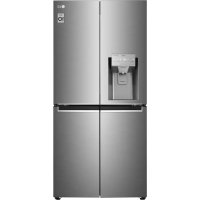
Frequently Asked Questions - GML844PZ6F LG
What to do if the refrigerator is not cooling?
First check the power supply. Make sure the plug is properly connected and that the fuse or circuit breaker has not tripped. If the appliance is plugged in but not cooling, check that the temperature is not set too warm. Refer to the troubleshooting section of the manual for more details.
Why is the ice maker not producing ice?
The ice maker may take up to 48 hours after initial installation to produce ice. Make sure the water supply tap is open and the hose is not kinked. Also check that the ice maker switch is set to the On (I) position. If the freezer temperature is too high, ice production will be slow.
How to replace the water filter?
Open the water filter cover, remove the old filter by turning it counterclockwise. Insert the new filter (LT1000P) and turn it clockwise until the arrows align. Close the cover, then press the Water Filter button on the control panel for 3 seconds to reset. Finally, run water for about 5 minutes to purge air.
What to do in case of condensation inside the refrigerator?
Condensation may be caused by frequent door opening, placing hot food inside, or high ambient humidity. Let hot food cool before storing, close the door properly, and limit openings. Wipe off moisture with a dry cloth.
How to align the refrigerator doors?
If the doors are level, use the provided wrench to adjust the front leveling feet. If one door is lower than the other, open the door and use the wrench to loosen the locking nut, then turn the hinge pin to adjust the height. Do not exceed 3 mm of adjustment. Tighten the nut after adjustment.
The control panel display does not light up, is this normal?
Yes, it is normal. The display turns off automatically to save energy. It turns back on when you open a door or press a button. If the display remains off even after opening the door, refer to the troubleshooting section.
How to clean the water and ice dispenser?
Regularly wipe the water and ice outlet with a clean, damp cloth. The dispenser tray can be cleaned with a damp cloth. Avoid using abrasive products. If the dispenser has not been used for 48 hours, clean the circuit by running water for 5 minutes.
What does the error code displayed on the screen mean?
An error code indicates a problem detected by the appliance. Do not turn off the appliance. Immediately contact an LG Electronics customer information center and provide the error code for assistance.
How to activate Wi-Fi to use the LG ThinQ app?
Download the LG ThinQ app from Google Play or the App Store. On the control panel, press and hold the Wi-Fi button for 3 seconds to activate the connection. Follow the app instructions to register the appliance. Make sure your Wi-Fi router is 2.4 GHz.
What type of refrigerant is used and what precautions should be taken?
The refrigerant is isobutane (R600a), a flammable gas. In case of leakage, ventilate the room for several minutes and avoid any flame or ignition source. Do not damage the refrigeration circuit. Disposal of the appliance must be carried out by a professional.
USER MANUAL GML844PZ6F LG
MANUEL DU PROPRIÉTAIRE
RéFRIGÉRATEUR ET CONGÉLATEUR

Ouvre le compartment Door in Door.
Intérieur
10 Compartment Door in Door
Application LG ThinQ