Arion ETAR101BP - Loudspeaker EAGLE - Free user manual and instructions
Find the device manual for free Arion ETAR101BP EAGLE in PDF.



| Product type | Portable Bluetooth speaker |
| Brand | EAGLE |
| Model | Arion ETAR101BP (ET-AR101BP) |
| Dimensions | 142 mm x 63 mm x 35 mm |
| Net weight | 1318 g |
| Power supply | Built-in rechargeable lithium-ion battery, charging via micro USB (4 hours for full charge) |
| Operating time | Up to 6 hours |
| Standby time | Up to 200 hours |
| Bluetooth version | Bluetooth 3.0 |
| Bluetooth profiles | A2DP, AVRCP, HSP, HFP |
| Total RMS power | 2 W |
| Frequency response | 60 Hz – 20 kHz |
| Audio inputs | Bluetooth and 3.5mm wired input |
| Built-in microphone | Yes, for hands-free calls |
| Playback control | Play/Pause, next/previous track, volume |
| Call management | Answer/hang up via multifunction button |
| Care and cleaning | Clean only with a dry cloth |
| Safety | Do not use near water. Do not attempt to repair yourself. Do not dispose of battery in fire. |
| Spare parts and repairability | No user-replaceable parts |
| Warranty | 1-year limited warranty |
| Compliance | FCC Class B, CE |
Frequently Asked Questions - Arion ETAR101BP EAGLE
User questions about Arion ETAR101BP EAGLE
0 question about this device. Answer the ones you know or ask your own.
Ask a new question about this device
Download the instructions for your Loudspeaker in PDF format for free! Find your manual Arion ETAR101BP - EAGLE and take your electronic device back in hand. On this page are published all the documents necessary for the use of your device. Arion ETAR101BP by EAGLE.
USER MANUAL Arion ETAR101BP EAGLE
natural_image
Exterior view of a modern office building (no signage)Français EspañolEnglish
User Manual
Model: ET-AR101BP
Portable Bluetooth Speaker with Microphone
User Instructions: Please read carefully before using
Manual del usuario
Modelo: ET-AR101BP
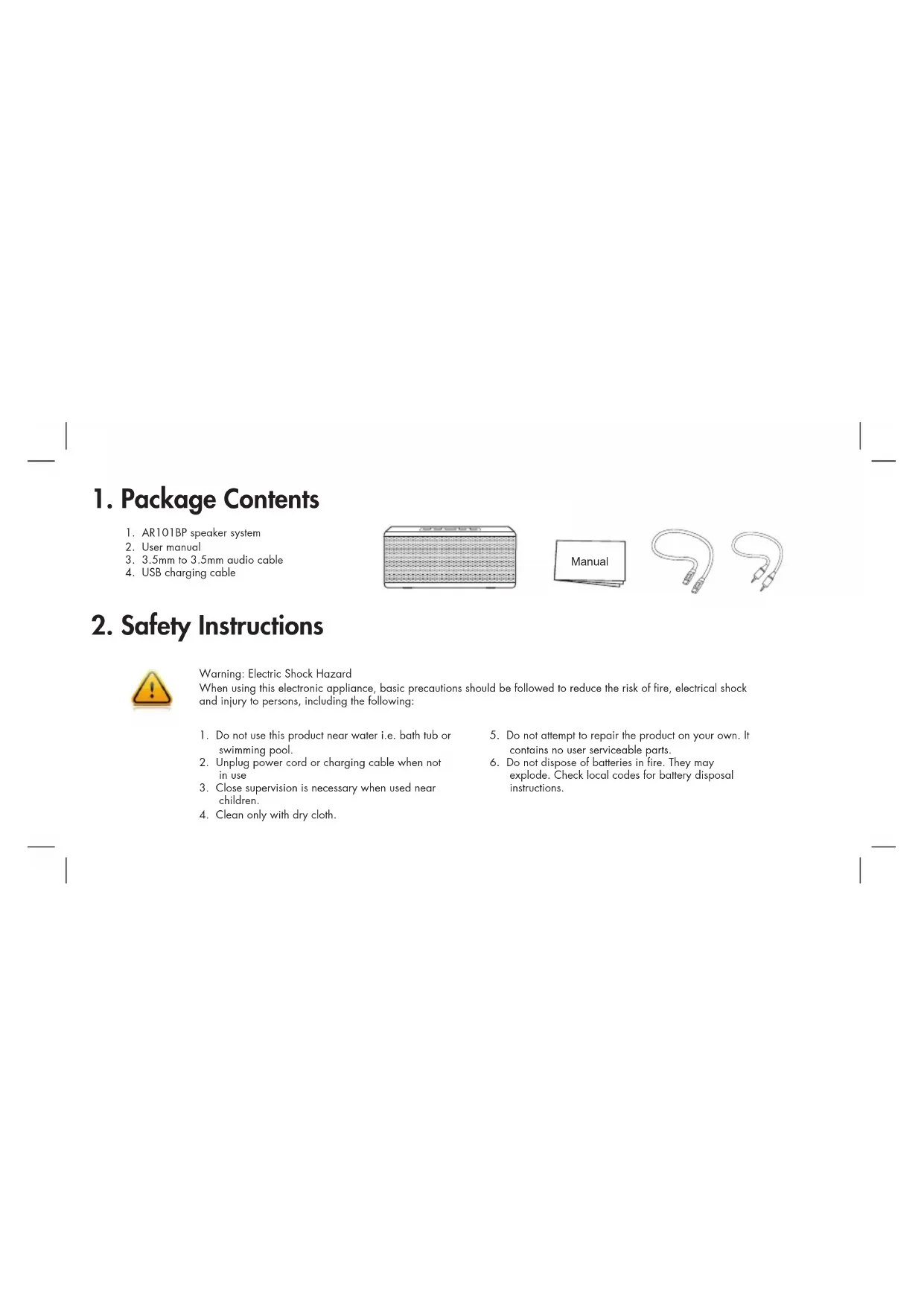
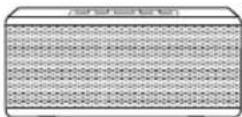
- AR101BP speaker system
- User manual
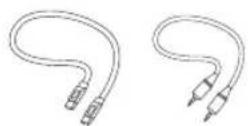
- 3.5mm to 3.5mm audio cable
- USB charging cable

2. Safety Instructions

Warning: Electric Shock Hazard
When using this electronic appliance, basic precautions should be followed to reduce the risk of fire, electrical shock and injury to persons, including the following:
- Do not use this product near water i.e. bath tub or swimming pool.
- Unplug power cord or charging cable when not in use
- Close supervision is necessary when used near children.
-
Clean only with dry cloth.
-
Do not attempt to repair the product on your own. It contains no user serviceable parts.
- Do not dispose of batteries in fire. They may explode. Check local codes for battery disposal instructions.
3. Product Overview
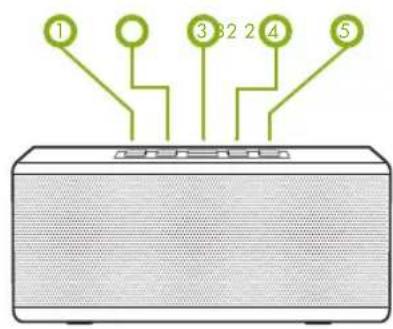
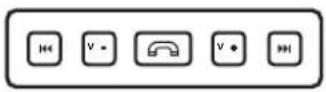
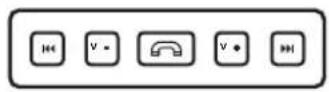
- |<<
Previous track
- V-
Volume down
3.
Answer or end phone calls Play or pause music
- V+
Volume up
Next track
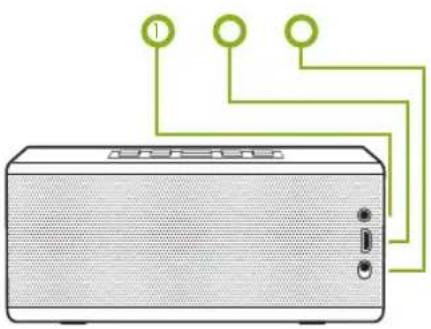
natural_image
Illustration of a portable electronic device with three connected ports (no text or symbols)- 3.5mm audio input
- Micro USB charging port
- Power on/off
LED Indicator
The button will light up to indicate the
following:
LED off-Power Off
BLUE - Power ON
Flashing BLUE/RED - Pairing mode
RED - Low Battery Level
Flashing RED - Battery almost drained
Flashing BLUE - Battery is recharging
4. Product Setup
Plug the Micro USB cable into the charging port. It takes about 5 hours to fully charge from an empty battery. When the battery is fully charge, the LED indicator will turn solid blue.
Using Wired Devices (non-Bluetooth)
- Plug any audio devices via 3.5mm audio input.
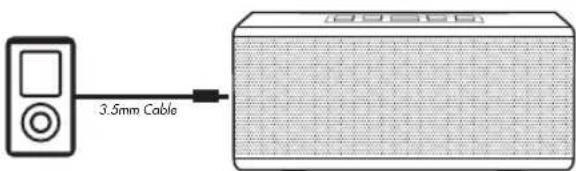
Note: Audio content via 3.5mm audio input will override wireless audio via Bluetooth.
Using Bluetooth enabled devicesCharging the Battery
- Press button to enter Bluetooth pairing mode. The LED light will blink blue/red while in this mode. You will hear a voice prompt saying "Pairing".
- On the Bluetooth enabled devices (such as smartphones) go to SETTINGS >GENERAL > and enable BLUETOOTH.
- Select "Search".
- Select "AR101BP". You will hear a voice prompt saying "Pairing complete".
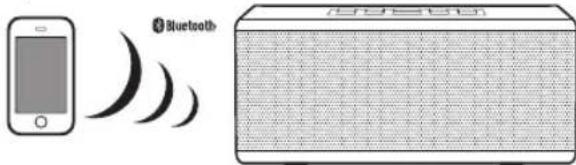
Note: This speaker will stay in pairing mode for 1 minutes. If you do not complete the pairing procedure before then, simply repeat the pairing process.
Note: If you are pairing this speaker with other type of smartphones or tablets, you may need to consult that
device's user manual for specific pairing instructions.
Note: This speaker automatically enters STANDBY mode after some period of inactivity in order to preserve battery life. Press the button to wake up and reconnect to the last connected Bluetooth device.
5. Taking Phone Calls 6. Media Playback Controls
You can use the ET-AR101BP-BK as speakerphone. When you receive an incoming call, an alert will sound from the speaker. If you are listening to music, the music will automatically pause. Your voice will be picked up through the built-in microphone.
To answer/end a call: Push the 🔒 button to answer or end a call.
To decline a call: Hold the 📞 button for 1 seconds.
To make a call: Use your phone to dial as usual. Listen and talk through this speakerphone.
Note: The built-in microphone only works when connected via Bluetooth.
In addition to using the playback control on your smartphone or tablets, you can control music playback from this speaker using its buttons.
Play/Pause: Push the button
Skip to next or previous track: Push the >>>| button to skip to the next track. Push the |<< button to skip back to the previous track.
Volume: Push V+ button to increase volume and V- button to decrease volume.
Note: Your device must support AVCRP (Audio Video Remote Control Profile) to control your device's playback from ET-AR101BP. Please check your device's user manual.
Note: Volume cannot be controlled with the volume button when connected via the 3.5mm audio input. Use the volume control on your device instead.
7. Specification
- Bluetooth Version: 3.0+EDR
- Bluetooth Profiles: A2DP, AVRCP, HSP, HFP
- Advanced Audio Distribution Profile (A2DP) for wireless music streaming
• Audio Video Remote Control Profile (AVRCP) for wireless playback control - Hands-free Audio (HFP) and Headset Profiles (HSP) for hands-free calling capability
• Audio Inputs: Bluetooth and 3.5mm - Microphone Type: Omnidirectional
• Speaker Output: 6 Watts RMS
• Frequency Response: 60Hz to 20kHz - Battery Type: Built-in rechargeable lithium ion
• Dimension: 5.59 x 2.48 x 1.37 inches
• Net Weight: 9.3 ounces
8. Regulatory Compliance
FCC Class B Information
This equipment has been tested and found to comply with the limits for a Class B digital device, pursuant to Part 15 of FCC Rules. These limits are designed to provide reasonable protection against harmful interference in a residential installation. However, there is no guarantee that interference will not occur in a particular installation.
CE Compliance for Europe
This equipment has been tested and found to comply with the limits for European Council Directive on the approximation of the law of the member states relating to electromagnetic compatibility (89/336/EEC) according to EN55022 Class B.
9. Limited Warranty
Eagle Tech warrants that the product, in the course of its normal use, will be free from defects in material and workmanship for a period of one (11 year. This limited warranty period shall commence on the purchase date appearing on your purchase receipt. Eagle Tech shall have no liability for any product returned if Eagle Tech determines that the product was not purchased from authorized retailers, that the asserted defect of is not present, but cannot reasonably be rectified because of damage occurring before Eagle Tech receives the Product, or of it is attributable to misuse, improper installation, alteration (including removing or obliterating labels and opening or removing parts). The foregoing warranty shall extend to repaired or replaced products for the remaining of the applicable period of the original warranty or ninety ('90') days from the date of shipment of a repaired or replaced product, whichever is longer.

EAGLE TECH COMPUTERS, INC.
www.eagletechusa.com
© 2008 Eagle Tech Computers, Inc., All rights reserved. Eagle Tech, the Eagle Tech logo and other Eagle Tech marks are owned by Eagle Tech and may be registered. All other trademarks are the property of their respective owners. The Bluetooth® word mark and logos are registered trademarks owned by Bluetooth SIG, Inc. and any use of such marks by Eagle Tech is under license. Phone® and iPad® are trademark of Apple Inc., registered in the U.S. and other countries. All other trademarks are the property of their respective owners.
natural_image
Illustration of a beige portable radio with three connected ports and a green wiring diagram above (no text or symbols)In addition to using the playback control on your smartphone or tablets, you can control music playback from this speaker using its buttons.
natural_image
Illustration of a beige audio device with three connected ports and a green wiring diagram on top (no text or symbols)- Entrée audio 3.5mm
- Port de chargement micro USB
- Bouton On/Off
Voyant Lumineux
Eagle Tech Computers, Inc.
www.eagletechusa.com

Brand : EAGLE
Model : Arion ETAR101BP
Category : Loudspeaker