ManualGo.com
GW305 - Monitor LG - Free user manual and instructions
Find the device manual for free GW305 LG in PDF.



Download the instructions for your Monitor in PDF format for free! Find your manual GW305 - LG and take your electronic device back in hand. On this page are published all the documents necessary for the use of your device. GW305 by LG.
USER MANUAL GW305 LG
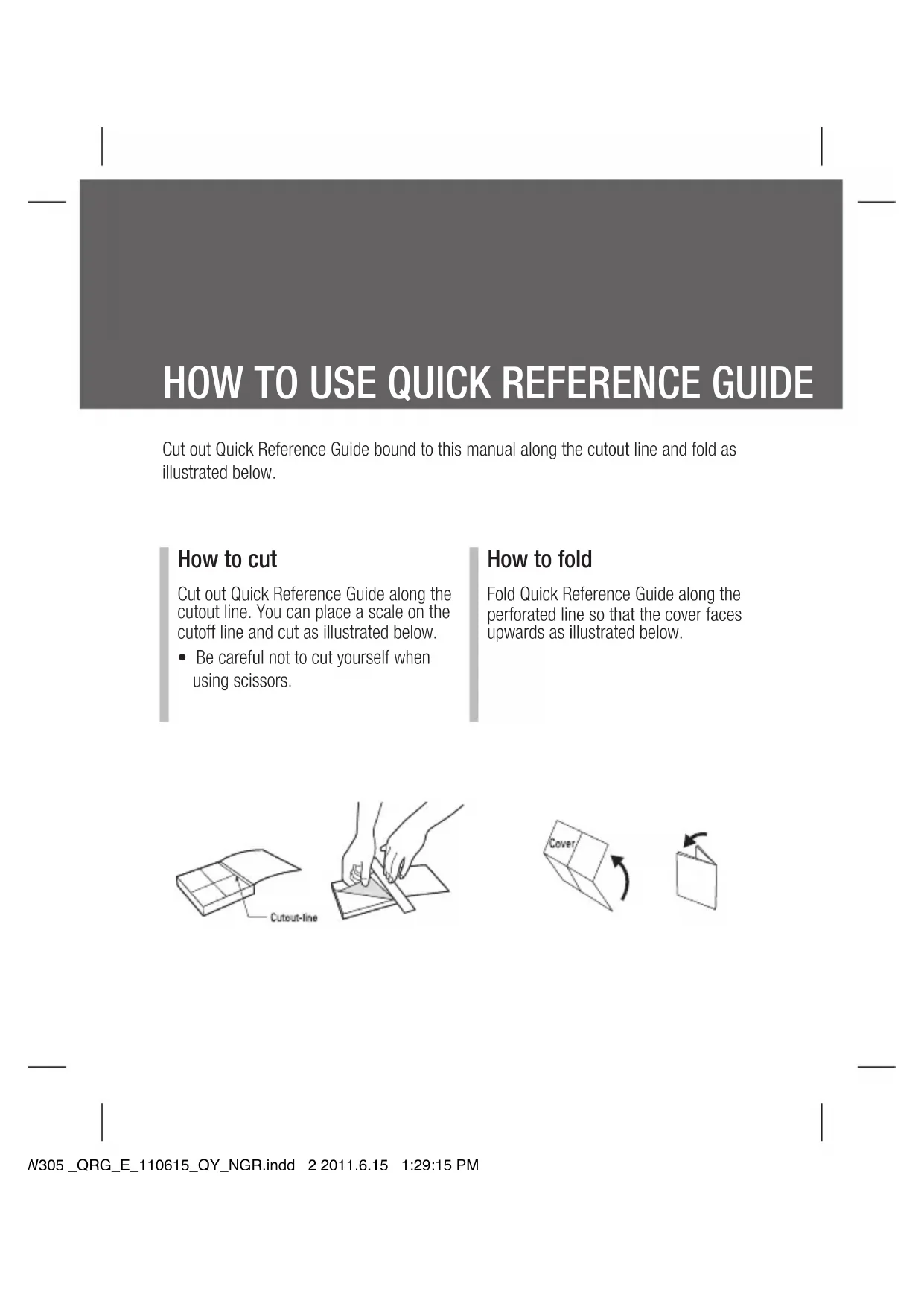
- Be careful not to cut yourself when using scissors. How to fold Fold Quick Reference Guide along the perforated line so that the cover faces upwards as illustrated below. GW305 _QRG_E_110615_QY_NGR.indd 2 2011.6.15 1:29:15 PMQUICK REFERENCE GUIDE WELCOME AND THANK YOU FOR CHOOSING LG MOBILE PHONE GW305 To call a speed dial number, press and hold the assigned number until the contact appears on screen. The call will begin automatically and there is no need to press
Messaging Messaging Your GW305 includes functions related to SMS (Short Message Service), MMS (Multimedia Message Service) as well as the network’s service messages. To use these functions, press Ok key to enter the main menu and then select Messaging. Entering text You can enter alphanumeric characters using the phone’s keypad. For example, storing names in contacts, writing a message and creating scheduling events in the calendar all require entering text. The following text input methods are available in the phone: Abc mode, and 123 mode. Note: Some fields may allow only one text input mode (e.g. telephone number in contact fields). Parts of the phone For more details, please refer to the User Guide. Calling Making a call 1 Make sure your phone is on. 2 You can use the keypad. To delete a digit press or the back arrow. 3 Press to begin the call. 4 To end the call, press . TIP! To enter + when making an international call, press and hold 0. Speed dialling You can assign a speed dial number to a contact you call frequently. 1 Press confirm key / OK key to open the main menu. Select Contacts, then select Speed dials. 2 Your voicemail is preset to speed dial 1 and you cannot change this. Select any other number either by using the navigation keys or by pressing the hard key number and selecting Add. 3 Your contacts will open. Select the contact you’d like to assign to that number using the navigation keys then select OK.
GW305 _QRG_E_110615_QY_NGR.indd 3 2011.6.15 1:29:16 PMAfter you’ve shot your video A still image representing your captured video will appear on screen. The following options are available: Back - Go back to previous menu. Album - Press to look at the other video clips in your album. Your current video clip will be saved. Play - Press to play the video you have just recorded. New - Press to shoot another video straight away. Your current video will be saved. Send - Send the video as MMS, as an Email or via Bluetooth. Delete - Delete the video you have just recorded. The viewfinder will reappear. Options - You can change the name of the video clip. Music Your GW305 has a built-in music player so you can play all your favourite music. Note:
- Before using music player, you will need to transfer music file onto your phone.
- Music player supports codec types as follows: MP3, WMA, AAC. Music player does not necessarily support all features and variations of file formats. To access the music player, press Ok key and select Multimedia. From here you can access to: Recently played - Only appears when music is playing. When you select this, you can go back to the on-going player. All tracks - Contains all of the songs you have on your phone. Playlists - Contains any playlists you have created. Artists - Allows you to view all tracks sorted by artist. Albums - Allows you to view all tracks sorted by album. Genres - Allows you to view all tracks sorted by genre. Shuffle tracks - Allows you to play all of the songs in random order. FM radio Listening to the radio
Press Ok key and select Multimedia , then choose FM radio
Select the channel number of the station you would like to listen to. Note: You can listen to the radio via built-in speaker. Press Options, select Listen via speaker. Text input mode using the keypad When you want to enter text, for example when writing a message, the keypad will default to Abc mode. If you are entering a number, for example when making a call, the keypad number keys will default to numbers. Camera Taking a quick photo 1 Press and hold the key on the right side of the phone. 2 Point the lens towards the subject of the photo. 3 Press to take a photo. TIP! To access this function press unlock. After you’ve taken your photo Your captured photo will appear on the screen. The following options are available: Back - Go back to previous menu. Album - View the My images you have taken in your album. Send - Send the photo as MMS, as an Email or via Bluetooth. New - Take another photo straight away. Your current photo will be saved. Use as - Set the image you have just taken as wallpaper, a contacts image or in your start-up/shut down screen. (Contact image can only be added to contacts saved to your phone, not your SIM card.) Delete - Delete the photo you have just taken. The viewfinder will reappear. Options - You can change the name of the image or edit the image file. Video camera Shooting a quick video 1 Press and hold the key on the right side of the phone. 2 Select Video menu by pressing navigation key < in the quick menu. 3 Now press Ok key. 4 Focus the camera on what to record. 5 Press once to start recording. 6 Rec will appear at the bottom of the viewfinder. Press again to stop recording. GW305 _QRG_E_110615_QY_NGR.indd 4 2011.6.15 1:29:18 PMLIMITED WARRANTY STATEMENT
1. WHAT THIS WARRANTY COVERS :
LG oers you a limited warranty that the enclosed phone and its enclosed accessories will be free from defects in material and workmanship, according to the following terms and conditions: (1) The limited warranty for the product extends the warranty period beginning on the date of purchase of the product. (2) The limited warranty extends only to the original purchaser of the product and is not assignable or transferable to any subsequent purchaser/end user. (3) This warranty is good only to the original purchaser of the product during the warranty (4) The external housing and cosmetic parts shall be free of defects at the time of shipment and, therefore, shall not be covered under these limited warranty terms. (5) Upon request from LG, the consumer must provide information to reasonably prove the date of purchase. (6) The customer shall bear the cost of shipping the product to the Customer Service Department of LG. LG shall bear the cost of shipping the product back to the consumer after the completion of service under this limited warranty.
2. WHAT THIS WARRANTY DOES NOT COVER :
(1) Defects or damages resulting from use of the product in other than its normal and customary manner. (2) Defects or damages from abnormal use, abnormal conditions, improper storage, exposure to repair, misuse, neglect, abuse, accident, alteration, improper installation, or other acts which are not the fault of LG, including damage caused by shipping, blown fuses, spills of food or liquid. (3) Breakage or damage to antennas unless caused directly by defects in material or workmanship. (4) defect or malfunction of the product during the applicable limited warranty period. (5) Products which have had the serial number removed or made illegible. (6) This limited warranty is in lieu of all other warranties, express or implied either in fact or by operations of law, statutory or otherwise, including, but not limited to any implied warranty of (7) Damage resulting from use of non-LG approved accessories. (8) All plastic surfaces and all other externally exposed parts that are scratched or damaged due to normal customer use. (9) Products operated outside published maximum ratings. (10) Products used or obtained in a rental program. (11) Consumables (such as fuses).
No other express warranty is applicable to this product. THE DURATION OF ANY IMPLIED WARRANTIES, INCLUDING THE IMPLIED WARRANTY OF MARKETABILITY, IS LIMITED TO THE DURATION OF THE EXPRESS WARRANTY HEREIN. LG ELECTRONICS INC. SHALL NOT BE LIABLE FOR THE LOSS OF THE USE OF THE PRODUCT, INCONVENIENCE, LOSS OR ANY OTHER DAMAGES, DIRECT OR CONSEQUENTIAL, ARISING OUT OF THE USE OF, OR INABILITY TO USE, THIS PRODUCT OR FOR ANY BREACH OF ANY EXPRESS OR IMPLIED WARRANTY, INCLUDING THE IMPLIED WARRANTY OF MARKETABILITY APPLICABLE TO THIS PRODUCT. Some do not allow the exclusive of limitation of incidental or consequential damages or limitations on how long an implied warranty lasts; so these limitations or exclusions may not apply to you. y from country to country. WC_Nigeria(100-120)MCDF0001128(11 1 2009.11.2 7:23:53 PMLIMITED WARRANTY STATEMENT
1. WHAT THIS WARRANTY COVERS :
LG oers you a limited warranty that the enclosed phone and its enclosed accessories will be free from defects in material and workmanship, according to the following terms and conditions: (1) The limited warranty for the product extends the warranty period beginning on the date of purchase of the product. (2) The limited warranty extends only to the original purchaser of the product and is not assignable or transferable to any subsequent purchaser/end user. (3) This warranty is good only to the original purchaser of the product during the warranty (4) The external housing and cosmetic parts shall be free of defects at the time of shipment and, therefore, shall not be covered under these limited warranty terms. (5) Upon request from LG, the consumer must provide information to reasonably prove the date of purchase. (6) The customer shall bear the cost of shipping the product to the Customer Service Department of LG. LG shall bear the cost of shipping the product back to the consumer after the completion of service under this limited warranty.
2. WHAT THIS WARRANTY DOES NOT COVER :
(1) Defects or damages resulting from use of the product in other than its normal and customary manner. (2) Defects or damages from abnormal use, abnormal conditions, improper storage, exposure to repair, misuse, neglect, abuse, accident, alteration, improper installation, or other acts which are not the fault of LG, including damage caused by shipping, blown fuses, spills of food or liquid. (3) Breakage or damage to antennas unless caused directly by defects in material or workmanship. (4) defect or malfunction of the product during the applicable limited warranty period. (5) Products which have had the serial number removed or made illegible. (6) This limited warranty is in lieu of all other warranties, express or implied either in fact or by operations of law, statutory or otherwise, including, but not limited to any implied warranty of (7) Damage resulting from use of non-LG approved accessories. (8) All plastic surfaces and all other externally exposed parts that are scratched or damaged due to normal customer use. (9) Products operated outside published maximum ratings. (10) Products used or obtained in a rental program. (11) Consumables (such as fuses).
No other express warranty is applicable to this product. THE DURATION OF ANY IMPLIED WARRANTIES, INCLUDING THE IMPLIED WARRANTY OF MARKETABILITY, IS LIMITED TO THE DURATION OF THE EXPRESS WARRANTY HEREIN. LG ELECTRONICS INC. SHALL NOT BE LIABLE FOR THE LOSS OF THE USE OF THE PRODUCT, INCONVENIENCE, LOSS OR ANY OTHER DAMAGES, DIRECT OR CONSEQUENTIAL, ARISING OUT OF THE USE OF, OR INABILITY TO USE, THIS PRODUCT OR FOR ANY BREACH OF ANY EXPRESS OR IMPLIED WARRANTY, INCLUDING THE IMPLIED WARRANTY OF MARKETABILITY APPLICABLE TO THIS PRODUCT. Some do not allow the exclusive of limitation of incidental or consequential damages or limitations on how long an implied warranty lasts; so these limitations or exclusions may not apply to you. y from country to country. WC_Nigeria(100-120)MCDF0001128(12 2 2009.11.2 7:23:53 PMMemo 100-120 memo_Gray.indd 3 2008.5.6 5:33:0 PMMemo 100-120 memo_Gray.indd 2 2008.5.6 5:32:11 PM