Bolt - Smartwatch MISFIT - Free user manual and instructions
Find the device manual for free Bolt MISFIT in PDF.


User questions about Bolt MISFIT
0 question about this device. Answer the ones you know or ask your own.
Ask a new question about this device
Download the instructions for your Smartwatch in PDF format for free! Find your manual Bolt - MISFIT and take your electronic device back in hand. On this page are published all the documents necessary for the use of your device. Bolt by MISFIT.
USER MANUAL Bolt MISFIT
Wattage: 13 Watts at Maximum Brightness
Lumens: 800+ Lumens (60W Equivalent)
Lifetime: Over 20 Years (3 hours of usage per day, 7 days a week)
Connection: Bluetooth® Low Energy 4.0
Operating Temperature: 0 - 45^
Compatibility: E26/27
Technology:LED
CARACTERISTIQUES
Tension : 110-120V 50 / 60Hz
- This product is not intended for use in emergency light fixtures or exit signs.
- Before use, ensure that the power voltage of the light socket is compatible with the bulb. Incompatible voltages may result in a safety issue.
- Do not dismantle the bulb.
- To reduce the risk of overheating and possible damage to other equipment do not install inside an enclosure that traps heat. Install the bulb where air can move freely.
- To avoid electrical shock or burn, do not expose the bulb to water or touch with wet hands unless unscrewed and not powered
-
Indoor use only. Not for use in wet locations such as bathrooms or outdoors.
-
Before removing the bulb, turn off power and let the bulb cool to avoid electric shock or burn.
Not a toy, not for children - Do not place on hot surfaces
- For safety, do not open the device, which also voids warranty
- Use the bulb only in a socket rated compatible (voltage & wattage)
Always dispose or recycle electrical devices in accordance with local disposal laws.
After use, the bulb may be hot to the touch. Use caution.
ATTENTION
- Not for use with dimmer switches. App required for dimming or color change.
- The added weight of Bolt may cause instability of a free-standing portable luminaire.
AVIS
Make sure the light socket power is off. Screw the bulb into the light socket. Turn on the power. Make sure the light bulb is not in a fully-enclosed fixture.
Download and install the Misfit or Misfit Home application onto your mobile device.
Enable Bluetooth on your mobile device.
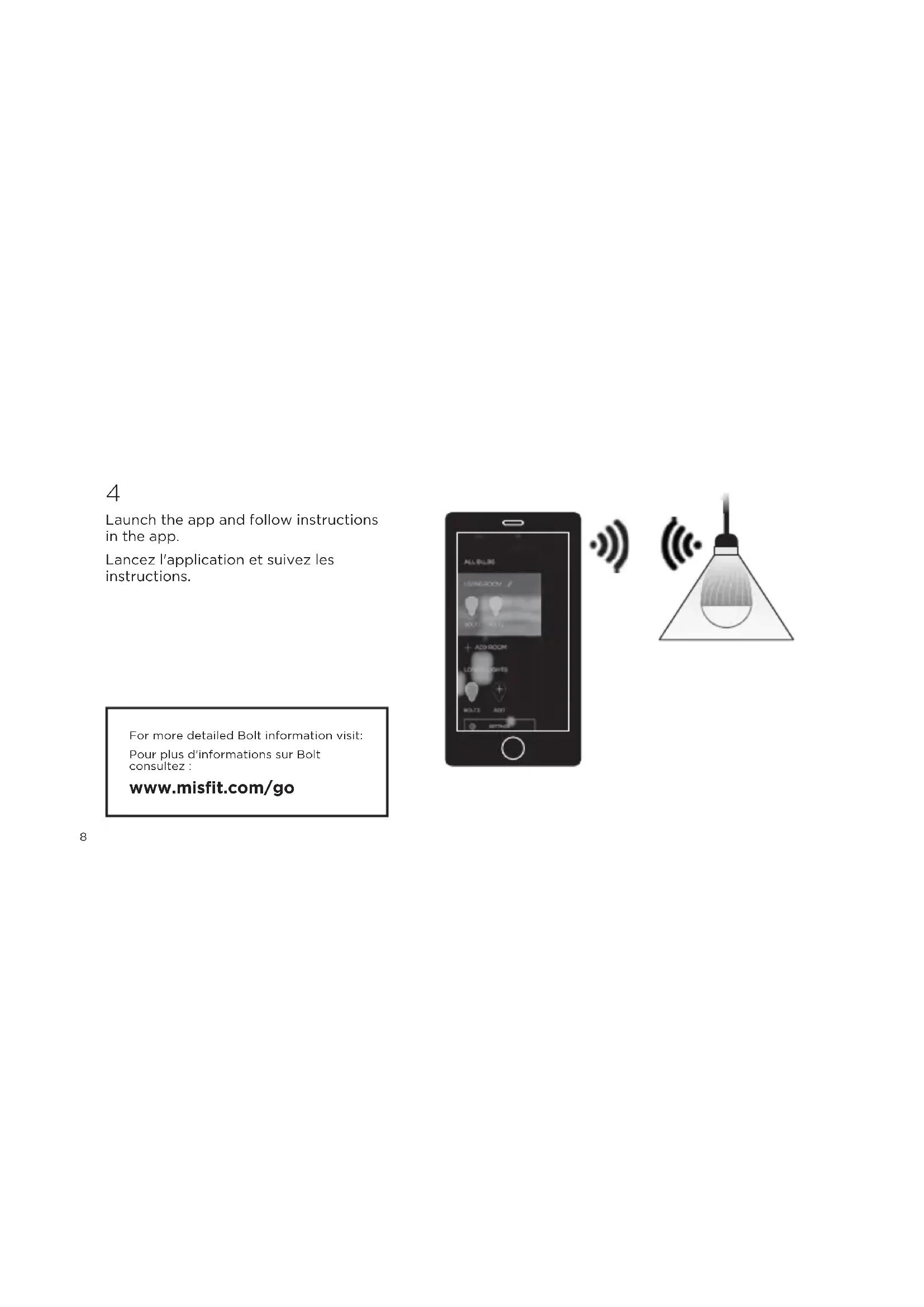
Launch the app and follow instructions in the app.
WARNING: Changes or modifications to this device not expressly approved by the party responsible for compliance could void the user's authority to operate the equipment.
Warranty Information: 2-year limited warranty. More information is available at misfit.com/bolt/warranty.
This device complies with part 15 of the FCC Rules. Operation is subject to the following two conditions: 1) This device may not cause harmful interference, and 2) this device must accept any interference received, including interference that may cause undesired operation.
This equipment has been tested and found to comply with the rules for a class B digital device, pursuant to part 15 of the FCC rules. These rules are designed to provide reasonable protection against harmful interference. This equipment generates, uses and can radiate radio frequency energy and, if not installed and used in accordance with the instructions, may cause harmful interference to radio communications. If this equipment does cause harmful interference
to radio or television reception, which can be determined by turning the equipment off and on, the user is encouraged to try to correct the interference by one or more of the following measures: (1) Reorient or relocate the receiving antenna. (2) Increase the separation between the equipment and receiver. (3) Connect the equipment into an outlet on a circuit different from that to which the receiver is connected. (4) Consult the manufacturer, dealer or an experienced radio/TV technician for help.
IC COMPLIANCE STATEMENT
This device complies with Industry Canada licence-exempt RSS standard(s). Operation is subject to the following two conditions: (1) This device may not cause interference, and (2) This device must accept any interference, including interference that may cause undesired operation of the device.
839 Mitten Road, Ste 100
Burlingame, CA 94010