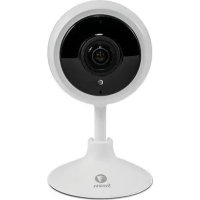
SWIFITRACKCM32GB - Surveillance Camera SWANN - Free user manual and instructions
Find the device manual for free SWIFITRACKCM32GB SWANN in PDF.

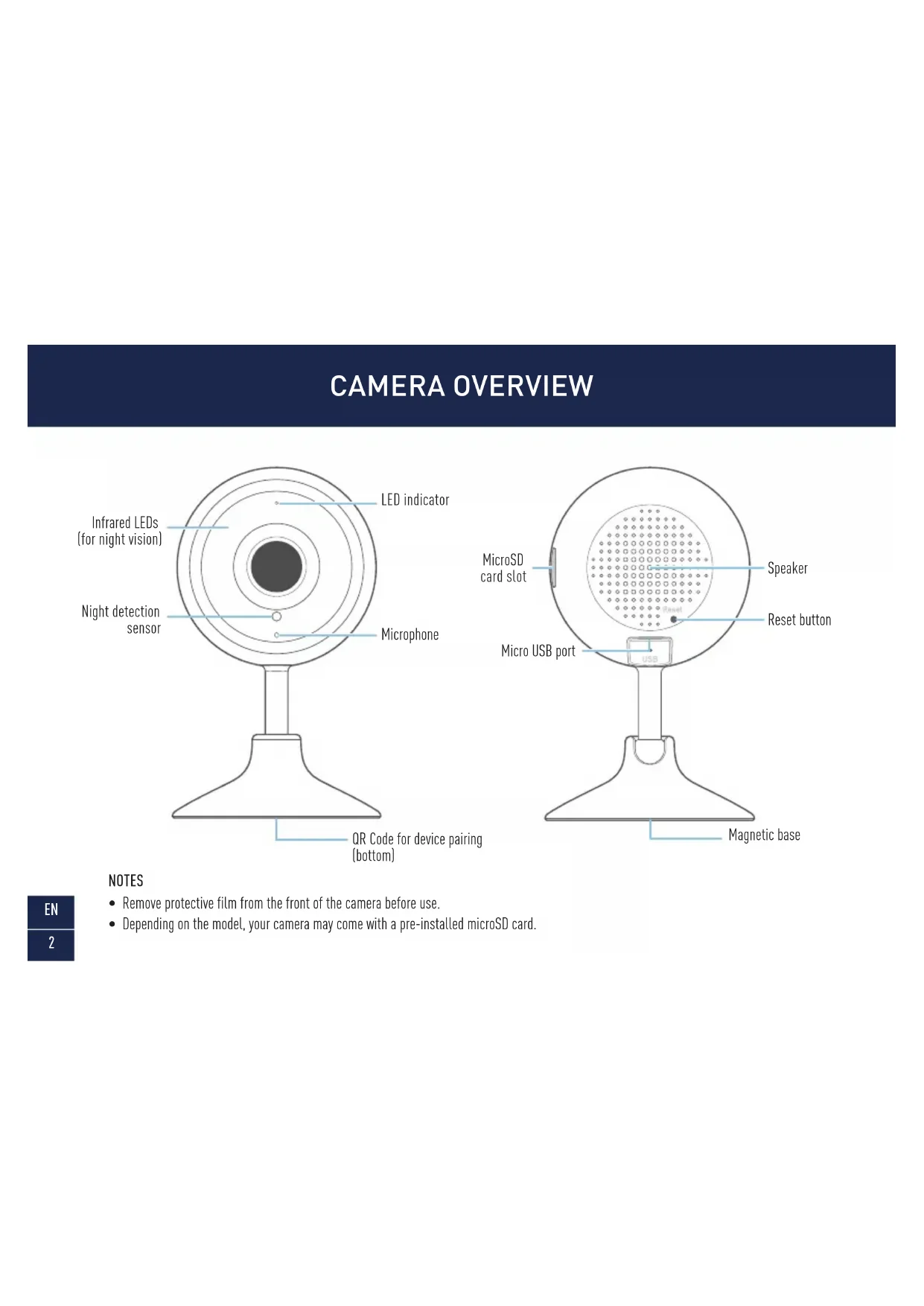


| Product Type | Indoor Security Camera |
| Brand | Swann |
| Model | SWIFITRACKCM32GB |
| Video Resolution | Full HD (1080p) |
| Night Vision | Infrared LEDs, up to 10 meters |
| Viewing Angle | 360° tilt, rotating (flexible stand) |
| Audio | Built-in microphone and speaker for two-way audio |
| Connectivity | Wi-Fi 2.4 GHz (IEEE 802.11 b/g/n) |
| Power Supply | Micro USB power adapter (5V, 1A), micro USB cable |
| Local Storage | microSD card slot (up to 128 GB, Class 10 recommended) |
| Motion Detection | Yes, with push notifications |
| Advanced Features | Live streaming, event recording, firmware update via app |
| Mobile App | Swann Security (iOS and Android), with QR code pairing |
| LED Indicator | Solid red (streaming/recording), flashing blue (pairing/connection mode), flashing purple (offline) |
| Dimensions (approx.) | Height 10 cm, diameter 7 cm (magnetic base) |
| Weight (approx.) | 200 g (with cable) |
| Mounting | Magnetic base for table/shelf or wall mount with included plate |
| Maintenance | Clean with a soft dry cloth. Do not use chemical products. |
| Safety | Keep out of reach of children, maintain a distance of at least 1 meter (risk of strangulation by cable) |
| Spare Parts / Repairability | No spare parts available. Contact Swann support for any repairs. |
| Warranty | Check the Swann website for warranty conditions |
Frequently Asked Questions - SWIFITRACKCM32GB SWANN
User questions about SWIFITRACKCM32GB SWANN
0 question about this device. Answer the ones you know or ask your own.
Ask a new question about this device
Download the instructions for your Surveillance Camera in PDF format for free! Find your manual SWIFITRACKCM32GB - SWANN and take your electronic device back in hand. On this page are published all the documents necessary for the use of your device. SWIFITRACKCM32GB by SWANN.
USER MANUAL SWIFITRACKCM32GB SWANN
Security Tracker Camera
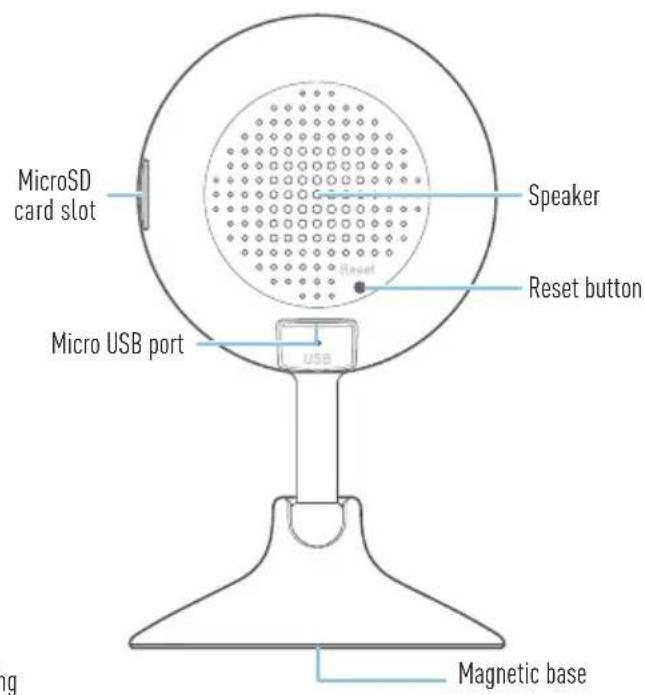
NOTES
- Remove protective film from the front of the camera before use.
- Depending on the model, your camera may come with a pre-installed microSD card.
INSTALLING THE CAMERA
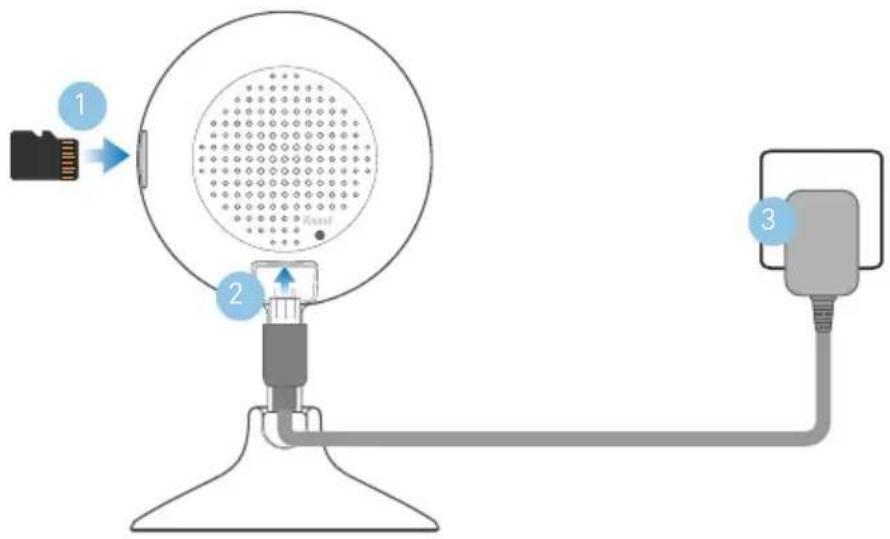
1 Insert a microSD card (up to 128GB, minimum Class 10 or higher recommended) into the microSD card slot on the camera as shown. Skip this step if a microSD card has been pre-installed. The camera requires a microSD card for streaming video, saving recorded events, and firmware updates.
2 Insert the micro USB plug of the supplied power adapter into the micro USB port on the back of the camera.
3 Connect the power adapter to a power outlet. Make sure the camera is within range of the Wi-Fi network to which you want to connect.
EN
3
GET THE SWANN SECURITY APP
1 Download the latest version of the Swann Security app from the Apple App Store® or Google Play™ Store on your iOS or Android device. Simply search for "Swann Security".
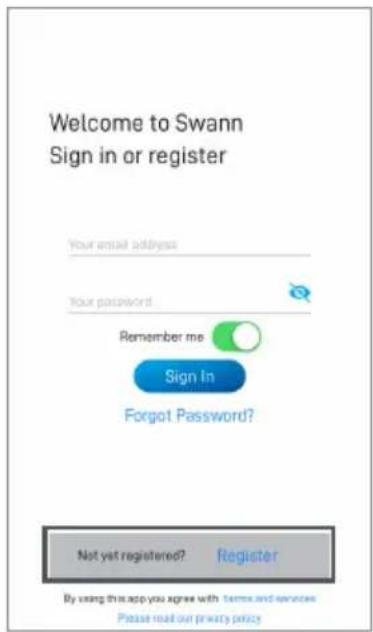
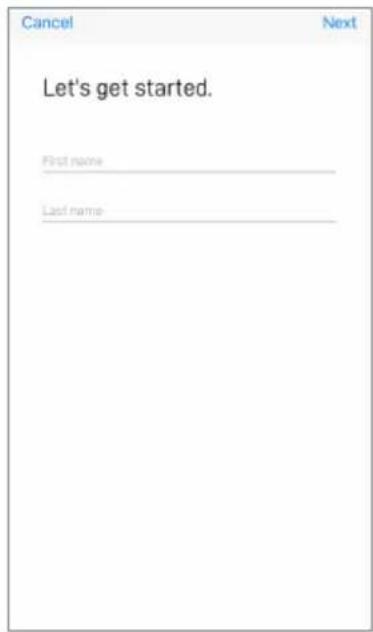
2 Open the app and create your Swann Security account. You will need to activate your account by confirming the email sent to the registered email account before you can sign in.
SET UP THE CAMERA
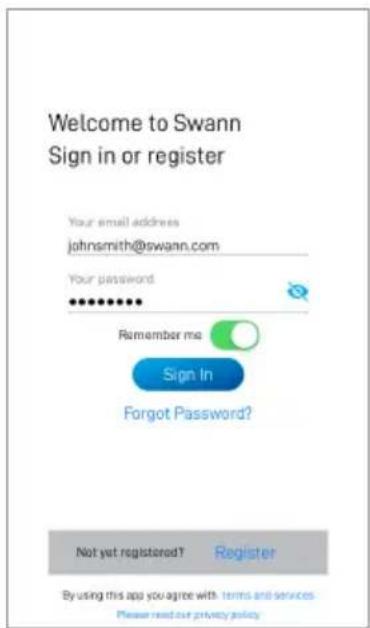
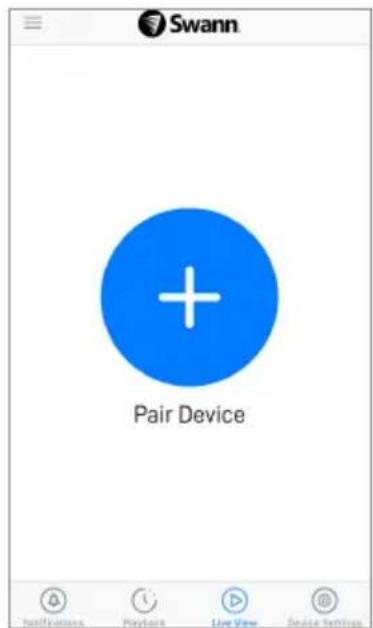
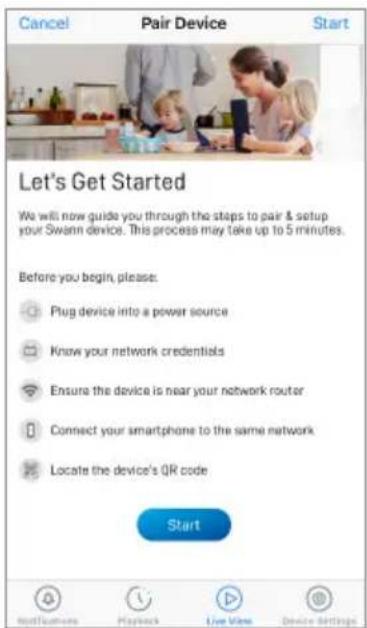
Launch the Swann Security app and sign in. Tap the Pair Device button on the screen (or open Menu and select Pair Device) and follow the in-app instructions to set up your new camera. Before you begin, be close to your router or access point and have your Wi-Fi network information (including password) handy. Please note that the camera can connect to a 2.4GHz Wi-Fi network only.
CAMERA PLACEMENT
The camera can be placed on a table or shelf, or easily mounted on the wall using the included wall mounting plate. With its flexible stand, you can freely swivel the camera around and monitor your home from any angle that you need. Pick a location with good, reliable Wi-Fi reception to ensure best video streaming performance. As a general rule, the nearer your camera is to your router, the better the wireless connection quality.
Mounting the camera (optional)
Simply drill two screw holes and screw the wall mounting plate to the wall using the supplied screws (and plugs if necessary). Then attach the magnetic base of the camera to the wall mounting plate for a strong and secure hold.

TIPS
LED indicator guide
The LED light on the front of your camera helps inform you of what is happening with the device.
| Solid Red Live streaming/Motion recording | |
| Slow Blinking Blue Wi-Fi Pairing mode | |
| Fast Blinking Blue Connecting to Wi-Fi | |
| Blinking Purple | Camera offline - no internet access(Check your Wi-Fi router, then turn the power to the camera off for 10 seconds before turning it back on to reconnect to your Wi-Fi router) |
Swann Security app manual
Download the Swann Security manual via the app menu to learn more about using the camera to view live video and recorded clips as well as the various camera settings that you can adjust.
Technical support
We're here to help! Visit our Support Center at support.swann.com. You can register your product for dedicated technical support, find answers to commonly asked questions, and more. You can also email us at any time via: tech@swann.com
SUGERENCIAS
OBTENIR L'APPLICATION SWANN SECURITY
ASTUCES
OTTENERE L'APP SWANN SECURITY
SUGGERIMENTI
INSTALLATION DER SWANN SECURITY APP
TIPPS
Important Safety Warning
For pluggable equipment, the socket-outlet shall be installed near the equipment and shall be easily accessible. FCC ID: ZASMNSWIFI-TRACKCAM
FCC Statement
This equipment has been tested and found to comply with the limits for Class B digital device, pursuant to part 15 of the FCC Rules. These limits are designed to provide reasonable protection against harmful interference in a residential installation. This equipment generates, uses and can radiate radio frequency energy and, if not installed and used in accordance with the instructions, may cause harmful interference to radio communications. However, there is no guarantee that interference will not occur in a particular installation. If this equipment does cause harmful interference to radio or television reception, which can be determined by turning the equipment off and on, the user is encouraged to try to correct the interference by one or more of the following measures: Reorient or relocate the receiving antenna • Increase the separation between the equipment and the receiver • Connect the equipment into an outlet on a circuit different from that to which the receiver is connected • Consult the dealer or an experienced radio/TV technician for help.
This device complies with Part 15 of the FCC Rules. Operation is subject to the following two conditions: (1) this device may not cause harmful interference, and (2) this device must accept any interference received, including interference that may cause undesired operation.
FCC RF Radiation Exposure Statement Caution: To maintain compliance with the FCC's RF exposure guidelines, place the product at least 20cm from nearby persons.
WARNING: Modifications not approved by the party responsible for compliance could void user's authority to operate the equipment.
WiFi Frequency:2412\~2462MHz.Max RF POWER:14.86dBm
IC Statement
This device complies with Industry Canada license-exempt RSS standard(s). Operation is subject to the following two conditions: (1) this device may not cause interference, and (2) this device must accept any interference, including interference that may cause undesired operation of the device.
The device is compliance with RF field strength limits, users can obtain Canadian information on RF exposure and compliance.
This Class B digital apparatus complies with Canadian ICES-003. This equipment complies with IC radiation exposure limits set forth for an uncontrolled environment. This equipment should be installed and operated with minimum distance 20cm between the radiator & your body.
Déclaration IC
© Swann Communications 2020
- SECURITY TRACKER CAMERA
- NOTES
- INSTALLING THE CAMERA
- GET THE SWANN SECURITY APP
- SET UP THE CAMERA
- CAMERA PLACEMENT
- MOUNTING THE CAMERA (OPTIONAL)
- TIPS
- LED INDICATOR GUIDE
- SWANN SECURITY APP MANUAL
- TECHNICAL SUPPORT
- SUGERENCIAS
- OBTENIR L'APPLICATION SWANN SECURITY
- ASTUCES
- OTTENERE L'APP SWANN SECURITY
- SUGGERIMENTI
- INSTALLATION DER SWANN SECURITY APP
- TIPPS
Brand : SWANN
Model : SWIFITRACKCM32GB
Category : Surveillance Camera