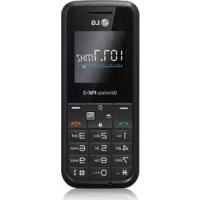
GS108 - Cellphone LG - Free user manual and instructions
Find the device manual for free GS108 LG in PDF.

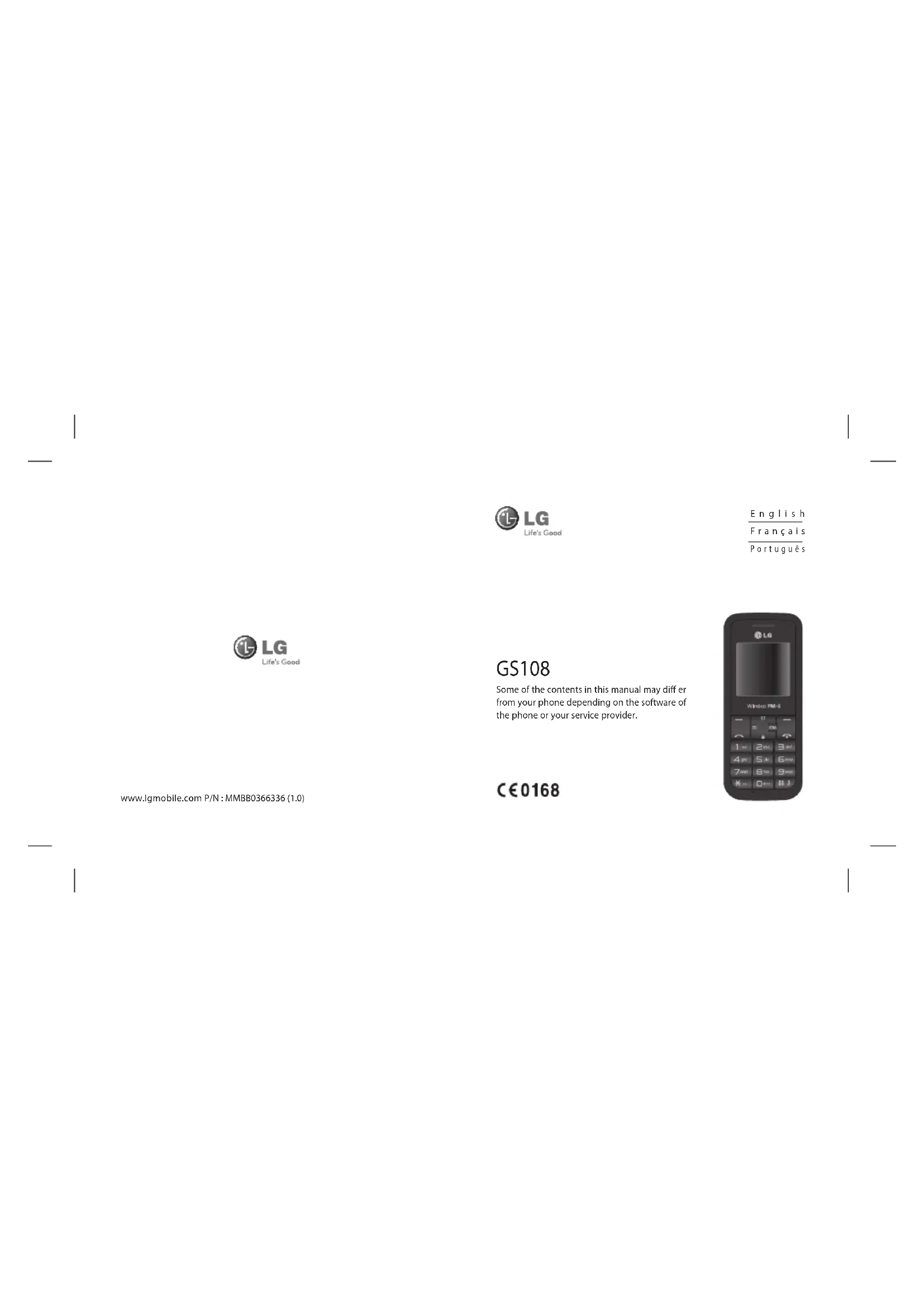


| Product type | Mobile phone |
| Brand | LG |
| Model | GS108 |
| Network technology | GSM 2G/2.5G only |
| SIM card type | Standard (mini-SIM) |
| Display | LCD display (unspecified) |
| Battery | Rechargeable lithium-ion, approx. 800 mAh |
| Standby time | Approx. 300 hours |
| Talk time | Approx. 5 hours |
| Weight | Approx. 80 grams |
| Dimensions | Approx. 108 x 45 x 14 mm |
| Memory | Internal (unspecified) |
| FM Radio | Yes, with built-in antenna and speaker |
| Games | 1 preloaded game (Spaceball) and downloadable content |
| Organizer | Alarm (3 alarms), Calendar, Memo |
| Tools | Flashlight, Calculator, Stopwatch, Unit converter, World clock, Fake call |
| Profiles | General, Silent, Vibration only, Outdoor, Airplane mode, Headset |
| Security | PIN code, Phone lock, Mobile anti-theft (ATMT) |
| Maintenance | Clean with a dry cloth, avoid solvents |
| Repairability | Do not disassemble, consult a qualified technician |
Frequently Asked Questions - GS108 LG
User questions about GS108 LG
0 question about this device. Answer the ones you know or ask your own.
Ask a new question about this device
Download the instructions for your Cellphone in PDF format for free! Find your manual GS108 - LG and take your electronic device back in hand. On this page are published all the documents necessary for the use of your device. GS108 by LG.
USER MANUAL GS108 LG
Some of the contents in this manual may differ from your phone depending on the software of the phone or your service provider.
www.lgmobile.com P/N:MMBB03663361.0)
GS108 User Guide- English
This guide will help you understand your new mobile phone. It will provide you with useful explanations of features on your phone.
Some of the contents in this manual may differ from your phone depending on the software of the phone or your service provider.

Getting to know your phone
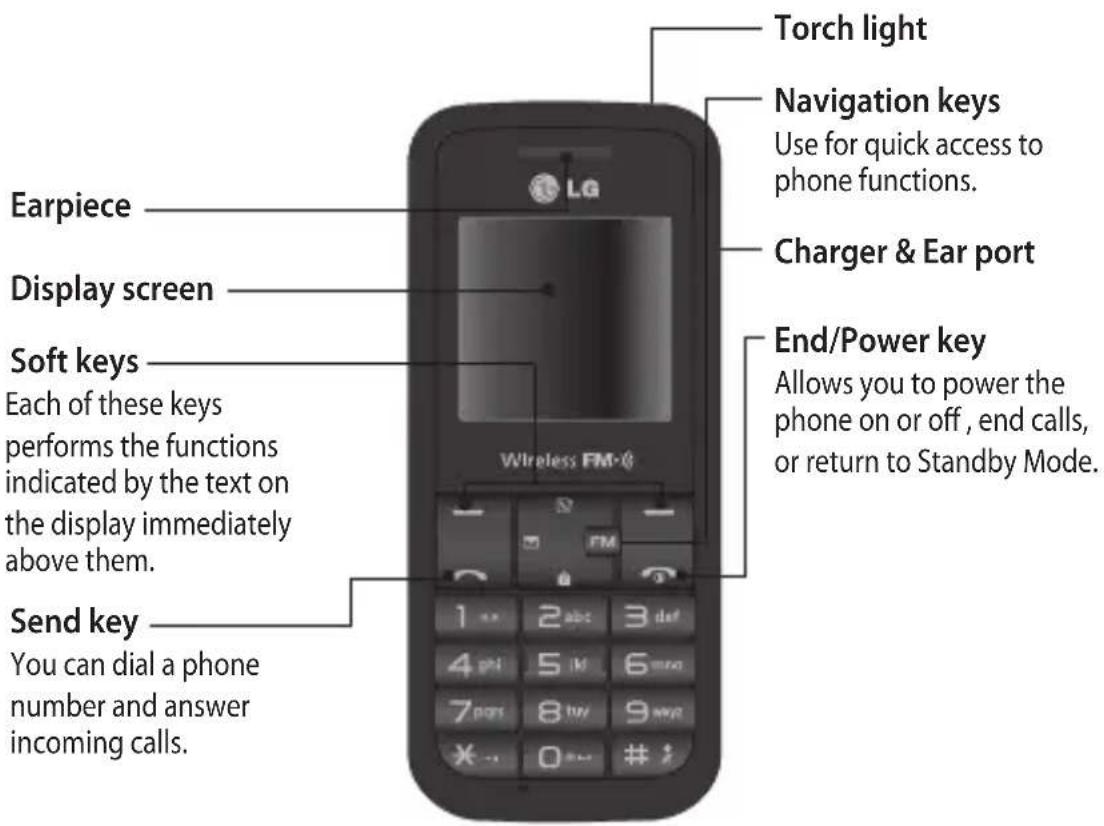
Installing the SIM Card and Charging the Battery
Installing the SIM Card
When you subscribe to a cellular network, you are provided with a plug-in SIM card loaded with your subscription details, such as your PIN, any optional services available and many others.
Important! The plug-in SIM card and its contacts can be easily damaged by scratches or bending, so be careful when handling, inserting or removing the card. Keep all SIM cards out of the reach of small children.
only 2G/2.5G SIM supported
Illustrations
1 Open battery cover
2 Remove the battery
3 Insert your SIM
4 Close the battery cover
5 Charge your battery
WARNING: Do not remove the
battery when the phone is switched on, as this may damage the phone.
1
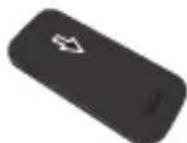
2
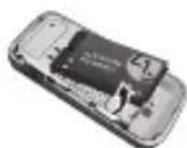
3
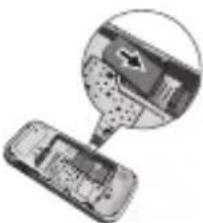
4
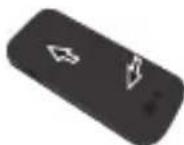
5
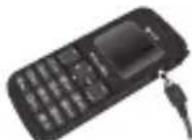
Menu map
Messaging
1 New message
2 Inbox
3 Drafts
4 Outbox
5 Sent
6 Listen voice mail
7 Info messages
8 Templates
9 Settings
Contacts
1 Search
2 New contact
3 Speed dials
4 Copy all
5 Delete all
6 Memory status
7 Information
Call history
1 All calls
2 Missed calls
3 Dialled calls
4 Received calls
5 Call duration
Games
1 Space ball
FM radio
Organiser
1 Alarm
2 Calendar
3 Memo
Profles
1 General
2 Silent
3 Vibrate only
4 Outdoor
5 Flight mode
6 Headset
Tools
1 Torch
2 Fake call
3 Calculator
4 Stopwatch
5 Unit converter
6 World clock
7 SIM Services
Settings
1 Date & Time
2 Language
3 Display
4 Call
5 Auto keylock
6 Security
7 Power save
8 Network selection
9 Reset settings
0 Memory status
Calls
Making a call
1 Key in the number using the keypad.
2 Press to initiate the call.
3 To end the call, press
TIP! To enter ^+ when making an international call, press and hold 0.
Making a call from your contacts
1 Press to open the address book.
2 Using the keypad, enter the first letter of the contact you want to call.
3 To scroll through the contacts use up and down navigation keys. And to scroll through their different numbers use left and right navigation keys.
4 Press to initiate the call.
Answering and rejecting a call
When your phone rings, press Accept or press to answer the call. While your phone is ringing, select Silent to mute the ringing. This is great if you have forgotten to change your profi le to Silent for a meeting.
Press or Reject to reject the incoming call.
TIP! You can change the settings on your phone to answer your calls in different ways. Press Menu, select Settings and choose Call. Select Answer mode and choose from Any key or send key only.
Changing the call settings
You can set the menu relevant to a call. PressMenu, select Settings and choose Call.
- Call divert - Select methods of call divert.
- Call waiting - Select active or cancel call waiting.
Checking your call history
You can check the record of all, missed, dialled, received calls and call duration. The number and name (if available) are displayed together with the date and time at which the call was made. You can also view the number of times you have called. Press Menu, select Call history.
Contacts
Searching for a contact
You can search for a contact in your contacts.
1 Press Contacts and choose Search, select Contacts from the Menu screen or press from the standby screen.
2 Using the keypad enter the first letter of the contact you want to call.
3 To scroll through the contacts and their different numbers use
Messaging
Sending a message
1 Press Menu, select Messaging and choose New message.
2 A new message editor will open. The default setting of the message editor is SMS mode.
3 Enter your message using either the T9 predictive mode or Abc manual mode. You can switch text input mode by pressing
4 Press Options and choose Insert to add an Symbol, Template, Contact, Business card.
5 Press Send to.
6 Enter the phone number or press Options and select Contacts or Recent list to open your contacts list select the number and press insert then option.
7 Press Send.
Entering text
You can enter alphanumeric characters using the phone's keypad. For example, storing names in Contacts, writing a message and creating scheduling events in the calendar all require entering text. The following text input methods are available in the phone: T9 predictive mode, ABC manual mode and 123 mode.
Note: Some fi elds may allow only one text input mode (e.g. telephone number in address book fi elds).
T9 predictive mode
T9 predictive mode uses a built-in dictionary to recognise words you're writing based on the key sequences you press. Simply press the number key associated with the letter you want to enter, and the dictionary will recognise the word once all the letters are entered.
ABC manual mode
This mode allows you to enter letters by pressing the key labeled with the required letter once, twice, three or four times until the letter is displayed.
123 mode
Type numbers using one keystroke per number. You can also add numbers while remaining in letter modes by pressing and holding the desired key.
FM radio (Wireless FM)
With embedded FM antenna, you can receive FM radio without ear-mic external earphone.
You can listen to your favor radio station anytime.
Note: In weak FM radio signal area the sensitivity can degrade with wireless and antenna mode. So it is advisable to insert the ear-mic for better and enhanced FM quality.
Listening to the radio
1 Press Menu and select FM radio.
2 Select the channel number of the station you would like to listen to.
Note: You can listen to the radio via built-in speaker. Press Options, select Listen via and choose Speaker.
Games
Your GS108 comes with preloaded games to keep you amused when you have time to spare. If you choose to download any additional games or applications they will be saved into this folder. Press Menu and select Games.
Profi les
Changing your prof les
You change your profile by pressing Menu > Profiles, then choose from General, Silent, Vibrate only, Outdoor, Flight mode and Headset.
Using flight mode (Menu > Profiles > Flight mode)
Use this function to switch the flight mode On or Off. You will not be able to make calls, Connect to the internet, Send messages when Flight mode is switched On.
Organiser / Tools
Setting your alarm ( Menu > Organiser > Alarm )
You can set up to 3 alarm clocks to go off at a specified time.
Using the calendar (Menu > Organiser > Calendar )
When you enter this menu, a calendar appears. A square cursor is located on the current date. You can move the cursor to another date using the navigation keys.
Adding a memo (Menu > Organiser > Memo )
You can register your own memos here.
Torch (Menu > Tools > Torch)
You can turn on/off the flash light.
Setting your fake call (Menu > Tools > Fake call)
You can send the fake call after setting time.
Using your calculator ( Menu > Tools > Calculator )
The calculator provides the basic arithmetic functions: addition, subtraction, multiplication and division.
Using the stopwatch ( Menu > Tools > Stopwatch )
This option allows you to use the function of a stopwatch.
Converting a unit (Menu > Tools > Unit converter)
This converts many measurements into a unit you want.
Adding a city to your world clock ( Menu > Tools > World clock )
You can check the current time of Greenwich Mean Time (GMT) and major cities around the world.
SIM services (Menu > Tools > SIM services)
This feature depends on SIM and the network services. In case the SIM card supports SAT (i.e. SIM Application Toolkit) services, this menu will be the operator specific service name stored on the SIM card.
Settings
Changing your date & time ( Menu > Settings > Date & Time )
You can set functions relating to the date and time.
Changing the language (Menu > Settings > Language)
You can change the language for the display texts in your phone. This change will also affect the language input mode.
Changing your display settings ( Menu > Settings > Display )
You can change the settings for the phone display.
Changing your security settings ( Menu > Settings > Security )
Change your security settings to keep your GS108 and the important information it holds protected.
PIN code request - Choose a PIN code to be requested when you turn your phone on.
- Phone lock - Choose a security code to lock your phone, When power on, When SIM changed or Immediately.
- Anti Theft Mobile Tracker - When the handset is stolen, handset sends the SMS to the numbers configured by real owner. User has to configure the ATMT settings with name, primary phone number, secondary number. User has to Set ATMT ON to activate the ATMT feature. Default ATMT code is "0000". ATMT SMS will contain information about the stolen phone IMEI, current location & number of the person who is using that handset.
- Change codes - Change your Security code, PIN2 code or ATMT code.
Power save (Menu > Settings > Power save)
If you set Always on, you can save the battery power when you don't use the phone. Choose to switch the power save settings Always on, Night only or Off.
Resetting your phone (Menu > Settings > Reset settings)
Use Reset to reset all the settings to their factory definitions. You need the security code to activate this function. The default number is "0000".
Guidelines for safe and effici cient use
Please read these simple guidelines. Not following these guidelines may be dangerous or illegal. Further detailed information is given in this manual.

WARNING
- Mobile Phones must be switched off at all times in an aircraft.
- Do not hold the phone in your hand while driving.
- Do not use your phone near petrol stations, fuel depots, chemical plants or blasting operations.
- For your safety, use ONLY specified ORIGINAL batteries and chargers.
- Do not handle the phone with wet hands while it is being charged. It may cause an electric shock or seriously damage your phone.
- Keep the phone in a safe place out of small children's reach. It includes small parts which if detached may cause a chocking hazard.
- Do not charge the phone when it is on soft furnishings.
- The phone should be charged in a well ventilated area.
CAUTION
- Switch off the phone in any area where required by special regulations. For example, do not use your phone in hospitals or it may affect sensitive medical equipment.
- Emergency calls may not be available under all mobile networks. Therefore, you should never depend solely on the phone for emergency calls.
- Only use ORIGINAL accessories to avoid damage to your phone.
-
All radio transmitters carry risks of interference with electronics in close proximity. Minor interference may affect TVs, radios, PCs, etc.
-
Batteries should be disposed off in accordance with relevant legislation.
- Do not dismantle the phone or battery.
Exposure to radio frequency energy
Radio wave exposure and Specific Absorption Rate (SAR) information
This mobile phone model GS108 has been designed to comply with applicable safety requirement for exposure to radio waves. This requirement is based on scientific guidelines that include safety margins designed to assure this safety of all persons, regardless of age and health.
- The radio wave exposure guidelines employ a unit of measurement known as the Specific Absorption Rate, or SAR. Tests for SAR are conducted using standardized method with the phone transmitting at its highest certified power level in all used frequency bands.
- While there may be differences between the SAR levels of various LG phone models, they are all designed to meet the relevant guidelines for exposure to radio waves.
- The SAR limit recommended by the international Commission on Non-Ionizing Radiation Protection (ICNIRP), which is 2W / Kg averaged over ten (10) gram of tissue.
- The highest SAR value for this model phone tested by DASY4 for use at the ear is 1.20 W/Kg (10g) and when worn on the body is 0.605 W/Kg (10g).
- SAR data information for residents in countries/regions that have adopted the SAR limit recommended by the Institute of Electrical and Electronics Engineers (IEEE), which is 1.6 W/Kg averaged over one (1) gram of tissue.
Product care and maintenance

WARNING
Only use batteries, chargers and accessories approved for use with this particular phone model. The use of any other types may invalidate any approval or warranty applying to the phone, and may be dangerous.
- Do not disassemble this unit. Take it to a qualified service technician when repair work is required.
- Keep away from electrical appliances such as TVs, radios, and personal computers.
- The unit should be kept away from heat sources such as radiators or cookers.
- Do not drop.
- Do not subject this unit to mechanical vibration or shock.
- The coating of the phone may be damaged if covered with wrap or vinyl wrapper.
- Use dry cloth to clean the exterior of the unit. (Do not use solvent such as benzene, thinner or alcohol.)
- Do not subject this unit to excessive smoke or dust.
- Do not keep the phone next to credit cards or transport tickets; it can affect the information on the magnetic strips.
- Do not tap the screen with a sharp object; otherwise, it may damage the phone.
- Do not expose the phone to liquid or moisture.
- Use the accessories like an earphone cautiously. Do not press the antenna unnecessarily.
Efficient phone operation
Electronics devices
All mobile phones may get interference, which could affect performance.
- Do not use your mobile phone near medical equipment without requesting permission. Avoid placing the phone over pacemakers, i.e. in your breast pocket.
Some hearing aids might be disturbed by mobile phones.
Minor interference may affect TVs, radios, PCs, etc.
Road safety
Check the laws and regulations on the use of mobile phones in the areas when you drive.
- Do not use a hand-held phone while driving.
- Give full attention to driving.
- Use a hands-free kit, if available.
- Pull off the road and park before making or answering a call if driving conditions so require.
- RF energy may affect some electronic systems in your vehicle such as car stereos and safety equipment.
- When your vehicle is equipped with an air bag, do not obstruct with installed or portable wireless equipment. It can fail or cause serious injury due to improper performance.
If you are listening to music whilst out and about, please ensure that the volume is at a reasonable level so that you are aware of your surroundings. This is particularly imperative when near roads.
Avoid damage to your hearing
Damage to your hearing can occur if you are exposed to loud sound for long periods of time. We therefore recommend that you do not turn on or off the handset close to your ear. We also recommend that music and call volumes are set to a reasonable level.
Blasting area
Do not use the phone where blasting is in progress. Observe restrictions, and follow any regulations or rules.
Potentially explosive atmospheres
- Do not use the phone at a refueling point. Don't use near fuel or chemicals.
- Do not transport or store flammable gas, liquid, or explosives in the compartment of your vehicle which contains your mobile phone and accessories.
In aircraft
Wireless devices can cause interference in aircraft.
- Turn off your mobile phone before boarding any aircraft.
- Do not use it on the aircraft without crew permission.
Children
Keep the phone in a safe place out of small children's reach. It includes small parts which if detached may cause a choking hazard.
Emergency calls
Emergency calls may not be available under all mobile networks. Therefore, you should never depend solely on the phone for emergency calls. Check with your local service provider.
Battery information and care
- You do not need to completely discharge the battery before recharging. Unlike other battery systems, there is no memory effect that could compromise the battery's performance.
Use only LG batteries and chargers. LG chargers are designed to maximize the battery life.
Do not disassemble or short-circuit the battery pack. - Keep the metal contacts of the battery pack clean.
- Replace the battery when it no longer provides acceptable performance. The battery pack maybe recharged hundreds of times until it needs replacing.
- Recharge the battery if it has not been used for a long time to maximize usability.
- Do not expose the battery charger to direct sunlight or use it in high humidity, such as the bathroom.
- Do not leave the battery in hot or cold places, this may deteriorate the battery performance.
There is risk of explosion if the battery is replaced by an incorrect type. - Dispose of used batteries according to the manufacturer's instructions. Please recycle when possible. Do not dispose as household waste.
If you need to replace the battery, take it to the nearest authorized LG Electronics service point or dealer for assistance.
Always unplug the charger from the wall socket after the phone is fully charged to save unnecessary power consumption of the charger.
Technical data
Ambient
Temperatures
Max: +55°C (discharging)
+45°C (charging)
Min: -10^
Declaration of Conformity

LG Electronics
Suppliers Details
Name
LG Electronics Inc.
Address
LG Electronics Inc. LG Twin Towers 20, Yeouido-dong, Yeongdeunggo-gu, Seoul, Korea 150-721
Product Details
Product Name
GSM 900/DCS 1800 Dual band Terminal Equipment
Model Name
GS100, GS102, GS107, GS107b, GS108
Trade Name
LG
C∈0168
Applicable Standards Details
R&TDE Directive 1999/5/EC EN301489-01V1.6,EN301489-07v1.3.1 EN301511V9.0.2 EN50360:2001/EN62209-1:2006 EN60950-1:2001
Supplementary Information
The conformity to above standards is verified by the following Notified Body(BABT) BABT, Forsyth House-Churchfield Road - Walton-on-ThamesSurrey - KT12 2TD . United Kingdom Notified Body Identification Number : 0168
Declaration
I hereby declare under our sole responsibility that the product mentioned above to which this declaration relates complies with the above mentioned standards and Directives
LG Electronica Inc.
Veluwezoom 15, 1327 AE Almere, The Netherlands
Tel: +31-36-547-8940, e-mail: j.acob@lgce.com
Name Issued Date Feung Hyoun, Ji / Director 18 Nov 2009
Signature of represtitio:
Radio FM (FM sans fi I)
Declaration of Conformity

LG Electronics
Suppliers Details
Name
LG Electronics Inc.
Address
LG Electronics Inc. LG Twin Towers 20, Yeouido-dong, Yeongdeunggo-gu, Seoul, Korea 150-721
Product Details
Product Name
GSM 900/DCS 1800 Dual band Terminal Equipment
Model Name
GS100, GS102, GS107, GS107b, GS108
Trade Name
LG
C∈0168
Applicable Standards Details
R&TDE Directive 1999/5/EC EN301489-01V1.6,EN301489-07v1.3.1 EN301511V9.0.2 EN50360:2001/EN62209-1:2006 EN60950-1:2001
Supplementary Information
The conformity to above standards is verified by the following Notified Body(BABT) BABT, Forsyth House-Churchfield Road - Walton-on-ThamesSurrey - KT12 2TD . United Kingdom Notified Body Identification Number : 0168
Declaration
I hereby declare under our sole responsibility that the product mentioned above to which this declaration relates complies with the above mentioned standards and Directives
LG Electronica Inc.
Veluwezoom 15, 1327 AE Almere, The Netherlands
Tel: +31-36-547-8940, e-mail: j.acob@lgce.com
Name Issued Date Feung Hyoun, Ji / Director 18 Nov 2009
Signature of represtitio:
Manual do Utilizador do GS108 -Portugues
Declaration of Conformity

LG Electronics
Suppliers Details
Name
LG Electronics Inc.
Address
LG Electronics Inc. LG Twin Towers 20, Yeouido-dong, Yeongdeunggo-gu, Seoul, Korea 150-721
Product Details
Product Name
GSM 900/DCS 1800 Dual band Terminal Equipment
Model Name
GS100, GS102, GS107, GS107b, GS108
Trade Name
LG
C∈0168
Applicable Standards Details
R&TDE Directive 1999/5/EC EN301489-01V1.6,EN301489-07v1.3.1 EN301511V9.0.2 EN50360:2001/EN62209-1:2006 EN60950-1:2001
Supplementary Information
The conformity to above standards is verified by the following Notified Body(BABT) BABT, Forsyth House-Churchfield Road - Walton-on-ThamesSurrey - KT12 2TD . United Kingdom Notified Body Identification Number : 0168
Declaration
I hereby declare under our sole responsibility that the product mentioned above to which this declaration relates complies with the above mentioned standards and Directives
LG Electronica Inc.
Veluwezoom 15, 1327 AE Almere, The Netherlands
Tel: +31-36-547-8940, e-mail: j.acob@lgce.com
Name Issued Date Feung Hyoun, Ji / Director 18 Nov 2009
Signature of represtitio:
LIMITED WARRANTY STATEMENT
1. WHAT THIS WARRANTY COVERS:
LG offers you a limited warranty that the enclosed phone and its enclosed accessories will be free from defects in material and workmanship, according to the following terms and conditions:
(1) The limited warranty for the product extends the warranty period beginning on the date of purchase of the product.
(2) The limited warranty extends only to the original purchaser of the product and is not assignable or transferable to any subsequent purchaser/end user.
(3) This warranty is good only to the original purchaser of the product during the warranty period, but limited to certain country if specified.
(4) The external housing and cosmetic parts shall be free of defects at the time of shipment and, therefore, shall not be covered under these limited warranty terms.
(5) Upon request from LG, the consumer must provide information to reasonably prove the date of purchase.
(6) The customer shall bear the cost of shipping the product to the Customer Service Department of LG. LG shall bear the cost of shipping the product back to the consumer after the completion of service under this limited warranty.
2. WHAT THIS WARRANTY DOES NOT COVER:
(1) Defects or damages resulting from use of the product in other than its normal and customary manner.
(2) Defects or damages from abnormal use, abnormal conditions, improper storage, exposure to moisture or dampness, unauthorized modifications, unauthorized connections, unauthorized repair, misuse, neglect, abuse, accident, alteration, improper installation, or other acts which are not the fault of LG, including damage caused by shipping, blown fuses, spills of food or liquid.
(3) Breakage or damage to antennas unless caused directly by defects in material or workmanship.
(4) That the Customer Service Department at LG was not notified by consumer of the alleged defect or malfunction of the product during the applicable limited warranty period.
(5) Products which have had the serial number removed or made illegible.
(6) This limited warranty is in lieu of all other warranties, express or implied either in fact or by operations of law, statutory or otherwise, including, but not limited to any implied warranty of marketability or fitness for a particular use.
(7) Damage resulting from use of non-LG approved accessories.
(8) All plastic surfaces and all other externally exposed parts that are scratched or damaged due to normal customer use.
(9) Products operated outside published maximum ratings.
(10) Products used or obtained in a rental program.
(11) Consumables (such as fuses).
3. CONDITIONS:
No other express warranty is applicable to this product.
THE DURATION OF ANY IMPLIED WARRANTYES, INCLUDING THE IMPLIED WARRANTY OF MARKETABILITY, IS LIMITED TO THE DURATION OF THE EXPRESS WARRANTY HEREIN. LG ELECTRONICS INC. SHALL NOT BE LIABLE FOR THE LOSS OF THE USE OF THE PRODUCT, INCONVENIENCE, LOSS OR ANY OTHER DAMAGES, DIRECT OR CONSEQUENTIAL, ARISING OUT OF THE USE OF, OR INABILITY TO USE, THIS PRODUCT OR FOR ANY BREACH OF ANY EXPRESS OR IMPLIED WARRANTY, INCLUDING THE IMPLIED WARRANTY OF MARKETABILITY APPLICABLE TO THIS PRODUCT.
Some do not allow the exclusive of limitation of incidental or consequential damages or limitations on how long an implied warranty lasts; so these limitations or exclusions may not apply to you.
This warranty gives you specific legal rights and you may also have other rights which vary from country to country.

LG Electronics Inc.
MEMO
MEMO


- GS108 User Guide- English
- Getting to know your phone
- Installing the SIM Card and Charging the Battery
- Installing the SIM Card
- Illustrations
- Menu map
- Messaging
- Contacts
- Call history
- Games
- FM radio
- Organiser
- Profles
- Tools
- Settings
- Calls
- Making a call
- Making a call from your contacts
- Answering and rejecting a call
- Changing the call settings
- Checking your call history
- Searching for a contact
- Sending a message
- Entering text
- T9 predictive mode
- ABC manual mode
- mode
- FM radio (Wireless FM)
- Listening to the radio
- Profi les
- Changing your prof les
- Using flight mode (Menu > Profiles > Flight mode)
- Organiser / Tools
- Setting your alarm ( Menu > Organiser > Alarm )
- Using the calendar (Menu > Organiser > Calendar )
- Adding a memo (Menu > Organiser > Memo )
- Torch (Menu > Tools > Torch)
- Setting your fake call (Menu > Tools > Fake call)
- Using your calculator ( Menu > Tools > Calculator )
- Using the stopwatch ( Menu > Tools > Stopwatch )
- Converting a unit (Menu > Tools > Unit converter)
- Adding a city to your world clock ( Menu > Tools > World clock )
- SIM services (Menu > Tools > SIM services)
- Power save (Menu > Settings > Power save)
- Resetting your phone (Menu > Settings > Reset settings)
- Guidelines for safe and effici cient use
- WARNING
- CAUTION
- Exposure to radio frequency energy
- Product care and maintenance
- Efficient phone operation
- Electronics devices
- Road safety
- Avoid damage to your hearing
- Blasting area
- Potentially explosive atmospheres
- In aircraft
- Children
- Emergency calls
- Technical data
- Ambient
- Temperatures
- Declaration of Conformity
- Suppliers Details
- Product Details
- Applicable Standards Details
- Supplementary Information
- Declaration
- Radio FM (FM sans fi I)
- Manual do Utilizador do GS108 -Portugues
- LIMITED WARRANTY STATEMENT
- WHAT THIS WARRANTY COVERS:
- WHAT THIS WARRANTY DOES NOT COVER:
- CONDITIONS:
- MEMO
Brand : LG
Model : GS108
Category : Cellphone