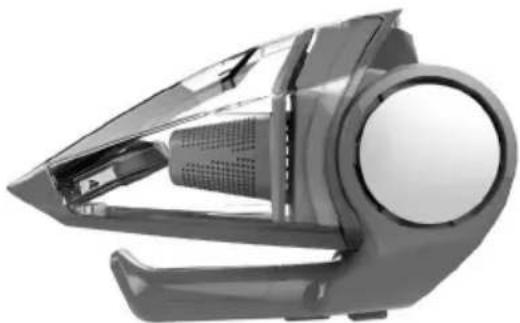
Quick Flip - Vacuum Cleaner DIRT DEVIL - Free user manual and instructions
Find the device manual for free Quick Flip DIRT DEVIL in PDF.


| Brand | Dirt Devil |
| Model | Quick Flip |
| Device type | Cordless handheld vacuum |
| Power supply | Rechargeable lithium-ion battery |
| Charger included | Dirt Devil part no. 440008693 |
| Charging time | Up to 6 hours |
| Filter type | F101, washable with water |
| Included accessories | QuickFlip crevice tool, dusting brush, motorized brush roll (depending on model) |
| Weight | Approximately 1.2 kg |
| Dimensions (W x D x H) | Approximately 33 x 15 x 20 cm |
| Usage | Household use only |
| Warranty | Limited (see manual) |
| Maintenance | Clean filter regularly, replace every 3 to 6 months |
| Safety | Do not use outdoors, do not vacuum liquids, automatic shut-off during charging |
| Spare parts | Replacement filter F101 available at dirtdevil.com |
| Repairability | Take to an authorized service center |
Frequently Asked Questions - Quick Flip DIRT DEVIL
User questions about Quick Flip DIRT DEVIL
0 question about this device. Answer the ones you know or ask your own.
Ask a new question about this device
Download the instructions for your Vacuum Cleaner in PDF format for free! Find your manual Quick Flip - DIRT DEVIL and take your electronic device back in hand. On this page are published all the documents necessary for the use of your device. Quick Flip by DIRT DEVIL.
USER MANUAL Quick Flip DIRT DEVIL
natural_image
Exterior view of a black and white compact vacuum cleaner with a circular logo on the side (no text or symbols visible)USER MANUAL
Français - page 15
Español - página 29

REPLACEMENT PARTS
• FILTER: F101
HI. WELCOME.
Congrats on purchasing your new Dirt Devil Hand Vac. Inside, you'll find everything you want to know from the tools to how to.
So what are you waiting for? LET'S GO.™

PRODUCT REGISTRATION
Warranty Registration
Be sure to register your product online at www.DirtDevil.com or call 1-800-321-1134 to register by phone.
Hint: Attach your sales receipt to this Owner's manual. Verification of date of purchase may be required for warranty service of your Dirt Devil® product.
For quick reference, please record your product information below.
Model #: ____
Mfg. Code: ____
(Mfg. code located on the back or bottom of product)
Find GENUINE Replacement Parts at www.dirtdevil.com

natural_image
Illustration of mechanical components including a perforated plate, ring, and rolled roller (no text or symbols)This product uses the following parts: FILTER ____ F101
TABLE OF
CONTENTS
1·2·3...
Quick Start Assembly 6
How to 7

natural_image
Simple line drawing of a funnel, test tube, and mechanical components (no text or symbols)Tools 8
Charging 10
Handle Pivot 11
Filter Removal and Replacement 12

Troubleshooting 13

Limited Warranty 14
WARNING
IMPORTANT: READ CAREFULLY BEFORE ASSEMBLY AND USE. THIS PRODUCT IS INTENDED FOR HOUSEHOLD USE ONLY. IF USED COMMERCIALLY WARRANTY IS VOID.
IMPORTANT SAFETY INSTRUCTIONS
When using an electrical appliance, basic precautions should always be followed, including the following:
READ ALL INSTRUCTIONS BEFORE USING THIS APPLIANCE.
WARNING: TO REDUCE THE RISK OF FIRE, ELECTRIC SHOCK OR INJURY:
- Do not use the unit, store, or charge battery outdoors or on wet surfaces. Do not allow to get wet.
- Do not allow to be used as a toy. Not intended for use by children age 12 and under. Close supervision is necessary when used by or near children. To avoid injury or damage, keep children away from product, and do not allow children to place fingers or other objects into any openings.
- Use only as described in this manual. Use only manufacturer's recommended attachments.
- Do not use charger with damaged cord or plug. If appliance or charger is not working as it should, has been dropped, damaged, left outdoors, or dropped into water, take it to a service center prior to continuing use.
- Do not pull or carry charger by cord, use cord as handle, close a door on cord, or pull cord around sharp edges or corners. Do not place product on cord. Do not run appliance over cord. Keep cord away from heated surfaces.
- Do not unplug charger by pulling on cord. To unplug charger, grasp the plug, not the cord.
- Do not handle charger, including charger plug, and charger terminals with wet hands.
- Do not put any objects into openings. Do not use with any opening blocked; keep free of dust, lint, hair, and anything that may reduce air flow.
- Keep hair, loose clothing, fingers, and all parts of body away from openings and moving parts.
- Use extra care when cleaning on stairs. Do not place cleaner on stairs or furniture, as it may result in injury or damage.
- Do not use to pick up flammable or combustible liquids, such as gasoline, or use in areas where they may be present.
- Turn power switch off before removing or installing powered nozzle.
- Do not pick up anything that is burning or smoking, such as cigarettes, matches, or hot ashes.
- Do not use without filters and/or dirt cup in place.
- WARNING: This product contains chemicals known to the State of California to cause cancer, birth defects or reproductive harm. WASH HANDS AFTER USING.
- Do not incinerate the charger, battery, or appliance even if it is severely damaged. The batteries can explode in a fire.
- This product includes rechargeable lithium-ion batteries. Do not expose batteries to high temperatures, as they may catch fire and/or explode.
- Do not expose battery to crushing, incineration or similar actions.
- Do not dispose of battery in a fire or trash compactor. See battery disposal section for directions.
- Do not attempt to disassemble battery.
- Unplug the charger from the outlet before any routine cleaning or maintenance.
- Leaks from battery cells can occur under extreme conditions. If any liquid gets on the skin wash quickly with soap and water. If any liquid gets into the eyes, immediately flush them with clean water continuously for a minimum of 15 minutes. Seek medical attention immediately.
- Use only the charger (Dirt Devil #440008693) supplied by Royal Appliance to recharge.
- Do not attempt to short circuit the battery or charger terminals.
- The charger is for indoor use only. Be sure to always keep the battery and charger in a dry place.
- Put product away after use to prevent tripping accidents.
- CAUTION: Not to be used for grooming a pet.

CAUTION: TO REDUCE THE RISK OF DAMAGE:
- Avoid picking up hard, sharp objects with this product, as they may cause damage.
- Store appropriately indoors in a dry place. Do not expose machine to freezing temperatures.
SAVE THESE INSTRUCTIONS

BATTERY DISPOSAL WARNING:
RISK OF EXPLOSION OR EXPOSURE TO TOXIC MATERIAL.
1-800-822-8337

CAUTION:
The battery used in this device may present a risk of fire or chemical burn if mistreated. Do not disassemble, heat above manufacturer's maximum temperature limit (60°C/140°F), or incinerate. Dispose of battery promptly. Keep away from children. Do not disassemble and do not dispose of in fire. Do not attempt to disassemble the battery or remove any component projecting from the battery terminals. The battery and charger have no user sserviceable parts. Fire or injury may result. Prior to disposal, protect exposed terminals with heavy insulating tape to prevent shorting.
LITHIUM-ION BATTERIES
The battery must be collected, recycled or disposed of in an environmentally sound manner. The EPA certified RBRC Battery Recycling Seal on the lithium-ion (Li-ion) battery indicated Techtronic Industries, a corporate affiliate of Dirt Devil., is voluntarily participating in an industry program to collect and recycle these batteries at the end of their useful life, when taken out of service in the United States or Canada. The RBRC program provides a convenient alternative to placing used Li-ion batteries into the trash or the municipal waste stream, which may be illegal in your area. Please visit www.rbrc.org/call2recycle/ for information on Li-ion battery recycling and disposal bans/restrictions in your area. Dirt Devil, involvement in this program is part of our commitment to preserving our environment and conserving our natural resources.
QUICK START
natural_image
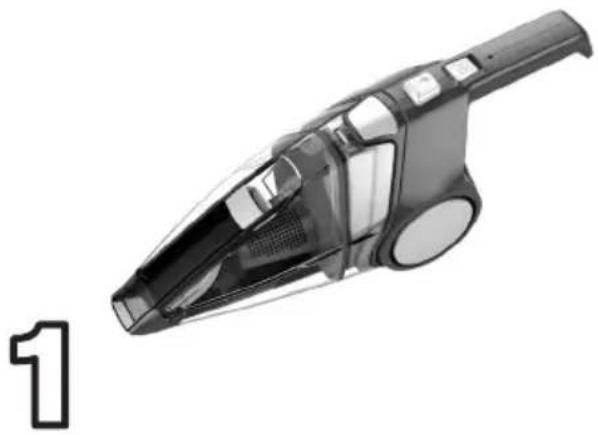
Black and white photo of a compact vacuum cleaner with a visible number '1' on the left side (no text or symbols on the device itself)REMOVE FROM CARTON & REVIEW THE INSTRUCTION MANUAL.
natural_image
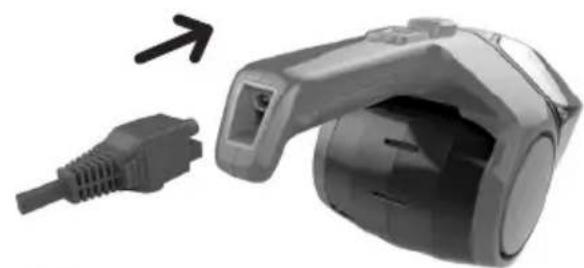
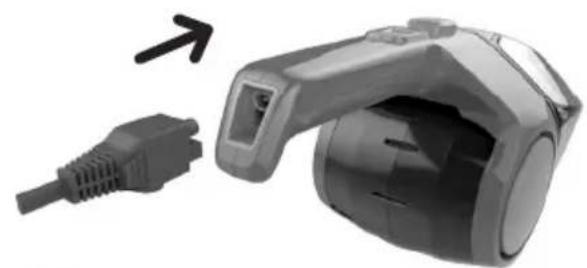
Close-up of a gray handheld device with a black connector and arrow indicating direction (no text or symbols)2
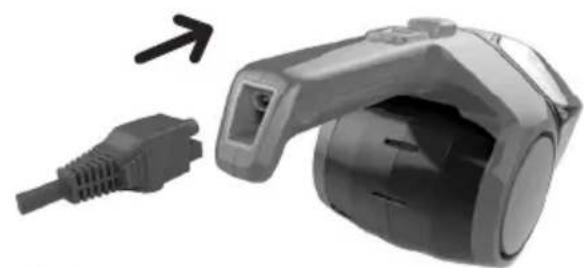
PLUG IN & CHARGE UNIT UNTIL THE CHARGE INDICATOR LIGHT GOES OUT (CHARGING MAY TAKE UP TO 6 HOURS).
natural_image
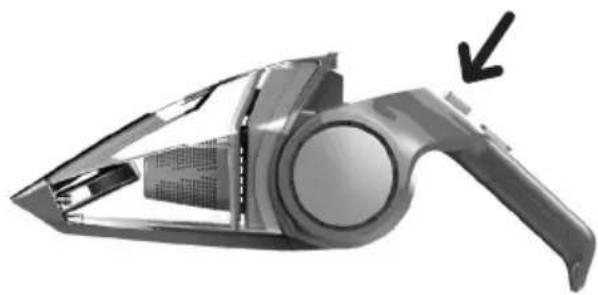
Exterior view of a modern vacuum cleaner with handle and ventilation slots (no text or symbols visible)3
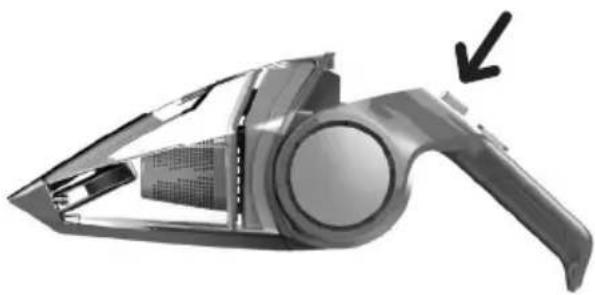
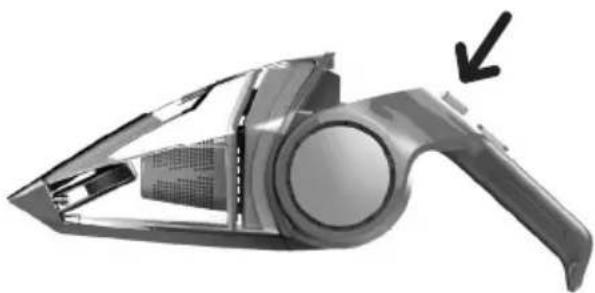
PRESS THE HANDLE
RELEASE BUTTON
TO PIVOT HANDLE FOR
EASY CLEANING.
YOUR HAND VAC IS READY TO CLEAN! LET'S GO.™

NEED HELP?
Go to dirtdevil.com/support or contact our Customer Service Department at (800) 321-1134
Pick up the conversation on...

Facebook.com/DirtDevil

Twitter@DirtDevil
HOW TO USE
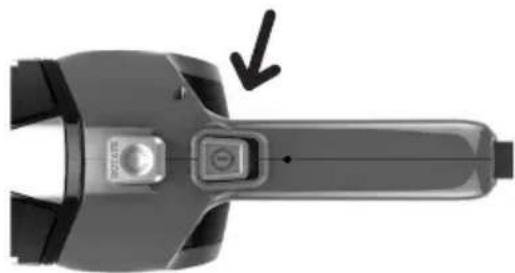
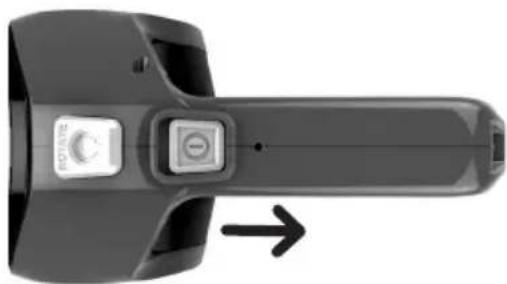
- Slide the power switch to the ON position.
natural_image
Top-down view of a handheld device with a button and arrow indicator (no text or symbols)- When completed, slide the power switch to the OFF position.
NOTE: Empty and clean the unit and filter after each use or after large pickups when the unit becomes full.
TIP: The power switch must be in the OFF position for the unit to charge.
natural_image
Close-up of a black handheld electronic device with a circular button and an arrow indicating rotation (no text or symbols visible)*Tools not included with all models.
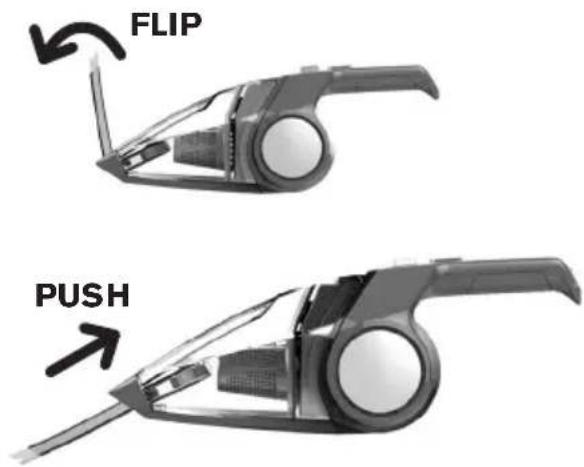
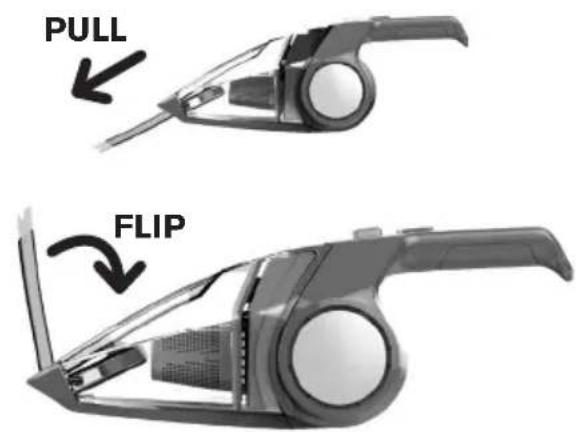
QUICKFLIP CREVICE TOOL
Easily clean cracks and crevices.
- Flip crevice tool out to line up with nozzle then push in until secured in place.
text_image
FLIP PUSH- To store crevice tool: gently pull the tool away from the dust cup and flip the tool up towards the unit & press down until you feel it lock into place.
text_image
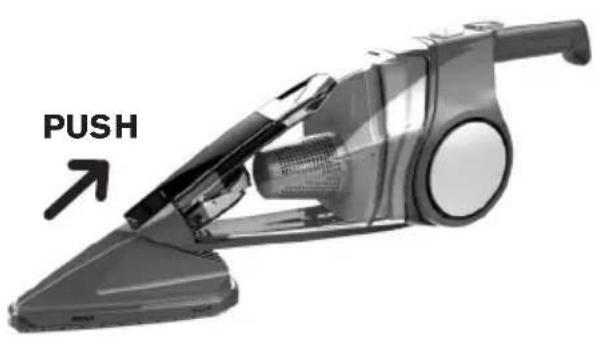
PULL FLIPDUSTING TOOL\*
Cleans shelves, tables, and more.
- Push accessory brush into hand vac nozzle to attach.
TIP: Crevice tool can not be extended.
- To remove dusting tool, gently pull tool away from hand vac.
text_image
PUSH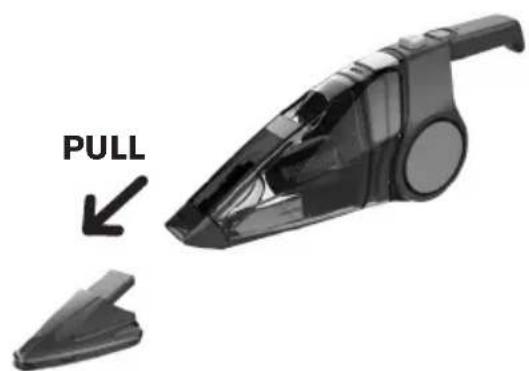
natural_image
Black handbag device with pull indicator and side clip, no text or symbols on the device itselfPOWERED BRUSHROLL\*
Easily clean stairs, upholstery and more.
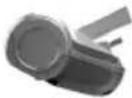
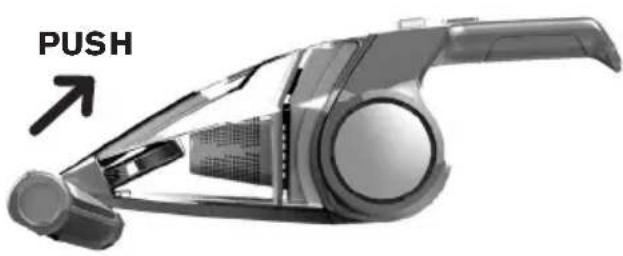
1. Push powered brushroll into hand vac nozzle to attach.
TIP: Crevice tool can not be extended.
NOTE: When unit is on, the powered brushroll will be on.
2. To remove power nozzle, gently pull tool away from the hand vac.
text_image
PUSH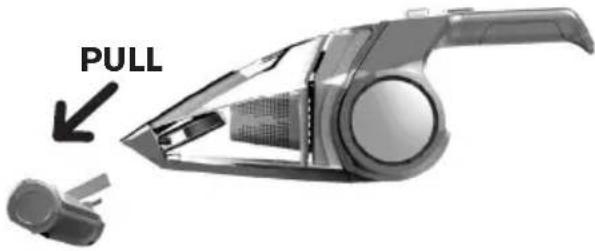
text_image
PULLNOTE: The powered brushroll has its own motor and a motor protective device; should debris jam the brushroll and stop it from rotating, switch the unit OFF, remove the powered brushroll from the unit, remove the debris jamming the brushroll and assemble the powered brushroll attachment back on the unit. Then wait a few minutes prior to turning the unit ON again.

CAUTION
To reduce risk of injury from moving parts, remove powered brushroll before cleaning or servicing.
CHARGING
NOTE: Use only the charger supplied by the manufacturer to recharge.
TIP: For a better experience, fully charge the unit before first use.
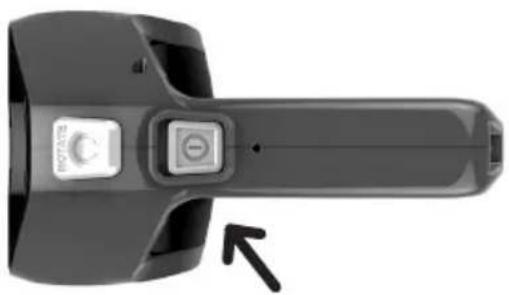
1. Power switch must be in the OFF position.
NOTE: The unit can only charge when the switch is in the OFF position.
NOTE: If the unit is running and the charger plug is connected to the unit, the unit will shut off to prevent damage to the charger or unit.
natural_image
Close-up of a black handheld device with a circular button and an arrow pointing to it (no visible text or symbols)2. The charge indicator light will pulse when charging and the indicator will turn off when charging is complete.
NOTE: The charge indicator will only turn on while charging. Once the battery is fully charged, the indicator will not go on again. The charger will be warm while charging.
NOTE: The unit will charge only for as long as needed. It may take up to 6 hours for full charge.
natural_image
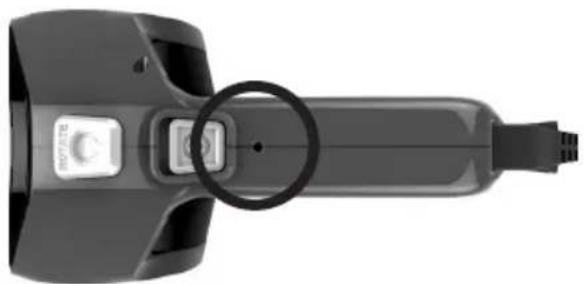
Close-up of a handheld electronic device with a circular button and connector (no visible text or symbols)HANDLE PIVOT
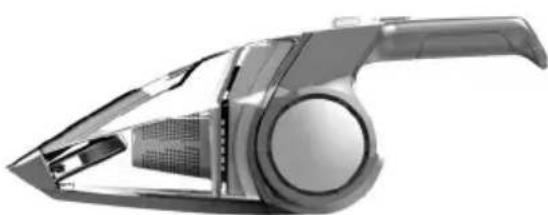
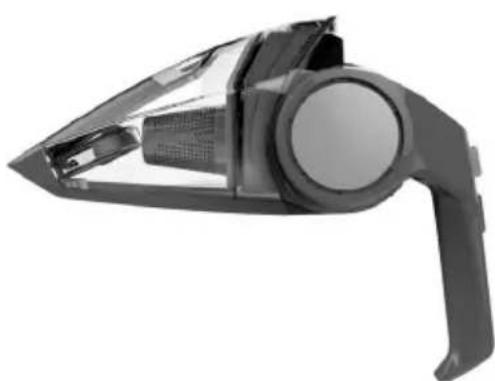
Press the handle pivot button to pivot between the 4 handle positions.
Position 1 - Easy cleaning for upholstery, stairs and crevices.
Position 2 - Easy cleaning for higher surfaces.
natural_image
Exterior view of a modern vacuum cleaner with internal components (no text or symbols visible)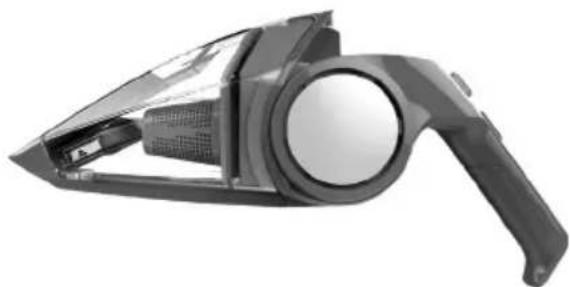
natural_image
Exterior view of a black handheld vacuum cleaner with handle and circular lens (no text or symbols visible)Position 3 - Great for cleaning shelves, cabinets and more.
Position 4 - Compact storage.
natural_image
Exterior view of a black handheld vacuum cleaner (no text or symbols visible)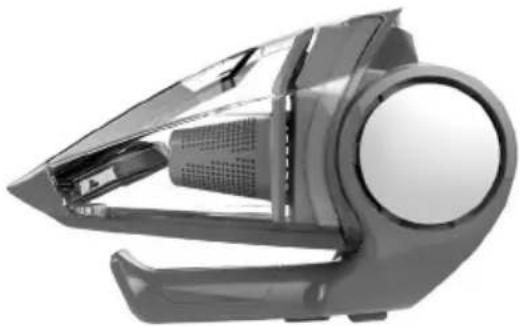
natural_image
Exterior view of a modern office building (no signage)FILTER REMOVAL AND REPLACEMENT
TIP: To maintain performance, filter should be changed every 3-6 months, or as needed.
-
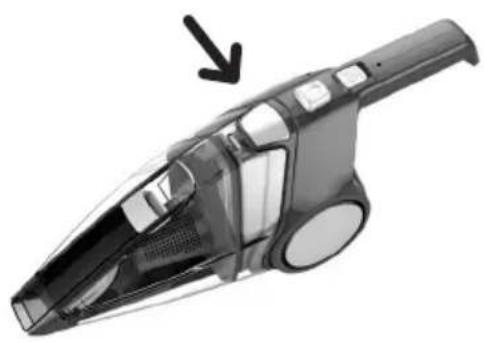
While holding the dirt cup and handle, press dirt cup release button.
-
Remove the dirt cup to access filter.
natural_image
Close-up of a compact vacuum cleaner with a black arrow pointing to the handle (no text or symbols visible)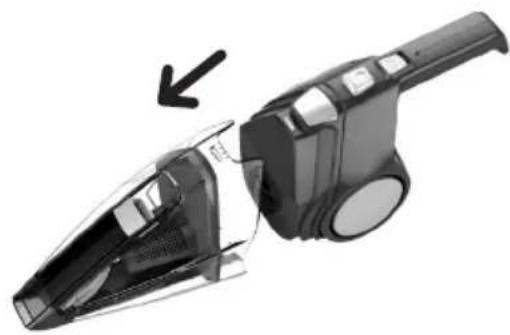
natural_image
Close-up of a black and white handheld vacuum cleaner with a black arrow pointing to its side (no text or symbols visible)-
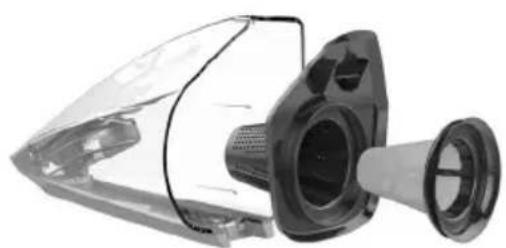
Remove filter assembly from dirt cup & separate the white filter from the filter housing. Tap filter over a trash can to remove debris. Be sure to also wipe debris from the filter housing.
-
Place filter back into the filter housing. Place dirt cup back onto the body of the hand vac until you hear it click.
NOTE: Filter is rinseable with water. Do not use soap/detergent. Must be completely dry before use.
NOTE: Do not discard filter or filter housing.
natural_image
Close-up of a mechanical device with transparent casing and internal components (no visible text or symbols)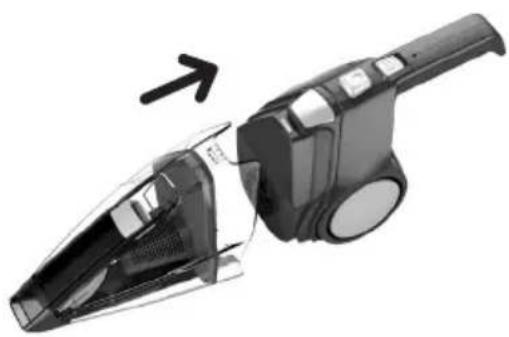
natural_image
Close-up of a black handheld vacuum cleaner with a white handle, showing internal components and a directional arrow (no text or symbols)For replacement filter F101 visit dirtdevil.com or call us at (800) 321-1134.

WARNING
To reduce the risk of personal injury, turn power switch off before cleaning or servicing.
TROUBLESHOOTING
Any other servicing should be done by an authorized service representative. If appliance is not working as it should, has been dropped, damaged, left outdoors, or dropped into water, take it to a service center prior to continuing use.

WARNING
To reduce the risk of personal injury - Unplug before cleaning or servicing.
PROBLEM POSSIBLE CAUSE POSSIBLE SOLUTION
| Cleaner won't run | 1. Battery not charged. | 1. Charge battery up to 6 hours. The indicator light will pulse until the battery is fully charged and then will turn off. |
| 2. Battery dead - won't hold charge. | 2. Contact customer service. Visit our website at www.dirtdevil.com or call 1-800-321-1134. | |
| 3. Needs service. 3. Contact customer service. Visit our website at www.dirtdevil.com or call 1-800-321-1134. | ||
| Cleaner won't pick up or low suction | 1. Dirt Cup not installed correctly. | 1. Review Filter Removal & Replacement |
| 2. Dirt Cup is full. 2. Empty dirt cup. | ||
| 3. Battery charge is getting weak. | 3. Charge battery. | |
| 4. Filter is dirty. 4. Clean or replace filter. | ||
| 5. Clogged filter. 5. Remove filter and clean. | ||
| 6. Nozzle/dirt passage clogged. | 6. Turn off the unit and then disconnect the nozzle to remove debris. | |
| 7. Filter/Filter Frame missing. 7. Contact customer service. Visit our website at www.dirtdevil.com or call 1-800-321-1134. | ||
| Dust escaping from cleaner | 1. Dirt cup is full. 1. Turn off unit and remove debris. | |
| 2. Dirt cup not installed correctly. | 2. Review Filter Removal & Replacement | |
| 3. Filter not installed correctly. 3. Review Filter Removal & Replacement | ||
| Charger indicator flashes then goes out | 1. Problem with the charging circuit. | 1. Contact customer service. Visit our website at www.dirtdevil.com or call 1-800-321-1134. |
LED Illumination
Slow Pulse = Charging
(Continuous during charge cycle)
Fast Blink = Error
(15 seconds duration for error code)



LIMITED WARRANTY
WHAT THIS WARRANTY COVERS
When used and maintained in normal household use and in accordance with the Owner's Manual, your Dirt Devil® product is warranted against original defects in material and workmanship. During the Warranty Period, We will provide labor and parts, at no cost to you, to correct any such defect in products purchased in the United States, U.S. Military Exchanges and Canada.
HOW TO MAKE A WARRANTY CLAIM
If this product is not as warranted, take or send the product to a Dirt Devil® Authorized Warranty Service Dealer along with proof of purchase. For an automated referral to authorized service outlets in the U.S.A., phone: 1-800-321-1134 OR visit Dirt Devil® online at www.DirtDevil.com. For additional assistance or information concerning this Warranty or the availability of warranty service outlets, phone the Dirt Devil® Consumer Response Center, Phone 1-800-321-1134, Mon-Fri 8am-7pm EST.
WHAT THIS WARRANTY DOES NOT COVER
This Warranty does not cover: use of the product in a commercial operation (such as maid, janitorial and equipment rental services), brushroll, belt, bags, filters, improper maintenance of the product, damage due to misuse, acts of God, nature, vandalism or other acts beyond the control of Royal Appliance Mfg. Co. ("Royal", "we"), owner's acts or omissions, use outside the country in which the product was initially purchased and resales of the product by the original owner. This warranty does not cover pick up, delivery, transportation or house calls. This warranty does not apply to products purchased outside the United States, including its territories and possessions, outside a U.S. Military Exchange and outside of Canada. This warranty does not cover products purchased from a party that is not an authorized retailer, dealer, or distributor of Royal products.
OTHER IMPORTANT TERMS
This Warranty is not transferable and may not be assigned. This Warranty shall be governed and construed under the laws of the state of Ohio. The Warranty Period will not be extended by any replacement or repair performed under this Warranty. THIS WARRANTY IS THE EXCLUSIVE WARRANTY AND REMEDY PROVIDED BY ROYAL. ALL OTHER WARRANTIES, EXPRESSED OR IMPLIED, INCLUDING WARRANTIES OF MERCHANTABILITY OR FITNESS FOR PARTICULAR PURPOSE, ARE DISCLAIMED. IN NO EVENT WILL ROYAL BE LIABLE FOR ANY SPECIAL, INDIRECT, INCIDENTAL OR CONSEQUENTIAL DAMAGES OF ANY KIND OR NATURE TO OWNER OR ANY PARTY CLAIMING THROUGH OWNER, WHETHER BASED IN CONTRACT, NEGLIGENCE, TORT OR STRICT PRODUCTS LIABILITY OR ARISING FROM ANY CAUSE WHATSOEVER. Some states do not allow the exclusion of consequential damages, so the above exclusion may not apply to you. This warranty gives you specific rights; you may also have others that vary from state to state.
FLIPOUT
natural_image
Black and white illustration of a vacuum cleaner with a circular logo on the handle (no text or symbols visible)GUIDE DE MANUEL

PIÈCES DE RECHANGE
• FILTRE : F101
BONJOUR! BIENVENUE
natural_image
Illustration of cleaning tools including a filter, sandbag, and rolled paper (no text or symbols)natural_image
Simple line icons depicting a funnel, a test tube, and a mechanical component (no text or symbols)Accessoires—22
Recharge —24
natural_image
Exterior view of a modern vacuum cleaner with a black handle and transparent body (no text or symbols visible)RETIREZ L'APPAREIL DE SA BOÎTE ET CONSULTEZ LE GUIDE D'UTILISATION.
natural_image
Close-up of a gray handheld device with a black connector and arrow indicating direction (no text or symbols)2
BRANCHEZ L'APPAREIL ET LAISSEZ-LE CHARGER JUSQU'À CE QUE LE TÉMOIN LUMINEUX S'ÉTEIGNE (LA RECHARGE PEUT PRENDRE JUSQU'À 6 HEURES).
natural_image
Close-up of a modern vacuum cleaner with a handle and internal structure, showing no text or symbols.3
VOTRE ASPIRATEUR PORTATIF EST PRÊT À NETTOYER!
LET'S GO.™

DÉPANNAGE
natural_image
Close-up of a gray handheld device with a button and arrow indicator (no text or symbols)natural_image
Close-up of a black handheld device with a control knob and directional arrow (no text or symbols visible)ACCESSOIRES
natural_image
Exterior view of a modern vacuum cleaner with a handle and internal components (no text or symbols visible)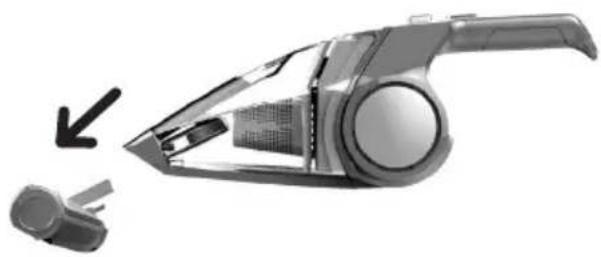
natural_image
Exterior view of a modern vacuum cleaner with a handle and spool, showing internal components (no text or symbols visible)natural_image
Close-up of a black handheld device with a control knob and an arrow pointing to it (no visible text or symbols)natural_image
Close-up of a handheld electronic device with a circular connector and ports (no visible text or symbols)PIVOTEMENT DE LA POIGNÉE
natural_image
Exterior view of a modern vacuum cleaner device (no text or symbols visible)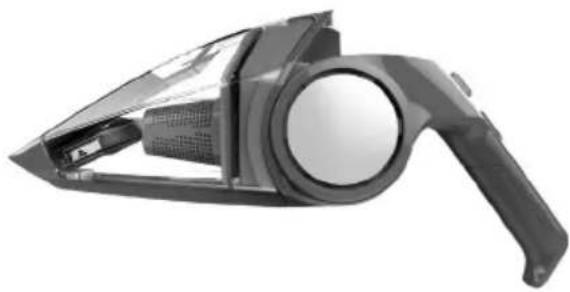
natural_image
Exterior view of a handheld vacuum cleaner device (no text or symbols visible)natural_image
Exterior view of a modern vacuum cleaner device (no text or symbols visible)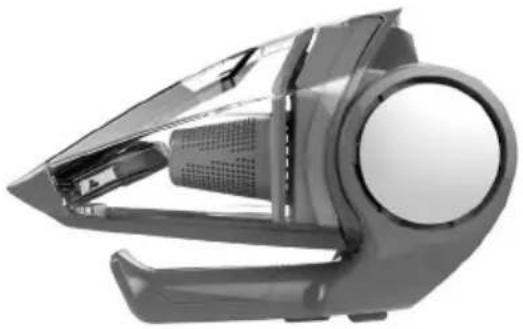
natural_image
Close-up of a modern vacuum cleaner with open lid and circular handle (no visible text or symbols)RETRAIT ET RÉINSTALLATION DU FILTRE
natural_image
Close-up of a compact vacuum cleaner with a black arrow pointing to the handle (no text or symbols visible)natural_image
Close-up of a black and white handheld vacuum cleaner with a downward arrow indicating motion (no text or symbols visible)natural_image
Close-up of a mechanical device with transparent casing and internal components (no visible text or symbols)natural_image
Close-up of a black and white handheld vacuum cleaner with a curved arrow indicating motion (no text or symbols visible)PROBLÈME CAUSE POSSIBLE SOLUTION
Clignotement lent = recharge
natural_image
Black and white illustration of a vacuum cleaner with a circular logo on the handle (no text or symbols visible)MANUAL CICLÓNICA

PIEZAS DE REPUESTO
• FILTRO: F101
HOLA.
BIENVENIDO.
natural_image
Illustration of mechanical components including a perforated plate, circular holes, and rolled paper (no text or symbols)natural_image
Simple line drawing of a funnel, screwdriver, and mechanical components (no text or symbols)Herramientas 36
Carga 38
Pivoteo del mango 39
natural_image
Black and white photo of a vacuum cleaner with a visible internal component, next to the number '1' (no text or symbols on the device itself)EXTRAIGA LA UNIDAD DE LA CAJA Y REVISE EL MANUAL DE INSTRUCCIONES.
natural_image
Close-up of a gray handheld device with an attached cable, showing a close-up of its internal components (no text or symbols visible)2
ENCHUFE Y CARGUE LA UNIDAD HASTA QUE LA LUZ DEL INDICADOR DE CARGA DESAPAREZCA (LA CARGA PUEDE DEMORAR HASTA 6 HORAS).
natural_image
Close-up of a modern vacuum cleaner with a handle and internal components, showing no text or symbols.3
natural_image
Top-down view of a handheld device with a button and arrow indicator (no text or symbols)natural_image
Close-up of a black handheld electronic device with a scroll wheel and control buttons, showing an arrow pointing to the right side (no text or symbols visible)HERRAMIENTAS
text_image
VOLTEE EMPUJEtext_image
TIRE VOLTEEnatural_image
Close-up of a compact vacuum cleaner with a handle and internal components, showing no visible text or symbols.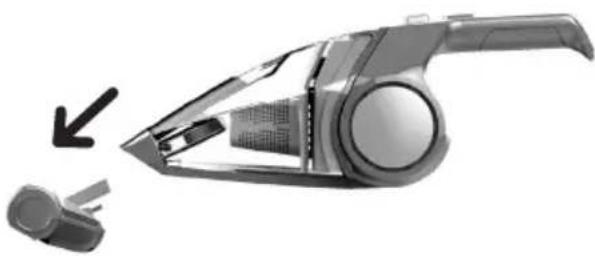
natural_image
Exterior view of a modern vacuum cleaner with a handle and spool, showing internal structure and part outline (no text or symbols)natural_image
Close-up of a black handheld device with a control knob and an arrow pointing to it (no visible text or symbols)natural_image
Close-up of a handheld electronic device with a circular connector (no visible text or symbols)PIVOTEO DEL MANGO
natural_image
Exterior view of a modern vacuum cleaner with handle and ventilation slots (no text or symbols visible)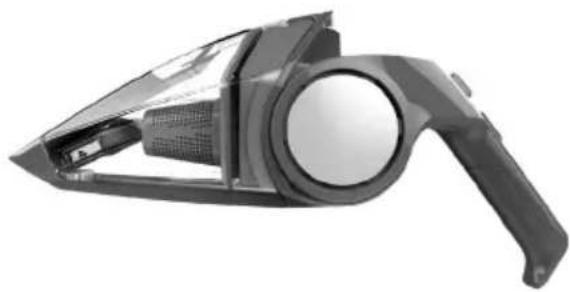
natural_image
Exterior view of a black handheld vacuum cleaner with handle and internal components (no text or symbols visible)natural_image
Black and white photo of a handheld vacuum cleaner device (no text or symbols visible)