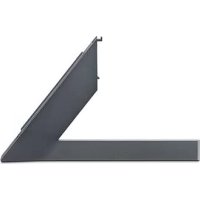
ANGXDV77 - Other household appliances LG - Free user manual and instructions
Find the device manual for free ANGXDV77 LG in PDF.


| Product type | Support stand for LG TV |
| Model | ANGXDV77 |
| Brand | LG |
| Dimensions (W x H x D) | 20 x 179 x 323 mm |
| Weight | 0.8 kg |
| Material | Plastic and metal |
| Color | Black (estimate) |
| Compatibility | LG TVs (specific models) |
| Serial number | Shown on the back of the product |
| Installation | Requires at least two people |
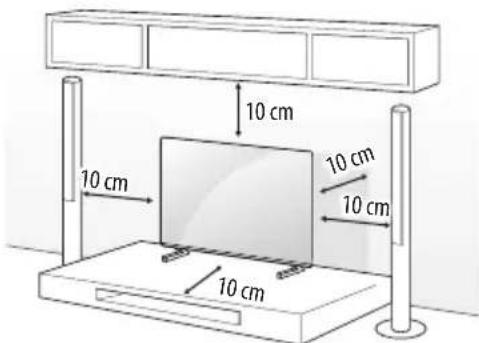
| Ventilation | Leave at least 10 cm between the wall and the monitor |
| Included accessories | M4 x L20 screws (4 pieces) |
| Optional accessories | Wall mounting bracket, security cord |
| Care and cleaning | Wipe gently with a soft cloth; do not rub excessively |
| Safety precautions | Do not let children climb; install on a flat and stable surface |
| Repairability | Use only LG approved parts |
| Warranty | Does not cover damage due to non-approved accessories |
| General information | Designed for use with LG TVs; read the manual before use |
Frequently Asked Questions - ANGXDV77 LG
User questions about ANGXDV77 LG
0 question about this device. Answer the ones you know or ask your own.
Ask a new question about this device
Download the instructions for your Other household appliances in PDF format for free! Find your manual ANGXDV77 - LG and take your electronic device back in hand. On this page are published all the documents necessary for the use of your device. ANGXDV77 by LG.
USER MANUAL ANGXDV77 LG
Please read this manual carefully before operating your set and retain it for future reference.
AN-GXDV55
AN-GXDV65
AN-GXDV77
- Image shown may differ from your product.
Safety instructions

This symbol is intended to alert the user to the presence of important operating and maintenance (servicing) instructions in the literature accompanying the appliance.
Please read these safety precautions carefully before using the product.

-
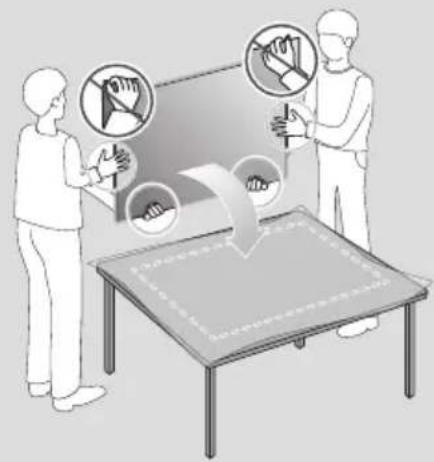
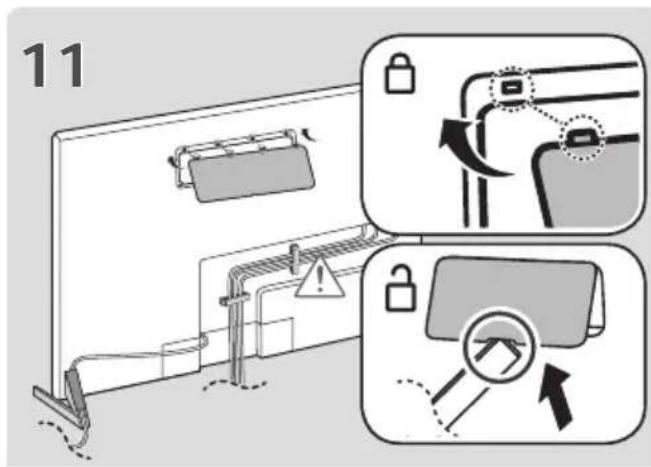
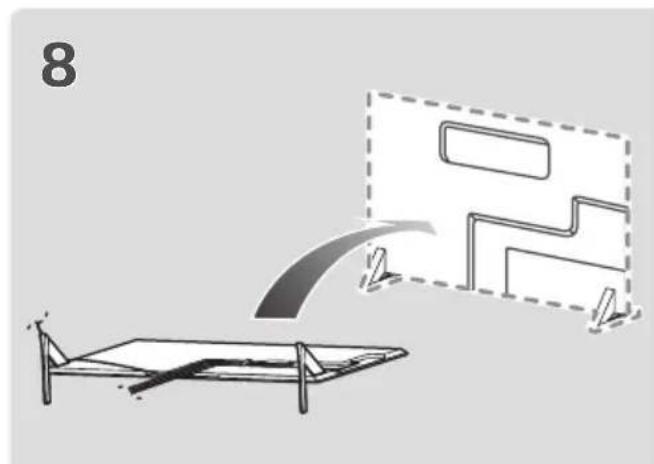
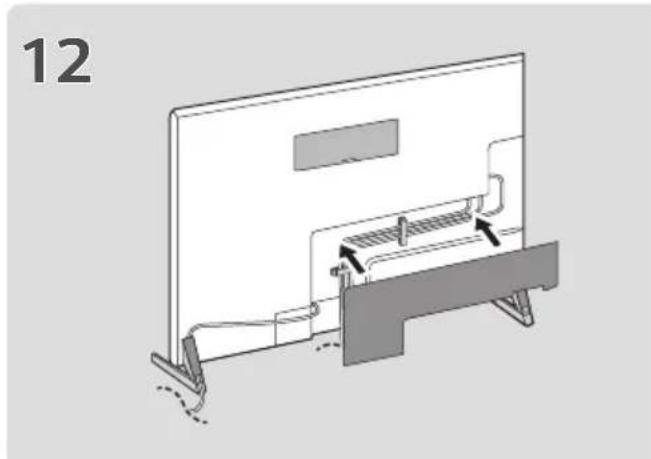
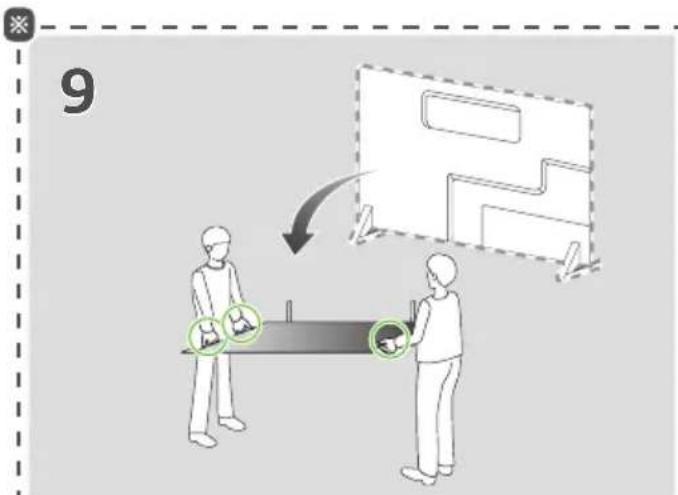
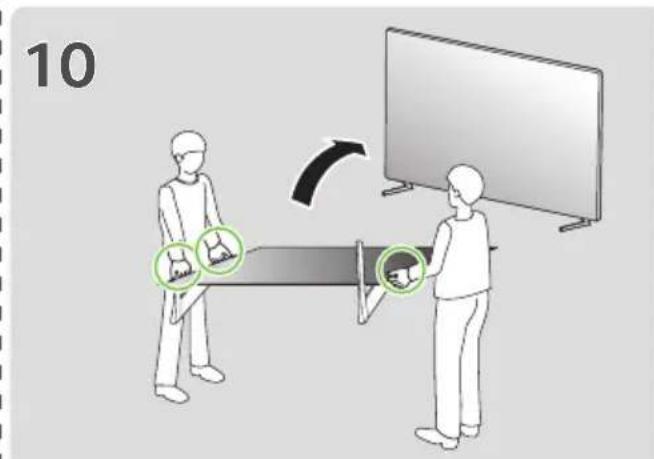
When lifting or moving the product, at least two people are required due to the heavy weight of the product.
-
The product may fall down, causing a malfunction or injury.
-
Do not let children hang on or climb onto the product.
-
The product may fall down, causing an injury or even death.
-
Do not install the product in a place which is unstable or vibrating or a place where the product is not completely supported such as a shaky shelf or a tilted place.
-
The product may fall down or overturn, causing an injury or malfunction.
Put the product on a flat and firm floor.
-
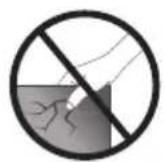
When moving or handling a product assembled with the Stand, be cautious about damaging the exterior of the product.
-
When there is a stain or fingerprint left on the surface, wipe it off gently.
-
When removing a stain, do not use excessive force. Wiping with excessive force may cause scratches or discoloration on the product.
Assembling and Preparing
Accessories
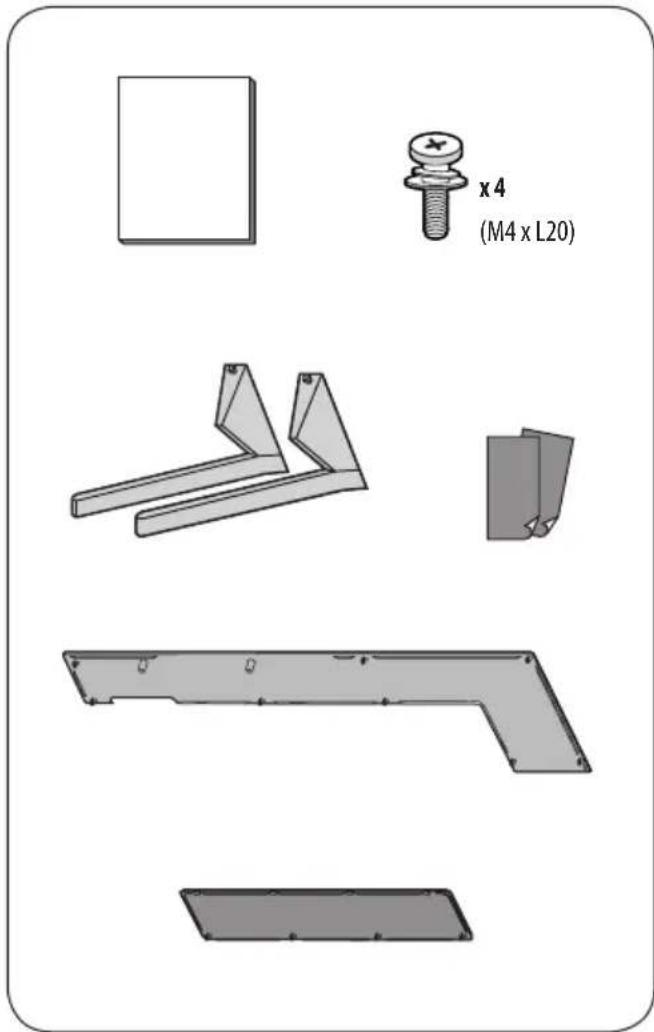
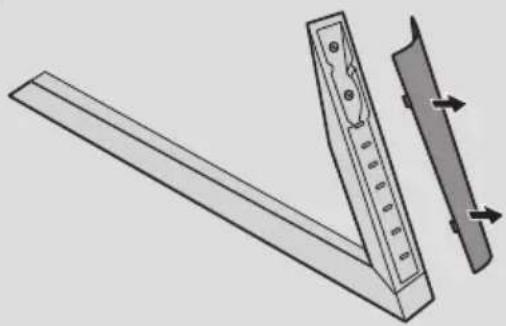
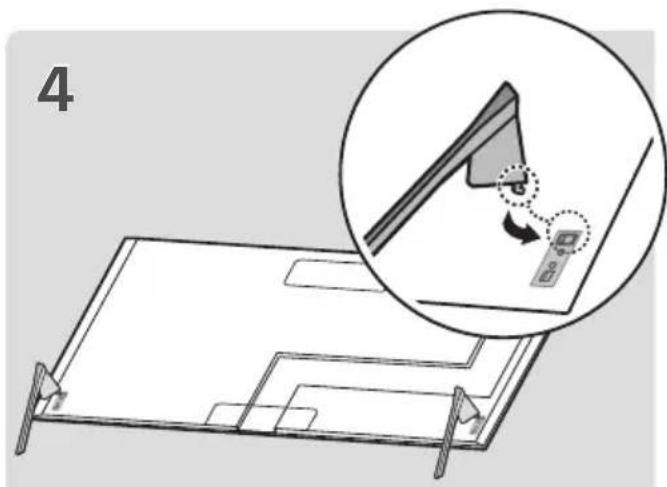
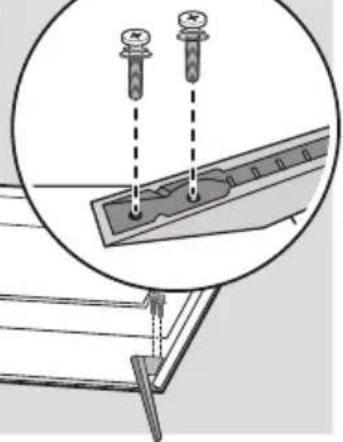
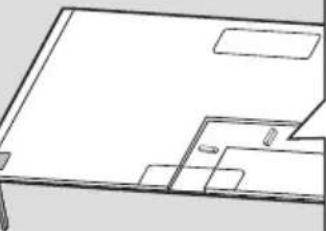
How to Assemble the Stand

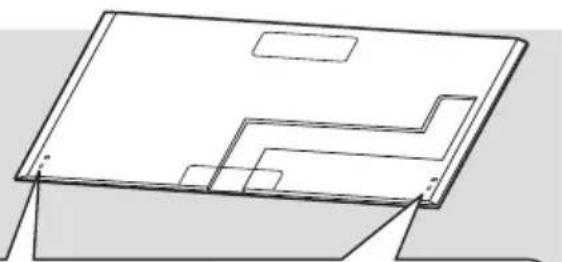
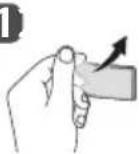
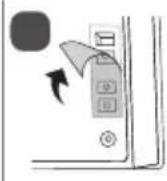
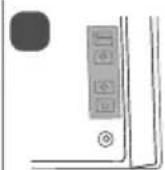
- When assembling the stand, put the product on a table or a flat floor with its screen facing downward. Here, first put a soft and fluffy cloth on the place, and then put the product on top of it to prevent the screen from being damaged.
- When assembling the stand, check if the screws are completely fastened. (If they are not completely fastened, the product may lean forward after being installed.) Avoid fastening the screws with excessive force because otherwise the joint part of the screws may be worn out, and the screws might come off.
-
When assembling the product, do not use foreign substances (oil, lubricant, etc.) on the screws.
-
It may cause damage to the product.
Before installing a wall mount support, disassemble the Stand by conducting the method to assemble the stand in a reverse order.
1
2
1
3

5
X4
M4 x L20
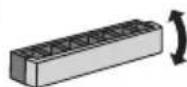
1
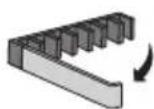
2
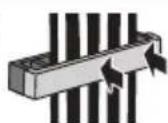
3
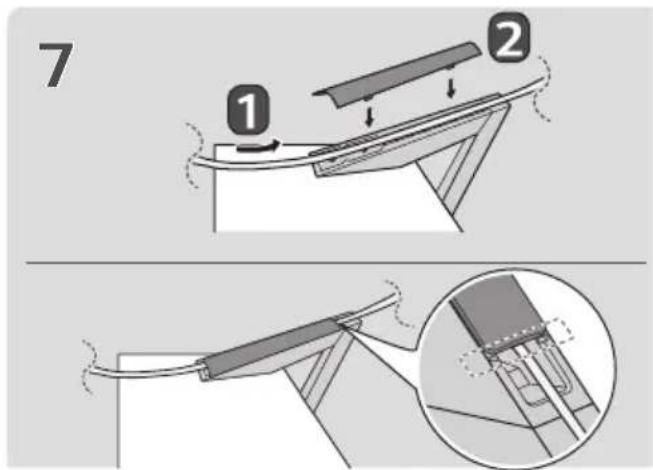
Mounting on a Table
1 Lift and tilt the TV into its upright position on a table. Leave a 10cm (minimum) space from the wall f ventilation.
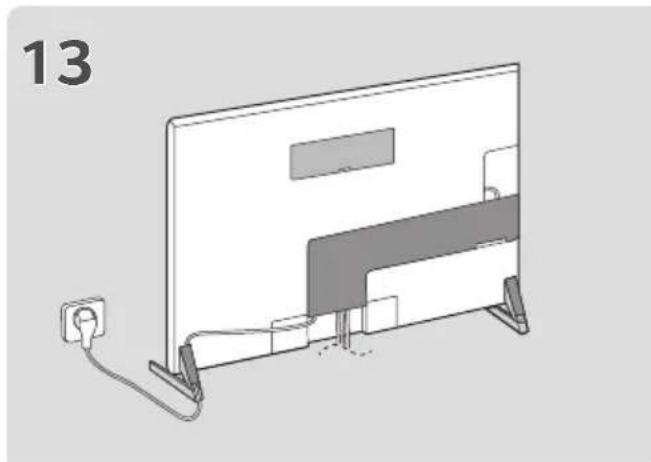
2 Connect the power cord to a wall outlet.

- Do not apply foreign substances (oils, lubricants, etc.) to the screw parts when assembling the product. (Doing so may damage the product.)
If you install the TV on a stand, you need to take actions to prevent the product from overturning. Otherwise, the product may fall over, which may cause injury. -
Do not use any unapproved items to ensure the safety and product life span.
Any damage or injuries caused by using unapproved items are not covered by the manufacturer's warranty.
Make sure that the screws are inserted correctly and fastened securely. (If they are not fastened securely enough, the TV may tilt forward after being installed.) Do not use too much force and over tighten the screws; otherwise screw may be damaged and not tighten correctly.
Only use the authorized stand and wall mounting bracket made specifically for LG products. -
Pursuant to Consumer Protection Law, LG Electronics will not be held responsible for any product malfunction, material damage or injury caused by using products not authorized by LG Electronics.
Securing the TV to a Wall
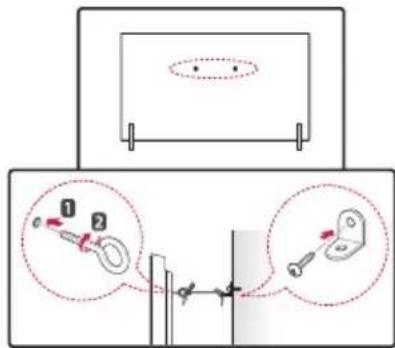
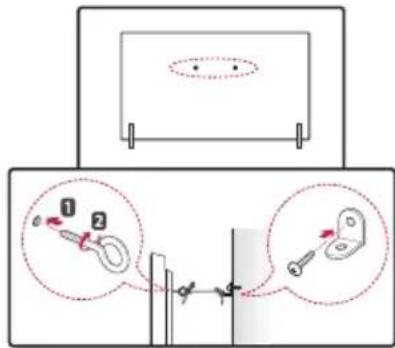
1 Insert and tighten the eye-bolts, or TV brackets and bolts on the back of the TV.
If there are bolts inserted at the eye-bolts position, remove the bolts first.
2 Mount the wall brackets with the bolts to the wall.
Match the location of the wall bracket and the eye-bolts on the rear of the TV.
3 Connect the eye-bolts and wall brackets tightly with a sturdy rope. Make sure to keep the rope horizontal with the flat surface.
- Use a platform or cabinet that is strong and large enough to support the TV securely.
- Brackets, bolts and ropes are not provided. You can obtain additional accessories from your local dealer.
Specifications
| Model Name Width x Height x Depth (mm) Weight (kg) | ||
| AN-GXDV55 21 x 177 x 271 0.7 | ||
| AN-GXDV65 21 x 177 x 284 0.8 | ||
| AN-GXDV77 20 x 179 x 323 0.8 | ||

LG
Life's Good
The model and serial number of the product are located on the back and on one side of the product. Record them below in case you ever need service.
Model
Serial No.
MANUEL D'UTILISATION
Support
Comment assembler le support

PYKOBODCTBO NOIb3OBATEJIa
Подставka
Ipeed hauanom 3Kcnpyaatauyn yctpoiCTBa BHImaTeNbHO npoHTte Hactouee pyKOBOdCTBO n COxpaHnTe erO dnyuero nCNoB3OBaHn.
AN-GXDV55
AN-GXDV65
AN-GXDV77
*I3o6paXeHHe MoXeT OTJNUaTbCra OT BaUero yCTpOcTBA.
ПразвILA NO TEXHnke 6e3oNaChOCTN

3TOT CnBON npdeynpexkaeT noIb3oBaTeN O BaxHbIX INCTpyKUxN IO 3KcIIyatauN I O6CJIyXkBAHIO, yKa3aHHbIX B DOKyMeHTaUN, KOTOPa npNJaraetcK YcTpoiCTBy.
PpeJeemnoIb3OBaTbcra yCTpOInCTBOM,BHIMMaTeIbHO npoHTne daHHbIe INCHtpyKmN IO TEXHKe 6e3OnacHOCTn.

Kakne-ln60 nobpeckdeHn nn yuep6, Bb3BaHHbIe NcnoJIb3OBAHnEM DeTaneN, He OdoBpeHHbIX Ipon3BODNTeHem, He YBnJaOTcra rapaHTnHBIM CNYaem.
- Y6eIITecb, yTO BnHTbI npaBnJIbHO BCTaBHeHbI n HAdexHo 3aTMybI. (Ecnn OHn He 6yDyT HAdexHo 3aTMybI, TeJeBn3Op MOKET HAKIOHNTbcr Bnpeed Nocne yctaHOBKn). He 3aTnBaIte BnHTbI CnIKOM CNJbHO, INaue OHN MOrYT 6bITb 3aTMybI HnpaBnJIbHO INI NOBpeXDeHbI.
IcnoIb3yTeToIbKOoIO6peHHbIeNoCTaBky
KPOHHTeHN DnA HAcTeHHOrO KPeJIeHnA,
CneUaJIbHO npEdHa3HaueHHbIe DnA yCTpoiCTB LG.
-CorIaCHO 3aKOHy O 3aUInTe Notpe6nteNei,
KOMnAHnLG Electronics He Hecet
OTBeTCTBeHHoCTn 3a HeNCnPabHocTn,
MaTePnAbHbN yUep6 nIN TpaMbI, BblBaHHbIE
ICNOb3OBaHmE yCTpoiCTB, He OIO6peHHbIX
KOMnAHnEG LG Electronics.
3akpenenne TeJeBn3opa K cTeHe
1 BCTaBbTe H 3aTaNHTe 6oNTbI c yUkAMn UIN 6oNTbI KPOHUsTeHOB TB Ha 3aDHe N aHeJI TneEbu3opa.
- EcnB MeCTax dIa 6oNTOB C yUkamn yke ycTaHOBneHbI DpyTne 6oNTbl, To cHaana BbIKpyTnte nx.
2 3aKpeNTe KPOHTeHbHa CTeHe C NOMOu6oTob. CoBmecTte KPOHTeHn 6oNTbC yUkAmn Ha 3aHne NaHEn TeJEBu3opa.
3 KpenKMM Hhpyom HaJeXHO npBraXnTe 60ntb C yuKaMn K KPOHHTeHAM. Y6eIITecb B TOM, YTO hyp paCNOJxen HOpN3OHTaNbHO.
IcnoJb3yEma InKpenHeHna NOBepxHOCTb DOnKHa 6bITb DOCTaTOHO YCTOuHBON INPOUHO.
KpoHHTeINbI, BnHTbI IN HHypbI He BXOaT B KOMNJIeKT NOCTaBKn. DOnONHITeINbHbIe akceccyapbl MoXHO npNo6peCTn y MeCTHOro dInJepa.
TexHnueckne xapaKTepeNCTnKN
| Названны модали | ШирINA x Велиота x Г lambина (MM) | Вес (кг) |
| AN-GXDV5521 x 177 x 271 0,7 | ||
| AN-GXDV6521 x 177 x 284 0,8 | ||
| AN-GXDV77 20 x 179 x 323 0,8 |

LG
Life's Good
MoeIb n cepHbHn Homep yctpoNCTBa yka3aHbHa 3aHne NaHEn yctpoNCTBa. 3aHnTe nx HnKe Ha cnya, ecn Notpe6yETcTexHnueckoe obcnykBaHne.
MoeB
CepnHbI HOMep
MANUAL DE USUARIO
Sopporté
- SAFETY INSTRUCTIONS
- ASSEMBLING AND PREPARING
- ACCESSORIES
- HOW TO ASSEMBLE THE STAND
- MOUNTING ON A TABLE
- SECURING THE TV TO A WALL
- SPECIFICATIONS
- LG
- LIFE'S GOOD
- MANUEL D'UTILISATION
- SUPPORT
- COMMENT ASSEMBLER LE SUPPORT
- PYKOBODCTBO NOIB3OBATEJIA
- ПОДСТАВKA
- ПРАЗВILA NO TEXHNKE 6E3ONACHOCTN
- 3AKPENENNE TEJEBN3OPA K CTEHE
- TEXHNUECKNE XAPAKTEPENCTNKN
- MANUAL DE USUARIO
- SOPPORTÉ
Brand : LG
Model : ANGXDV77
Category : Other household appliances