ManualGo.com
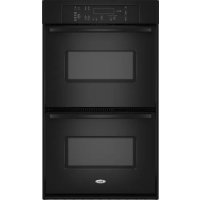
AEW3530DDS - Oven WHIRLPOOL - Free user manual and instructions
Find the device manual for free AEW3530DDS WHIRLPOOL in PDF.



Download the instructions for your Oven in PDF format for free! Find your manual AEW3530DDS - WHIRLPOOL and take your electronic device back in hand. On this page are published all the documents necessary for the use of your device. AEW3530DDS by WHIRLPOOL.
USER MANUAL AEW3530DDS WHIRLPOOL
- Form No. A/01/06 Part No. 8112P323-60 ©2006 Maytag Appliances Sales Co. Litho U.S.A . Safety p. 1
- -3 Oven Cooking p. 4
- -14 Baking Convection Cook & Hold Delay Broiling Keep Warm Favorite Oven Racks Care & Cleaning p. 15
- -17 Self-Clean Oven Cleaning Procedures Maintenance p. 18
- Oven Light Oven Window Troubleshooting p. 19
- -20 Warranty & Service p. 21
- Guide de l’utilisateur p. 22
- Guía del Usuario Use & Care Guide Wall OvenRead and follow all instructions before using thisappliance to prevent the potential risk of fire, electricshock, personal injury or damage to the appliance as aresult of improper usage of the appliance. Use applianceonly for its intended purpose as described in this guide. Installer: Please leave this guide with this appliance.Consumer: Please read and keep this guide for futurereference. Keep sales receipt and/or cancelled check asproof of purchase.Model Number __________________________________Serial Number __________________________________Date of Purchase ________________________________If you have questions, call:Customer Assistance1-800-688-9900 USA1-800-688-2002 CanadaInternet: http://www.amana.comIn our continuing effort to improve the quality and perfor-mance of our cooking products, it may be necessary to makechanges to the appliance without revising this guide.For service information, see page 21. IMPORTANT SAFETY INSTRUCTIONS Warning and Important Safety Instructions appearing inthis guide are not meant to cover all possible conditionsand situations that may occur. Common sense, caution,and care must be exercised when installing, maintain-ing, or operating the appliance.Always contact the manufacturer about problems orconditions you do not understand. Safety Recognize Safety Symbols, Words, Labels WARNING – Hazards or unsafe practices whichCOULD result in severe personal injury or death.CAUTION – Hazards or unsafe practices whichCOULD result in minor personal injury. WARNING CAUTION To ensure proper and safe operation: Appliancemust be properly installed and grounded by a qualifiedtechnician. Do not attempt to adjust, repair, service,or replace any part of your appliance unless it isspecifically recommended in this guide. All otherservicing should be referred to a qualified servicer.Always disconnect power to appliance before servicing. To Prevent Fire or Smoke Damage p. 44
- Be sure all packing materials are removed from theappliance before operating it.• Keep area around appliance clear and free fromcombustible materials. Flammable materials should notbe stored in an oven.• Many plastics are vulnerable to heat. Keep plasticsaway from parts of the appliance that may becomewarm or hot.• To prevent grease fires, do not let cooking grease orother flammable materials accumulate in or near theappliance. In Case of Fire Use dry chemical or foam-type extinguisher or bakingsoda to smother fire or flame. Never use water on agrease fire.1. Turn off appliance to avoid spreading the flame.• NEVER pick up or move a flaming pan.2. Smother fire or flame by closing the oven door. Child Safety CAUTION NEVER store items of interest to children in cabinets above an appliance. Children climbing on the appliance or on the appliance door to reach items could be seriously injured.
- NEVER leave children alone or unsupervised near the appliance when it is in use or is still hot. Children should never be allowed to sit or stand on any part of the appliance as they could be injured or burned.
- Children must be taught that the appliance and utensils in it can be hot. Let hot utensils cool in a safe place, out of reach of small children. Children should be taught that an appliance is not a toy. Children should not be allowed to play with controls or other parts of the unit.2 Safety About Your Appliance
- Use dry, sturdy potholders. Damp potholders maycause burns from steam. Dish towels or othersubstitutes should never be used as potholdersbecause they can trail across hot elements and igniteor get caught on appliance parts.• Wear proper apparel. Loose fitting or long hanging-sleeved apparel should not be worn while cooking.Clothing may ignite and cause burns if garment comesin contact with heating elements.• Always place oven racks in the desired positions whileoven is cool. Slide oven rack out to add or removefood, using dry, sturdy potholders. Always avoidreaching into the oven to add or remove food. If a rackmust be moved while hot, use a dry potholder. Do notlet potholder contact hot element in oven.• Use care when opening the oven door. Let hot air orsteam escape before removing or replacing food.• PREPARED FOOD WARNING: Follow foodmanufacturer’s instructions. If a plastic frozen foodcontainer and/or its cover distorts, warps, or isotherwise damaged during cooking, immediatelydiscard the food and its container. The food could becontaminated.• Do not allow aluminum foil or meat probe to contactheating element.• Always turn off all controls when cooking iscompleted. Utensil Safety
- Follow the manufacturer’s directions when using ovencooking bags.• This appliance has been tested for safe performanceusing conventional cookware. Do not use any devicesor accessories that are not specifically recommendedin this manual. Do not use add-on oven convectionsystems. The use of devices or accessories that are notexpressly recommended in this guide can createserious safety hazards, result in performance problems,and reduce the life of the components of theappliance.• Only certain types of glass, glass/ceramic, ceramic,earthenware, or other glazed utensils are suitable foroven service without breaking due to the suddenchange in temperature. Follow utensil manufacturer’sinstructions when using glass. CAUTION NEVER use an appliance as a step to reach cabinetsabove. Misuse of appliance doors, such as stepping,leaning or sitting on the door, may result in possibletipping of the appliance, breakage of door, andserious injuries.• To prevent potential hazard to the user and damage tothe appliance, do not use appliance as a space heaterto heat or warm a room. Also, do not use the oven as astorage area for food or cooking utensils.• Do not obstruct the flow of air by blocking the ovenvent.• DO NOT TOUCH HEATING ELEMENTS OR INTERIORSURFACES OF OVEN. Heating elements may be hoteven though they are dark in color. Interior surfaces ofany oven become hot enough to cause burns. Duringand after use, do not touch, or let clothing or otherflammable materials contact heating elements orinterior surfaces of oven until they have had sufficienttime to cool. Other surfaces of the appliance maybecome hot enough to cause burns – among thesesurfaces are: oven vent openings and surfaces nearthese openings, oven doors, windows of oven doors.• Do not touch a hot oven light bulb with a damp clothas the bulb could break. Should the bulb break,disconnect power to the appliance before removingbulb to avoid electrical shock.• A fan should be heard during some bake, convectbake, convect roast, and all broil and cleaningoperations. If you do not hear the fan, call anauthorized servicer.• NEVER use aluminum foil to cover an oven rack oroven bottom. Misuse could result in risk of electricshock, fire, or damage to the appliance. Use foil onlyas directed in this guide. Cooking Safety
- Never heat an unopened food container in the oven.Pressure build-up may cause container to burstresulting in serious personal injury or damage to theappliance.3 Save These Instructions for Future Reference Safety Cleaning Safety
- Turn off all controls and wait for appliance parts tocool before touching or cleaning. Clean with caution.Use care to avoid steam burns if a wet sponge or clothis used to wipe spills on a hot surface. Some cleanerscan produce noxious fumes if applied to a hot surface.• Clean only parts listed in this guide. Self-Clean Oven CAUTION Before self-cleaning the oven, remove the oven racks,broiler pan, food and any other utensils. Wipe spilloversto prevent excessive smoke and flare-ups.• Do not clean door gasket. The door gasket is essentialfor a good seal. Care should be taken not to rub,damage, or move the gasket.• Do not use oven cleaners or oven liners of any kind inor around any part of the self-clean oven. Important Safety Notice and Warning The California Safe Drinking Water and ToxicEnforcement Act of 1986 (Proposition 65) requires theGovernor of California to publish a list of substancesknown to the State of California to cause cancer orreproductive harm, and requires businesses to warncustomers of potential exposures to such substances.Users of this appliance are hereby warned that whenthe oven is engaged in the self-clean cycle, there maybe some low-level exposure to some of the listedsubstances, including carbon monoxide. Exposure tothese substances can be minimized by properly ventingthe oven to the outdoors by opening the windows and/or door in the room where the appliance is locatedduring the self-clean cycle.IMPORTANT NOTICE REGARDING PET BIRDS:Never keep pet birds in the kitchen or in rooms wherethe fumes from the kitchen could reach. Birds have avery sensitive respiratory system. Fumes released duringan oven self-cleaning cycle may be harmful or fatal tobirds. Fumes released due to overheated cooking oil, fat,margarine and overheated non-stick cookware may beequally harmful.Note: For microwave oven operation (select models)refer to the use and care guide packed in themicrowave oven.4 Control Panel Oven Cooking A Bake Use for baking and roasting.B Broil Use for broiling and top browning.C Clean Use to set self-clean cycle.D Keep Warm Use to keep cooked food warm in oven.E Convect Bake Use for convection baking.(select models)F Convect Roast Use for convection roasting.(select models)G Clock Sets the clock.H Favorite Use to set and save a specific Cook & Holdprocedure.I Cook & Hold Bakes for a preset time, then holds foodwarm for 1 hour.J Delay Programs the oven to start baking at alater time.K Oven Light Use to turn the oven light on or off.L Cancel Cancels all operations except Timer andClock. M Number Pads Use to set time and temperature. N Autoset Use to quickly set temperatures.O Oven Light Use to turn the oven light on or off.P Timer One/Two Sets the timer. A B C D E F G H I J K L M N O P The control panel is designed for ease in programming. The display window on the control shows time of day, timer and oven functions. Control panel shown includes Convect and other model specific features. (Styling may vary depending on model.) Using the Touchpads
- Press the desired pad.
- Press the number pads to enter time or temperature.
- Press the Autoset pad to enter temperature.
- A beep will sound when any pad is touched.
- A double beep will sound if a programming error occurs. Note: Four seconds after pressing the number pads orthe Autoset pad, the time or temperature will automaticallybe entered. If more than 30 seconds elapse betweentouching a function pad and the number pads, the func-tion will be canceled and the display will return to theprevious display. Clock The clock can be set to display time in a 12-hour or 24-hourformat. The clock is set at the factory for the 12-hour format. To change the clock to 24-hour format: 1. Press and hold the Cancel (Upper OvenCancel for double wall ovens) and Favoritepads for three seconds.• 12 Hr flashes in the display.2. Press the Autoset pad to select 24 Hr; pressagain to select 12 Hr.3. Set the time of day following the directions inthe To Set the Clock section.5 Oven Cooking To set the Clock:
1. Press the Clock pad.
- The time of day flashes in the display.
2. Press the appropriate number pads to set the time of day.
- Colon flashes in the display.
3. Press the Clock pad again or wait four seconds.
- The colon will remain on. When electrical power is supplied or after a power interrup- tion, the last clock time before power was interrupted will flash. To recall the time of day when another time function is showing, press the Clock pad. Clock time cannot be changed when the oven has been programmed for Delay cook or clean or Cook & Hold. To cancel the Clock display: If you do not want the time of day to display: Press and hold the Cancel and Clock pads for three seconds. The time of day will disappear from the display. When the clock display is canceled, press the Clock pad to briefly display the time of day. When the clock display is canceled, after 15 minutes, the oven control will go into Standby Mode to save energy. The display will be blank and the oven light will not operate. To "wake up" the control from Standby Mode, press any touchpad. A double beep will sound. To restore the Clock display: Press and hold the Cancel and Clock pads for three seconds. The time of day will reappear in the display. Timer The timer can be set from one minute (0:01) up to 99 hours and 59 minutes (99:59). The timer can be used independently of any other oven activity. It can also be set while another oven function is operating. The Timer does not control the oven. It only controls a beeper. To set the Timer:
2. Press the appropriate number pads until the correct time
appears in the display.
- The colon and TIMER will continue to flash.
3. Press Timer pad again or wait four seconds.
- The colon stops flashing and the time begins counting down.
- The last minute of the timer countdown will be displayed in seconds.
4. At the end of the set time, one long beep will sound and
“End” will be displayed.
5. Press the Timer pad to clear the display.
To cancel the Timer:
1. Press and hold the Timer pad for three seconds.
number pads. Locking the Control and Oven Door The touchpad and oven door can be locked for safety, cleaning, or to prevent unwanted use. The touchpads will not function when locked. If the oven is currently in use, the touchpads and door cannot be locked. The current time of day will remain in the display when the touchpads and door are locked. To lock:
1. Press and hold the Cancel and Cook & Hold
pads for three seconds. (Press Cancel pad first.)
- OFF appears in the display
- LOCK flashes while the door is locking. To unlock: Press and hold the Cancel and Cook & Hold pads for three seconds. (Press Cancel pad first.) OFF disappears from the display. Note: The touchpads and oven door cannot be locked if the oven temperature is 400° F or above. Fault Codes BAKE or LOCK may flash rapidly in the display to alert you if there is an error or a problem. If BAKE or LOCK flash in the display, press the Cancel pad. If BAKE or LOCK continue to flash, disconnect power to the appliance. Wait a few minutes, and then reconnect power. If the flashing still continues, disconnect power to the appliance and call an authorized servicer.6 Oven Cooking Baking Notes:
- To change the oven temperature during cooking, pressBake, then press the Autoset or appropriate number padsuntil the desired temperature is displayed.• To change the oven temperature during preheat, pressthe Bake pad twice, then press the Autoset pad or appropri-ate number pads until the desired temperature is displayed.• If you forget to turn off the oven, it will automatically turnoff at the end of 12 hours. If you wish to deactivate thisfeature, see page 11. Baking To set Bake: 1. Press the Bake pad.• BAKE will flash.• 000 will flash in the display.2. Select the oven temperature. Press the Autoset pad for350° F or the appropriate number pads.• Each additional press of the Autoset pad will increasethe temperature by 25°.
- The oven temperature can be set from 170° to 550°.
3. Press Bake pad again or wait four seconds.• BAKE will stop flashing and light in the display.
- 100° or the actual oven temperature if over 100° F will display. It will rise in 5° increments until the presettemperature is reached. Baking Differences Between Your Old and New Oven It is normal to notice some baking time differences between a newoven and an old one. See “Adjusting the Oven Temperature” onpage 12. Baking with Convection (select models) When convection baking, enter your normal baking tempera-ture. The control will automatically reduce the set oventemperature by 25 °. The entered temperature will be displayed. To set Convect Bake: 1. Press the Convect Bake pad.• BAKE and the fan icon will flash.• 000 will flash in the display.2. Select the oven temperature. Press the Autoset pad for350° F or the appropriate number pads.• Each additional press of the Autoset pad will increasethe temperature by 25 degrees. The oven temperature can be set from 170° to 550°.
3. Press Convect Bake pad again or wait four seconds.• BAKE will stop flashing.
- 100° or the actual oven temperature if over 100° F will display. It will rise in 5° increments until the presettemperature is reached.• The fan icon will start to rotate.4. Allow the oven to preheat for 8-15 minutes.• When the set oven temperature is reached, one longbeep will sound.• The set temperature will display.• To recall the set temperature during preheat, press theConvect Bake pad.4. Allow the oven to preheat for 8-15 minutes.• When the set oven temperature is reached, one longbeep will sound.• The set temperature will display.• To recall set temperature during preheat, press Bake pad.5. Place food in the oven.6. Check cooking progress at the minimum cooking time.Cook longer if needed.7. When cooking is finished, press Cancel pad.8. Remove food from the oven.5. Place food in the oven.6. Check cooking progress at the minimum cooking time.Cook longer if needed.7. When cooking is finished, press Cancel pad.8. Remove food from the oven.7 Oven Cooking Roasting With Convection (select models) When convection roasting, enter your normal roasting time and temperature. The control will automatically prompt you to check the food for doneness at 75% of the set time.
- The oven temperature can be set from 170° to 550°.
4. Press Convect Roast pad again or wait four seconds.
- ROAST will stop flashing and light in the display.
- 100° or the actual oven temperature will display. It will rise in 5° increments until the preset temperature is reached.
- The fan icon will start to rotate. Notes:
- When convection roasting, the cooking time must be set before setting the temperature.
- If your recipe requires a preheated oven, add 15 minutes to the cooking time programmed.
- Roasting times can vary with different cuts of meat. It is not necessary to preheat when convect roasting large cuts of meat. To set Convect Roast:
1. Press the Convect Roast pad.
- ROAST and the fan icon will flash.
- 00:00 will flash in the display.
- 000 lights in the display.
2. Enter the roasting time using the number pads.
- Time can be set from 10 minutes (00:10) to 11 hours, 59 minutes (11:59).
- Press Convect Roast again or wait 4 seconds.
3. Select the oven temperature. Press the
Autoset pad for 325° F or the appropriate number pads.
- Each additional press of the Autoset pad will increase the temperature by 25°. Notes:
- If a preheat is required, allow the oven to preheat for 8-15 minutes.
- When the set oven temperature is reached, one long beep will sound.
5. Place food in the oven.
- Time will start counting down once oven starts heating up.
- To recall the set temperature during preheat, press the Convect Roast pad.
6. When 75% of the set cooking time has elapsed, the oven
light will turn on and FOOD will flash in the display. Check the cooking progress at this time. Cook longer if needed.
- The oven light will remain on until the Oven Light pad is pressed.
- Press any pad to recall the cook time remaining.
7. When cooking is finished, press CANCEL pad.
8. Remove food from the oven.8
Oven Cooking CAUTION Do not use delayed baking for highly perishable foods suchas dairy products, pork, poultry, or seafood.When using Delay, the oven begins to cook later in the day.Set the amount of time that you want to delay before the oventurns on and how long you want to cook. The oven begins toheat at the selected time and cooks for the specified length oftime.Delay time can be set from 10 minutes (00:10) to 11 hours, 59minutes (11:59). To set a Delayed Cook & Hold cycle: 1. Press the Delay or Delay 1 pad (select models).In double wall oven models, press the Delay orDelay 1 (select models) pad once to program theupper oven or twice to program the lower oven.• DELAY and 00:00 flash in the display.2. Using the appropriate number pads, enter the amount oftime you want to delay the start of the Cook & Hold cycle.3. Press the Cook & Hold pad.• HOLD, DELAY and 00:00 flash in thedisplay.4. Enter the amount of time you want to cook using thenumber pads.5. Press Bake, Convect Bake or Convect Roast (select models).6. Set the oven temperature desired by pressing the Autosetpad or the appropriate number pads.
- 350° (or 325° F if using Convect Roast) will light when Autoset is pressed.• After four seconds, the entered delay time willappear in the display.• HOLD turns off.• BAKE and DELAY remain lit to remind you that adelayed Cook & Hold cycle has been programmed. Cook & Hold When using the Cook & Hold option, the oven begins to heatimmediately after the control has been set. Then, the ovencooks for a specified length of time. When that time haselapsed, the oven will keep the food warm for up to an hourthen automatically turn off. To set Cook & Hold: 1. Press the Cook & Hold pad.• HOLD will flash to indicate that you are in Cook &Hold programming.• 00:00 will flash in the display.2. Select the amount of time you want to cook by using thenumber pads.• HOLD continues to flash.• The time will light in the display.• Time can be set from ten minutes (00:10) to 11 hours, 59minutes (11:59).3. Press Bake, Convect Bake or Convect Roast(select models) and select the oven temperature.Press the Autoset pad for 350° F or the appropri-ate number pads.• The desired cycle indicator will flash.
- The oven temperature can be set from 170° F to 550° F. 4. Press the desired cycle pad again OR wait four seconds.• The desired cycle indicator will remain lit.• The cooking time will show in the display.• The actual oven temperature will be displayedduring preheat.• The set temperature will display when the oven ispreheated. When the cooking time has elapsed:
- Four beeps will sound.• HOLD and WARM will light.• 170° will display.• Time of day will display. To cancel Cook & Hold at any time: Press the Cancel pad. Remove food from oven. Delay Cook & Hold Note:• Do not use Delayed Cook & Hold for items that require apreheated oven, such as cakes, cookies, and breads.• Do not use Delayed Cook & Hold if oven is already hot. After one hour in HOLD WARM:
- The oven turns off automatically.• HOLD and WARM go off.• Remove food from oven.9 Oven Cooking Broiling To set Broil:
2. Press the Autoset pad once to set HI broil or
twice to set LO broil.
- HI or LO will be displayed. Select HI broil (550° F) for normal broiling. Select LO broil (450° F) for low-temperature broiling of longer cooking foods such as poultry.
3. After four seconds, the oven will start.
- BROIL will remain lit.
- HI or LO will remain lit.
Beef Steak, 1” thick, Medium 4o 9 minutes 7 minutes Well 4o 11 minutes 8 minutes Hamburgers, 3/4” thick, Medium 4o 5 minutes 3-4 minutes Well 4o 6 minutes 4-5 minutes Pork Chops, 1/2” 4o 7 minutes 5-6 minutes Chops, 1” 3 10 - 11 minutes 9-10 minutes Ham Slice 4o 4 minutes 2-3 minutes Poultry LO Broil LO Broil Breast Halves 3 11-12 minutes 9-11 minutes Seafood Fish Steaks, buttered, 1” thick 4o 8-10 minutes (no turning) Broiling Chart
- An “o” after the rack position number indicates that the offset rack should be used. Note: This chart is a suggested guide. The times may vary with the food being cooked. Broil Notes:
- For best results when broiling, use a pan designed for broiling.
- Expect broil times to increase and browning to be slightly lighter if appliance is installed on a 208-volt circuit.
- If more than 30 seconds elapse between pressing the Broil pad and the Autoset pad, the oven will not be set and the display will return to the previous display.
- A cooling fan will automatically turn on during broiling. If it does not operate, contact an authorized servicer.
- HI is used for most broiling. Use LO broil when broiling longer cooking foods. The lower temperature allows food to cook to the well done stage without excessive browning.
- To change oven temperature during broiling, press the Broil pad and then the Autoset pad to switch between LO and HI broil.
- Broil times may be longer when the lower broiling temperature is selected.
- Most foods should be turned halfway through broiling time.
4. For optimum browning, preheat broil element for 3-4
minutes before adding food.
5. Place food in the oven. Leave oven door open about four
inches (the first stop).
6. Turn meat once about halfway through cooking.
7. When food is cooked, press the Cancel pad.
Remove food and broiler pan from the oven.
- The time of day will reappear in the display.10 Oven Cooking Keep Warm For safely keeping hot foods warm or for warming breads and plates. To set Keep Warm:
or the appropriate number pads.
- 170° will light when the Autoset pad is pressed.
- Each press of the Autoset pad will increase the temperature by 5°. The Keep Warm temperature can be set from 145° to 190°. WARM and the temperature will be displayed while the function is active. Keep Warm Notes:
- For optimal food quality, oven cooked foods should be kept warm for no longer than 1 to 2 hours.
- To keep foods from drying, cover loosely with foil or a lid.
- To warm dinner rolls: - cover rolls loosely with foil and place in oven. - press Keep Warm and Autoset pads. - warm for 12-15 minutes.
- To warm plates: - place 2 stacks of up to four plates each in the oven. - press Keep Warm and Autoset pads. - warm for five minutes, turn off the oven and leave plates in the oven for 15 minutes more. - use only oven-safe plates, check with the manufacturer. - do not set warm dishes on a cold surface as rapid temperature changes could cause crazing or breakage. To cancel Keep Warm:
1. Press the Cancel pad.
2. Remove food from the oven.11
Oven Cooking Sabbath Mode Notes:
- Sabbath Mode can be turned on at any time with or without the oven on.
- Sabbath Mode cannot be turned on if the keypads are locked out or when the door is locked.
- Most prompts and messages and all beeps are deactivated when Sabbath Mode is active.
- If the oven is baking when Sabbath Mode is set, BAKE will go out at the end of the baking cycle. There will be no audible beeps.
- The oven light will not automatically come on when the oven door is opened while the oven is in Sabbath Mode. If the oven light is desired while in Sabbath Mode, it must be turned on before the Sabbath Mode is started.
- When the Sabbath Mode is started, the temperature display will immediately show the set temperature, rather than the actual oven cavity temperature. No preheat beep will sound.
- The self-clean cycle and automatic door lock do not operate during the Sabbath Mode.
- Pressing Cancel pad will cancel a Bake cycle, however the control will stay in the Sabbath Mode.
- If power fails, the oven will power up in Sabbath Mode with 72 hours remaining and no cycle active. Automatic Shut-Off/Sabbath Mode The oven will automatically turn off after 12 hours if you accidentally leave it on. This safety feature can be turned off. To cancel the 12-hour shut-off and run the oven continuously for 72 hours:
1. Press and hold the Clock pad for five seconds
- SAb will be displayed and flash for five seconds.
- SAb will then be displayed continuously until turned off or until the 72-hour time limit is reached.
- BAKE will also be displayed if a bake cycle is in use while the oven is in Sabbath Mode.
- All other functions EXCEPT BAKE (Timer, Keep Warm, Clean, etc.) are locked out during the Sabbath Mode.
- A Cook & Hold can be programmed during the Sabbath Mode, however a Delay Cook & Hold is not allowed. To cancel the Sabbath Mode:
1. Press the Clock pad for five seconds.
2. After 72 hours, the Sabbath Mode will end.
- SAb will flash for five seconds.
- The time of day will return to the display.12 Oven Cooking Favorite The Favorite pad allows you to save the time and temperature from a Cook & Hold Bake, Convect Bake or Convect Roast (select models) cycle. To set a Favorite cycle, a Cook & Hold function must be either active or just programmed. To set a new Favorite cycle or to save a cur- rently running Cook & Hold as a Favorite:
1. Program a Cook & Hold cycle as described in the Cook &
Hold section on page 8.
2. Press and hold the Favorite pad for three
- The newly set or currently running Cook & Hold cycle will be saved.
- A beep will sound to indicate that the control has accepted the Favorite setting. To start a cycle programmed into Favorite:
1. Press the Favorite pad.
- Time and temperature for the set Cook & Hold cycle will be displayed. (If no Cook & Hold cycle has been pro- grammed, “nonE” is displayed.)
2. Press the Bake, Convect Bake or Convect Roast (select
- The Favorite cycle will begin immediately.
- The selected cycle indicator word will light in the display.
- The cooking time will light in the display When the cooking time has elapsed:
- The selected cycle word will turn off.
- HOLD WARM will light.
- 170° will display. To cancel a Favorite cycle in progress:
1. Press the Cancel pad.
- The stored Favorite cycle will not be affected.
2. Remove food from the oven.
Adjusting the Oven Temperature Oven temperatures are carefully tested for accuracy at the factory. It is normal to notice some baking or browning differences between a new oven and an old one. As ovens get older, the oven temperature can shift. You may adjust the oven temperature if you think the oven is not baking or browning correctly. To decide how much to change the temperature, set the temperature 25 degrees higher or lower than your recipe recommends, then bake. The results of the first bake should give you an idea of how much to adjust the temperature. To adjust the oven temperature:
1. Press the Bake pad.
2. Enter 550° by pressing the appropriate number pads.
3. Press and hold the Bake pad for several seconds or until 0°
appears in the display. If the oven temperature was previously adjusted, the change will be displayed. For example, if the oven tem- perature was reduced by 15° the display will show “-15°”.
4. Press the Autoset pad to adjust the temperature.
Each time the Autoset pad is pressed, the temperature changes by 5°. The oven temperature can be increased or decreased by 5° to 35°. Pressing the Autoset 0 pad will first cycle through increas- ing the oven temperature (5, 10, . . . 35). Continuing to press the Autoset 0 pad will then cycle through decreasing the oven temperature (-35, -30, . . . -5).
5. The time of day will automatically reappear in the display.
You do not need to readjust the oven temperature if there is a power failure or interruption. Temperature adjustment applies to Bake, Convect Bake and Convect Roast (select models) only. Changing Temp °F/°C
1. The factory default setting for temperature is Fahrenheit.
2. To change the setting, press and hold the Cancel and Bake
pads at the same time for three seconds.
3. A single beep will sound and the current setting will be
4. To change the setting, press the Autoset pad. Press again to
return to existing setting. Wait five seconds and the setting will be complete.13 Oven Cooking Oven Fans The cooling fan will automatically turn on during cleaning,broiling and some baking operations. It is used to help keepinternal parts on the control panel cool. The fan will automati-cally turn off when parts have cooled. The fan may continueto operate after the oven has been turned off. This is normal.A convection fan (select models) is used to circulate hot airin the oven when the convection feature is selected. Itautomatically turns on whenever a Convect pad is pressedand will turn off when Convect is canceled. CAUTION Oven Racks
- Do not attempt to change the rack position when the ovenis hot.• Do not use the oven for storing food or cookware. Oven Vent The oven vent is located below the control panel on your walloven.When the oven is in use, the area near the oven vent maybecome hot enough to cause burns. Do not block the ventopening for best baking results. Oven Light The Oven Light automatically comes on whenever the ovendoor is opened. When the door is closed, press the Oven Lightpad to turn the Oven Light on or off. A beep willsound every time the Oven Light pad is pressed.4 (flat rack)3o (offset rack)1 (flat rack)Single and Double Convect Ovens – two flat and oneoffset rack were packaged for each oven.Single and Double Non-Convect Ovens – one flat and oneoffset rack were packaged for each oven.To remove:1. Pull forward to the “stop”position.2. Lift up on the front of therack and pull out.To replace:1. Place rack on the racksupport in the oven.2. Tilt the front end up slightly; slide rack back until it clearsthe lock-stop position.3. Lower front and slide into the oven. Rack Positions Note: The convection fan will automatically stop wheneverthe oven door is opened.Rack Position #4:Three-rack baking (models with convection only).Rack Position #4o (offset rack on #4):Most broiling.Rack Position #3:Most baked goods on a cookie sheet or jelly roll pan.Rack Position #3o (offset rack on #3):Most baked goods, pies, layer cakes. Three-rack Convection Baking (select models)14 Oven Cooking Notes:
- The use of the offset rack is denoted in the list as an “o” after the rack position number.
- When baking on two or three racks, check foods at the minimum suggested time to avoid over-browning orover-cooking.
- Do not cover an entire rack with aluminum foil or place foil on the oven bottom. Baking results will be affected anddamage may occur to the oven bottom.Rack Position #2:Roasting small cuts of meat, cakes in tube or bundt pans,casseroles.Rack Position #2o (offset on #2):Roasting, loaves of bread, angel food cake.Rack Position #1:Large cuts of meat and turkey, custard pie, dessert souffle.Multiple Rack Cooking:Two racks: Use #2o and #4.Three racks (convection cooking - select models):Use #1, #3o, #4. (See illustration on page 13.) Create-A-Space
Half Rack (select models) Select wall oven models areequipped with a convertiblehalf rack. The left side ofthe rack can be removedto accommodate a largeroaster on the lowerrack. The right side ofthe rack is stillavailable to hold acasserole dish. Notes:
- The removable section of the rack can be used as aroasting rack in the broiling pan. Do not use the topinsert when using the rack in the broiling pan.• The removable section of the rack can be used as acooling rack or trivet.• Make sure oven is cool before removing or reinstallingthe half rack.• Do not use cookware that extends beyond edge of rack.• For best results, allow two inches between the panplaced on the rack and the oven side wall.• Use caution when removing items from the half rack toavoid burns.• Carefully remove items from the lower rack to avoiddisturbing the half rack. Baking Layer Cakes on Two Racks For best results when baking cakes on two racks, use racks #2oand #4 for regular baking and racks #2o and #5 for convectionbaking.Place the cakes on the rack as shown.15 Care & Cleaning
- Brand names for cleaning products are registered trademarks of the respective manufacturers. Self-Clean Oven CAUTION
- It is normal for parts of the oven to become hot during aself-clean cycle.• To prevent damage to oven door, do not attempt to openthe door when LOCK is displayed.• Avoid touching door, window or oven vent area during aclean cycle.• Do not use commercial oven cleaners on the oven finishor around any part of the oven. They will damage thefinish or parts.The self-clean cycle uses above-normal cooking temperatures toautomatically clean the oven interior.The oven should be cleaned regularly by wiping up spilloversto prevent excessive smoke and flare-ups. Do not allow aheavy build-up of soil to accumulate in the oven.During the cleaning process, the kitchen should be well venti-lated to get rid of normal odors associated with cleaning. Before Self-Cleaning 1. Turn off the oven light before cleaning. The light may burn outduring the clean cycle.2. Remove broiler pan, all pans, and oven racks from the oven.The oven racks will discolor and may not slide easily after aself-clean cycle if they are not removed.3. Clean oven frame, door frame (area outside of gasket, andaround the opening in the door gasket) with a nonabrasivecleaner such as Bon Ami* or detergent and water. The self-cleaning process does not clean these areas. They should becleaned to prevent soil from baking on during the clean cycle.(The gasket is the seal around the oven door and window).4. To prevent damage, do not clean or rub the gasket around theoven door. The gasket is designed toseal in heat during the clean cycle.5. Wipe up excess grease or spilloversfrom the oven bottom. This preventsexcessive smoking, flare-ups or flam-ing during the clean cycle. To makecleaning easier, the heating elementcan be lifted slightly (about 1 inch).6. Wipe up sugary and acidic spillovers such as sweet potatoes,tomato, or milk-based sauces. Porcelain enamel is acid-resistant, not acid-proof. The porcelain finish may discolor ifacidic or sugary spills are not wiped up before a self-cleancycle.To set Self-Clean:Notes:• Oven temperature must be below 400° F to program aclean cycle.• In double wall oven models, only one oven can becleaned at a time.1. Close the oven door.2. Press the Clean pad.• CLEAN flashes.• SET flashes in the display.3. Press the Autoset pad.• MEd (Medium Soil, 3 hours) is displayed.4. Press the Autoset pad to scroll through the self-cleaningsettings.HVy (Heavy Soil, 4 hours)MEd (Medium soil, 3 hours)LITE (Light Soil, 2 hours)Choosing the soil level of the oven automatically programsthe self-cleaning time.5. After four seconds, the oven will start cleaning.• If the door is not closed, beeps will sound and ‘door’ willdisplay. If the door is not closed within 30 seconds, theself-cleaning operation will be canceled and the displaywill return to the time of day.• CLEAN will appear in the display.• LOCK will flash in the display. Once the door locks, theicon will remain steady.• The cleaning time will start counting down in the display.To Delay a Self-Clean Cycle:1. Press the Delay or Delay 1 pad (select models)• DELAY flashes.• 00:00 will flash in the display.2. Enter the amount of time you want to delay the cycle usingthe appropriate number pads.3. Press the Clean pad.• SET flashes in the display.4. Press the Autoset pad.• LITE (Light soil level) is displayed.16 Care & Cleaning
5. Press the Autoset pad to scroll through the
self-cleaning settings. HVy (Heavy Soil, 4 hours) MEd (Medium Soil, 3 hours) LITE (Light Soil, 2 hours) Choosing the soil level of the oven automatically programs the self-cleaning time.
6. After four seconds, CLEAN and DELAY will light and LOCK
will flash in the display. When the oven door latches, LOCK will stop flashing and light continuously to show that the oven is set for a delayed clean operation. The delay time will display. Notes:
- If the oven door is left open, “door” will flash in the display and a signal will beep until the door is closed and the Clean pad is pressed again.
- If more than five seconds elapse between pressing the Clean pad and the Autoset pad, the program will automatically return to the previous display.
- A cooling fan will turn on during the self-clean cycle and will automatically turn off after the clean cycle when the oven has cooled. If it does not operate, contact an authorized servicer.
- The oven door will be damaged if the oven door is forced to open when LOCK is still displayed. After Self-Cleaning About one hour after the end of the self-clean cycle, LOCK will turn off. The door can then be opened. Some soil may leave a light gray, powdery ash. Remove it with a damp cloth. If soil remains after wiping, that means the clean cycle was not long enough. The soil will be re- moved during the next clean cycle. If oven racks were left in the oven and do not slide smoothly after a clean cycle, wipe racks and rack supports with a small amount of vegetable oil to make them easier to move. Fine lines may appear in the porcelain because it went through heating and cooling. This is normal and will not affect performance. A white discoloration may appear after cleaning if acidic or sugary foods were not wiped up before the self-clean cycle. This discoloration is normal and will not affect perfor- mance. During the Self-Clean Cycle When LOCK shows in the display, the door cannot be opened. To prevent damage to the door, do not force the door open when LOCK is displayed. Smoke and Smells You may see some smoke and smell an odor the first few times the oven is cleaned. This is normal and will lessen in time. Smoke may also occur if the oven is heavily soiled or if a broiler pan was left in the oven. Sounds As the oven heats, you may hear sounds of metal parts expanding and contracting. This is normal and will not damage the oven.17 Care & Cleaning PART PROCEDURE CAUTION Cleaning Procedures
- Be sure appliance is off and all parts are cool before handling or cleaning. This is to avoid damage and possible burns.
- To prevent staining or discoloration, clean appliance after each use.
- If a part is removed, be sure it is correctly replaced. Broiler Pan Never cover insert with aluminum foil as this prevents the fat from draining to the pan below. and Insert • Place soapy cloth over insert and pan; let soak to loosen soil.
- Wash in warm soapy water. Use scouring pad to remove stubborn soil.
- Broiler pan and insert can be cleaned in dishwasher. Control Panel • To activate “Control Lock” for cleaning, see page 5.
- Wipe with damp cloth. Dry thoroughly.
- Glass cleaners may be used if sprayed on a cloth first. DO NOT spray directly on control pad and display area.
- Do not use other cleaning sprays, abrasive cleaners or large amounts of water on the panel. Door Handle, • DO NOT USE ANY CLEANING PRODUCT CONTAINING CHLORINE BLEACH. Oven Exterior • DO NOT USE “ORANGE” OR ABRASIVE CLEANERS. (select models) - • ALWAYS WIPE WITH THE GRAIN WHEN CLEANING. Stainless Steel • Daily Cleaning/Light Soil –– Wipe with one of the following - soapy water, white vinegar/water solution, Formula 409 Glass and Surface Cleaner* or a similar glass cleaner - using a sponge or soft cloth. Rinse and dry. To polish and help prevent fingerprints, follow with Stainless Steel Magic Spray (Part No. 20000008)**.
- Moderate/Heavy Soil –– Wipe with one of the following - Bon Ami*, Smart Cleanser*, or Soft Scrub* - using a damp sponge or soft cloth. Rinse and dry. Stubborn soils may be removed with a damp Scotch- Brite* pad; rub evenly with the grain. Rinse and dry. To restore luster and remove streaks, follow with Stainless Steel Magic Spray. Oven Window & • Avoid using excessive amounts of water which may seep under or behind glass causing staining. Door - Glass • Wash with soap and water. Rinse with clear water and dry. Glass cleaner can be used if sprayed on a cloth first.
- Do not use abrasive materials such as scouring pads, steel wool or powdered cleaners as they will scratch glass. Oven Trim - • Wash with soap and water, glass cleaners or mild liquid sprays. Avoid using excessive amounts of water. Metal Finishes • Remove stubborn soils with nonabrasive cleaners such as Bon Ami* or a baking soda and water paste; rinse and dry. Do not use abrasive cleaners. Oven Interior • See page 15 for information on the self-clean oven.
- To remove occasional spillovers between cleanings, use a plastic soap-filled scouring pad; rinse well.
- Wipe up sugary spillovers and acidic spillovers such as lemon juice, tomato sauce or milk-based sauces. Porcelain enamel is acid resistant, not acid proof. The porcelain finish may discolor if acidic or sugary spills are not wiped up prior to a self-clean cycle. Oven Racks • Rub with a sponge or cloth using one of the following cleaners: Bon-Ami*, Soft Scrub* or Comet*. Rinse and dry.
- For hard to remove soils, use a dampened soap-filled scouring pad. Rinse and dry.
- Racks will permanently discolor and may not slide smoothly if left in the oven during a self-clean operation. If this occurs, wipe the rack and embossed rack supports with a small amount of vegetable oil to restore ease of movement, then wipe off excess oil.
- Brand names are registered trademarks of the respective manufacturers. ** To order call 1-877-232-6771 USA or 1-800-688-8408 Canada.18 Maintenance Oven Window To protect the oven door window:
1. Do not use abrasive cleaning agents such as steel wool
scouring pads or powdered cleansers as they may scratch the glass.
2. Do not hit the glass with pots, pans, furniture, toys, or
3. Do not close the oven door until the oven racks are in
place. Scratching, hitting, jarring or stressing the glass may weaken its structure causing an increased risk of breakage at a later date. To replace oven light:
1. Use a dry potholder and very carefully unscrew bulb cover
2. Replace with a 40 watt, oven-rated appliance bulb. Bulb
with a brass base is recommended to prevent fusing of bulb into socket.
3. Replace bulb cover and reconnect power to oven.
- Before replacing light bulb, DISCONNECT POWER TOOVEN.• Be sure bulb is cool.• Do not touch a hot bulb with a damp cloth as the bulbmay break.19 Troubleshooting For most concerns, try these first. • Check if oven controls have been properly set.
- Check if oven is properly connected to electrical outlet.
- Check or re-set circuit breaker. Check or replace fuse.
- Check power supply. Clock, indicator words, and/or • Oven may be set for a Cook & Hold or Delay function. lights operate but oven does • The Oven Control Lockout may have been set. (See page 5.) not heat. Oven light and/or clock • The light bulb is loose or defective. does not function. • The oven light does not work during self-cleaning process.
- Oven may be in Sabbath Mode. (See page 11.) There is a strong odor or light • This is normal for a new wall oven and will disappear after a few uses. Initiating a clean smoke when oven is turned on. cycle will “burn off” the smells more quickly. Turning on a ventilation fan will help remove the smoke and/or odor.
- Excessive food soils on the oven bottom. Use a self-clean cycle. Oven will not activate the • Oven may be set for a delay clean. self-cleaning process. • Oven may be in Sabbath Mode. (See page 11.)
- Oven may be over 400° F. Oven temperature must be below 400° F to program a clean cycle. Oven did not clean properly. • Oven may need longer cleaning time.
- Excessive spills were not removed prior to self-cleaning process. Foods do not broil properly. • Check rack position. (See page 9.)
- Voltage into house may be low. Baked food is burned or too • Food may be positioned incorrectly in oven. brown on top. • Oven not preheated properly. Foods bake unevenly. • Oven was not preheated.
- The oven may be installed improperly.
- Check the oven rack with a level.
- Stagger pans, do not allow pans to touch each other or oven wall.
- Check instructions for suggested placement of pans on oven rack. Oven door will not unlock. • Oven may not have cooled to safe temperature after self-cleaning process.
- The control and door may be locked. (See page 5.) PROBLEM SOLUTION20 Troubleshooting PROBLEM SOLUTION Oven baking results are less • The pans being used may not be of the size or material recommended for best than expected. results.
- There may not be sufficient room around sides of the pans for proper air circulation in the oven.
- Check instructions for preheating, rack position and oven temperature. Baking results differ from • Oven thermostat calibration may differ between old and new ovens. Follow recipe previous oven. and use the directions in this guide before calling for service since the calibration on the previous oven may have drifted to a too high or too low setting. (See page 12 - Adjusting the Oven Temperature.) Fan is heard during broiling, • This is the cooling fan and is normal. The fan will continue to run after use cleaning and some baking until the oven cools. operations. Cooling fan continues to • This is normal. The fan will automatically shut off when the oven is cooled. operate after the oven has been turned off. Fault Codes • BAKE or LOCK may flash rapidly in the display to alert you if there is an error or a problem. If BAKE or LOCK appear in the display, press the CANCEL pad. If BAKE or LOCK continue to flash, disconnect power to the appliance. Wait a few minutes, and then reconnect power. If the flashing still continues, disconnect power to the appliance and call an authorized servicer.
- If the oven is heavily soiled, excessive flareups may result in a fault code during cleaning. Press the CANCEL pad and allow the oven to cool completely, wipe out excess soil, then reset the clean cycle. If the fault code reappears, contact an authorized servicer. There are no beeps and • Oven may be in Sabbath Mode. (See page 11.) no display. Noises may be heard. • The oven makes several low level noises. You may hear the oven cooling fan going on and off. You may also hear the oven relays as they go on and off. These are all normal.
- As the oven heats and cools, you may hear sounds of metal parts expanding and contracting. This is normal and will not damage your appliance. “SAb” flashing and then • Oven is in Sabbath Mode. To cancel, press and hold the Clock pad for five displayed continuously. seconds.21 Warranty & Service Warranty Limited One Year Warranty - Parts and Labor For one (1) year from the original retail purchase date, any part which fails in normal home use will be repaired or replaced free of charge. Canadian Residents The above warranties only cover an appliance installed in Canada that has been certified or listed by appropriate test agencies for compliance to a National Standard of Canada unless the appliance was brought into Canada due to transfer of residence from the United States to Canada. The specific warranties expressed above are the ONLY warranties provided by the manufacturer. These warranties give you specific legal rights, and you may also have other rights which vary from state to state. What is Not Covered By These Warranties
1. Conditions and damages resulting from any of the following:
a. Improper installation, delivery, or maintenance. b. Any repair, modification, alteration, or adjustment not authorized by the manufacturer or an authorized servicer. c. Misuse, abuse, accidents, or unreasonable use, or acts of God. d. Incorrect electric current, voltage, electrical and/ or gas supply. e. Improper setting of any control. 2 Warranties are void if the original serial numbers have been removed, altered, or cannot be readily determined.
3. Light bulbs, water filters and air filters.
4. Products purchased for commercial or industrial use.
5. The cost of service or service call to:
a. Correct installation errors. For products requiring ventilation, rigid metal ducting must be used. b. Instruct the user on the proper use of the product. c. Transport the appliance to and from the servicer.
6. Any food loss due to refrigerator or freezer product failures.
7. Expenses for travel and transportation for product service in remote locations.
8. Outside of the United States and Canada this warranty does not apply.
Contact your dealer to determine if another warranty applies.
9. Consequential or incidental damages sustained by any person as a result of
any breach of these warranties. Some states do not allow the exclusion or limitation of consequential or incidental damages, so the above exclusion may not apply. If You Need Service First see the Troubleshooting section in your Use and Care Guide or call the dealer from whom your appliance was purchased or call Maytag Services, LLC, Customer Assistance at 1-800-688-9900 USA and 1-800-688-2002 Canada to locate an authorized servicer.
- Be sure to retain proof of purchase to verify warranty status. Refer to WARRANTY for further information on owner’s responsibilities for warranty service.
- If the dealer or service company cannot resolve the problem, write to Maytag Services, LLC, Attn: CAIR
- User’s guides, service manuals and parts information are available from Maytag Services, LLC, Customer Assistance.