ManualGo.com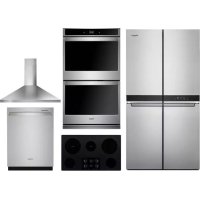
WHKITWCE55US6HB - Oven WHIRLPOOL - Free user manual and instructions
Find the device manual for free WHKITWCE55US6HB WHIRLPOOL in PDF.



Download the instructions for your Oven in PDF format for free! Find your manual WHKITWCE55US6HB - WHIRLPOOL and take your electronic device back in hand. On this page are published all the documents necessary for the use of your device. WHKITWCE55US6HB by WHIRLPOOL.
USER MANUAL WHKITWCE55US6HB WHIRLPOOL
THANK YOU for purchasing this high-quality product. Register your new oven at www.whirlpool.com. In Canada, register your oven at www.whirlpool.ca. For future reference, please make a note of your product model and serial numbers. These can be located on the right-hand side underneath the control panel. Model Number __________________________________________ Serial Number ___________________________________________ Table of Contents BUILT-IN ELECTRIC
Positioning Racks and Bakeware
Preheating and Oven Temperature
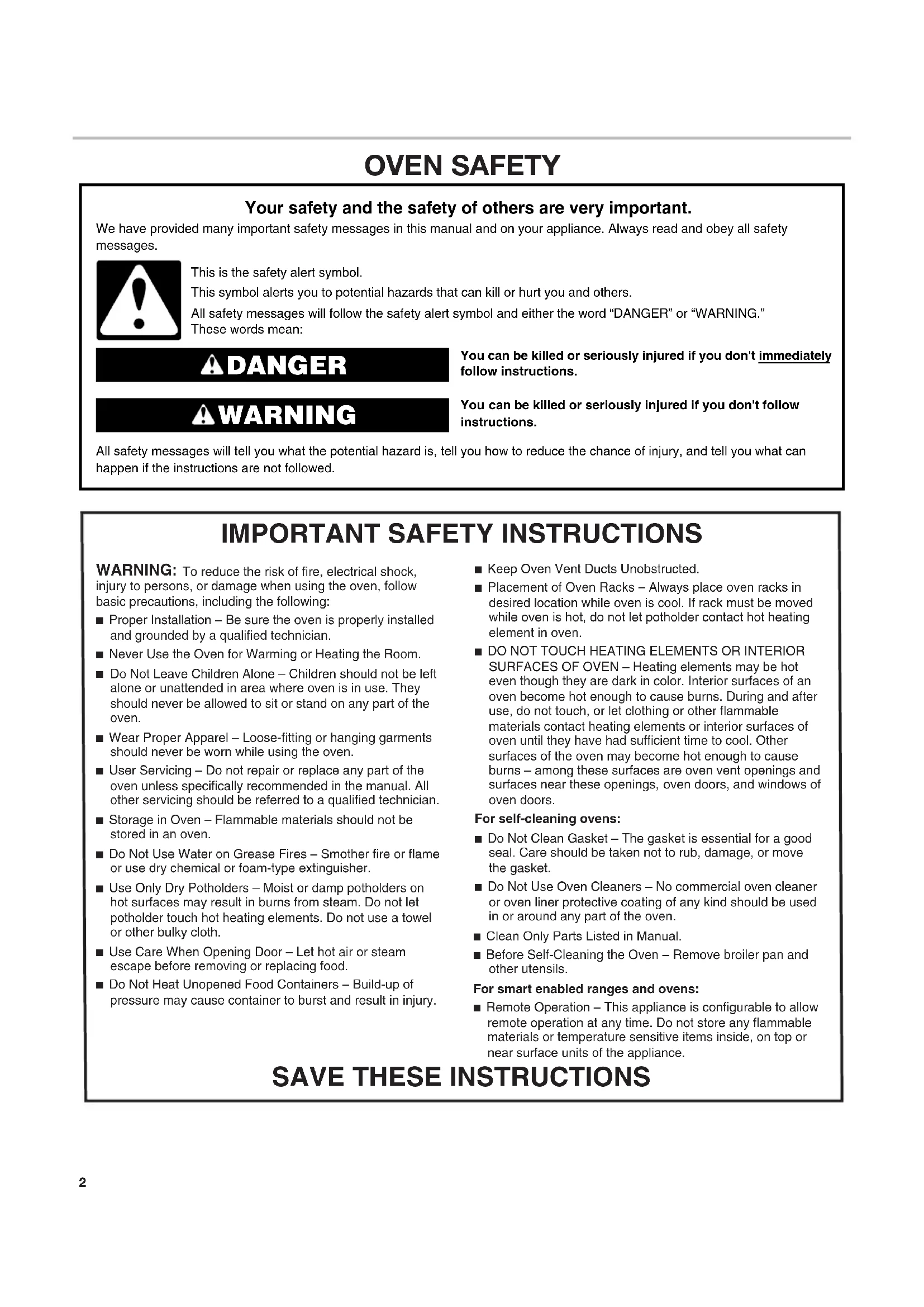
OVEN SAFETY You can be killed or seriously injured if you don't immediately You can be killed or seriously injured if you don'tfollow All safety messages will tell you what the potential hazard is, tell you how to reduce the chance of injury, and tell you what can happen if the instructions are not followed. Your safety and the safety of others are very important. We have provided many important safety messages in this manual and on your appliance. Always read and obey all safety messages.This is the safety alert symbol.This symbol alerts you to potential hazards that can kill or hurt you and others.All safety messages will follow the safety alert symbol and either the word “DANGER” or “WARNING.”These words mean:follow instructions.instructions. DANGER WARNING
SAVE THESE INSTRUCTIONS
IMPORTANT SAFETY INSTRUCTIONS
WARNING: To reduce the risk of fire, electrical shock, injury to persons, or damage when using the oven, follow basic precautions, including the following:■ Proper Installation – Be sure the oven is properly installed and grounded by a qualified technician.■ Never Use the Oven for Warming or Heating the Room. Do Not Leave Children Alone – Children should not be left alone or unattended in area where oven is in use. They should never be allowed to sit or stand on any part of the oven.■ Wear Proper Apparel – Loose-fitting or hanging garments should never be worn while using the oven.■ User Servicing – Do not repair or replace any part of the oven unless specifically recommended in the manual. All other servicing should be referred to a qualified technician.■ Storage in Oven – Flammable materials should not be stored in an oven.■ Do Not Use Water on Grease Fires – Smother fire or flame or use dry chemical or foam-type extinguisher.■ Use Only Dry Potholders – Moist or damp potholders on hot surfaces may result in burns from steam. Do not let potholder touch hot heating elements. Do not use a towel or other bulky cloth. ■ Use Care When Opening Door – Let hot air or steam escape before removing or replacing food.■ Do Not Heat Unopened Food Containers – Build-up of pressure may cause container to burst and result in injury.■ Keep Oven Vent Ducts Unobstructed.■ Placement of Oven Racks – Always place oven racks in desired location while oven is cool. If rack must be moved while oven is hot, do not let potholder contact hot heating element in oven.■ DO NOT TOUCH HEATING ELEMENTS OR INTERIOR SURFACES OF OVEN – Heating elements may be hot even though they are dark in color. Interior surfaces of an oven become hot enough to cause burns. During and after use, do not touch, or let clothing or other flammable materials contact heating elements or interior surfaces of oven until they have had sufficient time to cool. Other surfaces of the oven may become hot enough to cause burns – among these surfaces are oven vent openings and surfaces near these openings, oven doors, and windows of oven doors.For self-cleaning ovens:■ Do Not Clean Gasket – The gasket is essential for a good seal. Care should be taken not to rub, damage, or move the gasket.■ Do Not Use Oven Cleaners – No commercial oven cleaner or oven liner protective coating of any kind should be used in or around any part of the oven. ■ Clean Only Parts Listed in Manual.■ Before Self-Cleaning the Oven – Remove broiler pan and other utensils.For smart enabled ranges and ovens:■ Remote Operation – This appliance is configurable to allow remote operation at any time. Do not store any flammable materials or temperature sensitive items inside, on top or near surface units of the appliance. State of California Proposition 65 Warnings:
WARNING: This product contains one or more chemicals known to the State of California to cause cancer.
WARNING: This product contains one or more chemicals known to the State of California to cause birth defects or other
reproductive harm.3 OVEN SAFETY You can be killed or seriously injured if you don't immediately You can be killed or seriously injured if you don'tfollow All safety messages will tell you what the potential hazard is, tell you how to reduce the chance of injury, and tell you what can happen if the instructions are not followed. Your safety and the safety of others are very important. We have provided many important safety messages in this manual and on your appliance. Always read and obey all safety messages.This is the safety alert symbol.This symbol alerts you to potential hazards that can kill or hurt you and others. All safety messages will follow the safety alert symbol and either the word “DANGER” or “WARNING.” These words mean:follow instructions.instructions. DANGER WARNING
SAVE THESE INSTRUCTIONS
IMPORTANT SAFETY INSTRUCTIONS
To reduce the risk of fire, electrical shock, injury to persons, or damage when using the oven, follow basic precautions, including the following: ■ Proper Installation – Be sure the oven is properly installed and grounded by a qualified technician. ■ Never Use the Oven for Warming or Heating the Room. Do Not Leave Children Alone – Children should not be left alone or unattended in area where oven is in use. They should never be allowed to sit or stand on any part of the oven. ■ Wear Proper Apparel – Loose-fitting or hanging garments should never be worn while using the oven. ■ User Servicing – Do not repair or replace any part of the oven unless specifically recommended in the manual. All other servicing should be referred to a qualified technician. ■ Storage in Oven – Flammable materials should not be stored in an oven. ■ Do Not Use Water on Grease Fires – Smother fire or flame or use dry chemical or foam-type extinguisher. ■ Use Only Dry Potholders – Moist or damp potholders on hot surfaces may result in burns from steam. Do not let potholder touch hot heating elements. Do not use a towel or other bulky cloth. ■ Use Care When Opening Door – Let hot air or steam escape before removing or replacing food. ■ Do Not Heat Unopened Food Containers – Build-up of pressure may cause container to burst and result in injury. ■ Keep Oven Vent Ducts Unobstructed. ■ Placement of Oven Racks – Always place oven racks in desired location while oven is cool. If rack must be moved while oven is hot, do not let potholder contact hot heating element in oven. ■ DO NOT TOUCH HEATING ELEMENTS OR INTERIOR SURFACES OF OVEN – Heating elements may be hot even though they are dark in color. Interior surfaces of an oven become hot enough to cause burns. During and after use, do not touch, or let clothing or other flammable materials contact heating elements or interior surfaces of oven until they have had sufficient time to cool. Other surfaces of the oven may become hot enough to cause burns – among these surfaces are oven vent openings and surfaces near these openings, oven doors, and windows of oven doors.For self-cleaning ovens: ■ Do Not Clean Gasket – The gasket is essential for a good seal. Care should be taken not to rub, damage, or move the gasket. ■ Do Not Use Oven Cleaners – No commercial oven cleaner or oven liner protective coating of any kind should be used in or around any part of the oven. ■ Clean Only Parts Listed in Manual. ■ Before Self-Cleaning the Oven – Remove broiler pan and other utensils. For smart enabled ranges and ovens: ■ Remote Operation – This appliance is configurable to allow remote operation at any time. Do not store any flammable materials or temperature sensitive items inside, on top or near surface units of the appliance. State of California Proposition 65 Warnings:WARNING: This product contains one or more chemicals known to the State of California to cause cancer.WARNING: This product contains one or more chemicals known to the State of California to cause birth defects or other reproductive harm. Feature Guide This manual covers several models. Your model may have some or all of the items listed. Refer to this manual or Frequently Asked Questions (FAQs) section of our website at www.whirlpool.com for more detailed instructions. In Canada, reference the Customer Service section at www.whirlpool.ca. Single Oven Double Oven Keypad Feature Instructions Tools Oven Use FunctionsEnables you to personalize the audible tones and oven operation to suit your needs. Seethe“Tools” and “More Modes” sections. Home Home Screen If pressed once, it enables the user to return to the “Cooking Methods” and “Assisted Cooking” screen. If pressed twice, the time of day is displayed. Favorites Favorites The Favorites keypad allows the user to save the cycles that they use on a frequent basis. Oven Light Oven Cavity LightThe oven light is controlled by a keypad on the oven control panel. While the oven door is closed, press the Oven Light keypad to turn the light on and off. When the oven door is opened, the oven light will automatically turn on.Oven Power (Single ovens only)Oven Function PowerThe Oven Power keypad begins oven function and wakes it from sleep mode.Oven Cancel (Single ovens only)Oven Function CancelThe Oven Cancel keypad stops any oven function except the Clock, Timer, and Control Lock intheselected oven.Upper Lower (Double ovens only)Oven Function Power/CancelThe Upper and Lower keypad turns the selected oven on and wakes it from Sleep mode.If the selected oven is already on, the Upper or Lower keypad stops any oven function except the Clock, Timer, and Control Lock in the selected oven. OVEN UPPER/LOWER OVEN USE4 Touch Panel The touch panel houses the control menu and function controls. The touch keypads are very sensitive and require only a light touch to activate. Scroll up, down, left, or right to explore the different options and features. For more information about the individual controls, see their respective sections in this manual. Display The display is for both the menu and oven function controls. The touch panel allows you to scroll through the oven menus. The display is very sensitive and requires only a light touch to activate and control. When an oven is in use, the display will show the clock, mode, oven temperature, kitchen timer, and oven timer, if set. If the oven timer is not set, you can set it from this screen. After approximately 2 minutes of inactivity, the display will go into sleep mode and the display will dim. When the oven is in operation, the display will remain bright. During use, the display will show menus and the appropriate selections for the options being chosen. Display Navigation If the oven is off, touch the Oven Power or Upper or Lower keypad for the desired oven to activate the menu. From this screen, all automatic cooking programs can be activated, all manual cooking programs can be set, options can be adjusted, and instructions, preparation, and tips can be accessed. Cooking Method Feature Instructions BAKE Baking and Roasting
1. Press the Oven Power or Upper or Lower keypad for the desired oven.
4. Select the desired temperature by scrolling left to right or manually by selecting the grid in the
upper right corner and entering the Bake temperature into the keypad.
5. Select START to begin preheating. A tone will sound when preheating is complete.
NOTE: To quickly preheat the oven, see the “Rapid Preheat” section for more information.
6. Press the Oven Cancel or Upper or Lower keypad for the desired oven when nished.
1. Press the Oven Power or Upper or Lower keypad for the desired oven.
4. Select the desired temperature by scrolling left to right or manually by selecting the grid in the
upper right corner and entering the Broil temperature into the keypad.
6. Press the Oven Cancel or Upper or Lower keypad for the desired oven when nished.
Cooking Methods WARNING Food Poisoning Hazard Do not let food sit in oven more than one hour before or after cooking. Doing so can result in food poisoning or sickness. Setup and Demo Mode
1. Select NEXT to enter into product use.
2. Follow the prompts on the display screen to select a language,
set up Wi-Fi/connect to network, accept the terms of service and set the time. NOTE: The display screen will show the time and date (default screen/standby mode).
3. If you selected Store Demo Mode, select TRY THE PRODUCT
to explore various features and options of the product. NOTE: Select VIEW PRODUCT VIDEOS to view a video about how to navigate and interact with the product and explore Voice Control.
To exit Demo Mode, see the “Tools” section.5 Cooking Method Feature Instructions KEEP WARM Keep Warm Food must be at serving temperature before placing it in the warmed oven.
1. Press the Oven Power or Upper or Lower keypad for the desired oven.
2. Select COOKING METHODS.
3. Select KEEP WARM.
4. Select the desired temperature by scrolling left to right or manually by selecting the grid in the
upper right corner and entering the desired temperature into the keypad.
6. Press the Oven Cancel or Upper or Lower keypad for the desired oven when nished.
RAPID Rapid Oven Preheating Provides the fastest preheat time for the Bake function. Rapid Preheat is preset to off.
1. Select RAPID to toggle between turning the rapid preheat off and on.
2. The current setting will be displayed.
IMPORTANT: This feature should only be used for one-rack baking. Unused racks should be removed prior to Rapid Preheat. A standard rack should be used for Rapid Preheat. If preheating for the BAKE cycle has already started, Rapid Preheat may be started by selecting Rapid. DELAY START Delayed Start Delay Start is used to enter the ending cook time for an oven function with a delayed start. Once the cooking method is selected, input the bake temperature. Select DELAY START and follow the prompts on the screen. NOTE: Delay Start should not be used for foods such as breads and cakes because they may not bake properly. COOK TIME Timed Cooking Cook Time allows the oven to be set to turn on at a certain time of day, cook for a set length of time, and/or shut off automatically.6 Assisted Cooking Assisted cooking helps you select the right mode for your everyday cooking needs. Some modes allow you to skip preheat. Follow the prompts on screen for guidance throughout the cooking process. Favorites The Favorites feature stores the oven mode and temperature for your favorite recipe. As you continue to utilize your Favorites tool, your product will rene and tailor suggestions towards your cooking cravings/needs. NOTE: A select set of Favorites and suggestions may be automatically shown on the Home screen based on your meal times. To save a recipe, select the Favorites keypad and follow the prompts on the screen to customize your favorites. Add an image or name to the favorite to customize it to your preferences. Assisted Cooking Modes Food Selections Tips for Best Results FROZEN Frozen Pizza Frozen Pie Frozen Fries Frozen Lasagna Frozen Nuggets Frozen Meals Frozen foods do not require preheat. Insert food right away. Input the manufacturer’s maximum recommended time and temperature. For more information, see the “Frozen Bake” section.7 The Tools keypad allows you access to functions and customization options for your oven. These tools allow you to set the clock, change the oven temperature between Fahrenheit and Celsius, turn the audible signals and prompts on and off, adjust the oven calibration, change the language, and more. Select the Tools keypad to view the Tools features: ■ Remote Enable ■ Kitchen Timer ■ Light ■ Self-Clean ■ Mute ■ Control Lock See the “More Modes” section for more information. Tool Notes Remote Enable Select REMOTE ENABLE to enable the ability to utilize the Whirlpool
app. NOTE: Remote Enable does not turn off when the door is opened. Do not store any ammable materials or temperature sensitive items inside the oven. Kitchen Timer Set a kitchen timer by manually entering the desired time into the keypad.
1. Select KITCHEN TIMER.
2. Manually input the time to the desired
4. Select the Cancel keypad to end the
Kitchen Timer. Light Select the Light keypad to turn the light on and off. When the oven door is opened, the oven light will automatically turn on. Self-Clean See the “Self-Cleaning” section. Mute Select MUTE to mute or unmute the ovensounds. Control Lock The Control Lock shuts down the control panel keypads to avoid unintended use of the oven(s). The Control Lock will remain set after a power failure, if set before the power failure occurs. When the control is locked, only the Oven Power, Tools, and Oven Light keypads will function. The Control Lock is preset unlocked, but can be locked. To Lock or Unlock Control:
1. Check that the oven is off.
2. Select CONTROL LOCK.
3. “Control Lock” will display.
4. Scroll up to unlock. No keypads will
function. Sound Volume Set sound volume preferences. ■ Timers and Alerts ■ Buttons and Effects Display Settings Set the screen brightness. ■ Display Brightness Regional Set regional preferences. ■ Language: English, Spanish, or French ■ Temperature Units: Fahrenheit and Celsius. Wi-Fi ■ Connect to Network: Download the Whirlpool
app from the app store on your mobile phone. See the Connectivity Setup sheet for more detailed instructions. ■ SAID Code: The SAID code is used to sync a smart device with your appliance. ■ MAC Address: MAC Address is displayed for the Wi-Fi module. ■ Wi-Fi Radio: Turn Wi-Fi on or off. Info ■ Service and Support: Displays model number, Customer Support contact info, and Diagnostics. ■ Store Demo Mode: Select Store Demo Mode to toggle Demo Mode off and on. Start Demo Mode
1. Select the Tools keypad.
2. Scroll and select INFO.
5. Select TRY THE PRODUCT or VIEW PRODUCT VIDEOS.
If the unit is in Demo Mode after power up, follow these steps to exit Demo Mode: To Exit Demo Mode:
1. Select TRY THE PRODUCT.
4. Scroll and select INFO.
5. Select STORE DEMO MODE and select OFF.
6. Select YES on the conrmation screen.
■ Restore Factory: This will restore your product to the original factory default settings. ■ Wi-Fi Terms and Conditions: www.whirlpool.com/connect. ■ Software Terms and Conditions. Tools Preferences Times and Dates Set time and date preferences. NOTE: If user is connected to Wi-Fi, time and date will be set automatically. ■ Your Meal Times: Adjust when breakfast/lunch/dinner is shown ■ Time ■ Date ■ Time Format (AM/PM vs 24 hour [Military Time])8 More Modes Temperature Calibration IMPORTANT: Do not use a thermometer to measure the oven temperature. Elements will cycle on and off as needed to maintain a consistent temperature but may run slightly hot or cool at any point in time due to this cycling. Opening the oven door will affect cycling of the elements and impact the temperature. The oven provides accurate temperatures and has been thoroughly tested at the factory. However, it may cook faster or slower than your previous oven, causing baking or browning differences. If necessary, the temperature calibration can be adjusted in either Fahrenheit or Celsius. On double ovens, the upper oven and the lower oven can each be calibrated independently. A minus sign means the oven will be cooler by the displayed amount. The absence of a minus sign means the oven will be warmer by the displayed amount. Adjust the oven temp up to +,-30° (+,-18°C). It is recommended to make changes in 5°F (3°C) increments until desired results are achieved. NOTE: The oven display will continue to show the original settemperature and will not reect the calibration offset. For example, if set to 350° (177°C) and calibrated to -20, the display will continue to show 350° (177°C). To Adjust Oven Temperature Calibration:
4. Scroll from left to right to increase or decrease the
temperature. NOTE: Each oven calibration can be independently set. Sabbath Mode For guidance on usage and a complete list of models with Sabbath Mode, visit www.star-k.org. The Sabbath Mode sets the oven to remain on in a bake setting until disabled. When the Sabbath Mode is activated, only the Bake cycle will operate. All other cooking and cleaning cycles are disabled. No tones will sound, and the displays will not indicate temperature changes. When the oven door is opened or closed, the oven light will not turn on or off, and the heating elements will not turn on or off immediately. For double ovens, the upper and lower oven temperatures and cook timers can be set independently. If a cook timer is set, the countdown will appear. The timer will countdown once the timer is set. NOTE: If a power failure happens while Sabbath Mode is running, the oven will show Sabbath Mode is on, but the Bake cycle will not be on. If the oven door is opened during this time, the oven light will not turn on. To enable and activate Sabbath Mode:
(Sabbath Mode is preset to off).
5. Select YES if you would like to have both ovens or just one
oven on and baking during the Sabbath.
6. If only one oven is to be used, select that one. Once the cavity
is selected, the user will be prompted to input the temperature and cook time. If Sabbath Mode is to be used for both ovens, select each oven cavity separately. Once the cavity is selected, the user will be prompted to input the temperature and cook time for each cavity independently. OPTIONAL: For timed cooking in Sabbath Mode, press ADD A COOK TIME for the selected oven, enter the desired cook time and then press NEXT.
To Disable and Exit Sabbath Mode:
1. Press the Oven Power/Cancel Keypad.
2. Press and hold the display screen for three seconds.
To Adjust Temperature for single and double oven models:
1. Press the +/- 25 on the display screen to select the new
temperature. NOTE: The temperature adjustment will not appear on the display, and no tones will sound.9 Aluminum Foil IMPORTANT: To avoid permanent damage to the oven bottom nish, do not line the oven bottom with any type of foil or liner. For best cooking results, do not cover entire oven rack with foil because air must be able to move freely. To catch spills, place foil on rack below dish. Make sure foil is at least 1/2" (13 mm) larger than the dish and that it is turned up at the edges. Positioning Racks and Bakeware IMPORTANT: To avoid permanent damage to the porcelain nish, do not place food or bakeware directly on the oven doororbottom. Racks ■ Position racks before turning on the oven. ■ Do not position racks with bakeware on them. ■ Make sure racks are level. ■ Place food so it will not rise into the broil element. Allow at least 1/2" (13 mm) between pans and the broil element. To move a rack, pull it out to the stop position, raise the front edge, and then lift it out. Use the following illustration and charts as a guide for positioning racks. Rack Positions: Upper and Lower Oven Broiling Food Rack Position Most broiling 6 For hamburger patties to have a well-seared exterior and a rareinterior, use a at rack in position 6. Side 1 should cook for approximately 3 minutes. Side 2 should cook for approximately 3to 4 minutes. Expect a moderate degree of smoke when broiling.
Traditional Cooking Food Rack Position Large roasts, turkeys, angel food, bundt cakes, quick breads, pies 1 or 2 Yeast breads, casseroles, meatandpoultry
Cookies, biscuits, mufns, cakes 2 or 3 when single-rack baking; 2 and 5 when multi-rack baking. Baking Layer Cakes on Two Racks For best results when baking cakes on two racks, use rack positions 2 and 5 with the Bake function. Place the cakes on the racks as shown. Keep at least 2" (5.0 cm) of space between the front of theracks and the front of the cakes. Baking Cookies on Two Racks For best results when baking cookies on two racks, use rack positions 2 and 5. Bakeware To cook food evenly, hot air must be able to circulate. Allow2"(5.0cm) of space around bakeware and oven walls. Usethefollowing chart as a guide. Number of Pan(s) Position on Rack 1 Center of rack. 2 Side by side or slightly staggered. 3 or 4 Refer to the previous illustration. NOTE: Bakeware materials and color may affect results. Dark, dull, non-stick, or glass pans may require shorter baking times, in contrast insulated or stainless steel pans may require longer baking times. Follow bakeware manufacturer’s recommendations.10 Oven Vent(s) The oven vent(s) should not be blocked or covered since they allow the inlet of fresh air into the cooling system. Also, the bottom vent should not be blocked or covered since it allows the inlet of fresh air into the cooling system and the outlet of hot air from the cooling system. Blocking or covering vents will cause poor air circulation, affecting cooking, cleaning, and cooling results. Preheating and Oven Temperature Preheating When beginning a Bake cycle, the oven will begin preheating after Start is pressed. The oven will take approximately 12 to 17 minutes to reach 350°F (177°C) with all of the oven racks provided with your oven inside the oven cavity. Higher temperatures will take longer to preheat. Thepreheat cycle rapidly increases the oven temperature. The actual oven temperature will go above your set temperature to offset the heat lost when your oven door is opened to insert food. This ensures that when you place your food in the oven, the oven, will begin at the proper temperature. Insert your food when the preheat tone sounds. Do not open the door during preheat before the tone sounds. Rapid Preheat Rapid Preheat can be used to shorten the preheating time. Only one standard at oven rack should be in the oven during Rapid Preheat. Extra racks should be removed prior to starting. The preheating cycle should be completed before placing food in the oven. When the Rapid Preheat cycle is complete, the oven starts a normal Bake cycle. IMPORTANT: Rapid Preheat should be used only for one-rack baking. Oven Temperature While in use, the oven elements will cycle on and off as needed to maintain a consistent temperature, but they may run slightly hot or cool at any point in time due to this cycling. Opening the oven door while in use will release the hot air and cool the oven which could impact the cooking time and performance. It is recommended to use the oven light to monitor cooking progress. Before baking and roasting, position racks according to the “Positioning Racks and Bakeware” section. When roasting, itisnot necessary to wait for the oven preheat cycle to end beforeputtingfood in unless it is recommended in the recipe.
Single and Double Oven A. Control panel B. Oven vent C. Single oven or upper double oven G. Bottom vent Double Oven D. Upper oven E. Oven vent F. Lower oven G. Bottom vent Baking and Roasting The oven will take approximately 12 to 17 minutes to reach 350°F (177°C) with all oven racks inside the oven cavity. The preheat cycle rapidly increases the temperature inside the oven cavity. Higher temperatures will take longer to preheat. Factors that impact preheat times include room temperature, oven temperature, and the number of racks. Unused oven racks can be removed prior to preheating your oven to help reduce preheat time. The actual oven temperature will go above the set temperature to offset the heat lost when the oven door is opened to insert food. This ensures that the oven will begin at the proper temperature when you place food in the oven. Insert food when the preheat tone sounds. Do not open the door during preheat until the tone sounds. During baking or roasting, the bake and broil elements will cycle on and off in intervals to maintain the oven temperature. Depending on the model, if the oven door is opened during baking or roasting, the heating elements (bake and broil) will turn off approximately 30 seconds after the door is opened. They will turn on again approximately 30 seconds after the door is closed. Frozen Bake
Technology automatically adjusts the manufacturer’s bake time by combining preheating and baking to deliver great packaged frozen food results without the wait. There are multiple preprogramed food options. When using Frozen Bake
Technology, it is important that you follow all manufacturer’s instructions including venting, covering, stirring or placing on a baking sheet to ensure a good result. When cooking frozen meals, only cook items that provide instructions for cooking in a conventional oven. Place your dish in the center of the rack and select one of the rack positions recommended for Frozen Bake in the “Positioning Racks and Bakeware” section and bake only one package or pan at a time. Use the temperature and maximum bake time from the package. A tone will alert you to check the food for doneness before the cook time is complete and again at the end of the cook time. The display will prompt you to add additional cook time if needed. Broiling When broiling, no preheating is necessary unless recommended otherwise in the recipe. Position food on grid in a broiler pan, and then place it in the center of the oven rack. Close the oven door toensure proper broiling temperature. NOTE: Odors and smoke are normal the rst few times the oven isused or if the oven is heavily soiled. Changing the temperature when broiling allows more precise control when cooking. The lower the broil setting, the slower thecooking. Thicker cuts and unevenly shaped pieces of meat, sh and poultry may cook better at lower broil settings. Place thefood in the upper or lower oven. Refer to the “Positioning Racks and Bakeware” section for more information. On lower settings, the broil element will cycle on and off tomaintain the proper temperature. ■ For best results, use a broiler pan and grid. It is designed todrainjuices and help avoid spatter and smoke. If you would like to purchase a broiler pan, one may beordered. Please refer to the “Accessories” section formoreinformation.11 OVEN CARE Self-Cleaning Cycle IMPORTANT: The health of some birds is extremely sensitive to the fumes given off during the Self-Cleaning cycle. Exposure to the fumes may result in death to certain birds. Always move birds to another closed and well-ventilated room. Self-clean the oven before it becomes heavily soiled. Heavy soil results in longer cleaning and more smoke. Keep the kitchen well-ventilated during the Self-Cleaning cycle tohelp get rid of heat, odors, and smoke. Do not block the oven vent(s) during the Self-Cleaning cycle. Airmust be able to move freely. See the “Oven Vents” section. Do not clean, rub, damage, or move the oven door gasket. Thedoor gasket is essential for a good seal. Prepare Oven: ■ Remove the broiler pan, grid, cookware and bakeware, and, onsome models, the temperature probe from the oven. ■ Remove oven racks to keep them shiny and easy to slide. Seethe “General Cleaning” section for more information. ■ Remove any foil from the oven because it may burn or melt, damaging the oven. ■ Hand clean inside door edge and the 1
" (3.8 cm) area around the inside oven cavity frame, being certain not to move or bend the gasket. This area does not get hot enough during high-temp self-cleaning to remove soil. Do not let water, cleaner, etc., enter slots on door frame. Use a damp cloth to clean this area. ■ Wipe out any loose soil to reduce smoke and avoid damage. At high temperatures, foods react with porcelain. Staining, etching, pitting, or faint white spots can result. This is normal and will not affect cooking performance. How the Cycle Works IMPORTANT: The heating and cooling of porcelain on steel in the oven may result in discoloring, loss of gloss, hairline cracks, and popping sounds. The Self-Cleaning cycle uses very high temperatures, burning soil to a powdery ash. Suggested clean times are 3 hours for light soil, 4 hours for medium soil, and 5 hours for heavy soil. Once the oven has completely cooled, remove ash with a damp cloth. To avoid breaking the glass, do not apply a cool damp cloth to the inner door glass before it has completely cooled. The oven lights will not work during the Self-Cleaning cycle. NOTE: The oven has a two-speed cooling fan motor. During the Self-Cleaning cycle, the fan(s) will operate at its highest speed to increase airow to better exhaust the hotter air through the oven vent(s). An increase in noise may be noticeable during and after the Self-Cleaning cycle until the oven cools. Before Self-Cleaning, make sure the door is closed completely or it will not lock and the cycle will not begin. When the oven is locked, the doors of the oven cannot be opened. To avoid damage to the doors, do not force the doors open when the oven is locked.
(On double-oven models) Select Upper Cavity or Lower Cavity.
3. Select type of Self-Cleaning:
Steam: 1 hour: Clean up after everyday light spills using lower heat and 1
cups (295.74 mL) of water. High temp: 4 hours: 3 hour cycle and 1 hour cooling. High temp: 5 hours: 4 hour cycle and 1 hour cooling. High temp: 6 hours: 5 hour cycle and 1 hour cooling.
4. Follow the prompts on the oven display to prepare the oven.
5. Select START to begin the cleaning process.
Select DELAY START to set a delayed Self-Cleaning cycle. See the “ToDelay Start Self-Cleaning Cycle” Section. The oven doors will automatically lock. NOTE: It may take a couple moments for the oven door to automatically lock after starting the Self-Clean Cycle. When the self cleaning cycle is complete and the oven cools, the oven doors will unlock.
6. When the oven is completely cooled, remove ash with a damp
cloth. To Delay Start Self-Cleaning Cycle: Follow steps 1 through 4 above, then:
1. Select DELAY START.
2. Select the start time of when the Self-Cleaning cycle should
begin by scrolling from left to right.
3. Select START DELAY.
The oven doors will automatically lock after the Delay Start countdown. When the Self-Cleaning cycle is complete and the oven cools, the oven doors will unlock.
4. When the oven is completely cooled, remove ash with a
dampcloth. To Stop Self-Cleaning Anytime: Touch the Oven Cancel Keypad for single oven models, or the keypads for double oven models. If the oven temperature is too high, the door will remain locked. It will not unlock until the oven cools. WARNING Burn Hazard Do not touch the oven during the Self-Cleaning cycle. Keep children away from oven during Self-Cleaning cycle. Failure to follow these instructions can result in burns.12 Steam Clean The Steam Clean feature is designed for light oven cavity bottom cleaning on models that have hidden bake in both ovens. Allow the oven to cool to room temperature before using the Steam Clean feature. If your oven cavity is above 200°F (93°C), the Steam Clean feature will not activate until it cools down. Remove all racks and accessories from the oven cavity. For best results, use 10 oz (295.7 mL) of distilled or ltered water. Do not use oven cleaners. The Steam Clean feature will take approximately 1 hour. A tone will sound at the end of the cycle. IMPORTANT: Because the water in the oven bottom is hot, do not open the oven door during the Steam Clean cycle. Touch the Oven Cancel keypad for single oven models and the Upper/Lower keypads for double oven models at any time to end the cycle. The display will return to the time of day. Helpful Hints ■ Once the Steam Clean cycle is complete and the oven is completely cooled, remove all remaining water in the bottom ofthe oven with a sponge or cloth. ■ Wipe any remaining moisture from the oven door interior, oven cavity interior sides, and cooktop. ■ Use a soft brush or nylon scrubber to wipe the oven interior. This may help with more stubborn stains. ■ It is recommended to use distilled or ltered water, as tap water may leave mineral deposits on the oven bottom. Use acloth soaked with vinegar or lemon juice to remove any mineral deposits that may be left after the Steam Clean cycle. ■ If the oven is heavily soiled, use the Self-Cleaning cycle. The Steam Clean cycle may be used rst to eliminate most of the debris, resulting in a more effective self-cleaning. To Steam Clean:
1. Open the oven door of the selected oven and remove all racks
and accessories from the oven cavity.
2. Pour 10 oz (295.7 mL) of distilled or ltered water into the oven
bottom. Then close the oven door.
3. Touch the Tools keypad.
(On double-oven models) Select Upper Cavity or Lower Cavity.
6. After approximately 1 hour, a tone will sound to signal the end
of the cycle. Touch the keypad for single oven models and the keypads for double oven models to clear the display.
7. When the oven is completely cooled, remove any excess
waterwith a sponge or cloth and wipe down oven interior. Ifneeded, use a non-scratch copper scrubbing pad to removestubborn soils. General Cleaning IMPORTANT: Before cleaning, make sure all controls are off andthe oven is cool. Always follow label instructions on cleaning products. For additional information, you can visit the FrequentlyAsked Questions (FAQs) section of our website at www.whirlpool.com. In Canada, refer to the Customer Service section at www.whirlpool.ca. Soap, water, and a soft cloth or sponge are suggested rst unless otherwise noted.
EXTERIOR PORCELAIN ENAMEL SURFACES
(onsomemodels) Food spills containing acids, such as vinegar and tomato, should be cleaned as soon as the entire oven is cool. These spills may affect the nish. Cleaning Method: ■ Glass cleaner, mild liquid cleaner or nonabrasive scrubbingpad: Gently clean around the model/serial/rating plate becausescrubbing may remove numbers. ■ Affresh
Kitchen and Appliance Cleaner Part Number W10355010 (not included): See the “Accessories” section for more information. STAINLESS STEEL (on some models) NOTE: To avoid damage to stainless steel surfaces, do not use soap-lled scouring pads, abrasive cleaners, steel-wool pads, gritty washcloths or abrasive paper towels. Damage may occur tostainless steel surfaces, even with one-time or limited use. Cleaning Method: Rub in direction of grain to avoid damaging. ■ Affresh
Stainless Steel Cleaner Part Number W10355016: See the “Accessories” section for more information. METALLIC PAINT (on some models) Do not use abrasive cleaners, cleaners with bleach, rust removers,ammonia or sodium hydroxide (lye) because paintsurface may stain.
CONTROL PANEL AND OVEN DOOR EXTERIOR
To avoid damage, do not use abrasive cleaners, steel-wool pads, gritty washcloths, or abrasive papertowels. Cleaning Method: ■ Glass cleaner and soft cloth or sponge: Apply glass cleaner to soft cloth or sponge, not directly onpanel. ■ Affresh
Kitchen and Appliance Cleaner Part Number W10355010 (not included): See the “Accessories” section for more information.13 OVEN RACKS Cleaning Method: ■ Steel-wool pad. ■ For racks that have discolored and are harder to slide, a light coating of vegetable oil applied to the rack guides will help them slide.
OVEN CAVITY AND OVEN DOOR INTERIOR
Do not use oven cleaners. Food spills should be cleaned after the oven cools. At high temperatures, foods react with porcelain and staining, etching, pitting, or faint white spots can result. Cleaning Method: ■ Self-Cleaning cycle: See the “Self-Cleaning Cycle” section rst. ■ For optimal door cleaning results, wipe away any deposits with a damp sponge before running cycle. Oven Lights The oven light(s) are standard 25-watt appliance bulbs. Beforereplacing, make sure the oven is cool and the controls areturned off. To Replace:
1. Disconnect power.
3. Turn the glass bulb cover in the back of the oven
counterclockwise to remove.
4. Turn bulb counterclockwise to remove from socket.
5. Replace bulb, and then bulb cover, by turning clockwise.
TROUBLESHOOTING First try the solutions suggested here. If you need further assistance or more recommendations that may help you avoid aservicecall,refer to the warranty page in this manual or visit producthelp.whirlpool.com. InCanada, visit http://www.whirlpool.ca. Contact us by mail with any questions or concerns at the address below: In the U.S.A.: Whirlpool Brand Home Appliances Customer eXperience Center 553 Benson Road Benton Harbor, MI 49022-2692 In Canada: Whirlpool Brand Home Appliances Customer eXperience Centre
200 - 6750 Century Ave.
Mississauga, Ontario L5N 0B7 Please include a daytime phone number in your correspondence. Problem Possible Causes and/or Solutions Nothing will operate Household fuse is blown, or a circuit breaker is tripped: Replace the fuse or reset the circuit breaker. Ifthe problem continues, call an electrician. Oven will not operate Control Lock is on: “Control Lock” will display on the screen. Scroll up to unlock. Sabbath Mode is set: See the “Sabbath Mode” section. On double oven models, one oven is self-cleaning: When one oven is self-cleaning, the other ovencannot be set or turned on. Oven temperature toohighor too low Oven temperature needs adjustment: See the “Temperature Calibration” section. Display shows messages Power failure: On some models, reset the clock if needed. See “Preferences” in the “Tools” section. Error code (display shows letter followed by number): Press the oven Cancel keypad to clear the display. If it reapears, call for service. See the “Warranty” section for contact information. Demo Mode (product is in Demo Mode): See “To Exit Demo Mode” in the “Tools” section. Clean cycle did not workonall spills Several cooking cycles between Clean cycles or spills on oven walls and doors: Run additional Cleancycles. The affresh
Kitchen and Appliance Cleaner can be used for stubborn soils. See the “Accessories” and “Self-Cleaning Cycle” sections for more information. Warm air coming fromovenvent Warm air coming from the oven vent is normal. During a self-clean cycle, the air stream is increased. The cooling fan may operate both during an oven’s cycle and after the cycle has ended, causing warm airto exit from the oven vent. Long preheat times Not all cycles require preheating. See cycle instructions for preheat recommendations. Most cycles preheatto 350°F (177°C) in 12 to 17 minutes. Higher temperatures will take more time. Removing unusedoven racks prior to preheating can help reduce preheat time.14 Problem Possible Causes and/or Solutions Self-Cleaning cycle willnotoperate The oven door is open: Close the oven door all the way. The function has not been entered: See the “Self-Cleaning Cycle” section. A Timed Self-Clean cycle has been set: See the “Self-Cleaning Cycle” section. On double oven models, one oven is self-cleaning: When one oven is self-cleaning, the other ovencannot be set to self-clean. Oven cooking results notwhat expected The set temperature was incorrect: Double-check the recipe in a reliable cookbook. Oven temperature needs adjustment: See “Temperature Calibration” in the “More Modes”section. Oven was not preheated: See the “Baking and Roasting” section. Racks were positioned improperly: See the “Positioning Racks and Bakeware” section. Not enough air circulation around bakeware: See the “Positioning Racks and Bakeware” section. Batter distributed unevenly in pan: Check that batter is level in the pan. Darker browning of food caused by dull or dark bakeware: Lower the oven temperature 25°F (15°C) ormove rack to a higher position in the oven. Lighter browning of food caused by shiny or light colored bakeware: Move rack to a lower position inthe oven. Incorrect length of cooking time was used: Adjust cooking time. Oven door was not closed: Be sure that the bakeware does not keep the door from closing. Oven door was opened during cooking: Oven peeking releases oven heat and can result in longer cooking times. Rack is too close to bake burner, making baked items too brown on bottom: Move rack to higher position in the oven. Pie crusts browning too quickly: Use aluminum foil to cover the edge of the crust and/or reduce bakingtemperature.15
ASSISTANCE OR SERVICE
Before calling for assistance or service, please check the “Troubleshooting” section. It may save you the cost of a service call. If you still need help, follow the instructions below. When calling, please know the purchase date and the complete model and serial number of your appliance. This information will help us to better respond to your request. If you need replacement parts If you need to order replacement parts, we recommend that you use only FSP
replacement parts. FSP
replacement parts will t right and work right because they are made with the same precision used to build every new Whirlpool
appliance. To locate FSP
replacement parts in your area, call us or your nearest Whirlpool designated service center. In the U.S.A. Ifyou have any problems or questions, call Whirlpool Corporation Connected Appliances at 1-866-333-4591. Our consultants provide assistance with: ■ Scheduling of service. Whirlpool appliances designated service technicians are trained to fulll the product warranty and provide after-warranty service anywhere in the United States. ■ Features and specications on our full line of appliances. ■ Referrals to local Whirlpool appliance dealers. ■ Installation information. ■ Use and maintenance procedures. ■ Accessory and repair parts sales. ■ Specialized customer assistance (Spanish speaking, hearing impaired, limited vision, etc.). Accessories Affresh
Stainless Steel Cleaning Wipes (stainless steel models) Order Part Number W10355049 Affresh
Stainless Steel Cleaner (stainless steel models) Order Part Number W10355016 Affresh
Kitchen and Appliance Cleaner Order Part Number W10355010 Brick Baking Stone Order Part Number 4378577 Double Built-In Side Trim Kit Order Part Number W10536161 Premium Broiler Pan and Roasting Rack Order Part Number W10123240 Porcelain Broiler Pan and Grid Order Part Number 4396923 Standard Flat Oven Rack Order Part Number W10317430 Single Built-In Side Trim Kit Order Part Number W10536160 For further assistance: If you need further assistance, you can write to Whirlpool with any questions or concerns at: Whirlpool Brand Home Appliances Customer eXperience Center 553 Benson Road Benton Harbor, MI 49022-2692 Please include a daytime phone number in your correspondence. In Canada Ifyou have any problems or questions, call Whirlpool Corporation Connected Appliances at 1-866-333-4591. Our consultants provide assistance with: ■ Scheduling of service. Whirlpool appliances designated service technicians are trained to fulll the product warranty and provide after-warranty service anywhere in Canada. ■ Features and specications on our full line of appliances. ■ Referrals to local Whirlpool appliance dealers. ■ Use and maintenance procedures. ■ Accessory and repair parts sales. For further assistance: If you need further assistance, you can write to Whirlpool with any questions or concerns at: Customer eXperience Centre Whirlpool Canada LP
200 - 6750 Century Ave.
Mississauga, Ontario L5N 0B7 Please include a daytime phone number in your correspondence.16 11/14 IF YOU NEED SERVICE: 1. Before contacting us to arrange service, please determine whether your product requires repair. Some questions can be addressed without service. Please take a few minutes to review the Troubleshooting or Problem Solver section of the Use and Care Guide, or visit www.whirlpool.com/product_help. 2. All warranty service is provided exclusively by our authorized Whirlpool Service Providers. IntheU.S.and Canada, direct all requests for warranty service to: Whirlpool Customer eXperience CenterIn the U.S.A., call 1-800-253-1301. In Canada, call 1-800-807-6777. If outside the 50 United States or Canada, contact your authorized Whirlpool dealer to determine whether another warranty applies. WHIRLPOOL
MAJORAPPLIANCE LIMITEDWARRANTY ATTACH YOUR RECEIPT HERE. PROOF OF PURCHASE IS REQUIRED TO OBTAIN WARRANTY SERVICE.Please have the following information available when you call the Customer eXperience Center: ■ Name, address and telephone number ■ Model number and serial number ■ A clear, detailed description of the problem ■ Proof of purchase including dealer or retailer name and address
ONE YEAR LIMITED WARRANTY
WHAT IS COVERED WHAT IS NOT COVERED For one year from the date of purchase, when this major appliance is installed, operated and maintained according to instructions attached to or furnished with the product, Whirlpool Corporation or Whirlpool Canada LP (hereafter “Whirlpool”) will pay for Factory Specied Replacement Parts and repair labor to correct defects in materials or workmanship that existed when this major appliance was purchased, or at its sole discretion replace the product. In the event of product replacement, your appliance will be warranted for the remaining term of the original unit’s warranty period.YOUR SOLE AND EXCLUSIVE REMEDY UNDER THIS LIMITED WARRANTY SHALL BE PRODUCT REPAIR AS PROVIDED HEREIN. Service must be provided by a Whirlpool designated service company. This limited warranty is valid only in the United States or Canada and applies only when the major appliance is used in the country in which it was purchased. This limited warranty is effective from the date of original consumer purchase. Proof of original purchase date is required to obtain service under this limited warranty.
1. Commercial, non-residential, multiple-family use, or use inconsistent with published user, operator or
installation instructions. 2. In-home instruction on how to use your product.
3. Service to correct improper product maintenance or installation, installation not in accordance with
electrical or plumbing codes or correction of household electrical or plumbing (i.e. house wiring, fuses or water inlet hoses).
4. Consumable parts (i.e. light bulbs, batteries, air or water lters, preservation solutions, etc.).
5. Defects or damage caused by the use of non-genuine Whirlpool parts or accessories.6. Conversion of products from natural gas or propane gas.
7. Damage from accident, misuse, abuse, re, oods, acts of God or use with products not approved by
8. Repairs to parts or systems to correct product damage or defects caused by unauthorized service,
alteration or modication of the appliance.
9. Cosmetic damage including scratches, dents, chips, and other damage to the appliance nishes
unless such damage results from defects in materials and workmanship and is reported to Whirlpool within 30 days.
10. Discoloration, rust or oxidation of surfaces resulting from caustic or corrosive environments including
but not limited to high salt concentrations, high moisture or humidity or exposure to chemicals.11. Food or medicine loss due to product failure.12. Pick-up or delivery. This product is intended for in-home repair.
13. Travel or transportation expenses for service in remote locations where an authorized Whirlpool
servicer is not available.
14. Removal or reinstallation of inaccessible appliances or built-in xtures (i.e. trim, decorative panels,
ooring, cabinetry, islands, countertops, drywall, etc.) that interfere with servicing, removal or replacement of the product.
15. Service or parts for appliances with original model/serial numbers removed, altered or not easily
determined.The cost of repair or replacement under these excluded circumstances shall be borne by thecustomer. DISCLAIMER OF IMPLIED WARRANTIESIMPLIED WARRANTIES, INCLUDING ANY IMPLIED WARRANTY OF MERCHANTABILITY OR IMPLIED WARRANTY OF FITNESS FOR A PARTICULAR PURPOSE, ARE LIMITED TO ONE YEAR OR THE SHORTEST PERIOD ALLOWED BY LAW. Some states and provinces do not allow limitations on the duration of implied warranties of merchantability or tness, so this limitation may not apply to you. This warranty gives you specic legal rights, and you also may have other rights that vary from state to state or province to province.DISCLAIMER OF REPRESENTATIONS OUTSIDE OF WARRANTY Whirlpool makes no representations about the quality, durability, or need for service or repair of this major appliance other than the representations contained in this warranty. If you want a longer or more comprehensive warranty than the limited warranty that comes with this major appliance, you should ask Whirlpool or your retailer about buying an extended warranty.LIMITATION OF REMEDIES; EXCLUSION OF INCIDENTAL AND CONSEQUENTIAL DAMAGESYOUR SOLE AND EXCLUSIVE REMEDY UNDER THIS LIMITED WARRANTY SHALL BE PRODUCT REPAIR AS PROVIDED HEREIN. WHIRLPOOL SHALL NOT BE LIABLE FOR INCIDENTAL OR CONSEQUENTIAL DAMAGES. Some states and provinces do not allow the exclusion or limitation of incidental or consequential damages, so these limitations and exclusions may not apply to you. This warranty gives you specic legal rights, and you also may have other rights that vary from state to state or province to province.17 MERCI d’avoir acheté ce produit de grande qualité. Enregistrez la cuisinière sur www.whirlpool.ca. Pour référence ultérieure, consignez par écrit les numéros de modèle et de série de votre produit. Ceux-ci se trouvent sur le côté droit sous le tableau de commande. Numéro de modèle ______________________________________ Numéro de série _________________________________________ Table des matières