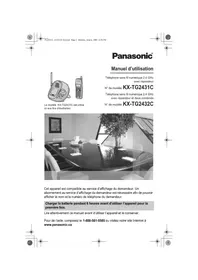
PANASONIC KXTG2431 - Cordless phone

KXTG2431 - Cordless phone PANASONIC - Free user manual and instructions

Find the device manual for free KXTG2431 PANASONIC in PDF.

📄 68 pages English EN Download 💬 AI Question 10 questions ⚙️ Specs
Notice PANASONIC KXTG2431 - page 66
View the manual : Français FR English EN
Pick your language and provide your email: we'll send you a specifically translated version.
Product Type 2.4 GHz Digital Cordless Phone with Answering Machine
Brand Panasonic
Model KX-TG2431
Frequency 2.4 GHz to 2.48 GHz
Power Supply (base) AC Adaptor 120 V AC, 60 Hz (PQLV19)
Battery Rechargeable Ni-MH (model HHR-P105)
Talk Time Up to 5 hours / 3 hours with voice amplifier
Standby Time Up to 11 days
Phonebook Capacity Up to 50 names and numbers
Caller ID Yes, up to 50 entries
Built-in Answering Machine Yes, adjustable recording time (1-3 min or greeting only)
Intercom Yes (handset to base)
Speakerphone Yes
Dialing Mode Tone or pulse (adjustable)
Display Languages English, French
Voice Guide Language English, French
Auto Answer Yes (adjustable)
Warranty 1 year parts and labor
Included Accessories 1 AC adaptor, 1 telephone line cord, 1 battery, 1 cover, 1 belt clip
Maintenance and Cleaning Clean charging contacts with a soft, dry cloth once a month

Frequently Asked Questions - KXTG2431 PANASONIC

How to charge the battery for the first time?
Place the handset on the base station or charger for at least 6 hours before first use. The CHARGE indicator lights up and "Charging" is displayed. When the battery is fully charged, "Charge completed" appears.
What to do if the handset screen remains blank?
Check that the battery is correctly installed and fully charged. If the problem persists, clean the charging contacts and reset by unplugging then re-plugging the AC adaptor of the base station.
How to activate or deactivate the answering machine?
Press the [ANSWER ON] button on the base station. The ANSWER ON indicator lights up (activated) and the unit announces "Answering machine activated". To deactivate, press again; the indicator turns off.
How to delete an answering machine message?
During message playback on the base station, press [ERASE]. To delete all messages, press [ERASE] twice when the base station is idle (follow voice prompts).
How to add a contact to the phonebook?
Press [Directory], then [Add]. Enter the name (max 16 characters) and number (max 32 digits). For special characters, use the character table in the manual. Press [Next] then [Save] to store.
How to set the date and time?
Press [MENU], navigate to "Date and time", enter the month, day, year (2 digits each), then time in 24-hour format (e.g., 21:30). Press [Save] then [OFF]. If the handset beeps 3 times, the setting is incorrect.
How to use intercom with the base station?
On the handset, press [INTERCOM]. The base station rings. Answer by pressing [LOCATOR/INTERCOM] on the base. To end, press [OFF] on the handset or [LOCATOR/INTERCOM] on the base.
Why does the handset not ring during a call?
The ringer may have been turned off. Check the ringer volume in the Ringer setting menu. If set to "No ring", select a high, medium, or low level. Also ensure the silent mode is not activated.
How to re-register the handset in case of lost link?
Bring the handset close to the base station. On the handset, go to Initial setting > Registration. On the base, press and hold [LOCATOR/INTERCOM] until the CHARGE indicator flashes. On the handset, press [OK] and wait for confirmation tone.
What to do if caller ID does not work?
Make sure you subscribe to caller ID service from your telephone company. Check that the telephone line cord is properly connected. If you use an xDSL filter, install it between the base and the jack. Keep the base away from other electrical appliances.

User questions about KXTG2431 PANASONIC

0 question about this device. Answer the ones you know or ask your own.

Ask a new question about this device

The email remains private: it is only used to notify you if someone responds to your question.

No questions yet. Be the first to ask one.

Download the instructions for your Cordless phone in PDF format for free! Find your manual KXTG2431 - PANASONIC and take your electronic device back in hand. On this page are published all the documents necessary for the use of your device. KXTG2431 by PANASONIC.

USER MANUAL KXTG2431 PANASONIC

Intercommunication 31

Commanda distance 48

Installation murale 52

Postede base 52
Unité de recharge (KX-TG2432C
seulement) 54

PANASONIC KXTG2431 - 1
KX-TG2431C KX-TG2432C

PANASONIC KXTG2431 - 2

  • "Charger batterie"
  • (clignotement)
    -Charger 6 h

Pour receivevoir des appels

Partage des appeals (KX-TG2432Csubsection)

"Impulsions": composition à impulsions.

Dimensions (H x L x P):

Environ 125mm× 140mm× 135mm(4^29)_32 po

$$ \times 5 ^ {1} / _ {2} \mathrm {p o} \times 5 ^ {9} / _ {1 6} \mathrm {p o}) $$

Poids:

Environ 312g (0,69 lb)

Consummation:

Dimensions (H x L x P):

Environ 167 mm x 48 mm x 31 mm (6/16 po x

$$ 1 ^ {7} / _ {8} \mathrm {p o} \times 1 ^ {7} / _ {3 2} \mathrm {p o}) $$

Poids:

Environ 107g (0,24 lb)

Alimentation:

Batterie Ni-MH (2,4 V, 830 mAh)

Codes de sécurité:

1000000

Dimensions (H x L x P):

Environ 65mm× 85mm× 95mm(2^9 / _16 po x

$$ 3 ^ {1 1} / _ {3 2} \mathrm {p o} \times 3 ^ {3} / _ {4} \mathrm {p o}) $$

Poids:

Environ 97g (0,21 lb)

Consommation:

Attente: environ 1,0 W

Panasonic Canada Inc.

5770 Ambler Drive, Mississauga, Ontario L4W 2T3

Certificat de garantie limitee Panasonic

Richmond, BC V6W 1K8

Tél.: (604) 278-4211

Panasonic Canada Inc.

5770 Ambler Dr.

Mississauga, ON L4W 2T3

Tel.: (905) 624-8447

Téléç.: (905) 238-2418

Appel conference: 33

Conf. (conference): 33

intercommunications: 57

Divers: 56

Fonctionsprogrammables:56

Pannde courant: 60

Recharge de la batterie: 60

Support technique: 40

TG2431C 2432C(fr-fr).book Page 66 Monday, June 6, 2005 6:28 PM
PANASONIC KXTG2431 - Panasonic Canada Inc. - 1

PANASONIC KXTG2431 - Panasonic Canada Inc. - 2

PANASONIC KXTG2431 - Panasonic Canada Inc. - 3

PANASONIC KXTG2431 - Panasonic Canada Inc. - 4

PANASONIC KXTG2431 - Panasonic Canada Inc. - 5

PANASONIC KXTG2431 - Panasonic Canada Inc. - 6

TG2431C 2432C(fr-fr).book Page 67 Monday, June 6, 2005 6:28 PM
PANASONIC KXTG2431 - Panasonic Canada Inc. - 7

PANASONIC KXTG2431 - Panasonic Canada Inc. - 8

PANASONIC KXTG2431 - Panasonic Canada Inc. - 9

PANASONIC KXTG2431 - Panasonic Canada Inc. - 10

PANASONIC KXTG2431 - Panasonic Canada Inc. - 11

PANASONIC KXTG2431 - Panasonic Canada Inc. - 12

TG2431C 2432C(fr-fr).book Page 68 Monday, June 6, 2005 6:28 PM
PANASONIC KXTG2431 - Panasonic Canada Inc. - 13

PANASONIC KXTG2431 - Panasonic Canada Inc. - 14

PANASONIC KXTG2431 - Panasonic Canada Inc. - 15

Droits d'auteur:

Panasonic Canada Inc.

5770 Ambler Drive, Mississauga, Ontario L4W 2T3
PANASONIC KXTG2431 - Panasonic Canada Inc. - 1

Manual assistant
Powered by Anthropic
Waiting for your message
Product information

Brand : PANASONIC

Model : KXTG2431

Category : Cordless phone