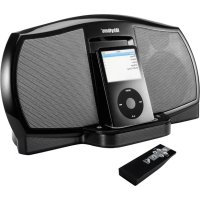
iRhythms A303 - Loudspeaker Cyber Acoustics - Free user manual and instructions
Find the device manual for free iRhythms A303 Cyber Acoustics in PDF.



| Product Type | Desktop speaker system with docking station |
| Brand | Cyber Acoustics |
| Model | iRhythms A303 |
| Category | Speaker |
| iPod Compatibility | iPod 3G, 4G, mini, photo, shuffle, nano, video (with inserts) |
| Connectivity | iPod docking station, 3.5 mm auxiliary input |
| Remote Control | Yes, with AAA batteries included |
| Power Supply | Mains via external power adapter (power cord) |
| Functions | On/off, volume, play/pause, track skip, navigation (iPod 2.1+) |
| LED Indicator | Blue (on), red (standby) |
| Included Accessories | Power cord, power adapter, 3.5 mm cable, docking station inserts, remote control, AAA batteries |
| Warranty | 1 year (subject to proof of purchase) |
| Compliance | FCC Class B |
| Usage | Solid, flat surface |
| Warning | Avoid interference with screens; follow installation instructions |
Frequently Asked Questions - iRhythms A303 Cyber Acoustics
User questions about iRhythms A303 Cyber Acoustics
0 question about this device. Answer the ones you know or ask your own.
Ask a new question about this device
Download the instructions for your Loudspeaker in PDF format for free! Find your manual iRhythms A303 - Cyber Acoustics and take your electronic device back in hand. On this page are published all the documents necessary for the use of your device. iRhythms A303 by Cyber Acoustics.
USER MANUAL iRhythms A303 Cyber Acoustics

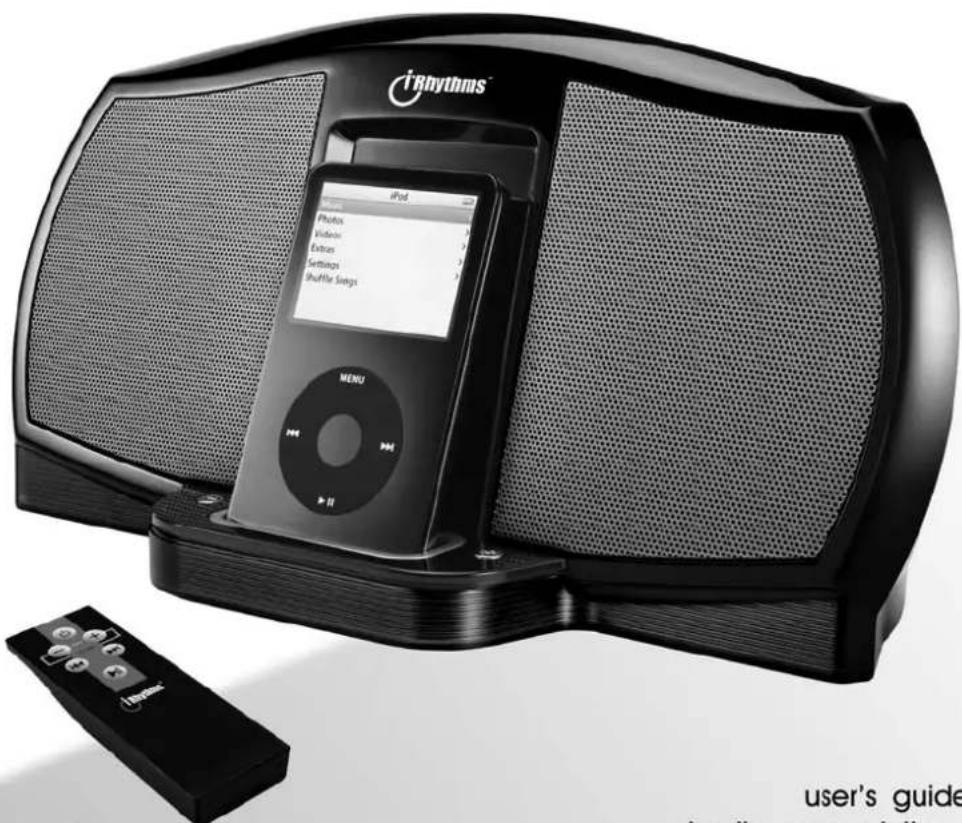
Digital Docking Speaker
A303

Made for iPod
user's guide
bedienungsanleitung
This unit complies with the interference limits relative to a Class B digital device, applicable under Part 15 of the FCC Rules regarding installation in a residential environment. If the unit is not installed in accordance with these instructions, it could cause harmful interference to audio or television reception. If this condition persists after corrective action, consult your dealer or experienced installation facility.
Reglement FCC
To reduce the risk of fire or electric shock, do not expose this appliance to rain or moisture.
CAUTION:
Use of controls or adjustments or performance of the system may be affected by the specified may result in hazardous radiation exposure.


CAUTION TO REDUCE THE RISK OF ELECTRIC SHOCK. DO NOT REMOVE COVER (OR BACK), NO USER SERVICING TO QUALIFIED SERVICE PERSONNEL.

The lightning flash with arrowhead symbol, within an equilateral triangle, is intended to alert the user to presence of uninsulated "dangerous voltage" within the product's enclosure that may be of sufficient magnitude to constitute a risk of electric shock to persons.

The exclamation point within an equilateral triangle is intended to alert the user to the presence of important operating and maintenance (servicing) instructions in the literature accompanying the appliance.
CAUTION:
TO PREVENT ELECTRIC SHOCK, MATCH THE 10-25V PLUG TO WIDE SLOT FULLY INSERT.
ATTENTION:
POUR EVIDTER LES CHOC ELECTRIQUES, INTRODUIRE LA LAME LA PLUS LARGE DE LA FICHE DANS LA BORNE POUSSER RÉSULTAT DES APLRÉS ET POISSUER JUSQU'AU FOND
IMPORTANT SAFETY INSTRUCTIONS
- Read instructions - All the safety and operating instruction should be read before the product is used.
- Retain Instructions - The safety and operating instruction should be retained for future reference.
- Head Warnings - All warning on the product and in the operating instructions should be adhered to.
- Follow Instructions - All operating and use instructions should be followed.
- Cleaning. Unplug this product from the wall outlet before cleaning. Do not use liquid cleaners or aerosol cleaners. Use a damp cloth for cleaning.
- Attachments Do not use attachments not required by the manufacturer or product manufacturer as they pose severe hazards.
Water and Moisture - Do not use this product near water - for example, near a bath tub, wash bowl, kitchen sink, or laundry tub; in a wet basement, or near a swimming pool, and the like. - Accessories - Do not place this product on an unstable cart, stand tripod, bracket, or table. The product may fall, causing serious injury to a child or adult, and serious damage to the product. Use only with a cart, stand, tripod, bracket, or table recommended by the manufacturer, or sold with the product. Any mounting of the product should follow the manufacturer's instructions, and should use a mounting accessory recommended by the manufacturer.
- A product and cart combination should be moved with care. Quick stops, excessive force, and uneven surfaces may cause the appliance and cart combination to overturn.

- Ventilation - Slits and openings in the cabinet are provided for ventilation and to ensure reliable operation of the product and to protect it from overheating, and these openings must not be blocked or covered. The openings should never be blocked by placing the product on a bed, sofa, rug, or other similar surface. This product should not be placed on a built-in installation site as a building material unless proper ventilation is provided or the manufacturer's instruction have been adhered to.
-
Power Sources - This product should be operated only from the type of power source indicated on the marking label. If you are not sure of the type of power supply to your home, consult your product dealer or local power company. For products involving a single household, contact the other sources, refer to the operating instruction.
-
Grounding or Polarization - This product may be equipped with a polarized alternating-current line plug (a plug having one blade wider than the other). This plug will fit into the power outlet only one way. This is a safety feature. If you are unable to insert the plug fully into the outlet, by reversing the plug, it would be difficult to use the plug without the electrical to replace your obsolete outlet. Do not defeat the safety purpose of the polarizes plug.
Alternate Warnings - This product is equipped with a three-wire grounding-type plug, a plug having a third (grounding) pin. This plug will only fit into a grounding type power outlet. This is a safety feature. If you are unable to insert the plug into the outlet, contact your electrician to replace your obsolete outlet. Do not defeat the safety purpose of the grounding-type plug. - Power-Cord Protection - Power supply cords should be routed so that they are not likely to be walked on or pinched by items placed upon or against them, paying particular attention to cords at plugs, convenience receptables, and point where they exit from the product.
- Protective Attachment Plug - The product is equipped with an attachment plug having overload protection. This is a safety feature. See Instruction Manual for replacement or resetting of protective device. If replacement of the plug is required, be sure the service technician has used a replacement plug specified by the manufacturer that has the same overload protection as the original plug.
- Outdoor Antenna Grounding - If an outside antenna is connected to the receiver, be sure the antenna system is grounded so as to provide some protection against voltage surges and built-up static charges. Article 810 of the National Electrical Code, ANSI/NFPA 7D, provides information with regard to proper grounding of the mast and supporting structure, grounding of the mast and supporting structure, grounding of the lead-in wire to an antenna (the antenna is a conductor), grounding of the conductor, location of antenna-discharge unit, connection to grounding electrodes, and requirements for the grounding electrode.
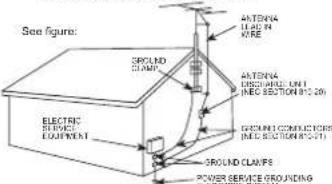
NCA-NATONALC
-
Lightning. - For added protection for this product during a lightning storm, or when it is left unattended and unused for long periods of time, umplug it from the wall outlet and disconnect the antenna or cable system. This will prevent damage to the product due to lightning and power line surges.
-
Power Lines - An outside antenna system should not be located in the vicinity of overhead power lines or other electric light or power circuits, or where it can fall into such power lines or circuits. When installing an outside antenna system, extreme care should be taken to keep from touching such power lines or circuits as contact with them might be fatal.
- Overloading - Do not overload wall outlets, extension coils, or integrals convenience receptacles as this can result in a risk of fire or electric shock.
- Object and Liquid Entry - Never push objects of any kind into this product through openings as they may touch dangerous voltage points or short circuit contacts. Always use a long, sharp object. Never spill liquid of any kind on the product.
- Servicing - Do not attempt to services this product yourself as opening or removing covers may expose you to dangerous voltage or other hazards. Refer all servicing to qualified service personnel.
- Damage Requiring Service - Unplug this product from the wall outlet and refer servicing to qualified repairers.
a) When the power-supply cord or plug is damaged, b) If liquid has been spilled, or objects have fallen off the surface,
c) if the product has been exposed to rain or water, d) if the product does not operate normally by following the operating instructions. Adjust only those controls that are covered by the operating instructions as an improper adjustment of other controls may result in damage and will often require extensive work by a qualified technician to restore the product to its normal operation.
c) If the product has been dropped or damaged in any way, and
f) When the product exhibits a distinct change in performance - this indicates a need for service - Replacement Parts - When replacement parts are required, be sure the service technician has used replacement parts specified by the manufacturer or have the same characteristics as the original part. Unauthorized substitutions may result in fire, electric shock, or other hazards.
- Safety Check - Upon completion of any service or repairs to this product, ask the service technician to perform safety checks to determine that the product is in proper operating condition.
- Wall or Ceiling Mounting - The product should be mounted to a wall or ceiling only as recommended in the manual.
- Heat - The product should be situated away from heat sources such as radiators, heat registers, slowes, or other products (including amplifiers) that produce heat.
Introduction
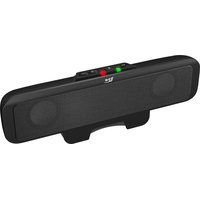
Congratulations on your choice of the iRhythms A-303 speaker system. This self contained desktop speaker system is made for 3rd Generation iPod touch wheel with buttons, 4th Generation iPod with Click Wheel, iPod mini, iPod photo, iPod shuffle and other portable audio sources. The A-303 is powerful enough to fill the room with quality audio performance yet small enough to travel. Enjoy!
The Package
Contents of this system include:
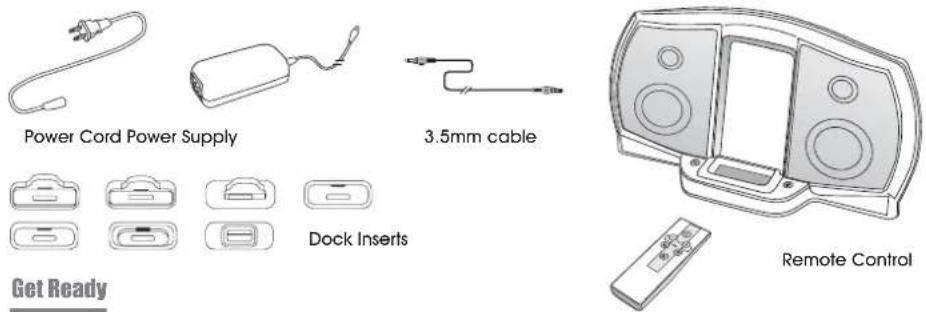
Yes, get ready to enjoy!
Place the system on a firm flat surface.
The drivers in your Rhythms system are shielded and therefore limits the possibility of interference to video and computer monitors. However, it is a good idea to leave a reasonable distance between the speaker system and these devices.
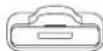
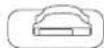
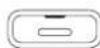
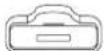
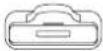
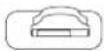
Your next step is to install the proper insert into the "universal dock" located on the front bottom portion of the system. Each insert is marked so choose one which fits your iPod. To install the insert simply let it snap into the connector well.
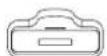
iPod with video (60G)
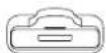
(30G)
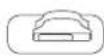
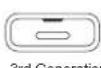
3rd Generation iPod with touch wheel and buttons (30GB and 40GB)
4th Generation iPod with Click Wheel (40GB)
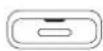
3rd Generation iPod with touch wheel and buttons (10GB, 15GB and 20GB)
4th Generation iPod with Click Wheel (20GB and 30GB)
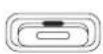
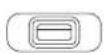
iPod shuffleiPod miniPiPod nanoPiPod with video
Note: iPod nano and ipod video come with their own inserts that also fit into this universal well.
To remove insert guide the screw driver into the insert slot and gently pry it upwards
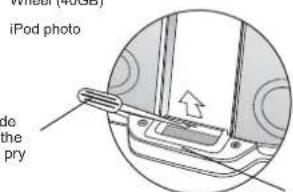
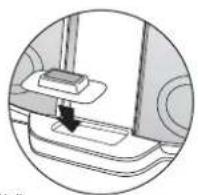
Docking Well
Connections
Plug the power cord into the power supply. The barrel connector at the end of the power supply plugs into the DC jack located at the back of the system. Now, plug the power cord into your AC wall socket or surge protector.
Once again, make sure the correct insert for your iPod is in the "universal dock". Plug your iPod into the connector pin that comes through the well/insert.
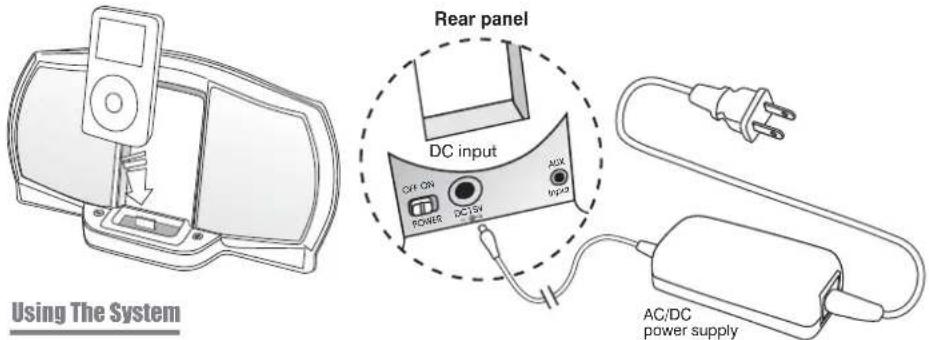
Place the enclosed AAA batteries in to remote control battery compartment. Follow the battery indicators (+ / -) to make sure they are put in correctly.
Before your speaker will function the main power switch on the back of the speaker system has to be turned on. After this switch is turned on the system can be turned on and off with the remote control. NOTE: If the speaker will not be in use for long periods of time it is recommended to turn off the main power switch in the back.
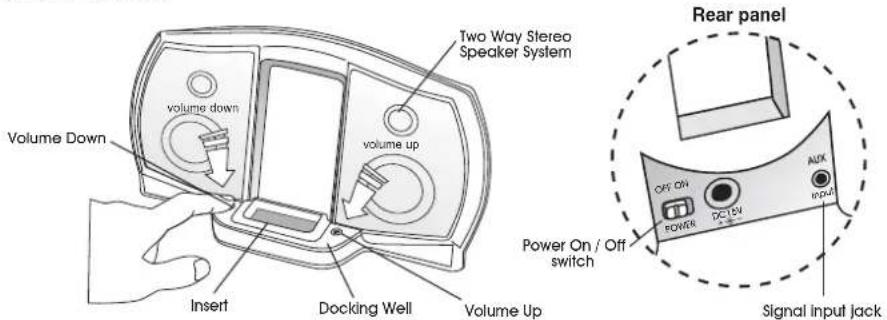
Your iPod can be on or off when you place it into the dock connector. If your iPod is on and a music track is playing you should hear sound immediately. If you don't hear anything recheck that the track is playing and the volume on the system is turned up slightly. The volume can be turned up or down using the remote or the volume + / - buttons on the front of the speaker.
NOTE: To avoid a popping sound make sure the iPod is already turned on when inserting it into the dock connector.
Remote Control
Again, make sure batteries are installed.
Power On/Off
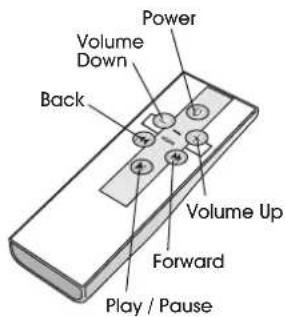
The power button on the remote control will turn the speaker on and off.
An LED light at the dock station will illuminate blue when the system is
turned on
It will turn red when powered off from the remote.
Volume
The volume can be turned up or down by pressing and holding the
+/- buttons on the remote.
Other functions
You can navigate music tracks with the remote if you have a newer iPod that has software version of 2.1
or later.
Remote On/Off for iPod:
The iPod can be turned off by pressing the play/pause button and holding it down. The iPod can be tuned
back on by pressing once on the play/pause button or once on the forward / back buttons.
Play / Pause
Just press the play / pause button once to start or pause the music track.
Rewind and Fast Forward
If you hold down the 山山 buttons the track will rewind or fast forward.
Skip one song forward or one song back
Press the / buttons just once to skip forward to next song or back to the beginning of the current
Connecting to iPod Shuffle or other source
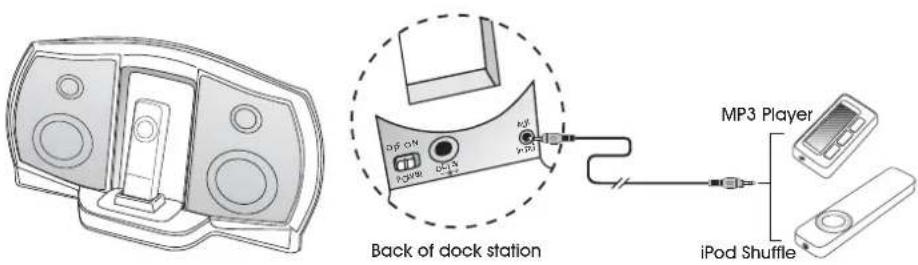
Your speaker system has a 3.5mm input jack located on the back. Just connect the 3.5mm plug cable that comes with the system to the headphone output jack on your iPod shuffle or other music source.
NOTE: The only remote functions that will work with these other sources is the power On / Off and volume up and down. The song navigation features on the remote do not apply to these other devices.
Trouble Shooting
No Power
Main power switch on the back is not turned on.
Power button on the front of the speaker or the remote hasn't been turned on.
- AC power supply is not connected to the power cord or the wall socket.
No Sound
- iPod is not docked properly. Make sure you are using the proper insert that best fits your iPod.
Volume is turned down.
Music track on your iPod is not playing. Check the music isn't paused or in between tracks. - Check and make sure your iPod is running the proper software. 2.1 or later version.
Not Charging and No Sound
- Make sure the iPod is seated properly in the insert / dock and that it is getting good contact to the connector pin.
Remote functions do not work
Make sure you are using good batteries.
Make sure batteries are seated properly.
- If some of the navigation functions do not work it may be because you haven't updated your iPod software. These functions are designed for software version 2.1 or newer.
Warranty
iRhythms warrants to the purchaser that this product shall be free from defects in materials or workmanship for a period of one year from original purchase date. Proof of purchase is required. Please retain your receipt. The warranty registration card should also be filled out completely and immediately returned to iRhythms.
During the warranty period, if this product is found to be defective under normal use and service, iRhythms shall at its option repair or replace it with new or reconditioned product.
This warranty does not cover defects resulting from accidents, abuse, misuse, or unauthorized service. This warranty gives you specific rights. You may have other legal rights which vary from state to state.
To obtain warranty service, return the product with shipping prepaid to iRhythms. iRhythms reserves the right to replace any discontinued product with one of equal value.
Note:
1) For technical support and questions, please contact iRhythms
Tel: 360-823-4100 / Fax: 360-883-4888
2) You can now register your Rhythms product on line through our web site in
lieu of filling out and mailing this card: www.irhythms.com
Einführung
Digital Docking Speaker


iPod with video (60G)
(30G)
iPod with video (60G)
(30G)


- Reglement FCC
- CAUTION:
- ATTENTION:
- IMPORTANT SAFETY INSTRUCTIONS
- Introduction
- The Package
- Connections
- Remote Control
- Power On/Off
- Volume
- Other functions
- Play / Pause
- Connecting to iPod Shuffle or other source
- Trouble Shooting
- No Power
- No Sound
- Not Charging and No Sound
- Remote functions do not work
- Warranty
- Note:
- Einführung
Brand : Cyber Acoustics
Model : iRhythms A303
Category : Loudspeaker