 ManualGo.com
35910 - Air Conditioning LG - Free user manual and instructions
Find the device manual for free 35910 LG in PDF.


Download the instructions for your Air Conditioning in PDF format for free! Find your manual 35910 - LG and take your electronic device back in hand. On this page are published all the documents necessary for the use of your device. 35910 by LG.
USER MANUAL 35910 LG
Important Safety Instructions
Installation Requirements
Capacity and Running Time
How to Remove the Front Grille
How to Replace the Front Grille
Before Calling for Service
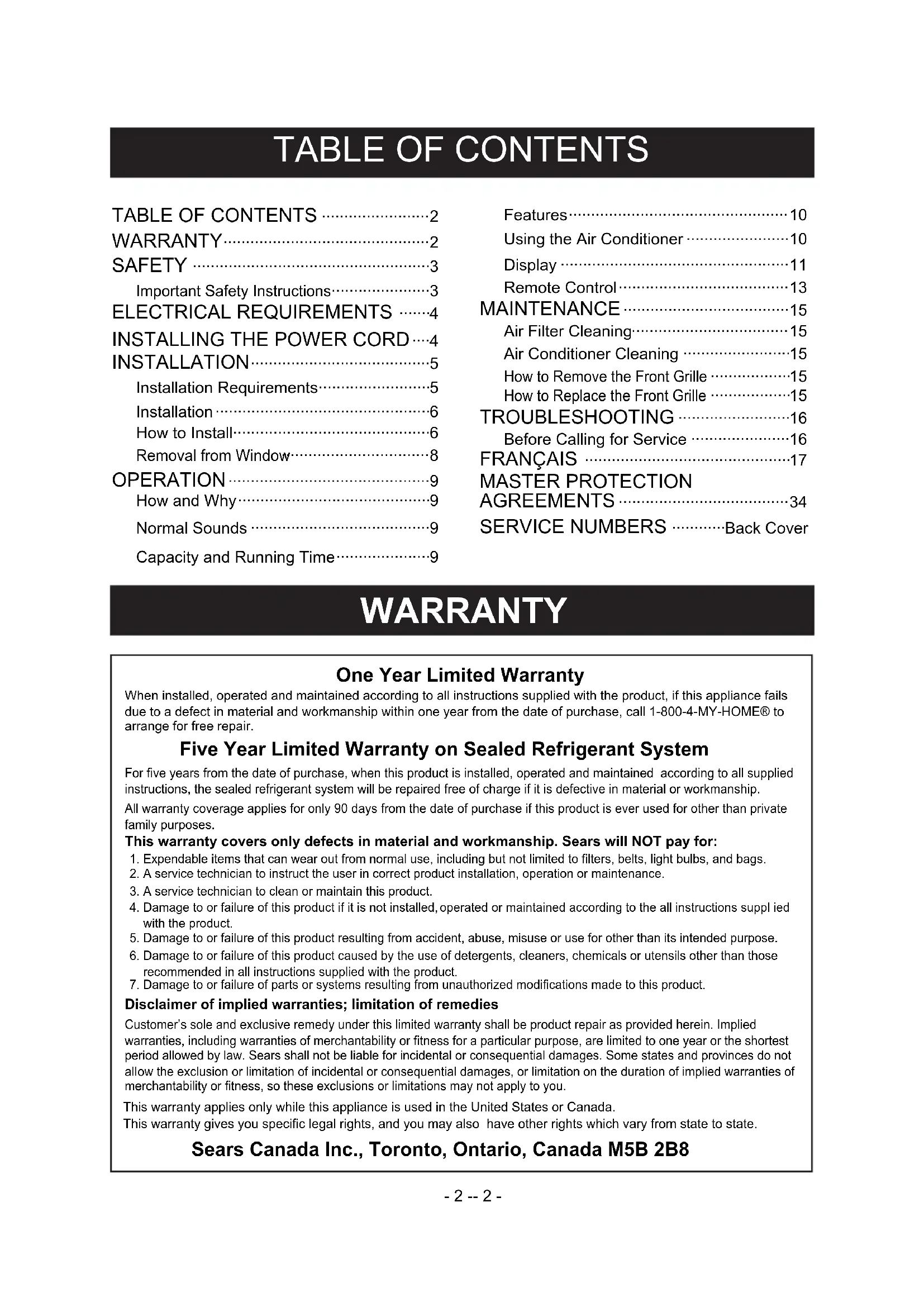
Back Cover WARRANTY One Year Limited Warranty When installed, operated and maintained according to all instructions supplied with the product, if this appliance failsdue to a defect in material and workmanship within one year from the date of purchase, call 1-800-4-MY-HOME® to arrange for free repair. Five Year Limited Warranty on Sealed Refrigerant System For five years from the date of purchase, when this product is installed, operated and maintained according to all supplied instructions, the sealed refrigerant system will be repaired free of charge if it is defective in material or workmanship. This warranty covers only defects in material and workmanship. Sears will NOT pay for: 1. Expendable items that can wear out from normal use, including but not limited to filters, belts, light bulbs, and bags. Customer’s sole and exclusive remedy under this limited warranty shall be product repair as provided herein. Implied warranties, including warranties of merchantability or fitness for a particular purpose, are limited to one year or the shortest period allowed by law. Sears shall not be liable for incidental or consequential damages. Some states and provinces do not all ow the exclusion or limitation of incidental or consequential damages, or limitation on the duration of implied warranties of merchantability or fitness, so these exclusions or limitations may not apply to you. Sears Canada Inc., Toronto, Ontario, Canada M5B 2B8 All warranty coverage applies for only 90 days from the date of purchase if this product is ever used for other than private family purposes.2. A service technician to instruct the user in correct product installation, operation or maintenance.3. A service technician to clean or maintain this product. 4. Damage to or failure of this product if it is not installed, operated or maintained according to the all instructions suppl ied with the product. 5. Damage to or failure of this product resulting from accident, abuse, misuse or use for other than its intended purpose. 6. Damage to or failure of this product caused by the use of detergents, cleaners, chemicals or utensils other than those recommended in all instructions supplied with the product.7. Damage to or failure of parts or systems resulting from unauthorized modifications made to this product. Disclaimer of implied warranties; limitation of remedies This warranty applies only while this appliance is used in the United States or Canada. This warranty gives you specific legal rights, and you may also have other rights which vary from state to state.SAFETY
The safety instructions below will tell you how to use your room air conditioner to avoid harm to yourself or damage to your ROOM AIR CONDITIONER.
Do not store or use gasoline or other flammable vapors and liquids in the vicinity of this or any other appliance. Read product labels for flammability and other warnings. PREVENT ACCIDENTS To reduce the risk of fire, electrical shock, or injury to persons when using your air conditioner, follow basic precautions, including the following:
- Be sure the electrical service is adequate for the model you have chosen.
- If the air conditioner is to be installed in a window, you will probably want to clean both sides of the glass first. If the window is a triple-track type with a screen panel included, you may want to remove the screen completely before installation.
- Be sure the air conditioner has been securely and correctly installed according to the separate installation instructions provided with this manual. Save this manual and installation instructions for possible future use in removing or reinstalling this unit.
- Use gloves when handling the air conditioner. Be careful to avoid cuts from sharp metal fins on front and rear coils. ELECTRICAL INFORMATION The complete electrical rating of your new room air conditioner is stated on the serial plate. Refer to the rating when checking the electrical requirements.
- Be sure the air conditioner is properly grounded. To minimize shock and fire hazards, proper grounding is important. The power cord is equipped with a three-prong grounding plug for protection against shock hazards.
- Your air conditioner must be plugged into in a properly grounded wall receptacle. If the wall receptacle you intend to use is not adequately grounded or protected by a time delay fuse or circuit breaker, have a qualified electrician install the proper receptacle.
- Do not run air conditioner with a protective covering. This could result in mechanical damage within the air conditioner.
- Do not use an extension cord or an adapter plug.
- The capacity of the room air conditioner must fit the room size for efficient and satisfactory operation.
- Install the room air conditioner on the shady side of your home. A window that faces north is best because it is shaded most of the day.
- Do not block air conditioner flow inside with blinds, curtains, or furniture, or outside with shrubs, enclosures, or other buildings.
- Close the floor and wall registers and the fireplace damper so cool air does not escape up the chimney or into the duct work.
- Keep blinds and drapes in other windows closed during the sunniest part of the day.
- Clean the air filter as recommended in the MAINTENANCE section of this manual.
- Proper insulation and weather stripping in your home will help keep warm air out and cool air in.
- External house shading with trees, plants or awnings will help reduce the air conditioner's work load.
- Operate heat producing appliances such as ranges, washers, dryers, and dishwashers during the coolest part of the day. 3-prong grounding plug Reset Test Ground prong Power supply cord 3-prong grounding type wall receptacle Avoid fire hazard or electric shock. Do not use an extension cord or an adapter plug. Do not remove any prong from the power cord.ELECTRICAL REQUIREMENTS
Fasten the stopper using 1 screw holes, and lead out the power cord through slit "A". Fasten the stopper using left screw hole, and rotate properly to lead the power cord out through slit "B".
USING SLIT "A" USING SLIT "B"
You can choose between two methods below according to your window stool shape and preference.
APPLIANCE. For 230/208 volt 60 Hz, AC only, 15A fused and properly grounded electrical supply is required. A time delay fuse or time delay circuit breaker is recommended. Use a dedicated circuit, serving only this appliance. DO NOT USE AN EXTENSION CORD.
RECOMMENDED GROUNDING METHOD
For your personal safety, this appliance must be grounded. This appliance has a power supply cord with a 3-prong grounding plug. To minimize possible shock hazard, the cord must be plugged into a mating grounding type wall receptacle and grounded in accordance with the National Electrical Code (ANSI/NFPA 70) latest edition and all local codes and ordinances. If a mating wall receptacle is not available, it is the personal responsibility and obligation of the customer to have a properly grounded 3-prong wall receptacle installed by a qualified electrician. 115V~ 230V~ Power cord may include a current interrupter device. A test and reset button is provided on the plug case. The device should be tested on a periodic basis by first pressing the TEST button and then the RESET button. If the TEST button does not trip or if the RESET button will not stay engaged, discontinue use of the air conditioner and contact a qualified service technician.Electrical Shock HazardPlug into a grounded 3 prong outlet.Do not remove ground prong.Do not use an adapter.Do not use an extension cord.Failure to follow these instructions can result in death, fire, or electrical shock. Use Wall Receptacle Power Supply Standard 125V, 3-wire groundingreceptacle rated 15A, 125V ACStandard 250V,3-wire groundingreceptacle rated 15A, 250V ACUse 15 AMP. timedelay fuse or 15 AMP.circuit breaker.Use 20 AMP. timedelay fuse or 20 AMP.circuit breaker.Standard 250V, 3-wire groundingreceptacle rated 20A, 250V AC NOTE: The shape may be different according to its model.INSTALLATION
ENGLISH INSTALLATION REQUIREMENTS Your air conditioner will install into standard double hung windows with actual clear opening widths of 27 to 39 inches (686mm to 990mm) (FIG. 1). Lower sash must open sufficiently to allow a clear vertical opening of 16 inches (406mm). Side louvers and the rear of the air conditioner must have clear air space to allow enough airflow through the condenser for heat removal. The rear of the unit must be outdoors, not inside a building or garage. ELECTRICAL SERVICE Check your available electrical service. The power supply available must be the same as that shown on the unit nameplate (found on right side of cabinet). All models are equipped with a 3-prong service plug to provide proper service and safe positive grounding. Do not change plug in any way. Do not use an adapter plug. If your present wall outlet does not match your plug, call a qualified electrician to make the necessary corrections. SAVE CARTON and this OWNER'S MANUAL for future reference. The carton is the best way to store unit during winter or when not in use. INSTALLATION HARDWARE 686mm to 990mm406mmInner sillOffsetWindow Sill ExteriorInterior wall Sash FIG. 1 FIG. 2 To avoid risk of personal injury, property damage, or product damage due to the weight of this device and sharp edges that may be exposed:
- Air conditioners covered in this manual pose an excessive weight hazard. Two or more people are needed to move and install the unit. To prevent injury or strain, use proper lifting and carrying techniques when moving unit.
- Carefully inspect location where air conditioner will be installed. Be sure it will support the weight of the unit over an extended period of time.
- Handle air conditioner with care. Wear protective gloves whenever lifting or carrying the unit. AVOID the sharp metal fins of front and rear coils.
- Make sure air conditioner does not fall during installation. CAUTION
E F G H I B C D REQUIRED TOOLS:
- Tight Fitting gloves
- Standard screwdriver
- Phillips screwdriver
- 3/8-inch open end wrench or adjustable wrench
- 1/4-inch hex socket and ratchet
ITEM NAME OF PARTS Q'TY
E SCREW: 25/64" 13 F SCREW: 5/8" 3 G SCREW: 5/8" 5
INSTALLATION Pick a location which will allow you to blow the cold air into the area you want. Windows used for installation must be strong enough to support the weight of the air conditioner. Good installation with special attention to the proper position of the unit will lessen the chance that service will be needed. When cooling more than one room, installation location is very important. To cool your rooms, cold air must be blown from the air conditioner in a straight path.
If the air conditioner is blocked by a storm window frame, see step 19 on page 8 before beginning to install. Remove the screws which fasten the cabinet at both sides and at the back. Save side screws. Discard back screws. Slide the unit out of the cabinet by gripping the base pan handle and pull forward while bracing the cabinet. Cut the FOAM SEAL (ITEM I) to fit the underside of the window sash. Peel off the backing and attach the FOAM SEAL as shown in Fig. 5. Insert the side curtain (ITEM A) into the upper guide and lower guide of the air conditioner. Fasten the curtains to the unit with screws (ITEM E). Open the window. Mark a line on center of the window inner sill. Carefully place the cabinet on the window inner sill and align the center of cabinet front with the center line marked in the window inner sill. Pull the bottom window sash down behind the upper guide until they meet. NOTE: Do not pull the window sash down so tightly that the movement of side curtain is restricted. Loosely assemble the sill supports using the parts in FIG. 9.
INSTALLATION Select the position that will place the sill supports near the outermost point on sill (FIG. 10). Attach the sill supports to the cabinet track hole closest to the selected position using screw (ITEM E). Place the sill supports with the cabinet on the window sill's selected position. The cabinet should be installed with a very slight tilt (about 1/4") downward toward the outside (FIG. 11). Adjust the bolts and the nuts of sill supports to level the cabinet. Attach the cabinet to the inner sill by driving the screws (ITEM F) through the Lower Guide into the window inner sill (FIG. 12). Pull each side curtain fully to each side of window opening. Attach each side curtain to the window sash using screws (ITEM G). (FIG. 13) Attach the L BRACKET (ITEM J) with screw (ITEM G). (FIG. 14) DRAINAGE Be sure to insert the drain pipe into base pan before installation. The air conditioner must be installed with a slight tilt (1/4") downward to the outside for proper drainage of excess condensed water through the drain pipe. (FIG. 15) Slide the chassis into the cabinet. (FIG. 16) CAUTION: For security purposes, reinstall side screws you removed in step 1. Cut the foam strip (ITEM H) to the proper length and insert between the upper window sash and the lower window sash. (FIG. 17) The vent control handle must be straightened before the decorative front is attached. Pull out part to align with part . Part
FRONT INSTALLATION Install the front grille(packed separately) onto the cabinet as follows:
- Hook upper tabs of front grille into slots on the cabinet top. (FIG. 19)
- Push front grille's tips towards the cabinet in order to snap side tabs into the cabinet. (FIG. 19)
- Open the inlet grille. (FIG. 20)
- Install the screw (ITEM E) through the front grille. (FIG. 20)
If storm window presents interference, fasten a 2" wide wood strip to the inner window sill across the full width of the sill. The wood strip should be thick enough to raise the height of the window sill so that the unit can be installed without interference from the the storm window frame. See FIG. 22. Top of wood strip should be approximately 3/4" higher than the storm window frame to help condensation to drain properly to the outside.
Install a second wood strip (approximately 6" long by
" wide and same thickness as first strip) in the center of the outer sill flush against the back of the inner sill. Screw the L brackets into this strip. This will raise the L bracket as shown in FIG. 22.
- Turn off and unplug the air conditioner.
- Remove the front grille. See HOW TO REMOVE THE FRONT GRILLE. Refer to page 13.
- Unscrew the side screws that you installed in Step 15.
- Slide the air conditioner out of the cabinet. BE CAREFUL NOT TO DROP IT. Hold onto it firmly the whole way sliding it out. Once removed, set it safety out of the way.
- Remove the L bracket from window frame and the sash seal from between the windows.
- Unscrew the side curtains from the window frame. Fold them back to the sides of the cabinet.
- Remove screws attaching cabinet to inner sill. Be careful not to let cabinet fall once screws are removed.
- Remove cabinet from window opening.
- Place air conditioner into cabinet. Reinstall side screws and Front Grille.
- Place unit and all assembly hardware in air conditioner shipping carton, and store in clean, dry place. ITEM EInlet grille FIG. 19 Front Installation INNER SILL WOOD STRIP MOUNTEDON TOP OF INNER SILLWOOD STRIP FOR
BRACKETL BRACKET3/4"CLEARANCE1 1/2" min.(38mm)STORMWINDOWFRAMEOUTSIDEINSIDEOUTER SILL FIG. 22 FIG. 20 Front Installation Front Installation FIG. 21
- Air conditioners covered in this manual pose an excessive weight hazard. Two or more people are needed to move and install the unit. To prevent injury or strain, use proper lifting and carrying techniques when moving unit.
- When handling the air conditioner, be careful to avoid cuts from sharp metal fins on front and rear coils.
- Make sure air conditioner does not fall during removal. CAUTION
Your room air conditioner provides the following functions to make hot weather living more comfortable:
- Cools and circulates room air.
- Lowers humidity by removing excess moisture.
- Filters out summertime dust, dirt, and some airborne impurities. The air conditioner performs these functions by drawing room air through a filter which traps dust and dirt particles. The air then passes over a cooling coil which refrigerates the air and removes excess moisture. The same air is then returned to the room– cooler, drier, and cleaner. Moisture removed from the room air is carried to the outside and evaporated. Your air conditioner is designed to be easy to operate and to provide plenty of cooling power. NORMAL SOUNDS FIG. 23 Aside from the regular fan motor and compressor sounds coming from your air conditioner, you will once in a while hear a pinging sound. This is the result of moisture being picked up from the air in the room and thrown against the air conditioner's fan. This is normal and should not be cause for concern. Also, do not be alarmed if you hear a slight hissing or gurgling sound coming from your air conditioner after it is off. These are normal coolant noises.
CAPACITY AND RUNNING TIME
Proper unit size is important in deciding the desired comfort for the area you want to cool. An undersized unit will not have the capability to cool, leaving the area uncomfortably warm. The proper size is determined by the number of square feet in the area to be cooled, indoor and outdoor temperature and humidity. Whenever the heat or humidity load is above normal the air conditioner must run longer and more often to keep the desired temperature you have selected, Under heavy heat load conditions the air conditioner may need to run constantly to keep the temperature you want. At times using the MED FAN setting to circulate the room air may make it comfortable even though the air is not being cooled. This will decrease your cost of use. Fan You may hear airmovement fromthe fan.CondenserYou may hear droplets of water hittingthe condenser causing a pinging orclicking sound.Unit VibrationThe unit may vibrateand make noisebecause of poor wallor window construction.CompressorThe modern high efficiencycompressor may have a highpitched hum or pulsatingnoise that cycles on and off. OPERATION
To reduce the risk of fire, electric shock, or injury to persons, read the important SAFETY instructions section before operating this appliance To begin operating the air conditioner after installation, follow these steps:
1. Plug in the air conditioner. (To prevent electrical
hazards, do not use an extension cord or an adapter plug.)
2. Set the exhaust vent to the CLOSE position.
3. Set the TEMP Control to the coolest setting.
4. Set the MODE control at the highest COOL level.
5. Adjust the louvers for comfortable air flow.
6. Once the room has cooled, adjust the TEMP and
Mode Control to the setting you find most comfortable. NOTE : If the air conditioner is turned off, wait 3 minutes before restarting. This allows pressure inside the compressor to equalize. Failure to wait 3 minutes before restarting may cause inefficient operation. If you move the TEMP Control to a warmer, then immediately back to a cooler setting, the unit will shut off. Wait 3 minutes before restarting.
VENT CONTROL The Vent Control allows the air conditioner to either recirculate inside air (CLOSE) or exhaust air to the outside (OPEN). (FIG. 25)
- The CLOSE position is used when maximum cooling is desired. It may also be used for air recirculation without cooling when the air conditioner is set in the FAN position.
- The OPEN position removes stale air from the room and exhausts it to the outside. Fresh air is drawn into the room through your home's normal air passages.
- The OPEN or CLOSE position can be used with any fan selection.
REMOTE CONTROL SIGNAL
RECEIVER POWER TEMPERATURE SETTING FAN SPEED TIMER OPERATION The timer can be used to either turn on or turn off the air conditioner:- Timer function for turning ON the air conditioner:• With the POWER off, press the timer button to the number of hours when you want• The air conditioner to come on. If it is 7 am and you want the unit to come on at 9 am• Press the timer button twice so that a '2' shows up in the control panel window. The unit will come on in 2 hours. You do not need to press the POWER button to turn on the unit. The timer function will turn it on automatically in 2 hours.- Timer function for turning OFF the air conditioner:• This function will work only when the unit is already running and powered on. Select the number of hours you want to shut off time. If it is 10 pm at night and you want the unit to shut off at 12 am (midnight), press the timer button twice so that a '2' shows up in the control panel window. The unit will shut off in 2 hours.
- The timer function can be set in 1 hour increments up to 12 hours. That means you can set the unit to come on in 12 hours which is the maximum delay time, or you can enter the number of hours (maximum 12 hours) until the unit will shut off.
- The delay timer functions to either turn on in a certain number of hours or turn off in a certain number of hours by manually inputting the number of hours. MODE - Every time you push this button, it will shift among COOL, ENERGY SAVER and FAN.- ENERGY SAVER:• The fan stops when the compressor stops cooling.Approximately every 3 minutes the fan will turn on and check the room air to determine if cooling is needed.• Every time you push this button, it advances the setting as follows: {High → Low → Med → High}• This button can automatically control the temperature of the room. The temperature can be set within a range of 16°C to 30°C by increments of 1°C.
To turn the air conditioner ON, push the button. To turn the air conditioner OFF, push the button again. This button takes priority over any other button. When you first turn it on, the air conditioner is on the High cool mode and the Temp. at 22°C. AUTO RESTART In failure of electric power, the unit runs as previous setting operation.OPERATION
The horizontal air direction is adjusted by moving the vertical louvers right and left with your fingertips. (FIG. 26)
VERTICAL AIR DIRECTION CONTROL
The vertical air direction is adjusted by moving the horizontal louvers up and down with your fingertips. (FIG. 27) FIG. 26 FIG. 27OPERATION
ENGLISH REMOTE CONTROL NOTE: The Remote Control will not operate properly if strong light shines on the sensor window of the Air Conditioner or if there are obstacles between the Remote Control and the Air Conditioner.Every time you push button, you will hear a beep from the Air Conditioner. TEMPERATURE SETTING
- This button can automatically control the temperature of the room. The temperature can be set within a range of 16°C to 30°C by increments of 1°C. POWER MODE - Every time you push this button, it will shift among COOL, ENERGY SAVER and FAN. ENERGY SAVER• The fan stops when the compressor stops cooling. Approximately every 3 minutes the fan will turn on and check the room air to determine if cooling is needed. FAN SPEED
- Every time you push this button it advances the setting as follows:(High → Low → Med → High)AutoSwingPOWER TEMP FAN SPEED TIMER MODE TIMER OPERATION The timer can be used to either turn on or turn off the air conditioner:- Timer function for turning ON the air conditioner:• With the POWER off, press the timer button to the number of hours when you want• The air conditioner to come on. If it is 7 am and you want the unit to come on at 9 am.• Press the timer button twice so that a '2' shows up in the control panel window. The unit will come on in 2 hours. You do not need to press the POWER button to turn on the unit. The timer function will turn it on automatically in 2 hours.- Timer function for turning OFF the air conditioner: • This function will work only when the unit is already running and powered on.Select the number of hours you want to shut off time. If it is 10 pm at night and you want the unit to shut off at 12 am (midnight), press the timer button twice so that a '2' shows up in the control panel window. The unit will shut off in 2 hours.• The timer function can be set in 1 hour increments up to 12 hours. That means you can set the unit to come on in 12 hours which is the maximum delay time, or you can enter the number of hours (maximum 12 hours) until the unit will shut off. • The delay timer functions to either turn on in a certain number of hours or turn off in a certain number of hours by manually inputting the number of hours. • To turn the air conditioner ON, push the button. To turn the air conditioner OFF, push the button again. This button takes priority over any other button.When you first turn it on, the air conditioner is on the High cool mode and the Temp. at 22°C.OPERATION
1. Remove the cover from the back of the remote
- Open the cover according to the arrow direction on the cover.
2. Insert two batteries.
- Be sure that the (+) and (-) directions are correct.
- Be sure that both batteries are new.
3. Re-attach the cover.
- Do not use rechargeable batteries. Such batteries differ from standard dry cells in shape, dimensions, and performance.
- Remove the batteries from the remote controller if the air conditioner is not going to be used for an extended length of time. HOW TO INSERT BATTERIES INTO REMOTE CONTROLENGLISH
The Air Filter will become dirty as it removes dust from the inside air. It should be washed at least every 2 weeks. If the Air Filter remains full of dust, the air flow will decrease and the cooling capacity will be reduced, possibly damaging the unit.
- Pull the inlet grille forward, grasping both tabs, then pull out the air filter. (FIG. 28)
- Wash the Air Filter under the faucet with warm water. Be sure to shake off all the water before replacing the filter. (FIG.29)
AIR CONDITIONER CLEANING
Clean the front grille and inlet grille by wiping with a cloth dampened in a mild detergent solution. (FIG. 30) The cabinet may be washed with mild soap or detergent and lukewarm water, then polished with liquid appliance wax. To ensure continued peak efficiency, the condenser coils (outdoor side at the unit) should be checked periodically and cleaned if they become clogged with soot or dirt from the atmosphere. Brush or vacuum exterior coils to remove debris from fins.
- Open the inlet grille downward.
- Remove the screw securing the Front Grille.
- Push the grille up from the bottom and pull the top of the grille away from the case to lift the top tabs out of their slots.
FRONT GRILLE Attach the front grille to the cabinet by inserting the tabs on the grille into the slots on the front of the cabinet. Push the grille in until it snaps into place. Inlet GrilleFront Grille MAINTENANCE FIG. 28 FIG. 29 FIG. 31 FIG. 32 FIG. 30TROUBLESHOOTING
Check the following list to be sure a service call is really necessary. A quick reference to this manual may help you avoid an unneeded service call. THE AIR CONDITIONER WILL NOT OPERATE. Check if... Then... AIR FROM UNIT DOES NOT FEEL COLD ENOUGH. Check if... Then... THE AIR CONDITIONER COOLING, BUT ROOM IS TOO WARM – ICE FORMING ON COOLING COIL BEHIND FRONT GRILLE. Check if... Then... THE AIR CONDITIONER COOLING, BUT ROOM IS TOO WARM . Check if... Then... THE AIR CONDITIONER TURNS ON AND OFF RAPIDLY. Check if... Then... NOISE WHEN UNIT IS COOLING. Check if... Then... WATER DRIPPING INSIDE ROOM WHEN UNIT IS COOLING. Check if... Then... WATER DRIPPING OUTSIDE WHEN UNIT IS COOLING. Check if... Then... Wall plug disconnected. Push plug firmly into wall outlet.House fuse blown or circuit breaker tripped. Replace fuse with time delay type or reset circuit breaker.Power is OFF. Push the power button.Unit was turned off and then on too quickly. Set unit off and wait 3 minutes before restarting.TEMP Control set warmer than room temperature. Set TEMP Control to lower temperature.FAN SPEED set at LOW. Push FAN SPEED button to set at HI.TEMP Control set too warm. Set TEMP Control to lower temperature. Room temperature below 70°F (21°C). Cooling may not occur until room temperature rises above 70°F (21°C) Temperature sensing tube touching evaporator coil, Straighten tube away from evaporator coil.located behind front grille. Outdoor temperature below 70°F (21°C) To defrost the coil, set the MODE to FAN. Air filter may be dirty. Clean air filter. Refer to Maintenance section of owner's manual. TEMP Control set too cold for night-time cooling. To defrost the coil, set the MODE to FAN or "High Cool" with the TEMP control to higher temperature
Dirty air filter – air restricted. Clean air filter. Refer to Maintenance section of owner's manual. TEMP Control set too warm. Set TEMP Control to lower temperature.Front of unit is blocked by drapes, blinds, furniture, etc. Clear blockage in front of unit.Air distribution is restricted.Doors, windows, registers, etc. open. Cold air escapes. Close doors, windows, registers, etc.Unit recently turned on in hot room. Allow additional time to remove stored heat from walls, ceiling, floor, and furniture.Outside temperature is extremely hot. Set FAN SPEED on HI to bring air past cooling coils faster.Sound of fan hitting water from the moisture removal system. This is normal when humidity is high. Close doors, windows, and registers. Window vibration – poor installation. Refer to installation instructions or check with installer. The air conditioner is improperly installed. Tilt air conditioner slightly to the outside to allow water drainage. Refer to installation instructions or check with installer. The unit is removing large quantities of moisture This is normal during excessively humid days. from humid room. The current interrupter device is triped Press the RESET button located on the power cord plug If the RESET button will not stay engaged, discontinue use of the air conditioner and contact a qualified service technician.TABLE OF CONTENTS
L’appareil élimine une quantité importante d’humidité de la pièce. Ceci est normal les jours particulièrement humides.NOTE FRANÇAIS - 32 -NOTE - 33 -- 34- Master Protection Agreements Congratulations on making a smart purchase. Your newKenmore product is designed and manufactured for years of dependable operation. But like all products, it may require preventive maintenance or repair from time to time. That's when having a Master ProtectionAgreement can save you money and aggravation. The Master Protection Agreement also helps extend the life of your new product. Here's what the Agreement* includes: Unlimited service calls and nationwide service, as often as you want us, whenever you want us. "No-lemon" guarantee - replacement of your covered product if four or more product failures occur within twelve months. Product replacement if your covered product can't be fixed. Annual Preventive Maintenance Check at your request - no extra charge. Fast help by phone Power surge protection against electrical damage due to power fluctuations. Rental reimbursement if repair of your covered product takes longer than promised. Once you purchase the Agreement, a simple phone call is all that it takes for you to schedule service. You can call anytime day or night, or schedule a servi
Parts and labor needed to help keep products operating properly under normal use, defects. Our coverage goes well beyond the product warranty. No deductibles, no functional failure excluded from coverage— real protection. not just Expert service by a force of more than 10,000 authorized Sears service technicians , which means someone you can trust will be working on your product. – we call it Rapid Resolution – phone sup port from a Sears representative on all products. Think of us as a “talking owner’s manual.” $250 Food Loss Protection annually for any food spoilage that is the result of mechanical failure of any covered refrigerator or freezer. 10% discount off the regular price of any non- covered repair service and related installed parts. The Master Protection Agreement is a risk free purchase. If you cancel for any reason during the product warran
period, we will provide a full refund. Or, a prorated refu
anytime after the product warranty period expires. Purchase your Master Protection Agreement today! Some limitations and exclusions appl
For prices and additional information in the U.S.A. call 1-800-827-665
- Coverage in Canada varies on some items. Fo
Sears Installation Service For Sears professional installation of home appliances, garage door openers, water heaters, and other major home items, in the U.S.A. or Canada call
Marque déposée de Sears Brands, LLC © Sears Brands, LLC Get it fixed, at your home or ours! Your Home For repair – in your home – of all major brand appliances, lawn and garden equipment, or heating and cooling systems, no matter who made it, no matter who sold it! For the replacement parts, accessories and owner’s manuals that you need to do-it-yourself. For Sears professional installation of home appliances and items like garage door openers and water heaters.