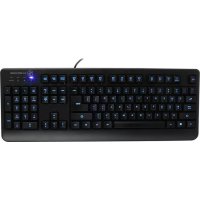
IKON GKB703L - Keyboard IOGEAR - Free user manual and instructions
Find the device manual for free IKON GKB703L IOGEAR in PDF.



| Product type | Wired gaming keyboard |
| Connectivity | USB 2.0 |
| Backlight | 3-color LED (Aqua, green, blue) |
| Adjustable brightness | Yes (Fn+PageUp/PageDown) |
| Relaxed mode (breathing) | Yes, after 1 minute of inactivity |
| Anti-ghosting | 26 simultaneous keys |
| Water resistance | Yes, with 10 drainage holes |
| Foldable legs | Yes, to adjust typing angle |
| Key structure | POM piston membrane |
| Key finish | Matte, oil-resistant, UV coating |
| Shortcut keys | 12 keys (Fn+F1 to F12) |
| WASD swapping | Yes (Fn+W) |
| Windows key lock | Yes (Fn+Win) |
| Full keyboard lock | Yes (Fn+11) |
| Compatible operating systems | Windows Vista, 7, 8, 8.1 |
| Power supply | Via USB (5V) |
| Warranty | 3-year limited |
| Package contents | Keyboard, quick start guide, warranty card |
| Brand | IOGEAR |
| Model | IKON GKB703L |
Frequently Asked Questions - IKON GKB703L IOGEAR
User questions about IKON GKB703L IOGEAR
0 question about this device. Answer the ones you know or ask your own.
Ask a new question about this device
Download the instructions for your Keyboard in PDF format for free! Find your manual IKON GKB703L - IOGEAR and take your electronic device back in hand. On this page are published all the documents necessary for the use of your device. IKON GKB703L by IOGEAR.
USER MANUAL IKON GKB703L IOGEAR
Welcome to Kaliber Gaming
Congratulations! You are now officially a new owner of Kaliber Gaming's IKON™ Gaming Keyboard with 3-color Backlight. Designed for gamers, IKON offers an array of functions that will increase your gaming skills. The tactile feedback from the POM plunger membrane structure inside each keycap and the oil resistant matte finish keys with UV surface treatment are just two of the features that instantly provide you a better overall IKON™ experience. Customize your IKON™ by adjusting the LED backlight, swapping W, A, S, D keys functions, locking the Windows key and/or all keys, and many more! Please take your time following through the operation guidelines and enjoy your new IKON™.
Package Contents
1 x IKON™ Gaming Keyboard
1 x Quick Start Guide
1 x Warranty Card
Requirements
- Windows Vista®, Windows® 7, Windows® 8, Windows® 8.1
- USB port
Hardware Installation
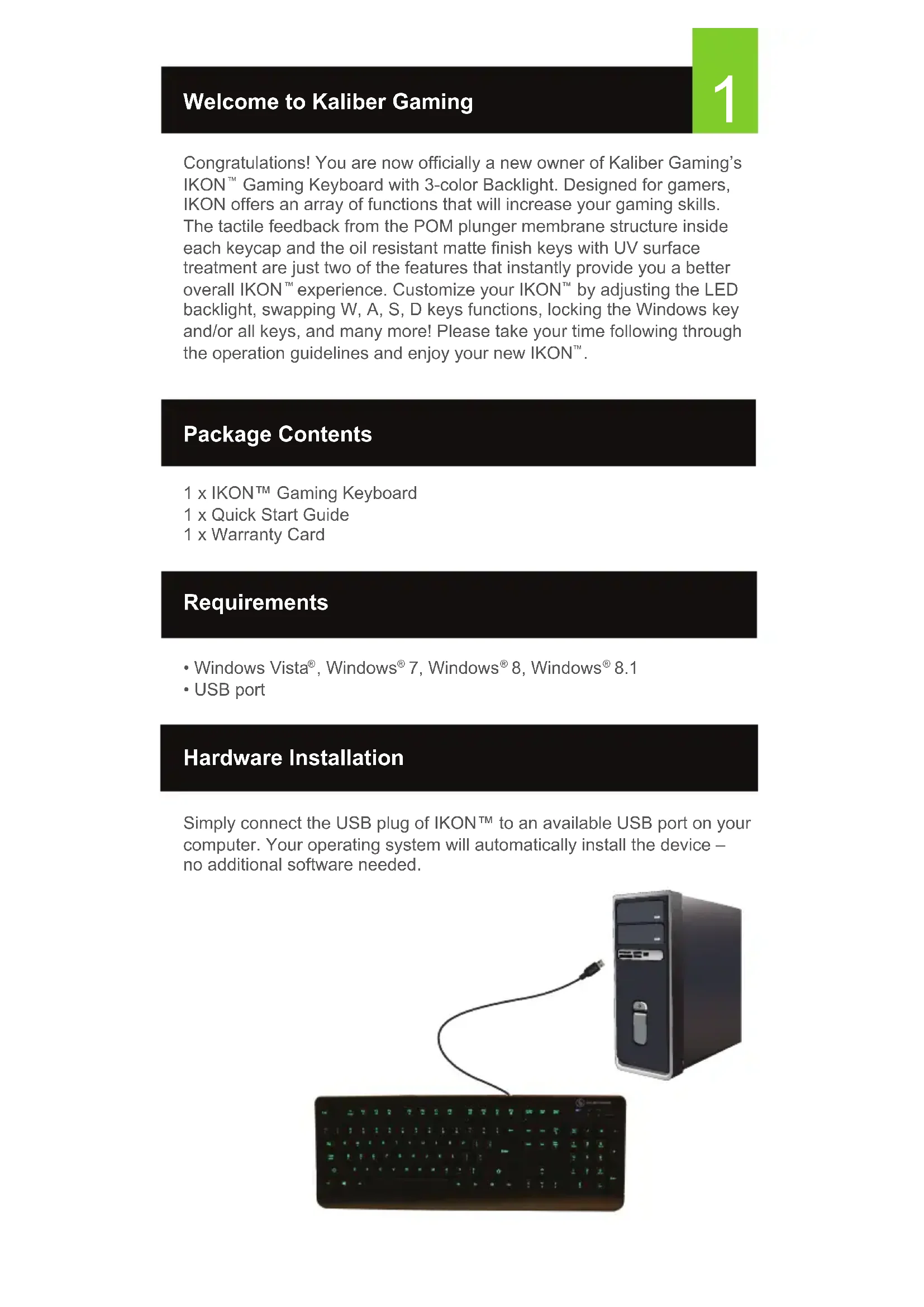
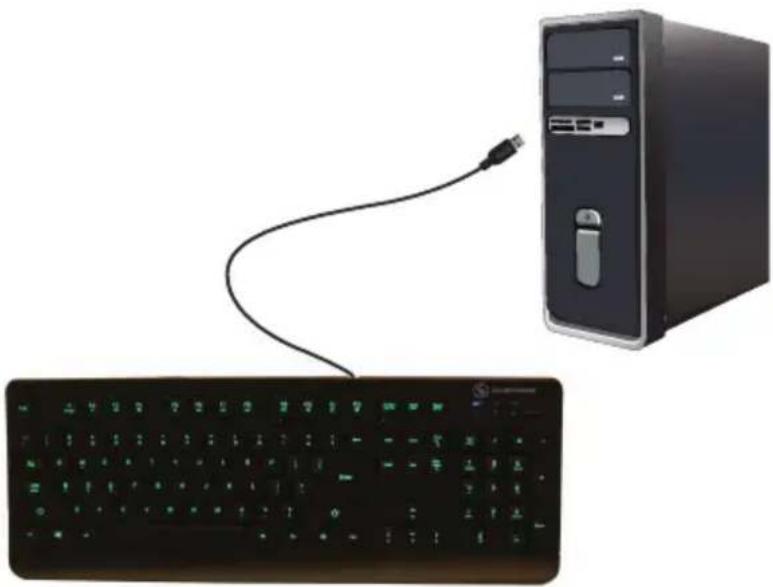
Simply connect the USB plug of IKON™ to an available USB port on your computer. Your operating system will automatically install the device – no additional software needed.
natural_image
Computer setup with a desktop tower connected to a keyboard and a USB cable (no text or symbols visible)Keyboard - Front View
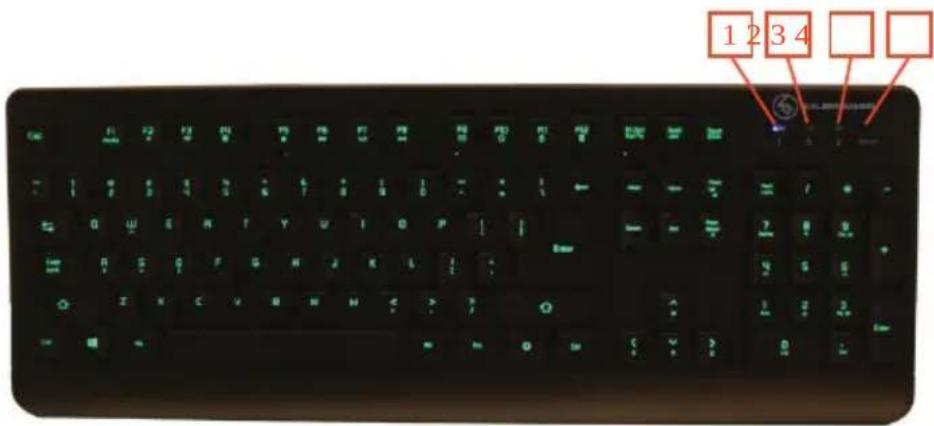
- Num Lock LED – turns on when Num Lock key is pressed
- Caps Lock LED – turns on when Caps Lock key is pressed
- Scroll Lock LED – turns on when Scroll Lock key is pressed
- W/Lock LED - turns on when Fn + is pressed
Windows Key Lockout
The Windows key lockout prevents the Windows menu from popping up and interfering with your game if accidentally pressed while gaming.
Press Fn + ■ key to lockout the Windows menu function. The W/Lock LED will light up to confirm the Windows key is locked out. Press Fn + ■ again to unlock the Windows key.
All-Keys Lockout
If you take a break from gaming but wish to leave your system running, you can lock your keyboard to prevent unwanted keystrokes while away.
Press Fn + 11 to lock the keys, and press Fn + 11 again to unlock.
WASD Key Swap
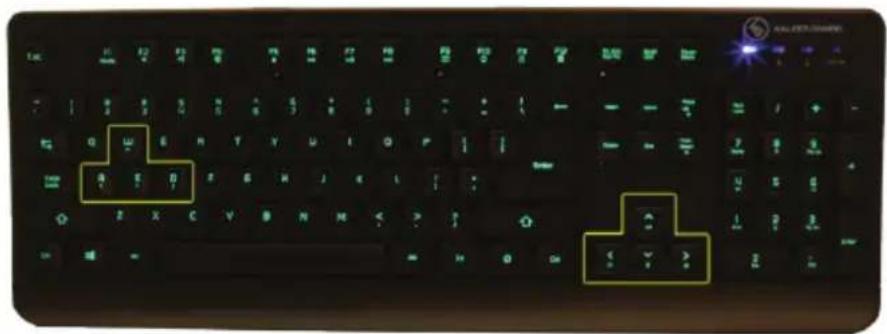
The W, A, S, and D key functions can be swapped with the arrow keys for better functionality with certain games, especially MMO (Massively Multiplayer Online) games.
Press Fn + W to swap key functions, and press Fn + W again to swap back to normal operation.
Hotkeys
There a 12 hotkeys offering quick access to the most commonly used functions. Press Fn + F1 through F12 to activate the desired function.
Windows Hotkeys Function
| Fn + F1 | Media | Media Player |
| Fn + F2 | Volume Down | |
| Fn + F3 | Volume up | |
| Fn + F4 | Mute | |
| Fn + F5 | Stop | |
| Fn + F6 | Previous Track | |
| Fn + F7 | Play/Pause | |
| Fn + F8 | Next Track | |
| Fn + F9 | ||
| Fn + F10 | Web/Home | |
| Fn + F11 | All functions keys locked/unlocked | |
| Fn + F12 | Calculator | |
Anti-Ghosting Keys
Your IKON ^™ features 26 full anti-ghosting keys to ensure all your keystrokes are registered, especially during intense gaming sessions.
LED Backlight Functions
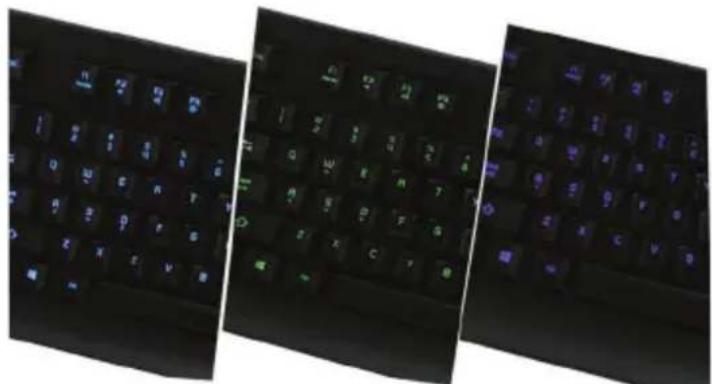
Backlight color can be set to either Aqua, Green, Blue or off to suit your mood. To change backlighting press the button to rotate to the next color or press Fn + to toggle backlight on or off.
Backlight brightness can be changed by pressing Fn + Page Up to increase or Fn + Page Down to decrease.
Relax mode automatically engages after your IKON ^™ is left idle for more than one minute. While in Relax mode, your IKON ^™ will begin a “breathing” effect that alternately dims and brightens the backlighting, while also shifting between the three LED colors. The “breathing” cycle provides a calming and relaxing effect to help you wind down during breaks from high-intensity gaming.
natural_image
Three black keyboard keys with glowing blue and green lights, arranged side by side (no text or symbols visible)Keyboard - Rear View
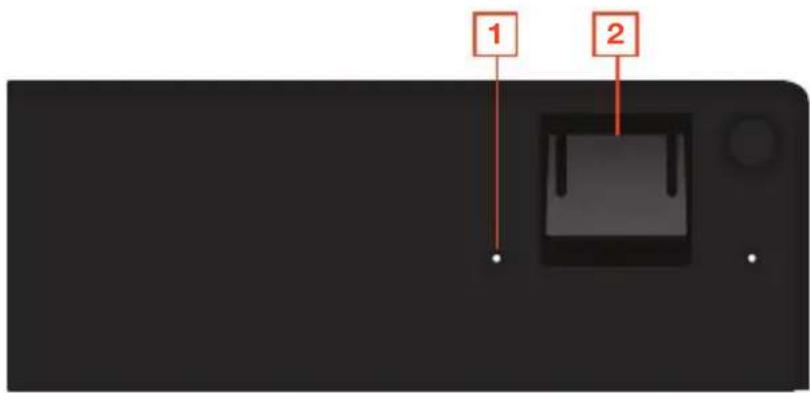
- Drain hole (see Water Resistant Design)
- Foldout leg (see Foldout Legs)
Water Resistant Design
The IKON ^™ features a water-resistant design to prevent circuit damage from spilled liquids. There are 10 drain holes located on the bottom of the keyboard allowing liquids to drain out harmlessly.
Foldout Legs
For greater comfort during long gaming sessions, you can adjust the typing angle of your IKON ^™ by folding the legs in or out on the back of the keyboard.
Compliance Information
FCC Statement
This equipment has been tested and found to comply with the limits for a Class B digital device, pursuant to Part 15 of the FCC Rules. These limits are designed to provide reasonable protection against harmful interference in a residential setting. This product generates, uses, and can radiate radio frequency energy and, if not installed and used as directed, it may cause harmful interference to radio communications.
CE Compliance
This device has been tested and found to comply with the following European Union directives: Electromagnetic Capability (2004/108/EC), Low Voltage (2006/95/EC) and R&TTED (1999/5/EC).
Declaration of Conformity and related documents can be downloaded directly from our website:
http://www.iogear.com/product/GKB703L/certifications.
Limited Warranty
WE'RE HERE TO HELP YOU!
NEED ASSISTANCE SETTING UP THIS PRODUCT?
Make sure you:
- Visit www.iogear.com for more product information
- Visit www.iogear.com/support for live help and product support
Warranty Information
This product carries a 3 Year Limited Warranty. For the terms and conditions of this warranty, please go to http://ww-w.iogear.com/support/warranty
Register online at http://www.iogear.com/register
Important Product Information
Product Model ____
Serial Number ____
Contact
iogear.custhelp.com
support@iogear.com
www.iogear.com
19641 Da Vinci, Foothill Ranch, CA 92610
Raccourcis Clavier
| Fn + F1 | Media | Media Player |
| Fn + F2 | Volume Down | |
| Fn + F3 | Volume up | |
| Fn + F4 | Mute | |
| Fn + F5 | Stop | |
| Fn + F6 | Prekbs Track | |
| Fn + F7 | Play/Pause | |
| Fn + F8 | NextTrack | |
| Fn + F9 | ||
| Fn + F10 | Web/Home | |
| Fn + F11 | Allfunctions keys locked/unlocked | |
| Fn + F12 | Calculator | |
Touches Anti-Ghosting
natural_image
Three black keyboard keys with glowing blue and green lights, arranged side by side (no text or symbols visible)natural_image
Illustration of a desktop computer tower connected to a black keyboard and a USB cable (no text or symbols visible)Telcado – Vista Frontal
Atajos de teclado
| Fn + F1 | Media | Media Player |
| Fn + F2 | Volume Down | |
| Fn + F3 | Volume up | |
| Fn + F4 | Mute | |
| Fn + F5 | Stop | |
| Fn + F6 | Previous Track | |
| Fn + F7 | Play/Pause | |
| Fn + F8 | Next Track | |
| Fn + F9 | ||
| Fn + F10 | Web/Home | |
| Fn + F11 | All functions keys locked/unlocked | |
| Fn + F12 | Calculator | |
Llaves anti-Ghosting
natural_image
Three black keyboard keys with glowing blue and green lights, arranged side by side (no text or symbols visible)http://www.iogear.com/support/warranty
http://www.iogear.com/register

- Welcome to Kaliber Gaming
- Package Contents
- Requirements
- Hardware Installation
- Keyboard - Front View
- Windows Key Lockout
- All-Keys Lockout
- WASD Key Swap
- Hotkeys
- Anti-Ghosting Keys
- LED Backlight Functions
- Keyboard - Rear View
- Water Resistant Design
- Foldout Legs
- Compliance Information
- FCC Statement
- CE Compliance
- Limited Warranty
- WE'RE HERE TO HELP YOU!
- NEED ASSISTANCE SETTING UP THIS PRODUCT?
- Make sure you:
- Warranty Information
- Contact
- Raccourcis Clavier
- Touches Anti-Ghosting
- Telcado – Vista Frontal
- Atajos de teclado
- Llaves anti-Ghosting
Brand : IOGEAR
Model : IKON GKB703L
Category : Keyboard