 ManualGo.com
PC PVD604X E - Cooker CANDY - Free user manual and instructions
Find the device manual for free PC PVD604X E CANDY in PDF.



Download the instructions for your Cooker in PDF format for free! Find your manual PC PVD604X E - CANDY and take your electronic device back in hand. On this page are published all the documents necessary for the use of your device. PC PVD604X E by CANDY.
USER MANUAL PC PVD604X E CANDY
PVD 604 High light 1200 W High light 1200 W High light 2300 W High light 1800 W PVD 605 High light 1200 W High light 2300 W High light 1000 + 1200 W High light 1200 W PVD 756 High light 1800 W High light 900 + 1500 W High light 1200 W High light 1000 + 1200 W- 11
PVD 604 High light 1200 W High light 1200 W High light 2300 W High light 1800 W PVD 605 High light 1200 W High light 2300 W High light 1000 + 1200 W High light 1200 W PVD 756 High light 1800 W High light 900 + 1500 W High light 1200 W High light 1000 + 1200 W- 33
- Safety instructions - Recommendations p. 47
- Installation Important notice p. 48
- Electrical connection p. 49
- -51 Fitting p. 52
- -53 Introduction The ceramic hob p. 54
- Choosing utensils p. 55
- The controls p. 56
- Use . Switching on the ceramic hob p. 57
- . Starting a cooking zone p. 57
- . Stopping a cooking zone p. 58
- . General stopping p. 58
- . Residual heat indicator p. 58
- . Operating the additional cooking zone p. 58
- -59 . Programming a cooking zone p. 59
- . Locking button operation p. 60
- . Fast heater operation p. 61
- . Cleaning the ceramic hob p. 62
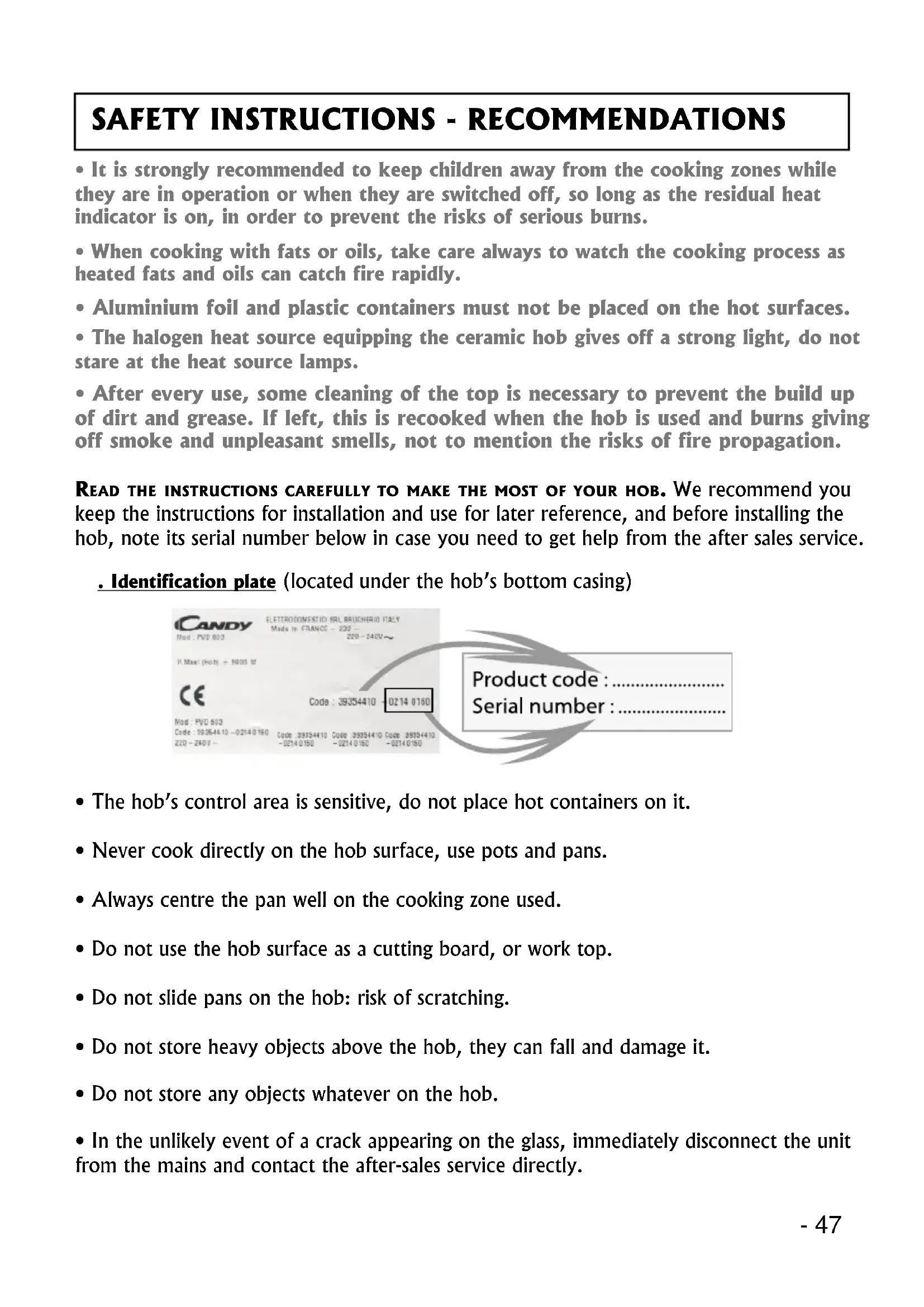
- -63 Data sheet Technical information Problems and solutions Advice 65-66 CONTENTS- 47 It is strongly recommended to keep children away from the cooking zones while they are in operation or when they are switched off, so long as the residual heat indicator is on, in order to prevent the risks of serious burns. When cooking with fats or oils, take care always to watch the cooking process as heated fats and oils can catch fire rapidly. Aluminium foil and plastic containers must not be placed on the hot surfaces. The halogen heat source equipping the ceramic hob gives off a strong light, do not stare at the heat source lamps. After every use, some cleaning of the top is necessary to prevent the build up of dirt and grease. If left, this is recooked when the hob is used and burns giving off smoke and unpleasant smells, not to mention the risks of fire propagation. READ THE INSTRUCTIONS CAREFULLY TO MAKE THE MOST OF YOUR HOB. We recommend you keep the instructions for installation and use for later reference, and before installing the hob, note its serial number below in case you need to get help from the after sales service Identification plate (located under the hobs bottom casing) The hobs control area is sensitive, do not place hot containers on it. Never cook directly on the hob surface, use pots and pans. Always centre the pan well on the cooking zone used. Do not use the hob surface as a cutting board, or work top. Do not slide pans on the hob: risk of scratching. Do not store heavy objects above the hob, they can fall and damage it. Do not store any objects whatever on the hob. In the unlikely event of a crack appearing on the glass, immediately disconnect the unit from the mains and contact the after-sales service directly. p. 64
SAFETY INSTRUCTIONS - RECOMMENDATIONS48 -
The operational setting up of household appliances in their environment is a delicate operation that, if not done correctly, can have serious consequences for consumer safety. Therefore, this work must be entrusted to a professional who can carry it out in compliance with the technical standards in force. However, if despite this recommendation, the consumer carries out the installation themself, the Candy Group will not accept any responsibility in case of technical failure of the product whether or not it causes damage to goods and/or persons.
«The installation receiving the appliance referred to must comply with the standard in force in the installation country». The Candy Group does not accept any responsibility if this provision is not complied with. Caution: Before connecting, check the power supply voltage shown on the meter, the circuit breaker setting, the fuse rating and the earth continuity of the installation. The electrical connection to the mains must use an earthed socket outlet, or pass though an all-pole cutting device having a minimum contact opening distance of 3 mm. If the appliance has a socket outlet, it must be installed so that the socket outlet is accessible. The green/yellow protection wire must be linked to the earth terminals, of the appliance on one side, and the installation on the other side. We cannot be held responsible for any incident or its consequences that may arise during the use of an appliance not linked to the earth, or linked to an earth whose continuity is defective. All work in relation to the power supply cable must be carried out by the after sales service or someone with similar qualifications. The ceramic hob comes without power supply cable. It is equipped with a terminal board for selecting the type of electrical connection appropriate to the installation. The terminal board has several connection options: . Single phase 220 -240 V AC . Two phase 220-240 V2 AC . Three phase 220-240 V3 AC . Three phase 380-415 V3N AC50 -
INSTALLATION ELECTRICAL CONNECTION
CONNECTING TO THE TERMINALS: When connecting you must comply with the instruction given below. . The installation must be protected by an appropriate fuse, see table page 51, and have wires with sufficient cross-section to supply the appliance normally. . The power supply cable must be selected according to the information of table page 51. When connecting you should: . Turn over the hob, glass side against the work top, taking care to protect the glass! . Open the cover in the following sequence: . find the two tabs located on the sides, . put the blade of a flat screwdriver in front of each tab, push in and press, . remove the cover. . Connect the power supply cable: . comply with the information of the table page 51 and the markings on the terminal board and install the shunts (the shunts, inserted in the terminal board, make a bridge between two terminals), . strip the end of each conductor and attach them to the terminals, complying with the information given in the table page 51, . unscrew the cable clamp, . pass the lead through the cable clamp. When you have finished the connection operation to the appliance terminals, tighten the cable clamp and close the cover. Note: make sure the terminal board screws are tight. TERMINAL BOARD
e with shunt L1: Phase Shunt 1-2 & Shunt 2-3
L152 - The unit or support for the hob, as well as the walls of any adjacent units, must be made of high temperature resisting material. In addition, the laminate covering the unit or support should be laid using heat-resistant adhesive to prevent it coming away. Installation: A seal is supplied with the hob. To install it, . turn over the hob, glass side down, taking care to protect the glass. . place the seal all round the hob. . make sure it is placed correctly to prevent any ingress into the support unit. Leave a gap of at least 5 cm between the appliance and any neighbouring vertical surfaces. If, according to the hobs installation, the casing bottom is near a zone normally accessible during handling and/or storage, install a partition 1 cm from the casing bottom, to prevent any risks of burns or deterioration. Hob casing Hob with glass side down Hob glass or frame Seal INSTALLATION FITTING- 53 Fitting: Fitting dimensions PVD 604 / 605 PVD 756 50 mm 560 mm 490 mm50 mm 740 mm 490 mm 595 mm 775 mm 510 mm 510 mm INSTALLATION FITTING Fitting the hob in a support unit Fitting the hob above a ventilated oven* (*equipped with a cooling fan for the electrical components) opening 10 X 10 cm 50 mm 10 mm 50 mm 10 mm mini Ouverture 500 X 50 Ouverture 500 X 10 It is forbidden to fit the hob above a non-ventilated oven Opening Opening54 -
PVD 604 High light 1200 W High light 1200 W High light 2300 W High light 1800 W PVD 605 High light 1200 W High light 2300 W High light 1000 + 1200 W High light 1200 W PVD 756 High light 1800 W High light 900 + 1500 W High light 1200 W High light 1000 + 1200 W- 55 CHOOSING UTENSILS You should use high quality utensils to obtain good cooking results: Use high quality utensils with flat bottoms: a very flat bottom eliminates hot spots causing food to stick, and the thickness of the metal gives excellent heat distribution. Make sure that utensil bottoms are dry: when you fill the container or use a pan straight out of the fridge, for example, make sure that it is dry; this check will stop any dirt getting on the cooking surface. Use pans big enough to fully cover the heat source: it is best to make sure that the bottom is at least as large as the cooking zone. If the bottom is slightly larger, the energy is used most efficiently. ~~~~~~~~~~~~~~~~~~~~~ The following information will help you select the pans best adapted to obtain good results. Stainless steel: advised. Especially good with a Sandwich bottom. The Sandwich bottom combines the qualities of stainless steel (appearance, long life and stability) with the advantages of aluminium or copper (heat transmission and uniform distribution). Aluminium: thick bottom recommended.Good conductivity. Warning: sometimes aluminium residues appear as traces on the hob, but they can be removed if cleaned off rapidly. Thin aluminium should not be used. Cast iron/ceramic: not advised. Poor performance. Can scratch the surface. Copper bottom: thick bottom recommended. Excellent performance, but copper can leave traces that can look like scratches. They can be removed if the hob is cleaned rapidly. However, do not let water evaporate from pans completely, the overheated metal can stick to the surface. An overheated copper pan can leave traces that risk marking the hob permanently. Porcelain/Enamelled steel: good performance. Only with flat bottom, not too thick and smooth.56 - CONTROLS
1. Hob on/off button
2. Cooking zone selection button
8. Control locking button with indicator lamp
9. Additional cooking zone control button
10. Additional zone operational LED*
11. Cooking zone programming indicator: when displayed, it shows that the
timer controls the cooking zone
. on: the cooking zone or timer is active, modification is possible . off: the cooking zone or timer is set to the last recorded data
After powering up the hob, wait 8 seconds to activate the electronic controls. .Press the button , for 3 seconds. Electronic control of the hob is activated. In each display zone the heat level is displayed and the control LED blinks. . After 10 seconds without use, the electronic control goes off and the starting operation has to be repeated.
STARTING A COOKING ZONE
. Press the selection button of the required cooking zone. In the display zone, the control LED is on steady. It shows that the zone is live. .Press the or button to select a heat level between 1 and 9. è Press the button and heat level is displayed, press the button and heat level is displayed. è Hold down the or button and the heat level increases or decreases gradually. The following examples are for information only. Personal experience should then let you adapt these settings to your taste and habits. 0: Off 1: ) 2 : ) ..... Melting heat 3 : Keeping hot 4 : Heating up 5 : Thawing, stewing, full cooking, low temperature cooking 6 : Cooking without lid 7 : Frying, meat browning and roasting 8 : High temperature cooking and roasting, seizing 9 : Frying, boiling large quantities of water.......
The cooking zone must be live. In the display zone, the control LED must be on. If not, select the required zone again. .Press the button to display heat level . Now the zone goes off, the indicator goes off after 10 seconds. . To stop rapidly, press the and buttons at the same time. The heat level automatically goes down to . The cooking zone goes off. GENERAL STOP The cooking zones and the timer can be stopped at any moment by pressing for 3 seconds on the On-Off button.
RESIDUAL HEAT INDICATOR
The control panel tells the user when the surface temperature of the cooking zones exceeds about 60°C, by the following displaying: For ending the cooking, we advise switching off the cooking zone and using the residual heat of the zone to finish cooking gently. When the temperature goes back below 60°C, the display goes off. N.B. After a cut in the current, the residual heat indicator disappears completely, even if the surface temperature exceeds 60°C.
OPERATING THE ADDITIONAL COOKING ZONE
An additional cooking zone is fitted to certain hob models. It can be either concentric or extendable. To start the additional cooking zone: . Press the button . In the next 10 seconds, .Press the button for the zone with the addition. In the display zone, the blinking lamp goes steady. It shows that the zone is live. . Select a heat level between 1 and 9. . Press the button to start the additional zone. The additional zone LED (PVD 605 PVD 756) displays.- 59 To stop the additional zone: the cooking zone with addition must be live: in the display zone, the lamp must be on. If not, select the relevant zone again. . Press the button . The display LED for the additional zone disappears. The additional cooking zone goes off. . To rapidly stop the complete cooking zone, press the or button at the same time. The heat level automatically goes down to . The cooking zone goes off.
PROGRAMMING A COOKING ZONE
Every cooking zone can be programmed for a maximum time of 99 minutes. Only one zone, at a time, can be programmed. . Start the required zone by following the previous instructions. The control LED near the heat level must be displayed, it shows that the zone is live. . Press the Timer button. The zone mark around the timer display shows the controlled zone. . Press the button to select the time in minutes. This is saved automatically after three seconds. è The programmed time can be modified at any moment by pressing the timer selection button, the timer control LED must be on. When the time has run, the cooking zone goes off automatically and an audible beep sounds for 1 minute. Press any button to stop it. è The programmed time can be reset to using the button and pressing the and buttons at the same time, the cooking zone is then no longer linked to the timer but stays operational. So you will have to stop the zone manually. è The timer can be used alone as a reminder, it will ring at the end of the programmed time. Additional zone operational LED according to model60 -
LOCKING BUTTON OPERATION
The locking function holds the current settings, or prevents anyone from starting the hob. It is also useful for cleaning the control strip as the controls can be locked without the hob being on. . Start the required cooking zones. . Select a heat level for each of them. . Press the button to set the data; in this way no other button works, except the On/Off button. The locking indicator lamp comes on. è To release the locking function, just press the button; the indicator lamp goes off, all the controls work again. If when the controls are locked, the timer is on, the time will be counted automatically and the zone switched off at the end of the programmed time. If the locking control is on when the hob is finally shut down, the locking control stays operational and prevents any action when the hob is restarted. Press the button to unlock.- 61
FAST HEATER OPERATION
Every cooking zone on the hob is equipped with a fast heater for raising the cooking zones temperature faster: Starting the fast heater . Start the required zone, press the button to obtain position 9, release the button briefly and press it again; the display alternates showing fast heater and heat level. . If necessary reduce to the required heat position. Cooking Power Time of fast Maximum operating time position released (%) heater (minutes) before automatic cut off* 00%0 0 H 13%1 6 H 26%3 6 H 3 11% 5 5 H 4 16% 6.5 5 H 5 19% 8.5 4 H 6 32% 2.5 1.5 H 7 45% 3.5 1.5 H 8 65% 4.5 1.5 H 9 100% 0 1.5 H E.g. 1800 W zone at position 6 = 32% of 1800 W power released When the Fast heater is on, the zone supplies 1800 W power for 2.5 minutes, and adjusts to 576 W after this time.
- The cooking zones cut off automatically if they are left on too long. The cut off depends on the heat level used.62 - It is important to wait for the ceramic hob surface to cool completely before cleaning it. Only use special products for cleaning ceramic surfaces, cream and scraper. You can find them easily in the shops. Avoid spills; messes that fall onto the cooking surface burn fast and are then harder to clean off. It is recommended to keep away from the cooking surface anything likely to melt like plastic articles, sugar or products with a high sugar content. CLEANING: . Sprinkle a few drops of special ceramic surface cleaner. . Rub, working hard on any stained parts, using slightly damp soft cloth or kitchen roll. . Wipe with dry soft cloth or kitchen roll until the surface is clean. If stains remain after this usual cleaning: . Sprinkle a few more drops of special cleaner. . Use a scraper, keeping it at an angle of 30° to the hob, until the difficult marks go. . Wipe with dry soft cloth or kitchen roll until the surface is clean. . Repeat if necessary. ADVICE: Regular cleaning leaves an protective layer that is essential to prevent scratches and wear. Make sure that the surface is clean before using the hob again. To remove traces of water and scale, use a few drops of white vinegar or lemon juice. Finish off by wiping with absorbent paper, and then apply a few drops of special cleaner and wipe. Ceramic glass withstands the rubbing of flat-bottomed cooking utensils, but it is nevertheless advisable to lift them before moving them.
NOTE: . Avoid using a sponge with too much water. . Never use a steel tool like a knife or screwdriver. . A razor blade scraper cannot damage the surface if it is used at an angle of 30°. . Do not leave the razor blade scraper within the reach of children. . Do not use abrasive cleaners or scouring powder. The hob frame, according to model: To clean your hobs frame without harm, wash it with soap and water, rinse, and then dry with a soft cloth.64 - All data is given for information only. In order to improve the quality of its products, CANDY may modify its appliances with technological developments which adhere to the conditions set out in the Consumer code. Ceramic hobs comply with the requirements of Directives 73/23/CEE and 89/336/CEE. DATA SHEET
COOKING ZONE POW ER AND Ø
otal installed power 6500 W 6900 W 7600 W
ype of cobntrols sensitive sensitive sensitive FITTING DIMENSIONS W idth 560 mm 560 mm 740 mm Depth 490 mm 490 mm 490 mm- 65 The cooking zones do not simmer or only fry gently The cooking is too slow Small scratches or abrasions on the hobs glass surface Metal marks Dark stains Light surfaces on the hob Caramelisation or melted plastic on the hob. Only use flat-bottomed pans. If light is visible between the pan and the hob, the zone is not transmitting heat correctly. The pan bottom should fully cover the diameter of the selected zone. Unsuitable pans are being used. Only use flat- bottomed utensils, that are heavy and have a diameter at least the same as the cooking zone. Incorrect cleaning or rough-bottomed pans are used; particles like grains of sand or salt get between the hob and the bottom of the pan. Refer to the CLEANING section; make sure that pan bottoms are clean before use and only use smooth bottomed pans. Scratches can be lessened only the cleaning is done correctly. Do not slide aluminium pans on the hob. Refer to the cleaning recommendations. You use the correct materials, but the stains persist. Use a razor blade and follow the CLEANING section. Use a razor blade and follow the CLEANING section. Marks from an aluminium or copper pan, but also mineral, water or food deposits; they can be removed using the cream cleaner. Refer to the CLEANING section.
PROBLEMS AND SOLUTIONS66 -
The hob does not operate. The hob does not cut off The hob stops automatically Frequency of on/off operations for cooking zones The hob does not operate or cer- tain zones dont work H display, residual heat indicator, blinking A big spill or object covers at least two buttons, for at least 10 seconds. Clean up the spill or remove the object. The control panel is locked. Press the Locking button to release. The control panel is locked. Press the Locking button to release. Refer to the section, Operating time page 61. A spill covers at least two buttons for more than 10 seconds; the hob switches to safety, and an audible beep sounds so long as the buttons are covered. Clean up the spill or remove the object. The cooking zones stop automatically if they are left on for too long. Refer to the section, Operating time page 61. The on-off cycles vary according to the required heat level: - low level: short operating time, - high level: long operating time. The shunts are not positioned correctly on the terminal board. Have a check made that the connection is done in compliance with the recommendations, page 50 & 51. The electronic temperature is too high. A technician should verify the fitting in compliance with the recommendations, page 52 & 53.