SSC2489DS - Oven SHARP - Free user manual and instructions

Find the device manual for free SSC2489DS SHARP in PDF.

📄 16 pages PDF ⬇️ English EN 💬 AI Question 🖨️ Print
Notice SHARP SSC2489DS - page 3
View the manual : Français FR English EN
Manual assistant
Powered by ChatGPT
Waiting for your message
Product information

Brand : SHARP

Model : SSC2489DS

Category : Oven

Download the instructions for your Oven in PDF format for free! Find your manual SSC2489DS - SHARP and take your electronic device back in hand. On this page are published all the documents necessary for the use of your device. SSC2489DS by SHARP.
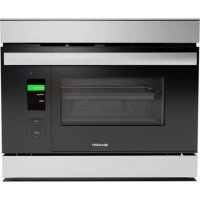
USER MANUAL SSC2489DS SHARP

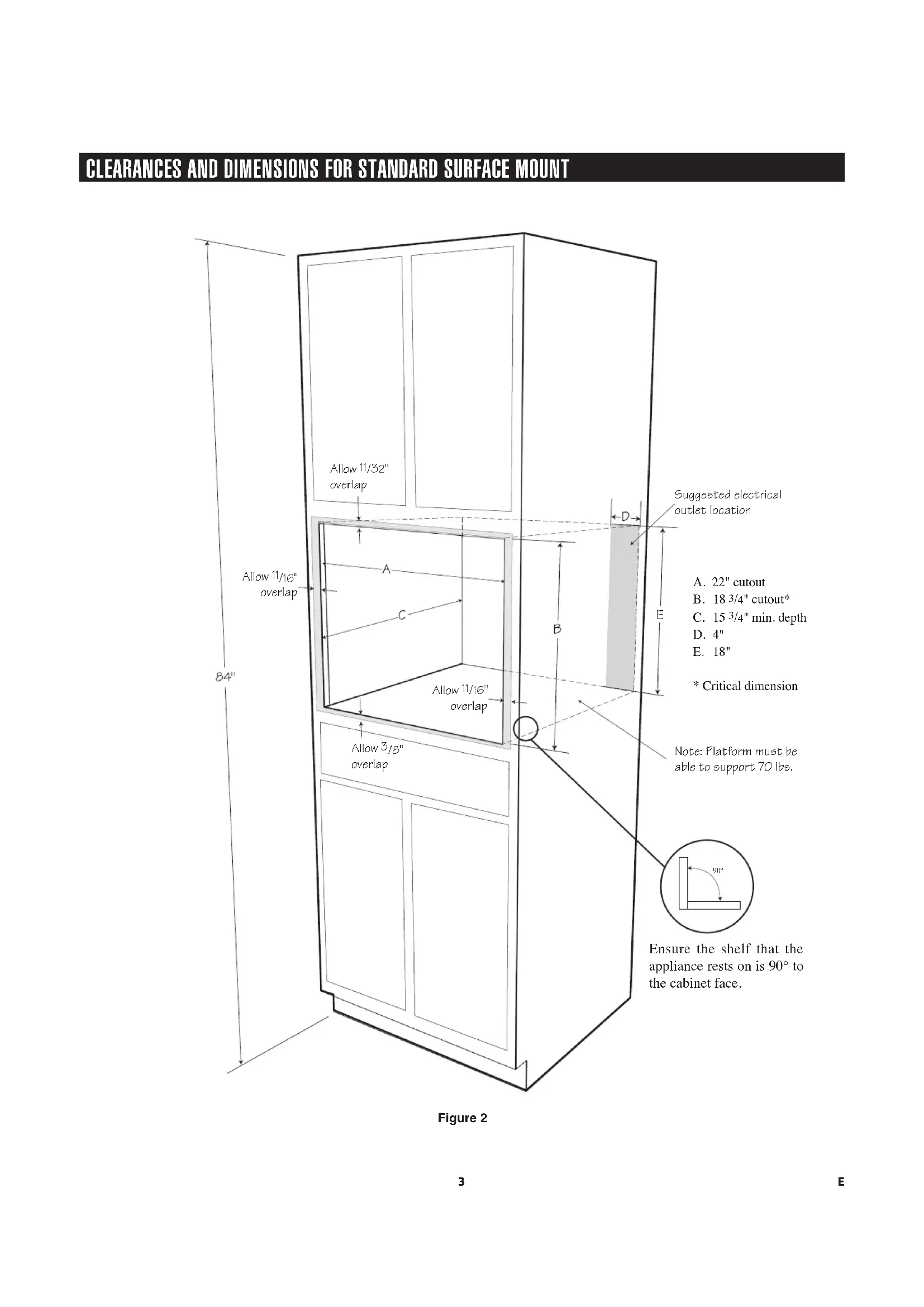
CLEARANCES AND DIMENSIONS

For SAFETY CONSIDERATIONS do not install oven in any combustible cabinetry which is not in accord with the stated clearances and dimensions on page 3, Figure 2 or page 4, Figure 3.

  • Remove all packing materials from inside the oven.• Check the oven for any damage, such as misaligned or bent oven, damaged oven seals and sealing surfaces or dents inside the cavity or on the front side of the oven. If there is any damage, do not operate the oven. Contact your dealer or a SHARP AUTHORIZED SERVICER.

IMPORTANT NOTES TO THE INSTALLER

  • Read all of the Installation Manual before installing the oven.• Remove all packing material before connecting the electrical supply.• Observe all governing codes and ordinances.• Be sure to leave these instructions with the consumer.

IMPORTANT NOTES TO THE CONSUMER

Keep this manual with your Operation Manual for future reference.• As when using any oven generating heat, there are certain safety precautions you should follow. These are listed in the Operation Manual. Read all and follow carefully.• This oven should only be installed and grounded properly by a qualied installer or service technician.

IMPORTANT SAFETY INSTRUCTIONS

If the information in this manual is not followed exactly, a re or electric shock may result that could cause property damage, personal injury or death.• This oven must be electrically grounded in accordance with local codes.• Do not install this oven if the surrounding wall coverings and the cabinets cannot withstand the heat generated by the oven. Never leave children alone or unattended in the area where an oven is in use.

  • Do not use the oven as a storage space. This creates a potentially hazardous situation. INSTALLATION HARDWARE NAME QTY PART CODEWood Screws 4 XTSS740P20000

CHOOSING A LOCATION FOR YOUR OVEN

You will use your oven frequently, so plan its location for ease of use. Your oven can be built into a cabinet or wall by itself, or above any electric wall oven or above other Microwave Drawer models that specify the combination of this oven. The oven may be mounted below a 36” countertop, including a cooktop or island. It cannot be built in above any gas wall oven. Min. 2" (5.1 cm)SuperSteam+ Oven CutoutElectric Wall Oven /Warming Drawer / Microwave Drawer Cutout Min. 36"(91.5 cm)2E FRONT BACK Figure 1

Figure 2 CLEARANCES AND DIMENSIONS FOR STANDARD SURFACE MOUNT A. 22" cutout

/8" overlap Note: Platform must be able to support 70 lbs. Suggested electrical outlet location 90º Ensure the shelf that the appliance rests on is 90° to the cabinet face.4E

CLEARANCES AND DIMENSIONS FOR FLUSH MOUNT

90º Ensure the shelf that the appliance rests on is 90° to the cabinet face.E5 Side Handle (x2) Lift point in cavity DO NOT lift unit using handle Figure 4 INSTALLATION INSTRUCTIONS Always use caution lifting heavy products. 1. Open the SuperSteam+ Oven door and use lift points in Figure 4. Place the oven adjacent to the wall or cabinet opening. DO NOT LIFT OVEN WITH HANDLE. Plug the power supply cord into the electrical outlet. 2. Carefully guide the SuperSteam+ Oven into the prepared opening. Avoid pinching the cord between the oven and the wall.

3. Slide the oven all the way until the mounting ange is ush with the face of the cabinet. See Figure 6.

Figure 4 Figure 56E INSTALLATION INSTRUCTIONS

4. Open the door. Using the 4 holes on the oven as a template, pre-drill the cabinet using a 1/16" bit. See Figure 6.

5. Secure the SuperSteam+ Oven with the 4 screws supplied. See Figure 6.

Figure 6E7 ELECTRICAL OUTLET The electrical requirements are a 120 volt 60 Hz, AC only, 15 amp. or more protected electrical supply. It is recommended that a separate circuit serving only this appliance be provided. The oven is equipped with a 3-prong grounding plug. It must be plugged into a wall receptacle that is properly installed and grounded. Should you only have a 2-prong outlet, have a qualied electrician install a correct wall receptacle. Note: If you have any questions about the grounding or electrical instructions, consult a qualied electrician or serviceperson.

  • Can also be installed using an electrical outlet in an adjacent cabinet within the area where the provided electrical cord can reach. Always check electrical codes for requirements. GROUNDING INSTRUCTIONS This appliance must be grounded. The oven is equipped with a 3-prong plug which includes a grounding pin. It must be plugged into a wall receptacle that is properly installed and grounded in accordance with the National Electrical Code and local codes and ordinances. In the event of an electrical short circuit, grounding reduces risk of electric shock by providing an escape wire for the electric current. Improper use of the grounding plug can result in a risk of electric shock. Do not use an extension cord. If the power supply cord is too short, have a qualied electrician or serviceperson install an outlet near the appliance.

BEFORE YOU CALL FOR SERVICE

Read the BEFORE YOU CALL and operating instruction sections in your Operation Manual. It may save you time and expense. The list includes common occurrences that are not the result of defective workmanship or materials in this SuperSteam+ Oven. Refer to the warranty in your Operation Manual for Sharp’s toll-free service number and address. Please call or write if you have inquiries about your SuperSteam+ Oven product and/or need to order parts.

MODEL AND SERIAL NUMBER LOCATION

The model number and serial number are printed on the nameplate. To access the nameplate, open the drip tray door and remove the drip tray. The nameplate is located to the left of the reservoir. Nameplate Location

CARE, CLEANING AND MAINTENANCE

Refer to the Operation Manual for cleaning instructions.F1

You will use your oven frequently, so plan its location for ease of use. Your oven can be built into a cabinet or wall by itself, or above any electric wall oven or above other Microwave Drawer models that specify the combination of this oven. The oven may be mounted below a 36” countertop, including a cooktop or island. It cannot be built in above any gas wall oven. Min. 2" (5.1 cm)SuperSteam+ Oven CutoutElectric Wall Oven /Warming Drawer / Microwave Drawer Cutout Min. 36"(91.5 cm)2F