ManualGo.com
SAVE815ED - Home Theater System SONY - Free user manual and instructions
Find the device manual for free SAVE815ED SONY in PDF.


Download the instructions for your Home Theater System in PDF format for free! Find your manual SAVE815ED - SONY and take your electronic device back in hand. On this page are published all the documents necessary for the use of your device. SAVE815ED by SONY.
USER MANUAL SAVE815ED SONY
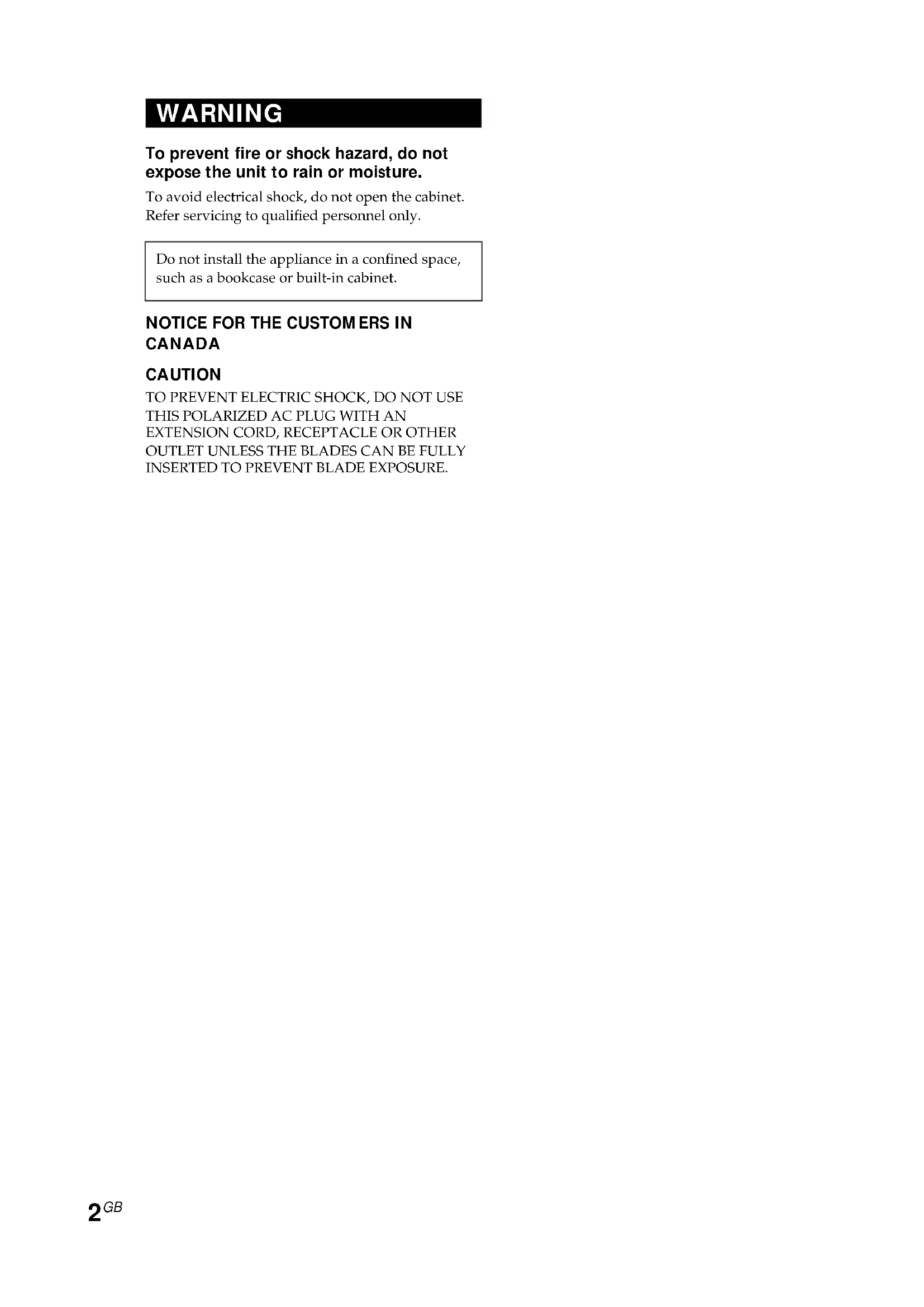
WARNING To prevent fire or shock hazard, do not expose the unit to rain or moisture. To avoid electrical shock, do not open the cabinet. Refer servicing to qualified personnel only. Do not install the appliance in a confined space, such as a bookcase or built-in cabinet.
EXTENSION CORD, RECEPTACLE OR OTHER
About this manual The instructions in this manual are for SA-VE815ED and SA-VE812ED, Sony Micro SatelliteSystems. Differences between the systems
- SA-VE815EDThe SA-VE815ED is a 5.1 channel speaker system consisting of two front speakers,two rear speakers, one center speaker, and one subwoofer. It supports Sony DigitalCinema Sound, Dolby* Pro Logic, and Dolby Digital (AC-3), and is thus gearedtowards the enjoyment of movies.• SA-VE812EDConsisting of two front speakers and one subwoofer, the SA-VE812ED is suited for theenjoyment of music.
- Manufactured under license from Dolby Laboratories. DOLBY, the double-D symbol ;, “PRO LOGIC” and “Dolby Digital (AC-3)” are trademarks of Dolby Laboratories.Any difference in operation is clearly indicated in the text, for example, “SA-VE815ED only.” Table of Contents Hooking up the system ......................... 4 Positioning the speakers........................ 7 Listening to the sound ........................... 9 Adjusting the sound ............................ 10 Precautions ............................................ 11 Troubleshooting ................................... 12 Specifications ........................................ 124
Hooking up the system Connect the speaker system to the speaker output terminals of an amplifier.Make sure power to all components (included the subwoofer) is turned off before starting thehook-up. Hookup A (SA-VE815ED only) This configuration is used when the amplifier is connected to a DVD player, LD player, VCR orother video devices.AmplifierFront (Right) Subwoofer Center Front (Left)Rear (Left)Rear (Right)loosentighteneE Ee Ee Ee
Attach the satellite speakers (front, rear, and center speakers) to the supplied speaker stands for positioning. For details, see “Positioning the front (and rear) speakers” on page 7 and “Positioning the center speaker (SA-VE815ED only)” on page 8.Terminal (jack) connections5
continuedFront (Right)SubwooferCenterFront (Left)Rear (Left)Rear (Right)Amplifierloosentighten Hookup B (SA-VE815ED only) Try this configuration instead of “Hookup A” in the following situations: — When there are no jacks on the amplifier for a subwoofer. — When you want a stronger bass sound from the subwoofer.
Attach the satellite speakers (front, rear, and center speakers) to the supplied speaker stands for positioning. For details, see “Positioning the front (and rear) speakers” on page 7 and “Positioning the center speaker (SA-VE815ED only)” on page 8. Terminal connections
Hooking up the system (continued) Front (Right)SubwooferFront (Left)Amplifierloosentighten Hookup C (SA-VE812ED only) This configuration is used when the amplifier is connected to a CD player, MD deck, cassettedeck, or other audio devices.Notes
- Make sure the plus (+) and the minus (–) terminals on the speakers are matched to the corresponding plus (+) and minus (–) terminals on the amplifier.
- Be sure to tighten the screws of the speaker terminals securely as loose screws may become a source of noise.
- Make sure all connections are firm. Contact between bare speaker wires at the speaker terminals may cause a short-circuit.
- Do not connect the subwoofer to the amplifier’s CENTER output terminal (which is for Dolby Pro Logic or Dolby Digital (AC-3)). No bass will output from the subwoofer if you do.
- For details regarding the connections on the amplifier side, refer to the manual that was provided with your amplifier. Tip All striped wires are minus (–) in polarity, and should be connected to the minus (–) speaker terminals.
Attach the front speakers to the supplied speaker stands for positioning. For details, see “Positioning the front (and rear) speakers” on page 7.Terminal connectionseE EeEe Ee
Center*SubwooferFront(Right)Rear*(Right)Rear*(Left)Front(Left)continued 2 Separate the speaker cord, then secure the cord to the speaker stand with the plate. Tips
- Movies are best enjoyed in a room that producesno echoes (as in one with surrounding curtains).• Music (especially classical music) is best enjoyedin a room that produces some echo.• Adjust the height of the front speakers so that itcorresponds with the center of the TV screen, asillustrated below. Positioning the front (and rear) speakers Attach the front (and rear) speakers to supplied speaker stands and place them at their optimum locations. For details on the location of the front (and rear) speakers, see “Location of each speaker” on this page. 1 Pass the speaker cord into the hole on the back of the stand and out from the hole at the center of the stand. Positioning the speakers Location of each speaker *SA-VE815ED only Each speaker should face the listening position. Better surround effect will result if all speakers are set at the same distance from the listening position. Place the front speakers at a suitable distance to the left and right of the television. Place the subwoofer on either side of the television. Place the center speaker on the top-center of the TV set. The placement of rear speakers greatly depends on the configuration of the room. The rear speakers may be placed on both sides of the listening position A or behind the listening position B.
Positioning the speakers (continued) Positioning the center speaker (SA-VE815ED only) Attach the center speaker to the supplied speaker stand and place it on a top of the TV set. For optimum listening enjoyment, the speaker should face directly towards the listener. Adjust the angle of the speaker stand for that purpose. 1 Pass the speaker cord into the hole on the back of the stand and out from the hole at the center of the stand. 2 Connect the speaker cord to the speaker terminal. 3 Connect the speaker cord to the speaker terminal. The cord should be pressed into the groove in the stand. 4 Secure the speaker to the stand with the two supplied screws and washers. Notes
- Do not remove the supplied speaker grille from the speaker while attaching the speaker to the speaker stand.
- Do not touch or press tweeter’s cover on the center of the speaker.9
ON/STANDBYindicatorWS-FV10 WS-TV10 WS-WV10Screws15º25ºLEVEL MODE MIN ON/ STANDBY MAX MOVIEMUSICPOWER AUTO OFF POWER SAVE POWER Listening to the sound Operation panel on the subwoofer 3 Secure the center speaker to the stand with the two supplied screws and washers. Notes
- Do not remove the supplied speaker grille fromthe speaker while attaching the speaker to thespeaker stand.• Do not touch or press tweeter’s cover on the centerof the speaker. 4 Adjust the angle of the speaker stand. Loosen the two screws under the base to adjust the angle. Then tighten them again afterwards. The optional speaker stands For greater flexibility in the positioning of the speakers, use the optional WS-FV10 (floor stand), WS-TV10 (TV stand), or WS-WV10 (wall mount bracket) speaker stand (available only in certain countries). First, turn down the volume on the amplifier. The volume should be set to minimum before you begin playing the program source. 1 Turn on the amplifier and select the program source. 2 Press POWER on the subwoofer. The ON/STANDBY indicator on the subwoofer lights up green. 3 Play the program source. Power turns on and off automatically — Auto power on/off function When the subwoofer is on (i.e, the ON/STANDBY indicator lights up green) and there is no signal input for a few minutes, the ON/STANDBY indicator changes to red and the subwoofer enters power saving mode. While in this mode a signal is input to the subwoofer, the subwoofer automatically turns on (auto power on/off function). To turn this feature off, slide the POWER SAVE switch on the rear panel to OFF. Note If you turn down the volume level of the subwoofertoo low, the auto power on/off function mayactivate, causing the subwoofer to enter powersaving mode.10
LEVEL MODE MIN ON/ STANDBY MAX MOVIEMUSICPOWERLEVEL MODE Setting your amplifier to enjoy movies (SA-VE815ED only) For the Dolby Digital (AC-3) If your amplifier is connected internally or externally with a Dolby Digital (AC-3) processor, you should use the setup menus for the amplifier to specify the parameters of your speaker system. See the table below for the proper settings. For details on the setting procedure, refer to the manual that was provided with your amplifier. When “Hookup A” is used (Speaker setup menu) For Set toFront speakers SMALLCenter speaker SMALLRear speakers SMALLSubwoofer ON (or YES) (Other setup menu) Menu Set toLFE* MIX –10 dBBASS BOOST** ON* Low Frequency Effect**A function that reinforces the bass sound When “Hookup B” is used (Speaker setup menu) For Set toFront speakers LARGECenter speaker SMALLRear speakers SMALLSubwoofer OFF (or NO) (Other setup menu) Menu Set toLFE MIX –10 dBBASS BOOST ON Adjusting the sound Slight adjustments to the system can enhance your sound enjoyment. Adjusting the subwoofer Operation panel on the subwoofer 1 Set MODE according to the program source as follows: Source MODEDVD, LD, video cassette MOVIEor other video sourceMD, CD, cassette tape MUSICor other audio source 2 Rotate LEVEL to adjust the volume. Set the volume level to best suit your preference according to the program source. Notes
- Some amplifier functions for enhancing the soundmay cause distortion in the subwoofer. If suchdistortion occurs, turn off those functions.• To enjoy high-quality sound, do not turn thesubwoofer volume too high.• To increase the bass sound from the subwoofer,connect the system using “Hookup B” (seepage 5).• The bass sound is enhanced in MOVIE moderather than in MUSIC mode. Therefore, if youchange the mode to MOVIE while listening tosome sources that do not include the bass sound,you may not be able to get the effect.11
If you encounter color irregularity on a nearby TV screen This speaker system is magnetically shielded to allow it to be installed near a TV set. However, color irregularities may still be observed on certain types of TV sets. If color irregularity is observed... c Turn off the TV set once, then turn it on again after 15 to 30 minutes. If color irregularity is observed again... c Place the speakers further away from the TV set. c Keep magnets and other sources of magnetic fields away from the speaker system since they may cause color irregularities on your TV screen. If howling occurs Reposition the speakers or turn down the volume on the amplifier. On placement
- Do not set the speakers in an inclined position.
- Do not place the speakers in locations that are: — Extremely hot or cold — Dusty or dirty — Very humid — Subject to vibrations — Subject to direct sunlight On cleaning Clean the speaker cabinets with a soft cloth lightly moistened with a mild detergent solution or water. Do not use any type of abrasive pad, scouring powder or solvent such as alcohol or benzine. If you have any questions or problems concerning your speaker system, please consult your nearest Sony dealer. Precautions On safety
- Before operating the system, be sure that the operating voltage of the system is identical with that of your local power supply.
- The unit is not disconnected from the AC power source (mains) as long as it is connected to the wall outlet, even if the unit itself has been turned off.
- Unplug the system from the wall outlet if it is not to be used for an extended period of time. To disconnect the cord, pull the cord by grasping the plug. Never pull the cord itself.
- Should any liquid or solid object fall into the system, unplug the system’s power cord and have the system checked by qualified personnel before operating it any further.
- AC power cord must be changed only at the qualified service shop. On operation
- Do not drive the speaker system with a continuous wattage exceeding the maximum input power of the system.
- If the polarity of the speaker connections are not correct, the bass tones will be weak and the position of the various instruments obscure.
- Contact between bare speaker wires at the speaker terminals may result in a short-circuit.
- Before connecting, turn off the amplifier to avoid damaging the speaker system.12
SS-MS815 (front, center, and rear speakers) Speaker system 2 way, magnetically shielded Speaker units Tweeter: 1.9 cm (
/8 in.) each When attached to supplied speaker stand: Approx. 96 × 207 × 141 mm (3
/8 in.) each, (Front (and rear) speakers) Approx. 169 × 131 × 144 mm (6
/4 in.), (Center speaker: pointed upwards) Approx. 169 × 118 × 141 mm (6
/8 in.), (Center speaker: pointed downwards) Mass When attached speaker grilles: Approx. 1.3 kg (2 lb 14 oz) each When attached to supplied speaker stand: Approx. 1.4 kg (3 lb 1 oz) each, (Front (and rear) speakers) Approx. 1.4 kg (3 lb 1 oz), (Center speaker) Troubleshooting Should you encounter a problem with your speaker system, check the following list and take the indicated measures. If the problem persists, consult your nearest Sony dealer. There is no sound from the speaker system.
- Make sure all the connections have been correctly made.
- Make sure the volume on the amplifier has been turned up properly.
- Make sure the program source selector on the amplifier is set to the proper source.
- Check if headphones are connected. If they are, disconnect them. There is distortion in the subwoofer sound output.
- Check if any sound-enhancing functions have been activated on the amplifier. If they have, turn them off. There is hum or noise in the speaker output.
- Make sure all the connections have been correctly made.
- Make sure none of the audio components are positioned too close to the TV set. The sound has suddenly stopped.
- Make sure all the connections have been correctly made. Contact between bare speaker wires at the speaker terminals may cause a short-circuit. Specifications13
SA-WMS815 (subwoofer) System Speaker system Active subwoofer, magnetically shielded Speaker unit Woofer: 20 cm (8 in.), cone type Enclosure type Advanced SAW type Continuous RMS power output 150 W (8 ohms, 20 - 150 Hz,
/2 in.), including front grille Mass Approx. 17.5 kg (38 lb 9 oz) Supplied accessories SA-VE815ED Speaker stands (for the front and rear speakers) (4) Speaker stand (for the center speaker) (1) Screws (for the speaker stands) (10) Washers (for the speaker stands) (10) Plates (for the front and rear speaker stands) (4) Speaker grilles (5) Audio connecting cord (1) Speaker connecting cords, 2.5 m (8 ft 2
in.) (5) Speaker connecting cords, 10 m (32 ft 9
in.) (2) SA-VE812ED Speaker stands (for the front speakers) (2) Screws (for the speaker stands) (4) Washers (for the speaker stands) (4) Plates (for the front speaker stands) (2) Speaker grilles (2) Audio connecting cord (1) Speaker connecting cords, 2.5 m (8 ft 2
in.) (4) Design and specifications are subject to change without notice.2