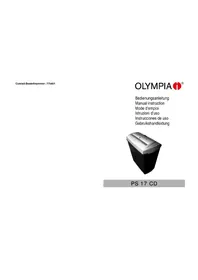
PS 17 CD - Shredder OLYMPIA - Free user manual and instructions
Find the device manual for free PS 17 CD OLYMPIA in PDF.



| Product type | Document shredder |
| Brand | Olympia |
| Model | PS 17 CD |
| Dimensions (W × H × D) | 300 × 185 × 320 mm |
| Weight | 3.6 kg |
| Power supply | 220-240 V / 50 Hz |
| Max. input current | 0.5 A |
| Paper slot width | 215 mm |
| Paper cut width (strip) | 7 mm |
| Paper cutting capacity | Up to 7 sheets DIN A4 (70 g/m²) |
| CD slot width | 120 mm |
| CD cut width (strip) | ~30 mm |
| CD cutting capacity | 1 CD |
| Security level | 1 (strip cut) |
| Paper operation cycle | 2 min on / 15 min off |
| CD operation cycle | 2 min on / 15 min off |
| Switch positions | Paper Auto (automatic forward), Paper Rev / CD (reverse or CD), Off (stop), Clear button |
| Motor protection | Automatic shutdown in case of overload |
| Maintenance | Oil the blades regularly with special shredder oil |
| Warranty | 24 months |
| Technical support | Phone line: +49 (0) 180/500 7514 (charges vary by operator) |
Frequently Asked Questions - PS 17 CD OLYMPIA
User questions about PS 17 CD OLYMPIA
0 question about this device. Answer the ones you know or ask your own.
Ask a new question about this device
Download the instructions for your Shredder in PDF format for free! Find your manual PS 17 CD - OLYMPIA and take your electronic device back in hand. On this page are published all the documents necessary for the use of your device. PS 17 CD by OLYMPIA.
USER MANUAL PS 17 CD OLYMPIA
natural_image
Exterior view of a modern office building (no signage)PS 17 CD
PS 17 CD
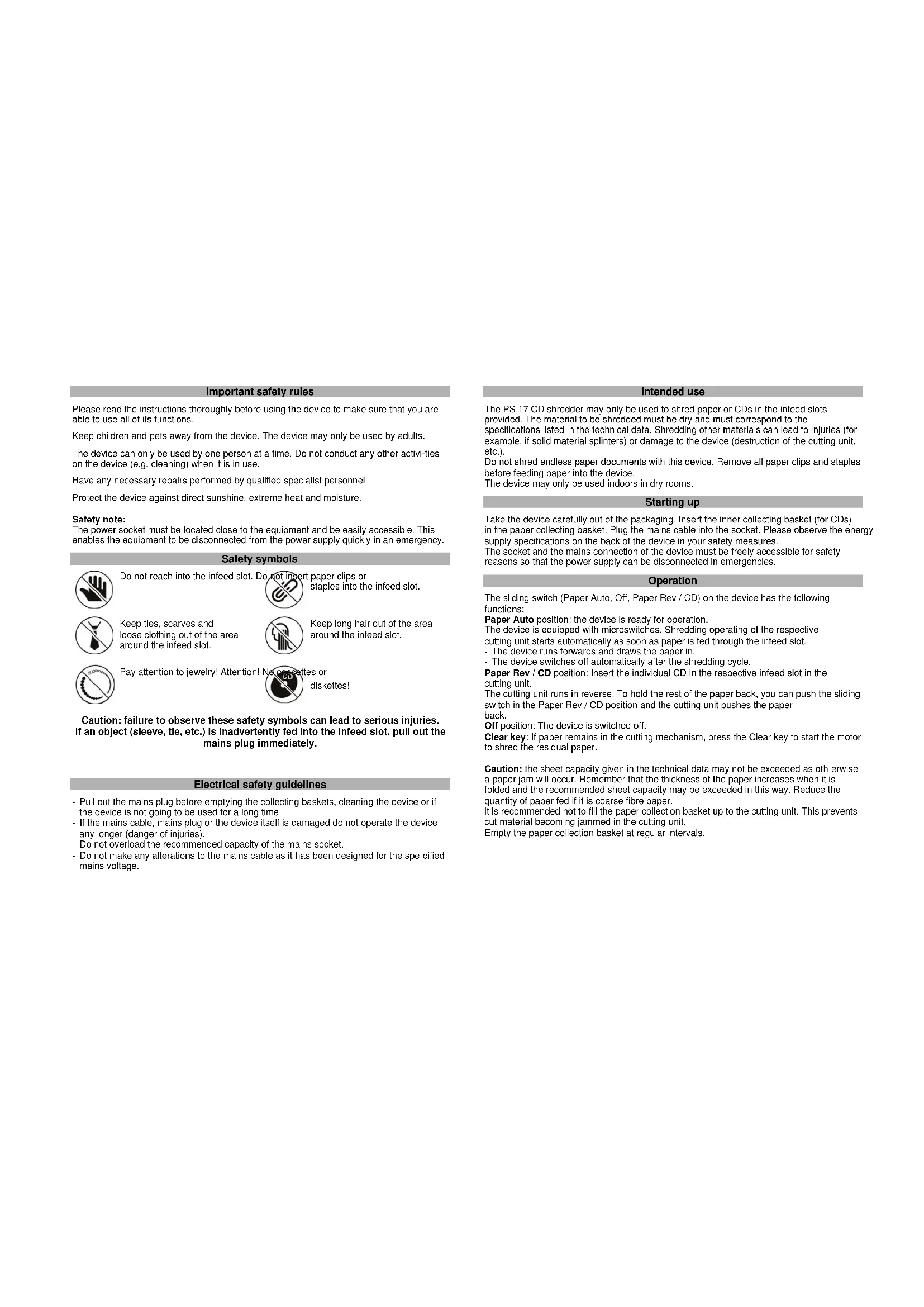
Important safety rules
Please read the instructions thoroughly before using the device to make sure that you are able to use all of its functions.
Keep children and pets away from the device. The device may only be used by adults.
The device can only be used by one person at a time. Do not conduct any other activities on the device (e.g. cleaning) when it is in use.
Have any necessary repairs performed by qualified specialist personnel.
Protect the device against direct sunshine, extreme heat and moisture.
Safety note:
The power socket must be located close to the equipment and be easily accessible. This enables the equipment to be disconnected from the power supply quickly in an emergency.
Safety symbols

Do not reach into the infeed slot. D

paper clips or staples into the infeed slot.

Keep ties, scarves and loose clothing out of the area around the infeed slot.

Keep long hair out of the area around the infeed slot.

Pay attention to jewelry! Attention!

diskettes!
Caution: failure to observe these safety symbols can lead to serious injuries. If an object (sleeve, tie, etc.) is inadvertently fed into the infeed slot, pull out the mains plug immediately.
Electrical safety guidelines
- Pull out the mains plug before emptying the collecting baskets, cleaning the device or if the device is not going to be used for a long time.
- If the mains cable, mains plug or the device itself is damaged do not operate the device any longer (danger of injuries).
- Do not overload the recommended capacity of the mains socket.
- Do not make any alterations to the mains cable as it has been designed for the specified mains voltage.
Intended use
The PS 17 CD shredder may only be used to shred paper or CDs in the infeed slots provided. The material to be shredded must be dry and must correspond to the specifications listed in the technical data. Shredding other materials can lead to injuries (for example, if solid material splinters) or damage to the device (destruction of the cutting unit, etc.). Do not shred endless paper documents with this device. Remove all paper clips and staples before feeding paper into the device. The device may only be used indoors in dry rooms.
Starting up
Take the device carefully out of the packaging. Insert the inner collecting basket (for CDs) in the paper collecting basket. Plug the mains cable into the socket. Please observe the energy supply specifications on the back of the device in your safety measures. The socket and the mains connection of the device must be freely accessible for safety reasons so that the power supply can be disconnected in emergencies.
Operation
The sliding switch (Paper Auto, Off, Paper Rev / CD) on the device has the following functions:
Paper Auto position: the device is ready for operation.
The device is equipped with microswitches. Shredding operating of the respective cutting unit starts automatically as soon as paper is fed through the infeed slot.
- The device runs forwards and draws the paper in
- The device switches off automatically after the shredding cycle.
Paper Rev / CD position: Insert the individual CD in the respective infeed slot in the cutting unit.
The cutting unit runs in reverse. To hold the rest of the paper back, you can push the sliding switch in the Paper Rev / CD position and the cutting unit pushes the paper back.
Off position: The device is switched off.
Clear key: If paper remains in the cutting mechanism, press the Clear key to start the motor to shred the residual paper.
Caution: the sheet capacity given in the technical data may not be exceeded as oth-erwise a paper jam will occur. Remember that the thickness of the paper increases when it is folded and the recommended sheet capacity may be exceeded in this way. Reduce the quantity of paper fed if it is coarse fibre paper. it is recommended not to fill the paper collection basket up to the cutting unit. This prevents cut material becoming jammed in the cutting unit. Empty the paper collection basket at regular intervals.
Clearing a jam
If too much paper is inserted in the cutting unit, it will cause a jam.
Proceed as follows:
- Push the sliding switch to the Paper Rev /CD position.
- The cutting unit runs backwards and pushes the excess paper back.
- Reduce the quantity and slide the switch to Paper Auto / CD again. The cutting unit runs forward again and the residue remaining is shredded.
If the backwards and forwards movement does not remedy the jam, pull out the mains plug and remove the remaining manually from the cutting unit.
Motor protection
The motor switches off automatically in the event of overloading. Pull out the mains plug from the socket and allow the motor to cool down to room temperature. Plug the mains cable back in and then continue operation.
Notes on care and maintenance
Caution: maintenance work may only be performed when the mains plug is pulled out.
To ensure your shredder enjoys a long working life, we recommend to clear residual material from the cutting units at regular intervals and apply special oil for paper shredders to the cutting unit. This special oil is available from specialist dealers or directly from our service centre in Hattingen. This will extend the service life of the device.
Technical data
Model: PS 17 CD
Power supply: 220-240 V / 50Hz
Cutting width of the paper slot: 215 mm, width of cut strips: 7 mm
Cutting width of the CD slot: 120 mm, width of cut strips: approx. 30 mm
Cutting power: 7 DIN A4 sheets (70 g/m ), 1 CD
Security level:
Max. power consumption: 0.5 A
Size (W x H x D): 300 x 185 x 320 mm
Weight: 3.6 kg
Operating cycle paper: 2 min. on, 15 min. off
Operating cycle CD: 2 min. on, 15 min. off
Device malfunctions
| Problem Cause Rehedy | ||
| Device does not work | Is the mains cable plugged properly in the socket? | Plug the mains cable into the socket properly. |
| Is the sliding switch set to Off? | Set the sliding switch to Paper Auto or Paper Rev / CD. | |
| Does the motor not start when paper is inserted? | Slide the paper in the respective slot so that it touches the sensor in the centre. | |
| Device does not work after lengthy operation or stops during operation | Was the device in constant operation for some time? Is the surface of the device warm? | Pull out the mains plug from the socket and allow the motor to cool down to room temperature. |
| Jam Have you inserted more than 7 sheets of paper (70 g/m2) or more than 1 CD? Has the material not been inserted straight in the in-feed slot? | Set the sliding switch to Paper Rev / CD to push back the paper. Switch the device to Paper Auto again to shred the paper remaining in the cutting unit. | |
If you cannot rectify the fault yourself, contact your dealer or call the Olympia hotline.
Disposal Notes
This symbol [the crossed-out wheeled bin/PICTURE] means that the product should be brought to the return and or separate collection systems available to end-users, when the product has reached the end of its lifetime. This symbol applies only to the countries within the EEA (*).

(*) EEA = European Economic Area, which comprises the EU Member States plus Norway, Iceland, and Liechtenstein.
Guarantee
ATTENTION! IMPORTANT GUARANTEE DOCUMENTS PLEASE STORE IN A SAFE PLACE.
Dear Customer,
Thank you for buying a quality product from OLYMPIA ^1 . In the unlikely event that the device should develop a technical problem please observe the following points:
The guarantee period for the device is 24 months.
Make sure that you store the purchasing receipt and the original packaging.
➢ Should a problem occur, please call our hotline first:
+ 49 (0) 180/500 7514
(Fee for connections outside Germany: additional Euro 0.14
per call for the connection within Germany.)
Our personnel are often able to provide helpful advice over the phone.
If it is not possible to clear up the problem over the phone, please send the device back to the following address:
Service-Center Hattingen
45525 Hattingen, Germany
Guarantee repairs will only be performed if the purchase receipt is enclosed with the device.
Thank you for your understanding.
Yours faithfully,
Your Olympia Business Systems partner
OLYMPIA®
PS 17 CD
Service-Center Hattingen
Service-Center Hattingen
GB The manufacturer hereby declares that the equipment complies with the stipulations defined in the following guidelines and standards:
Heinz Prygoda, Managing Director

- Important safety rules
- Safety note:
- Safety symbols
- Electrical safety guidelines
- Intended use
- Starting up
- Operation
- Clearing a jam
- Motor protection
- Notes on care and maintenance
- Technical data
- Disposal Notes
- Guarantee
- ATTENTION! IMPORTANT GUARANTEE DOCUMENTS PLEASE STORE IN A SAFE PLACE.
- + 49 (0) 180/500 7514
- OLYMPIA®
Brand : OLYMPIA
Model : PS 17 CD
Category : Shredder