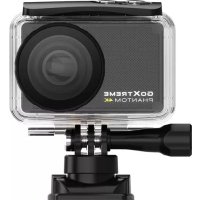
Phantom 4K - Sports camera EASYPIX - Free user manual and instructions
Find the device manual for free Phantom 4K EASYPIX in PDF.

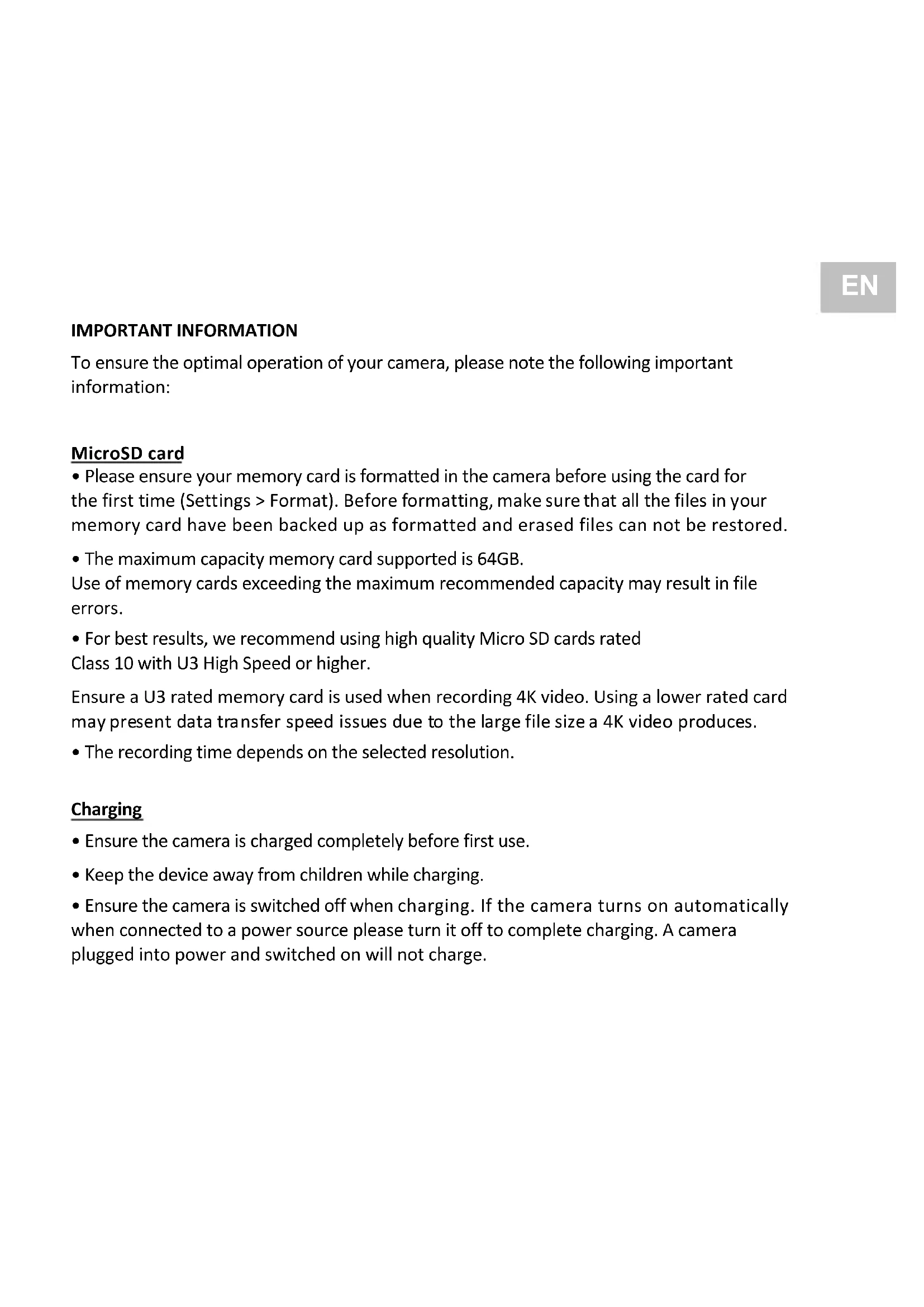


| Product type | Sportscam |
| Brand | Easypix |
| Model | Phantom 4K |
| Maximum resolution | 4K (3840x2160) |
| Maximum memory card capacity | 64 GB |
| Recommended memory card type | Micro SD U3 or higher |
| Battery life | Up to 90 minutes |
| Power supply | Rechargeable battery via USB (max 1180 mAh) |
| Connectivity | WiFi |
| Mobile app | Yes, companion app available |
| Water resistance | Yes, with included underwater housing |
| Storage temperature | Room temperature, dry place |
| Maintenance | Clean after use in salt or chlorinated water |
| Safety | Do not expose to heat, keep out of reach of children |
| Spare parts | Not specified, contact support |
| Warranty | CE, RoHS, WEEE compliance |
Frequently Asked Questions - Phantom 4K EASYPIX
User questions about Phantom 4K EASYPIX
0 question about this device. Answer the ones you know or ask your own.
Ask a new question about this device
Download the instructions for your Sports camera in PDF format for free! Find your manual Phantom 4K - EASYPIX and take your electronic device back in hand. On this page are published all the documents necessary for the use of your device. Phantom 4K by EASYPIX.
USER MANUAL Phantom 4K EASYPIX
natural_image
Black GoXTREME PHANTON 4K camera with visible lens and control buttons (no text beyond branding)GOXTREME®
PHANTOM 4K
EN
Congratulations on your purchase of the GoXtreme Phantom 4K.
For the sake of the environment we do not print manuals on paper.
You can download a detailed instruction manual for this product under the following link:
DE
IMPORTANT INFORMATION
To ensure the optimal operation of your camera, please note the following important information:
MicroSD card
- Please ensure your memory card is formatted in the camera before using the card for the first time (Settings > Format). Before formatting, make sure that all the files in your memory card have been backed up as formatted and erased files can not be restored.
- The maximum capacity memory card supported is 64GB.
Use of memory cards exceeding the maximum recommended capacity may result in file errors.
- For best results, we recommend using high quality Micro SD cards rated Class 10 with U3 High Speed or higher.
Ensure a U3 rated memory card is used when recording 4K video. Using a lower rated card may present data transfer speed issues due to the large file size a 4K video produces.
- The recording time depends on the selected resolution.
Charging
- Ensure the camera is charged completely before first use.
- Keep the device away from children while charging.
-
Ensure the camera is switched off when charging. If the camera turns on automatically when connected to a power source please turn it off to complete charging. A camera plugged into power and switched on will not charge.
-
The camera should only be charged via the USB port of a computer or a USB power adapter with a maximum capacity of 1180mAh.
- Unplug the USB cable connected to the camera before using the camera.
- The battery life is dependent on the resolution and other settings used as well as outside temperature - up to 90 minutes under optimal conditions.
Safety instructions
⚠ WARNING: The camera is not suitable for children under 36 months because of choking hazard.
⚠ WARNING: Always protect your camera from falls, blows and bumps.
- Keep a sufficient distance from objects that generate strong magnetic fields or radio waves, such as electrical appliances to prevent them from damaging the product or affecting the sound and image quality.
- Store the device cool (at room temperature) in a dry and dust-free location and never expose the product to high temperatures or permanent direct sunlight.
- In the unlikely event of overheating, smoke or unpleasant odors coming from the unit, disconnect it immediately from the charging cable and remove the battery to avoid a fire.
WARNING: Before using the camera in the water, make sure that all lids and closures on the camera and underwater housing are closed and sealed.
- After using it in salty or chlorinated water, clean the case under running tap water and let it dry.
- In order to prevent condensation inside the case or behind the lens, the camera should not be exposed to high temperature and humidity differences
- After use under water, the housing must be left open to avoid condensation or rusting.

All product specifications are correct at time of print and are subject to change without prior notice. Easypix GmbH reserve the right for errors or omissions.
For technical help please visit our support area on www.easypix.eu.
CONFORMITY
The manufacturer hereby declares that the CE marking was applied to the product GoXtreme Phantom 4K in accordance with the basic requirements and other relevant provisions of the following CE Directives:
2014/53/EU
2011/65/EC RoHs
2014/30/EU EMV
2012/19/EC WEEE

The EC Declaration of Conformity can be downloaded here:
http://www.easypix.info/download/pdf/doc_goxtreme_phantom.pdf
DISPOSAL

Dispose of packaging
For disposal, separate packaging into different types.
Cardboard and board must be disposed of as paper and foil must be recycled.

Disposal of Waste Electrical and Electronic Equipment and/or Battery by users in private
households in the European Union. This symbol on the product or on the packaging indicates that this cannot be disposed of as a household waste. You must dispose of your waste equipment and/or battery by handling it over to the applicable take-back scheme for the recycling of electrical and electronic equipment and/or battery. For more information about recycling of this equipment and/or battery, please contact your city office, the shop where you purchased the equipment or your household waste disposal service. The recycling of materials will help to conserve natural resources and ensure that it is recycled in a manner that protects human health and environment.

Battery warning
- Never dismantle, crush, or pierce the battery, or allow the battery to short-circuit. Do not expose battery being placed in high temperature environment, if battery leaks or bulges, stop continue to use.
• Always charge using the charger. Risk of explosion if battery is replaced by an incorrect type. - Keep the battery out of reach of children.
- Batteries may explode if exposed to naked fire. Never dispose of batteries in a fire.
- Disposed of used batteries observing local regulations.
- Before disposing the device, please remove the battery.

This product is not suitable for children under 3 years because of choking hazard.




Made in China / Only for EU

LIFESTYLE ELECTRONICS
WICHTIGE INFORMATIONEN
Made in China / Only for EU

LIFESTYLE ELECTRONICS
Made in China / Only for EU

LIFESTYLE ELECTRONICS
INFORMATION IMPORTANTE
ECLARATION DE CONFORMITÉ
Made in China / Only for EU

LIFESTYLE ELECTRONICS
Made in China / Only for EU

LIFESTYLE ELECTRONICS
BELANGRIJKE INFORMATIE
Made in China / Only for EU

LIFESTYLE ELECTRONICS
WAŻNE INFORMACJE
Made in China / Only for EU

LIFESTYLE ELECTRONICS
Made in China / Only for EU

LIFESTYLE ELECTRONICS
VIKTIG INFORMATION
Made in China / Only for EU

LIFESTYLE ELECTRONICS


- GOXTREME®
- PHANTOM 4K
- EN
- DE
- IMPORTANT INFORMATION
- MicroSD card
- Charging
- Safety instructions
- CONFORMITY
- DISPOSAL
- Dispose of packaging
- Disposal of Waste Electrical and Electronic Equipment and/or Battery by users in private
- Battery warning
- This product is not suitable for children under 3 years because of choking hazard.
- WICHTIGE INFORMATIONEN
- INFORMATION IMPORTANTE
- ECLARATION DE CONFORMITÉ
- BELANGRIJKE INFORMATIE
- WAŻNE INFORMACJE
- VIKTIG INFORMATION
Brand : EASYPIX
Model : Phantom 4K
Category : Sports camera