
PF914IG - Vacuum Cleaner ELECTROLUX - Free user manual and instructions
Find the device manual for free PF914IG ELECTROLUX in PDF.
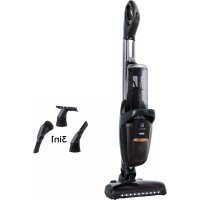



| Product type | Cordless stick vacuum |
| Brand | Electrolux |
| Model | PF914IG |
| Power supply | Lithium-ion battery 36 V DC, 93.6 Wh |
| Runtime in Max mode | Approx. 17 minutes |
| Runtime in normal mode | Approx. 30 minutes |
| Runtime in long duration mode | Approx. 60 minutes |
| Brush type | Motorized rotating brush |
| Dust container capacity | Approx. 0.5 L |
| Filtration | Washable filter |
| Dimensions (approx.) | Height 115 cm, width 25 cm, depth 20 cm |
| Weight (approx.) | 2.7 kg |
| Operating and charging temperature | 5 °C to 35 °C |
| Operating humidity | 20% to 80% (non-condensing) |
| Maintenance | Regular cleaning of filters and rotating brush |
| Safety | Do not use in wet environments, nor on ashes or fine dust. Keep out of reach of children. |
| Spare parts available | Filters, battery, rotating brush, charger |
| Warranty | Manufacturer warranty (excluding battery due to age/usage) |
Frequently Asked Questions - PF914IG ELECTROLUX
User questions about PF914IG ELECTROLUX
0 question about this device. Answer the ones you know or ask your own.
Ask a new question about this device
Download the instructions for your Vacuum Cleaner in PDF format for free! Find your manual PF914IG - ELECTROLUX and take your electronic device back in hand. On this page are published all the documents necessary for the use of your device. PF914IG by ELECTROLUX.
USER MANUAL PF914IG ELECTROLUX
www.electrolux.com/productregistration
CONSUMABLES & ACCESSORIES
www.electrolux.com/shop
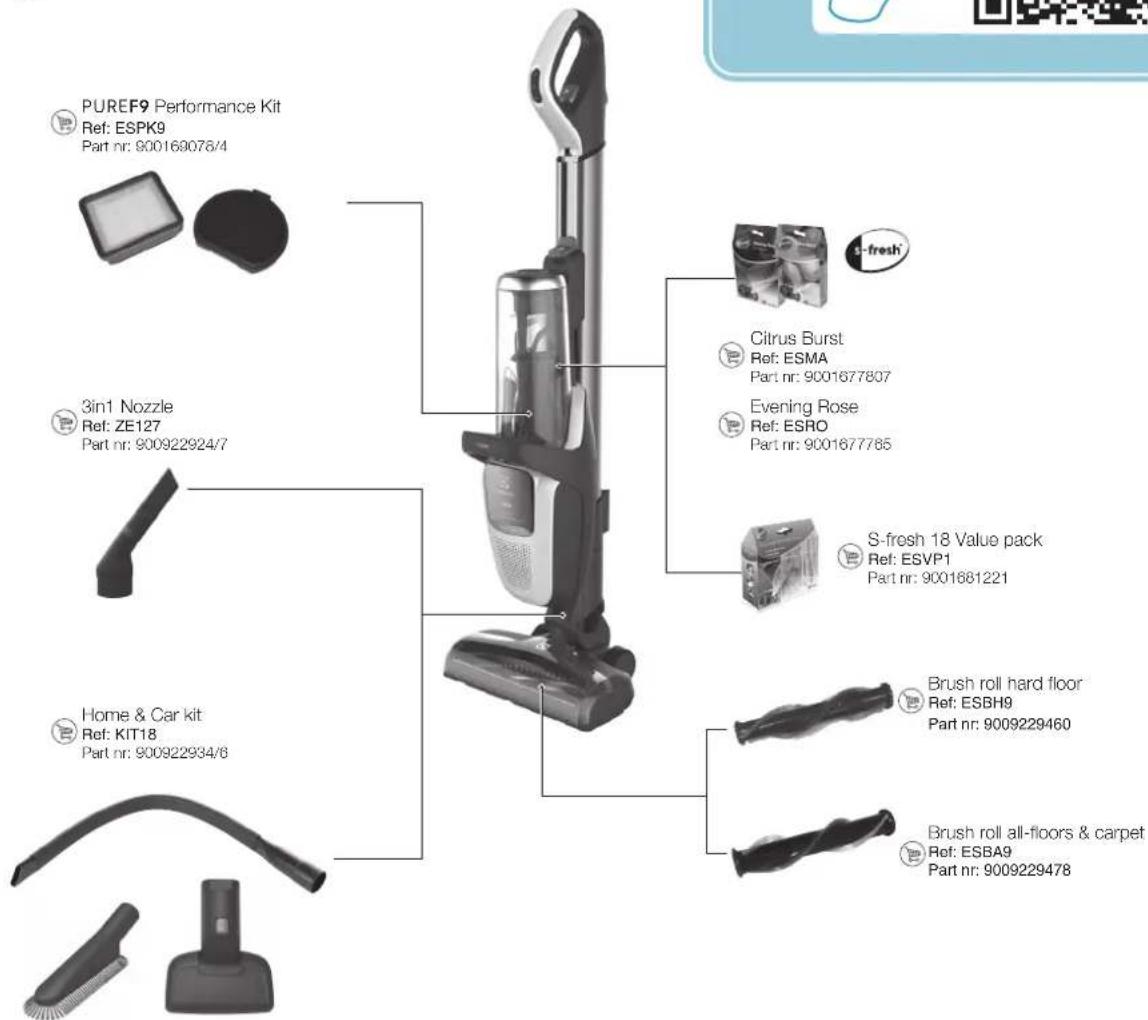
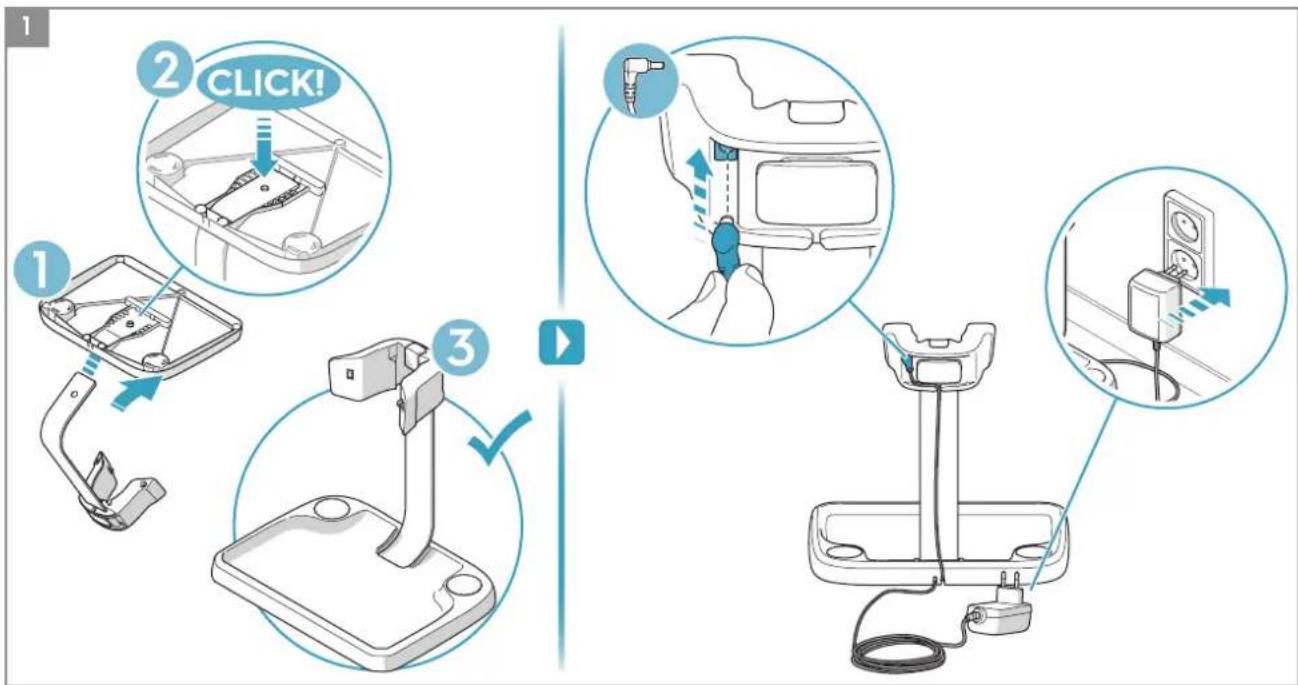
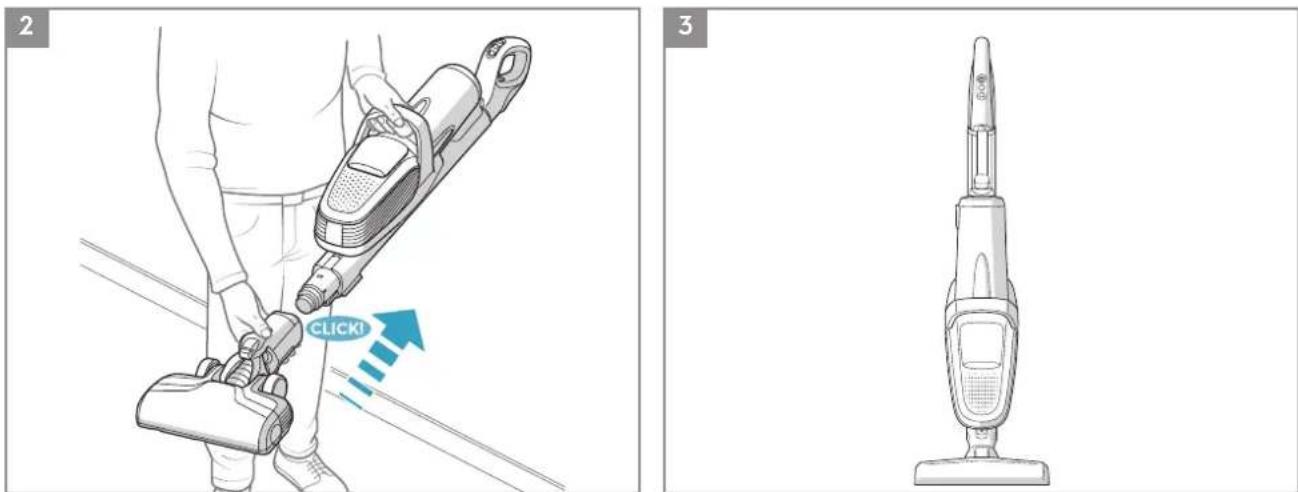
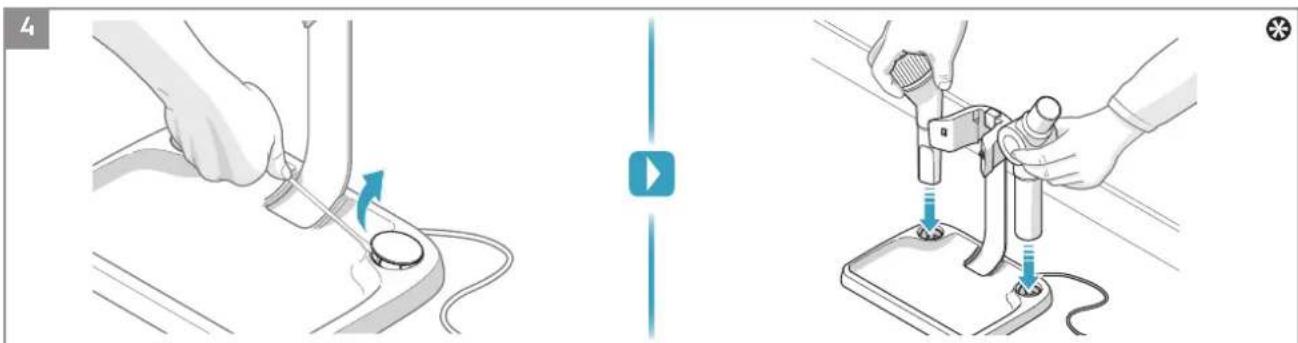
* PF91-6XXX, PF91-ANIMA, PF91-ALRGY
![graph LR A["2"] --> B["Battery"] B --> C["Phone with QR code"] C --> D["QR"]](/content/2026/03/497715/images/efedd673e4210f87dd63c96e693f79fc403ce9d331fa0f644daf115520da3691.jpg)
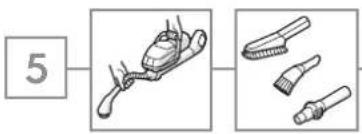
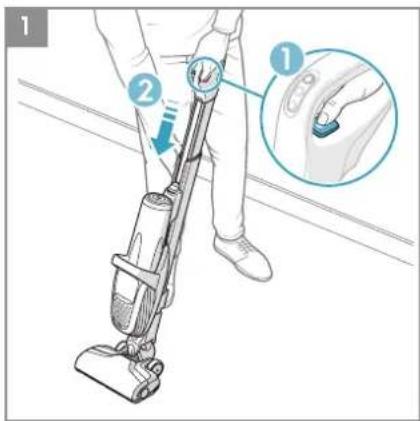
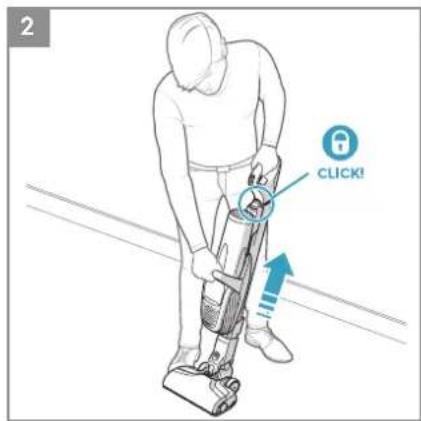
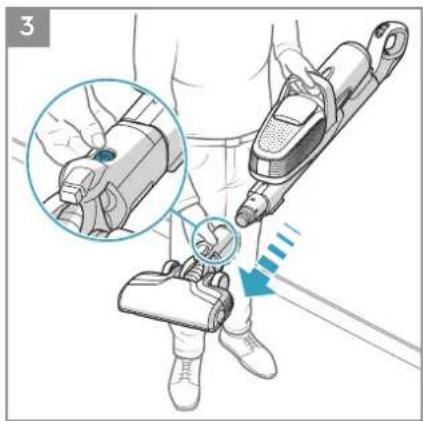
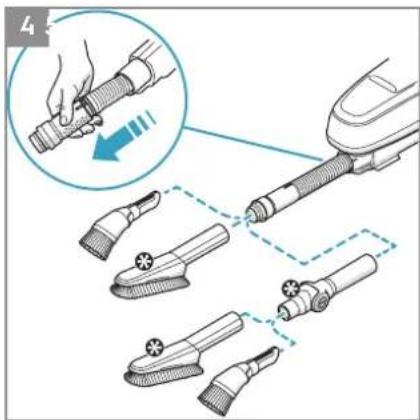
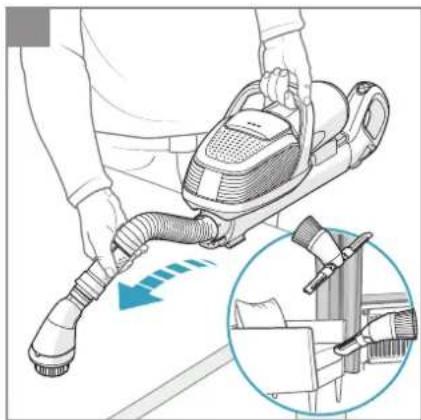
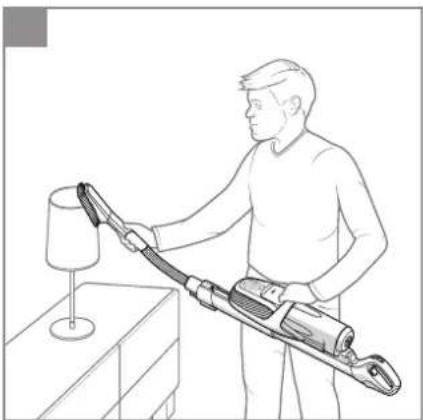
* Certain models only www.electrolux.com
![graph LR A["7"] --> B["手机支付"] B --> C["电脑设备"] C --> D["手持手机"] D --> E["二维码"]](/content/2026/03/497715/images/1b785c13bc7c5b045d22cd1238a7de2875e488167079e922a038015a85925487.jpg)


SAFETY PRECAUTIONS
This appliance can be used by children aged from 8 years and above and persons with reduced physical, sensory or mental capabilities or lack of experience and knowledge if they have been given supervision or instruction concerning use of the appliance in a safe way and understand the hazards involved.
Children shall not play with the appliance.
Cleaning and maintenance shall not be made by children without supervision.
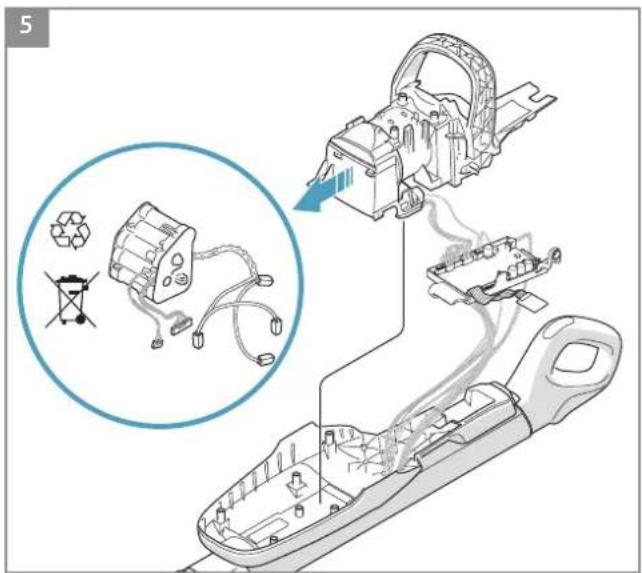
Batteries must be removed from the appliance before it is scrapped.
The battery is to be disposed of safely.
Only use the charging adapter that was provided with the product.
The product should only be used for normal vacuuming indoors and in a domestic environment. Make sure it is stored indoors and in a dry place.
Packaging material, e.g. plastic bags should not be accessible to children to avoid suffocation.
Never use the vacuum cleaner:
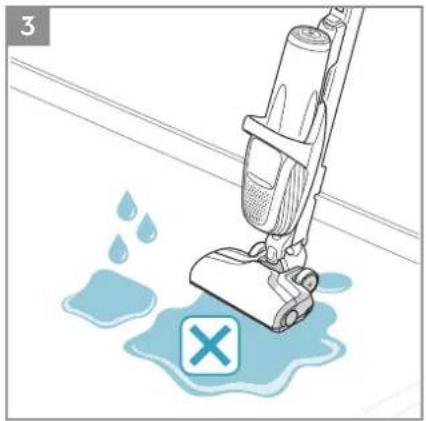
- In wet areas.
- Close to flammable gases, etc.
- When the product shows visible signs of damage.
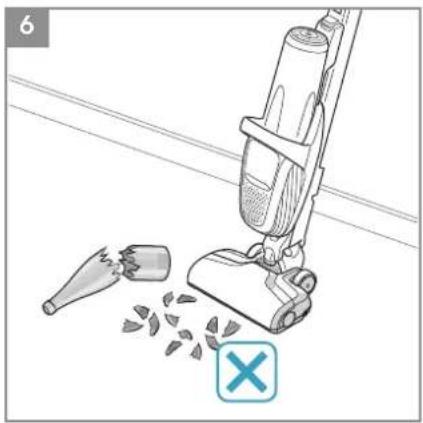
- On sharp objects or liquids.
- On hot or cold cinders, lighted cigarette butts, etc.
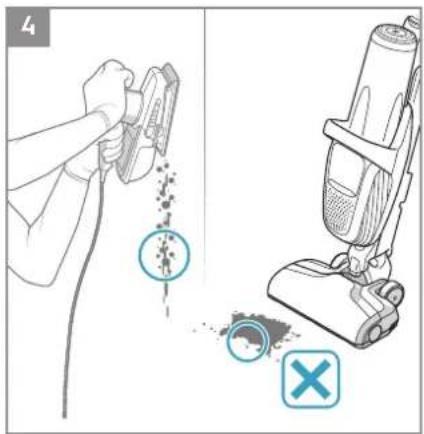
- On fine dust, for instance from plaster, concrete, flour, hot or cold ashes.
Caution:
- Mind your fingers if cleaning the inside of the floor nozzle.
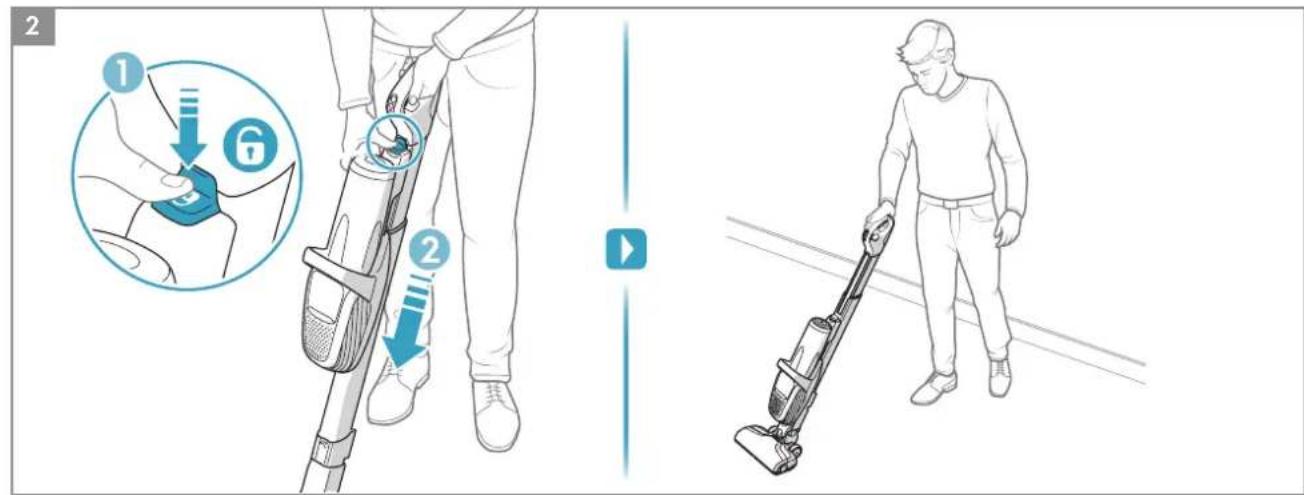
- Make sure to use the designated handles when operating the product and when using the slide function of the main unit.
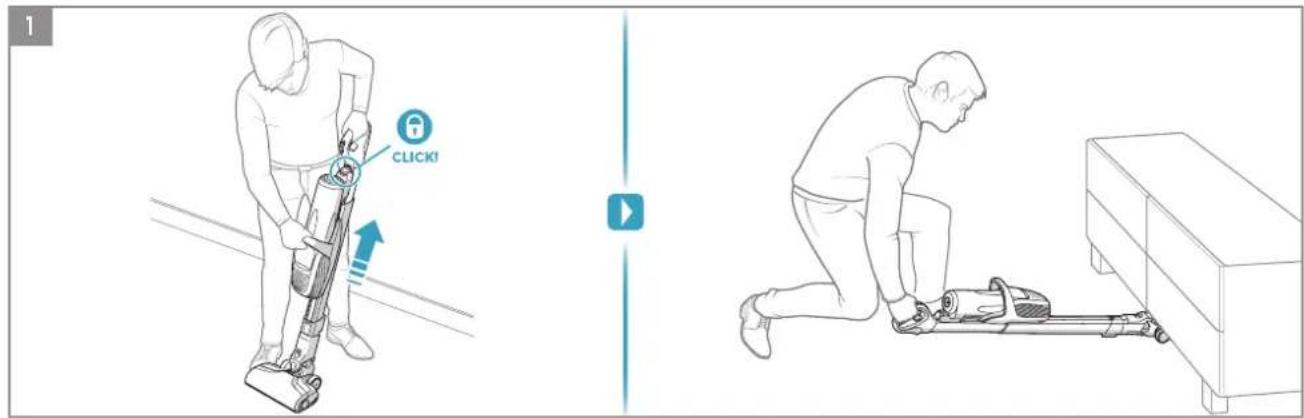
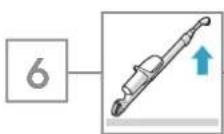
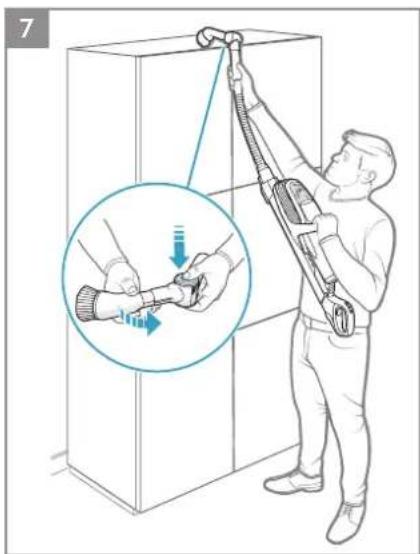
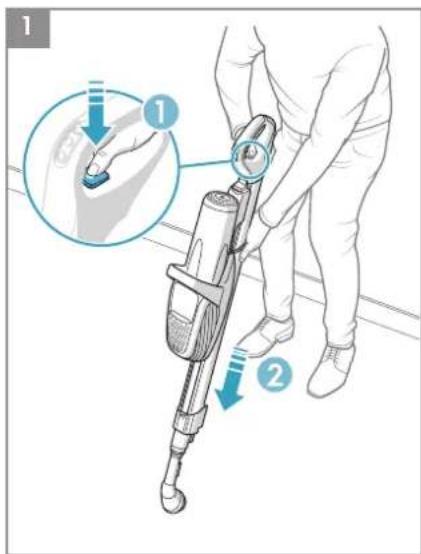
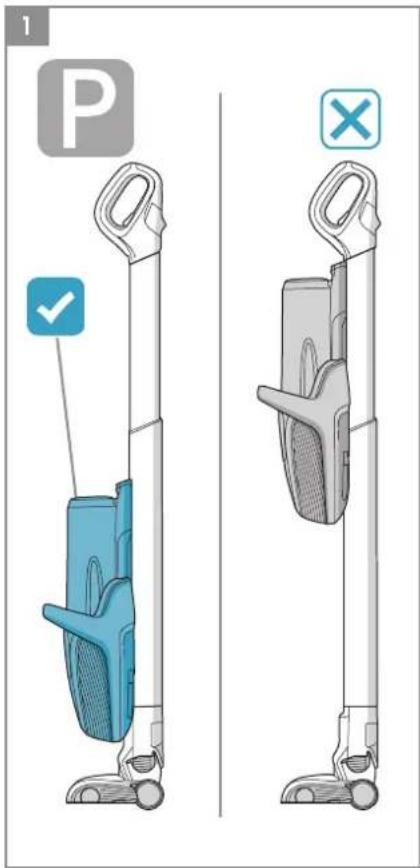
- Make sure the main unit is locked in the upper position when using the cleaner in high cleaning mode (Chapter 6 step 1)
Warning:
- Do not leave, store or charge the vacuum cleaner in direct sunlight.
- Avoid exposing the vacuum cleaner to strong heat.
- The battery cells within must not be dismantled, short circuited or placed against a metal surface.
- Never use the vacuum cleaner without its filters.
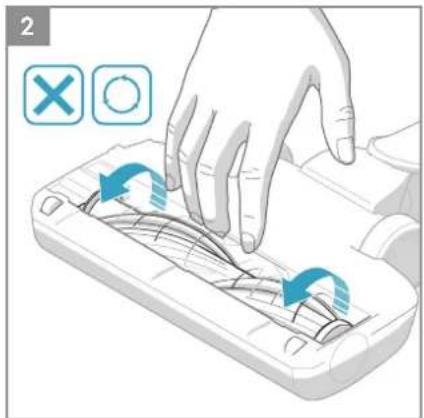
- Do not try to touch the brush roll while the cleaner is switched on and the brush roll is turning.
Using the vacuum cleaner in the above circumstances may cause serious personal injury or damage to the product. Such injury or damage is not covered by the warranty or by Electrolux.
SERVICING AND WARRANTY
All service or repairs must be carried out by an authorized Electrolux service centre.
This warranty does not cover reduction in battery runtime due to battery age or use, as the life of the battery depends upon the nature of use.
To protect the motor, battery and electronics the product should not be operated in:
- an ambient temperature below 5°C or exceeding 35°C.
- A humidity level below 20% or exceeding 80% (non-condensing).
Storage considerations to protect the battery and electronics;
- If the product is temporarily stored in a temperature below 5 °C or exceeding 35 °C, let the product cool down or warm up and dry for a few hours before usage.
Dew condensation may form inside the product if the unit is moved from a cold to a warm environment.
If the product is stored for an extended time period (without usage or continuous charging), we recommend to store the product
- indoors and in temperature between 5°C to 35°C, and at a humidity between 20% to 80%. • with the batteries charged at 50% capacity or more.
TROUBLESHOOTING
| PROBLEM CAUSE SOLUTION | ||
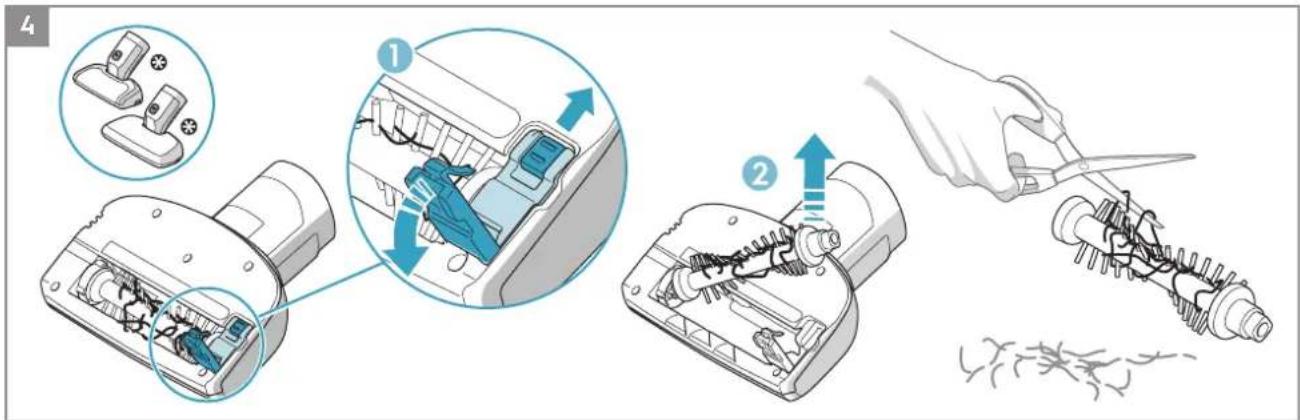
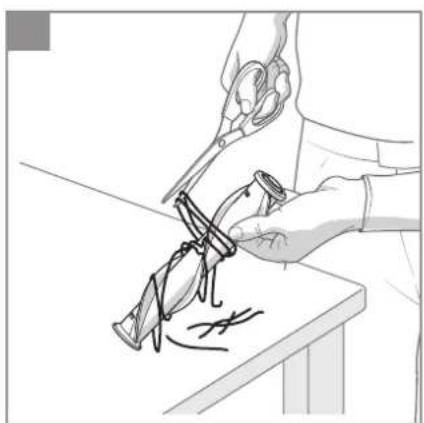
| The product stops or does not start | The brushroll is blocked | Clean and remove entangled hair, threads and fibres from the brush roll. |
| The product might be overheated | Turn off the vacuum cleaner. Then check if the nozzle, tube, hose or filters are blocked and/or dirty. Let the product cool down for minimum 2 hours on the charging stand before starting it again. If the product still is not working, please contact an authorized Electrolux Service Centre. | |
| The battery is empty (last LED blinks) | Charge the vacuum cleaner. | |
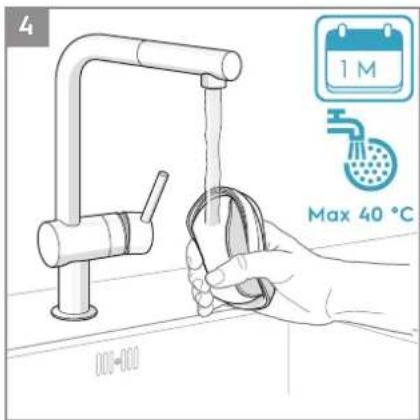
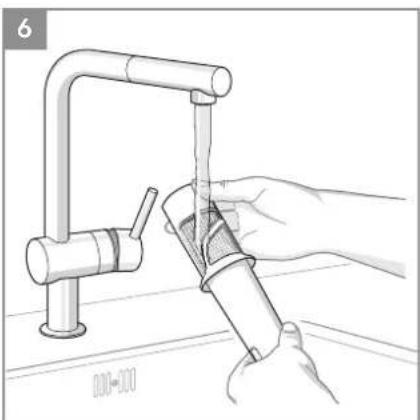
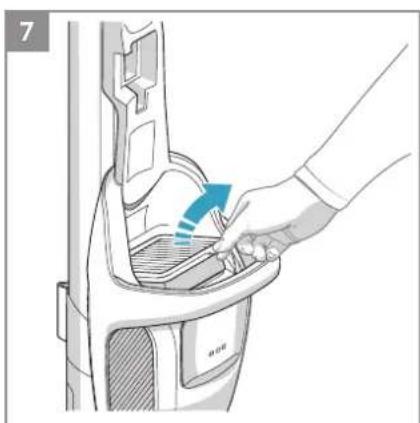
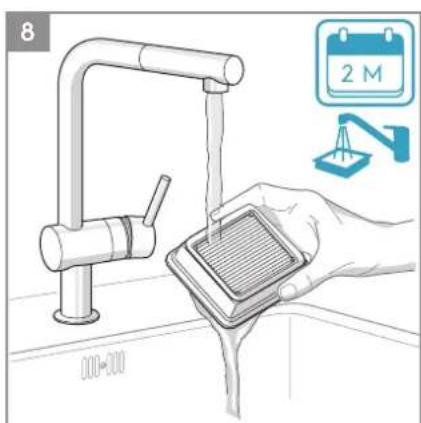
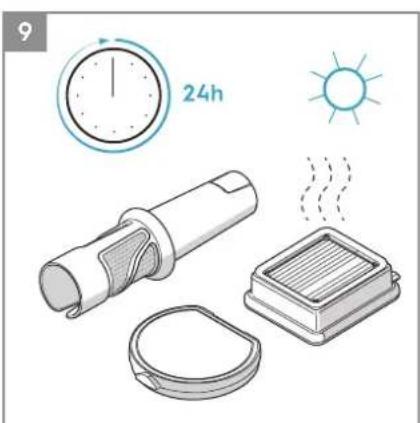
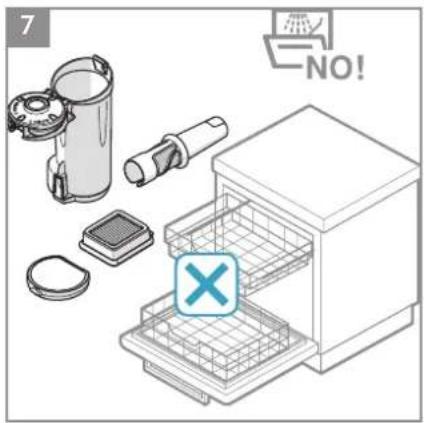
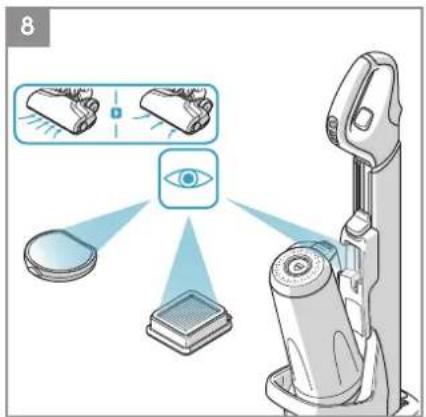
| Reduction or no suction power | Filters / Nose Cone is dirty or missing | Clean or wash the filters and put them back (See also Instruction book section 7). Change or replace the filters (www.electrolux.com/shop). |
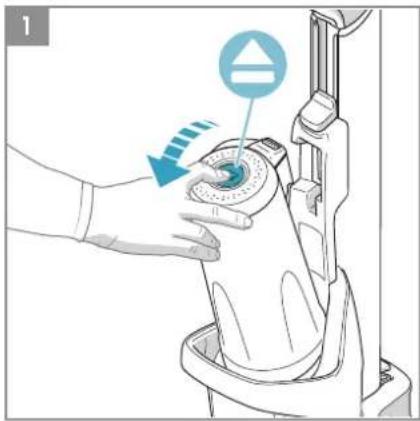
| Air Channel / Cyclon is blocked | Remove the dust container and check the air channel and air inlet in the dust container to see if something is stuck. | |
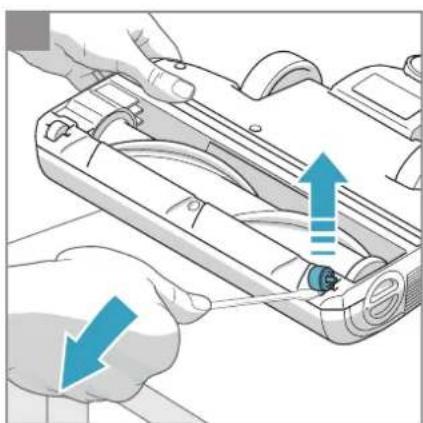
| Floor nozzle is blocked Remove | Floor nozzle and check if something is stuck in the nozzle. | |
| Hose is blocked | Remove Floor nozzle and check if something got stuck in the hose. If so use a stick to remove the obstacle. However, be careful in case the obstruction. | |
| Note: The warranty does not cover any damage to the hose caused by cleaning it. | ||
| Water or other liquids has been sucked into the product | Stop the product and let it dry for 48h (do not put it in the charging stand!).If the product is not working anymore it will be necessary to replace the motor at an authorized Electrolux service centre.Note: Damage to the motor caused by the penetration of water is not covered by the warranty. | |
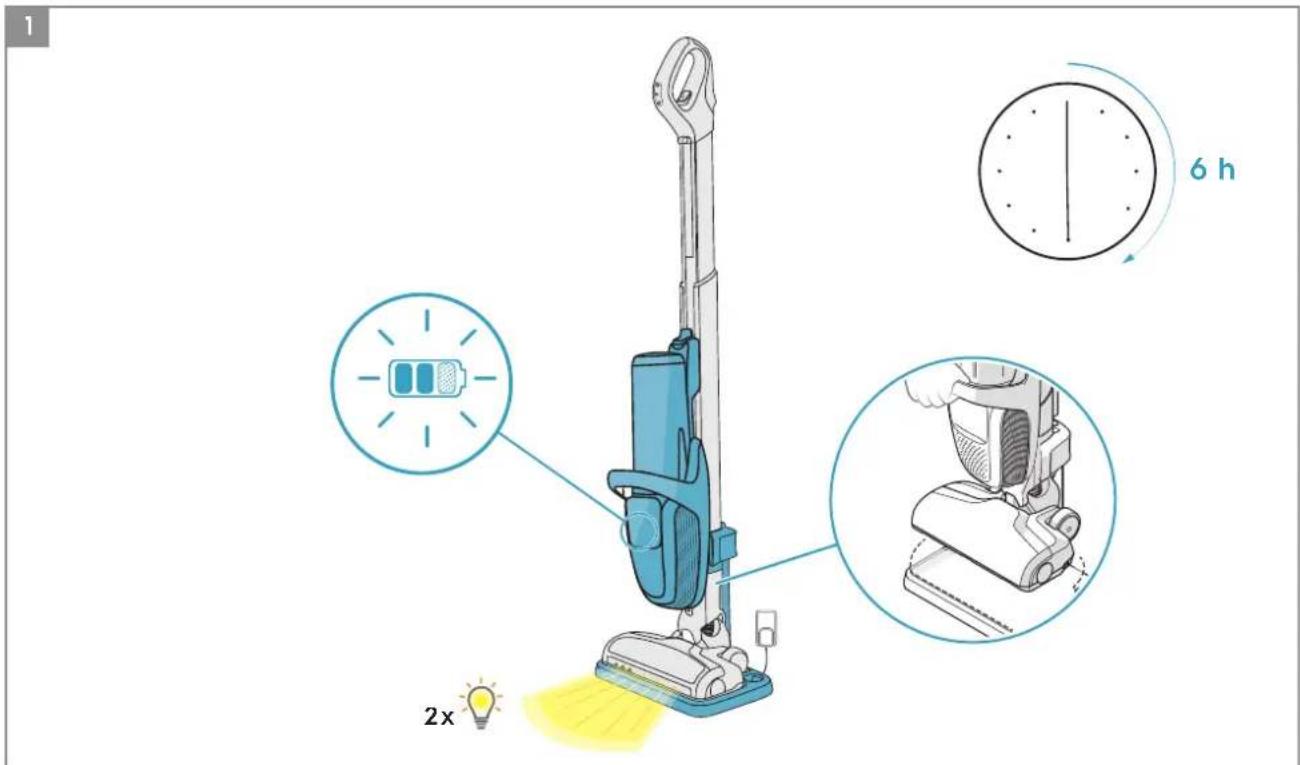
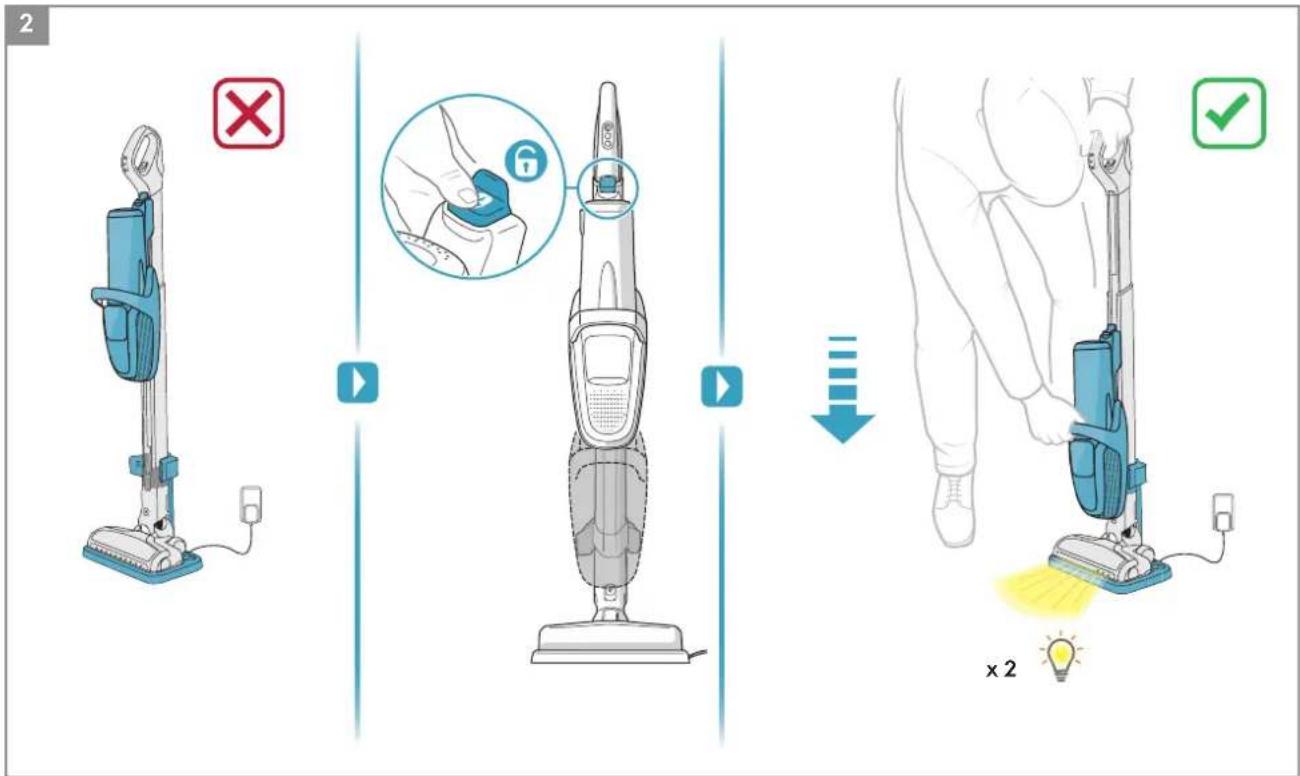
| The product is not charging | Main unit is in wrong position | Push the main unit down to the lowest position. It should not be locked in the upper position and/or in between. |
| Product is placed wrong in the charging stand | Check if the connectors from the back of the main unit are connected to the charging stand. | |
| Charging pin is not plugged in | Make sure charging pin is connected in the back of the charging stand, and charging adapter is plugged in the socket. | |
| Wrong or no nozzle attached | Make sure the main floor nozzle is attached to the product or it will not charge. | |
| To protect the battery and electronics, charging will not occur if room temperature is below 5°C or over 35°C. | Store and charge the product indoor and in a room temperature between 5 - 35°C. | |
| Charging is taking longer than 6 hours | Room temperature is over 35°C | Charging time will be longer if the temperature is high, which is normal. Store and charge the product in a normal room temperature. |
| Please also see Instruction book chapter 2. | ||
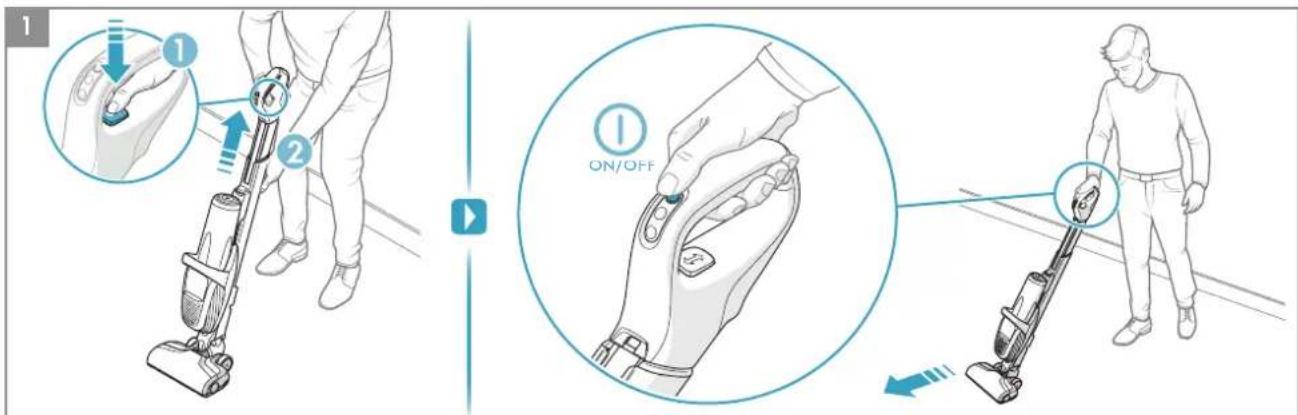
| Brushroll is not rotating | Changing the floor nozzle while product is running | After changing the nozzle restart the product. |
BATTERY LAMPS INDICATION
| Charging What does it mean? During usage What does it mean? | ||||
 | Blink slowly = 100 % fully charged 75 - 100 % capacity | |||
 | → | 50 – 95 % charged 50- 75 % capacity remaining | ||
 | →  | 0 – 50 % charged 25 – 50 % capacity remaining | ||
| \ | PUREF9 ® needs to be recharged. | |||
RUNNING TIMES FOR PUREF9
| 36V 32,4 V | ||
| High power mode | prox. 17 min* Approx. 15 min* | |
| Normal mode | 30 min* Approx. 25 min* | |
| Long runtime mode | prox. 60 min* Approx. 55 min* | |
| *based on Electrolux Internal Testing | ||
This warranty does not cover reduction in battery runtime due to battery age or use, as the life of the battery depends upon the amount and nature of use.

This symbol on the product indicates that this product contains a built-in rechargeable battery which shall not be disposed with normal household waste.

This symbol on the product or on its packaging indicates that the product may not be treated as household waste.
To recycle your product, please take it to an official collection point or to an Electrolux service center that can remove and recycle the battery and electric parts in a safe and professional way. Follow your country's rules for the separate collection of electrical products and rechargeable batteries.
CUSTOMER CARE AND SERVICE
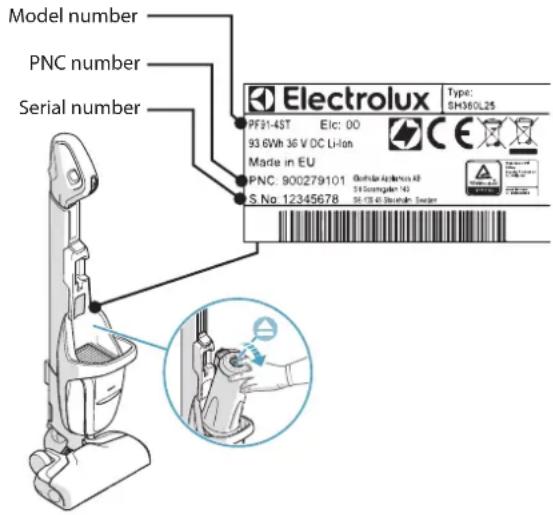
When contacting the Electrolux service center, ensure that you have following data available:
- Model number,
- PNC number
- Serial number
The information can be found on the rating plate.
SAFETY INSTRUCTIONS
SAFETY INSTRUCTIONS
Brand : ELECTROLUX
Model : PF914IG
Category : Vacuum Cleaner