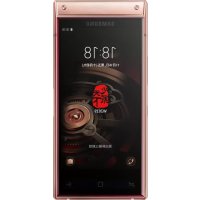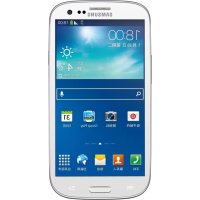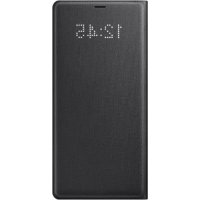
EFNN950 - Cellphone SAMSUNG - Free user manual and instructions
Find the device manual for free EFNN950 SAMSUNG in PDF.



| Product Type | Protective case with LED window |
| Brand | Samsung |
| Model | EFNN950 |
| Communication technology | NFC (13.56 MHz) |
| Main functions | Answer or reject calls without opening the case, stop alarm/timer, personalized LED display for contacts, automatic screen unlock |
| LED window | Displays notifications and LED images |
| Automatic screen lock | Yes, via Accessories settings |
| LED customization | Yes, via LED Icon Editor app |
| NFC antenna | Built into case |
| Power supply | No separate power (operates via smartphone NFC) |
| Operating temperature | 0 °C to 35 °C |
| Storage temperature | -20 °C to 50 °C |
| Care and cleaning | Clean with a soft, dry cloth; avoid chemicals |
| Safety instructions | Use only Samsung-approved accessories, do not expose to moisture, do not disassemble |
| Declaration of conformity | Compliant with Directive 2014/53/EU |
| Warranty | According to purchase country legislation |
Frequently Asked Questions - EFNN950 SAMSUNG
User questions about EFNN950 SAMSUNG
0 question about this device. Answer the ones you know or ask your own.
Ask a new question about this device
Download the instructions for your Cellphone in PDF format for free! Find your manual EFNN950 - SAMSUNG and take your electronic device back in hand. On this page are published all the documents necessary for the use of your device. EFNN950 by SAMSUNG.
USER MANUAL EFNN950 SAMSUNG
Copyright © 2017 Samsung Electronics
- Please read this guide before using the device to ensure safe and proper use.
- Images may differ in appearance from the actual product. Content is subject to change without prior notice. Visit www.samsung.com to view device information, the latest guide, and more.
- Before using the LED View Cover, make sure it is compatible with your device.
- Verify that the NFC function is working properly before using the device with the LED window functions, Auto Screen On/Off feature, or Theme Curation Service feature active.
- If your device is running Mobile Device Management (MDM) or is located near a metallic object, the NFC function may not work properly.
- If you flip the front cover and block the back of the mobile device, the NFC function may not work properly.
- Your consumer rights are governed by the law of the country in which you purchased the product. Please contact your service provider for more information.
Device layout
NFC antenna LED window
Attaching the LED View Cover
Open the LED View Cover and attach it to your mobile device. (A)
Answering or rejecting calls
You can answer or reject a call on your mobile device using the LED window without opening the LED View Cover.
To answer a call, drag your finger to the right on the LED window.
To reject a call, drag your finger to the left on the LED window.
To stop an alarm or timer, drag your finger to the right on the LED window.

-
You cannot answer or reject an incoming call on the LED View Cover during a video call.
-
The LED window may not work while wireless charging.
Unlocking the mobile device's screen automatically
You can set your mobile device to unlock automatically when the LED View Cover is opened.
On your mobile device, tap Settings
Advanced features Accessories, and then activate the screen unlock feature.

This feature is available only when secure lock is disabled.
Setting LED images
Using your mobile device, you can create and set LED images to display for contacts during incoming calls or for notifications on the LED window.
On your mobile device, tap Settings
Advanced features Accessories, and then use the LED icon editor feature.
You can also use the LED icon editor app that appears when you attach the LED View Cover to the mobile device.
Safety information
Read all safety information before using the device to ensure safe and proper use. To view the full safety information, refer to the Samsung website.
Use manufacturer-approved batteries, chargers, accessories, and supplies
Do not touch the device with wet hands Do not drop or cause an impact to the charger or the device
The device can be used in locations with an ambient temperature of 0 C to 35 C . You can store the device at an ambient temperature of -20 C to 50 C . Using or storing the device outside of the recommended temperature ranges may damage the device or reduce the battery's lifespan
Prevent the multipurpose jack and the small end of the charger from contact with conductive materials, such as liquids, dust, metal powders, and pencil leads
Do not allow children or animals to chew or suck the device
Do not disassemble, modify, or repair your device
Correct disposal
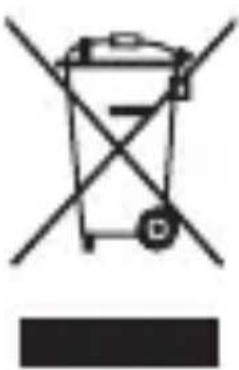
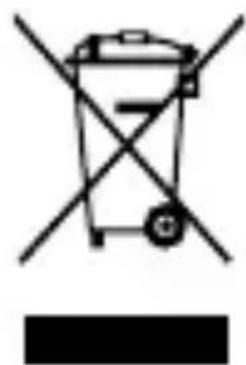
This marking on the product, accessories or literature indicates that the product and its electronic accessories (e.g. charger, headset, USB cable) should not be disposed of with other household waste. This product is RoHS compliant.
For information on Samsung's environmental commitments and product-specific regulatory obligations, e.g. REACH, WEEE, Batteries, visit samsung.com/uk/aboutsamsung/samsungelectronics/corporatecitizenship/data-corner.html
Declaration of Conformity
Samsung Electronics declares that this device complies with the essential requirements and relevant provisions of Directive 2014/53/EU. Go to www.samsung.com/mobile_doc to view the Declaration of Conformity.
Band and mode
| Band and mode Output power | |
| NFC 13.56 MHz | H field of 42 dBuA/m at 10 m |
LED View Cover anbringen
Montarea LED View Cover
Descidei LED View Cover si monta-i o la dispositivul dvs. mobil. ()A
Preluarea sau respingerea apelurilor
OTBopeTe LED View Cover I ro npHKpePeTe KbM CBOeTo MO6HJHO yCTpoIcTBO. ()A
He pa3rno6yBaIte, He moInΦnCupaIte n He pemOnTnpaIte camn yCTpoiCTBOTO cN
Празвлно n3XBьрянe
Ta3n MapKnpOBKa Ha npOdykTa,
PpHaJdIeJxHocHTte IIN JInTepaTypaTa
yKa3Ba,Ye npOdyKTbT IN HeROBNTe
eJeKTPoHNi PpHaJdIeJxHocTn
(Hanprime 3apAДHO yCTPOIcTBO,
cIy7aJIkn, USB Ka6eN) He Tp86Ba da
6bDaT n3XbPpIHN C dpyrN 6INTOBN
OTPaIbCn.
3a Информацnia OTHOCHO aHraжимента на Samsung Кьм OKолнаТа среда и HOPMaTINBNTe 3адыжени, спецфчни 3a пюдуктITE, KaTO habример REACH, WEEE, 6atepin, посетete samsung.com/uk/aboutsamsung/samsungelectronics/corporatecitizenship/data-corner.html
Colocar a LED View Cover
LED View Coveri paigaldamine
Avage LED View Cover ja paigaldage see omamobiiliseadmele. ()
Satta fast LED View Cover
Feste LED View Cover
Stille inn LED-bilder
Fastgore LED View Cover
m = 311
LED 1
i 1
LED
Sgwrssuysuusauaunnnnnaa
LED View Cover
LED
Jz
LED View Cover
. 1
- 1
S OBC = S COD + S_ BOC
J 1

LED
LED View Cover jldaij
.
LED 1
J 1
. 1NFC .Theme Curation
(MDM)
NFC 1
. 1
1rj 1
NFC 1
J 1 J 45 g 6
.
ol
NFC LED
LED View Cover
JL J 1
().
i 1000000000000000000000000000000000000000000000000000
a a a a a a a a a a a a a a a a a a a a a a a a a a a a a
y
jglj
aal
cIgbo nJyI yAeXll oJyj Jn J
Jlill kJyY Ail jyI yIyILsOJ
JLJ) yIyIyIyIyILsOJ
JLJ (USB JSL aclall
LbcIe IgJrJrJgAaLLsIe JdJI Siky 1 LED View Cover
i j 1000
LED 150
.View Cover
←aaaiaijaiai←buiaiiebiiai jaoai jge
aalil jie 0jua buiy p
Jai Jia Jia jie bao o jialo jgii

LED
LLED
-aaaiiieiieieieieieieieieieieieieieieieieieieieieieieieieieieieieieieieieieieieieieieieieieieieieieieieie
J 1
Jalalag
Theme Curation Service
Mobile Device Management (MDM)
JNFC 1
jgllll jilil lgl 1g w golal
JNFC 1
jol. 1i jlll e j p y l l l g i wll
Jy Jy
jglai

NFCLED
LED View Cover
(A)
i
j 1 j 1 j 1 j 1 j 1 j 1 j 1 j 1
.LED View Cover 2 LED
LED
LED
LED
Contents
…
9
QUICK START GUIDE
EF-NN950
LED View Cover