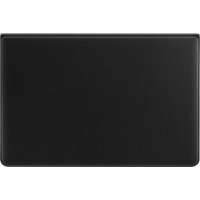
EJFT830 - Cellphone SAMSUNG - Free user manual and instructions
Find the device manual for free EJFT830 SAMSUNG in PDF.



User questions about EJFT830 SAMSUNG
0 question about this device. Answer the ones you know or ask your own.
Ask a new question about this device
Download the instructions for your Cellphone in PDF format for free! Find your manual EJFT830 - SAMSUNG and take your electronic device back in hand. On this page are published all the documents necessary for the use of your device. EJFT830 by SAMSUNG.
USER MANUAL EJFT830 SAMSUNG
Copyright © 2018 Samsung Electronics
- Please read this guide before using the device to ensure safe and proper use.
- Images may differ in appearance from the actual product. Content is subject to change without prior notice. Visit www.samsung.com to view device information, the latest guide, and more.
- The keyboard is optimised to connect with the SAMSUNG Galaxy Tab S4 and may not be compatible with other devices. Before connecting the keyboard with devices other than the SAMSUNG Galaxy Tab S4, make sure they are compatible with the keyboard.
- Your consumer rights are governed by the law of the country in which you purchased the product. Please contact your service provider for more information.
- This product includes certain free/open source software. To see the instructions for viewing the open source licence, go to the Samsung website ( opensource.samsung.com).
Package contents
Keyboard, S Pen holder, Quick start guide
Device layout
| a | Stand Dock ports | e | |
| b | Rear camera hole Connection hole | ||
| c | S Pen holder Keyboard | g | |
| d | S Pen holder slot | ||
Attaching the S Pen holder
Insert the opposite side of the S Pen holder's protruding edge into the S Pen holder slot and press the protruding edge firmly. You can insert the S Pen into the S Pen holder.

S Pen is sold separately.

When you insert the S Pen into the S Pen holder, insert the S Pen's nib first.
Connecting the keyboard
When you connect the keyboard to a tablet, you can enter characters without pressing the tablet's screen. You can also use the keyboard as a cradle for the tablet by using its stand.
- Position the tablet's rear camera to insert it into the rear camera hole and put the tablet in the stand. (B)
- Insert the tablet into the connection hole to meet the tablet's connectors and the dock ports. (C)
Safety information
Read all safety information before using the device to ensure safe and proper use. To view the full safety information, refer to the Samsung website.
The device contains magnets. The American Heart Association (US) and the Medicines and Healthcare Products Regulatory Agency (UK) both warn that magnets can affect the operation of implanted pacemakers, cardioverters, defibrillators, insulin pumps or other electro medical devices (collectively, "Medical Device") within the range of 15 cm (6 inches). If you are a user of any of these Medical Devices, DO NOT USE THIS DEVICE UNLESS YOU HAVE CONSULTED WITH YOUR PHYSICIAN
Use manufacturer-approved accessories and supplies
Do not touch the device with wet hands
Do not drop or cause an impact to the device
The device can be used in locations with an ambient temperature of 0^ to 35^ . You can store the device at an ambient temperature of -20^ to 50^ . Using or storing the device outside of the recommended temperature ranges may damage the device
Prevent the dock ports from contact with conductive materials, such as liquids, dust, metal powders, and pencil leads
Do not allow children or animals to chew or suck the device Do not disassemble, modify, or repair your device
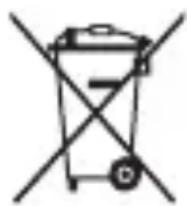
Correct disposal
This marking on the product, accessories or literature indicates that the product and its electronic accessories (e.g. charger, headset, USB cable) should not be disposed of with other household waste.
This product is RoHS compliant.
For information on Samsung's environmental commitments and product-specific regulatory obligations, e.g. REACH, WEEE, Batteries, visit samsung.com/uk/aboutsamsung/samsungelectronics/corporatecitizenship/data-corner.html
Samsung Electronics (UK) Ltd, Euro QA Lab. Blackbushe Business Park. Saxony Way, Yateley, Hampshire, GU46 6GG, United Kingdom

I3noJ3BaIte 6aTePmN n npHaJIeKHOCTN, oO6peHn OT npOn3BOJITeJIa
He JOKOCBaIte yCTpoiCTBOTO C MOKpn Pbue He n3nyckaIte nn ydpraTe yCTpoiCTBOTO
UcTpoICTBOTo MoJKe Da Ce N3PON3Ba Ha MeCTa C TempepaTypa Ha OKoJIHa cpeDa Mexdy 0^ n 35^. MoXeTe Da cbxpaHЯBaTe yCTpoIcTBOTOp npi TempepaTypa Ha OKoJIHaTa cpeDa Mexdy -20°C n 50°C. N3PON3BaHeTo IIN CBxpaHEnHeTO Ha UcTpoIcTBOTO N3BbH npenopbYntHInTe TempepaTypn Dnana3OHN MoJKe Da NobpeDi yCTpoIcTBOTO
IpeoTbpaTe KOHTaKT Ha nopTOBeTe Ha DOKInr C TaHcNraTa C npOBOIMM MaTePnAaN KaTo TeuHOCTn, npax, MeTaleH npax n rpaΦnt Ha MoiNbN
He no3B0JaBaIe Ha deca nn JKNBOTHn Da IbBuat nn CMyaT yCTpoiCTBOTo He pa3rno6BaIe, He moNphiupaIte n He peMOHTnpaIte camn yCTpoiCTBOTO cn
PpaBnHNo n3XbPpIHe
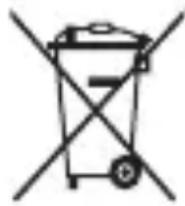
Ta3n MapknpoBka Ha npOyKta, npHaJnxHocHTe nIIN IInTepaTpya yka3Ba, ye npOyKbT n HeROBnTe eJeKtpoHNn npHaJnxHocTn (HaNPmep 3apAHO yCTpOoiCTBO, cnUwAnKn, USB ka6en) He TpA6Ba da 6bDaT n3XBbpNn C dpyrN 6ntOBn OTnaDbu.
Tastatur, S Pen-holder, hurtigstart
Enhedens udseende
J 1 J 1 J 1 J 1 J 1 J 1 J 1 J 1 J 1 J 1 J 1 J 1 J 1 J 1 J 1 J 1 J 1 J 1 J 1 J 1 J 1 J 1 J 1 J 1 J 1 J 1 J 1 J 1 J 1 J 1 J 1 J 1 J 1 J 1 J
1 Jai 1
与 D
4k + 1 0( mod D)
21 x - y
.
0aLio
20000000000000000000000000000000000000000000
(.opensource.samsung.com)
Jgaa 4
S Pen 1
olss
| e | d### |
| f | ### |
| g | S Pen ### |
| S Pen ### |
S Pen 0
S Pen 00000000000000000000000000000000000000000
. S Pen 000000000000000000000000000000000000000000
S Pen

S Pen S Pen S Pen
2 = 1

J 1
Jgulwusu wulz uug gag aolll dull cdo
y 1 y
a 1000
yuiu la jglal 1a plaiiui iie aibil ojg 0n y lao
aeiaaiis ylln oedieaal jglgllgcllaal
a 1
yai 1 8 jgai baa
1 1 1 1 1 1 1 1 1 1 1 1 1 1 1 1 1 1 1 1 1 1 1 1 1 1 1 1 1 1 1 1 1 1 1 1
jgl
aalaaag aaii gaiiaai gaiiaai gaiiaai gaiiaai
aai
p 42 g jg jalal yaiy bclg j Jabj
jgl 2xla! g jda g jgl
aaii
i 150 a 1 1 1 1 1 1 1 1 1 1 1 1 1 1 1 1 1 1 1 1 1 1 1 1 1 1 1 1 1 1 1
A
.
S OBC = S COD + S_ BOC
aai
J. J. J. J. J. J. J. J. J. J. J. J. J. J. J. J. J. J. J. J. J. J. J. J. J. J. J. J. J. J. J. J. J. J. J. J. J. J. J. J. J. J. J. J. J. J. J. J. J. J. J.
SAMSUNG Galaxy Tab S4
y
.
g
J 1
jglai
| e | Jalaliyya lila |
| f | Aqbal l al al al al al al al al al al al al al al al al al al al al al al al al al al al al al al al al al al al al al al al al al al al al al al al al al al al al al al al al al al al al al al al al al al al al al al al al al al al al al al al al al al al al al al al al al al al al al al al al al al al al all |
| g | S pl a Jala b j a l l l l l l l l l l l l l l l l l l l l l l l l l l l l l l l l l l l l l l l l l l l l l l l l l l l l l l l l l l l l l l l l l l l l l l l l l l l l l l l l l l l l l l l l l l l l l l l l l l l l |
| S pl Jala a l l l l l l l l l l l l l l l l l l l l l l l l l l l l l l l l l l l l l l l l l l l l l l l l l l l l l l l l l l l l l l l l l l l l l l l l l l l l l l l l l l l l l l l l l l l l l l l l l l |
S
.8g jlll alal S pala aai S pala aia no Jlaal lal
Jaa S

S pllln Jd S plll Jda S plll Jda

i
jglal aie jle biaai l 1jld sikg jlg jgl jgl dlaa Jd jgl daii jgl gll jglk gll
aJolal 1 Jolal aai jolal jolal jolal jolal jolal jolal jolal

.
Contents
…
。
QUICK START GUIDE
EJ-FT830
BOOK COVER KEYBOARD
Galaxy Tab S4