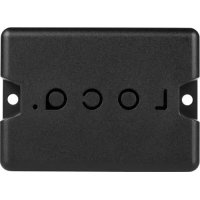
Nedsoft Loca - GPS device

Loca - GPS device Nedsoft - Free user manual and instructions

Find the device manual for free Loca Nedsoft in PDF.

📄 16 pages English EN Download 💬 AI Question 10 questions ⚙️ Specs
Notice Nedsoft Loca - page 7
View the manual : Français FR Deutsch DE English EN Nederlands NL
Pick your language and provide your email: we'll send you a specifically translated version.
Product Type GPS Tracker
Brand Nedsoft
Model Loca
Dimensions (approx.) 4.5 x 4.5 x 1.5 cm
Weight (approx.) 35 g
Power Rechargeable lithium-ion battery (via USB)
Battery Life Up to 7 days under normal use
Connectivity Bluetooth 4.0 / GPS / GSM
Main Features Real-time tracking, geofencing, location history
Mobile App Loca (iOS and Android)
Range Unlimited (via mobile network)
Mounting Adhesive or magnetic mount (depending on accessories)
Protection Rating IP65 (dust-resistant and water-resistant)
Maintenance and Cleaning Clean with a soft, dry cloth. Do not use chemicals.
Safety Do not expose to extreme temperatures. Keep out of reach of children.
Spare Parts and Repairability Battery replaceable by a professional. Contact customer service for any repairs.
General Information 2-year warranty. Made in China.

Frequently Asked Questions - Loca Nedsoft

How to turn on the Loca?
Slide the switch from right to left using the provided pin. The red LED blinks quickly to indicate the device is on.
How to install the Loca app?
Search for 'Loca' on the App Store (iOS) or Google Play (Android) and download the app. Then follow the setup wizard steps.
How to attach the Loca to an object?
Place the device in the provided holder and put the rubber cover over it. Make sure the Loca logo is facing upward for better GPS signal.
What to do if the LED does not blink?
Check that the battery is charged. Plug the Loca into a USB power source for at least 1 hour. If the problem persists, contact technical support.
How to recharge the battery?
Use the provided USB cable and connect it to a wall charger or computer. The LED glows green while charging.
What is the battery life?
The battery life can reach up to 7 days under normal use, depending on the frequency of location updates.
Is the Loca waterproof?
Yes, it has an IP65 rating, making it dust-resistant and splash-resistant. However, it is not designed to be submerged.
Can I use the Loca without a subscription?
No, the Loca requires a subscription for data transmission over the mobile network. Visit our website for available plans.
How to create a geofencing zone?
In the Loca app, go to 'Geofencing' and add a new zone. Set a radius and a name. You will receive a notification when the device enters or leaves this zone.
Where to find additional help?
Visit our web portal www.myloca.eu or consult the full manual available for free download on notice-facile.com.

User questions about Loca Nedsoft

0 question about this device. Answer the ones you know or ask your own.

Ask a new question about this device

The email remains private: it is only used to notify you if someone responds to your question.

No questions yet. Be the first to ask one.

Download the instructions for your GPS device in PDF format for free! Find your manual Loca - Nedsoft and take your electronic device back in hand. On this page are published all the documents necessary for the use of your device. Loca by Nedsoft.

USER MANUAL Loca Nedsoft

Go to www.loca.support

LOCO.

Nedsoft Loca - 1

Nedsoft Loca - 2

Nedsoft Loca - 3

Nedsoft Loca - 4

Snelle start

Nedsoft Loca - Snelle start - 1

1. Activate the device first!

Use the included pin to slide the switch from right to left.
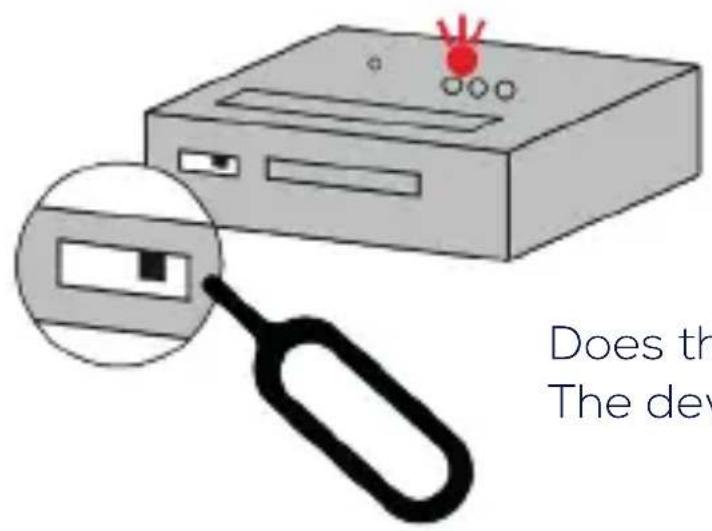
Nedsoft Loca - Activate the device first! - 1

Does the red light flash briefly? The device has been activated!

2. Place the device in the holder
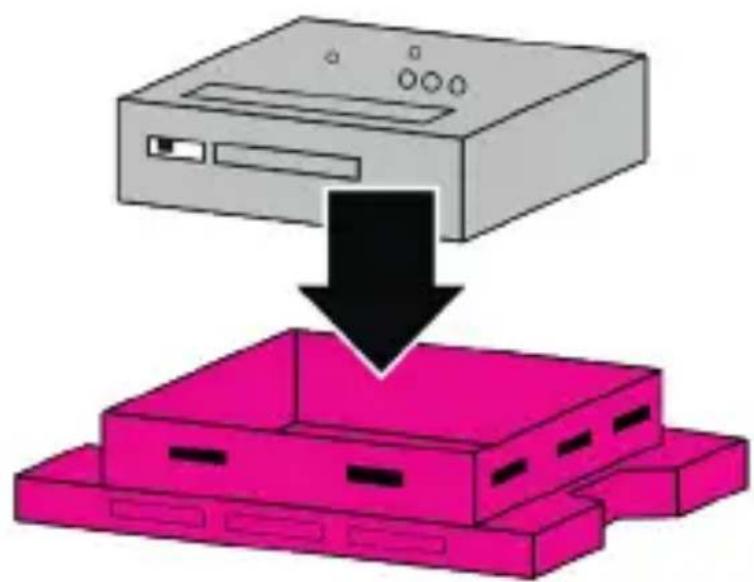
Nedsoft Loca - Place the device in the holder - 1

Quick start

Nedsoft Loca - Quick start - 1

  1. Slide the rubber sleeve onto the device
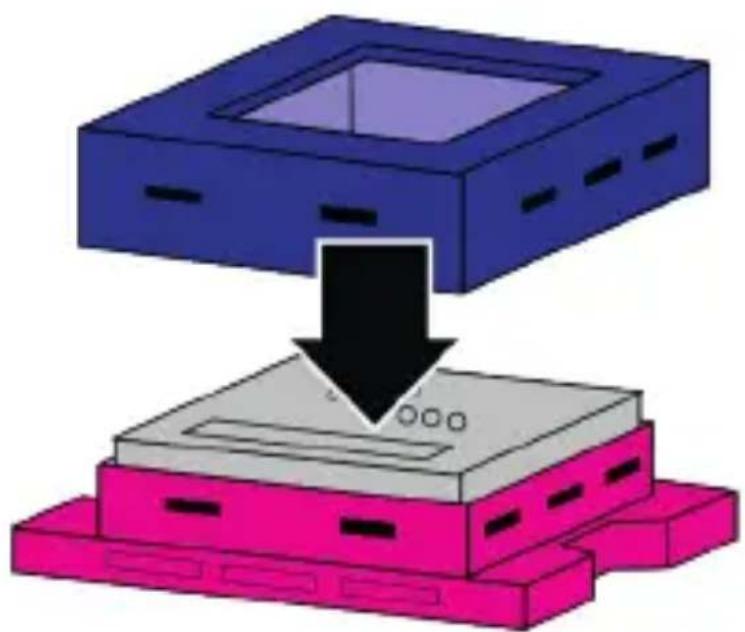
Nedsoft Loca - Quick start - 2

  1. Are you sure the device is on? Close the Loca!
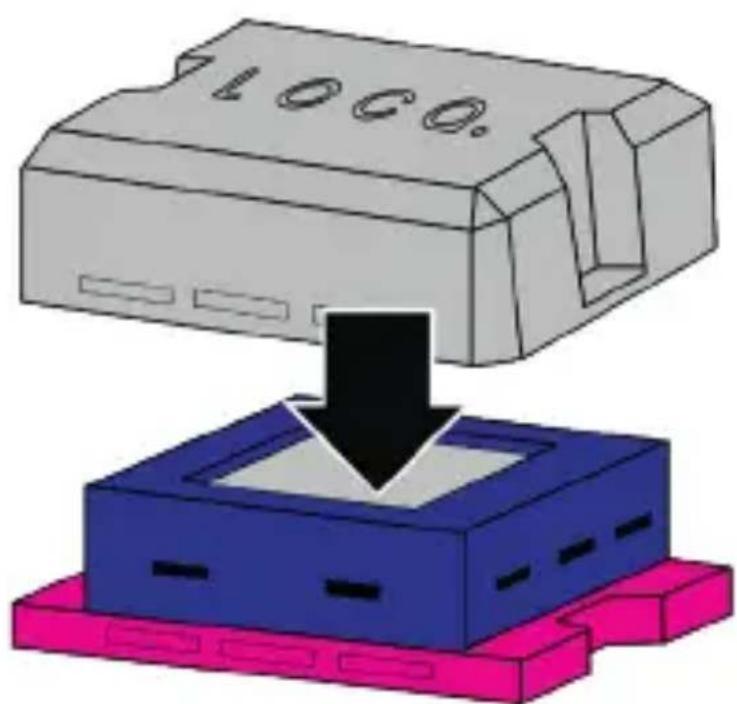
Nedsoft Loca - Quick start - 3

Quick start

5. Download the Loca app

Nedsoft Loca - Download the Loca app - 1

  1. Find "Loca" in your App Store and download the Loca app. Or go to Myloca.eu
  2. After downloading, follow the steps in the wizard.

Your Loca is now ready for use!

Installation

Make sure the Loca logo faces up for optimum connection.
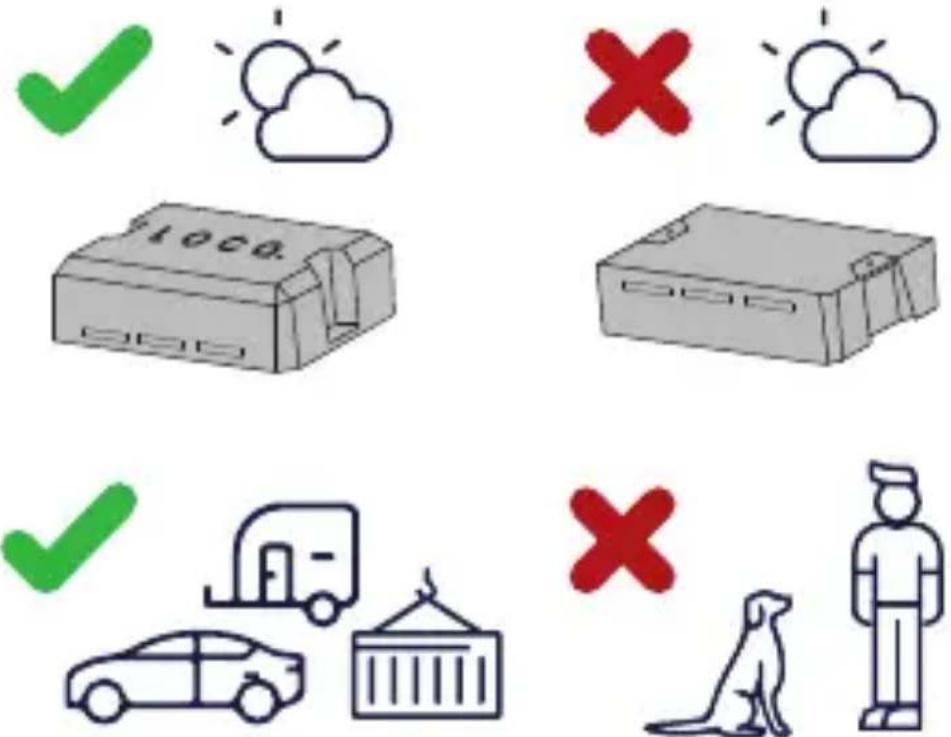
Nedsoft Loca - Installation - 1

Schnellstart

Nedsoft Loca - Schnellstart - 1

Go to www.loca/support

Manual assistant
Powered by Anthropic
Waiting for your message
Product information

Brand : Nedsoft

Model : Loca

Category : GPS device