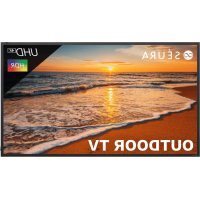
Full Sun UB485 - Television Seura - Free user manual and instructions
Find the device manual for free Full Sun UB485 Seura in PDF.


| Product Type | Outdoor Television |
| Brand | Seura |
| Model | Full Sun UB485 |
| Water Resistance | Resists rain, snow and sprinklers, do not immerse |
| Usage | Indoor and Outdoor |
| Installation | Recommended with two people, transport vertically |
| Power Supply | Connection to a grounded outlet protected by a GFCI breaker |
| Cleaning | Dry cloth only, do not use high-pressure cleaner |
| Safety | Do not expose to heat, do not block ventilation openings |
| Repair | Only qualified personnel should perform repairs |
| Fall Protection | Use a suitable mount recommended by the manufacturer |
| Power Cord | Do not step on, do not pinch, protect from damage |
| Grounding | Grounded outlet required, compliant with NEC |
| Environment | Do not place open flames or liquid-filled objects |
| Children | Adult supervision required, educate about dangers |
| Storage | Unplug during storms or prolonged non-use |
| Sun Exposure | Avoid direct sunlight on the screen |
| Accessories | Use only those recommended by Seura |
| Warranty | Lack of GFCI voids the warranty |
Frequently Asked Questions - Full Sun UB485 Seura
User questions about Full Sun UB485 Seura
0 question about this device. Answer the ones you know or ask your own.
Ask a new question about this device
Download the instructions for your Television in PDF format for free! Find your manual Full Sun UB485 - Seura and take your electronic device back in hand. On this page are published all the documents necessary for the use of your device. Full Sun UB485 by Seura.
USER MANUAL Full Sun UB485 Seura
Activate within 30 days of purchase: seura.com/activate
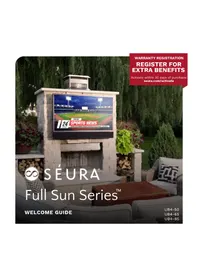
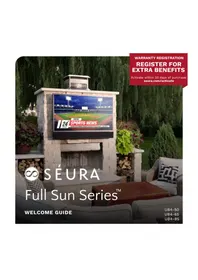
SÉURA
Full Sun Series™
WELCOME GUIDE
UB4-50
UB4-65
UB4-85
Specifications
| GENERAL | OPERATING TEMP. RANGE (MAX) -40 to | 140° F* |
| OPERATING TEMP. RANGE (IDEAL) 32 to | 122° F | |
| NON-OPERATING TEMP. RANGE -40 to | 140° F* | |
| OPERATING HUMIDITY RANGE 10-90% RH Non-condensing | ||
| WATERPROOF RATING IP55 | ||
| ISOTROPIC BLACKOUT PREVENTION High TNI panels help prevent screen blackout | ||
| ACTIVE HEATING/COOLING Extreme Temperature ProtectionTM | ||
| VIDEO | DISPLAY TYPE LED Backlit LCD | |
| DISPLAY RESOLUTION 4K UHD 3840 x 2 | 160 | |
| DISPLAY BRIGHTNESS 2000 nits | ||
| DISPLAY COATING Anti-Glare | ||
| ASPECT RATIO 16:9 | ||
| CONTRAST RATIO 5000:1 | ||
| REFRESH RATE | 60Hz | |
| FRAME RATE | 30 fps+ | |
| VIEWING ANGLE | 178° Horiz/Vert | |
| RESPONSE TIME | 8ms | |
| OUTDOOR OPTICS™ | Five outdoor picture modes from full sun to nighttime viewing | |
| COLOR GAMUT WIDTH | HDR-10 Rec 709 Compliant | |
| COLOR MANAGEMENT SYSTEM | Yes | |
| TUNER | ATV (NTSC) / DTV (ATSC) | |
| DC Output | DC 5V 0.5A | |
| AUDIO | ANALOG AUDIO INPUT | RCA x 1 |
| ANALOG AUDIO | Stereo 3.5mm Variable | |
| BLUETOOTH® AUDIO BROADCASTING | Bluetooth® 4.2, 50 ft Clear Span | |
| DIGITAL AUDIO OUT | 1 x Optical, 1 x Coax | |
| DOLBY DIGITAL | Dolby Digital | |
| INTERNAL SPEAKERS | N/A | |
| SOUNDBAR | Sold Separately | |
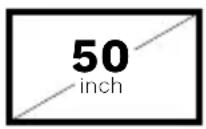

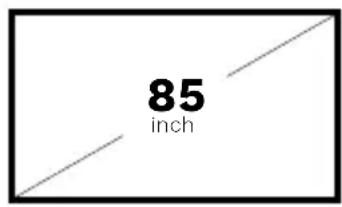
| 50 INCH Model: UB4-50 | 65 INCH Model: UB4-65 | 85 INCH Model: UB4-85 | ||
| DIMENSIONS | DIMENSIONS | 45.1" w x 26.2" h x 3.8" d | 58.2" w x 33.6" h x 3.8" d | 76.0" w x 43.6" h x 3.8" d |
| WEIGHT 60 lbs. 104 lbs. 187 lbs | ||||
| MEDIA COMPARTMENT | Upper portion: 3.9" w x 7.7" h | Upper portion: 5.1" w x 7.8" h | Upper portion: 5.1" w x 7.7" h | |
| DIMENSIONS | Lower portion: 10.1" w x 5.7" h | Lower portion: 11.6" w x 5.6" h | Lower portion: 11.8" w x 5.7" h | |
| VESA PATTERN 400 x 400mm 400 x 400mm 600 x 400mm | ||||
| OTHER | POWER CONSUMPTION, DISPLAY | Standby: 1.0W Max: 398W | Standby: 3.5W Max: 682W | Standby: 3.5W Max: 1096W |
| ELECTRICAL | NEMA 5-15P 3-prong 120V Outlet | NEMA 5-15P 3-prong 120V Outlet | NEMA 5-20P† 3-prong 120V Outlet | |
| WARRANTY | Séura warrants Outdoor Displays w/ respect to Séura's labor, structure, assembly, display including remote and power supply for two (2) years | |||
| REMOTE | Séura Water Resistant IR Remote | |||
- Installation in sunlight reduces the maximum permitted air temperature.
The 85" model requires a 20 amp circuit with a NEMA 5-20P compatible electrical outlet.
WARNING: READ ALL INSTRUCTIONS BEFORE ATTEMPTING TO INSTALL OR SERVICE THIS PRODUCT.

This symbol is intended to alert the user to the presence of uninsulated "dangerous voltage" within the product's enclosure that may be of sufficient magnitude to constitute a risk of electric shock to persons.
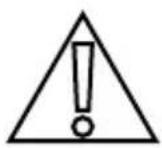
This symbol is intended to alert the user to the presence of important operating and maintenance instructions in the literature accompanying the appliance.
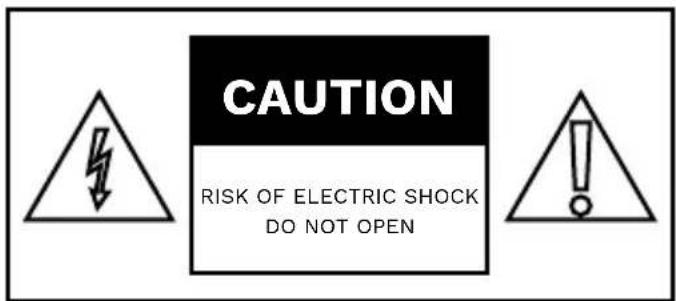
CAUTION: TO REDUCE THE RISK OF ELECTRIC SHOCK DO NOT OPEN BACK PANEL, NO USER-SERVICEABLE PARTS INSIDE, REFER SERVICING TO QUALIFIED SERVICE PERSONNEL.
Warnings:
Do not handle or remove your outdoor display from the packaging until it is ready to be installed. To avoid damage to the outdoor display, only transport it in a vertical position. It is highly recommended that at least two (2) persons assist in the installation of the outdoor display.
Do not submerge Séura® Outdoor Display in water: The Séura® Outdoor Display will resist water exposure from normal rain, sprinklers, snow, etc.; however, it is not designed to be submerged in water.
Do not wash with garden hose or pressure-wash: Séura® Outdoor Display will resist water exposure from normal rain, sprinklers, snow etc.; however, it is not designed to withstand pressure washers, high-pressure water jets, projected snow from a blower, or hurricane-type weather.
Do not let metal pieces or objects of any kind fall into the display. High voltage flows in the product, and inserting an object can cause electric shock and/or short internal parts.
To prevent fire, never place any type of candle or flames on the top or near the display.
To prevent fire or shock hazard, do not place the AC cord under the display or other heavy items.
Power Lines
An outside antenna system should not be located in the vicinity of overhead power lines or other electric light or power circuits, or where it can fall into such power lines or circuits. When installing an outside antenna system, extreme care should be taken to keep from touching such power lines or circuits as contact with them might be fatal.
Accessories
Do not use accessories not specifically recommended by the manufacturer. Use of improper attachments can result in accidents.
AVERTISSEMENT: LIRE TOUTES LES INSTRUCTIONS AVANT D'INSTALLER OU SERVICE CE PRODUIT.

RISQUE DE CHOC ELECTRIQUE. NE PAS OUVRIR.

ATTENTION: POUR RÉDUIRE LE RISQUE DE CHOC ÉLECTRIQUE, NE RETIREZ PAS LE CAPOT (NI L'ARRÊRE), AUCUNE PIECE RÉPARABLE PAR L'UTILISATEUR, RÉFÈREZ L'ENTRETIEN AU PERSONNEL DE SERVICE QUALIFIÉ.
Avertissements:
Never place a television set in an unstable location. A television set may fall, causing serious personal injury or death. Many injuries, particularly to children, can be avoided by taking simple precautions such as:
- Using cabinets or stands recommended by the manufacturer of the television set.
- Only using furniture that can safely support the television set.
- Ensuring the television set is not overhanging the edge of the supporting furniture.
- Not placing the television set on tall furniture (for example, cupboards or bookcases) without anchoring both the furniture and the television set to a suitable support.
- Not placing the television set on cloth or other materials that may be located between the television set and supporting furniture.
Educating children about the dangers of climbing on furniture to reach the television set or its controls.
If your existing television set is being retained and relocated, the same considerations as above should be applied.
ATTENTION
WARNING: Cancer and Reproductive Harm: www.p65warnings.ca.gov.
FCC Supplier's Declaration of Conformity
Seura Outdoor Entertainment UB4-50, UB4-65, UB4-85
This device complies with part 15 of the FCC Rules. Operation is subject to the follow two conditions: (1) This device may not cause harmful interference, and (2) this device must accept any interference received, including interference that may cause undesired operation.

Seura
Address: 1230 Ontario Road, Green Bay, WI 54301 United States
Phone number: 920-857-9069
Caution: The user is cautioned that changes or modifications not expressly approved by the party responsible for compliance could void the user's authority to operate the equipment.
Note: This equipment has been tested and found to comply with the limits for a Class B digital device, pursuant to part 15 of the FCC Rules. These limits are designed to provide reasonable protection against harmful interference in a residential installation. This equipment generates uses and can radiate radio frequency energy and, if not installed and used in accordance with the instructions, may cause harmful interference to radio communications. However, there is no guarantee that interference will not occur in a particular installation. If this equipment does cause harmful interference to radio or television reception, which can be determined by turning the equipment off and on, the user is encouraged to try to correct the interference by one or more of the following measures:
- Reorient or relocate the receiving antenna.
- Increase the separation between the equipment and receiver.
- Connect the equipment into an outlet on a circuit different from that to which the receiver is connected
- Consult the dealer or an experienced radio/TV technician for help.
This equipment complies with FCC radiation exposure limits set forth for an uncontrolled environment. This equipment should be installed and operated with a minimum distance of 20~cm between the radiator and any part of your body.
WARNING
To reduce the risk of fire, electrical shock and other injuries, keep these safety precautions in mind when installing, using, and maintaining your outdoor display. The socket-outlet should be installed near the equipment and be easily accessible. The display should be connected to a grounded GFCI protected main socket outlet.
WARNING: If you manipulate against the recommended usage, serious injury or death to user may result.

AVERTISSEMENTS
Important Safety Instructions
- Read these instructions.
- Keep these instructions.
- Heed all warnings.
- Follow all instructions.
- Clean only with a dry cloth.
- Do not block any of the ventilation openings. Install in accordance with the manufacturer's instructions.
- Do not install near any heat sources such as radiators, heat registers, stoves, or other apparatus (including amplifiers) that produce heat.
- Do not defeat the safety purpose of the polarized or grounding type plug. A polarized plug has two blades with one wider than the other. A grounding type plug has two blades and a third grounding prong. The wide blade or the third prong is provided for your safety. When the provided plug does not fit into your outlet, consult an electrician for replacement of the obsolete outlet.
- Protect the power cord from being walked on or pinched particularly at plugs, convenience receptacles, and the point where they exit from the apparatus.
- Only use the attachments/accessories specified by the manufacturer.
- Use only with the cart, stand, tripod, bracket, or table specified by the manufacturer, or sold with the apparatus. When a cart is used, use caution when moving the cart/ apparatus combination to avoid injury from tip-over.
- Unplug this apparatus during lightning storms or when unused for long periods of time.
- Refer all servicing to qualified service personnel. Servicing is required when the apparatus has been damaged in any way, such as power supply cord or plug is damaged, liquid has been spilled or objects have fallen into the apparatus, the apparatus has been exposed to rain or moisture, does not operate normally, or has been dropped.
- To reduce the risk of fire or electric shock, do not expose the inside of this apparatus to rain or moisture. The inside of this apparatus shall not be exposed to dripping or splashing.
- The apparatus shall not be exposed to dripping or splashing and that no objects filled with liquids, such as vases, shall be placed on the apparatus.
- The apparatus shall be connected to a MAINS socket outlet with a protective earthing connection. Where the MAINS plug or an appliance coupler is used as the disconnect device, the disconnect device shall remain readily operable.
-
The disconnect device shall remain readily operable.
-
The socket-outlet shall be installed near the equipment and shall be easily accessible.
- Inspect the desired location for installation and be aware of all electrical wiring pathways, water pipes, gas lines, or other potentially hazardous conditions that may exist to protect from accidental damage during creation of on-site conditions.
- Ensure all required electrical specifications are adhered to and have been installed by the appropriate individuals and are code approved.
- Ensure all framing requirements, if needed, have been completed to building code and pose no structural issues.
- It is REQUIRED that this product is plugged into an electrical outlet protected by a Ground Fault Circuit Interruptions (GFCI) to protect against electric shock, fire, and/or injury. Failure to do so will void any warranty for this product.
- Only qualified individuals should attempt to service the product. Removing covers can expose you to high voltage and other dangerous conditions.
- Do not overload AC outlets or extension cords. Overloading can cause fire or electric shock.
- Close adult supervision is necessary when any product is used by or near children.
- Do not operate any product with a damaged cord or plug or operate it after the appliance malfunctions or has been damaged in any manner.
- To electrically disconnect the product, turn OFF the product, then remove the electrical power plug from the outlet.
- This Séura product is intended for use indoors and outdoors.
- If you notice any smoke or scorched smell near the product, unplug power cord and refer to qualified personnel for service and/or repair.
- Do not use or place any combustible or flammable substances near the product.
- Do not use this product for other than intended use.
- This product is water resistant. Do not immerse this product in water.
- The cable distribution system should be grounded (earthed) in accordance with ANSI/NFPA 70, the National Electrical Code (NEC), in particular Section 820.93, Grounding of Outer Conductive Shield of a Coaxial Cable.
The screen is most optimally viewed at ambient temperatures of 32^ F to 122^ F
Operation and Storage Requirements
The maximum ambient temperature range for operating the device is -40^ to 140^^ . The screen is most optimally viewed at ambient temperatures of 32^ to 122^ . Do not install the device in the proximity of heat sources, such as heating pipes, heaters, furnaces or other devices that radiate heat. To prevent fire or electric shock, never allow liquids to enter the unit. The uninstalled product must be stored in dry and well ventilated rooms, without extreme temperature fluctuations. Heat sources and aggressive active substances may not be stored in the proximity of the device. The required storage temperature is -40^ to 140^ at an air humidity of 10 - 90% RH non-condensing. The device must be stored in the complete packaging, as delivered. The product must not operate on average more than twelve (12) hours per day on a permanent or extended periodic basis. The product must have proper, correct and sufficient AC supply voltage.
When the unit is used in temperatures below the ideal operating temperature range, the picture may appear slightly delayed or blurred. This is normal, and the picture will return to normal after the temperature increases to the ideal operating temperature range.
*Installation in sunlight reduces the maximum permitted air temperature.

IMPORTANT
The display should not be installed directly over a flat surface if heavy or driving rain may puddle and splash up onto the lower portion of the display. Direct sunlight on the display screen will heat internal components and should be avoided.
IMPORTANT
Get to know your Séura® Full Sun Series™ Outdoor Display
If you have questions, call Séura at 1-800-957-3872 to speak to a design expert.
Selecting the Installation Location
Installation over a gas fireplace is acceptable if the distance from the heat source is such that the air temperature surrounding the display does not exceed the maximum operating temperature. A mantle or other heat shield is recommended to further protect the display from heat. Installation over a wood fireplace or near heaters or blowers is not recommended and may result in damage to the electronics. If you have questions about your situation, you may call Séura at 1-800-957-3872 to speak to a design expert.
Not for installation in a sauna or directly above a hot tub where extreme heat and steam could damage the electronics.
Ventilation
Adequate ventilation must be maintained to ensure reliable and continued operation and to protect the display from overheating. There must be at least 1.5 inches of space on all sides. Do not install inside a cabinet, kiosk, or other enclosure.
Cable Management
When running cables from inside the compartment to the sources, allow adequate spacing at the foam entry to the cabinet that allows the foam seal to completely surround each cable. Bunching the cables together can create gaps in the foam that allows moisture and insects to enter the cabinet that may result in damage.
When running HDMI cables longer than 30 feet, check your cable specifications. HDMI cables loose signal over long distances and your media setup may require a signal booster or HDMI balun.
Once connections are made, the media compartment cover must be secured. Failure to close the media compartment exposes the ports and components to the elements and has the potential to permanently damage electronics.
Screen Health
The 4K liquid crystal panel is a high technology product with 8,294,400 pixels, giving you fine picture details. Occasionally, a few non-active pixels may appear on the screen as a fixed point of blue, green or red. Please note that this does not affect the performance of your product. Pixel errors outside of Séura's specified and permitted area are covered under Séura's limited product warranty. Please inquire directly with Séura Technical Support regarding Séura's Pixel Policy.

Battery Disposal
Caution: This product may be shipped with batteries. Do not dispose of batteries in a fire or with ordinary household waste. Batteries may explode and can cause damage. Replace batteries only with the same or equivalent type of battery recommended by Séura. The disposal of batteries may be regulated by your state. For more information on recycling or properly disposing of your batteries, please check with your local municipality.
Meet Séura® Full Sun Series™

SEURA
Full Sun Series" Outdoor Display
In the Box

Power Cable
On 85" model only, the power cable is hardwired to the display.

IR Remote
Control

Resource Information
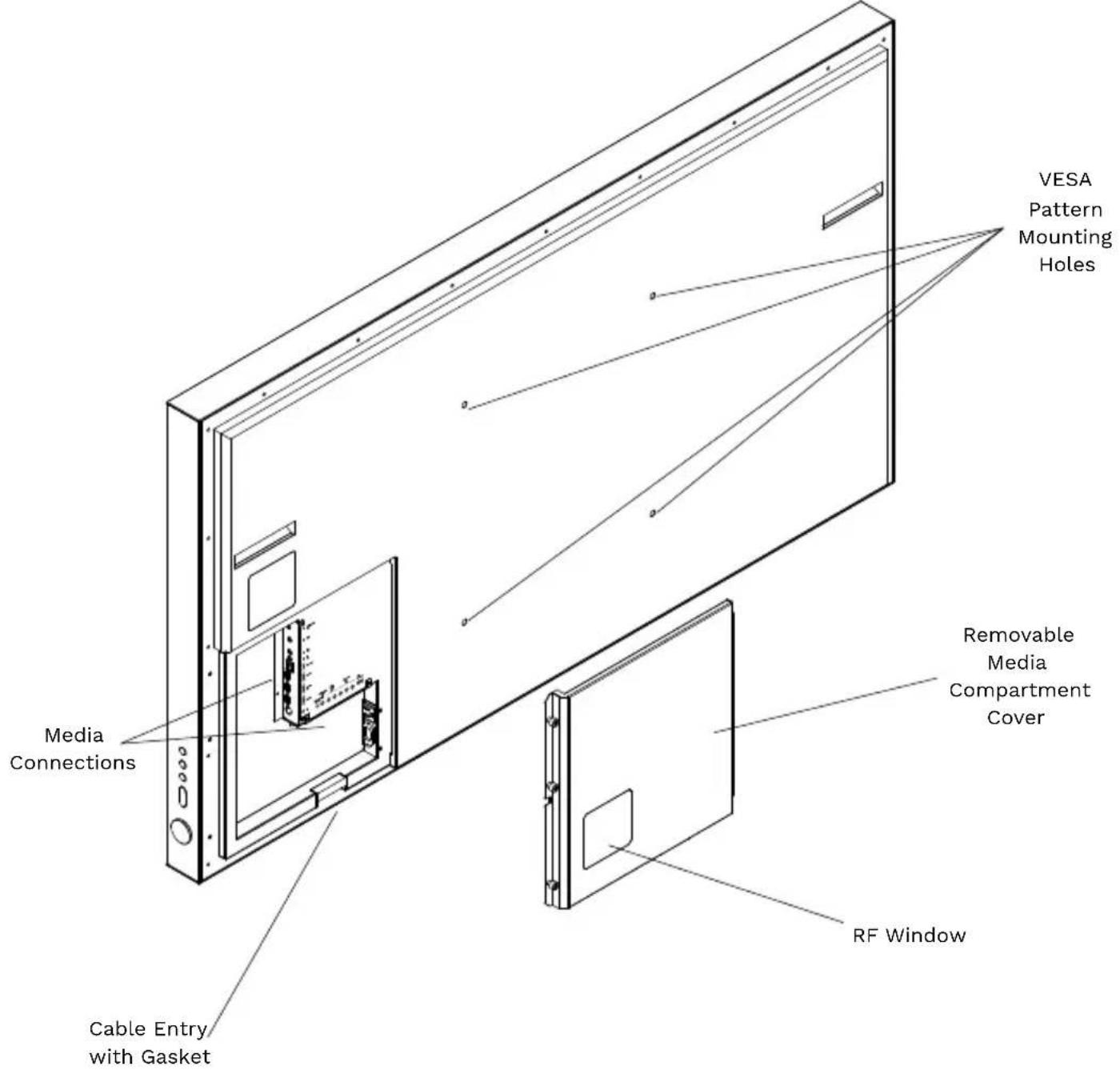
Parts
Installing Your Full Sun Series
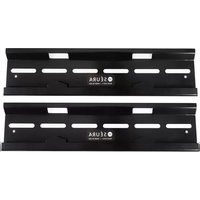
Seura® Full Sun Series™ is designed to be wall-mounted using the standard mounting hole pattern (VESA) on the back of the display. Use an outdoor-rated wall mount (sold separately) to mount to most outdoor wall surfaces. Follow the instructions with your mount for full details to install your display.
NOTE: Before beginning installation, verify that the weight rating and VESA hole pattern on the mount you purchased is compatible with your outdoor display.
1. Attach the Soundbar (Optional)
Follow the instructions included with your soundbar to attach to your Full Sun Series.
2. Install the Wall Mounting Brackets (sold separately)
Follow the instructions included with your outdoor-rated wall mount to attach brackets to your display and wall. Before hanging the display, proceed to step 3.
3. Make Media Connections
Make all other preferred media connections inside the media compartment. Turn on the display and verify all media sources.
TIP: In case you decide to add an additional streaming device or media player at a later date, we recommend connecting extra HDMI or other cabling at the time of installation so you won't have to remove the display from the wall to connect.
4. Close Media Compartment Cover
Reattach the media compartment cover. Take care when screwing into place to minimize gaps around cords. At entry, cables should be spaced out to allow the foam seal to completely surround each cable. Bunching the cables together can create gaps in the foam that allow moisture and insects to enter the cabinet that may result in damage.
5. Hang Full Sun Series on the Wall
Complete installation by hanging Full Sun Series on the mount according to the mount instructions.
Connecting Your Full Sun Series
Open the weatherproof media compartment to access all connections. To connect a source such as a streaming device or cable box, connect one end of an HDMI cable (or other, cables not included) into an HDMI port on the display and the other end into your device.

VESA Wall Mounting
Install your wall mount on a solid wall perpendicular to the floor. When attaching to other building materials, please contact your nearest dealer. If installed on a ceiling or slanted wall, it may fall and result in severe personal injury. We recommend that you use a Séura wall mount when mounting the display to a wall.

NOTE
Screw length needed depends on the wall mount used. For further information, refer to the instructions included with the mount.
Standard dimensions for wall mounting are shown in the above table.
When purchasing a Séura wall mount, a detailed installation manual and all parts necessary for assembly are provided.
Do not use screws longer than the standard dimension, as they may cause damage to the inside to the display.
50 INCH
UB4-50
65 INCH
UB4-65
85 INCH
UB4-85
| VESA PATTERN (A x B) | 400 x 400mm 600 x 400mm | |
| STANDARD SCREW | M8 M8 M8 | |
For wall mounts that do not comply with the VESA standard screw specifications, the length of the screws may differ depending on their specifications.
Do not use screws that do not comply with the VESA standard screw specifications.
Do not fasten the screws too strongly, this may damage the display or cause the display to fall, leading to personal injury. Séura is not liable for these kinds of accidents.
Séura is not liable for display damage or personal injury when a non-VESA or non specified wall mount is used or the consumer fails to follow the display installation instructions.
Consult with your local dealer for a wall mount that complies with the VESA pattern and weight of your display model. Refer to the instructions provided with your wall mount. Carefully attach the wall mount bracket at the rear of the display. Install the wall mount bracket on a solid wall perpendicular to the floor. If you are attaching the display to other building materials, please contact qualified personnel to install the wall mount. While a Séura wall mount is recommended, ensure that any third party mount is adequately secured to the wall with enough space to allow connectivity to external devices. If you are using a non-adjustable mount, attach the mount to the wall. Attach the cables to the display first, then attach the display to the mount.


CAUTION: Do not install your wall mount kit while your display is turned on. It may result in personal injury due to electric shock.
CAUTION: Do not allow children to climb on or hang from the display.

Remote Functions
Caring for your Séura® Full Sun Series™
While Full Sun Series may be safely exposed to weather and moisture, the use of a Séura Outdoor Cover when not in use is recommended.
Transporting the Display
When transporting Full Sun Series, never carry it by holding or putting pressure on the screen. Screen pressure may damage the LCD or weaken the waterproof seal. Be sure to always transport with two people supporting it with both hands.
Caring for the Screen
To clean the screen, gently wipe the surface of the front panel with a clean, soft and lint-free cloth. If needed, dampen the cloth with distilled water or isopropyl alcohol and lightly wipe the screen. Do not use force as pressure on the screen may damage the LCD or weaken the waterproof seal. Do not use solvents or chemical cleaners as they may damage the screen. Do not use a garden hose or pressure washer on the display.
Caring for the Cabinet
Clean regularly with a clean, soft and lint-free cloth. Do not use a chemical cloth (wet/dry sheet type cloth). Use a mild detergent, isopropyl alcohol or multi-use cleaner to remove dust and debris. Stubborn stains such as mineral water deposits may be removed with a calcium or lime remover such as CRL. However, DO NOT allow CRL to touch the LCD screen as it will distort the surface. Cleaning with an abrasive cloth or using strong force may scratch the surface of the cabinet. Do not apply insecticides or other volatile liquids.
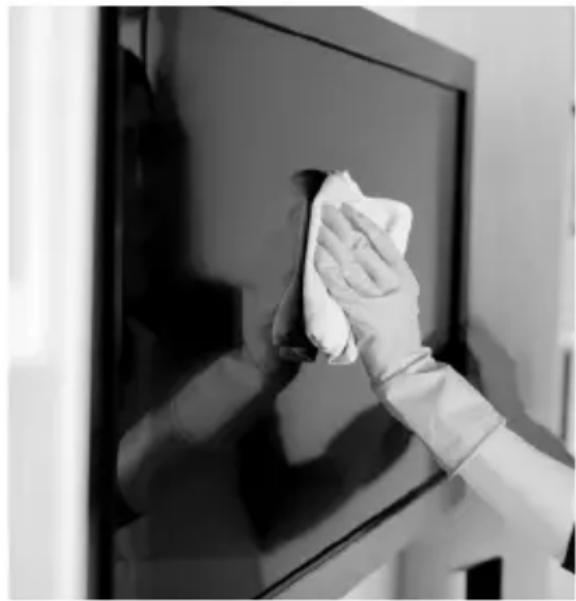
Use of a Séura Outdoor Cover when not in use is highly recommended to protect your display. Do not allow the cabinet to remain in contact with rubber or vinyl products for a long period of time. Plasticizers inside the plastic may cause the cabinet to deform and cause the paint to peel off.
Troubleshooting
If the product is not working properly, please check the following troubleshooting solutions before you contact customer service:
| Challenge Possible Solution | |
| Will Not Power Up | ·Make sure to check that the AC power cable is connected to an outlet and the display ·Make sure that the power outlet is receiving power ·Try pressing POWER button on the display to make sure the problem is not the remote. If the display turns on, refer to 'Remote control does not work' troubleshooting guide. |
| Remote Control Not Working | ·Make sure that there is known working batteries in the remote and in the correct polarity ·Make sure there are no obstacles in between the IR receiver and the remote (ex. sunlight or tape) ·Try pointing the remote directly at the display from 5 feet away. |
| Signal Issue | ·Check cable connections to ensure they are connected. ·Plug the video source directly into the display which will remove any potential issues associated with an extender or matrix switch device. (if applicable) ·Replace cables with known working cables. ·Make sure the connected devices are powered ON. ·Make sure that the source is on the correct INPUT. ·Power cycle the video source device by unplugging the device and plugging the device back in. |
| No Sound | Soundbar ·Make sure your cables are connected properly ·Make sure the display is not on MUTE / turn up the volume. ·Make sure the soundbar is connected to the power supply External Sound System ·Make sure your cables are connected properly ·Make sure the display is not on MUTE / turn up the volume. ·Make sure the Digital Audio Settings within the display is not set to OFF ·Test the external sound system with another device to ensure that it is working. |
For additional technical support, please contact Séura at 1-800-957-3872 during regular business hours: M-F 8:00 am - 4:30 pm, Central Time.
Control Documentation
To access current control documents, please visit www.seura.com/download-center
LIMITED PRODUCT WARRANTY
For information regarding Séura's warranty policy, please visit our website: www.seura.com/warranty. If the current Séura warranty policy is after your product purchase date, please contact Séura Customer Support to request warranty documentation from the date of your purchase.
For additional customer support, please contact Séura.
Toll Free: 1-800-957-3872 (Monday - Friday 8:00 am - 4:30 pm, Central Time)
Website: www.seura.com/support
For responsible recycling information, please contact Séura or visit the following URL:
https://www.seura.com/support/recycling/

SEURA
1230 Ontario Road Green Bay, Wisconsin 54311
1-800-957-3872 contacts@seura.com
www.seura.com
Publish date: August 23, 2021
Information is subject to change without notice.
© 2021 Séura
- SÉURA
- Full Sun Series™
- WARNING: READ ALL INSTRUCTIONS BEFORE ATTEMPTING TO INSTALL OR SERVICE THIS PRODUCT.
- Warnings:
- Power Lines
- Accessories
- AVERTISSEMENT: LIRE TOUTES LES INSTRUCTIONS AVANT D'INSTALLER OU SERVICE CE PRODUIT.
- Avertissements:
- ATTENTION
- FCC Supplier's Declaration of Conformity
- WARNING
- AVERTISSEMENTS
- Important Safety Instructions
- The screen is most optimally viewed at ambient temperatures of 32° F to 122° F
- Operation and Storage Requirements
- IMPORTANT
- Get to know your Séura® Full Sun Series™ Outdoor Display
- Selecting the Installation Location
- Ventilation
- Cable Management
- Screen Health
- Battery Disposal
- Meet Séura® Full Sun Series™
- In the Box
- Installing Your Full Sun Series
- Attach the Soundbar (Optional)
- Install the Wall Mounting Brackets (sold separately)
- Make Media Connections
- Close Media Compartment Cover
- Hang Full Sun Series on the Wall
- Connecting Your Full Sun Series
- VESA Wall Mounting
- NOTE
- INCH
- INCH
- INCH
- Caring for your Séura® Full Sun Series™
- Transporting the Display
- Caring for the Screen
- Caring for the Cabinet
- Troubleshooting
- Control Documentation
- LIMITED PRODUCT WARRANTY
- SEURA
Brand : Seura
Model : Full Sun UB485
Category : Television