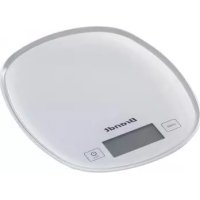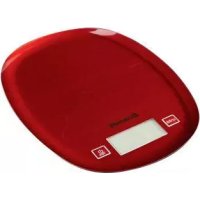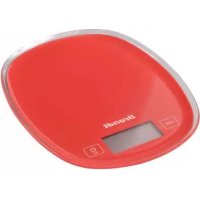
BCCURVER - Kitchen scale BRANDT - Free user manual and instructions
Find the device manual for free BCCURVER BRANDT in PDF.


| Product type | Kitchen scale |
| Brand | Brandt |
| Model | BCCURVER |
| Power source | 3 AAA batteries (1.5 V) |
| Dimensions (H x W x D) | 25 x 219.5 x 179 mm |
| Net weight | 0.32 kg |
| Maximum capacity | 5000 g |
| Accuracy | 1 g |
| Units of measurement | g, fl.oz, lb:oz, ml |
| Main functions | Simple weighing, tare function, auto-off |
| Display | LCD screen with backlight |
| Auto-off | After 30 seconds of inactivity (backlight off), then an additional 30 seconds before complete shutdown |
| Platform material | Glass |
| Care and cleaning | Clean with a soft, damp cloth; do not use chemicals or abrasives |
| Safety instructions | Use on a stable surface, do not overload, do not expose to moisture or heat, avoid shocks |
| Warranty | Warranty by the distributor; for details, refer to the warranty terms provided |
| Consumer service | Website: www.brandt.com, email: relations.consonmateurs@groupebrandt.com, phone: Monday to Friday from 8:30 AM to 6:00 PM |
Frequently Asked Questions - BCCURVER BRANDT
User questions about BCCURVER BRANDT
0 question about this device. Answer the ones you know or ask your own.
Ask a new question about this device
Download the instructions for your Kitchen scale in PDF format for free! Find your manual BCCURVER - BRANDT and take your electronic device back in hand. On this page are published all the documents necessary for the use of your device. BCCURVER by BRANDT.
USER MANUAL BCCURVER BRANDT
flowchart
graph TD
    A["0"] --> B["1.0z 0.0"]
    C["0"] --> D["0: 0.0"]
    E["0"] --> F["lb 0.0"]
    G["↑"] --> H["0"]
b) Pesage
You have just purchased a BRANDT kitchen scale and we would like to thank you.
We have placed in this appliance all our passion and know-how in order to meet at best your need. Innovative and efficient: we designed it to be always easy to use.
In the BRANDT products line, you will also find a wide range of small domestic appliances that can be coordinated to your new BRANDT kitchen scale.
Of course, in a permanent wish to satisfy as best as possible your expectations toward our products, our after-sales service department is at your disposal and at your listening to answer to all your questions and suggestions.
You can also visit our website www.brandt.com where you will find all our products, as well as additional and useful information.
BRANDT
As part of our commitment to constantly improve our products, we reserve the right to make technical, functional or esthetical properties modifications linked to their technological development

Be careful : Before installing and using your appliance, please carefully read this Guide to Installation and Use, which will allow you to quickly familiarise yourself with its operation
www.brandt.com

TABLE OF CONTENTS
1) INFORMATION FOR THE USER....15
a) Safety recommendations....15
b) Technical data....17
c) Protecting the environment 17
2) DESCRIPTION OF YOUR APPLIANCE....18
a) LCD display....19
b) Function indication....19
3) USING YOUR APPLIANCE 20
a) Setting up the unit 20
b) Weighing mode....20
c) Weighing with Tare function 21
4) WARRANTY AND CUSTOMER RELATIONSHIP 23
a) Warranty 23
b) Customer relationship....23
1) INFORMATION FOR THE USER

Keep this guide with your appliance. If the appliance is ever sold or transferred to another person, ensure that the new owner receives this user guide. Please familiarise yourself with these recommendations before installing and using your appliance. They have been written for your own safety as well as the safety of others.
a) Safety recommendations
Safety tips for the installation:
- This appliance is intended for household use only. It can only be used in covered, closed and warmed environment such as kitchen or a room with the same specifications
• Children shall not play with the appliance. - Rechargeable batteries must be charged only under the supervision of an adult.
- Place the appliance on a dry, stable and smooth surface.
Safety tips when using the appliance:
- Use the kitchen scale with care. Do not try to disassemble and avoid strong vibrations and shocks. Do not press it, do not drop it and do not drop objects on the glass tray.
- Do not store objects on the kitchen scale.
- Do not expose the kitchen scale to sunlight. Keep away from heat and humidity places.
- Do not overload the kitchen scale.
- If the results is false check that the batteries and contact points adjoining. Replace the batteries if the kitchen scale has not been used for a long time and then try again.
- Avoid using the kitchen scale in places where magnetic fields may interfere with the information provided by the scale.
- Replace the battery when it is used or if there is a leak.
- Remove the battery if you will not use the kitchen scale for a long time.
- When you move the kitchen scale to a place where the temperature is different of more than 10^ C let it rest for at least two hours before start.
Cleaning:
- Do not use harsh abrasive cleaners or sharp metal scrapers to clean your appliance.
Improper use:
- Use this appliance only for its intended uses as described in manual.
- The manufacturer shall not be liable for any damage resulting from improper use.
- This appliance is intended for domestic private use only.
- The use of this product for commercial or medical purposes is not recommended.
Battery recycling:
- Do not discard the batteries with household waste. To preserve the environment, throw away batteries in accordance with regulations.
- Place it in your nearest battery container or bring it into the nearest store.
- Do not disassemble the battery and do not discard in fire.
- Do not expose to high temperatures or direct sunlight.
- Do not incinerate.
b) Technical data
| Model | BCCURVEW / R |
| Maximum load / Precision | 5000g / 1g |
| Battery | 3xAAA |
| Dimensions mm (HxLxW) | 25x219.5x179 mm |
| Net weight | 0.32 kg |
c) Protecting the environment
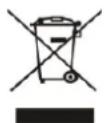
At the end of its working life, the product must not be disposed with household waste. It must be taken to a special local authority waste collection centre or to a company providing this service. Disposing household appliances separately avoids possible negative effects on the environment and health and enables the
constituent materials to be recycled which saves energy and resources.
To remind you that you must dispose of this appliance correctly the symbol shown above appears on the product warning you not to dispose of it with household waste.
For further information, contact your local authority or the shop where you bought the product.
Remember that batteries are not household waste. Spent batteries must be disposed of in the special containers provided.
2)DESCRIPTION OF YOUR APPLIANCE
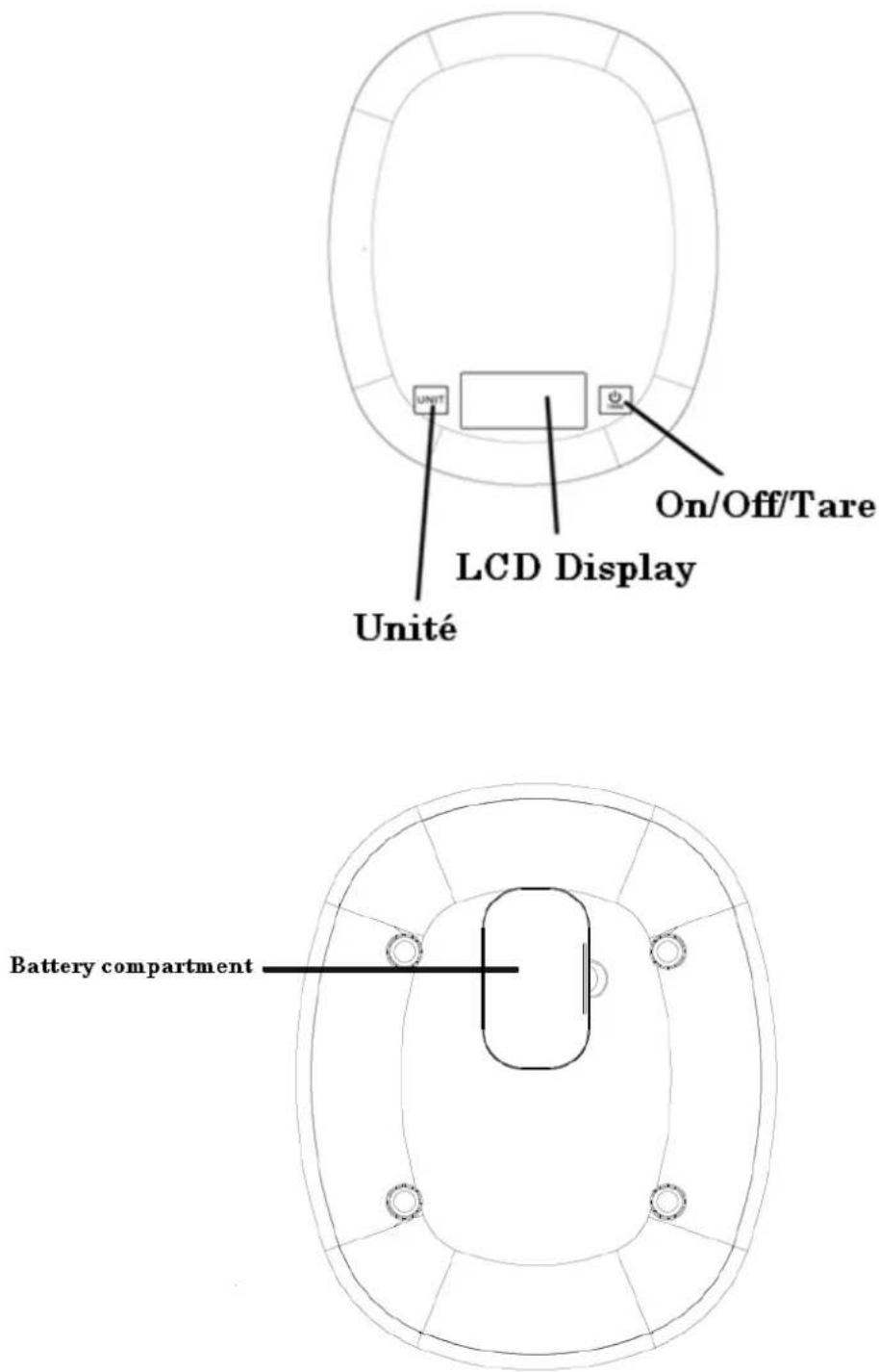
a) LCD display
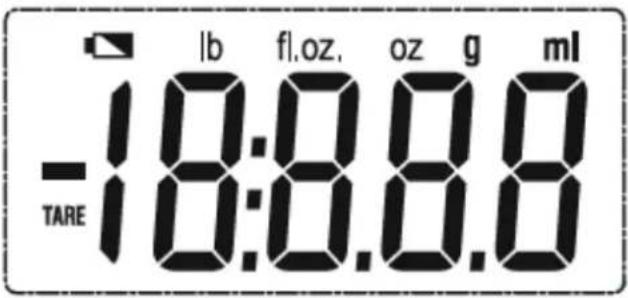
| TARE | Tare Function | lb oz | Pound |
| ml | Millilitre | g | Gram |
| fl.oz. | Ounce | Negative Weight |
b) Function indication
On/Off/Tare button :

Touch On/Off/Tare button to switch on to enter weighing mode. Touch and hold On/Off/Tare button for about 2s to switch off. Touch On/Off/Tare button to make tare function in weighing mode.
Unit button :

Touch Unit button to select desired unit in weighing mode.
3) USING YOUR APPLIANCE
a) Setting up the unit
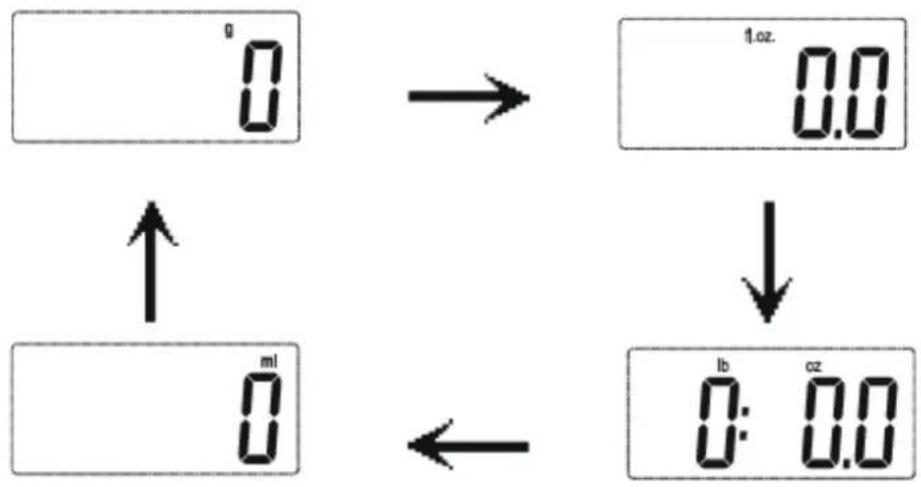
When in the weighing mode, touch the UNIT button in the back of scale to select measurement unit. The default measurement unit is "g". You may touch UNIT button to choose among g, fl.oz, lb:oz, ml.
flowchart
graph TD
    A["0"] --> B["1.oz. 0.0"]
    C["0"] --> D["lb 0:0.0"]
    E["0"] --> F["←"]
    G["↑"] --> H["→"]
    I["↓"] --> J["→"]
b) Weighing mode
Please process the unit setting before your first measurement.
- Place the scale on a solid surface and ensure that it is level
- Don't put any thing on the scale
- Touch the On/Off/Tare button lightly to enter the weighing mode
- You can start to weigh when "0" is shown on the LCD

- Put the things in the middle of the scale, the weight data will be shown
1008

CAUTION
If there is no operation, the backlight will be off after about 30s, and the scale will turn off automatically after about another 30s. Or you can touch and hold the ON/OFF/TARE button for about 2s to turn off it.
c) Weighing with Tare function
- Place the scale flatly on a solid surface
- Touch the On/Off/Tare button to turn on the scale. The LCD display the full screen first and then restores to zero

- Put the container on the scale, the weight data will be shown
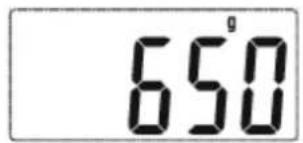
- Touch the On/Off/Tare button, the LCD will display "0"
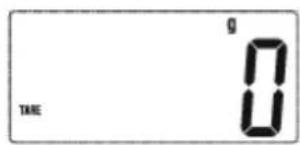

CAUTION
When the weight is less than 600g, press the ON/OFF/TARE button, the icon "TARE" won't appear.
- Put the items in the container. The scale will weigh the items, and the LCD will display the reading
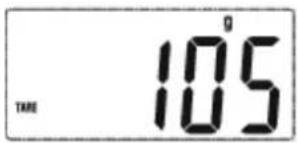
- Take off all the things from the scale, the LCD will display the negative weight
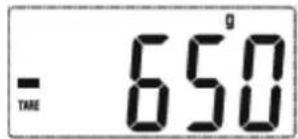
- When it displays the negative weight, touch the On/Off/Tare button again, it will clear to zero
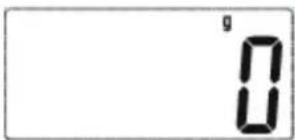
- If there is no operation, the backlight will be off after about 30s, and the scale will turn off automatically after about another 30s. Or you can touch and hold the On/Off/Tare button for about 2s to turn off it.
4) WARRANTY AND CUSTOMER RELATIONSHIP
a) Warranty
This product is covered by your retailer. For more details, please refer to the warranty conditions supplied.
- Service calls
Any repairs that are made to your appliance must be handled by a qualified professional authorised to work on the brand.
When you call, mention your appliance's "Service" reference, as well as its serial number "Nr".
This information appears on the manufacturer's nameplate which can be found stuck behind the machine.
b) Customer relationship
To find out more about all the brand's products you can visit our website: www.brandt.com
To communicate:
You may visit our website www.brandt.com and go to the "CONTACT" section
You may e-mail us: relations.consonmateurs@groupebrandt.com
You may write us at the following address:
Or phone us from Monday to Friday from 8:30 am to 6:00 pm :

BRANDT FRANCE –SAS with a capital of 1.000.000 euros –89, bd Franklin Roosevelt –92500 Rueil-Malmaison