MSACFD2M - Computer accessory SONY - Free user manual and instructions
Find the device manual for free MSACFD2M SONY in PDF.


| Product Type | Memory Stick to 3.5-inch Floppy Disk Drive Adapter |
| Brand | Sony |
| Model | MSACFD2M |
| Operating System Compatibility | Windows 95/98/98SE, Windows NT 4.0 (SP3,4,5), Mac OS 7.6.1 to 8.6 |
| Required Computer | IBM PC/AT or Apple Power Macintosh with standard 3.5-inch 1.44 MB floppy disk drive |
| Power Supply | 2 CR2016 lithium batteries (non-rechargeable) |
| Operating Voltage | 3.8 - 6.6 V |
| Power Consumption | 85 mAh (at 6 V) |
| Dimensions (L x W x H) | 94 x 3.45 x 90 mm |
| Weight (with batteries, without Memory Stick) | 45 g |
| Operating Temperature | 0 °C to 55 °C |
| Operating Humidity | 20% to 80% (without condensation) |
| Read Speed (500 KB file on 4 MB Memory Stick) | Approximately 15 seconds |
| Write Speed (500 KB file on 4 MB Memory Stick) | Approximately 20 seconds |
| Main Functions | Reading and writing to Memory Stick via floppy disk drive, formatting Memory Stick |
| Maintenance and Cleaning | Clean with a clean, dry, soft cloth. Clean the surface in contact with the drive head. |
| Safety | Do not disassemble, do not expose to fire, do not touch terminals, avoid shocks and moisture. |
| Spare Parts and Repairability | Replaceable batteries (CR2016). No other detachable parts. Repair only by an authorized Sony service center. |
| Supplied Accessories | MSAC-FD2M adapter, driver CD-ROM, 2 CR2016 batteries, instruction manual, warranty |
| Warranty | Included manufacturer's warranty (see provided document) |
Frequently Asked Questions - MSACFD2M SONY
User questions about MSACFD2M SONY
0 question about this device. Answer the ones you know or ask your own.
Ask a new question about this device
Download the instructions for your Computer accessory in PDF format for free! Find your manual MSACFD2M - SONY and take your electronic device back in hand. On this page are published all the documents necessary for the use of your device. MSACFD2M by SONY.
USER MANUAL MSACFD2M SONY
Floppy Disk Adaptor for Memory Stick
Operating Instructions GB
Mode d'emploi FR
MSAC-FD2M

MEMORY STICK TM
English
Before operating the unit, please read this instructions thoroughly, and retain it for future reference.
For the customers in U.S.A.
This device complies with Part 15 of the FCC Rules. Operation is subject to the following two conditions:
(1) This device may not cause harmful interference, and
(2) this device must accept any interference received, including interference that may cause undesired operation.
CAUTION
You are cautioned that any changes or modifications not expressly approved in this manual could void your authority to operate this equipment.
Note:
This equipment has been tested and found to comply with the limits for a Class B digital device, pursuant to Part 15 of the FCC Rules. These limits are designed to provide reasonable protection against harmful interference in a residential installation. This equipment generates, uses, and can radiate radio frequency energy and, if not installed and used in accordance with the instructions, may cause harmful interference to radio communications. However, there is no guarantee that interference will not occur in a particular installation. If this equipment does cause harmful interference to radio or television reception, which can be determined by turning the equipment off and on, the user is encouraged to try to correct the interference by one or more of the following measures:
- Reorient or relocate the receiving antenna.
- Increase the separation between the equipment and receiver.
- Connect the equipment into an outlet on a circuit different from that to which the receiver is connected.
- Consult the dealer or an experienced radio/TV technician for help.
For the customers in Canada
This Class B digital apparatus complies with Canadian ICES-003.
For the customers in Germany
Directive:EMC Directive 89/336/EEC.
92/31/EEC
This equipment complies with the EMC regulations when used under the following circumstances:
Residential area
Business district
- Light-industry district
(This equipment complies with the EMC standard regulations EN55022 Class B.)
- IBM PC/AT compatible computer or Apple Power Macintosh is required. A 3.5 inch 1.44 MB floppy disk drive must be provided as standard.
- We recommend that you use the optional PC card adaptor for Memory Stick, MSAC-PC2, when you use a notebook computer.
- If you use 720KB/1.25MB floppy disks, data on the disks may be corrupted.
- You can use this floppy disk adaptor with Mavicas that have the mark.
- You cannot use this floppy disk adaptor when running Mavicap.
- You cannot use this floppy disk adaptor with a floppy disk drive that is connected to your computer using the USB connector.
Operation on a multiprocessor is not guaranteed. - MSAC-FD2M may not work with certain models of personal computers or floppy disk drives.
Table of Contents
Before You Begin
Check the items supplied 4
Setting Up
Installing lithium batteries 5
For Windows
Installing driver 7
Uninstalling driver 9
For Macintosh
Installing utility software 10
Uninstalling utility software 10
Operation
Inserting "Memory Stick" 11
For Windows
Using MSAC-FD2M 13
Icons on task bar 14
Formatting "Memory Stick" 14
On-line help 14
For Macintosh
Using MSAC-FD2M 15
Additional Information
Precautions 21
Troubleshooting 23
Specifications 24
Notes
-
Menus shown in the instructions may differ slightly from the actual software menus.
-
The explanations in the instructions are based on an assumption of a good grounding in the operations of computer. For information on the operation of your computer and operating system, see the respective manuals.
Trademarks
-
"Memory Stick" and are trademarks of Sony Corporation.
-
Microsoft® and Windows® are either registered trademarks or trademarks of Microsoft Corporation in the United States and/or other countries.
-
IBM PC/AT is a registered trademark of International Business Machines Corporation of the U.S.A.
-
Apple, Macintosh and Mac OS are trademarks of Apple Computer, Inc.
-
All other company and product names are registered trademarks or trademarks of their respective companies. The symbols for "trademark" and "registered," ^TM and ^ ,are omitted in these instructions.
© 2000, Sony Corporation and SmartDisk Corporation, All rights reserved.
U.S.Patent 5584043 and others.
Check the items supplied
Check to make sure the package contains all of the following items. If any item is missing, get in touch with your Sony dealer or local authorized Sony service facility.
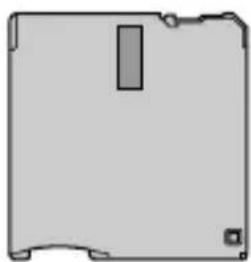
MSAC-FD2M
Floppy Disk Adaptor for Memory Stick
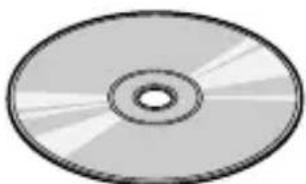
Driver software (CD-ROM) (1)
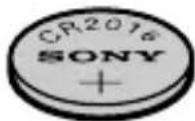
CR2016 lithium battery (2)
Operating Instructions for MSAC-FD2M (2)
Warranty (1)
Installing lithium batteries
The power source for the MSAC-FD2M consists of two lithium button batteries (CR2016).
(The CR2016 lithium battery will be indicated below simply as "battery.")
Before beginning operation, follow the steps shown below to install the batteries.
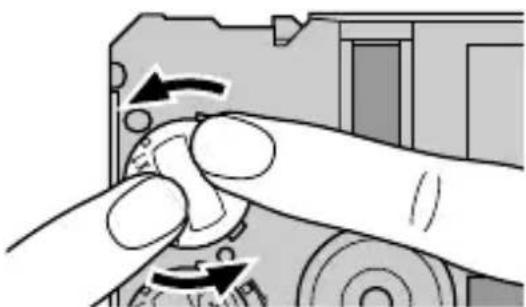
1 Remove battery covers.
Place the MSAC-FD2M on a flat surface. With your finger, press and hold the upper groove on the battery cover. Turn the battery cover counterclockwise until it clicks and then remove the battery cover.
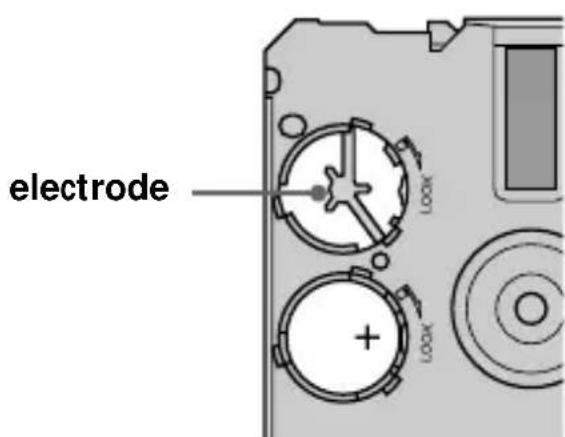
2 Insert batteries.
Insert two new batteries into the battery wells, making sure that the plus sign faces upward.
Continued
Installing lithium batteries (continued)
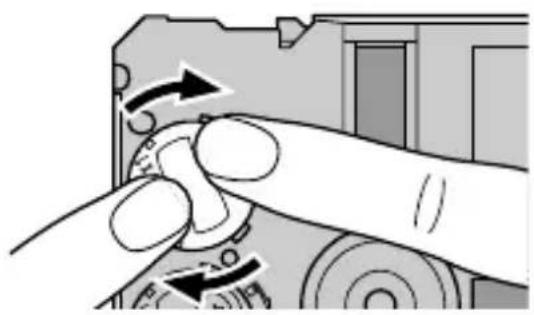
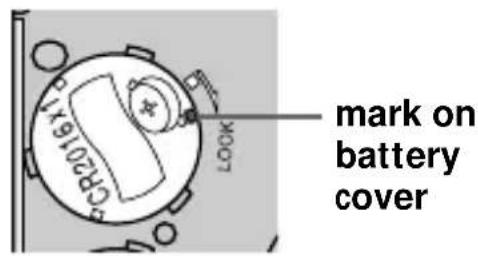
3 Replace the battery covers.
After replacing the battery cover, press down and hold the upper groove with your finger and turn it clockwise until the mark is aligned with the arrow LOCK mark.
Notes
-
Always replace both batteries at the same time.
-
When attaching the battery cover, make sure you do not apply too much force in pressing on the cover. Too much force could break the cover.
WARNING
The battery may explode if mistreated. Do not recharge, disassemble, nor dispose of it in fire.
Lithium Battery
- Use lithium button battery CR2016. Use of any other battery may present a risk of fire or explosion. Discord used batteries according to the manufacturer's instructions.
- Keep the lithium battery out of the reach of children.
- Should the battery be swallowed, immediately consult a doctor.
- Wipe the battery with a dry cloth to ensure good contact.
Installing driver
Install the software needed to use the adaptor.
If you are using Windows NT, log in with the permission of administrator.
1 Insert the CD-ROM supplied with the adaptor into the CD-ROM drive.
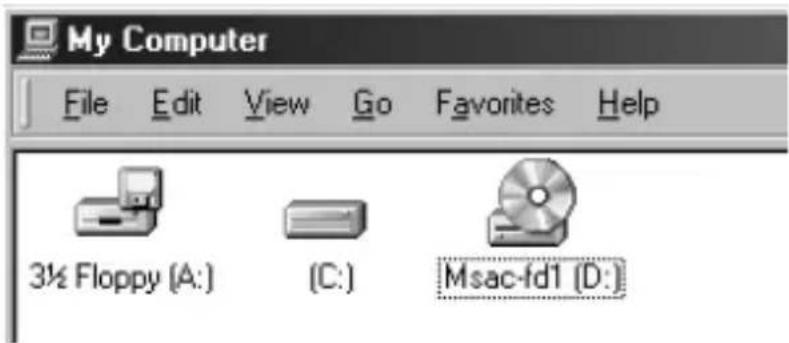
2 Open "My Computer."
3 Open the CD-ROM drive [Msac-fd1].
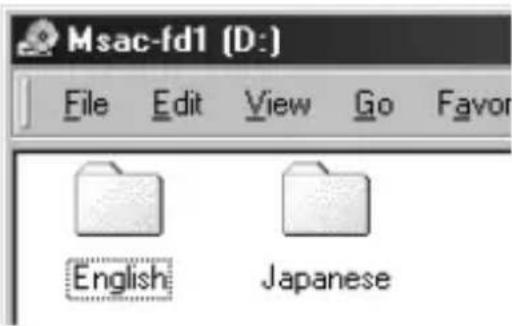
4 Open "English."
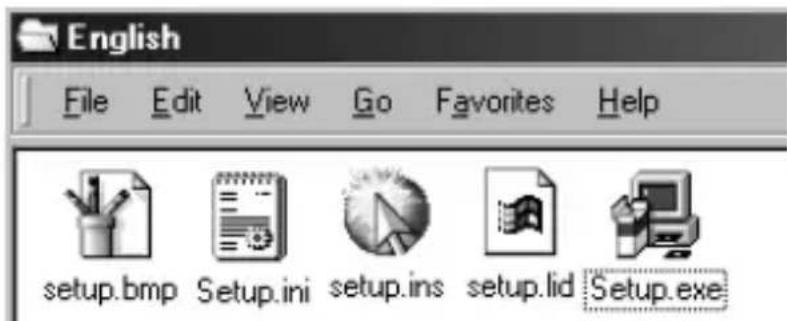
5 Double-click "Setup. exe" to set up the driver.
Continued
Installing driver (continued)
6 That starts up the installation program.
Follow the on-screen instructions to complete the installation of the program file.
7 When the installation is complete, a message appears telling you to restart the computer. Follow the instructions and restart.
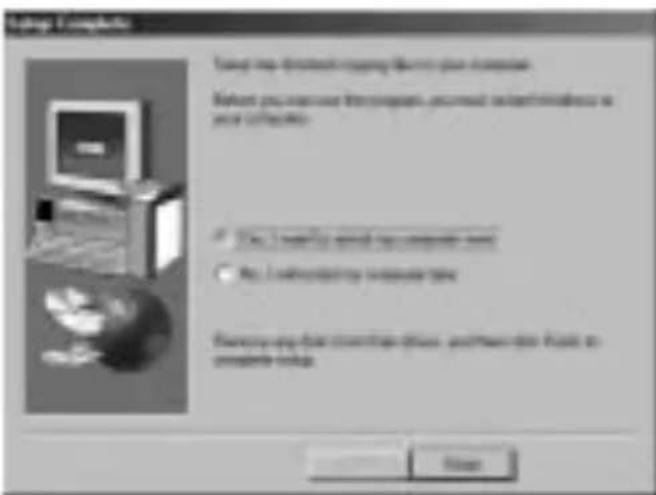
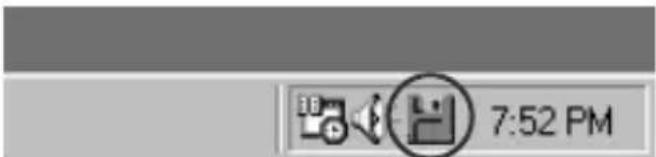
8 After the restart, a floppy disk icon will appear in the task bar. The installation has been successfully completed.
Uninstalling driver
1 Click on [Start], set the cursor on [Settings] and click on [Control Panel].
[Control Panel] window appears.
2 Double-click on [Add/Remove Programs].
[Add/Remove Programs Properties] appears.
3 If "Install/Uninstall" does not appear, click on the "Install/ Uninstall" tab.
The "Install/Uninstall" window then appears.
4 Select "Memory Stick/Floppy Disk Adaptor" and click on "Add/Remove...".
The "Confirm File Deletion" dialog box appears.
5 Click on [Yes].
- For more detailed information on "Add/Remove Programs," see Windows on-line help.
If there is no icon in the task bar, the uninstallation is successful.
Note
The adaptor can no longer be used after uninstall the software.
Installing utility software
1 Insert the CD-ROM supplied with the adaptor into the CD-ROM drive.
2 Double-click on the CD-ROM icon that appears on the desktop to display the folder list window. Then double-click on the ENGLISH folder.
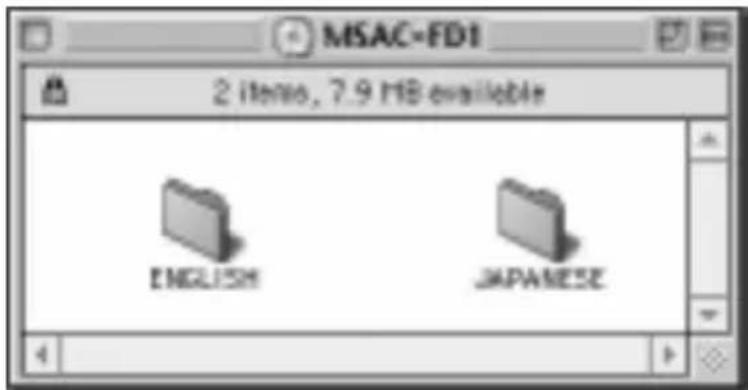
3 In the ENGLISH folder, select [MSAC-FD1 Utility] and drag-and-drop it onto the hard disk to copy it.
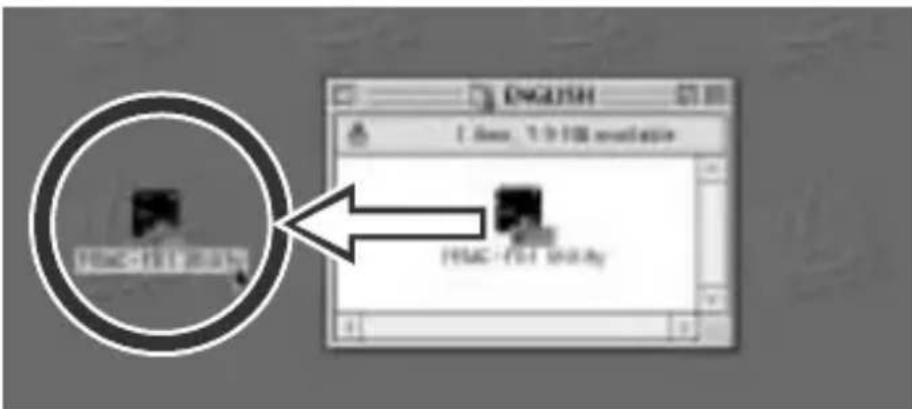
That completes the installation.
Notes
- Do not copy more than one [MSAC-FD1 Utility] onto the hard disk. If an operating error causes more than one [MSAC-FD1 Utility] to run at the same time, MSAC-FD2M or "Memory Stick" could be destroyed.
- MSAC-FD2M cannot be used in a network.
Uninstalling utility software
Move the [MSAC-FD1 Utility] from the hard disk to Trash.
Inserting "Memory Stick"
Insert the "Memory Stick" as shown in the diagram all the way until it clicks.
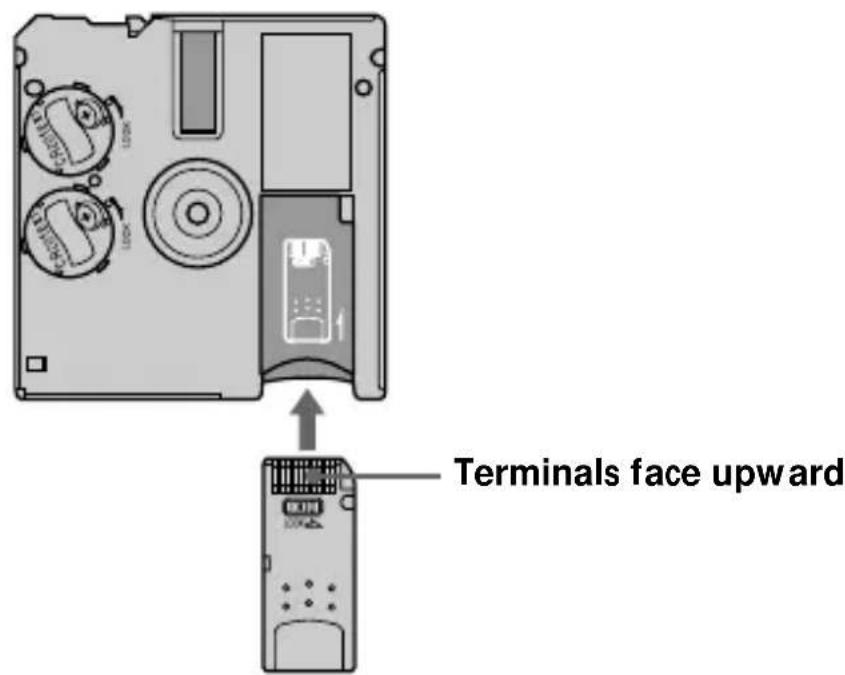
Make sure that "Memory Stick" is seated securely in the floppy disk adaptor. Otherwise, it will not work correctly.
Note
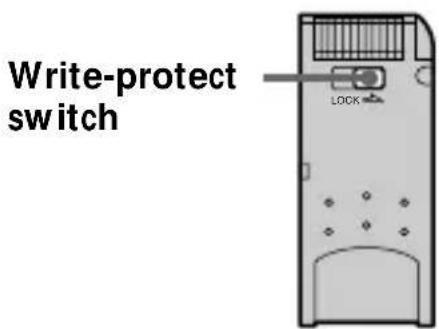
Setting the write-protect switch to "LOCK" position, prevents the writing or deleting of data into "Memory Stick" and formatting the "Memory Stick."
Continued
Inserting "Memory Stick" (continued)
Removing "Memory Stick"
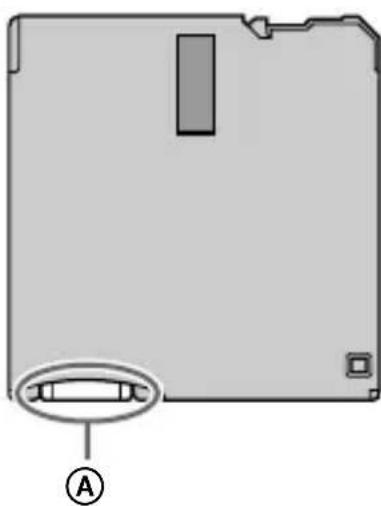
Grasp the "Memory Stick" that protrudes from part of the floppy disk adaptor and pull out gently.
Using MSAC-FD2M
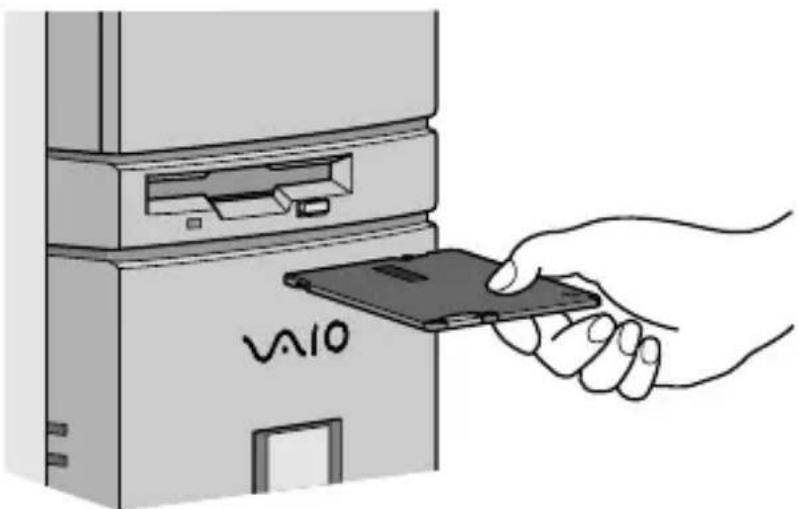
Insert MSAC-FD2M into the floppy disk drive and double-click on "3.5 inch FD" that appears in the "My Computer" window.
- Procedures for use are the same as with a floppy disk.
Notes
- Once you have installed the driver software for this unit, use only 1.44MB floppy disks.
- When you use 720KB/1.25MB floppy disks, uninstall the driver software for this unit from the personal computer.
To use this unit again, reinstall the driver software. See page 9 on the uninstallation.
- When copying a file onto the "Memory Stick" with the adaptor, the computer's "time-remaining" indication may not be correct.
- Do not compress the drive with adaptor inserted.
- Use the "Memory Stick Format" program to format a new "Memory Stick" (see p. 14).
- To conserve battery power, always remove the floppy disk adaptor from the drive when the adaptor is not in use.
Icons on task bar
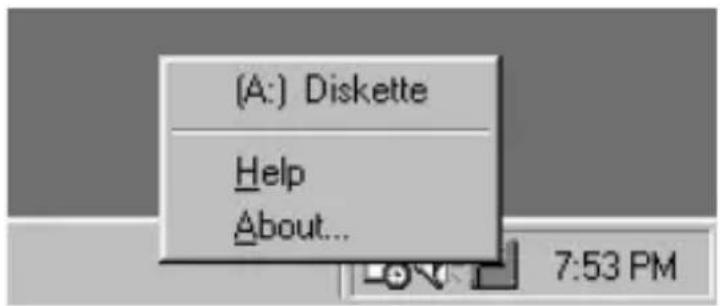
For more detailed information on icons, see on-line help.
Icons on the task bar display adaptor and battery status.
- The status shown is that when the adaptor was most recently accessed.

Memo No. 1
- The icon does not change immediately after inserting the adaptor into the floppy disk drive. The icon changes when the adaptor is accessed.
- To show drive number and remaining battery charge, place the cursor on the Status Monitor icon.
Formatting “Memory Stick”
The "Memory Stick Format" program must always be used when the adaptor is used to format a "Memory Stick."
For instructions on how to use the "Memory Stick Format" program, see on-line help.
On-line help
To get on-line help, right-click on the icon in the task bar and then click on [Help]. The on-line help window appears.

Memo
Use on-line help for a detailed description of error messages.
Using MSAC-FD2M
The Floppy Disk Adaptor Utility software can only be used to download data (images, etc.) from the Floppy Disk Adaptor for Memory Stick (referred to hereafter as the MSAC-FD2M). You cannot use Floppy Disk Adaptor Utility to write data to "Memory Stick"(delete or rename files, format disks, etc.).
Refer to your Macintosh User's Guide for more information on using your Macintosh computer.
Use MSAC-FD2M only when Quick Time is installed.
1 Disable the File Exchange (PC Exchange)
This unit does not operate with File Exchange (PC Exchange) in
2 Startup
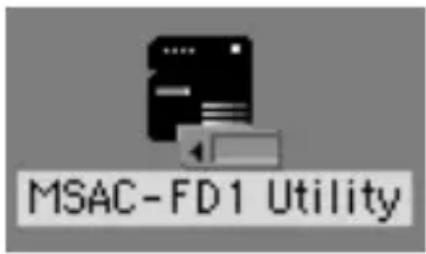
Double click on [MSAC-FD1 Utility] to start.
Continued
Using MSAC-FD2M (continued)
- After [MSAC-FD1 Utility] starts, insert MSAC-FD2M.
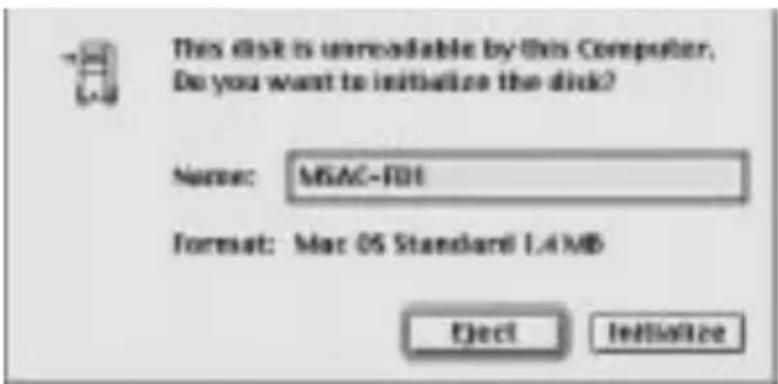
If the application does not start, the menu below appears.
Always press [Eject] when this menu displays. Then repeat the steps above from the beginning.
Do not select [Initialize]. Selecting [Initialize] will cause the computer to crash.
3 Insert Adaptor
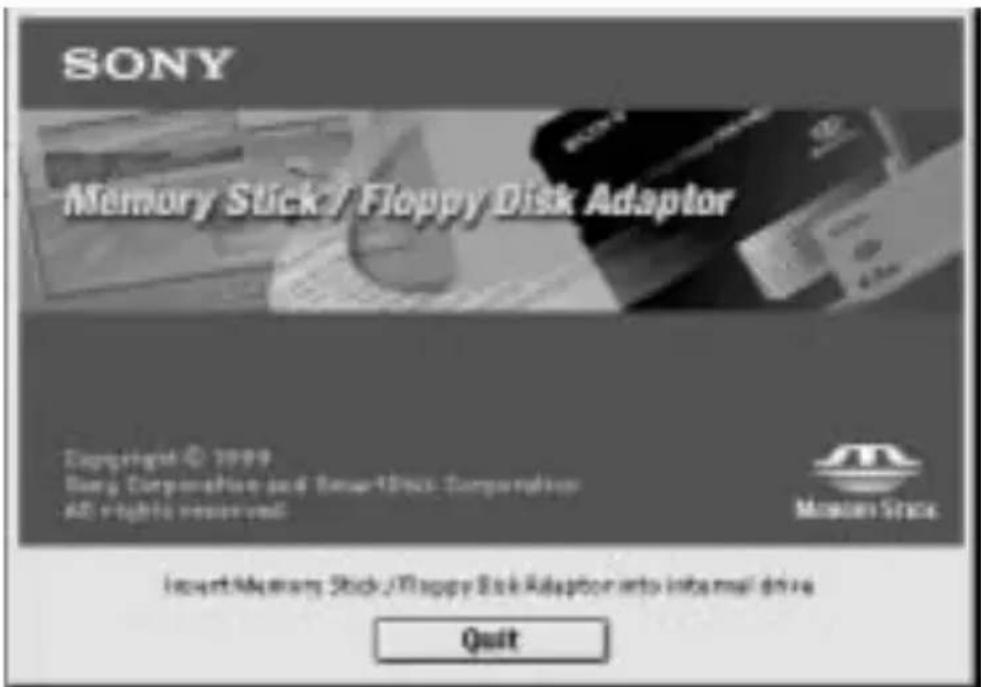
When the startup menu appears, insert MSAC-FD2M into the floppy disk drive. Make sure "Memory Stick" is correctly attached.
Folder or file appears in "Memory Stick."
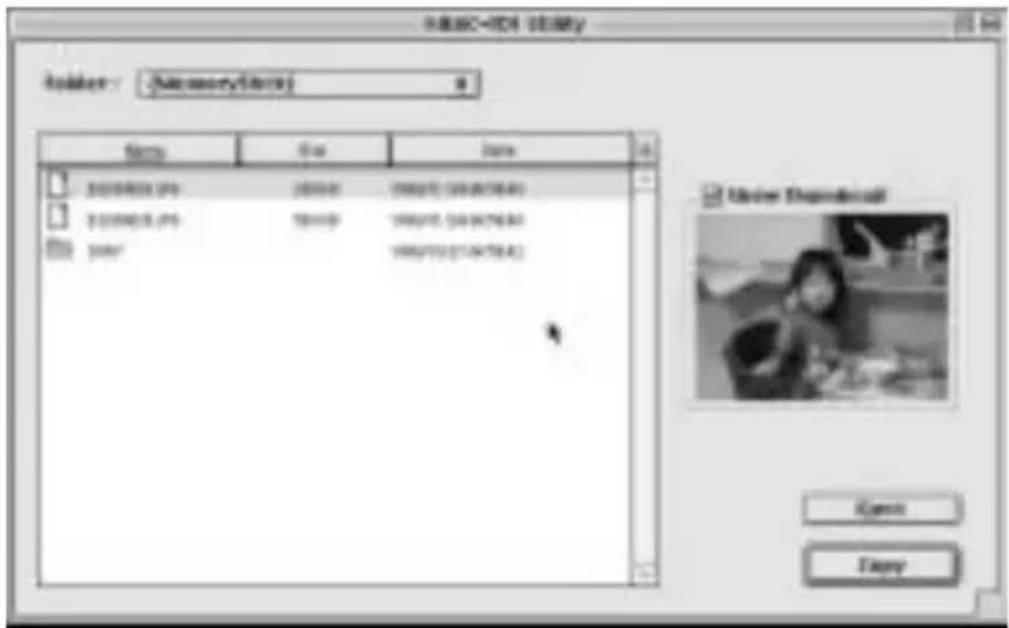
JPG file thumbnails can be displayed by placing a check in the [Show thumbnail] check box to the right of the sub.file list.
(Some types of JPG files will not allow the displaying of thumbnails.)
4 File handling
1. Select file
Selecting one folder or one file
Click on the desired file or folder.
Opening the selected folder
Double click on the folder.
Selecting more than one folder or file
- To select folders or files in consecutive order, press and hold the shift key, and then click on the folder or file at the same time.
- To select any folder or file desired, press the command key and click on the folder or file.
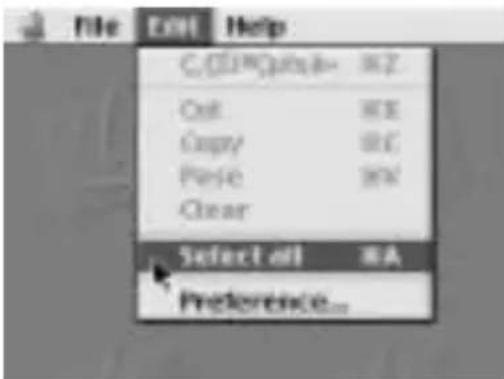
- To select all folders or files, click on [Select all] from the [Edit] menu.
Using MSAC-FD2M (continued)
2. Copying files
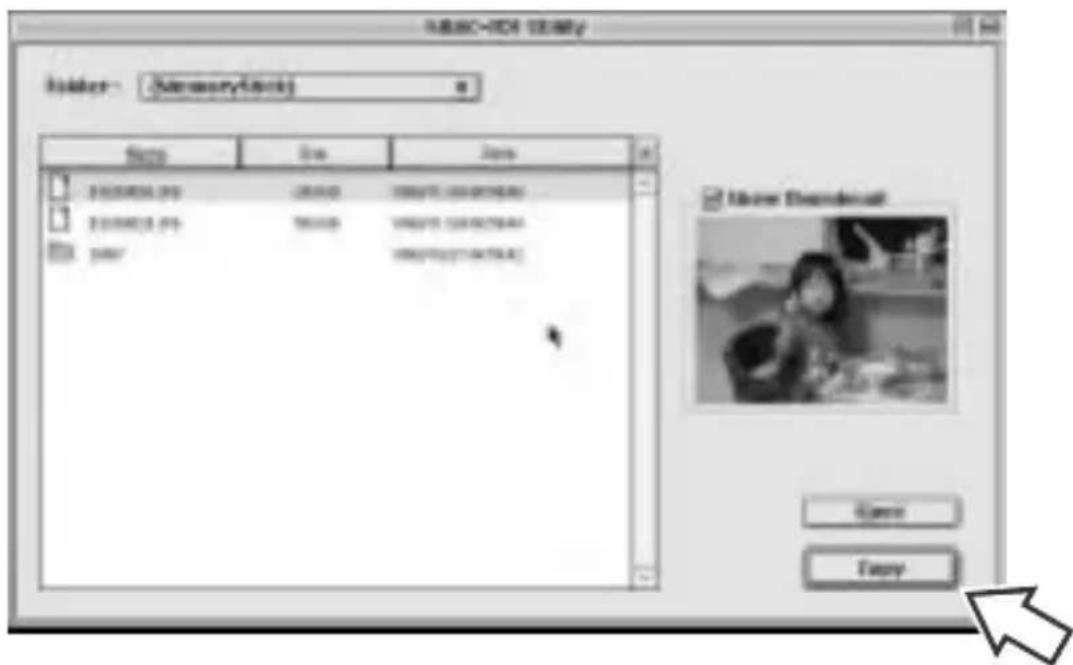
(1) Click on the file to be copied.
(2) Press the [Copy] button.
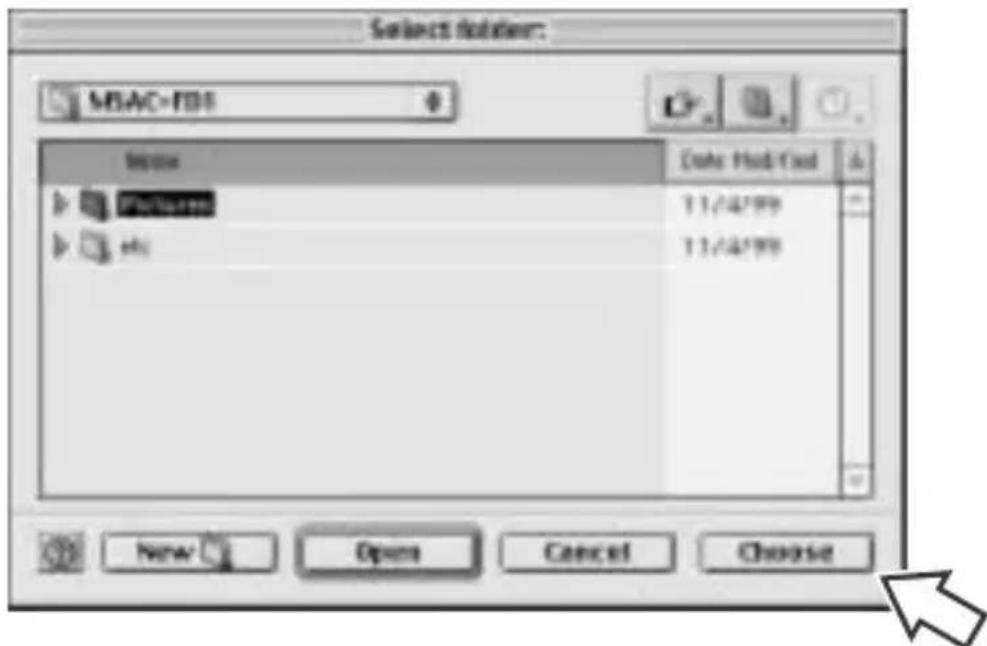
(3) Click on the folder where the copy will go and press [Choose].
Notes
- Files can be drag-and-drop copied. Drag-and-drop copying occurs by moving the file to the location where you want it to be copied.
Copying starts.
When the copy finishes, the menu returns to the file list. To cancel copying, press the sub.[Cancel] button.
Notes
- If an attempt is made to copy a file into a location where a file of the same name already exists, a message will appear to confirm that the new file will be written over the older one. When that message appears, select either [Cancel] or [OK].
Write-protected files cannot be written over.
3. Sorting files
To sort files, click on [Name], [Size] and [Date] in the upper part of the display menu.
To switch between ascending order and descending order, click on the button at the right of [Date].

To return to the previous folder
To return to the first or any previous folder, select any menu or items from the POP UP MENU.

5 Removing MSAC-FD2M
To remove the MSAC-FD2M from the floppy disk drive, press [Eject]. That also brings the startup window back onto the screen.
Using MSAC-FD2M (continued)
6 quit
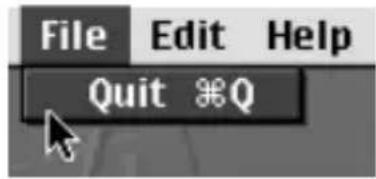
After finishing work, select [Quit] in the [File] menu that is in the file display menu or select [Quit] in the startup menu.
Notes
- To conserve battery power, always remove the floppy disk adaptor from the drive when the adaptor is not in use.
- Displaying dialog window without operation for five minutes or over places MSAC-FD2M into shutdown mode. MSAC-FD2M is then ejected in the next processing step. If no file is stored in the "Memory Stick", it will be ejected without going into the shutdown mode.
- Never run more than one MSAC-FD1 utility at the same time. It may cause the malfunction of MSAC-FD2M or destroy all data on the MSAC-FD2M or in the "Memory Stick".
- MSAC-FD2M cannot be formatted.
Precautions
MSAC-FD2M General precautions
- Do not carry the adaptor in your pocket or the like. It could be damaged when you sit down.
- Do not use or store the adaptor in any area where it could be subject to strong static electricity or electrical emissions.
- Always backup valuable data.
- To protect the floppy disk drive, remove the adaptor from the drive when it is not in use.
- Do not stick any label other than those specially provided onto the "Memory Stick."
- While the adaptor is being accessed, never remove the adaptor from the floppy disk drive, never turn off computer power, and never bump or apply shock to the computer. Any of these moves could destroy data on the "Memory Stick." (The "Memory Stick" can be used if reformatted but all the data on it will be lost.)
- Do not touch the "Memory Stick" terminals with hands or with metal objects.
- Do not allow foreign objects, dirt or dust to enter the "Memory Stick" insertion slot of the adaptor.
Continued
Precautions (continued)
Cleaning
-
If there is any dirt on the outside surface of the adaptor, wipe it off with a clean, soft, dry cloth.
-
Keep the surface of the adaptor that contact the floppy disk drive head clean at all times. Wipe any dirt away with a clean, soft, dry cloth. If the contact surface gets dirty, floppy disk drive performance may deteriorate, or when a floppy disk is operated in the drive, the floppy disk will be scratched and its data will be lost.
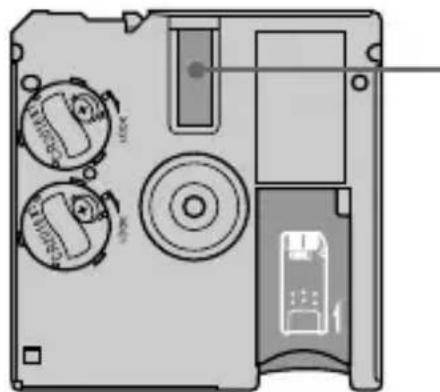
Surface in contact with floppy disk drive head
Troubleshooting
Check the items listed below before calling for service. If there is still a problem after making these checks, call your Sony dealer or local authorized Sony Service facility.
| Symptom | Remedy |
| Cannot install | •CD-ROM not inserted in drive. →Insert CD-ROM provided into the drive. •Installation file name is wrong. (For Windows) →See Operating Instructions. (p. 7) |
| Cannot access "Memory Stick" | •Battery charge is low or batteries have not been inserted into unit. →Replace the two batteries with new ones. (Replace both batteries at the same time.) •Batteries inserted incorrectly. →See Operating Instructions and install batteries correctly. (p. 5) |
| Power shuts off automatically | If the adaptor is not used for approx. five minutes, it goes automatically into sleep mode to conserve battery power. The adaptor cannot be accessed when it is in sleep mode. To use the adaptor again, remove it and then reinsert. If the adaptor is still in sleep mode, leave the adaptor for a while before reinserting it. |
| [MSAC-FD1 Utility] will not start. (For Macintosh) | •File Exchange is <enabled>. →Change File Exchange to <disabled>. (p. 15) |
| File list menu fails to appear when MSAC-FD2M is inserted into drive. (For Macintosh) | •MSAC-FD2M has been inserted in the floppy disk drive without starting up [MSAC-FD1 Utility]. →Start up [MSAC-FD1 Utility] and then insert MSAC-FD2M. |
Specifications
OS
Windows 95/98/98SE/Windows NT 4.0 (service pack 3, 4 and 5)
Mac OS 7.6.1 ~ 8.6
(standard installation)
Computer
IBM PC/AT compatible desktop computers
Apple Power Macintosh desktop computers
A 3.5 inch 1.44 MB floppy disk drive must be provided as standard.
Operating voltage
3.8 V - 6.6 V
Power consumption
85 mA (at 6V input)
Maximum outside dimensions
3.7 in. (length) · 0.14 in. (wide) · 3.54 in. (height) (94· 3.45· 90mm)
Weight (approx.)
1.6 oz (45 g) (with batteries and without "Memory Stick")
Operating conditions
Temperature: 32^ to 131^ (0^ to 55^)
Humidity: 20% to 80% (no condensation)
Battery operating time (at room temperature)
Continuos read..... 16 hours (approx.)
Continuous write .... 12 hours (approx.) (Windows)
(when Sony CR2016 batteries are used)
File access speeds
(during use of 4MB "Memory Stick" and 500KB files)
File access speed (reading) .... 15 seconds (approx.)
File access speed (writing) .... 20 seconds (approx.)
(during use of 4MB "Memory Stick" and 500KB files)
File access speed (reading) .... 25 seconds (approx.)
The personal computer enviroment, size and number of files performing transfer and state of data recorded on the "Memory Stick" will cause slight changes in speed.
Design and spesifications are subject to change without notice.
Operations cannot be guaranteed for all computers running in the recommended environment.
Français
Lecture continue .... 16 heures (approx.)
Ecriture continue .... 12 heures (approx.) (Windows)
If you have any questions/comments related to this product, please visit our Customer Support website at
http://www.sony.com/service
(If you do not have internet access, please call 1-800-222 SONY.)