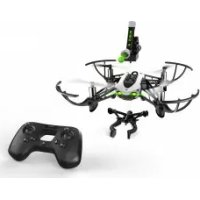
Mambo Mission - Drone PARROT - Free user manual and instructions
Find the device manual for free Mambo Mission PARROT in PDF.



User questions about Mambo Mission PARROT
0 question about this device. Answer the ones you know or ask your own.
Ask a new question about this device
Download the instructions for your Drone in PDF format for free! Find your manual Mambo Mission - PARROT and take your electronic device back in hand. On this page are published all the documents necessary for the use of your device. Mambo Mission by PARROT.
USER MANUAL Mambo Mission PARROT
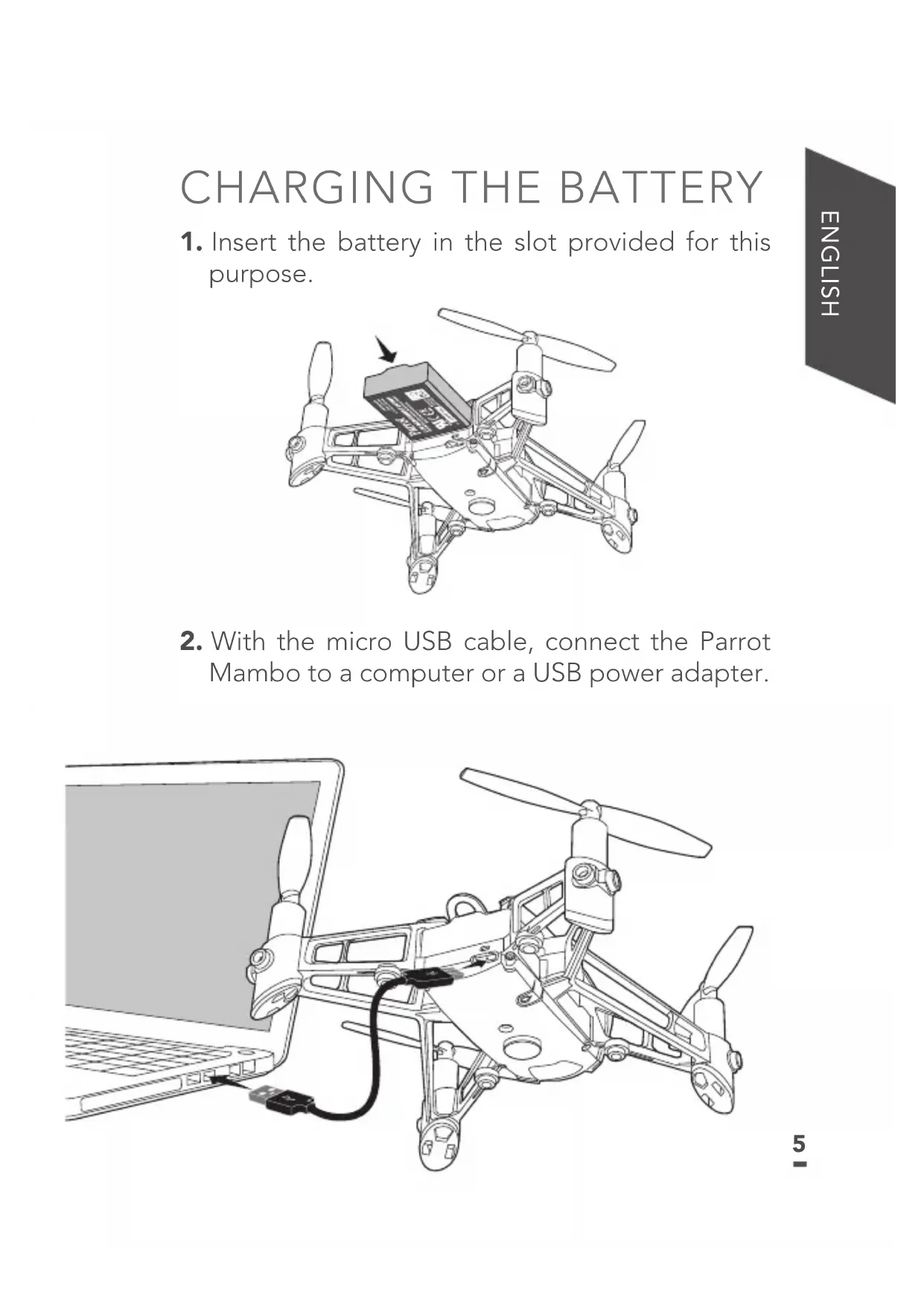
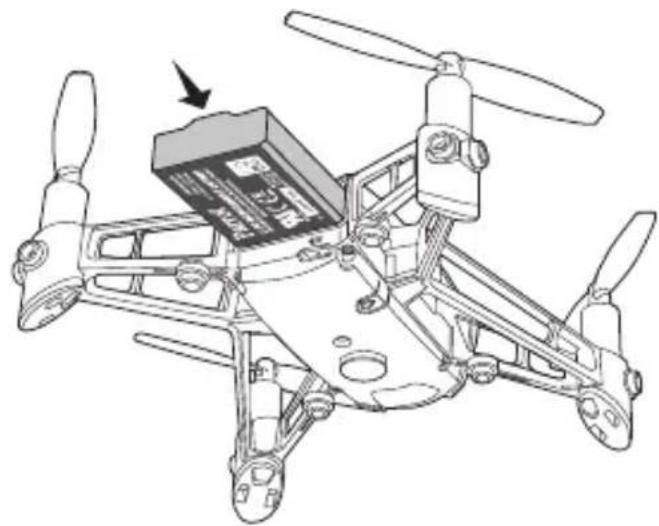
- Insert the battery in the slot provided for this purpose.
- With the micro USB cable, connect the Parrot Mambo to a computer or a USB power adapter.
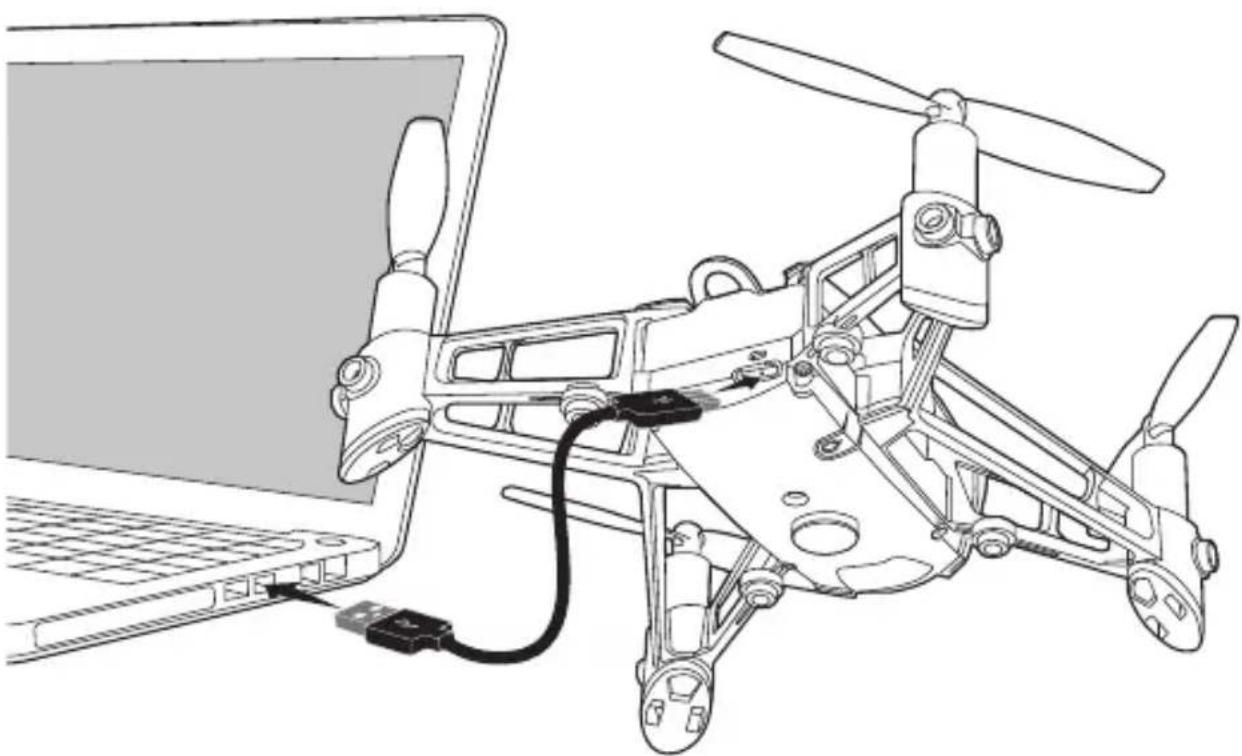
The charge LED is steady red when charging.
The charge time is approximately 30 minutes with a 2.1A charger. Once charging is complete, the charge LED turns green.
To remove the battery, lift the tab and slide the battery backwards.
Login to the App Store® or Google Play™ and download the free FreeFlight Mini application to your smartphone or tablet.
CONNECTING TO THE PARROT MAMBO
- Insert the battery in the slot provided for this purpose or press the On/Off button.
The Parrot Mambo turns on.
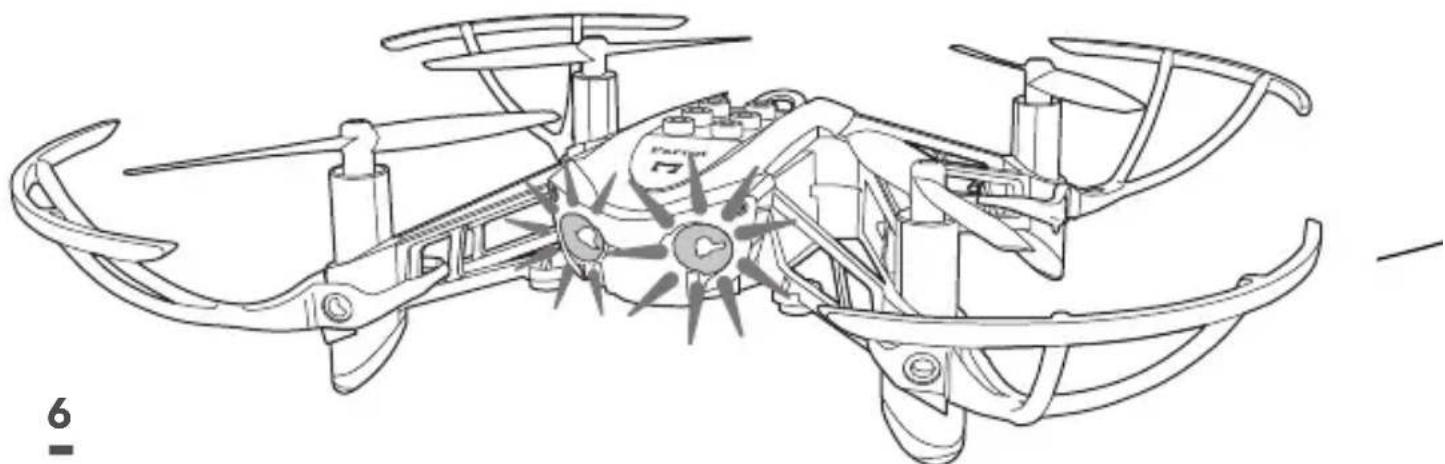
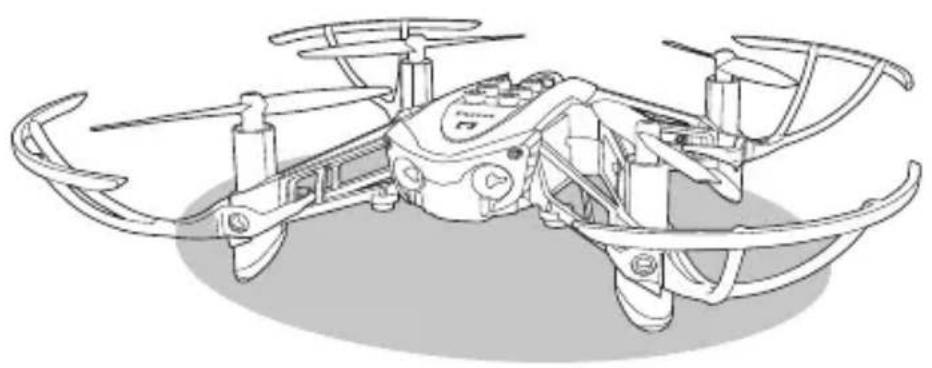
- Place the Parrot Mambo on a flat surface with the propellers up.
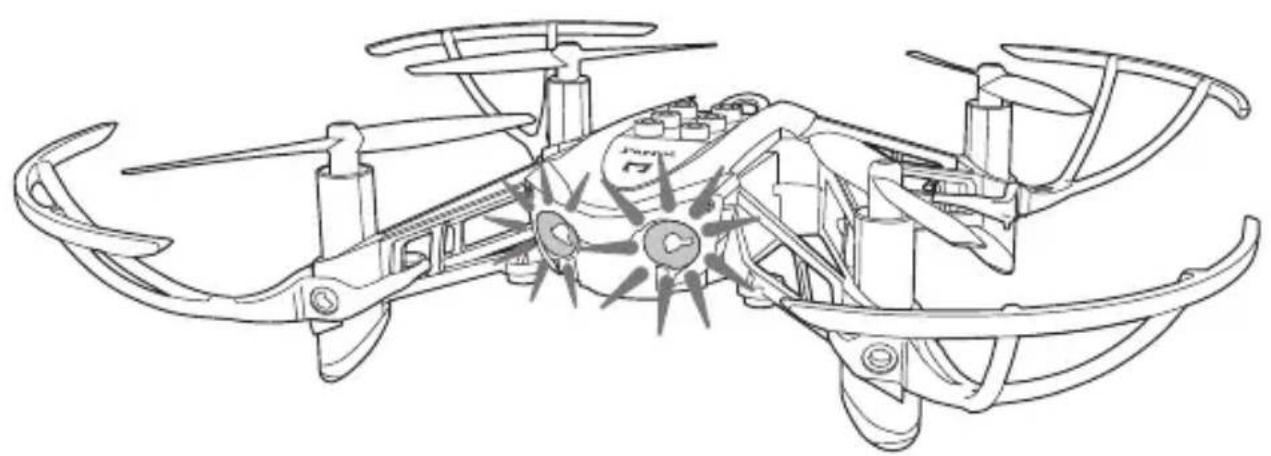
- Wait until the warning lights turn green.
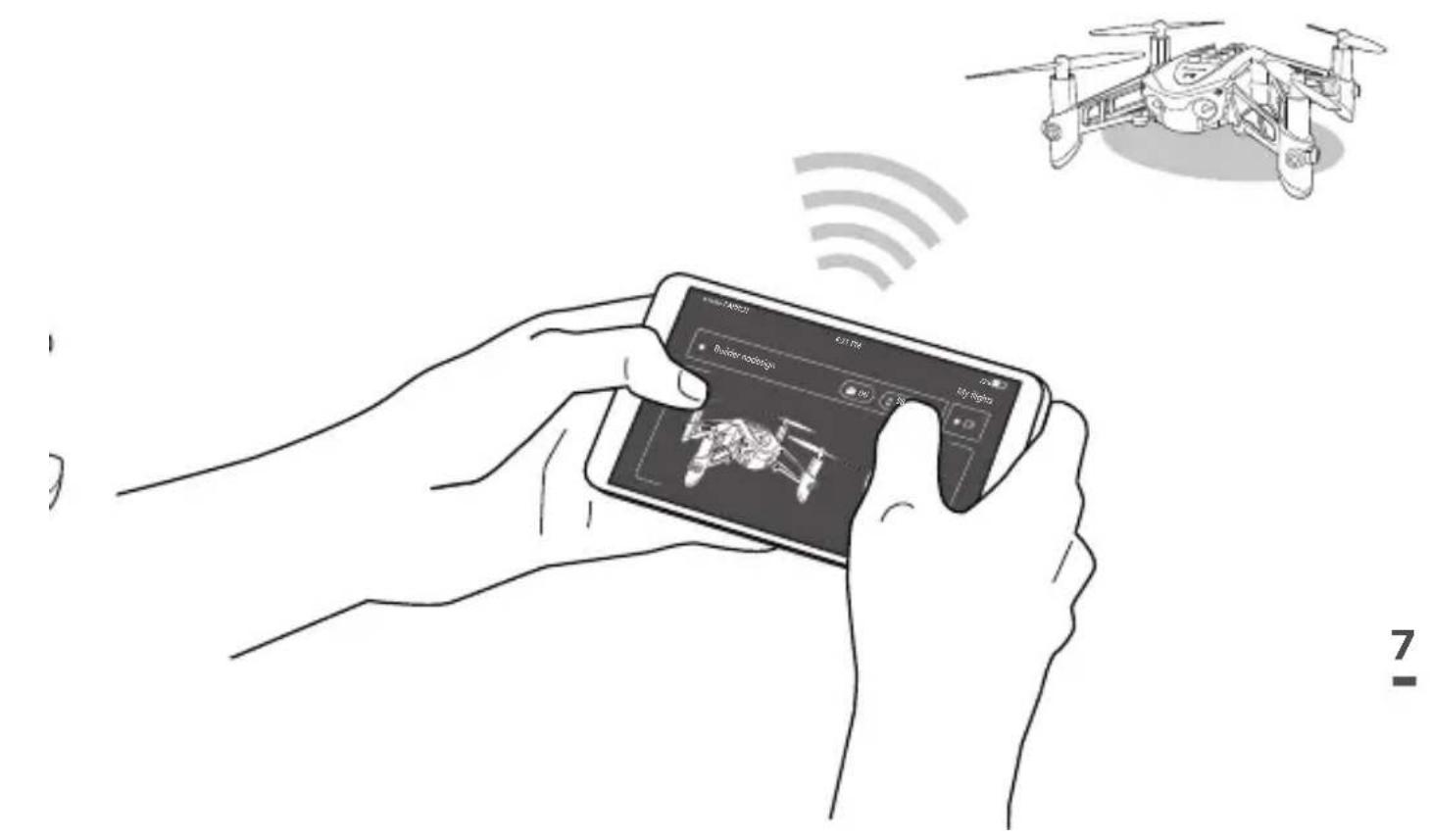
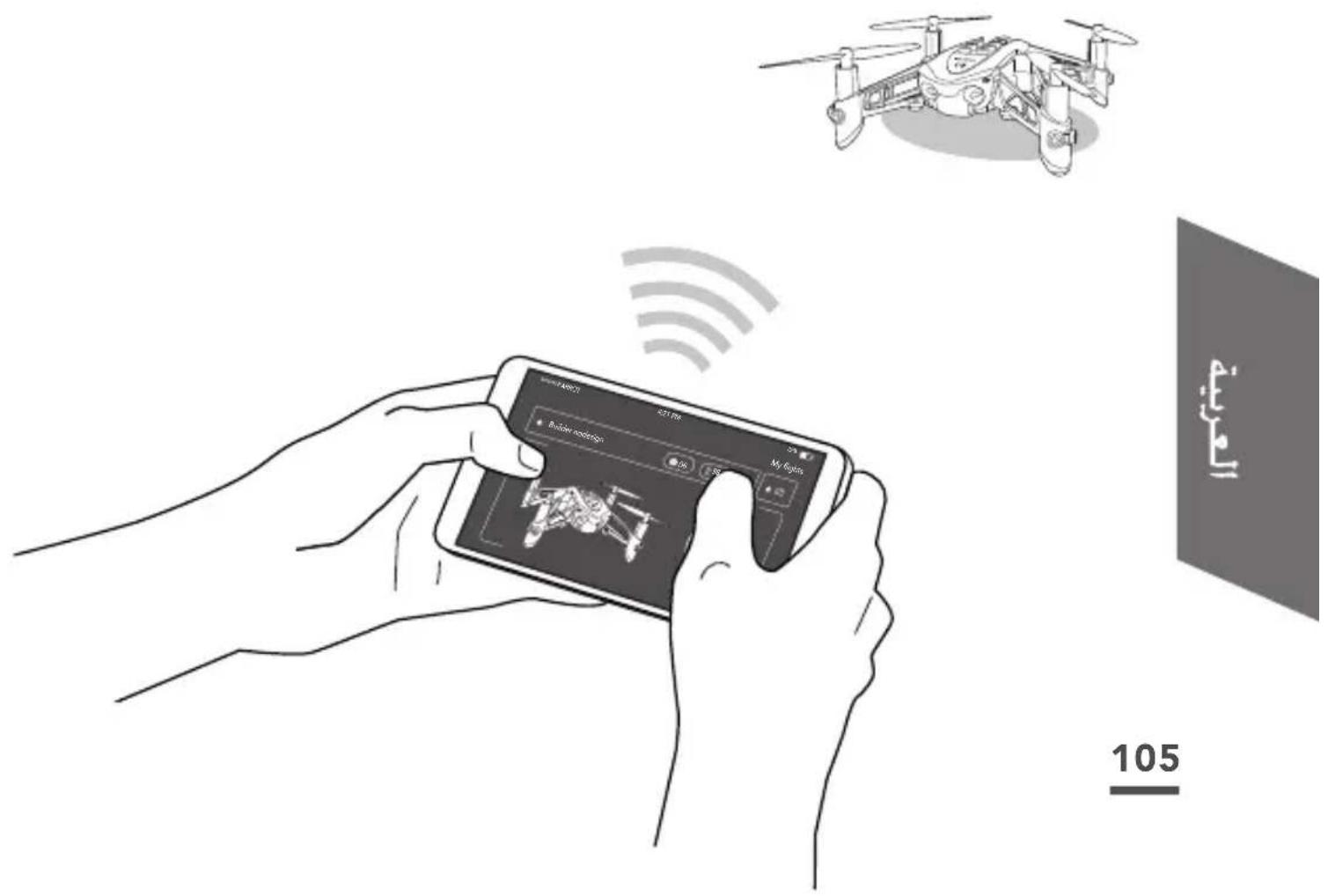
- On your smartphone, turn on the Bluetooth® function and open the FreeFlight Mini application.
The application automatically connects to the Parrot Mambo.
If it does not automatically connect, a list of available drones appears. Select your Parrot Mambo.
TAKING OFF
- Place the Parrot Mambo on a flat surface with the propellers up.
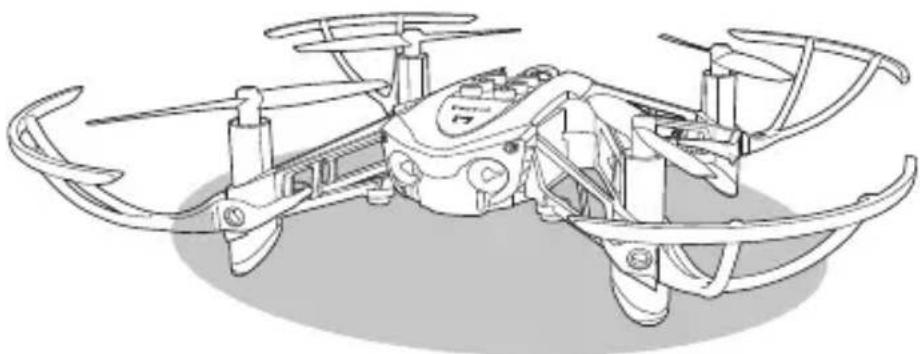
- In the FreeFlight Mini application, press START
- Select the type of accessory used (with or without hulls).
- Press TAKE-OFF
The Parrot Mambo takes off and stabilises at 1 meter above the ground waiting for a command.
LANDING
To land the Parrot Mambo, press the button.
The Parrot Mambo lands.
FLYING
Joystick mode is the default flying mode.
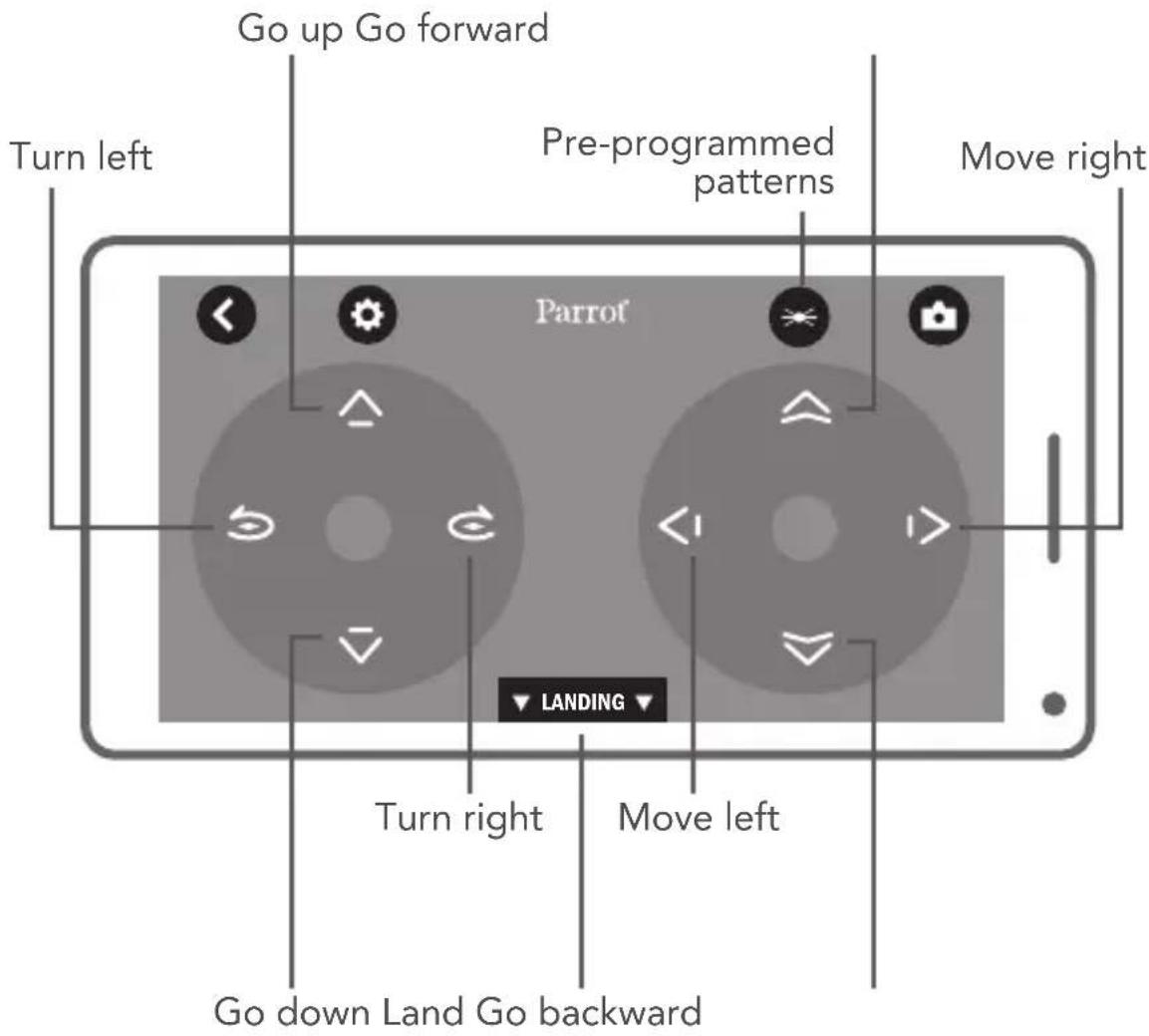
PRE-PROGRAMMED PATTERNS
- Press

A list of patterns appears.
- Select a pattern.
The icon for the selected pattern appears.
- Double-tap the centre of your smartphone or tablet screen to perform the selected pattern.
ACCESSIONS
HULLS
Attach the hulls to the Parrot Mambo's arms. Makesure the hulls are properly secured on the Parrot Mambo's contacts by pressing on them.
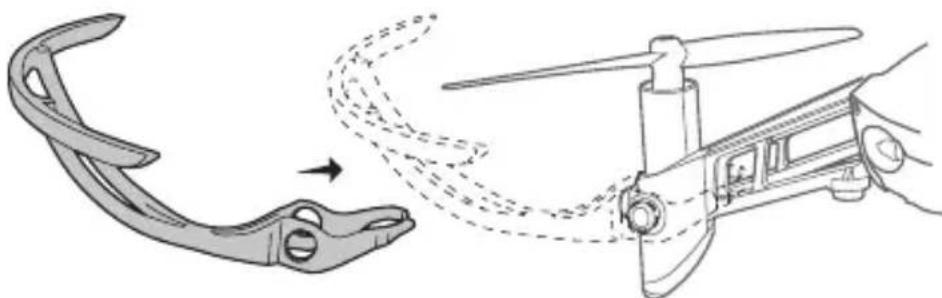
To remove the hulls: gently remove the hulls from the Parrot Mambo's contacts.
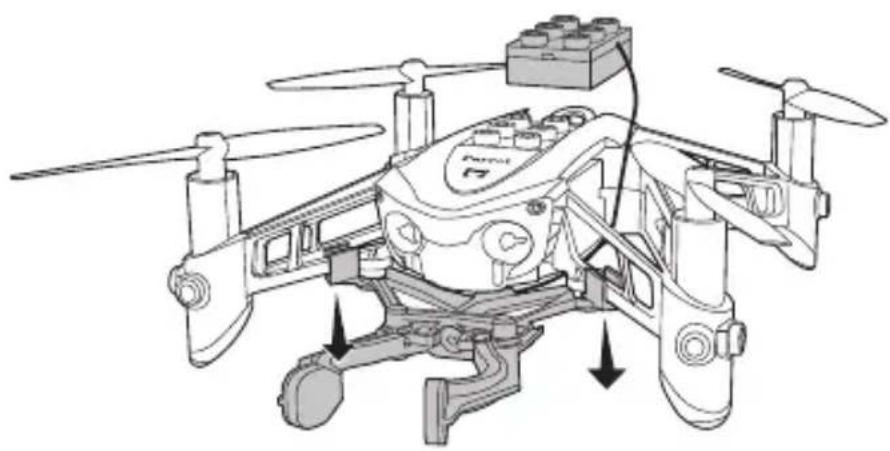
GRABBER
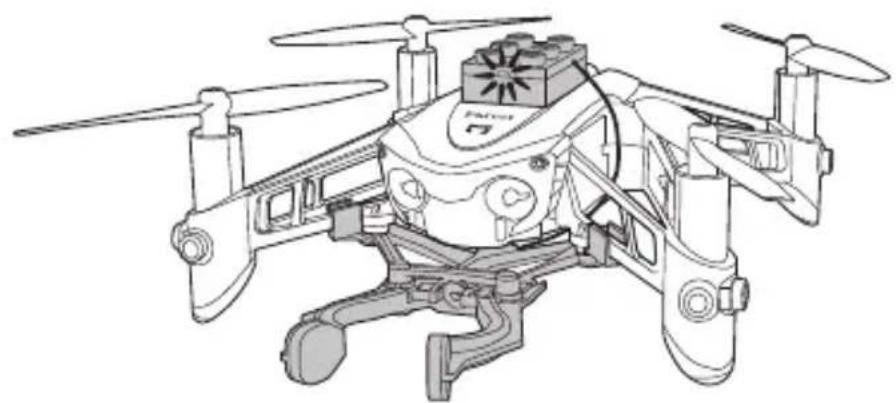
- Turn on your Parrot Mambo and connect it to your smartphone.
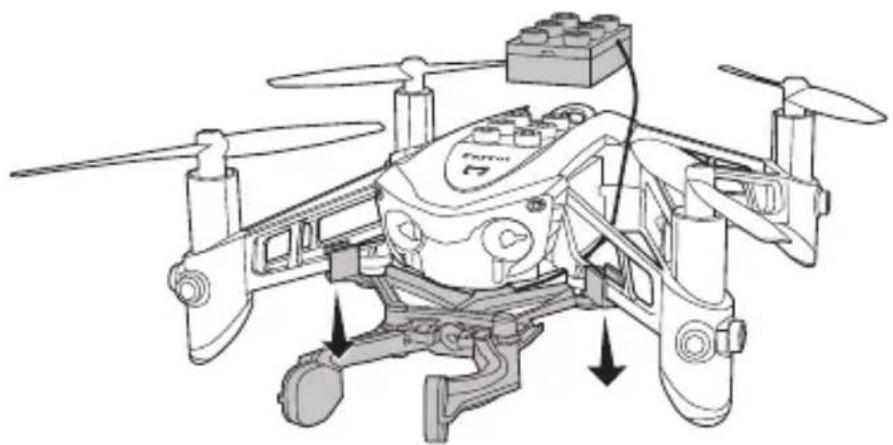
- Attach the Grabber under the Parrot Mambo.
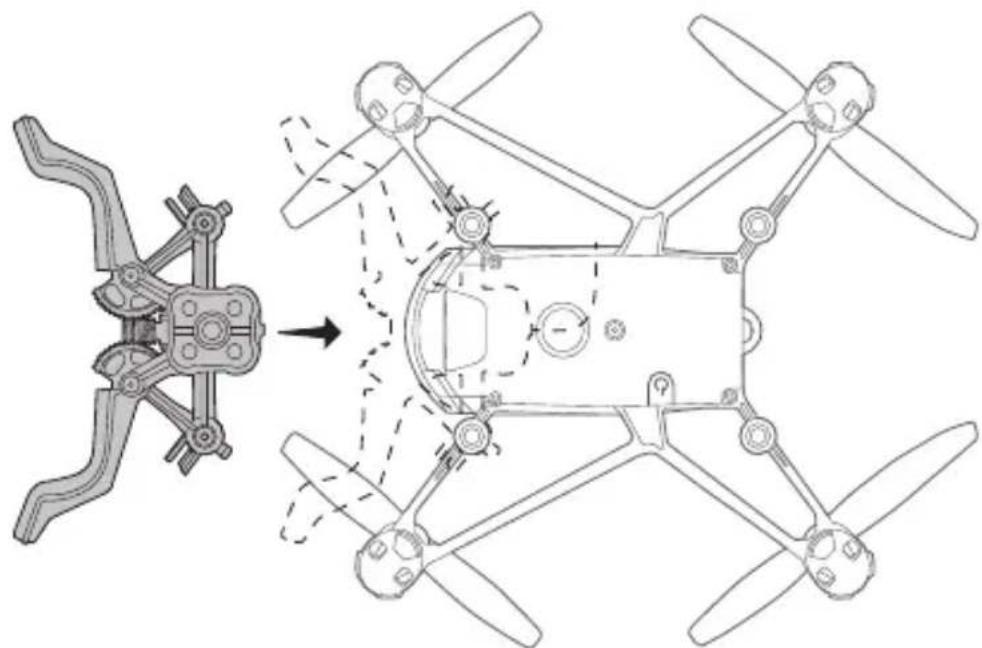
- Pass the brick inside the Parrot Mambo's arms.
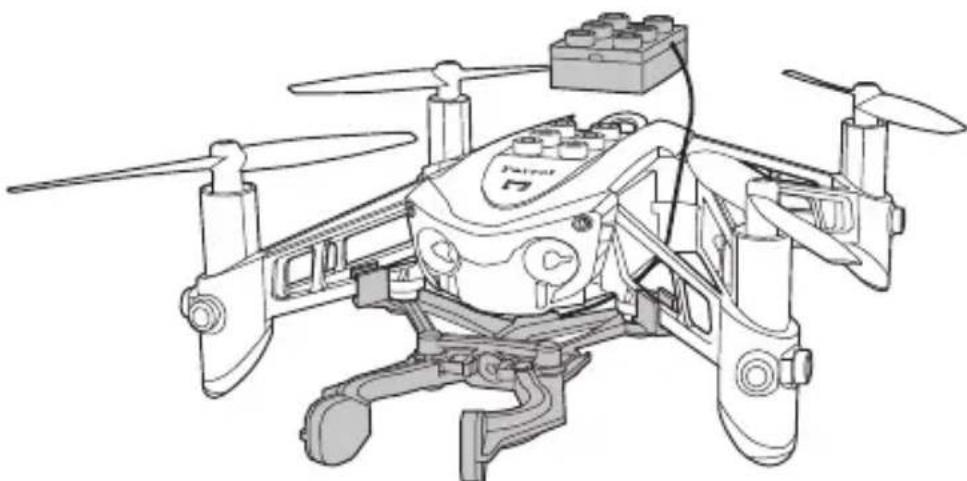
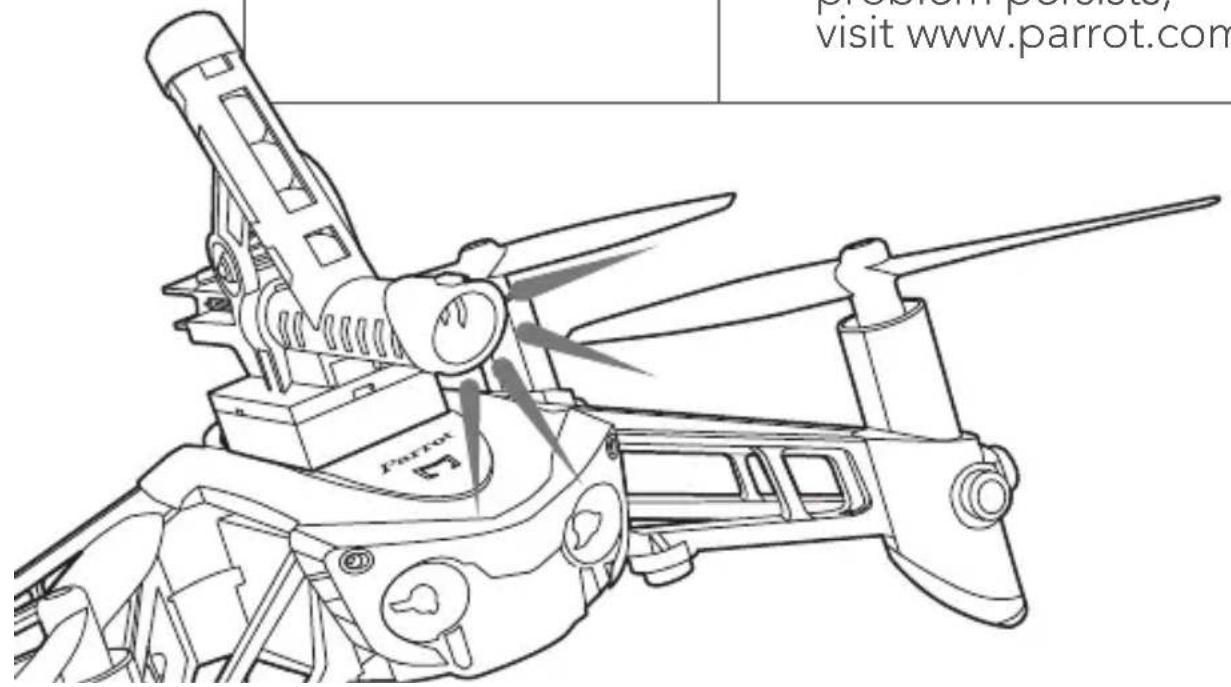
- Attach the Grabber's brick onto the connector.
The brick's warning light turns green. The FreeFlight Mini application automatically detects the Grabber.
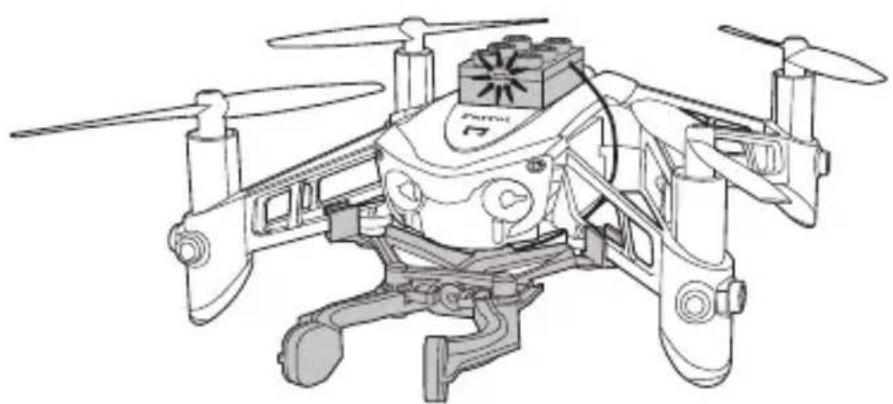
- In FreeFlight Mini, press to open and close the Grabber.
To remove the Grabber: remove the brick from the connector and then gently unclip the Grabber's fastenings. You can remove the Grabber.
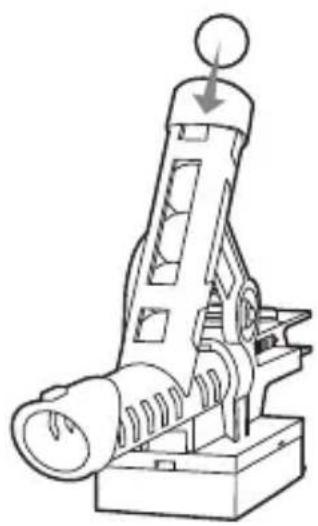
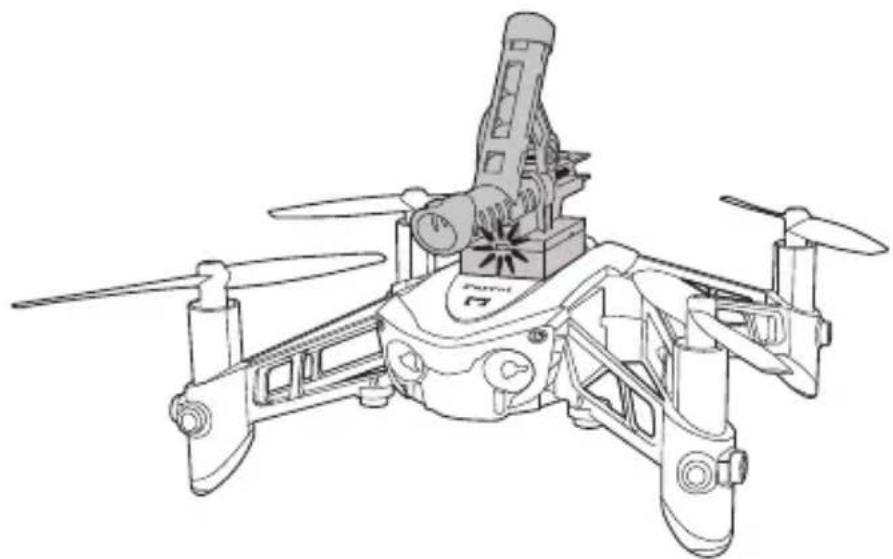
CANNON
- Turn on and connect your Parrot Mambo.
- Insert up to 6 balls into the Cannon's cartridge.
- Secure the Cannon to the connector.
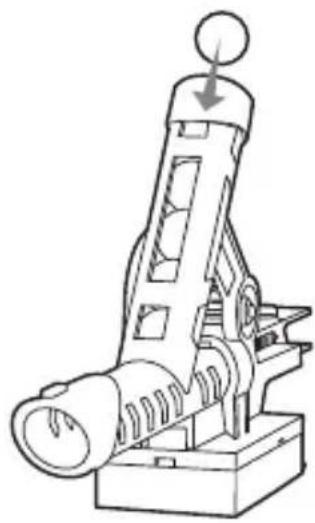
The brick's warning light turns green. The FreeFlight Mini application automatically detects the Cannon.
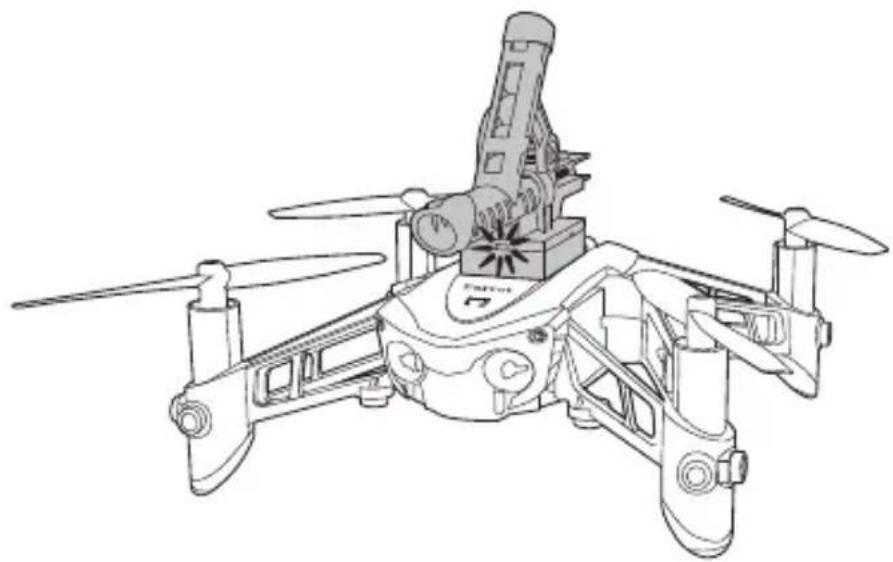
- Press to operate the Cannon.
WARNING LIGHT INDICATIONS
| Steady orange light | The Parrot Mambo is starting up. |
| Steady green light | The Parrot Mambo is ready for use. |
| Flashing red light | The Parrot Mambo's battery is low. > Charge the battery. |
| Steady red light | The Parrot Mambo has detected a problem. > Make sure Bluetooth® is enabled on your smartphone. If the problem persists, visit www.parrot.com. |
GENERAL INFORMATION
ACCESSORIES AND SPARE PARTS
Accessories and spare parts are available from your Parrot retailer or on www.parrot.com.
PRECAUTIONS FOR USE AND MAINTENANCE
The Parrot Mambo is not suitable for children under 14 years of age.
The Parrot Mambo is a model aircraft designed for recreation and leisure. The pilot must, at all times, maintain eye contact with the Parrot Mambo and control its trajectory. The Parrot Mambo must be used according to the rules of civil aviation in your country. The places where it is used must be suitable for its progression in order to continuously ensure the safety of people, animals and property. Using the Parrot Mambo in some public places (for example: train stations, airports, etc.) or on public roads may not be allowed.
To use the Parrot Mambo inside, install the hulls to protect the Parrot Mambo in case a collision with another object.
The Parrot Mambo's propellers in flight can cause damage to people, animals or objects. Do not touch the Parrot Mambo in flight. Stay a safe distance away and wait for the propellers to completely stop before handling the Parrot Mambo.
Only use the Parrot Mambo gun with balls designed for the Parrot Mambo. Only use accessories specified by Parrot Drones SAS.
If sand or dust gets into the Parrot Mambo, it may be irreparably damaged and no longer function properly.
Do not use the Parrot Mambo in adverse weather conditions (rain, strong wind or snow) or when visibility is poor (at night).
Keep the Parrot Mambo away from high voltage power lines, buildings or any other potentially hazardous areas.
Do not use this device near liquids. Do not place the Parrot Mambo on water or on a wet surface as this could cause irreparable damage.
Do not leave the Parrot Mambo in the sun.
WARNING: THE PARROT MAMBO AND ITS ACCESSORIES ARE MADE OF OR CONTAIN SMALL OBJECTS - CHOKING HAZARD - DO NOT SHOOT THE PARROT MAMBO GUN'S BALLS AT PEOPLE, ANIMALS OR OBJECTS.
WARRANTY
For the warranty conditions, please read the Terms and Conditions of sale of the retailer where you purchased the Parrot Mambo.
HOW TO RECYCLE THIS PRODUCT
This symbol on the product or its documentation indicates that it must not be disposed of with household waste. Uncontrolled waste disposal may harm the environment or human health. Please separate your device from other types of waste to recycle it responsibly. This will help to foster the sustainable
re-use of material resources. We invite you to contact your retailer or inquire at your local town hall to find out where and how the Parrot Mambo can be recycled.
CONFORMITY DECLARATION
PARROT DRONES, 174 quai de Jemmapes, 75010 Paris, France, hereby declares that it is solely responsible for the compliance of the product described in
this user guide with technical standards, EN 301489-17, EN300328, EN71-1, EN71-2, EN62115, EN50581 according to the provisions of the R&TTE Directive 1999/5/EC, the ROHS Directive 2011/65/EU and the General Product Safety Directive 2001/95/EC. The statement of compliance is available at the following address: www.parrot.com/fr/ce/?parrot-mambo
TRADEMARKS
Parrot Mambo, Parrot Swing as well as their respective logos are trademarks of Parrot Drones SAS.
Parrot and the Parrot logos are trademarks of Parrot S.A.
App Store is a trademark of Apple Inc.
Google Play is a trademark of Google Inc.
The Bluetooth® name and logo are registered trademarks of Bluetooth SIG, Inc. and any use of these trademarks by Parrot Drones SAS is done under licence.
All other trademarks mentioned in this guide are the property of their respective owners.
WARNING REGARDING PRIVACY AND RESPECT FOR IMAGES OF PROPERTY
Recording and broadcasting an individual's image without their permission may constitute an invasion of privacy and you may be held liable. Ask permission before filming people, especially if you intend to keep your recordings and/or broadcast them. Do not broadcast degrading images which may affect an individual's reputation or dignity. Recording and broadcasting the image of property without permission from its owner and or any third party holding intellectual property rights on the property may constitute a violation of the property's image rights and you may be held liable. Ask permission from its owner and/or any third party with ownership rights.
FCC AND IC COMPLIANCE STATEMENT
This equipment has been tested and found to comply with the limits for a Class B Digital Device, pursuant to Part 15 of the FCC Rules / with Industry Canada Licence-exempt RSS standard(s). These limits are designed to provide reasonable protection against harmful interference in a residential installation. This equipment generates, uses and can radiate radio frequency energy and, if not installed and used in accordance with the instructions, may cause harmful interference to radio communications. However, there is no guarantee that interference will not occur in a particular installation. If this equipment does cause harmful interference to radio or television reception, which can be determined by turning the equipment off and on, the user is encouraged to try to correct the interference by one or more of the following measures:
- Reorient or relocate the receiving antenna.
- Increase the distance between the equipment and receiver.
- Connect the equipment to an outlet on a circuit different from that to which the receiver is connected.
- Consult the dealer or an experienced radio/TV technician for help.
This equipment complies with Part 15 of the FCC Rules / with Industry Canada Licence exempt RSS standard(s). Operation is subject to the following two conditions: This equipment may not cause harmful interference. This equipment must accept any interference received, including interference that may cause undesired operation. Modifications not authorized by the manufacturer may void the user's authority to operate this device.
Caution: Exposure to Radio Frequency Radiation
The installer of this radio equipment must ensure that the antenna is located or pointed such that it does not emit RF field in excess of Health Canada limits for the general population; consult Safety Code 6, obtainable from Health Canada's website at http://www.hc-sc.gc.ca
This equipment complies with the FCC RF radiation exposure limits set forth for an uncontrolled environment. This equipment should be installed and operated with a minimum distance of 20cm between the radiator and any part of your body.
DECLARATION OF CONFORMITY IN CANADA
This device complies with the Industry Canada RSS applicable to license-exempt radio apparatus. Operation is permitted subject to the following two conditions: (1) the device must not produce interference, and (2) the user of the device must accept any radio interference encountered, even if the interference is likely to compromise operations.
This category B digital device is compliant with the NMB-003 standard of Canada.
BATTERY
WARNING: Failure to follow all the instructions may result in serious injury, irreparable damage to the battery and may cause a fire, smoke or explosion.
Always check the battery's condition before charging or using it. Replace the battery if it has been dropped, or in case of odour, overheating, discolouration, deformation or leakage. Never use anything other than the approved LiPo charger to charge the battery. Always use a balancing charger for LiPo cells or a LiPo cell balancer. It is recommended that you do not to use any other charger than the one provided with the product. Never trickle charge or charge under 2.5V per cell. The battery temperature must never exceed 60^ (140°F) otherwise the battery could be damaged or ignite. Never charge on a flammable surface, near flammable products or inside a vehicle (preferably place the battery in a non-flammable and non-conductive container). Never leave the battery unattended during the charging process. Never disassemble or modify the housing's wiring, or puncture the cells. Always ensure that the charger output voltage corresponds to the voltage of the battery. Do not short circuit the batteries. Never expose the LiPo battery to moisture or direct sunlight, or store it in a place where temperatures could exceed 60^ (car in the sun, for example). Always keep it out of reach of children. Improper battery use may result in a fire, explosion or other hazard.

The battery terminals should not be allowed to short-circuit. The product should be connected only to class II appliances which display the symbol. Use only 6mm diameter balls (reference MCPLA01357A_Chonggao) sold by PARROT DRONES. Warning. Do not aim at eyes or face or body part.
MANUFACTURER INFORMATION
The Parrot Mambo is manufactured by: PARROT DRONES SAS - 174 Quai de Jemmapes - 75010 Paris (France) - Corporate and Trade Register Paris 808 408 074
FCC ID: 2AG6IDELOS3
IC: 21053-DELOS3
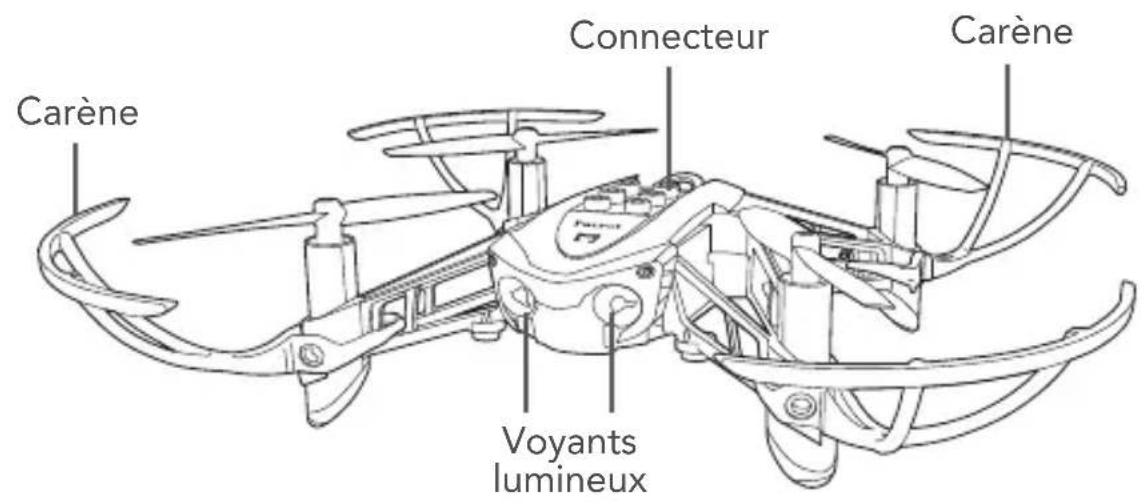
PRÉSENTATION DU PARROT MAMBO
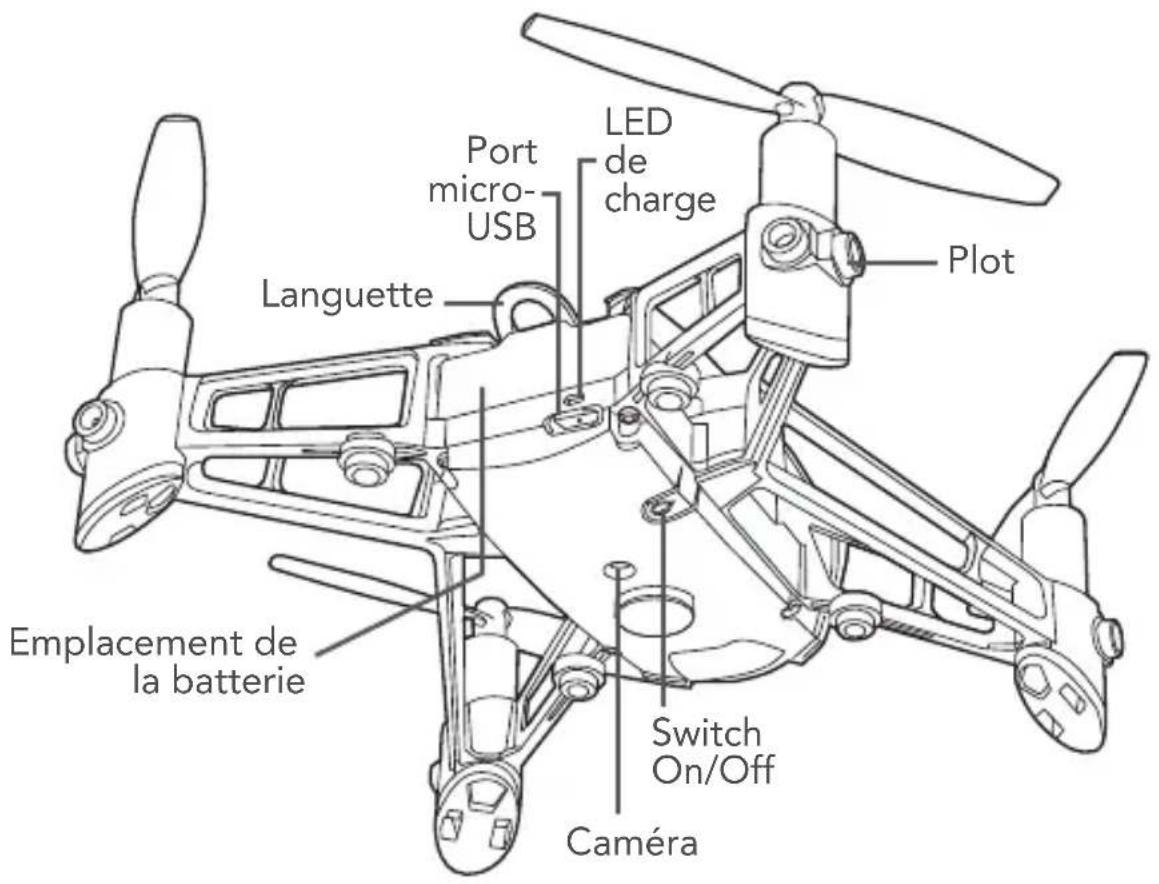
CHARGER LA BATTERIE
COMMENT RECYCLER CE PRODUIT
RECICLAJE DEL PRODUCT
RECYCLEN VAN HET PRODUCT
The Bluetooth® name and logo are registered trademarks of Bluetooth SIG, Inc. and any use of these trademarks by Parrot Drones SAS is done under licence.
WAARSCHUWING MET BETREKKING TOT PRIVACY EN RECHT OP EEN AFBEELDING
Google PlayTM App Store FreeFlight Mini
1
PARROT MAMBO
1.
.Parrot Mambo
Parrot Mambo 2
.3
bll Bluetooth 四 _ 一 ^ 四 4 FreeFlight Mini
.Parrot Mambo
. Parrot Mambo
E
-
- 2. 2.
START FreeFlight Mini
- 3.()
TAKE-OFF 4..
.Parrot Mambo 4
J U J U J U J U J U J U J U J U J U J U J U J U J U J U J U J U J U J U J U J U J U J U J U J U J U J U J U J U J U J U J U J U J U J U J U J U J U J U J U J U J U J U J U J U J U J U J U J U J U J U J U
Jee Jie FreeFlight Mini 5 .Grabber
i:Grabber 1. Grabber Grabber
CANNON
.Parrot Mambo 1
6 2
Cannon
Jagall 3
1
FreeFlight Mini
Cannon.4
Jaiy jaiy aiaia y jay jaiy jaiy jaiy jaiy jaiy jaiy jaiy jaiy jaiy jaiy jaiy jaiy jaiy jaiy jaiy jaiy jaiy jaiy jaiy jaiy jaiy jaiy jaiy jaiy jaiy jaiy jaiy jaiy jaiy jaiy jaiy jaiy jaiy jaiy
.3
Parrot Mambo
AaXlaJ Jaa J Jaa aai
Parrot Mambo
-
- 111111111111111111111111111111111111111111
e Parrot Mambo aiaa
Jaaal
Parrot 40
.Mambo
Parrot Mambo jgsyds 1s yg s g yd

y
75010 75010 Parrot DRONES, 174
aaiiial yllal ylaia 1aa iinall
EN 301489-17, EN300328, EN71-1, EN71-2, EN62115, EN50581
CE/2001/95 ROHS 2011/65/UE,CE/5/R&TTE 1999
slll jslal ic clia ayball 1
gaaa aaa aa aaa aaa aaa aaa aaa aaa aaa
S = S1 + S2
#
y j 1
a a a a a a a a a a a a a a a a a a a a a a a a a
21 4j jll jil bla po iin 2 . jy will g ay gill j jll j agw g aai
LiPo LiXeI JnJg LiPo Lyckd IjN jzJg Jai LlOaL. LiPo Jo aieall
jai jy bai jie jiu yu 111111111111111111111111111
25
J 140) 60

- CONNECTING TO THE PARROT MAMBO
- TAKING OFF
- LANDING
- FLYING
- PRE-PROGRAMMED PATTERNS
- ACCESSIONS
- HULLS
- GRABBER
- CANNON
- WARNING LIGHT INDICATIONS
- GENERAL INFORMATION
- ACCESSORIES AND SPARE PARTS
- PRECAUTIONS FOR USE AND MAINTENANCE
- WARRANTY
- HOW TO RECYCLE THIS PRODUCT
- CONFORMITY DECLARATION
- TRADEMARKS
- WARNING REGARDING PRIVACY AND RESPECT FOR IMAGES OF PROPERTY
- FCC AND IC COMPLIANCE STATEMENT
- Caution: Exposure to Radio Frequency Radiation
- DECLARATION OF CONFORMITY IN CANADA
- BATTERY
- MANUFACTURER INFORMATION
- PRÉSENTATION DU PARROT MAMBO
- CHARGER LA BATTERIE
- COMMENT RECYCLER CE PRODUIT
- RECICLAJE DEL PRODUCT
- RECYCLEN VAN HET PRODUCT
- WAARSCHUWING MET BETREKKING TOT PRIVACY EN RECHT OP EEN AFBEELDING
- PARROT MAMBO
- E
- Jaaal
- y
- #
Brand : PARROT
Model : Mambo Mission
Category : Drone