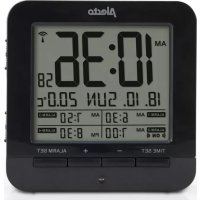
AK20 - Alarm Clock ALECTO - Free user manual and instructions
Find the device manual for free AK20 ALECTO in PDF.


| Product type | Radio alarm clock |
| Brand | Alecto |
| Model | AK20 |
| Power supply | 2 x 1.5V AA batteries (alkaline recommended) |
| Display | Digital clock with date, temperature, day of week |
| Time synchronization | Automatic via DCF-77, manual setting possible |
| Number of alarms | 4 independent alarms |
| Snooze function | Repeats every 5 minutes, up to 7 times |
| Backlight | Manual (SNOOZE/LIGHT button) and automatic (light sensor) |
| Temperature display | Measurement range, adjustable °C/°F unit |
| Day languages | 8 languages available (German, English, Danish, Dutch, Italian, Spanish, French, Russian) |
| Time format | 12 or 24 hours |
| Special functions | DST indicator, DCF-77 reception icon, progressive volume alarm |
| Maintenance | Clean with a damp cloth, without cleaning agents |
| Safety | Indoor use only, do not expose to direct sunlight, heat, cold, or moisture |
| Spare parts | No user-serviceable parts |
Frequently Asked Questions - AK20 ALECTO
User questions about AK20 ALECTO
0 question about this device. Answer the ones you know or ask your own.
Ask a new question about this device
Download the instructions for your Alarm Clock in PDF format for free! Find your manual AK20 - ALECTO and take your electronic device back in hand. On this page are published all the documents necessary for the use of your device. AK20 by ALECTO.
USER MANUAL AK20 ALECTO
KLOK
HORLOGE
UHR
CLOCK
Alecto®
AK-20
NL
OVERZICHT
- Wekker/alarm instelling
Sluimerfunctie:
Fonction Snooze :
Wecksignal stoppen:
Schlummerfunktion:
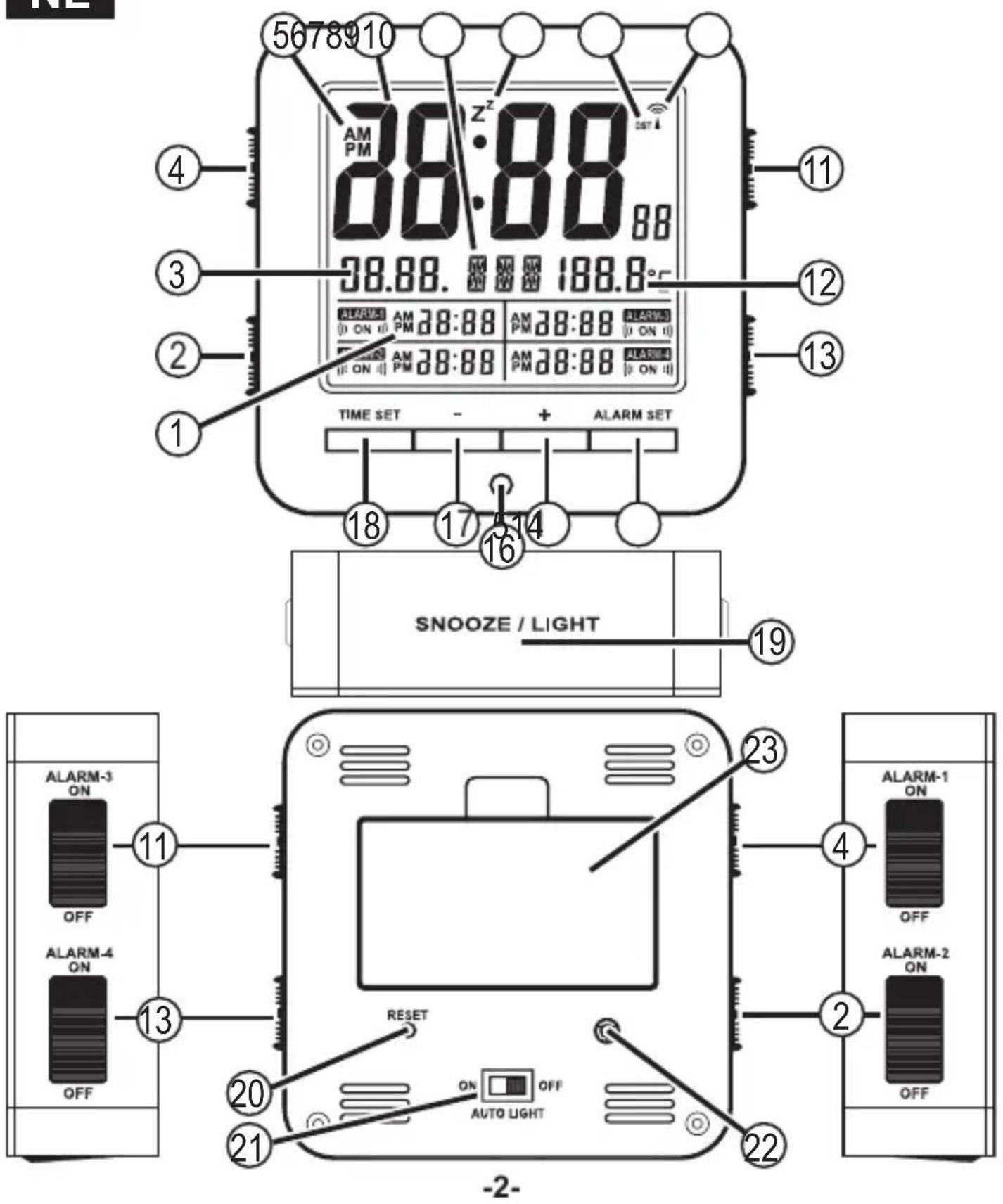
- wake-up time/alarm setup
• 12/24 hours alarm display indication
- wake-up and/or alarm time
- wake-up/alarm indication "on" icon ( (( ON )))
Valid for ALARM-1, ALARM-2, ALARM-3 and ALARM-4
-
alarm-2 on/off switch
-
date display
-
alarm-1 on/off switch
-
12/24 hours clock display indication
-
clock display
-
day language (8 available language settings)
-
SNOOZE indication icon (z z )
-
DST indication during DCF-77 time. DST stands for Daylight Saving Time
-
DCF-77 time reception indication icon
-
alarm-3 on/off switch
-
temperature display (set unit °C or °F)
-
alarm-4 on/off switch
-
ALARM SET button
-
- button
-
automatic night light sensor
-
- button
-
TIME SET button
-
SNOOZE / LIGHT touch square
-
reset button
-
automatic night light function on/off switch
-
alarm signal speaker
-
battery compartment (2 x 1.5V AA)
INSTALLATION
Batteries:
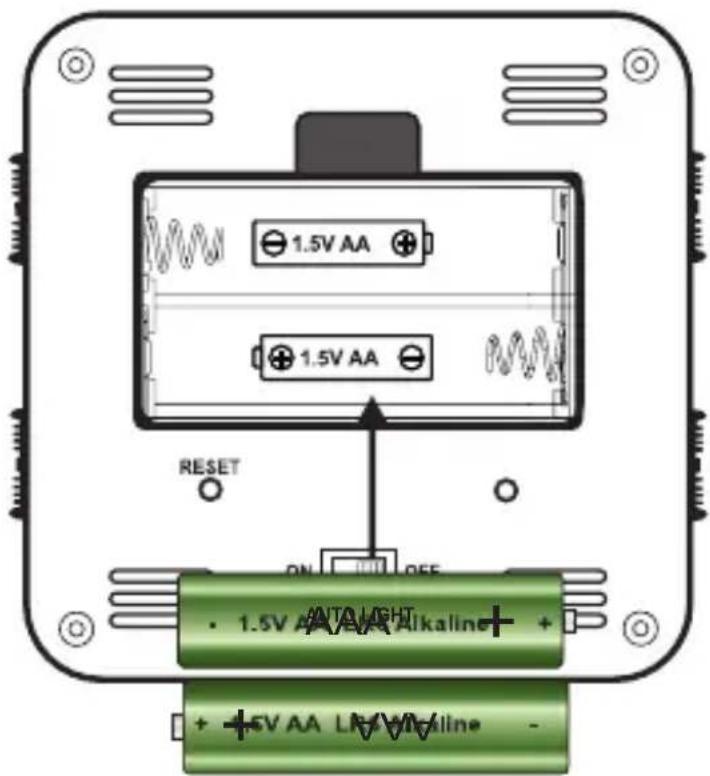
Open the battery cover by sliding the cover forward.
Insert 2 x 1.5V - AA size batteries (Penlite-LR6).
Preferably, use alkaline batteries. When inserting the batteries, please observe the polarity.
Afterwards, close the battery cover and place the clock onto a flat surface.
Clock:
After inserting the batteries, the clock starts synchronizing with the DCF-77 time signal. The DCF-77 reception icon 📤 starts flashing to indicate that the DCF-77 signal is being received.
| flashing on off | ||
| busy receiving the DCF-77 signal | DCF-77 signal reception successful | no DCF-77 signal received |
The clock automatically starts synchronizing with the DCF-77 signal at 3am. If this fails, the clock will try again at 4am and 5am.
You may also manually synchronize the clock by pressing and holding the "-" button for 3 seconds. The reception icon 📞 starts flashing.
The synchronizing process will take several minutes.
During summer time the "DST" icon appears. DST stands for Daylight Saving Time.
To manually set the time:
If it's not possible to receive the DCF-77-signal, you may set the clock time manually. During the manual setup, several other functions may be set.
Press and hold the "TIME SET" button for 3 seconds until the time zone starts flashing. Use the "+" and "-" buttons to set the values. Press the "TIME SET" button to confirm each step and to go to the next setting. You may set the following functions.
| time zone hours minutes seconds |
| year month day | °C or °F |
| day display language |
Time zone: For countries with the same time as Germany, set the time zone to "0". For countries outside Germany's time zone, the time zone should be adjusted. When using the DCF-77 time, Germany is considered as time zone "0".
12/24 hours: Press the “+” button to switch between 12 hours and 24 hours display format.
day display language: To set the desired language in which the days must be displayed.
| Language | Country Code | SundayMondayTuesday | Wednesday | Thursday | Friday | Saturday | ||
| Deutsche | GER | SON MON DIE | MIT DON | FRE SAM | ||||
| English | ENG | SUN MON TUE | WED THU FRI SAT | |||||
| Denmark | DAN | SON MAN TIR | ONS TOR | FRE LOR | ||||
| Nederlands | DUT | ZON MAA DIN | WOE DON VRI ZAT | |||||
| Italiano | ITA | DOM LUN MAR | MER GIO VEN SAB | |||||
| Español | SPA | DOM LUN MAR | MIE JUE VIE SAB | |||||
| Français | FRE | DIM LUN MAR | MER JEU VEN SAM | |||||
| Русский | RU | BC | ПН | BT | CP | ЧТ | ПТ | СБ |
Remarks: When you don't press any button for 15 seconds during the settings, the screen automatically returns to the normal display.
Alarm clock and snooze settings:
This clock also provides wake-up functions.
You may set 4 wake-up or alarm times.
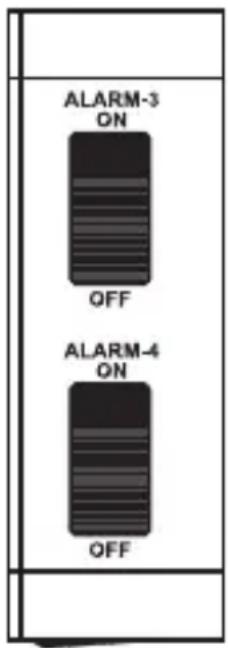
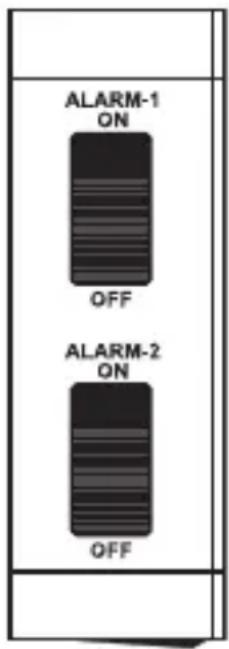
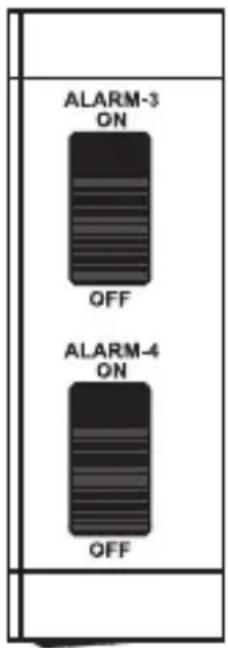
The alarm clock is activated when the alarm clock icon (ON) appears in the display, by sliding the sliders at the sides upwards to the "ALARM ON" position.
While the snooze function is active, the snooze icon Z' keeps flashing.
Every 5 minutes an alarm signal will sound. While the alarm is active, the alarm clock icon (ON) keeps flashing.
Wake-up time setup:
Press the "ALARM SET" button to adjust the alarm time. Alarm time 1 starts flashing.
Use the "+" and "-" buttons to set the desired wake-up time.
Press the "ALARM SET" button to go to the alarm time 2
setting. Now, alarm time 2 starts flashing.
Repeat this for alarm time 3 and alarm time 4. When you don't press any button for 15 seconds after setting an alarm time, the device will leave the alarm setup menu. The wake-up time(s) is/are now set.
To activate the corresponding wake-up time, slide the desired "ALARM ON" switch upwards. The alarm clock icon (ON) will appear in the display.
To stop the wake-up signal:
As soon as the wake-up time is reached, the clock will sound an alarm signal.
For the first 10 seconds, the alarm signal has a low volume. In between 10 and 20 seconds, the volume increases. From 20 to 30 seconds the volume is even higher and after 30 seconds the alarm signal volume is the loudest. The alarm signal will continue for up to 180 seconds.
Press any button within those 180 seconds to stop the alarm. The alarm signal will start again after 24 hours, in accordance with the set wake-up time, or you may slide the "ALARM ON/OFF" switch of the concerned alarm to "OFF" to fully switch off the alarm clock.
Snooze function:
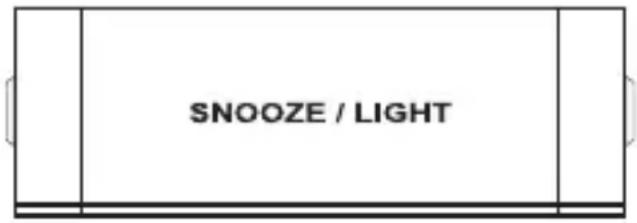
While the alarm sounds, press the SNOOZE / LIGHT square on
top of the clock. The alarm signal
will stop and switch to snooze mode. The snooze icon zz starts flashing.
When the snooze mode is activated, the alarm signal will
sound again after 5 minutes. You may activate the snooze function up to 7 times in a row.
Press a random button (expect the "SNOOZE / LIGHT"
square) to cancel the snooze function beforehand.
To stop the alarm signal:
While the alarm sounds, slide the corresponding alarm switch to "OFF" to stop the alarm signal.
The alarm clock is now disabled.
Thermometer display:
If the thermometer value is out of the measurement range, the display will show: LL.L (below the minimum temperature) or HH.H (above the maximum temperature)
Background lighting:
Press the SNOOZE / LIGHT square on top of the clock to switch on the background lighting.
The background lighting will turn off after 5 seconds.
Automatic background lighting:
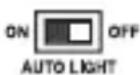
When the switch "AUTO LIGHT" at the rear is set to "ON", the background lighting illuminates softly when it becomes dark.
TIPS & REMARKS
- The clock loses all its information when the batteries are removed.
- Don't expose the clock to direct sunlight, heat, cold, high humidity or moist environments.
- Only clean the clock with a moist cloth. Don't use cleaning agents.
- This clock is only suitable for indoor use.
DECLARATION OF CONFORMITY
HHereby, Hesdo declares that the radio equipment type Alecto AK-20 is in compliance with directive 2014/53/EU.
The full text of the EU declaration of conformity is available at the following internet address:
http://DOC.hesdo.com/AK-20-DOC.pdf
- NL
- SLUIMERFUNCTIE
- FONCTION SNOOZE
- WECKSIGNAL STOPPEN
- SCHLUMMERFUNKTION
- INSTALLATION
- BATTERIES
- CLOCK
- TO MANUALLY SET THE TIME
- ALARM CLOCK AND SNOOZE SETTINGS
- WAKE-UP TIME SETUP
- TO STOP THE WAKE-UP SIGNAL
- SNOOZE FUNCTION
- TO STOP THE ALARM SIGNAL
- THERMOMETER DISPLAY
- BACKGROUND LIGHTING
- AUTOMATIC BACKGROUND LIGHTING
- TIPS & REMARKS
- DECLARATION OF CONFORMITY
Brand : ALECTO
Model : AK20
Category : Alarm Clock