CKCS 6186 IXV1 - Fridge CANDY - Free user manual and instructions
Find the device manual for free CKCS 6186 IXV1 CANDY in PDF.


| Brand | Candy |
| Model | CKCS 6186 IXV1 |
| Product Type | Refrigerator with freezer compartment |
| Climate Class | SN (10-32°C), N (16-32°C), ST (16-38°C), T (16-43°C) |
| Temperature Setting (Refrigerator) | +1°C to +7°C (default +5°C) |
| Temperature Setting (Freezer) | -16°C to -22°C (default -18°C) |
| Defrosting (Refrigerator) | Automatic (via rear wall evaporation) |
| Defrosting (Freezer - Static models) | Manual when frost exceeds 3 mm |
| Defrosting (Freezer - No Frost models) | Automatic |
| Lighting Type | Incandescent bulb or LED (depending on model) |
| UVA LED Antibacterial (if present) | Yes (titanium filter photocatalysis) |
| Refrigerator Fan (if present) | Preset OFF; recommended above 28-30°C ambient |
| Door Reversibility | Yes (mechanical or electronic, requires qualified personnel) |
| Child Safety | Age 8+ with supervision; no unsupervised cleaning |
| Electrical Connection | 230V~50Hz (typical; check nameplate) |
| Installation Clearances | Minimum 5 cm from walls (sides, back, top) |
| Adjustable Feet | Yes (for stability and leveling) |
| Interior Drainage | Drain hole in refrigerator compartment; clean regularly |
| Energy Saving Features | ECO function (on display models); low energy consumption tips |
| Special Functions (Display models) | Super Freezing, Smart Cool/Iced Drink, Holiday, Door Alarm, Lock |
| Cleaning | Warm water and baking soda or neutral soap; avoid abrasives |
| Warranty | Refer to warranty conditions (not detailed in manual) |
Frequently Asked Questions - CKCS 6186 IXV1 CANDY
User questions about CKCS 6186 IXV1 CANDY
0 question about this device. Answer the ones you know or ask your own.
Ask a new question about this device
Download the instructions for your Fridge in PDF format for free! Find your manual CKCS 6186 IXV1 - CANDY and take your electronic device back in hand. On this page are published all the documents necessary for the use of your device. CKCS 6186 IXV1 by CANDY.
USER MANUAL CKCS 6186 IXV1 CANDY
natural_image
Line drawing of three white refrigerator units on a gray background (no text or symbols)ITALIANO
pag. 1-11
Congratulations on purchasing this refrigerator, which has been designed using the latest technology for an easy-to-use, environmentally friendly appliance.
We recommend you read this guide and the technical datasheet carefully to find out everything you need to know about your new purchase.
NEDERLANDS
blz.68-78
- i bed and breakfast
natural_image
Diagram of a mechanical system with pulleys and a rotating shaft, showing motion direction (no text or symbols)Fig.2
natural_image
Simple line drawing of a refrigerator with a hand pointing to the side door (no text or symbols)Fig.3
NOTA:
natural_image
Line drawing of a cabinet with a labeled box and two side panels, no text or symbols presentnatural_image
Technical line drawing showing a mechanical component with motion arrows and a cross-sectional view (no text or symbols)natural_image
Technical line drawing of a device mounted on a frame, showing a close-up view with an inset magnified detail (no text or symbols)La lampadina LED UVA (se presente)
text_image
① ② ③ ④ ⑤ ⑥ ⑦ ⑧ ⑨ ⑩ ⑪ ⑫ ⑬ ⑭ ⑮ ⑯ ⑰ ⑱ ⑲ ⑳ ⑴ ⑵ ⑶ ⑷ ⑸ ⑨ ⑩ ⑪ ⑫ ⑬ ⑭ ⑮ ⑯ ⑰ ⑱ ⑲ Figure 7natural_image
Line drawing of an open refrigerator with doors and drawers (no text or symbols)natural_image
Technical line drawing of a mechanical component with a handle and lever, showing an upward arrow (no text or symbols)AVVERTENZA:
natural_image
Simple line drawing of a device with a small component and a separate view showing a hand holding a tool (no text or symbols)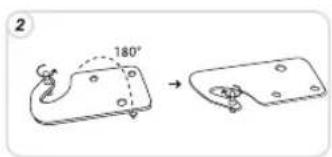
text_image
2 180°
natural_image
Simple line drawing of a ladder with a circular component and a handle, no text or symbols present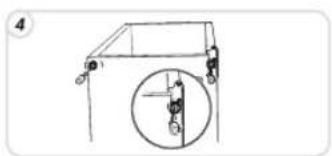
natural_image
Simple line drawing of a mechanical structure with a circular inset showing a vertical component (no text or symbols)
text_image
5
natural_image
Simple line drawing of a mechanical lifting device with a circular component (no text or symbols)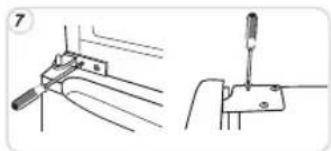
natural_image
Technical line drawing showing two mechanical assembly steps: one with a tool inserted into a bracket, the other with a tool inserted into a housing (no text or symbols present)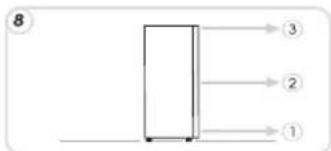
text_image
8 ③ ② ①
text_image
9 1 ora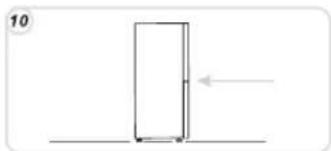
natural_image
Simple line drawing of a door with an arrow indicating left motion (no text or symbols)natural_image
Technical line drawing of a mechanical assembly with labeled components (no readable text or symbols)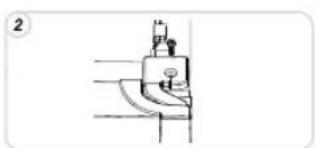
natural_image
Simple line drawing of a mechanical component or tool (no text or symbols)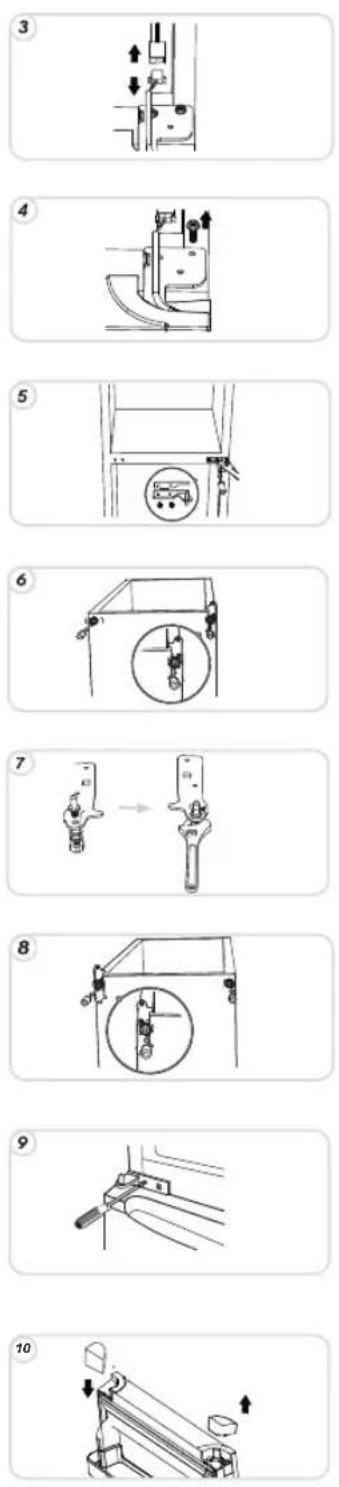
11

12

13
14

15

16
17
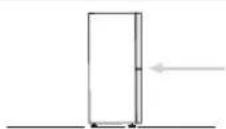
MESSA FUORI SERVIZIO DELL'APPARECCHIO
Thank you for purchasing this product.
Before using your refrigerator, please carefully read this instruction manual in order to maximize its performance.
Store all documentation for subsequent use or for other owners.
This product is intended solely for household use or similar applications such as:
- the kitchen area for personnel in shops, offices and other working environments
- on farms, by clientele of hotels, motels and other environments of a residential type
- at bed and breakfasts (B & B)
- for catering services and similar applications not for retail sale.
This appliance must be used only for purposes of storage of food, any other use is considered dangerous and the manufacturer will not be responsible for any omissions.
Also, it is recommended that you take note of the warranty conditions.
SAFETY INFORMATION
- Before performing any operation, unplug the power cord from the power socket.
- The refrigeration system positioned behind and inside the refrigerator contains refrigerant. Therefore, avoid damaging the tubes.
- If in the refrigeration system a leak is noted, do not touch the wall outlet and do not use open flames.
pen the window and let air into the room. Then call a service centre to ask for repair.
- Do not scrape with a knife or sharp object to remove frost or ice that occurs. With these, the refrigerant
circuit can be damaged, the spill from which can cause a fire or damage your eyes. - Do not install the appliance in humid, oily or dusty places, nor expose it to direct sunlight and to water.
- Do not install the appliance near heaters or inflammable materials.
- Do not use extension cords or adapters.
- Do not excessively pull or fold the power cord or touch the plug with wet hands.
- Do not damage the plug and/or the power cord; this could cause electrical shocks or fires.
- It is recommended to keep the plug clean, any excessive dust residues on the plug can be the cause fire.
- Do not use mechanical devices or other e'uipment to hasten the defrosting process.
- (bsolutely avoid the use of open flame or electrical e'upment, such as heaters, steam cleaners, candles, oil lamps and the like in order to speed up the defrosting phase.
- Do not use or store inflammable sprays, such as spray paint, near the refrigerator. It could cause an explosion or fire.
- Do not use electrical appliances inside the food storage compartments, unless they are of the type recommended by the manufacturer.
- Do not place or store inflammable and highly volatile materials such as ether, petrol, )P+, propane gas, aerosol spray cans, adhesives, pure alcohol, etc. These materials may cause an explosion.
- Do not store medicine or research materials in the refrigerator. When the material that re'uires a strict
control of storage temperatures is to be stored, it is possible that it will deteriorate or an uncontrolled reaction may occur that can cause risks.
- 0aintain the ventilation openings in the appliance enclosure or in the built-in structure, free of obstruction.
- Do not place objects and/or containers filled with water on the top of the appliance.
- Do not perform repairs on this refrigerator. (II interventions must be performed solely by qualified personnel.
This appliance can be used by children aged from 8 years and above and by persons with reduced physical, sensory or mental capabilities or with a lack of experience and knowledge; provided that they have been given adequate supervision or instruction concerning how to use the appliance in a safe way and understand the ha1ards involved.
Children should not play with the appliance. Cleaning and user maintenance should not be made by children without supervision.
Turning the knob fully counterclockwise, you will hear a click which corresponds to the switch-off of the product.
When the appliance is installed, the electrical cord and the current socket must be easily reached.
The socket is compatible with the plug of the appliance. If not, request replacement of the plug by an authorized technician; do not use extension cords and/or multiple connectors.
Do not touch the internal parts or fro1en food with moist or wet hands as it can cause burns.
(bsolutely avoid the use of open flames or electrical appliances, such as heaters, steam cleaners, candles, oil lamps and the like to accelerate the defrosting phase.
Do not scrape with a knife or sharp object to remove frost or ice present. These can damage the refrigerant circuit, the leakage of which can cause a fire or damage your eyes.
This appliance contains a UV emitter. Do not stare directly at the light source.
Scrapping old appliance
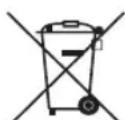
This appliance is marked according to the European directive 2012/19/EU on Waste Electrical and Electronic Equipment (WEEE).
WEEE contains both polluting substances (which can cause negative consequences for the environment) and basic components (which can be re-used). It is important to have WEEE subjected to specific treatments, in order to remove and dispose
properly all pollutants, and recover and recycle all materials.
Individuals can play an important role in ensuring that WEEE does not become an environmental issue; it is essential to follow some basic rules:
- WEEE should not be treated as household waste;
- WEEE should be handed over to the relevant collection points managed by the municipality or by registered companies. In many countries, for large WEEE, home collection could be present.
In many countries, when you buy a new appliance, the old one may be returned to the retailer who has to collect it free of charge on a one-to-one basis, as long as the equipment is of equivalent type and has the same functions as the supplied equipment.
Conformity
By placing the mark on this product, we are confirming compliance to all relevant European safety, health and environmental requirements which are applicable in legislation for this product.
INSTALLATION
WARNINGS:
- Do not install the appliance in a damp or wet location as this could compromise the insulation and result in leakage. Furthermore, condensation could accumulate on the exterior of the appliance.
- Do not place the appliance in locations outside or near sources of heat or exposed to direct sunlight. The appliance operates properly within the range of environmental temperatures indicated:
+10 +32'C for the climatic class SN
+16 +32°C for the climatic class N
+16 +38'C for the climatic class ST
+16 +43'C for the climatic class T
(See the nameplate of the product)
- Do not place containers with liquids on top of the appliance.
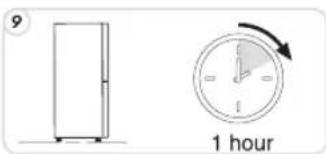
- Wait at least 3 hours after final placement before placing the appliance in operation.
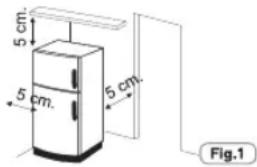
1 Make sure that the space around the refrigerator is adequate for ventilation. The illustration (fig. 1)
shows the minimum space required for the installation of the refrigerator.
Maintaining a wider space from the wall, results in reduced electrical energy consumption.
The use of the refrigerator in a space the size less than those indicated in the illustration below (fig. 1) could result in improper operation, loud noises and breakdowns.
text_image
5 cm. 5 cm. 5 cm. Fig.12 If present, install the wall spacer in a central position at the rear of the appliance.(Fig.2)
natural_image
Diagram of a mechanical system with pulleys and a rotating shaft, showing motion direction (no text or symbols)Fig.2
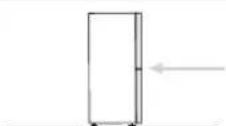
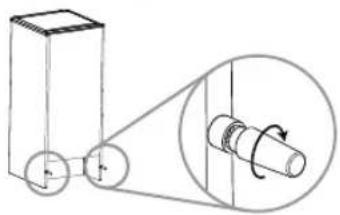
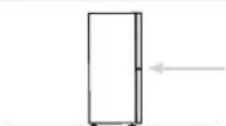
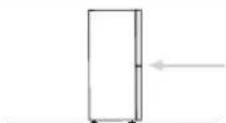
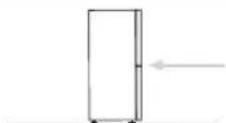
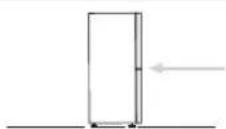
3 Adjust the feet to ensure the stability of the appliance and prevent vibrations and noise (fig. 3). If the front part is higher than the rear, the door can be closed more easily.

text_image
Diagram showing a refrigerator with a hand pointing to its side panel, indicating a control or operation step.Fig.3
After the installation, wait 2 - 3 hours to allow time for the refrigerator/freezer to stabilize at normal working temperature, before placing fresh or frozen foods inside.
If the power cord becomes disconnected, wait at least five minutes before restarting the refrigerator/freezer. At this point, the appliance is ready for use.
OPERATION
Turning On/Off (no display)
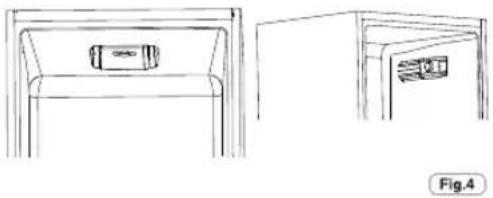
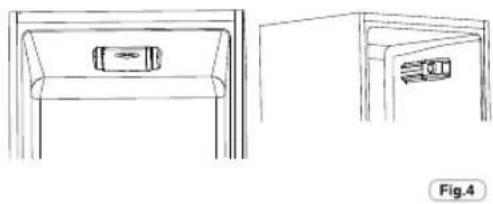
• The thermostat unit for control of the appliance is located inside of the refrigerator compartment (Fig.4).
Rotate the thermostat knob of the thermostat beyond the "0" position. The light is on when the refrigerator door is open. Turning the knob to "0" completely turns off the product.
Turning the knob to "0" completely turns off the product

natural_image
Line drawings of a cabinet with front and side views, no text or symbols presentTemperature adjustment (no display)
NOTE:
If your refrigerator is in stainless steel or other special finish, it might come with a peel-off coating that protects the surface.
Do not use sharp objects to remove this protection as it could damage it.
Electrical connection
After shipping, place the appliance vertical and wait at least 2 - 3 hours before connecting it to the electrical system. Before inserting the plug into the electrical socket, make sure that:
• The socket is earthed and in compliance with the law.
- The socket can withstand the maximum power load of the appliance, as indicated on the nameplate of the refrigerator.
• The power supply voltage is within the amounts indicated on the nameplate of the refrigerator.
• The cord must not be folded or compressed.
• The cord must be checked regularly and replaced solely by authorised technicians.
• The manufacturer declines any liability whenever these safety measures are not respected.
Electrical connection (for U.K. only)
Plug your appliance into the power socket. If the plug we supply does not fit:
■ CUT IT OFF AND DESTROY IT!
You can't use it on other appliances, and
the exposed wires could be dangerous if anyone plugged it in.
■ Fit a suitable plug, as follows:
| Connect to the terminal in the plug | |
| Green and yellow wire | Marked with the letter E,OR marked with the Earth symbol, OR coloured green, OR coloured green and yellow. |
| Blue wire | Marked N, OR coloured black. |
| Brown wire | Marked L, OR coloured red. |
Appliance start-up
Remove all wrapping/packaging present inside the appliance and clean with water and baking soda or neutral soap.

natural_image
Technical line drawing of a mechanical component with internal flow arrows (no text or symbols)Fig.5
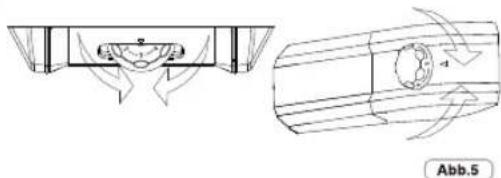
•The temperature adjustment of both compartments is effected by rotating the thermostat knob (fig. 5).
Select the desired position:
- For colder temperature in the refrigerator and in the freezer, by turning towards MAX-
- For temperature less cold in the refrigerator and in the freezer, by rotating in the direction of 0.
Refrigerator Compartment Fan
(if present)
The fan is preset to OFF.
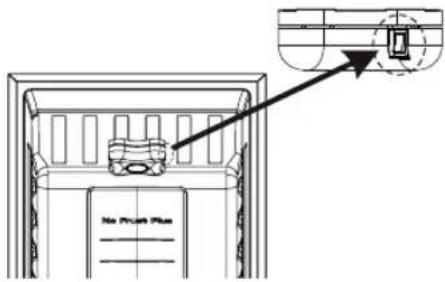
To activate, press the switch (fig. 6)
To optimize energy consumption, it is recommended that you turn the fan on only when the ambient air temperature exceeds 28/30 °C.

natural_image
Technical line drawing of a device component with an arrow pointing to a magnified inset (no text or symbols)LED UVA Lights
(if present)
LED UVA Lights activate a Titanium filter producing a «photocalysis» reaction which will destroy bacteria within the refrigerator air.
This reaction works when the refrigerator door is fclosed to avoid purified air leakage.
In ventilated products(Static land Frost Free) it is integrated fin the sky fan and it works every time the compressor works.
In Total No Frost products, it is inserted in sky box and it works every time the compressor works
Filter is permanent and therefore does not need changing.
The antibacterial system has to be turned off during the energy consumption test.
text_image
No Press PlanTurning ON / Off (with display)
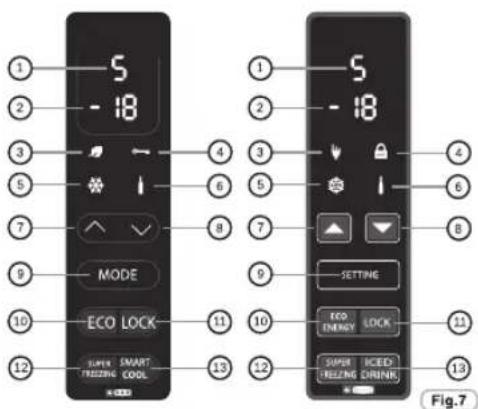
PRODUCT IN STANDBY: For shutting off the TOTAL NO FROST products, select the freezer function by the MODE button and utilise the arrows 7-8 to visualize the symbol -. For all other products, select the refrigerator function by the MODE button and use the arrows 7-8 to visualize the symbol -.
NOTICE:
The product remains powered up until the removal of the power cord.
text_image
1 2 3 5 7 9 10 12 S - 18 MODE ECO LOCK SUPER SMART FREEZING COOL 13 1 2 3 4 5 6 7 8 9 10 11 12 S - 18 SETTING ECO ENERGY LOCK SUPER HELEME DRINK 13 Fig.7Temperature adjustment (with display)
The preset values are: +5 (range +1 ++7) for the refrigerator, and -18 (range -16 ÷ -22) for the freezer.
After switching off or an extended off period, the product restarts with the previously set temperature.
• FUNCTION MODE

Pressing the Mode button, it is possible to adjust the temperatures of the refrigerator and freezer.
Refrigerator
Pressing the Mode button once, you adjust the refrigerator temperature. It is possible to set the desired position using the arrows 7, 8.
Position 1: the coldest setting; position 7 least cold setting.
If the appliance is a Total No Frost type, after the reading 1, H (Holiday) will be displayed.
Freezer
Pressing the Mode button 2 times, the desired position for the freezer can be adjusted:, -16, less cold, -22, colder; select the desired reading and wait 3 seconds and the temperature will be set.
For all products, with the exception of Total No Frost, the temperature between the refrigerator and freezer is set simultaneously, if you increase/decrease the refrigerator temperature by 2 or more degrees, then the freezer temperature will automatically increase/decrease by the same value. If the temperature change is less than 2 degrees, then the automatic temperature adjustment will not occur.
• FUNCTION ECO

By activating this function, the appliance optimizes energy efficiency by automatically setting the ideal temperature for ensuring food preservation with lowest energy consumption.
To turn off the Eco function, press the button again.
- LOCK FUNCTION

Pressing the Lock button, lock of the buttons is activated (any other command will be ignored). To deactivate, press the Lock button again.
• SUPER FREEZING FUNCTION

To freeze a large amount of food, activating the Super Freezing function is recommended. To activate the function, press the Super Freezing button. This function will be activated for 26 to 34 hours (depending on model). The function automatically deactivates or by again pressing the Super Freezing button.
• SMART COOL/ICED DRINK FUNCTION

To rapidly cool drinks, put the bottle in the freezer compartment and activate the function by pressing smart cool/iced drink button.
A countdown of 30 minutes starts, after which a 15" acoustic signal indicates that the bottle has reached ideal cooling. The function can be turned off by again pressing the button.
• HOLIDAY FUNCTION (only on TOTAL NO FROST PRODUCTS)
In the case of prolonged absences, it is possible to use the Holiday function.
This function allows you to turn off the refrigerator compartment, but the freezer compartment will remain on. Be sure to remove food from the refrigerator compartment before using this function. To activate see the refrigerator function Mode. To deactivate this function, reset the temperature of the refrigerator.
• REFRIGERATOR DOOR ALARM
If the door remains open for more than a minute, the appliance emits an acoustic signal. Press the MODE button if you want to muffle it.
CONSERVATION
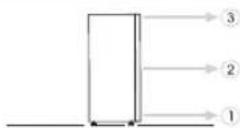
• To maintain the best flavour, nourishment and freshness of foods, it is advisable to store them in the refrigerator compartment as shown in fig. 8 below, making sure to wrap them in aluminium or plastic sheets or in appropriate covered containers to avoid cross-contamination.
Refrigerator zone
Fruit / Vegetables
• To decrease fruit and vegetable moisture losses they must be wrapped in plastic materials such as, for example, films or bags and then inserted in the fruit/vegetable zone. In this way rapid deterioration is avoided.

text_image
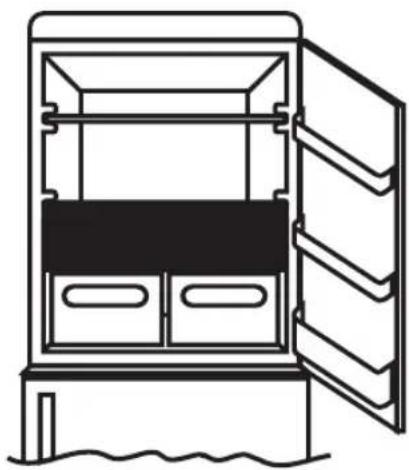
Fridge Zone TOTAL NO FROST Fig.8Refrigerated section – Chill (not all models)
The zone shown below is recommended for meat, fish, poultry, etc.; do not store fruit and vegetables because they can freeze;
natural_image
Line drawing of a refrigerator with open door and water outlet (no text or symbols)Indicator of the temperature in the coldest zone (not all models)
Some models are equipped with an indicator of the temperature in the refrigerator compartment in the coldest zone, for you to be able to control the average temperature. This symbol indicates the coldest zone of the refrigerator. (fig. 9)

Fig.9
Check that on the indicator of the temperature, the word OK is clearly shown. (fig. 10) If the word does not appear, this means that the temperature is too high: adjust the temperature to a cooler setting and wait for about 10 hours. Recheck the indicator: if necessary, proceed with a new adjustment.
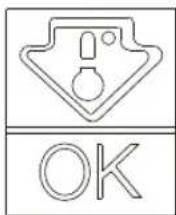

Fig.10
NOTE: If large quantities of food are inserted or the refrigerator door frequently opened, it is normal for the indicator fails to show OK. Wait at least 10 h before adjusting the knob to a higher setting.
Freezer zone
The storage of frozen food is for about a month in the compartments.

Use the table below for the compartments.

Freezing process can only occur in the compartments.

Practical recommendations
Place food on the shelves in a homogeneous manner to allow air to circulate properly and to cool it.
- Avoid contact between the food and the far end walls of the refrigerator compartment.
- Do not introduce hot foods as they can cause deterioration of existing ones and increase energy consumption.
- Remove the wrappings of foods before inserting them.
- Do not put in dishes or other containers unless previously washed.
•Do not obstruct the cold air ventilator openings with food.
- Do not cover the glass shelf of the vegetable bin to allow for proper air circulation.
- Do not store bottles in the freezer compartment as they can burst when frozen.
- In the case of prolonged power outage, keep the doors closed so that foods remain cold as long as possible.
- The installation of the appliance in a hot and humid location, with frequent door openings and storing large amounts of vegetables can cause the formation of condensation and affect the performance of the unit itself.
- To prevent excessive energy consumption, the frequent or prolonged opening of the doors is not recommended.
FREEZING
- Foods must be fresh.
- Freeze small amounts of food at a time in order to freeze quickly. Never exceed the maximum amount indicated on the nameplate.
• During freezing, do not open the freezer door. - Food must be sealed, airtight.
- Separate food to be frozen by those already frozen.
- Label bags or containers to keep an inventory of frozen foods.
- Once defrosted, consume food promptly. Do not ever refreeze foods.
NOTE:
•PRODUCTS WITHOUT DISPLAY
Normally it is not necessary to intervene with the thermostat knob. If you find excessive cooling of the products contained in the refrigerator compartment, gently turn the thermostat knob toward 0. (fig. 11)
On completion of freezing, return the knob to the usual position.

text_image
2 - 3 MONTHS 4 - 6 MONTHS 6 - 8 MONTHS 10 - 12 MONTHS


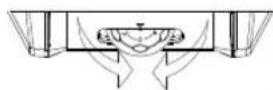
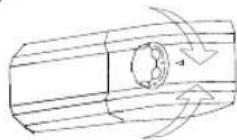
Fig.11
Products with display
See Turn ON / OFF Display
For products with a NO FROST freezer compartment, activate the SUPER FREEZING function 8 hours before introducing the foods.
For the other products, activate the SUPER FREEZING function at the time of introduction of the foods.
DEFROSTING
Defrosting the refrigerator compartment
During normal functioning, the refrigerator is automatically defrosted. There is no need to dry the drops of water present on the rear wall or to eliminate the frost (depending on functioning).
The water is conveyed to the rear part through the drain hole found there and the heat of the compressor causes it to evaporate.
- Keep the drainage pipe (fig.12) clean in the refrigerator compartment to keep it free of water.

Fig.12
Defrosting the freezer compartment
(static products without NO-FROST technology)
When the layer of frost present in the freezer compartment exceeds 3mm, it is recommended to proceed with the defrosting as it increases energy consumption.
1) Rotate the knob to the "0" position (fig.13)
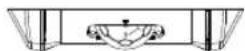
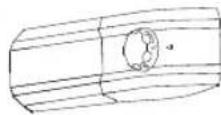
Fig.13
2) Disconnect the power cord.
3) Remove the frozen food and temporarily place them in a cool place.
4) Leave the freezer door open to speed defrosting.
5) Collect the water on the bottom of the product.
6) Dry the freezer.
7) Reconnect the power cord and set the thermostat knob to the desired position.
8) Wait a moment and reintroduce the frozen foods.
WARNING:
Absolutely avoid the use of open flames or electrical appliances, such as heaters, steam cleaners, candles, oil lamps and the like to accelerate the defrosting phase.
Do not scrape with a knife or sharp object to remove frost or ice present. These can damage the refrigerant circuit, the leakage of which can cause a fire or damage your eyes.
Defrosting the freezer compartment
(NO-FROST products)
Defrosting is automatic.
MAINTENANCE AND CLEANING
Lighting (according to model)
Bulb Replacement
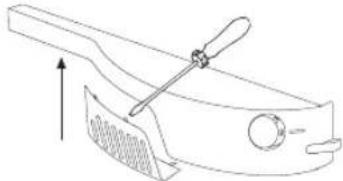
To replace the lamp bulb, place the thermostat knob on 0 and disconnect the power cord. Remove the protective cover (Fig. 14), replace the bulb with a power rating analogous with that indicated on the protective cover.(Fig. 14)
natural_image
Technical line drawing of a mechanical component with a handle and lever (no text or symbols)Fig.14
WARNING:
- The light bulb supplied with this appliance is a "special use lamp bulb" usable only with the appliance supplied. This "special use lamp" is not usable for domestic lighting.
- Do not touch the light bulb if it has been on for a long period of time because it could be very hot.
LED lighting (Where present)
If the product is equipped with LED lights, please contact the Technical Assistance Service in case of replacement.
Compared to traditional light bulbs, the LEDs last longer and are environmentally friendly.
Cleaning
NOTICE:
- Before each operation, remove the refrigerator plug from the power socket to prevent electric shocks.
- Do not pour water directly on the outside or inside of the refrigerator itself. This could lead to oxidation and damaging of the electrical insulation.
IMPORTANT:
To prevent cracking of the inside surfaces and plastic parts, follow these suggestions:
- Wipe away any food oils adhered to plastic components.
• The internal parts, gaskets and external parts can be cleaned with a cloth with warm water and baking soda or a neutral soap. Do not use solvents, ammonia, bleach or abrasives.
- Remove the accessories, for example, the shelves, from the refrigerator and from the door. Wash in hot soapy water. Rinse and thoroughly dry.
• The back of the appliance tends to accumulate dust which can be eliminated with the use of a vacuum cleaner, after having switched off and disconnected the appliance from the electrical outlet. This provides greater energy efficiency.
ENERGY SAVINGS
For better energy savings, we suggest:
- installing the appliance away from heat sources and not exposed to direct sunlight and in a well ventilated room.
- Avoid putting hot food into the refrigerator to avoid increasing the internal temperature and therefore causing continuous functioning of the compressor.
- Do not excessively stuff foods so as to ensure proper air circulation.
- Defrost the appliance in case there is ice (see DEFROSTING) to facilitate the transfer of cold.
• In case of absence of electrical energy, it is advisable to keep the refrigerator door closed.
- Open or keep the doors of the appliance open as little as possible
- Avoid adjusting the thermostat to temperatures too cold.
- Remove dust present on the rear of the appliance (see CLEANING).
* For static products tests must be done without freezer
drawers, for the others the drawers must be left in the freezer.
AVOIDING NOISES
During its operation, the refrigerator emits some normal noises, such as:
• HUMMING, the compressor is running.
• RUMBLINGS, RUSTLINGS and HISSING, the refrigerant is flowing through the tubes.
• TICKS and CLICKS, the operation shutdown of the compressor.
Small measures to reduce the vibration noises:
- THE APPLIANCE IS NOT LEVEL: Adjust the feet so the appliance is level.
- Containers touch each other: Avoid contact between containers and glass receptacles.
- Appliance in contact: Install the appliance away from other furniture or electrical appliances.
- Drawers, shelves, bins vibrate: Check the proper installation of internal accessories.
NOTE:
The refrigerant gas produces noise even when the compressor is off; it is not a defect, it is normal.
If you hear a clicking sound inside the appliance, it is normal as due to expansion of the various materials.
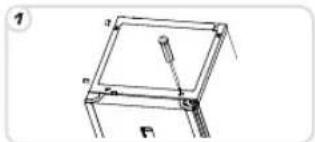
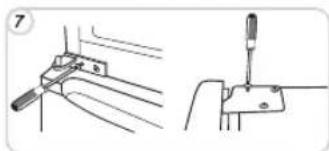
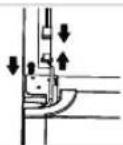
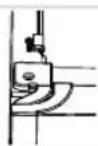
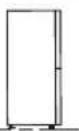
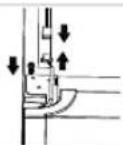
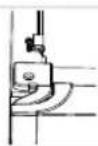
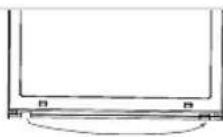
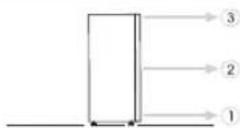
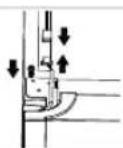
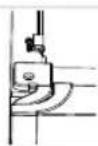
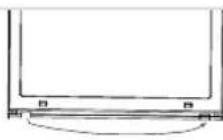
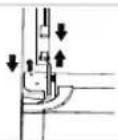
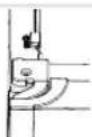
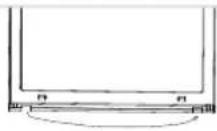
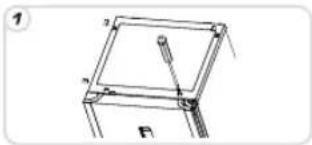
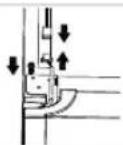
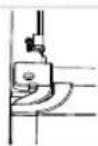
REVERSIBILITY OF THE DOOR (MECHANICAL)
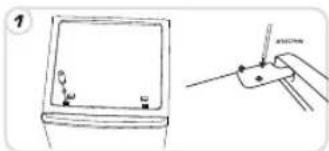
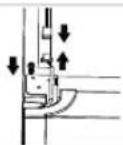
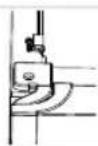
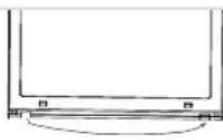
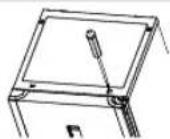
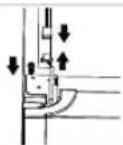
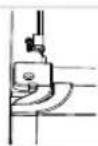
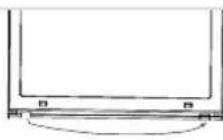
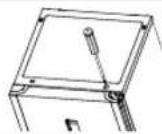
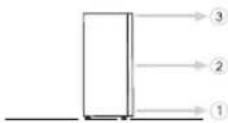
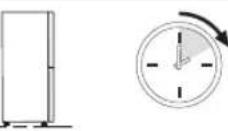
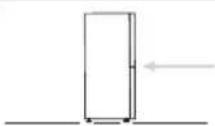
The doors of the appliance can be reversed so as to allow the opening to the right or left according to exigency.
NOTICE:
• Inversion of the doors must be performed by qualified technical personnel.
• Inversion of the doors is not covered by the warranty.
natural_image
Simple line drawing of a device with a magnified view showing a small object and a tool (no text or symbols)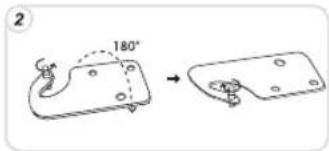
text_image
2 180°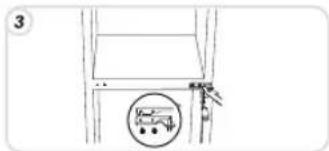
text_image
3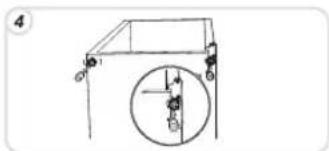
text_image
Diagram showing a pulley system with labeled components and a circular component, likely illustrating a mechanical or electrical setup.
natural_image
Diagram showing two mechanical components with a transformation arrow (no text or symbols)
natural_image
Simple line drawing of a car with a circular object and two figures, no text or symbols present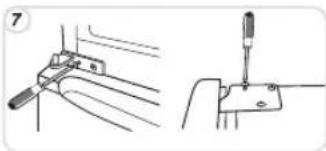
natural_image
Technical line drawing showing two mechanical assembly steps: one with a tool inserted into a bracket, the other with a screwdriver inserted into a housing (no text or symbols present)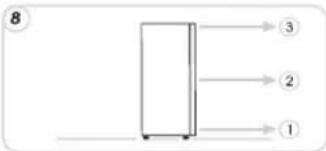
flowchart
graph TD
    A[" "] --> B[" "]
    B --> C["3"]
    B --> D["2"]
    B --> E["1"]
text_image
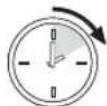
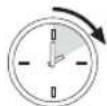
9 1 hour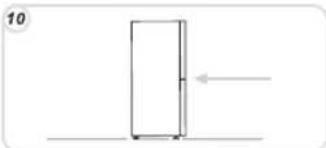
natural_image
Simple line drawing of a door with an arrow indicating left motion (no text or symbols)REVERSIBILITY OF THE DOOR (ELECTRONIC)
natural_image
Technical line drawing of a mechanical assembly with labeled components (no readable text or symbols)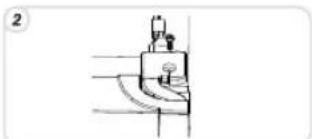
natural_image
Simple line drawing of a mechanical component or tool with no visible text, numbers, or symbols.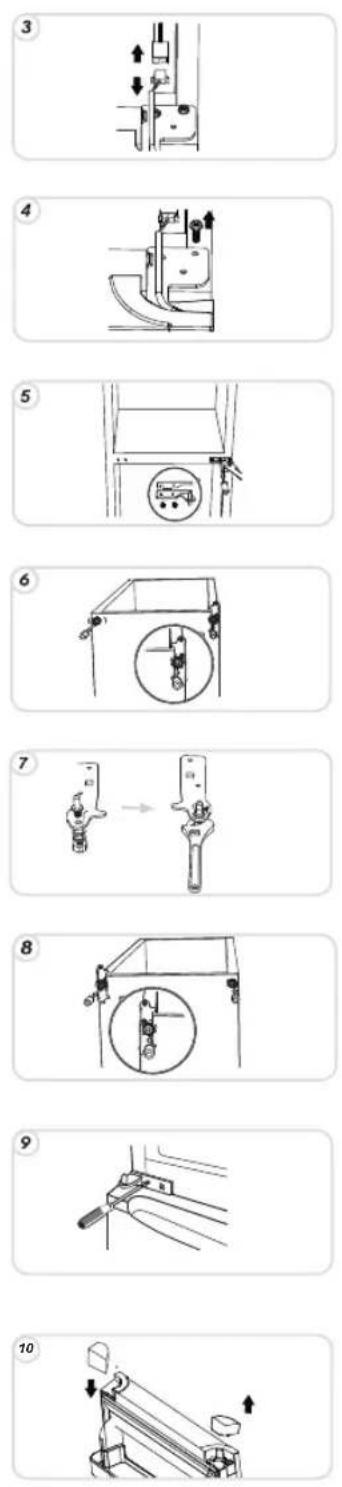
11
12
13
14
15
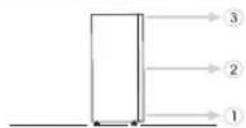
16
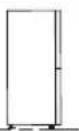
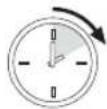
17
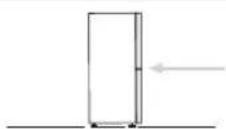
SUSPENDING USE OF THE APPLIANCE
If the appliance is not to be used for a long time:
1) Turn the appliance OFF (see Operation).
2) Extract the plug or remove the safety device.
3) Clean the appliance
4) Leave the doors of the appliance open.
TROUBLESHOOTING
| PROBLEM | CAUSE | REMEDY |
| The inside illumination light bulb does not turn on. | The light bulb is burned out.Electricity absence.Door switch is blocked. | Replace the lamp bulb (see lighting).The power cord is not properly plugged in.Check whether the appliance is switched off. (see Temperature Adjustment).Ensure that there is a current in the house.Check that it is active. |
| The refrigerator and freezer do not sufficiently cool. | The doors are not closed.The doors are frequently openedErroneous setting of the temperature.The refrigerator and freezer have been excessively filled.Surrounding temperature is too low.No electrical power.The rear of the appliance is too close to the wall. | Check that the door and gaskets close properly.Avoid unnecessary opening of the doors for a period of time.Check the position of the knob or temperature setting and, if it is possible, cool even more (see Temperature adjustment)Wait for the stabilization of the temperature of the refrigerator or freezer.Check that the ambient temperature is in accordance with what is indicated on the nameplate (see Installation).The power cord is not properly plugged in.Check whether the appliance is switched off (see Temperature adjustment)Ensure that in the home there is current.Move the appliance away from the wall (see Installation). |
| The food in the refrigerator freezes. | Erroneous setting of the temperature.Food in contact with the back wall.The freezing of too much fresh food causes a lowering of the temperature of the refrigerator | Check the position of the knob or temperature setting (see Temperature Adjustment) and, if possible, decrease temperature setting.Separate the food from the back wall of the refrigerator.Do not exceed the maximum amount to be frozen (see Freezing). |
| The bottom of the refrigerator compartment is wet or droplets are present. | Products that are not NoFrost:the drain tube could be clogged. | Clean the drain tube with a cotton-bud or the like to allow the discharge of water. |
| Presence of drops or water on the back wall of the refrigerator. | Normal operation of the refrigerator.Lack of air circulation.Vegetables and fruits with too much moisture. | It is not a defect (see Defrosting). |
| Presence of water in the vegetable drawer. | The doors are not closed.The doors are opened frequently.Ambient temperature is very high.Thickness of frost than 3mm. | Make sure the doors are closed and if the seals close properly.Avoid unnecessary open ports for a certain period.Verify that the ambient temperature is in accordance with the specifications on the nameplate (see Installation).Set the thermostat knob on low numbers / Set the display a warmer temperature.Defrost the unit (see Defrosting). |
| The motor runs continuously. | ||
| The temperature of some external parts is high. | Presence of the condensate drain pipe. | It is normal: temperatures are high to prevent the formation of condensation on certain parts. |
| The frozen food is thawing. | The ambient temperature range below climate class of the product.The compressor starts rarelyThe freezer door is not closed. | Move the unit to a warmer or heat the room.Make sure the door is closed and that the gasket is sealing properly. |
| Condensation on the outside. | Environment too moist. | Move the unit in a less humid. |
IF YOU ARE NOT SOLVED THE PROBLEM, CONTACT THE SERVICE CENTER, PLEASE GIVE THE TYPE OF FAULT AND THE INFORMATION ON THE PLATE OF THIS APPARATUS TO INSIDE THE REFRIGERATOR COMPARTMENT:
- The model of equipment. - The number of series.
natural_image
Diagram of a mechanical device with two wheels and a magnified inset showing rotational motion (no text or symbols)natural_image
Simple line drawing of a refrigerator with a thermometer and a hanging spring (no text or symbols)NOTA:
natural_image
Line drawings of a cabinet with front and side views, no text or symbols presentnatural_image
Technical diagram showing a mechanical component with directional arrows and a close-up view of its internal structure (no text or symbols)natural_image
Technical line drawing of a device component with an arrow pointing to a magnified inset (no text or symbols)La lampadina LED UVA
(si está presente)
natural_image
Line drawing of a refrigerator with open door and side drawers (no text or symbols)natural_image
Technical line drawing of a mechanical component with rotational flow indicators (no text or symbols)Fig.11
natural_image
Technical line drawing of a mechanical component with a handle and lever, showing an upward arrow (no text or symbols)ADVERTENCIA:
text_image
Diagram showing a device with labeled components and a hand holding a tool, likely illustrating a mechanical or electrical setup.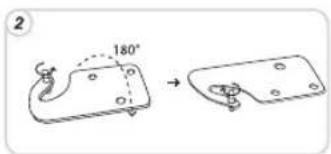
text_image
2 180° →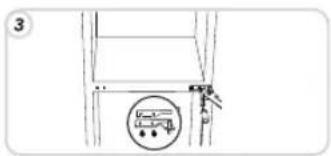
text_image
3 A D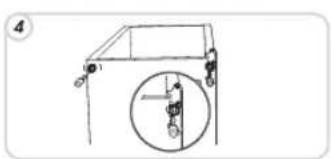
natural_image
Simple line drawing of a crane lifting a vertical pole with a magnified inset showing the wheel (no text or symbols)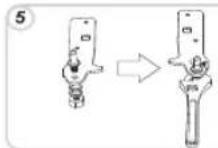

natural_image
Technical line drawing showing two mechanical assembly steps: one with a tool inserted into a bracket, the other with a screwdriver inserted into a housing (no text or symbols present)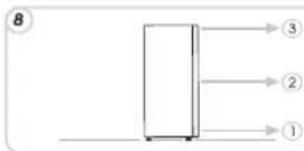
natural_image
Simple line drawing of a rectangular object with an arrow pointing left, no text or symbols presentnatural_image
Technical line drawing of a mechanical frame with labeled components (no text or symbols)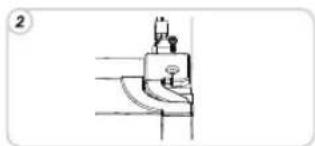
natural_image
Technical line drawing of a mechanical component with no visible text or symbols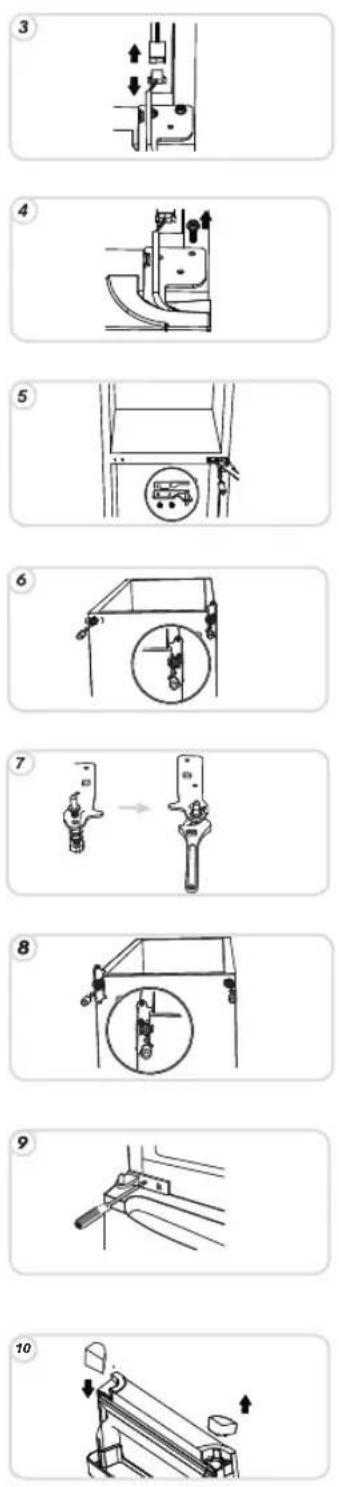
11
12
13

14

15

16
17
natural_image
Diagram of a mechanical device with a rotating shaft and wheels, showing a close-up view of the component (no text or symbols)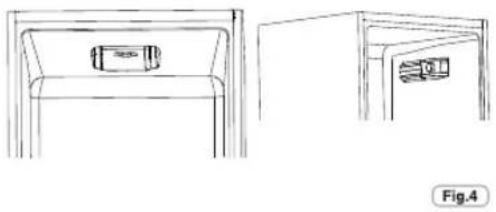
natural_image
Line drawings of a cabinet with front and side views, no text or symbols presentnatural_image
Simple line drawing of a refrigerator with a hanging spring and a base, no text or symbols present.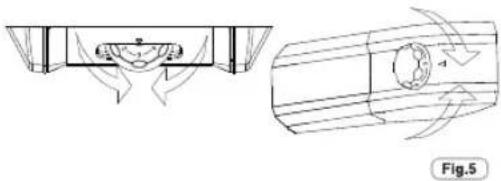
natural_image
Technical diagram showing a mechanical component with directional arrows and a circular feature, labeled Fig.5 (no text or symbols on the diagram itself)natural_image
Technical line drawing of a device component with an inset view showing a magnified view (no text or symbols)NOTE :
text_image
No Price Plus Fig.7natural_image
Line drawing of a refrigerator with open door and side compartments (no text or symbols)natural_image
Technical line drawing of a mechanical component with a handle and lever (no text or symbols)Fig.14
MISE EN GARDE :
natural_image
Simple line drawing of a pulley system with a magnified inset showing a vertical object (no text or symbols)
text_image
5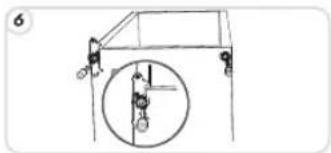
natural_image
Simple line drawing of a vehicle with a circular component and mechanical parts (no text or symbols)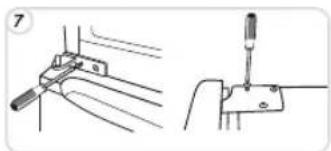
natural_image
Technical line drawing showing two mechanical assembly steps: one with a tool inserted into a bracket, the other with a screwdriver inserted into a housing (no text or symbols present)
text_image
8 → 3 → 2 → 1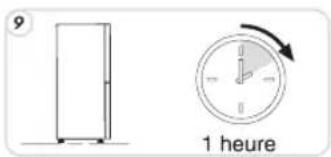
natural_image
Simple line drawing of a door with an arrow indicating left motion (no text or symbols)natural_image
Technical line drawing of a mechanical component with no visible text or symbols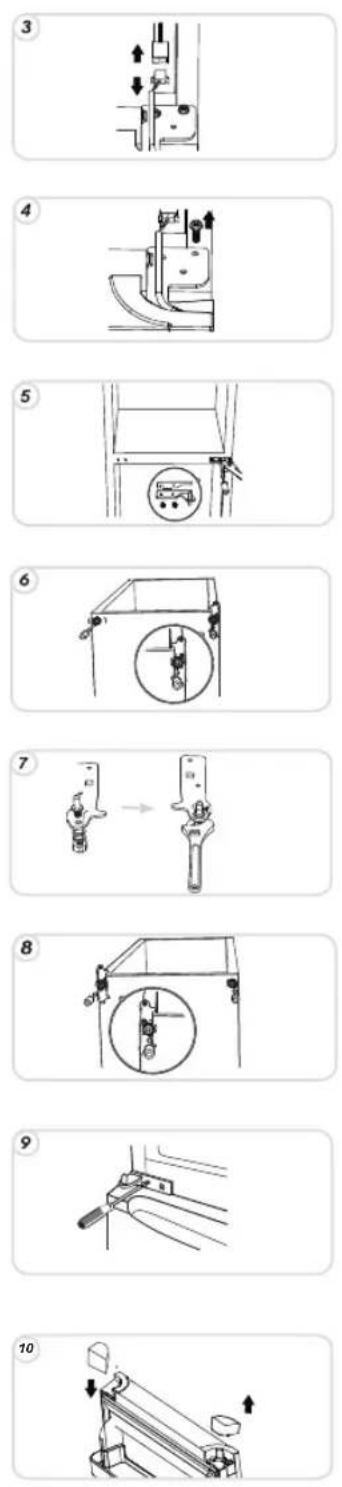
11
12
13
14

15
16

17
MISE HORS SERVICE DE L'APPAREIL
- in Bed and Breakfasts
natural_image
Diagram of a mechanical system with pulleys and a rotating shaft, showing rotational motion (no text or symbols)natural_image
Simple line drawing of a refrigerator with a spring attached to the door, no text or symbols present.HINWEIS:
natural_image
Line drawing of a cabinet with front and side views, no text or symbols presentTemperaturregelung (kein Display)
natural_image
Technical diagram showing a mechanical component with directional arrows and a cross-sectional view (no text or symbols)natural_image
Technical line drawing of a device component with an inset magnified view (no text or symbols)text_image
No Phone Placenatural_image
Line drawing of an open refrigerator with doors open and liquid level visible (no text or symbols)natural_image
Technical line drawing of a mechanical component with a handle and lever, no text or symbols presentHINWEIS:
natural_image
Simple line drawing of a device with a magnified view showing internal components (no text or symbols)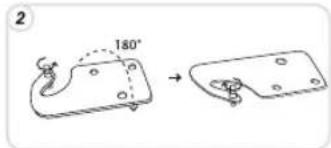
text_image
2 180°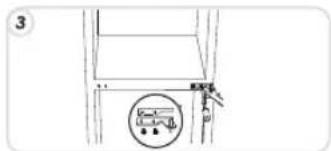
natural_image
Simple line drawing of a vehicle suspension system with a circular component (no text or symbols)
natural_image
Simple line drawing of a pulley system with a circular component inserted (no text or symbols)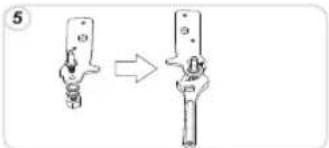
natural_image
Diagram showing a mechanical assembly process with two views of a tool or component (no text or symbols present)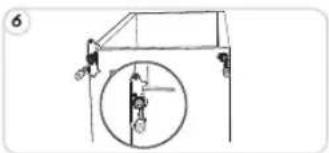
natural_image
Simple line drawing of a vehicle with a circular component and two figures, no text or symbols present.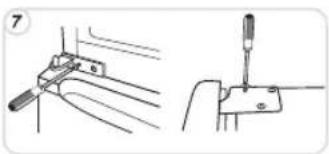
natural_image
Technical line drawing showing two mechanical assembly steps: one with a bracket and pin, the other with a screwdriver inserted into a housing (no text or symbols)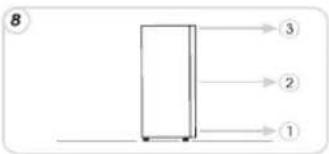
natural_image
Simple line drawing of a door with an arrow indicating left motion (no text or symbols)natural_image
Technical line drawing of a mechanical assembly with labeled components (no readable text or symbols)
natural_image
Simple line drawing of a mechanical component or tool with no visible text, numbers, or symbols.
11
12

13

14

15

16

17
natural_image
Diagram of a mechanical system with pulleys and a rotating shaft, showing motion direction (no text or symbols)Fig.2
natural_image
Line drawing of two furniture compartments with internal compartments and a small box, labeled Fig.4 (no text or symbols on the diagram itself)Ajuste da temperatura (sem display)
text_image
Diagram showing a refrigerator with a hanging device and directional arrow, likely indicating a cooling or ventilation system.Fig.3

natural_image
Technical diagram showing a mechanical component with directional arrows and a close-up view of a cylindrical component (no text or symbols)text_image
Technical diagram showing a device mounted on a bracket with an inset close-up highlighting a component detail.Fig.6
Ventilador do compartimento do frigorífico (se existir)
text_image
TOTAL NO FROST Fig.8natural_image
Line drawing of a refrigerator with open door and water outlet (no text or symbols)natural_image
Technical line drawing of a mechanical component with a handle and lever, showing an upward force indicator (no text or symbols present)AVISO:
text_image
Diagram showing a device with labeled parts and a close-up of a tool interacting with it, marked with 'unlaser'.
text_image
2 180°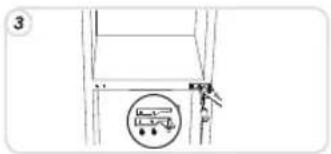
natural_image
Simple line drawing of a ladder with a circular component and a tool, no text or symbols present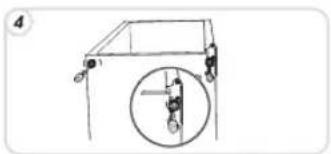
natural_image
Simple line drawing of a mechanical structure with a circular inset showing a vertical component (no text or symbols)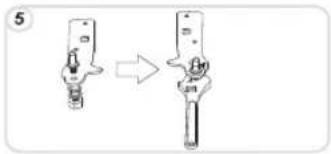
text_image
5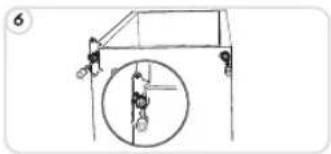
natural_image
Simple line drawing of a vehicle with a circular component and two sensors, no text or symbols present.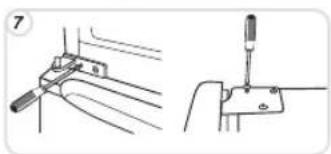
natural_image
Technical line drawing showing two mechanical assembly steps: one with a tool inserted into a bracket, the other with a screwdriver inserted into a clamp (no text or symbols present)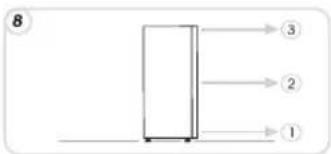
natural_image
Simple line drawing of a rectangular object with an arrow pointing left, no text or symbols presentnatural_image
Simple line drawing of a mechanical component with labeled parts (no text or symbols)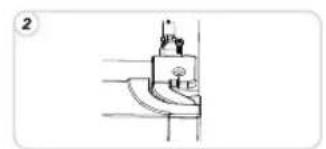
natural_image
Simple line drawing of a mechanical component or tool with no visible text, numbers, or symbols.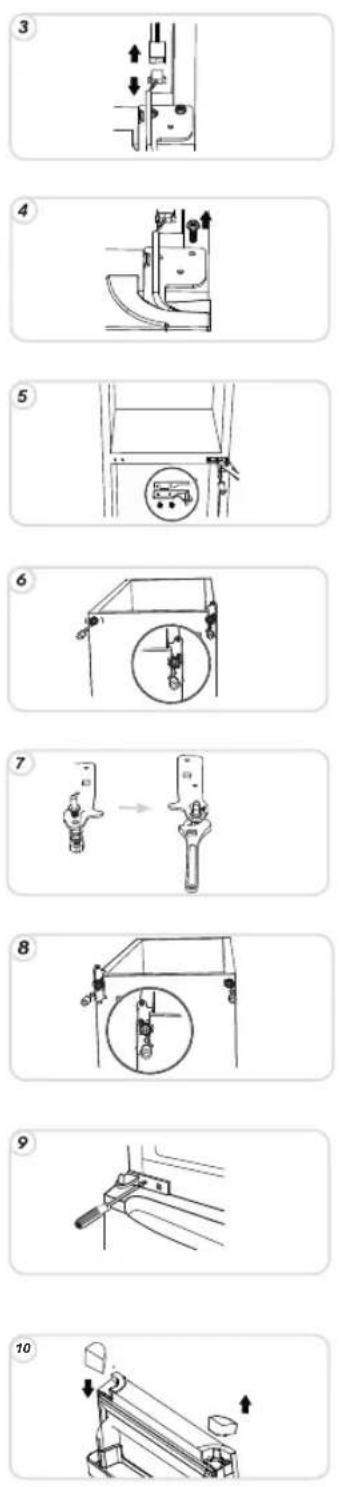
11
12
13
14
15

16

17
SUSPENDER O USO DO APARELHO
natural_image
Diagram of a mechanical system with pulleys and a rotating shaft, showing no text or symbolsFig.2
natural_image
Line drawings of two furniture compartments, one front view and one side view, with no text or symbols present.text_image
Diagram showing a refrigerator with a spring attached to the door, indicating cooling or ventilation system.Fig.3
natural_image
Technical line drawing showing airflow or fluid dynamics around a mechanical component (no text or symbols)Fig.5
natural_image
Technical line drawing of a mechanical component with an inset view showing a magnified detail (no text or symbols)Fig.6
LED UVA Lichten
(indien aanwezig)
natural_image
Line drawing of a refrigerator with open door and water outlet (no text or symbols)natural_image
Technical line drawing of a mechanical component with a handle and mounting bracket (no text or symbols)WAARSCHUWING:
natural_image
Simple line drawing of a device with a handle and a separate outline showing a hand holding a clip (no text or symbols)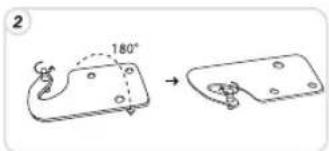
text_image
2 180°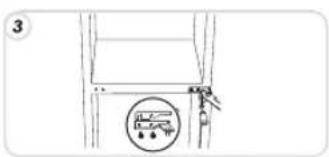
natural_image
Simple line drawing of a mechanical component with a circular dial and mounting bracket (no text or symbols)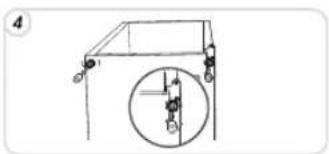
natural_image
Simple line drawing of a mechanical structure with a circular inset showing a vertical component (no text or symbols)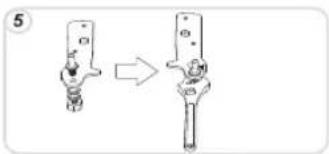
text_image
5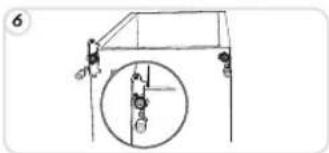
natural_image
Simple line drawing of a vehicle suspension system with a circular component (no text or symbols)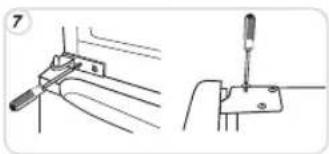
natural_image
Technical line drawing showing two mechanical assembly steps: one with a tool inserted into a bracket, the other with a screwdriver inserted into a housing (no text or symbols present)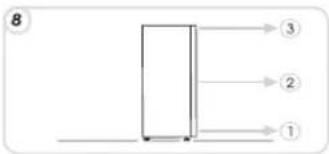
flowchart
graph TD
    A["Process Box"] --> B["Step 1"]
    A --> C["Step 2"]
    A --> D["Step 3"]

text_image
9 1 uur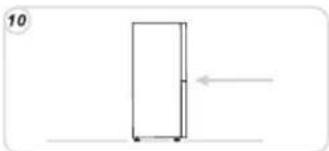
natural_image
Simple line drawing of a door with an arrow indicating left motion (no text or symbols)natural_image
Technical line drawing of a mechanical assembly with labeled components (no readable text or symbols)
natural_image
Technical line drawing of a mechanical assembly with no visible text or symbols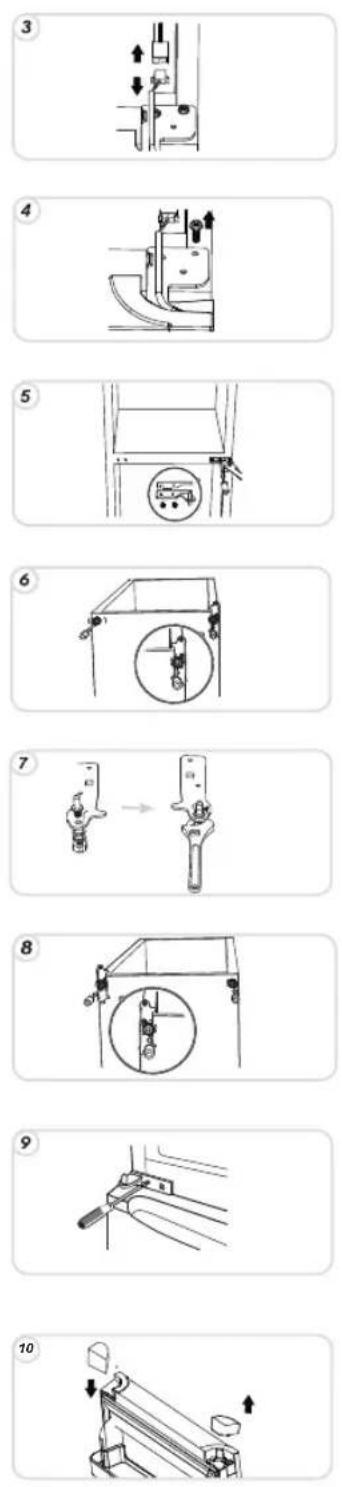
11
12
13
14
15

16


17
HET APPARAAT NIET IN GEBRUIK
natural_image
Diagram of a mechanical system with pulleys and a rotating shaft, showing motion direction (no text or symbols)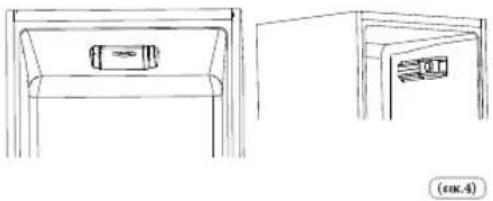
natural_image
Line drawings of a cabinet with front and side views, no text or symbols presentnatural_image
Technical line drawing of a mechanical component with directional arrows indicating motion (no text or symbols)natural_image
Technical line drawing of a mechanical component with an inset view showing a magnified detail (no text or symbols)natural_image
Line drawing of an open refrigerator with doors and drawers (no text or symbols)natural_image
Technical line drawing of a mechanical component with a handle and base, showing an upward arrow (no text or symbols)ΕΠΙΣΗΜΑΝΣΗ:
text_image
Diagram showing a device with labeled parts and a close-up of a tool interacting with it, marked with 'MINT' on the right.
text_image
2 180°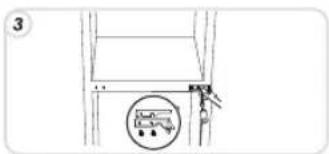
text_image
3
natural_image
Simple line drawing of a mechanical structure with a magnified inset showing a circular detail (no text or symbols)
text_image
5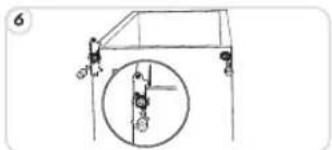
natural_image
Simple line drawing of a vehicle frame with a circular component and pulley system (no text or symbols)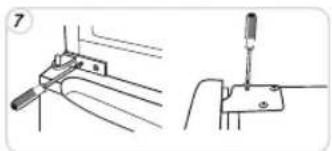
natural_image
Technical line drawing showing two mechanical assembly steps: one with a tool inserted into a bracket, the other with a screwdriver inserted into a handle (no text or symbols present)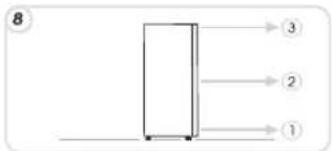
text_image
8 → 3 → 2 → 1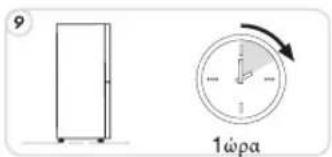
text_image
9 1ωρα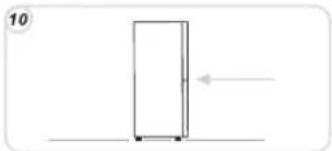
natural_image
Simple line drawing of a rectangular object with an arrow pointing left, no text or symbols presentnatural_image
Technical line drawing of a mechanical assembly with labeled components (no readable text or symbols)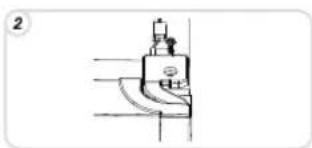
natural_image
Pure mechanical component diagram without any text, numbers, or symbols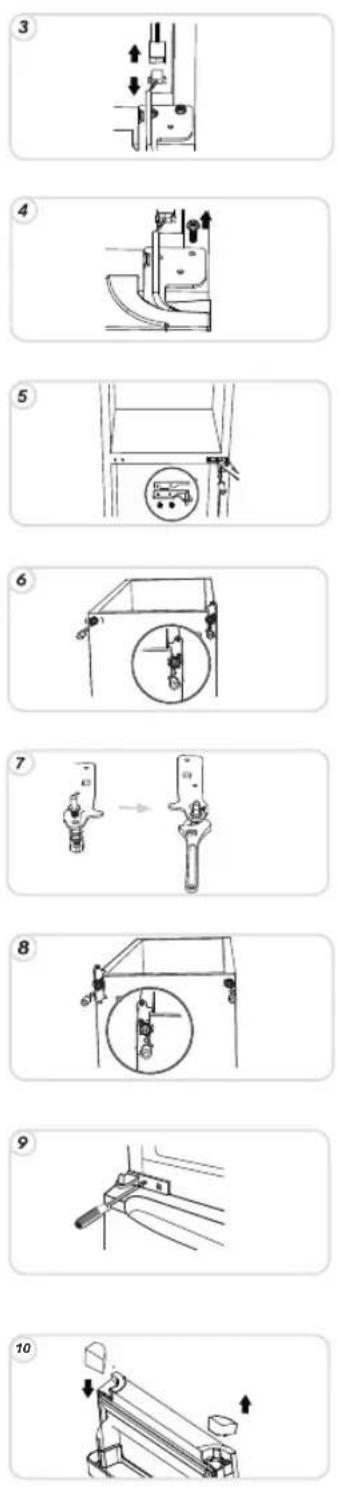
11
12
13
14
15
16
17

natural_image
Diagram of a mechanical system with pulleys and a rotating shaft, showing motion direction (no text or symbols)rys.2
text_image
Diagram showing a refrigerator with a piping bag attached to the door, indicating airflow or ventilation direction.rys.3
natural_image
Line drawings of two furniture compartments with no text or symbolsnatural_image
Technical line drawing of a mechanical component with internal flow arrows (no text or symbols)rys.5
natural_image
Line drawing of an open refrigerator with doors open, showing internal compartments and ventilation slots (no text or symbols)natural_image
Technical line drawing of a mechanical component with a handle and mounting bracket (no text or symbols)OSTRZEŻENIE:
natural_image
Simple line drawing of a device with a handle and a separate hand holding a tool (no text or symbols)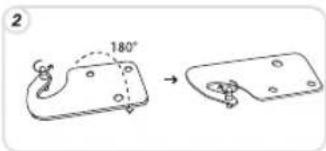
text_image
2 180° →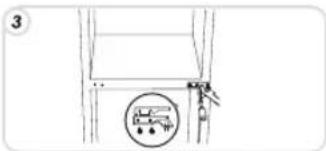
text_image
3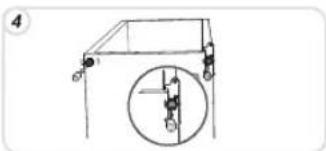
natural_image
Simple line drawing of a mechanical structure with a magnified inset showing a vertical component (no text or symbols)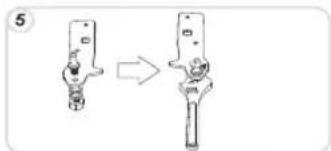
text_image
5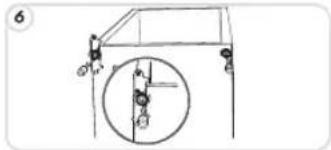
text_image
6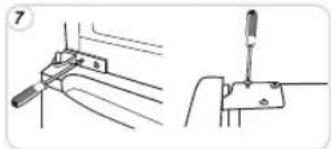
natural_image
Technical line drawing showing two mechanical assembly steps: one with a tool inserted into a bracket, the other with a tool inserted into a workpiece (no text or symbols present)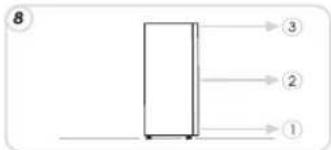
text_image
8 ③ ② ①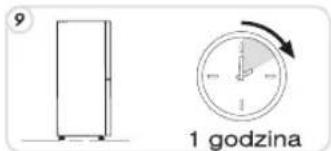
natural_image
Simple line drawing of a door with an arrow indicating left motion (no text or symbols)natural_image
Simple line drawing of a mechanical frame with labeled points (no text or symbols)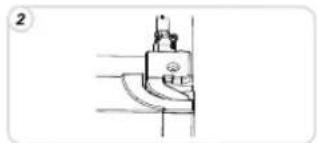
natural_image
Simple line drawing of a sewing machine needle (no text or symbols)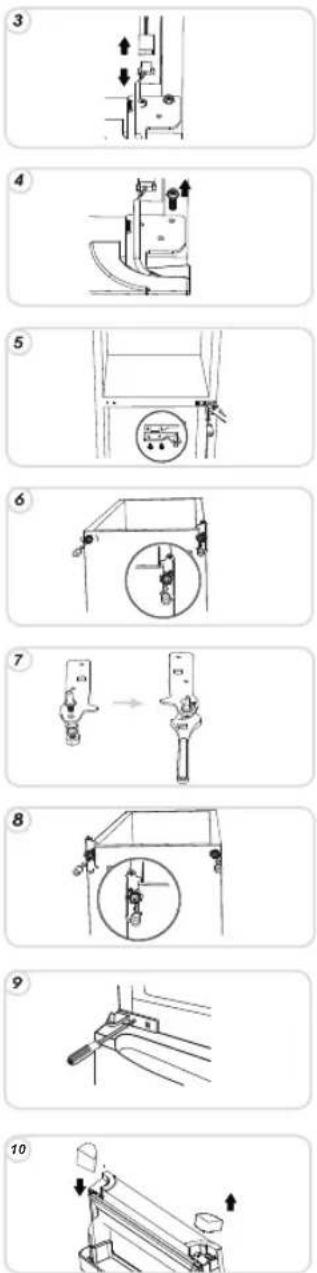
11
12
13
14
15
16
17
ZAWIESZENIE UŻYTKOWANIA URZĄDZENIA
natural_image
Diagram showing a mechanical setup with a block, pulleys, and a rotating shaft (no text or symbols)obr. 2
text_image
Diagram showing a refrigerator with a hand pointing to its side panel, indicating a cooling or heating process.obr. 3
POZNÁMKA:
natural_image
Line drawings of two furniture compartments with a small bag on the first, and a close-up view of the second (no text or symbols)natural_image
Technical line drawing showing a mechanical assembly with a component and a circular component, no text or symbols present.obr. 5
natural_image
Technical line drawing of a device component with an arrow pointing to a magnified inset (no text or symbols)obr. 6
LED UVA světa
(pokud je)
natural_image
Technical line drawing of a mechanical component with an inset showing a circular detail (no text or symbols)Displej zapnutí/vypnutí (s displejem)
natural_image
Line drawing of an open refrigerator with doors open and a water tank below (no text or symbols)text_image
OK obr. 10Poznámka:
natural_image
Technical line drawing of a mechanical component with a handle and mounting bracket (no text or symbols)Upozornění:
BĚŽNÉ PROVOZNÍ HLUKY
natural_image
Simple line drawing of a device with a magnified view showing internal components (no text or symbols)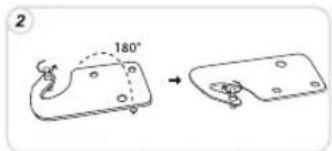
text_image
2 180°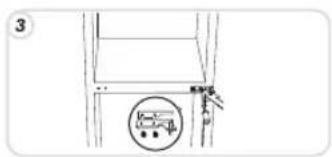
text_image
3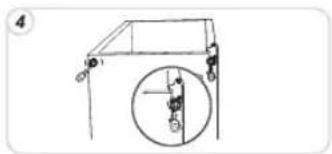
natural_image
Simple line drawing of a pulley system with a circular inset showing a vertical rod (no text or symbols)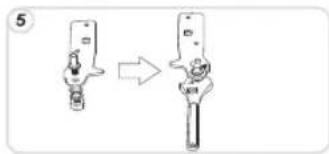
text_image
5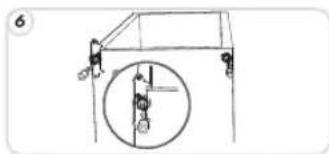
natural_image
Simple line drawing of a mechanical lifting device with a circular component and hanging weights (no text or symbols)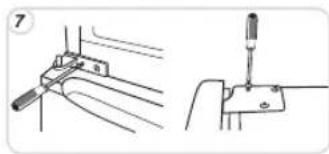
natural_image
Technical line drawing showing two mechanical assembly steps: one with a tool inserted into a bracket, the other with a screwdriver inserted into a clamp (no text or symbols present)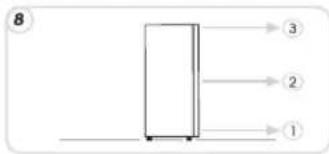
text_image
8 → 3 → 2 → 1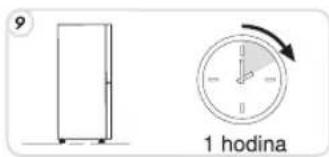
text_image
9 1 hodina
natural_image
Simple line drawing of a rectangular object with an arrow pointing left, no text or symbols presentOTOČENÍ OTEVÍRÁNÍ DVERÍ (electronic)
text_image
1 2 3 4 F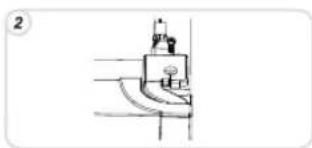
natural_image
Simple line drawing of a mechanical component or tool with no visible text, numbers, or symbols.
11
12
13
14
15

16

17