MXPC2131 - Kitchen scales Mx Onda - Free user manual and instructions
Find the device manual for free MXPC2131 Mx Onda in PDF.



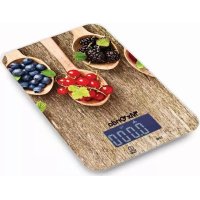
| Product Type | Electronic Kitchen Scale |
| Brand | Mx Onda |
| Model | MXPC2131 (MX-PC2130) |
| Dimensions (L x W x H) | 140 x 215 x 16 mm |
| Net weight | 354 g |
| Power supply | 2 CR2032 batteries (3V) |
| Weighing range | 2 g to 5000 g |
| Resolution | 1 g |
| Units of measurement | kg, g, lb, oz |
| Display | Backlit LCD 5-digit |
| Controls | Touch (On/Off, Tare, Unit areas) |
| Tare function | Yes |
| Auto-off | After 2 minutes of inactivity |
| Overload warning | Display "E E E E E" |
| Low battery warning | Display "Lô" |
| Height | 16 mm (extra flat) |
| Cleaning | Damp cloth, dry with a dry cloth. Do not use alcohol or abrasive products. |
| Safety | Do not disassemble. Contact customer service. Remove batteries if not used for a long time. |
| Compliance | European directives EMC (2004/108/EC) and LVD (2006/95/EC), RoHS |
| Use | Household use only |
| Manufacturer | MX ONDA, S.A., Isla de Java, 37, 28034 Madrid, Spain |
| Technical service | Tel. +34 902 551 501, email mxsat@mxonda.es |
Frequently Asked Questions - MXPC2131 Mx Onda
User questions about MXPC2131 Mx Onda
0 question about this device. Answer the ones you know or ask your own.
Ask a new question about this device
Download the instructions for your Kitchen scales in PDF format for free! Find your manual MXPC2131 - Mx Onda and take your electronic device back in hand. On this page are published all the documents necessary for the use of your device. MXPC2131 by Mx Onda.
USER MANUAL MXPC2131 Mx Onda
MANUEL D'INSTRUCTIONS
MxOnda
BALANCE DE CUISINE ÉLECTRONIQUE
MODELE: MX-PC2130
MX-PC2131
CE
AVANT D'UTILISER CE MANUEL DE LIRE ATTENTIVEMENT
COLCOATION OU REMPLACEMENT DES PILES
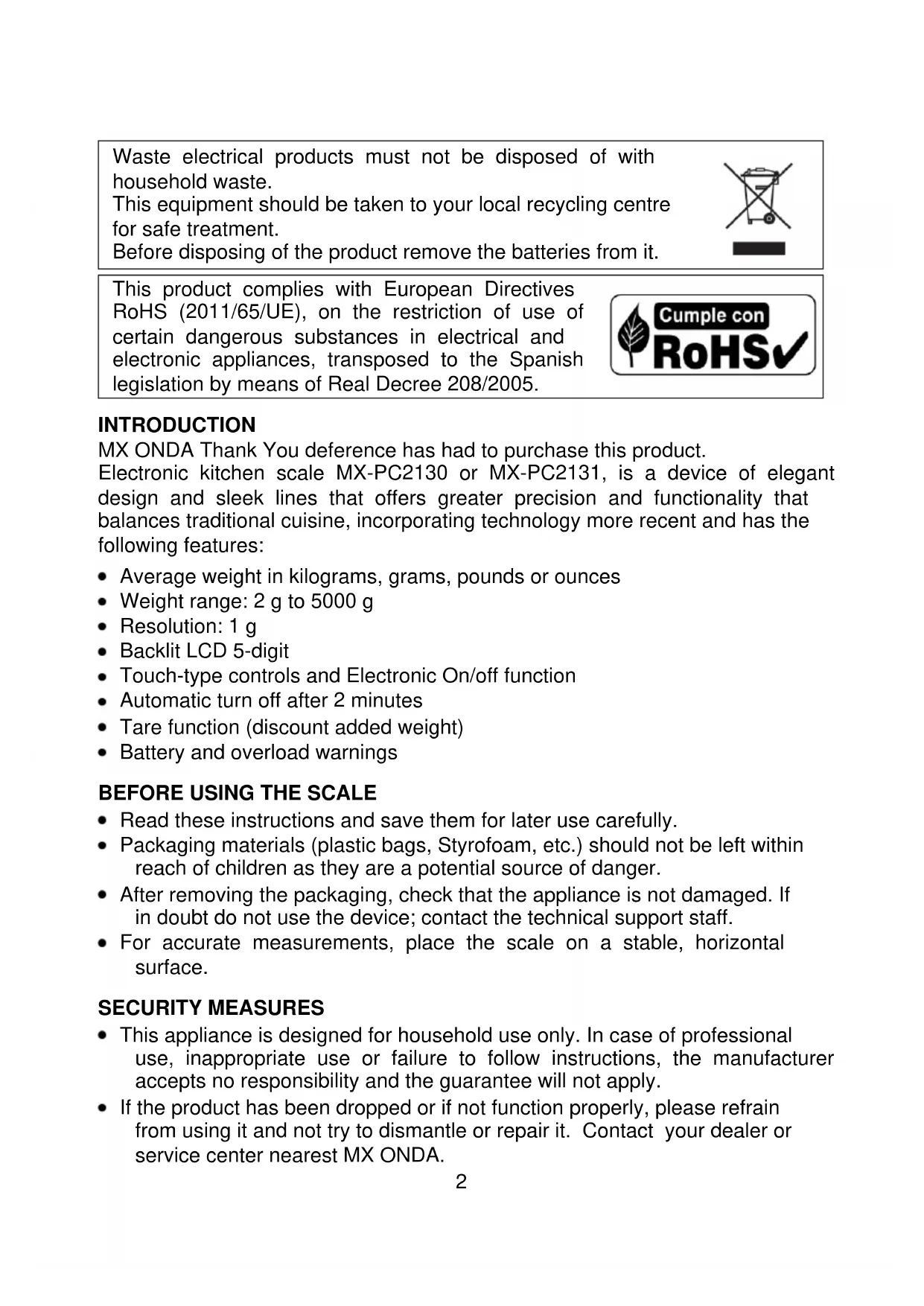
Waste electrical products must not be disposed of with household waste.
This equipment should be taken to your local recycling centre for safe treatment.
Before disposing of the product remove the batteries from it.

This product complies with European Directives RoHS (2011/65/UE), on the restriction of use of certain dangerous substances in electrical and electronic appliances, transposed to the Spanish legislation by means of Real Decree 208/2005.

Cumple con RoHS
INTRODUCTION
MX ONDA Thank You deference has had to purchase this product.
Electronic kitchen scale MX-PC2130 or MX-PC2131, is a device of elegant design and sleek lines that offers greater precision and functionality that balances traditional cuisine, incorporating technology more recent and has the following features:
- Average weight in kilograms, grams, pounds or ounces
Weight range: 2g to 5000g
-
Resolution: 1 g
-
Backlit LCD 5-digit
-
Touch-type controls and Electronic On/off function
Automatic turn off after 2 minutes
-
Tare function (discount added weight)
-
Battery and overload warnings
BEFORE USING THE SCALE
- Read these instructions and save them for later use carefully.
- Packaging materials (plastic bags, Styrofoam, etc.) should not be left within reach of children as they are a potential source of danger.
- After removing the packaging, check that the appliance is not damaged. If in doubt do not use the device; contact the technical support staff.
- For accurate measurements, place the scale on a stable, horizontal surface.
SECURITY MEASURES
- This appliance is designed for household use only. In case of professional use, inappropriate use or failure to follow instructions, the manufacturer accepts no responsibility and the guarantee will not apply.
- If the product has been dropped or if not function properly, please refrain from using it and not try to dismantle or repair it. Contact your dealer or service center nearest MX ONDA.
CLEANING AND MAINTENANCE
- Clean the scale with a damp cloth and dry with a dry. Do not use alcohol or abrasive products and not allow the unit in contact with volatile agents such as gasoline, solvents, insecticides, etc.
- Avoid the device is exposed to extreme temperature and humidity, direct sunlight, water or dust.
PLACEMENT AND REPLACEMENT OF BATTERIES
For placement or replacement of the batteries follow these steps:
- Open the battery compartment at the base of the device, pressing on the tab (in the direction of the arrow) while pulling it up.
- To remove the batteries, using a pointed object slide the battery to the electrical contact (see Figure 1), then pull it outward.
- To install the batteries (CR2032) with the positive (+) side up, insert the battery to the electrical contact (see Figure 2), then press the battery door slightly until retained by the plastic tabs.
- Replace the lid of the battery compartment.
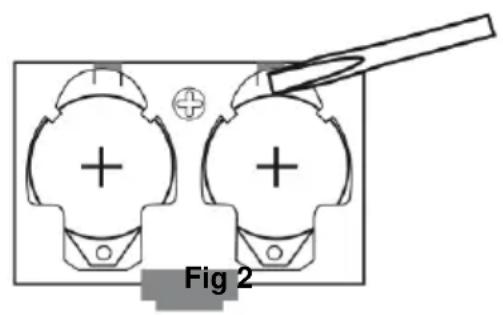
Fig 1

VERY IMPORTANT
- Before using for the first time the balance must remove the plastic sheet to protect the batteries.
- Replace the batteries when the display shows the indication " L ".
- If you do not plan to use the unit for a long period of time, remove the batteries and store them in a cool place.
- Do not remove the batteries, not the short circuit and never heat or throw into fire. Batteries contain environmental polluting materials, therefore, once the life of them exhausted, not throw it away, but dispose of them at the right site for recycling.
CONTROLS AND FUNCTIONS
HOW TO USE
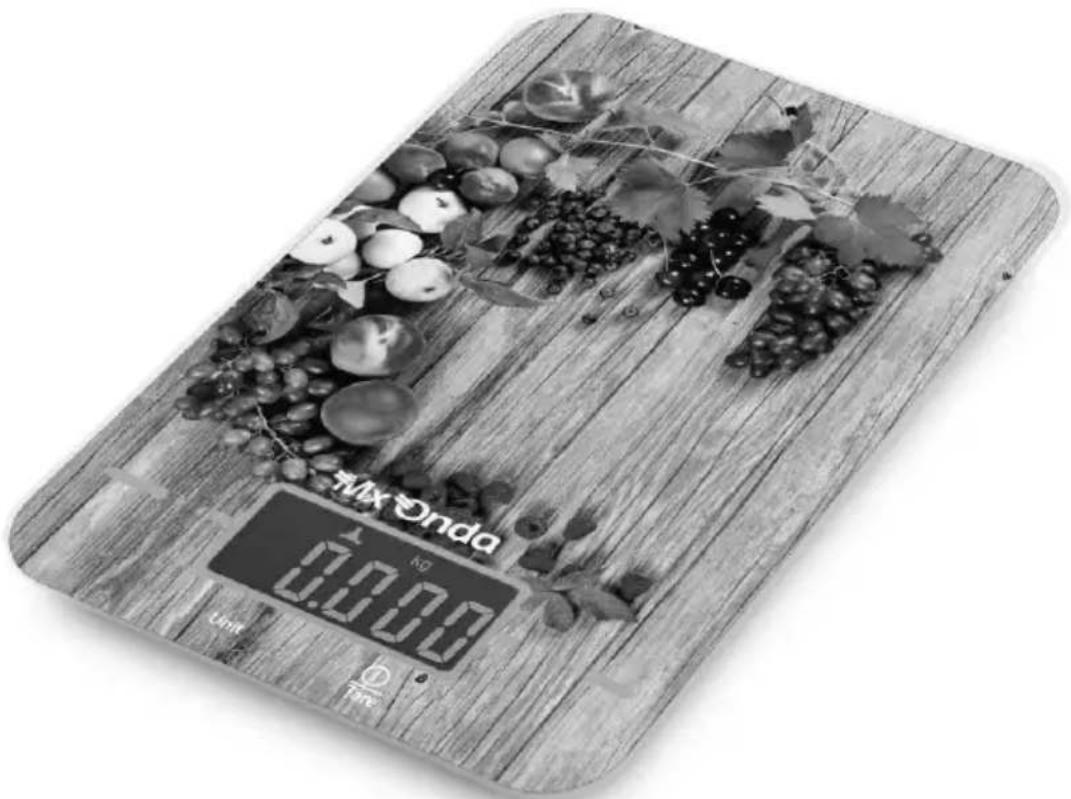
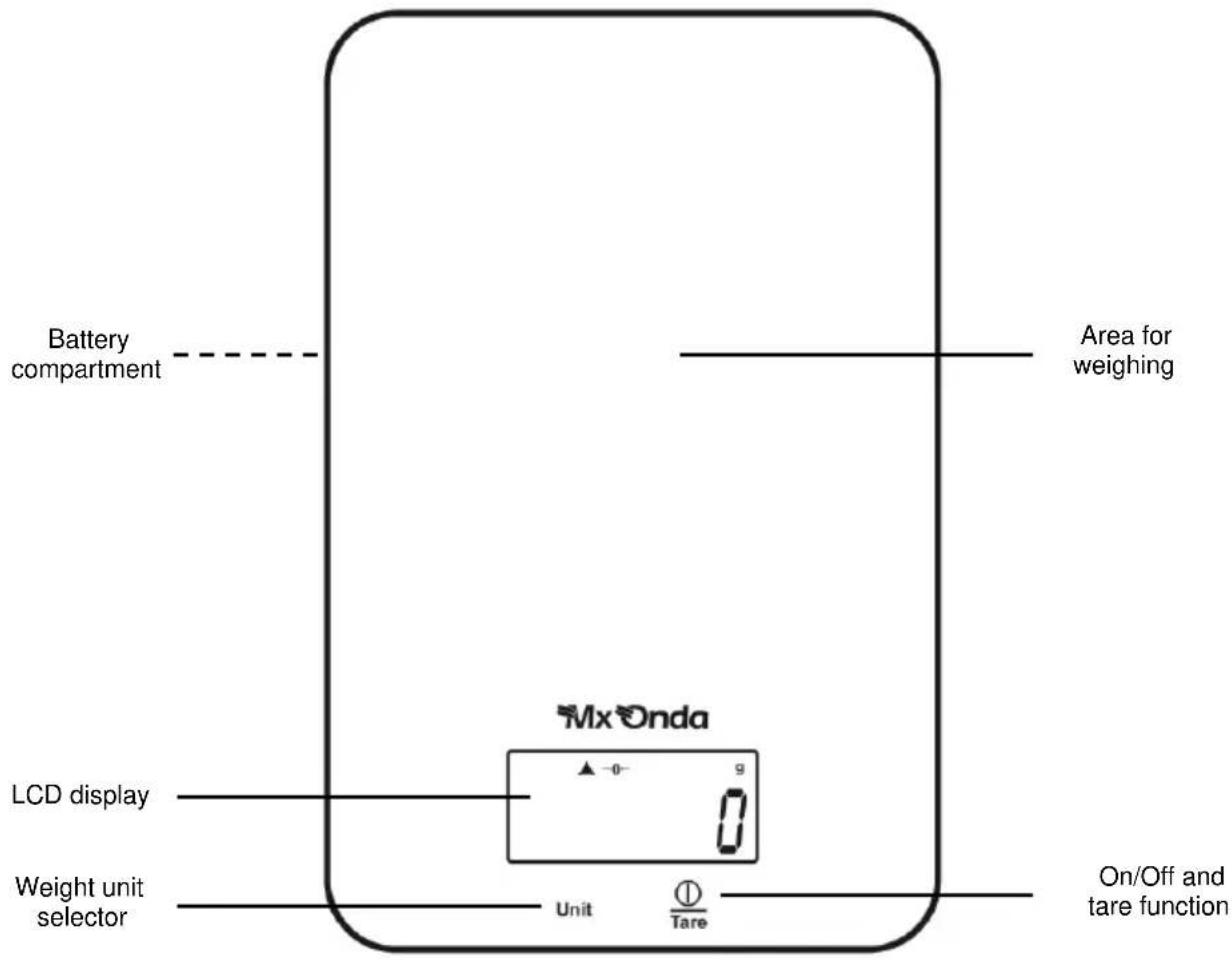
- To turn on the scale, touch with the fingertip area on / off and tare function ① Tare, the screen will perform a check and when it displays the digit " ⑦ indicates that it is ready to weigh.
If there is to switch the scale placed a container or an object, this will not be considered (heavy).
- With the finger, touch area selector unit weight Unit choose the unit of measurement, you can choose between kilograms, grams, pounds or ounces. The display shows the symbol of the selected unit of weight, Kg (kilograms), g (grams), lb (pounds) and oz (ounces) appear.


-
When the display shows the symbol▲ will indicate that the scale is stabilized and ready for measurement, place it on the area for weighing the product to be weighed and the weight display.
-
By touching the finger area on / off and tare function ① /Tare the scale will not consider the weight of the components or ingredients or the container that are based, in this way then you can add different ingredients without removing the already heavy.

- To turn off the scale touch with your finger for two seconds zone on / off and tare function /Tare. However, if after 2 minutes without touching any button despite any object or food, the scale will automatically turn off.
- To exceed the weight limit of the scale, the display will show overload indication "AAAAAAAA".
TECHNICAL SPECIFICATIONS
Power supply 2 batteries 3 V CR2032
Backlit LCD display 5 digits 0.63" (16 mm)
Weight range 2g / 0.004lb - 5000g / 11lb
Resolution 1 g / 0,002 lb
Dimensions 140 × 215 × 16 mm (L, W, H)
Weight 362 g
Specifications subject to change without notice.
This product complies with the European Directives 2004/108/EC (EMC - Electromagnetic Compatibility).
"MX, MX ONDA" and its logos are trademarks of MX ONDA, S.A.
MX ONDA, S.A.
Isla de Java, 37
28034 - MADRID (SPAIN)
Telephone Information and Service: +34 902 551 501
Brand : Mx Onda
Model : MXPC2131
Category : Kitchen scales