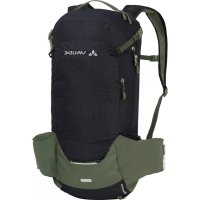
Bracket 16 - Bag Vaude - Free user manual and instructions
Find the device manual for free Bracket 16 Vaude in PDF.



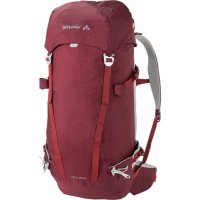
| Brand | Vaude |
| Model | Bracket 16 |
| Product type | Cycling backpack |
| Capacity | 16 liters |
| Approximate dimensions | 45 x 25 x 15 cm |
| Approximate weight | 0.8 kg |
| Power supply | None (non-electronic backpack) |
| Hydration system | Dedicated compartment near the back, hose outlet in the flap or over the shoulder straps |
| Shoulder strap adjustment | F.L.A.S.H. system with Velcro strap under the back system |
| Helmet holder | Integrated with several variants (hooks, straps, net, flap) |
| Rear light attachment | Strap or cutout at the bottom, compatible with rain cover |
| Tool/pump compartment | Special compartment on the front with pump loop |
| Rain cover | Integrated in a zippered compartment at the bottom of the backpack |
| Volume expansion | Approximately 3 to 5 additional liters |
| Map pocket | External flat compartment on the front |
| Moab inner compartment | Triple access to store gear separately |
| Protection attachment | Side compression straps to attach protections |
| Care and cleaning | Hand wash with a soft brush, air dry |
| Safety | Attachment for blinking rear light (not included) |
| Spare parts and repairability | Replaceable rain cover, adjustment strap available |
| General information | Cycling backpack from the Bike line, with ergonomic carrying system |
Frequently Asked Questions - Bracket 16 Vaude
User questions about Bracket 16 Vaude
0 question about this device. Answer the ones you know or ask your own.
Ask a new question about this device
Download the instructions for your Bag in PDF format for free! Find your manual Bracket 16 - Vaude and take your electronic device back in hand. On this page are published all the documents necessary for the use of your device. Bracket 16 by Vaude.
USER MANUAL Bracket 16 Vaude
bike hardWare backpacks
deuTsch. 1
ENGLISH 9
Français. 17
iTaliano 25
espaNol. 33
中文 41
INHALT
General Instructions 9
How to pack your backpack correctly. 9
Hydration system. 10
F.L.A.S.H. strap length adjustment 11
Carrying system settings and adjustment. 12
Features 13
Helmet carriers. 13
Features 13
Blinker holder. 14
Tool compartment / Pump compartment 14
Rain cover. 15
Volume expansion 15
Map compartment / Inner compartment Moab....16
Securing protective gear. 16
GENERAL INSTRUCTIONS HOW TO PACK YOUR BACKPACK CORRECTLY
The rule of thumb is to make sure the loaded pack's center of gravity lies directly above your own. Heavy items should therefore be packed as close to your back as possible.
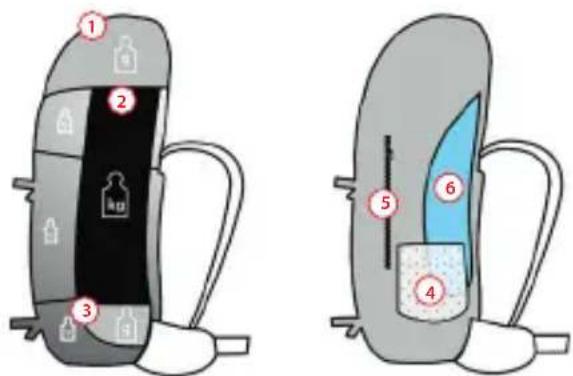
- Lid Compartment: small, lightweight items of gear that need to be close at hand, e.g. mobile phones, GPS, compass.
ENGLISH

HYDRATION SYSTEM
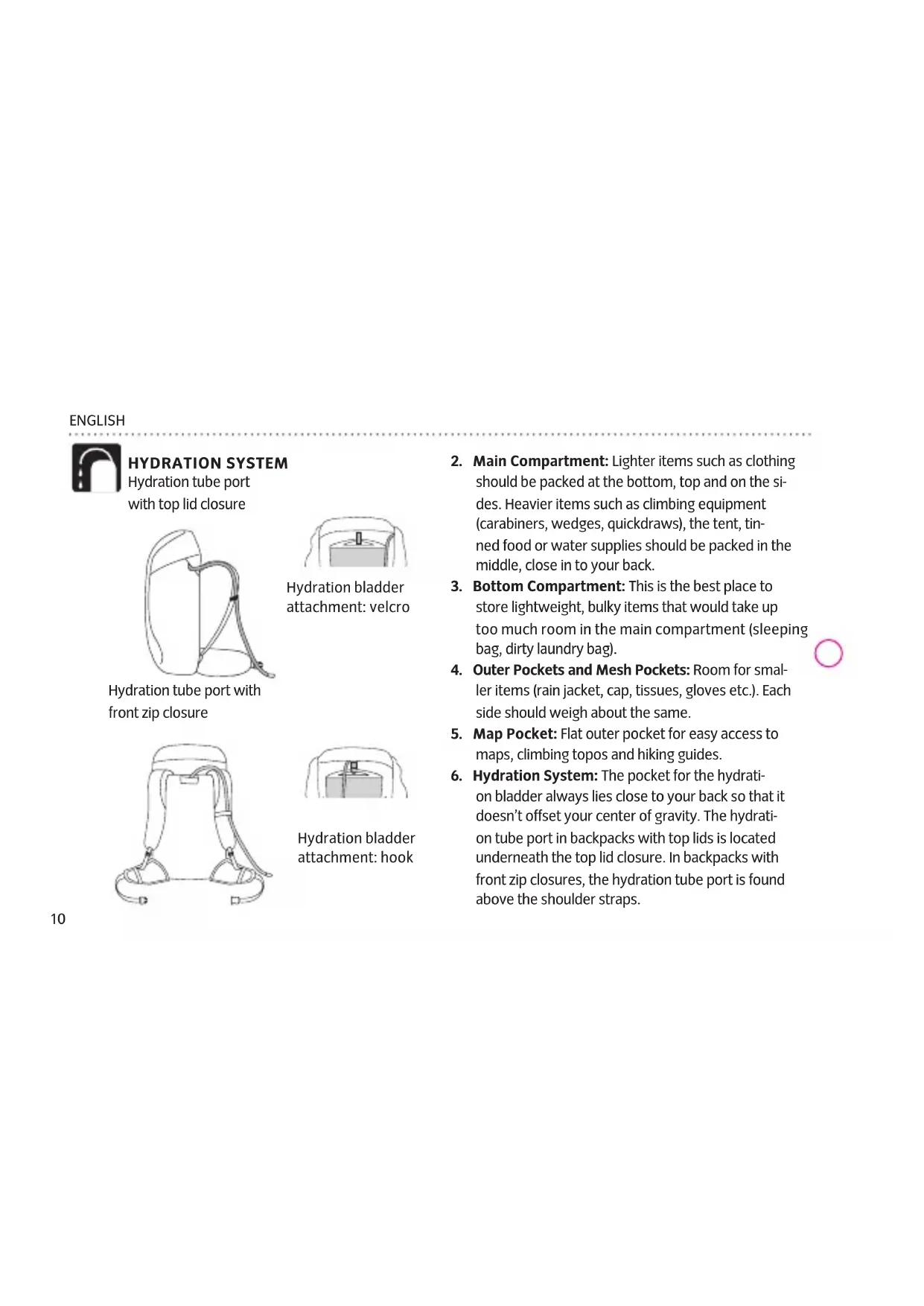
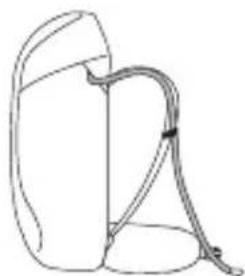
Hydration tube port with top lid closure
Hydration tube port with front zip closure
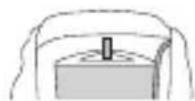
Hydration bladder attachment:velcro
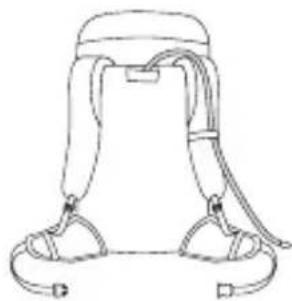
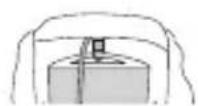
Hydration bladder attachment: hook
- Main Compartment: Lighter items such as clothing should be packed at the bottom, top and on the sides. Heavier items such as climbing equipment (carabiners, wedges, quickdraws), the tent, tinned food or water supplies should be packed in the middle, close in to your back.
- Bottom Compartment: This is the best place to store lightweight, bulky items that would take up too much room in the main compartment (sleeping bag, dirty laundry bag).
- Outer Pockets and Mesh Pockets: Room for smaller items (rain jacket, cap, tissues, gloves etc.). Each side should weigh about the same.
- Map Pocket: Flat outer pocket for easy access to maps, climbing topos and hiking guides.
- Hydration System: The pocket for the hydration bladder always lies close to your back so that it doesn't offset your center of gravity. The hydration tube port in backpacks with top lids is located underneath the top lid closure. In backpacks with front zip closures, the hydration tube port is found above the shoulder straps.
f.l.a.s.h. straP lenGth adJustment
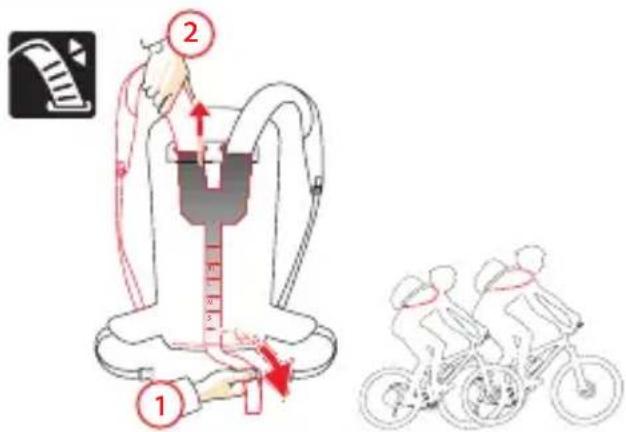
Some VAUDE Bike backpacks are equipped with the F.L.A.S.H. strap length adjustment system. Every person has an individual back length and shape, and this strap system can be adjusted to optimally fit any upper body proportions: the backpack fits as if it were custom tailored.

For an optimal fit, the end of the shoulder strap should be just below the chest (see figure).
adJustment: You can adjust the length of the shoulder straps quickly and conveniently to any body size using the Velcro strip at the rear of the back system. By opening the Velcro, you release the shoulder strap lock (1). Pull out the shoulder strap or push it in to adjust its length (2). When the shoulder straps are the ideal length, close the Velcro again. Mark the position on the outer side of the Velcro to correct the shoulder strap length in future.
ENGLISH
carrYinG sYstem settinGs and adJustment
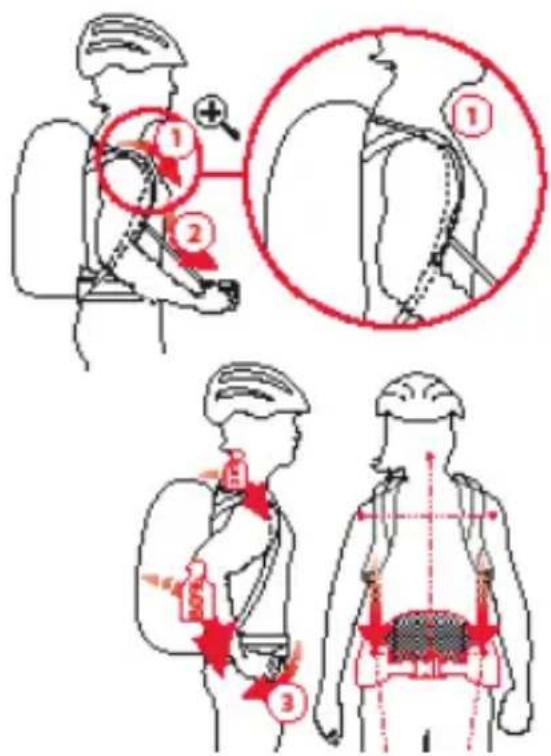
If your VAUDE Bike backpack is equipped with strap length adjustment, adjust it first.
Shoulder the packed backpack and adjust as follows:
-
Gently tighten the shoulder straps and load adjustment straps (1 and 2). The ladder-lock buckles and the load adjustment straps must be positioned between your collar bone and the bony prominence at the top of your shoulder blade.
-
Lift your shoulders, then close and pull the hip belt to create a snug fit (3). The hip belt must ride on the upper edge of your pelvic bone. Your hips should bear approx. 80% of the load.
-
Loosen the shoulder straps until all of the weight is resting on your hips. Gently tighten the shoulder straps again to stabilize the backpack on your shoulders.
FEATURES
HELMET CARRIERS
Every VAUDE Bike backpack is equipped with a helmet carrier. We use a few different systems.
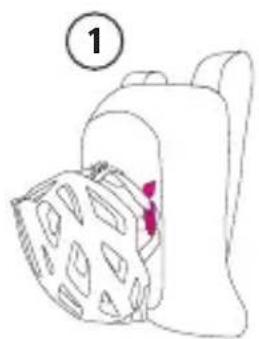
Variant 1: Brackets with hooks allow you to hook the helmet chin band to the backpack, or you can loop the straps behind the brackets and close them.

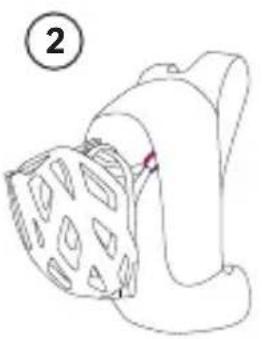
Variant 2: Use the two loops on the upper section of the backpack as the helmet carrier. To do this, simply open the helmet chin band, thread each side through a loop and close the chin band again.
Variant 3: Fasten the helmet net included to the two loops on both the upper and lower sections of the backpack. To do this, place the helmet on the backpack, place the net on top of it and put the plastic hooks through the loops.
Variant 4: Integrated helmet straps provide room for cross country and full face helmets. To use them, re

QUICK GUIDE
ENGLISH
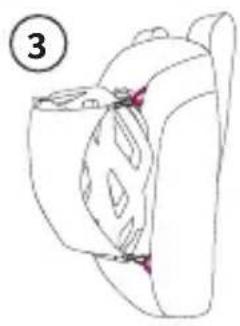
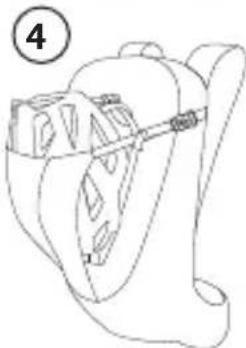
lease the two buckles on the upper section of the backpack, push the helmet into the pocket and close the buckles again. For full face helmets, simply loop the straps and buckles through the chin guard, close them again and pull them tight.
Blinker holder
Every VAUDE Bike backpack is equipped with a blinker holder in the lower section. You can either clip the blinker to the attached piece of webbing or a cutout in the material. There is also a piece of webbing for this on the lower section of the rain cover.

tool comPartment / PumP comPartment
Some VAUDE Bike backpacks are equipped with extra tool compartments. Applied to the front of the backpack, they provide you with quick, convenient access to key tools. An extra loop even keeps larger pumps firmly in place.
raincoVer
Every VAUDE Bike backpack is equipped with a rain cover. It is located in a zip compartment under the floor of the backpack. To allow the rain cover to enclose the backpack as completely as possible, it has small cutouts on the bottom for the carrier system hip fins.
Volume exPansion

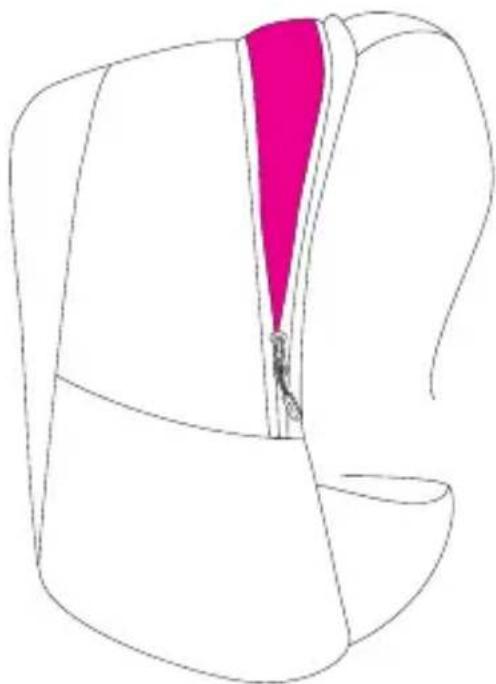
Some VAUDE Bike backpacks have a volume expansion function that enlarges the backpack by approx. 3-5 l.
ENGLISH
maP comPartment / inner comPartment moaB
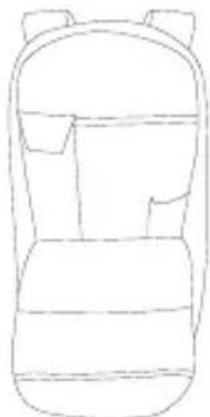
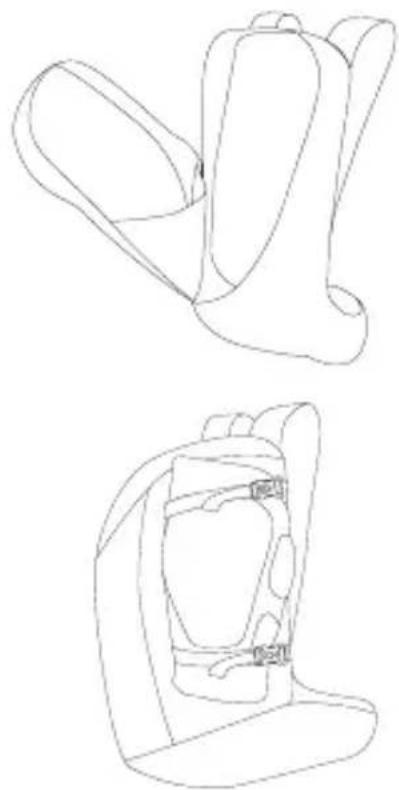
The touring backpacks in the VAUDE Bike collection are equipped with an easy-access map compartment at the front. Use it to store your maps securely.
The backpacks in the Moab series have an extra 3-way inner compartment. In it, you can stow key pieces of equipment separately from the main compartment.
securinG ProtectiveVe Gear
With some of the All Mountain backpacks in the VAUDE Bike collection, you can use the compression straps at the sides to secure your protective gear.

SOMMAIRE
Réglagedebase 17
Comment replir voe sac a dos. 17

- bike hardWare backpacks
- INHALT
- GENERAL INSTRUCTIONS HOW TO PACK YOUR BACKPACK CORRECTLY
- ENGLISH
- HYDRATION SYSTEM
- f.l.a.s.h. straP lenGth adJustment
- carrYinG sYstem settinGs and adJustment
- FEATURES
- HELMET CARRIERS
- Blinker holder
- tool comPartment / PumP comPartment
- raincoVer
- Volume exPansion
- maP comPartment / inner comPartment moaB
- securinG ProtectiveVe Gear
- SOMMAIRE
Brand : Vaude
Model : Bracket 16
Category : Bag