
Constellation ZWA01306 - Wristwatch Zeades - Free user manual and instructions
Find the device manual for free Constellation ZWA01306 Zeades in PDF.


| Product Type | Multifunction analog wristwatch |
| Model | Constellation ZWA01306 |
| Brand | Zeades |
| Movement | Quartz |
| Display | Hours, minutes, seconds, date, day, 24-hour |
| Chronograph functions | Chronograph up to 59 min 59 s or 11 h 59 min 59 s depending on model |
| Power supply | SR927W or SR621SW battery depending on variant |
| Time setting | 2-position crown (1st click date, 2nd click time) |
| Date setting | Crown in position 1, counterclockwise rotation |
| Day setting | Crown in position 1, slow clockwise rotation (on certain models) |
| Chronograph setting | Button A (start/stop), Button B (reset) |
| Chronograph reset | Pull crown to 2nd click, press A to zero |
| Secondary time zone | 24-hour hand adjustable separately |
| Water resistance | Not specified, avoid prolonged contact with water |
| Case material | Metal (type unspecified) |
| Strap | Metal or leather depending on version |
| Maintenance | Avoid shocks and strong magnets; clean with a soft cloth |
| Battery replacement | Have a watchmaker do it; reset chronograph after change |
| Safety | Keep out of reach of children (battery, small parts) |
| After-sales service | customer.service@zeades.com |
Frequently Asked Questions - Constellation ZWA01306 Zeades
User questions about Constellation ZWA01306 Zeades
0 question about this device. Answer the ones you know or ask your own.
Ask a new question about this device
Download the instructions for your Wristwatch in PDF format for free! Find your manual Constellation ZWA01306 - Zeades and take your electronic device back in hand. On this page are published all the documents necessary for the use of your device. Constellation ZWA01306 by Zeades.
USER MANUAL Constellation ZWA01306 Zeades
Date position may be located at different position depends on models.
B/ SETTING THE TIME
- Pull the crown out to the 2nd position.
- Turn the crown to set hour and minute hands.
- When the crown is pushed back to the normal position, second hand begins to run.
C/ SETTING THE DATE
- Pull the crown out to the 1st position.
- Turn the crown counter-clockwise to set the date.
*If the date is set between the hours of around 9:00 PM and 1:00 AM, the date may not change the following day. - After the date has been set, push the crown back to the normal position.
24H CHRONO, TIME & DATE—
Chronograph function : center second hand chronograph 1/1 sec.
Timing up to 59 minutes 59 seconds
Battery: SR927W
A/ DISPLAYS & BUTTONS

B/ SETTING THE TIME
- Pull the crown out to the 2nd position.
- Turn the crown to set hour and minute hands.
- When the crown is pushed back to the normal position, small second hand begins to run.
C/ SETTING THE DATE
- Pull the crown out to the 1st position.
- Turn the crown counter-clockwise to set the date.
*If the date is set between the hours of around 9:00 PM and 1:00 AM, the date may not change the following day. - After the date has been set, push the crown back to the normal position.
D/ USING THE CHRONOGRAPH
This chronograph is able to measure and display time in 1/1 second united up to maximum of 59 minutes 59 seconds.
The chronograph second hand keeps continuously for 59 minutes 59 seconds after starting.
Measuring time with the chronograph :
- The chronograph can be started and stopped each time button «A» is pressed.
- Pressing button «B» resets the chronograph and the chronograph second hand and chronograph minute hand return to zero position.
![graph TD A["RESET"] -->|A'| B["TIME MEASUREMENT"] B -->|B'| C["STOP"] C -->|A'| B B -->|A'| C](/content/2026/03/462600/images/0a8c12a5c532e3020ab9a3fd36c2018ce36e76d2ad4b72a7fe326031c7f90f32.jpg)
E/ CHRONOGRAPH RESET (INCL. AFTER REPLACING BATTERY)
This procedure should be performed when the chronograph second hand does not return to zero position after the chronograph has been reset, and including after the battery has been replaced.
- Pull the crown out to the 2nd position.
- Press button «A» to set the chronograph second hand to the zero position. The chronograph hand can be advanced rapidly by continuously pressing button «A».
- Once the hand have been zeroed, return the crown
* Do not push crown to normal position while the chronograph second hand returns to zero position. It stops on the way when crown are returned to normal position and its position is recognized as zero position.
12H CHRONO, TIME & DATE—
Chronograph function : center second hand chronograph 1/1 sec. Timing up to 11 hours 59 minutes 59 seconds. Battery : sr927w
A/ DISPLAYS & BUTTONS
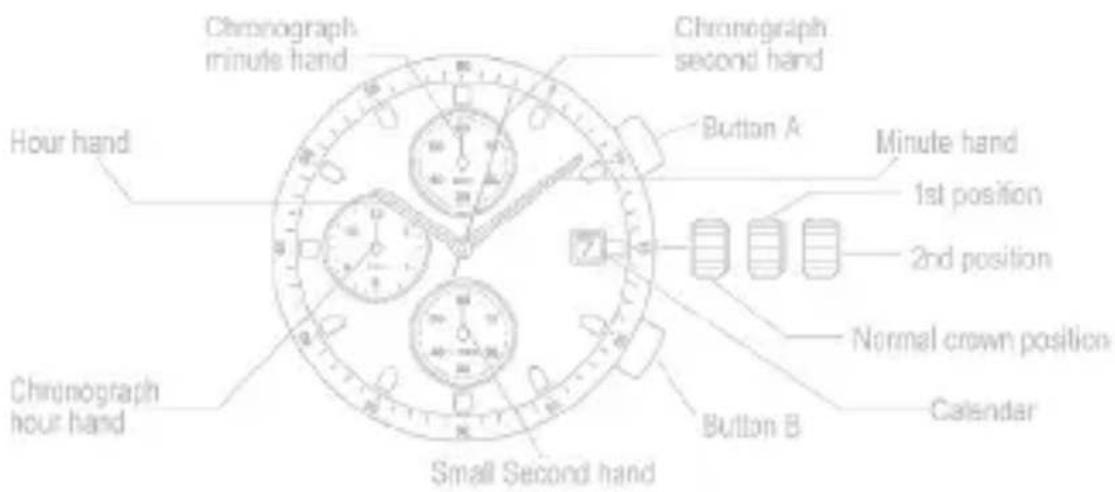
B/ SETTING THE TIME
- Pull the crown out to the 2nd position.
- Turn the crown to set hour and minute hands.
- When the crown is pushed back to the normal position, small second hand begins to run.
C/ SETTING THE DATE
- Pull the crown out to the 1st position.
- Turn the crown counter-clockwise to set the date.
* If the date is set between the hours of around 9:00 PM and 1:00 AM, the date may not change the following day. - After the date has been set, push the crown back to the normal position.
D/ USING THE CHRONOGRAPH
This chronograph is able to measure and display time in 1/1 second united up to maximum of 11 hours 59 minutes 59 seconds.
The chronograph second hand keeps continuously for 11 hours 59 minutes 59 seconds after starting.
Measuring time with the chronograph :
- The chronograph can be started and stopped each time button «A» is pressed.
- Pressing button «B» resets the chronograph and the chronograph second hand, chronograph minute hand, and chronograph hour hand return to zero position.
![graph TD A["RESET"] -->|A'| B["TIME MEASUREMENT"] B -->|A'| C["STOP"] C -->|B'| A B -->|B'| A](/content/2026/03/462600/images/1de0fed5937e98eae5f445a1e8cd6c1c801c56930761dc651c9e9483310139b2.jpg)
E/ CHRONOGRAPH RESET (INCL. AFTER REPLACING BATTERY)
This procedure should be performed when the chronograph second hand does not return to zero position after the chronograph has been reset, and including after the battery has been replaced.
- Pull the crown out to the 2nd position.
- Press button «A» to set the chronograph second hand to the zero position. The Chronograph hand can be advanced rapidly by continuously pressing button «A».
- Once the hand have been zeroed, return the crown to the normal position.
* Do not push crown to normal position while the chronograph second hand returns to zero position. It stops on the way when crown are returned to normal position and its position is recognized as zero position.
MULTIFUNCTIONS
Analog quarts watch designed with multi hands, to enhanced perfection. The hands, in the small displays, show day, date & 24 hour time. Battery: sr621sw
A/ DISPLAYS & BUTTONS

The three small dials are arranged in one of two kinds, depending on each model. All of them are operated similarly, however.
B/ SETTING THE DAY OF THE WEEK (9 O'CLOCK POSITION, CLOCKWISE)
Set the day by pulling out the crown to second click position and rotating it forward (to rotate the hour and minute hands clockwise).
If the day is set by rotating the crown backyard (rotating the hour and minute hands counter-clockwise), the date may not be changed.
Note : The day is changed during the period from about 0:00 AM to about 5:30 AM
C/ SETTING THE DATE (3 O'CLOCK POSITION, CLOCKWISE)
Quick change function : Pull the crown out to the first click position and set the date by rotating the crown backyard. If the date is set between 9:00 PM and 0:00 AM, the date will not change correctly.
D/ SETTING THE SECOND, MINUTE, HOUR, 24 HOUR, DAY
The second, minute, hour, 24-hour system, and day are set by the same operation.
Pull out the crown to the second click position when the second hand reaches the 12-o'clock position to stop the second hand there. Rotate the crown forward (to rotate the hour and minute hands clockwise) to set the day.
The day hand moves forward 1 step each time the 24-hour hand rotates a round. You cannot set the day by rotating the crown in reverse. After setting the day, set the hour and minute hands. Check a.m. or p.m. by the 24-hour hand.
When setting the minute hand, put it 4 or 5 minutes forward from the current time, and then return it to the current time.
After setting the time, push in the crown to the normal position, synchronizing with the time signal.
The second hand starts moving again at the time when the crown is pushed back.
Notes : (1) The day and date are changed during the period from 0:00 a.m. to 5:30 a.m. (2) The day and date hands rotate only forward.
E/ SETTING PROCEDURE
![graph TD A["RESET"] -->|A'| B["TIME MEASUREMENT"] B -->|A'| C["STOP"] C -->|B'| B B -->|B'| A](/content/2026/03/462600/images/c8de1470b78973619b10b4e1ed15c5a52859f6a994846fd0b59edbcaf31ab909.jpg)
MULTI EYES WITH RETROGRADE DAY FUNCTION \_\_\_\_
Caliber No. JR00, JR10, JR20
Battery: SR621SW
A/ DISPLAYS & BUTTONS
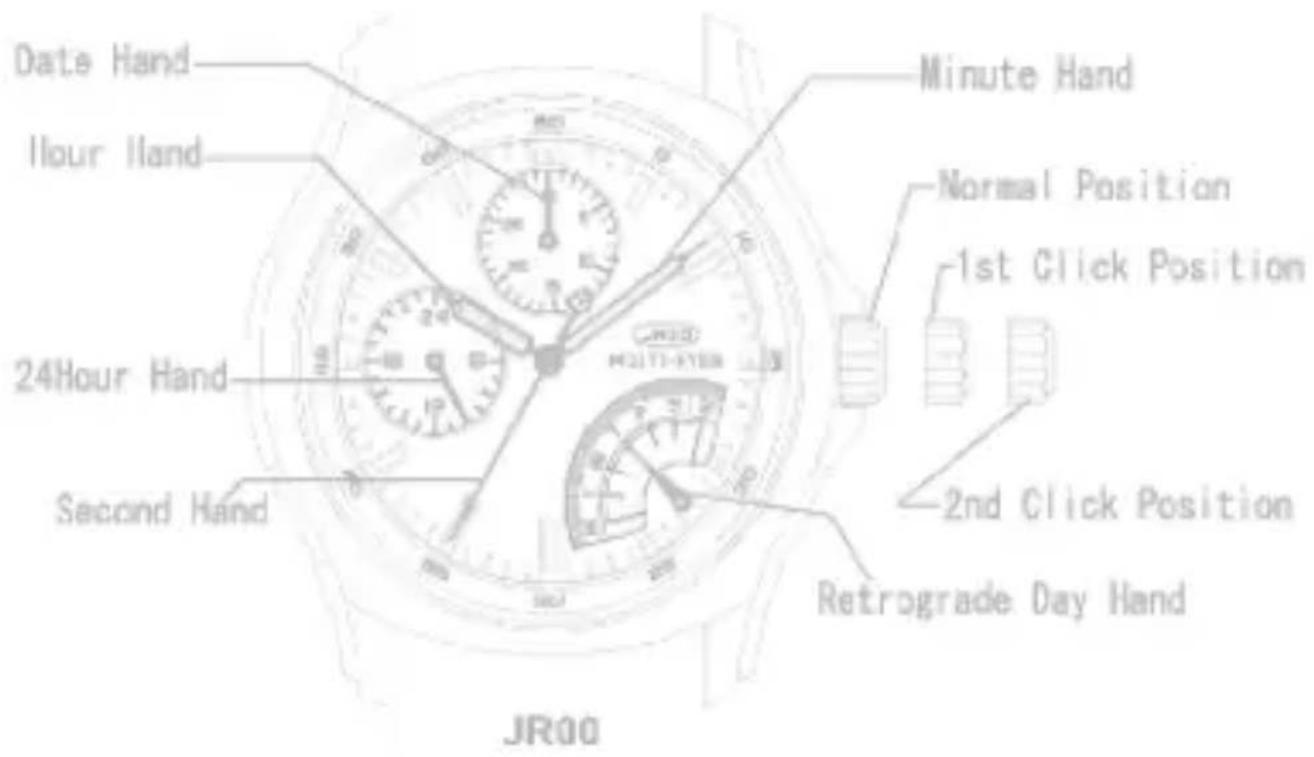

JR10

JR20
B/ SETTING THE TIME
- Pull the crown out to the 2nd Click Position.
- Turn the crown to set hour and minute hands.
C/ SETTING THE DATE
* Please do not set the date between 9:00PM and 1:00AM
- Pull the crown out to the 1st Click Position.
- Turn the crown counter-clockwise to set the date
- After the date has been set, push the crown back to the normal position.
D/ SETTING THE DAY
* Please do not set the date between 11:00PM and 3:00AM
- Pull the crown out to the 1st Click Position.
- Turn the crown clockwise very slowly to set the day.
* Please do not stop when the hand is between the day like the following picture.
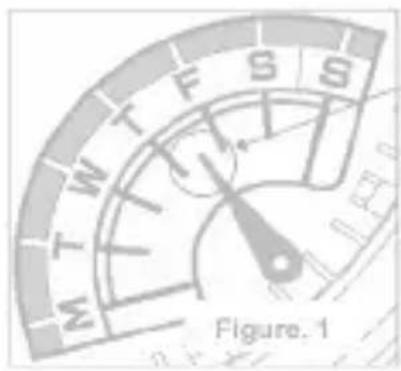
Please do not stop when the day hand is in this position.
Please set the day hand just positioned on the day scale
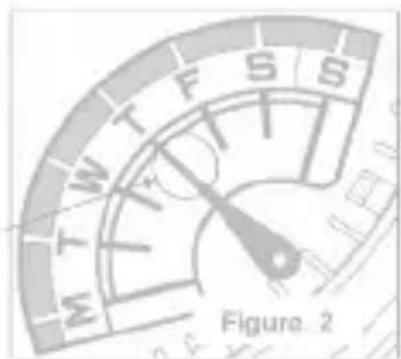
*If the day hand stops at a position like Fig.1, please turn the crown clockwise very slowly and stop soon after the day hand positioned like Fig.2.
3. After the day has been set, push the crown back to the normal position.
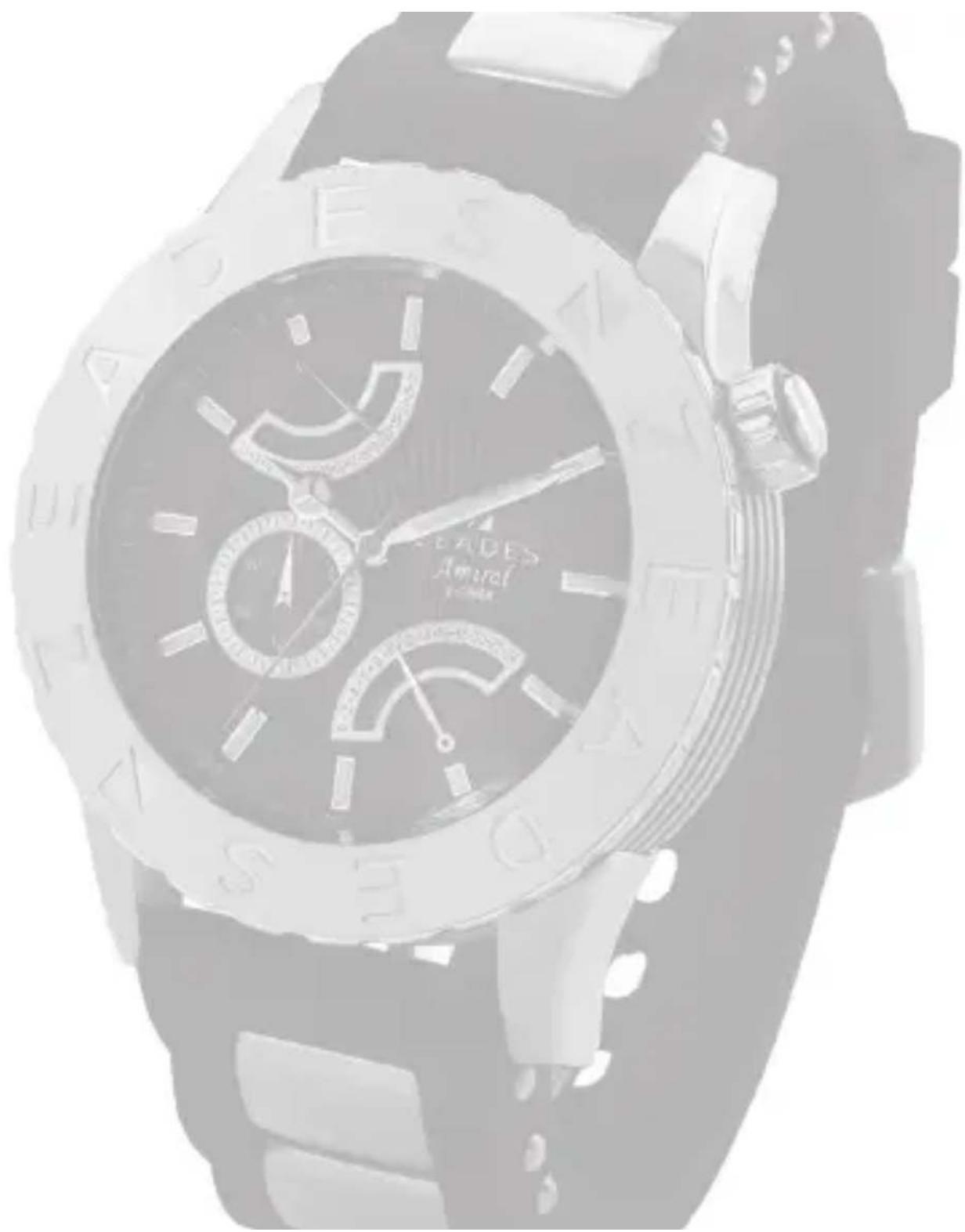
FLYBACK / DUAL TIME
Caliber No. GP52
Battery: SR920SW
A/ DISPLAYS & BUTTONS
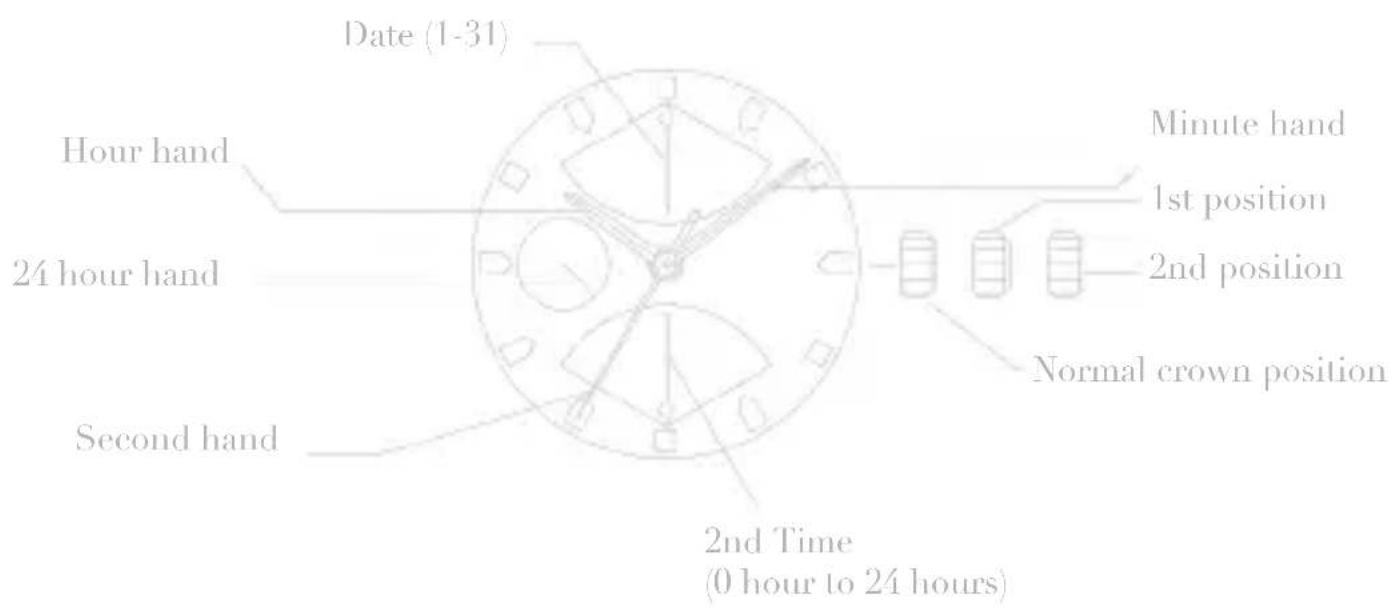
B/ SETTING THE TIME
- Pull the crown out to the 2nd Position.
- Turn the crown to set hour and minute hands.
- When the crown is pushed back to the normal position, second hand begins to run.
C/ SETTING THE DATE
- Pull the crown out to the 1st position.
- Turn the crown clockwise to set the date.
* If the date is set between the hours of around 9:00 PM and 2:00 AM, the date may not change the following day. - After the date has been set, push the crown back to the normal position.
D/ SETTING THE 2nd TIME (24 HOURS)
- Pull the crown out to the 1st position.
- Turn the crown counter-clockwise to set the 2nd time (24H).
- After the 2nd time (24H) has been set, push the crown back to the normal position.
Pour toute question concernant notre service après-vente, contactez / For any after-sale service inquiry, please contact :
customer.service@zeades.com

Collections and E-Shop
www.zeades.com
MANUEL D'UTILISATION
DATE & HEURE
A/ RÉGLAGE DE L'HEURE

A/ INDICATIONS & BOUTONS

A/ INDICATIONS & BOUTONS
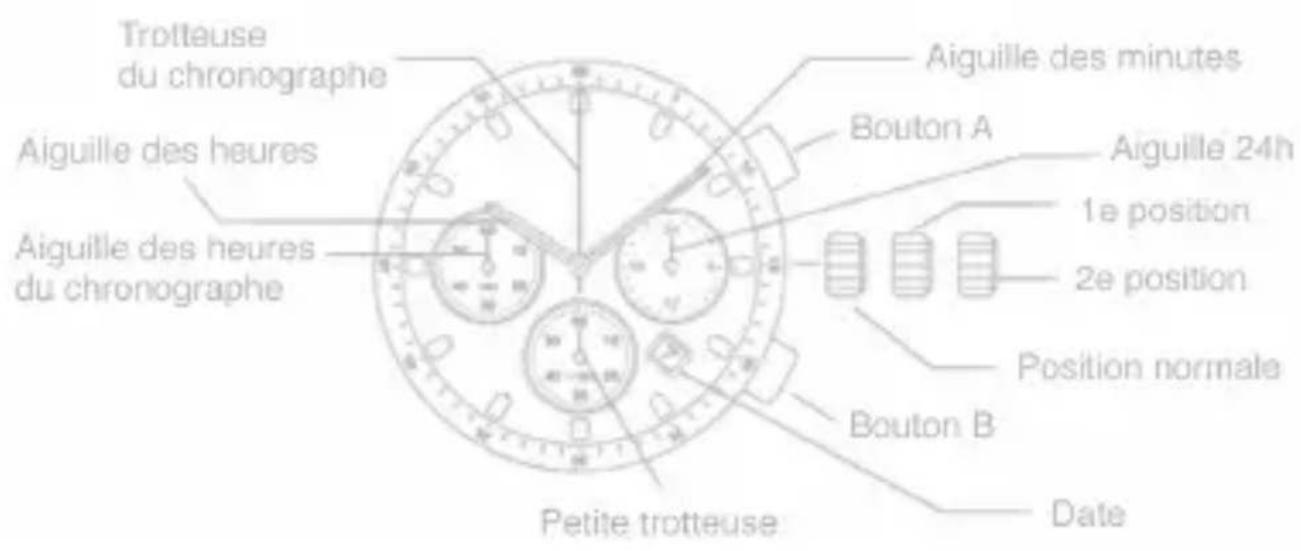
A/ INDICATIONS & BOUTONS

B/ RÉGLAGE DU JOUR
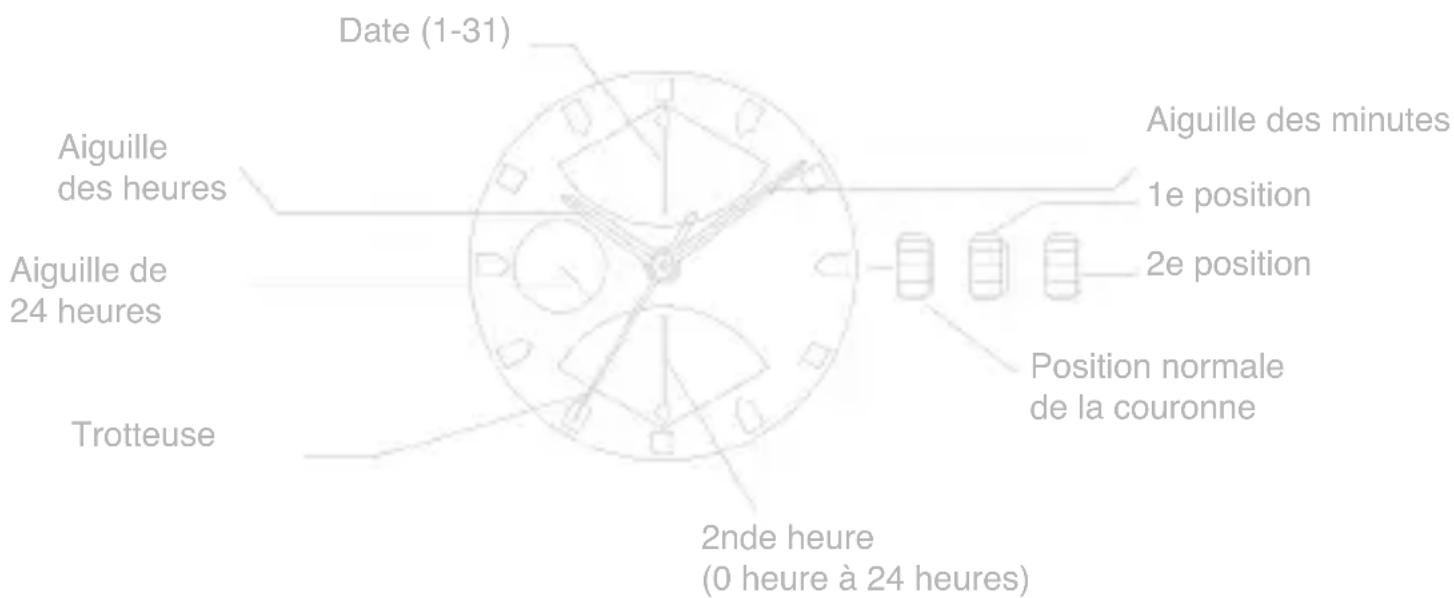
MOUVEMENT RETROGRADE DOUBLE FUSEAU —
Calibre : GP52
Pile : SR920SW
A/ INDICATIONS & BOUTONS
Collections and E-Shop
www.zeades.com





- B/ SETTING THE TIME
- C/ SETTING THE DATE
- 24H CHRONO, TIME & DATE
- D/ USING THE CHRONOGRAPH
- E/ CHRONOGRAPH RESET (INCL. AFTER REPLACING BATTERY)
- 12H CHRONO, TIME & DATE
- MULTIFUNCTIONS
- D/ SETTING THE SECOND, MINUTE, HOUR, 24 HOUR, DAY
- E/ SETTING PROCEDURE
- MULTI EYES WITH RETROGRADE DAY FUNCTION
- D/ SETTING THE DAY
- FLYBACK / DUAL TIME
- A/ DISPLAYS & BUTTONS
- D/ SETTING THE 2ND TIME (24 HOURS)
- MANUEL D'UTILISATION
- DATE & HEURE
- B/ RÉGLAGE DU JOUR
- MOUVEMENT RETROGRADE DOUBLE FUSEAU
Brand : Zeades
Model : Constellation ZWA01306
Category : Wristwatch