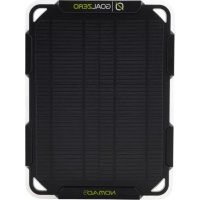
Nomad 5 - Solar panel GOAL ZERO - Free user manual and instructions
Find the device manual for free Nomad 5 GOAL ZERO in PDF.



| Brand | Goal Zero |
| Model | Nomad 5 |
| Product type | Foldable solar panel |
| Rated power | 5 W |
| Open circuit voltage (Voc) | Not specified in the manual |
| Cell type | Monocrystalline |
| Output port | 1 USB port (5 V, up to 1 A, 5 W max.) |
| Dimensions (unfolded) | 24 x 17.8 x 2.0 cm |
| Weight | 360 g |
| Material | Laminated solar panel with built-in kickstand |
| Main features | Direct charging of USB devices; automatic restart in low light; built-in Flip charging cradle for backup battery (sold separately) |
| Water resistance | Yes, resistant to rain and snow |
| Built-in battery | No |
| Compatible accessories | Goal Zero Flip 12, 24, 36 batteries (sold separately) |
| Charging times (examples) | Smartphone: 2 to 4 hours in full sun; Flip 12: 4 to 5 hours; Flip 24: 8 to 10 hours; Flip 36: 11.5 to 14.5 hours |
| Automatic restart | Yes, automatically reconnects after a disconnection due to low light |
| Warranty | 12 months (online activation required at goalzero.com/warranty) |
| Care and cleaning | Wipe with a damp cloth; avoid abrasive products; store in a dry place |
| Safety precautions | Do not expose to extreme temperatures; do not fold or puncture the panel; use only with compatible USB devices |
| Repairability / Spare parts | Contact Goal Zero customer service for repairs; no spare parts listed |
Frequently Asked Questions - Nomad 5 GOAL ZERO
User questions about Nomad 5 GOAL ZERO
0 question about this device. Answer the ones you know or ask your own.
Ask a new question about this device
Download the instructions for your Solar panel in PDF format for free! Find your manual Nomad 5 - GOAL ZERO and take your electronic device back in hand. On this page are published all the documents necessary for the use of your device. Nomad 5 by GOAL ZERO.
USER MANUAL Nomad 5 GOAL ZERO
Frequently Asked Questions 4
Technical Specifications 5
Français 6
Espanol 10
Deutsch 14
日本語 18
GET TO KNOW YOUR GEAR
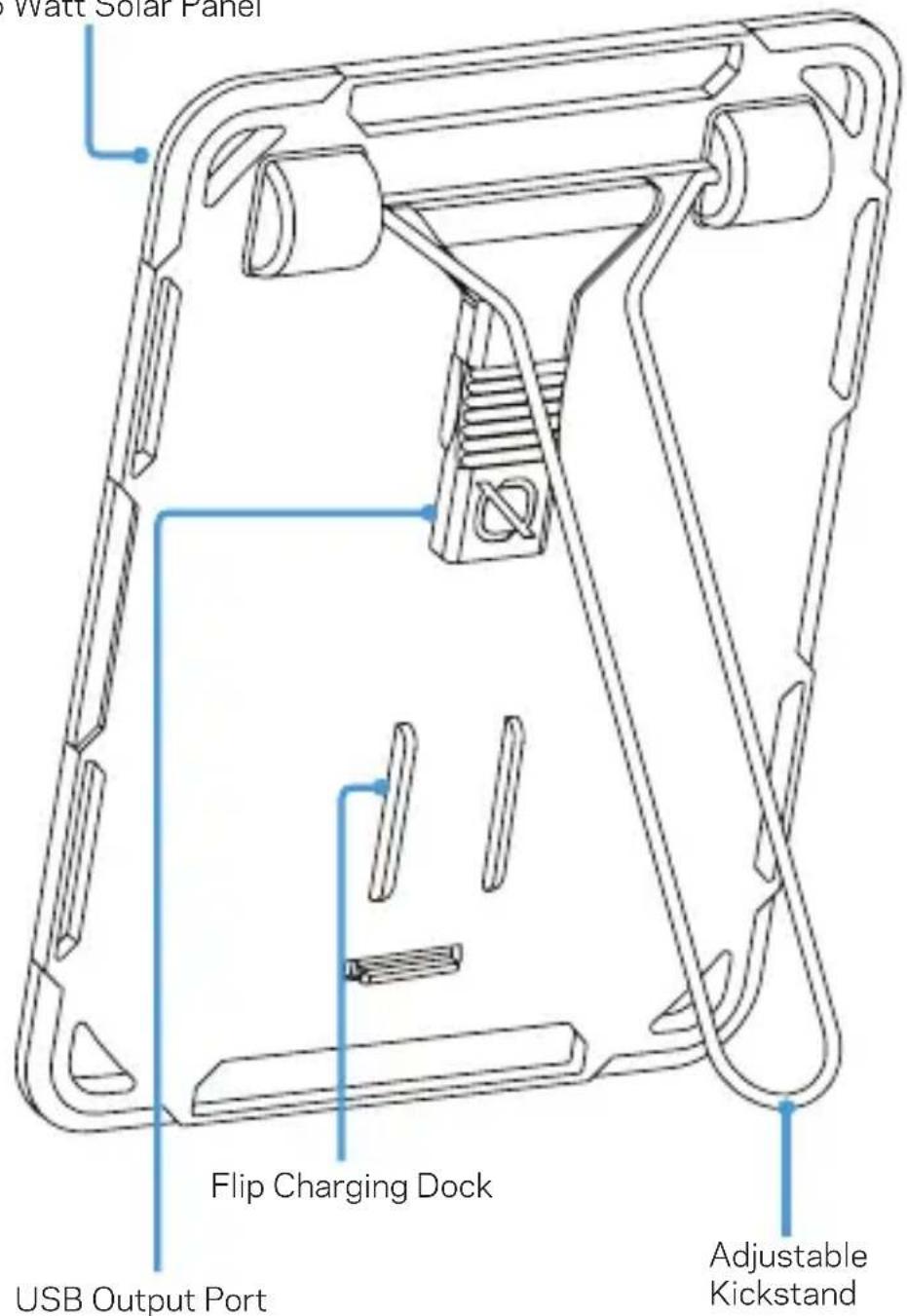
5 Watt Solar Panel
HOW IT WORKS
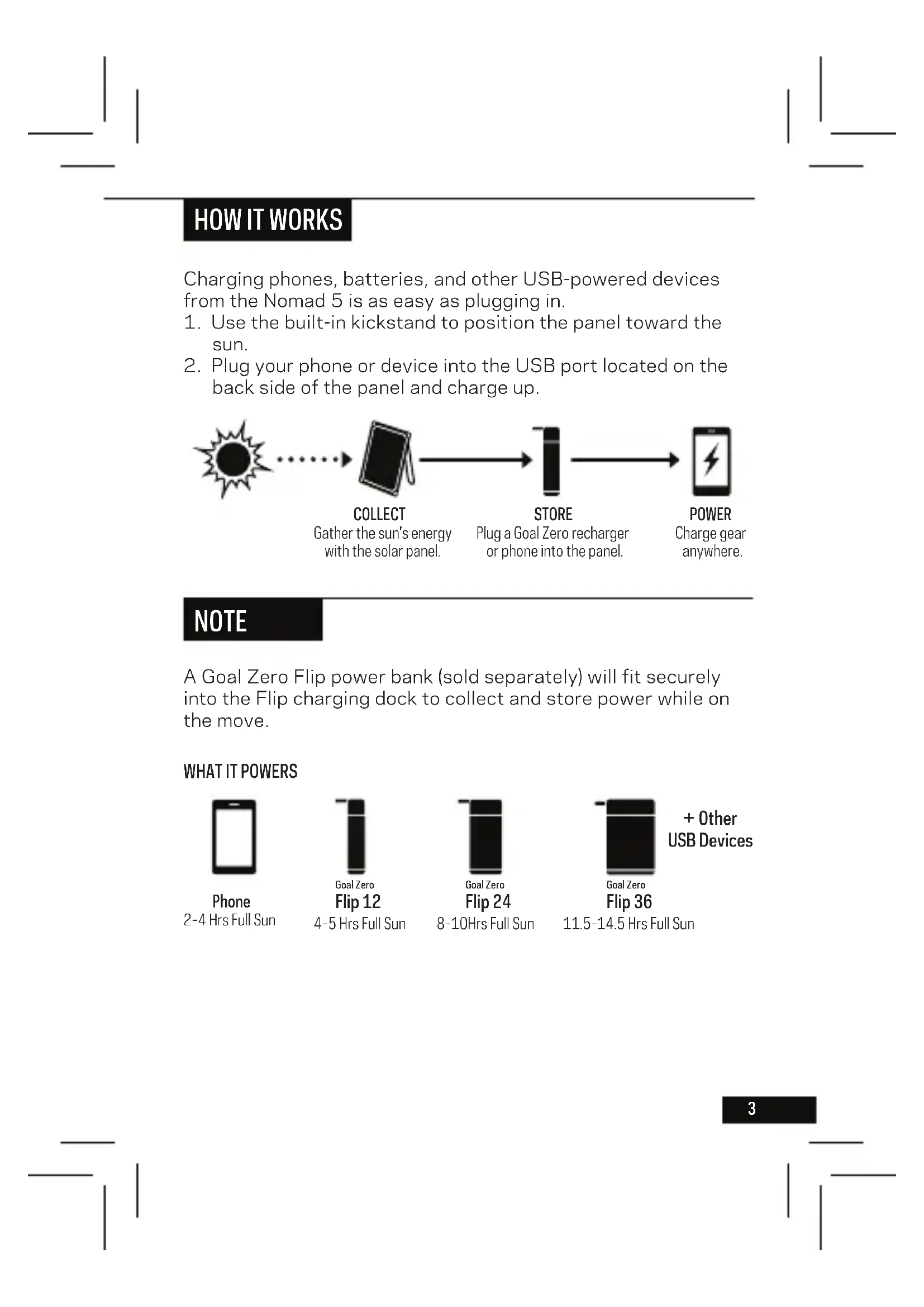
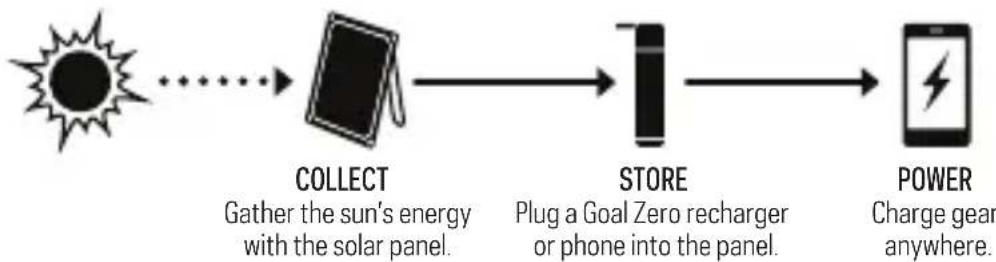
Charging phones, batteries, and other USB-powered devices from the Nomad 5 is as easy as plugging in.
- Use the built-in kickstand to position the panel toward the sun.
- Plug your phone or device into the USB port located on the back side of the panel and charge up.
NOTE
A Goal Zero Flip power bank (sold separately) will fit securely into the Flip charging dock to collect and store power while on the move.
WHAT IT POWERS
Phone
2-4 Hrs Full Sun
Goal Zero
Flip 12
4-5 Hrs Full Sun
Goal Zero
Flip 24
8-10Hrs Full Sun
Goal Zero
Flip 36
11.5-14.5 Hrs Full Sun
- Other
USB Devices
AUTO Restart
In low light conditions (i.e. lack of sunlight, shadow, dusk, etc.), some devices, including smartphones, will automatically disconnect from a solar panel due to a low current input. The Nomad 5 features auto restart technology that knows the difference between a device that has reached a fully charged state and one that disconnects due to environmental causes. When the latter is detected, the Nomad 5 will automatically reconnect to start charging the device again. No extra work on your part is needed.
PRO TIP
When operating in low light conditions, we recommend pairing your solar panel with a portable power bank for the best charging experience possible. A Goal Zero Flip power bank (sold separately) will fit securely into the Nomad 5's integrated Flip charging dock and allow you to collect and store a continuous stream of power to charge your device.
FREQUENTLY ASKED QUESTIONS
Q: Is the Nomad 5 waterproof?
A: The best answer: it's weatherproof. We've gone to great lengths to ruggedize the Nomad 5; including beefing up the manufacturing process with advanced lamination techniques so it'll slough off rain and snow.
Q: Does the Nomad 5 have a built-in battery?
A: No. In order to make the Nomad 5 as lightweight as possible, we chose to sell batteries as an optional accessory. You can either plug your phone or device into the Nomad 5 to charge up directly from the sun, or pair the panel with one of our power banks to collect and store power for later. The Nomad 5 works seamlessly with our line of ultra-portable Flip power banks.
TECHNICAL SPECIFICATIONS
Nomad 5 Solar Panel
Solar Panel:
Rated Power 5W
Open Circuit Voltage Voc 6V
Cell Type Monocrystalline
Ports:
USB Port 5V, up to 1A (5W max)
General:
Weight 12.7 oz (360 g)
Dimensions 9.5 × 7 × 0.8 in
4 × 17.8 × 2.0 ~cm
Certs

Warranty 12 Months
Be sure to activate your warranty at goalzero.com/warranty
Designed in the U.S.A.
Made in China
Nomad is a trademark of Goal Zero.
This equipment has been tested and found to comply with the limits for a Class B digital device, pursuant to part 15 of the FCC Rules. These limits are designed to provide reasonable protection against harmful interference in a residential installation. This equipment generates, uses and can radiate radio frequency energy and, if not installed and used in accordance with the instructions, may cause harmful interference to radio communications. However, there is no guarantee that interference will not occur in a particular installation. If this equipment does cause harmful interference to radio or television reception, which can be determined by turning the equipment off and on, the user is encouraged to try to correct the interference by one or more of the following measures:
—Reorient or relocate the receiving antenna.
—Increase the separation between the equipment and receiver.
-Connect the equipment into an outlet on a circuit different from that to which the receiver is connected.
—Consult the dealer or an experienced radio/TV technician for help.
This device complies with part 15 of the FCC Rules. Operation is subject to the following two conditions: (1) This device may not cause harmful interference, and (2) this device must accept any interference received, including interference that may cause undesired operation.
GOALZERO.COM
JG022019

Brand : GOAL ZERO
Model : Nomad 5
Category : Solar panel