TYST42PX500 - TV PANASONIC - Free user manual and instructions
Find the device manual for free TYST42PX500 PANASONIC in PDF.


User questions about TYST42PX500 PANASONIC
0 question about this device. Answer the ones you know or ask your own.
Ask a new question about this device
Download the instructions for your TV in PDF format for free! Find your manual TYST42PX500 - PANASONIC and take your electronic device back in hand. On this page are published all the documents necessary for the use of your device. TYST42PX500 by PANASONIC.
USER MANUAL TYST42PX500 PANASONIC
Keep unneeded small parts and other objects out of the reach of small children.
These objects can be accidentally swallowed. also,be careful about packaging materials and plastic sheets.
Do not disassemble or modify the pedestal.
- Otherwise the unit may fall over and become damaged, and personal injury my result.
CAUTION
Do not use any television and displays other than those given in the catalogue.
- Otherwise the unit may fall over and become damaged, and personal injury may result.
Do not climb up onto the pedestal or use it as a step. (Young children should be made particularly aware of this caution.)
- If the unit falls over or becomes damaged through misuse, injury may result.
Do not use the pedestal if it becomes warped or physically damaged.
If you use the pedestal whilst it is physically damaged, personal injury may result. Contact your nearest Panasonic Dealer immediately.
Set up on a stable, level surface.
- Otherwise the unit may fall over and become damaged, and personal injury may result.
Do not use in places with high humidity.
- Long-term usage in such conditions can cause warping or deformation. This can lead to loss of strength, and the unit may fall over and become damaged, and personal injury may result.
During setting-up, make sure that all screws are securely tightened.
- If sufficient care is not taken to ensure screws are properly tightened during assembly, the pedestal will not be strong enough to support the plasma television, and it might fall over and become damaged, and personal injury may result.
Use the accessory fall-prevention brackets to secure the plasma television.
- If the unit is knocked or children climb onto the pedestal with the Plasma TV installed, the plasma television may fall over and personal injury may result.
Two people are required to install and remove the television.
- If two people are not present, the television may be dropped, and personal injury may result.
Leave a space of at least 100mm (3 ^15 / 16 inches) at the top, left and right, and at least 70mm (2 ^49 / 64 inches) at the rear of the plasma television. - The television has air outlet holes at the top and air intake holes at the bottom and rear. These holes must not be covered, otherwise fire may result.
When rotating the television, please turn it slowly and be aware of items in the surrounding area. - Luck of caution may result in injury or damage.
Notes on handling
1) If the unit is placed in direct sunlight or next to a stove, the light and heat may cause discoloration or deformation.
2)Cleaning
Wipe the unit with a dry cloth. If the unit is particularly dirty, clean it using a cloth soaked with water to which a small amount of neutral detergent has been added, and then wipe with a dry cloth.
Do not use products such as solvents, thinner or household wax for cleaning, as they can damage the surface coating.
(If using a chemically-treated cloth, follow the instructions supplied with the cloth.)
3)Do not attach sticky tape or labels, as they can make the surface of the pedestal dirty.
Points to note during installation
- Insert the mains plug into a mains socket which is close and easily accessible for the plasma television.
- Provide adequate ventilation so that the temperature around the television does not rise above 40^ (104 F). If there is insufficient movement of the air inside the display, heat may build up inside the television and fire may result.
Accessories for pedestal assembly
① Short screw
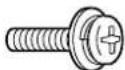
② Long screw
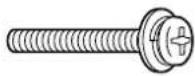
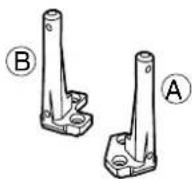
③ Pole............2 Base............1
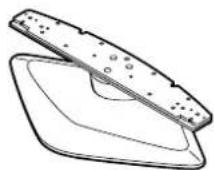
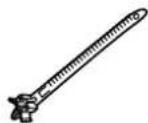
⑤ Band 2
Assembling the pedestal
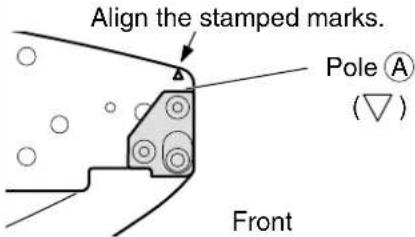
Using the four short screws, ① securely fasten the left and right poles to the base, as shown in the illustration below.
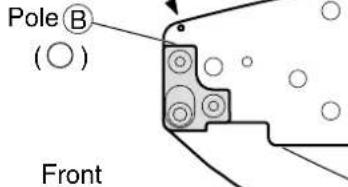
For 42^ 50" plasma television
Align the stamped marks.
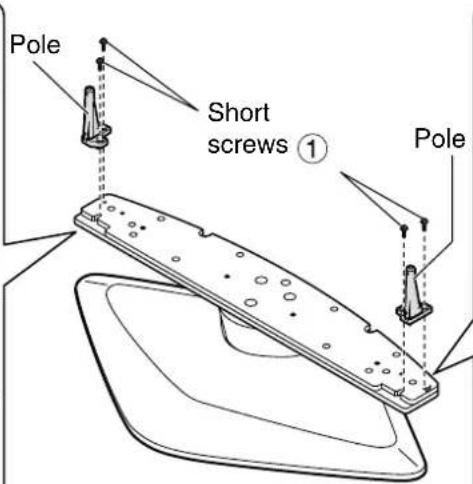
For 42", 50" plasma television

For 37" plasma television
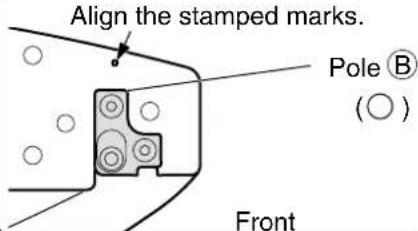
For 37" plasma television
Assembling & setting up the pedestal
Attaching the pedestal to the television
1. Setting up Television unit
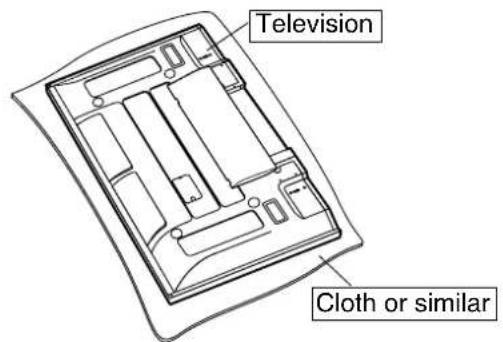
Spread a clean cloth or similar material over a level floor or base, and place the display unit on it face down.
2. Insert the poles into the holes in the television.
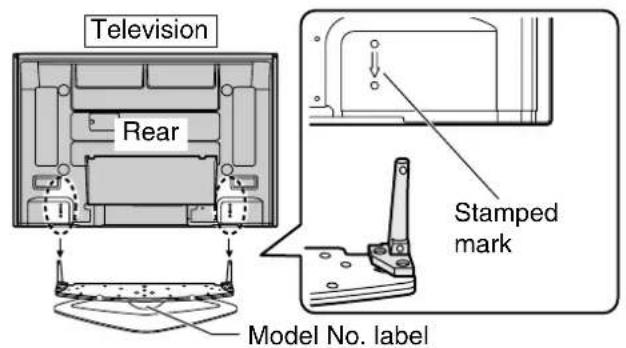
- Situate the pedestal so that the model No. label is facing to the rear. Push the pedestal assembly into the television until it stops.
3. Fasten with screws.
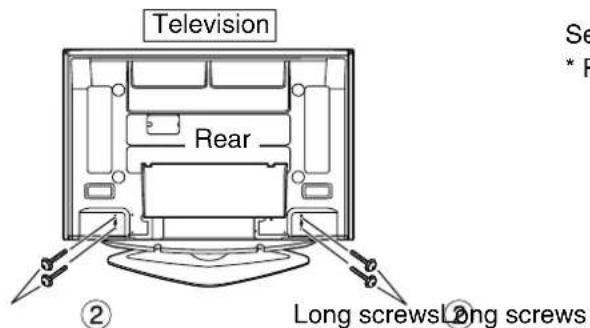
Securely fasten using the four long screws ②
- Perform work at a horizontal, stable location.
4. Remove cable cover.
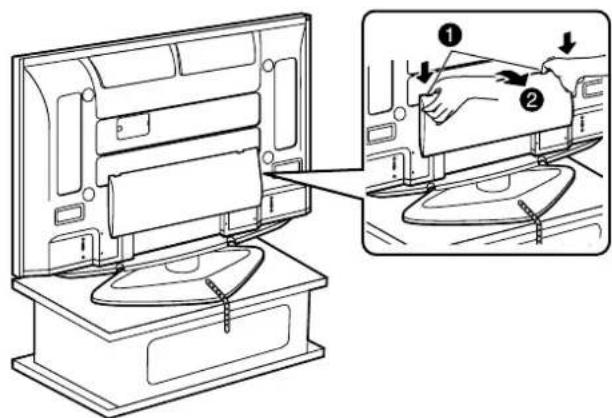
Push down hooks and pull the cover slightly towards yourself to disengage the claws (at 2 points).
2 Slowly pull out in the downward direction.
5. Attach the bands.
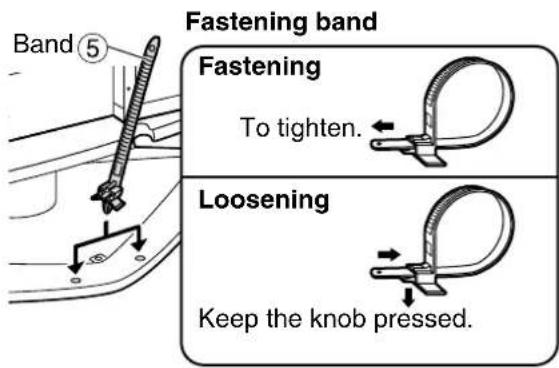
Insert the spigot on the two bands to the pedestal.
6. Connect cables and Mains lead fixing.
Example of "connection cable routing"
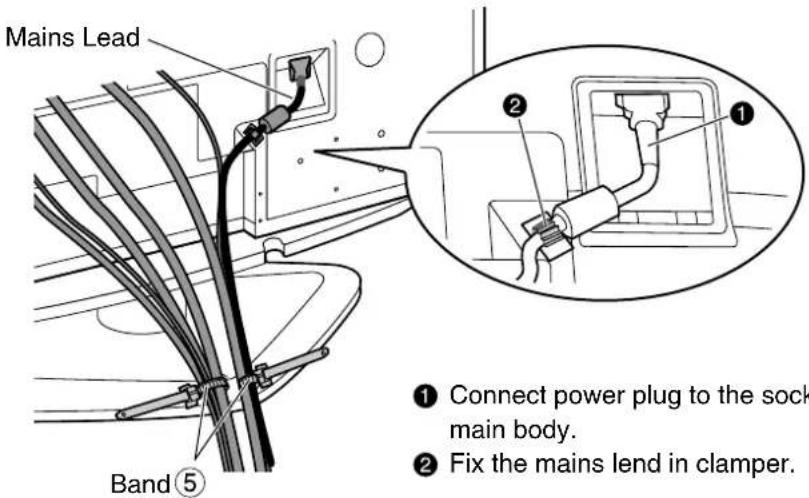
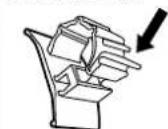
How to fix:
Fix by pushing in till a clicking sound is heard.
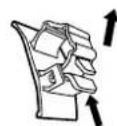
How to release:
Pull up while drawing the knob.
7. Fit the cable cover.
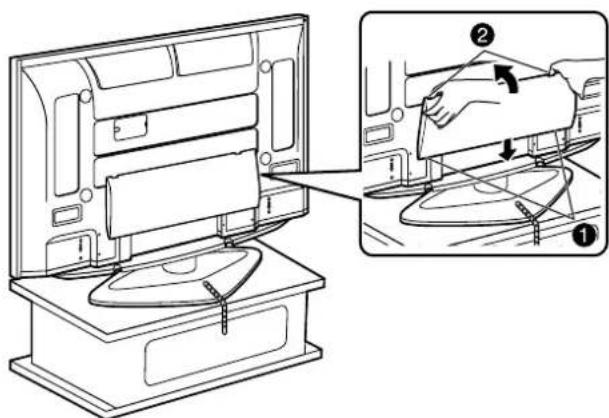
Insert the claws (at 2 points) at the bottom end.
Push it until hook will be cricked.
Preventing the plasma television from falling over
Accessories for pedestal security
| ① Band 37"/42"……1 50"……2 | ② Black screw 37"/42"……3 50"……2 | ③ Wood screw 37"/42"……1 50"……2 | ④ Clamp……2 |
| Securing to a base. | Securing to a wall. | |
| 37"42" | Black screw ② Wood screw ③ Band ① | * Use strong wire or chain which is commercially available to secure the plasma television to a solid area of the wall or a pillar. |
| 50" | Black screw ② Band ① Front Wood screw ③ Front, Black screw ② Base Band ① Wood screw ③ Screw into the middle of the back edge of a wood worktop. | ·Preparation Clamp ④ Screws on main body * Remove each rear screw indicated in the diagram above from the display main body and install a clamp. ·Securing method Clamp ④ * Use strong wire or chain which is commercially available to secure the plasma television to a solid area of the wall or a pillar. |
WARNING
1. Installation of plasma-tv'et
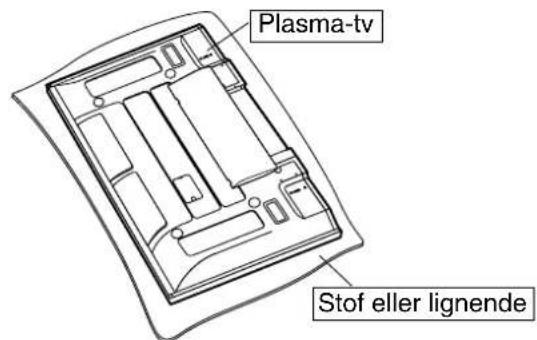
Bred en ren klud eller lignende ud over et plant gulv eller underlag, og anbring plasma-tv'et ovenpamed tvskarmen nedad.
Dimensions Units: mm (inches)