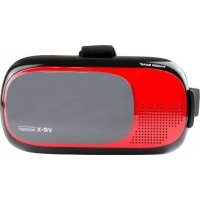
KBA14009 - Headphones Kaiser Baas - Free user manual and instructions
Find the device manual for free KBA14009 Kaiser Baas in PDF.



| Product type | Virtual reality headset |
| Brand | Kaiser Baas |
| Model | KBA14009 (VR-X) |
| Dimensions | 203 mm x 150 mm x 133 mm |
| Weight | 340 g |
| Lens material | Resin |
| Lens size | 42 mm diameter |
| Field of view | 100° |
| Compatible screen size | 4.0 to 6.0 inches |
| Compatible phone size | 124 mm x 59 mm to 158 mm x 78 mm |
| Required display | Stereoscopic (left/right split display) |
| 3D effect | Yes |
| Interactive magnetic button | Yes (requires magnetometer in phone) |
| Interpupillary distance adjustment | 58 mm to 72 mm |
| Focal distance adjustment | 10 mm to 20 mm |
| Charger/headphone jack | Yes (on the headset) |
| Head strap material | Elastic nylon |
| Recommended age | 13 years and older (adult supervision for under 18) |
| Cleaning | Antibacterial wipe and lens cloth included |
| System compatibility | iOS 8.0 or Android 4.1 and later |
Frequently Asked Questions - KBA14009 Kaiser Baas
User questions about KBA14009 Kaiser Baas
0 question about this device. Answer the ones you know or ask your own.
Ask a new question about this device
Download the instructions for your Headphones in PDF format for free! Find your manual KBA14009 - Kaiser Baas and take your electronic device back in hand. On this page are published all the documents necessary for the use of your device. KBA14009 by Kaiser Baas.
USER MANUAL KBA14009 Kaiser Baas
Need further assistance? Please visit: www.kaiserbaas.com/support
Or email: helpdesk@kaiserbaas.com
For the full Kaiser Baas product range visit: www.kaiserbaas.com
We advise that you check the VR-X Headset product page at
www.kaiserbaas.com
This page is updated regularly with product information and additions to the User Guide.
Kaiser Baas reserves the right to make changes to this User Guide if required. The information within this manual is subject to change without notice.
If you have any questions or concerns regarding your product, please contact your Retailer or the Kaiser Baas Tech Team.
KAISER BAAS | VR-X USER GUIDE
usu
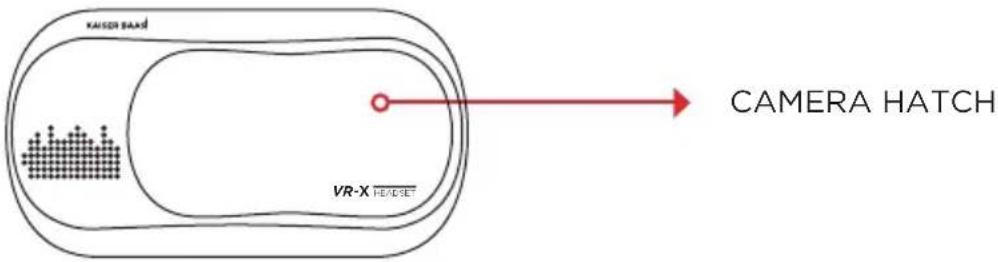
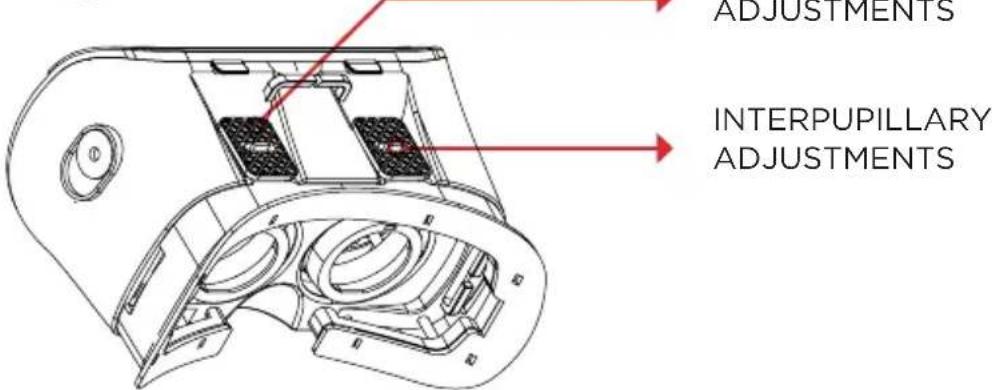
VR-X DIAGRAM




KAISER BAAS | VR-X USER GUIDE
INSTRUCTIONS
DOWNLOAD CONTENT
Use your smartphone to download VR compatible apps from the Google Play™ or Apple Store™ (data charges are the responsibility of the user).
Before using the VR-X Headset, ensure your content supports a split Left and Right screen display (Stereoscopic)
eennnnnne
INSTALL YOUR SMARTPHONE

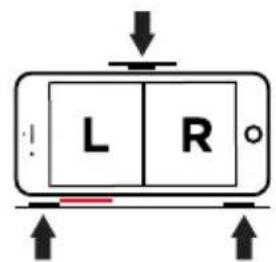

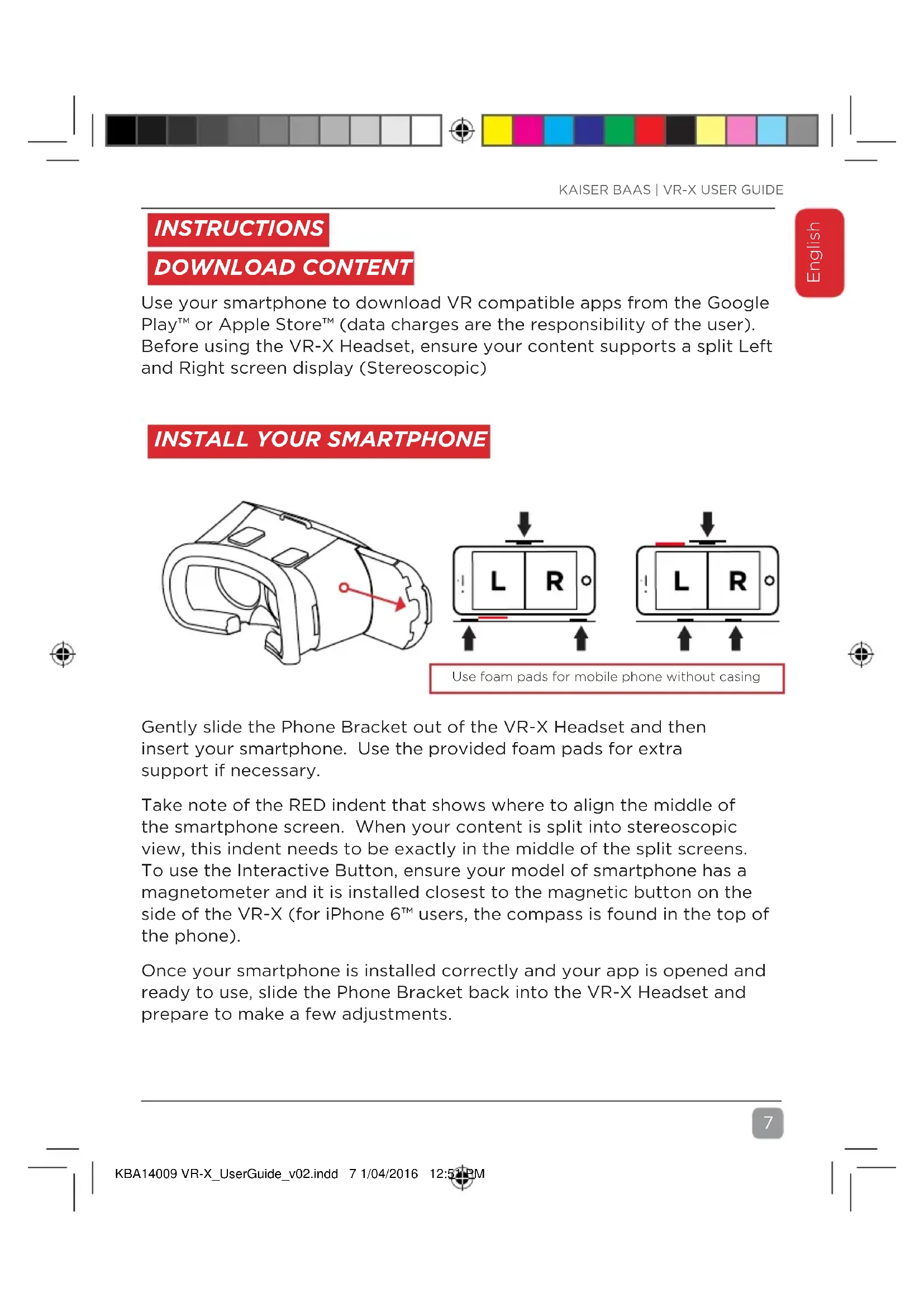
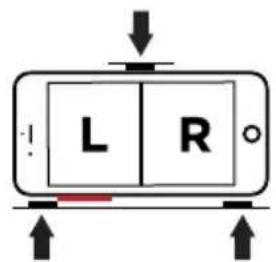
Use foam pads for mobile phone without casing
Gently slide the Phone Bracket out of the VR-X Headset and then insert your smartphone. Use the provided foam pads for extra support if necessary.
Take note of the RED indent that shows where to align the middle of the smartphone screen. When your content is split into stereoscopic view, this indent needs to be exactly in the middle of the split screens. To use the Interactive Button, ensure your model of smartphone has a magnetometer and it is installed closest to the magnetic button on the side of the VR-X (for iPhone 6^TM users, the compass is found in the top of the phone).
Once your smartphone is installed correctly and your app is opened and ready to use, slide the Phone Bracket back into the VR-X Headset and prepare to make a few adjustments.
usu
ADJUST THE VR-X HEADSET
Place the VR-X Headset on your head and adjust the straps as necessary, enabling you to enjoy hands-free viewing.
With your free hands you can now adjust the lens positions using the toggles on the top of the VR-X Headset. You can slide the mini toggles left and right, adjusting the Interpupillary Length (distance between your eyes). You can then slide the entire toggle section back and forth, adjusting the Focal Length (distance between your eyes and the subject/content).
ENTER A WORLD OF VR
Once you are comfortable with the adjustments you have made to your VR-X Headset, you can now begin interacting with content. Don't forget your VR content will be a full 360^ view, so remember to look all around, including up, down and behind you!
COMPATABILITY
The VR-X Headset is suitable for smartphones with a screen size of 4.0" to 6.0"
Smartphone dimensions need to fall within the following parameters:
Minimum Dimensions: 124mm x 59mm
Maximum Dimensions: 158mm× 78mm
The VR-X Headset requires the following features:
- Gyroscope Sensor
- iOS Version 8.0 and above or Android Version 4.1 and above
FOR INTERACTIVE BUTTON: Magnetometer
WARNING
The VR-X Headset is not recommended for use by children under the age of 13. Small parts may represent a potential choking hazard for young persons. For those under the age of 18, use of the VR-X Headset should be supervised by a responsible Adult. Prolonged use should be avoided to reduce the risk of a negative impact on hand-eye co-ordination and balance.
ATTENTION: Use only in a safe environment. The VR-X Headset produces an immersive virtual reality experience that can distract you and block your view of your actual surroundings.
ATTENTION: DO NOT use the VR-X Headset whilst in a moving vehicle as this can increase your susceptibility to motion sickness.
ATTENTION: NEVER use the VR-X Headset in situations that require attention, such as walking, bicycling or driving.
ATTENTION: DO NOT handle any sharp or other dangerous objects whilst using the VR-X Headset.
ATTENTION: DO NOT share your VR-X Headset with other people, in order to avoid the transfer of contagious conditions. To avoid transferring contagious conditions, particularly of the eyes, skin or scalp - the VR-X Headset should be cleaned between each use with an antibacterial wipe and then dried with the provided Lens Cleaning Cloth.
The VR-X Headset is worn in contact with your skin and scalp. Stop using the VR-X Headset if you notice swelling, itchiness or other irritation. If symptoms persist, contact your physician.
DO NOT use harsh chemicals or abrasive materials to clean your VR-X Headset.
ATTENTION: Immediately discontinue use if anyone using the VR-X Headset experiences any of the following symptoms:
Seizures
- Loss of awareness
- Eye strain
- Eye or muscle twitching
- Involuntary movements
- Visual abnormalities including but not limited to: altered, blurred or double vision
Dizziness, disorientation or impaired balance
- Impaired hand-eye coordination
- Excessive sweating, increased salivation, nausea or light-headedness
- Discomfort or pain in the head or eyes
- Drowsiness, fatigue or any symptoms attributed to motion sickness.
ATTENTION: As a minimum requirement, take a 10 to 15 minute break every 30 minutes - even if you don't think you need it. Each person is different, take longer and more frequent breaks if you feel discomfort. You should decide what works best for you.
VR-X HEADSET SPECIFICATIONS
| Lens Material: Resin | |
| Lens Size: 42mm | |
| Field of View (FOV): 100° | |
| Screen Size Min/Max: 4.0” - 6.0” | |
| Phone Size Min/Max: 124mm x 59mm | - 158mm x 78mm |
| Screen Display: Stereoscopic | |
| 3D Effect Support: YES | |
| Interactive Magnetic Button: YES | |
| Interpupillary Adjustment: 58mm - 72mm | |
| Focal Length Adjustment: 10mm - 20mm | |
| Earphone/Charger Slot: YES | |
| Headstrap Material: Elastic Nylon | |
| Dimensions: 203mm x 150mm x 133mm | |
| Weight: | 340 grams |

CHALLENGE
YOURSELF
TABLE DES MATIÈRES
NOUS CONTACTER 13
VR-X: SCHEMA 14
INSTRUCTIONS 15
TELECHARGER LE CONTENU 15
INSTALLATION DE VOTRE SMARTPHONE 15
RÉGLAGE DE VÔTURE CASQUE VR-X 16
ENTREZ DANS LE MONDE DE LA RÉALITE VIRTUELLÉ 16
COMPATABILITY 16
AVERTISSEMENTS 16
CARACTERISTIQUES DU CASQUE VR-X 18
NOUS CONTACTER
The VR-X Headset requires the following features:
INSTALA TU SMARTPHONE





Brand : Kaiser Baas
Model : KBA14009
Category : Headphones