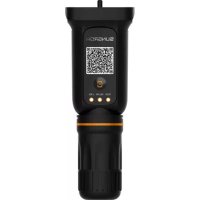
WiNetS - Communication Module Sungrow - Free user manual and instructions
Find the device manual for free WiNetS Sungrow in PDF.

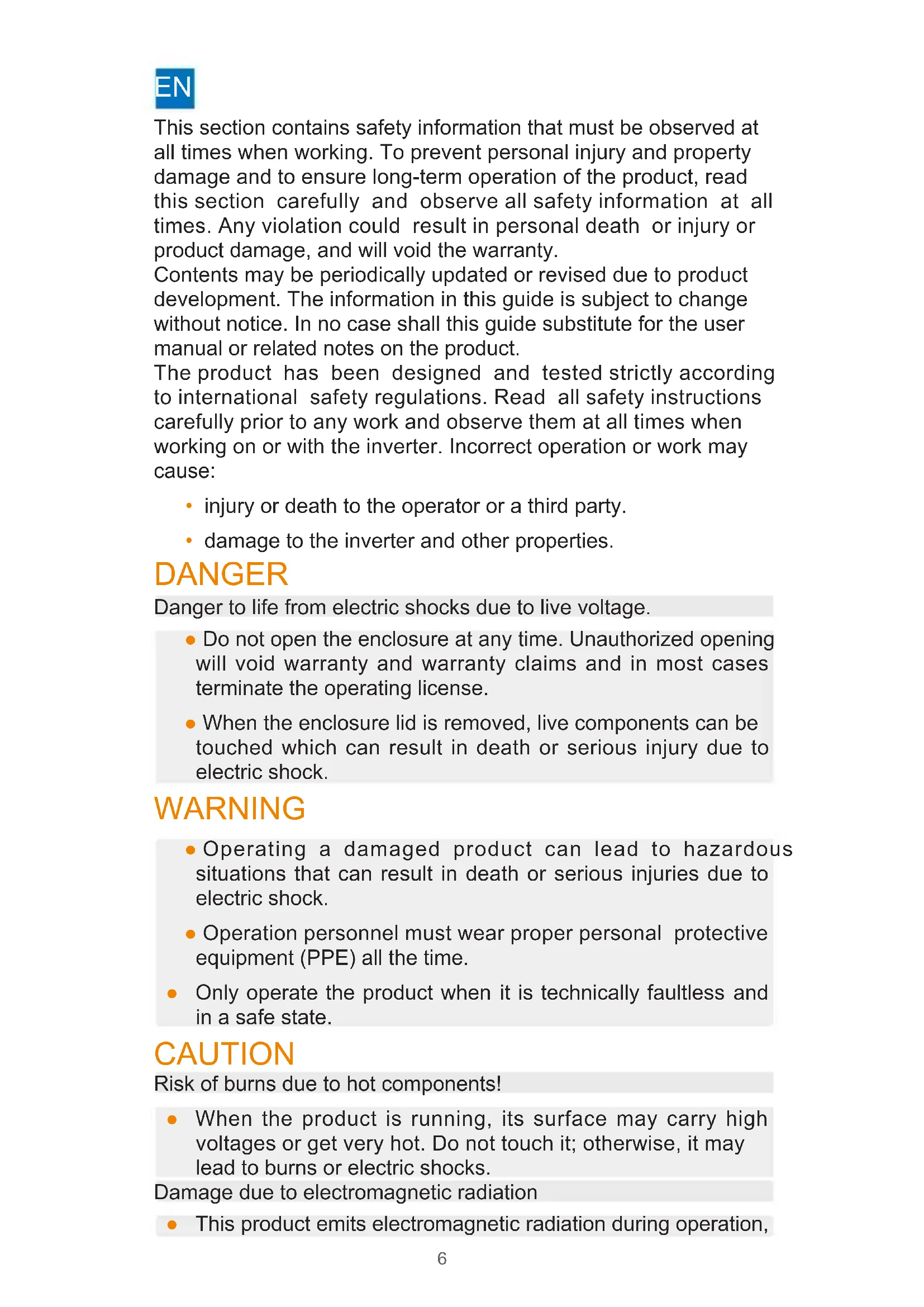


| Product type | Communication module |
| Brand | Sungrow |
| Model | WiNetS |
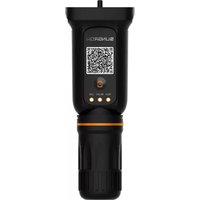
| Main function | Communication between inverter and network (Wi-Fi) |
| Wireless standards | WLAN 802.11b/g/n20/n40 |
| Frequency band | 2412 MHz ~ 2472 MHz |
| Maximum transmission power | ≤ 20 dBm |
| Power supply | Via inverter (5V DC) |
| Dimensions (approx.) | 150 x 100 x 30 mm |
| Weight (approx.) | 200 g |
| Operating temperature | -30°C to +60°C |
| Protection rating | IP65 |
| Compliance | CE, RoHS, RED |
| Cleaning | Dry cloth |
| Maintenance | Firmware update via the application |
| Repairability | Call an approved professional |
| Installation conditions | Dry environment, free from chemicals, out of reach of children |
| Safety instructions | Mandatory reading before use, risk of electric shock, do not open the casing |
Frequently Asked Questions - WiNetS Sungrow
User questions about WiNetS Sungrow
0 question about this device. Answer the ones you know or ask your own.
Ask a new question about this device
Download the instructions for your Communication Module in PDF format for free! Find your manual WiNetS - Sungrow and take your electronic device back in hand. On this page are published all the documents necessary for the use of your device. WiNetS by Sungrow.
USER MANUAL WiNetS Sungrow
Quick Installation Guide
Communication Module
WiNet-S/S2
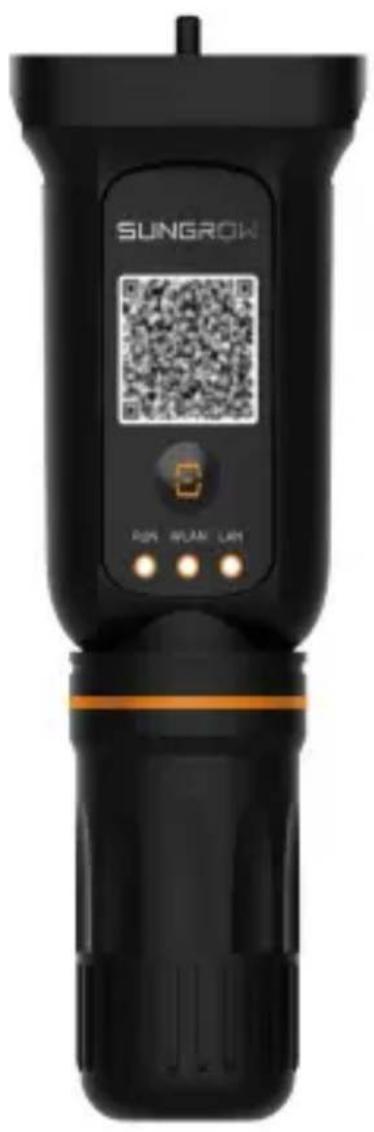
1 Document Access/ Dokumentenzugriff/ Accès au document/ Acceso a documento/ Accesso documento/ Toegang tot documenten/ Doste p do dokumentu/ Accesso ao documento/ Dokumentåtkomst
Scan the QR code below or visit http://support.sungrowpower.com to access the user manual (available in multiple languages) of this product for more information.
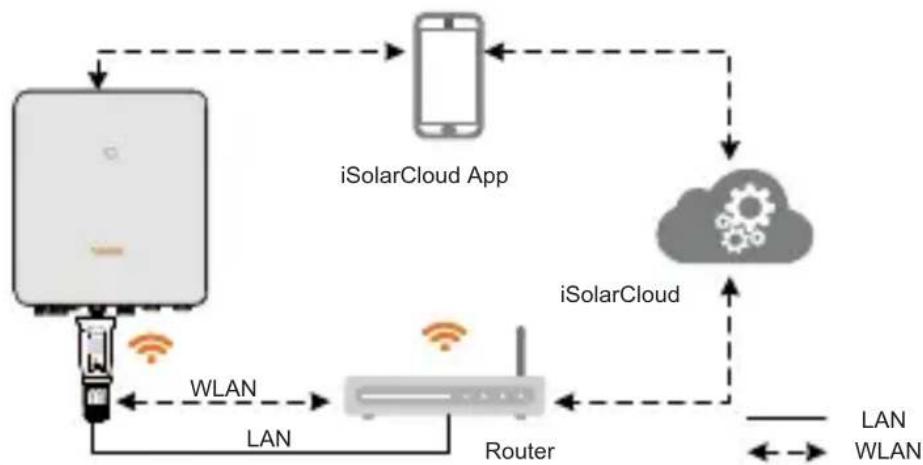
2 Application Scenarios/ Anwendungsscenarien/ Scenarios d'application/ Usos habituales/Scenari applicativi/ Toepassingsscenario's/ Scenariuszestosowania/ Cenarios de aplicacao/ Tillampningsscenarier
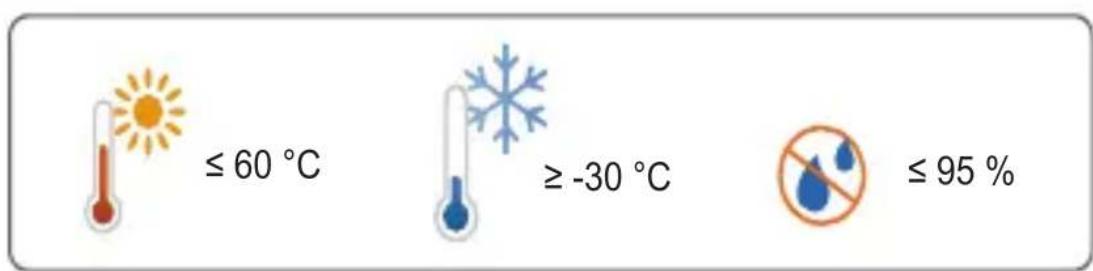
3 Installation Environment/ Installationsumgebung/ Environnement d'installation/ Entorno de instalacion/ Ambiente di installatione/ Installatieomgeving/ Miejsce montazu/ Ambiente de instalacao/ Installationsmiljo
4 Installation/ Installation/ Installation/ Instalacion/ Installazione/ Installatie/ Montaz/ Instalacao/ Installation
Choose one of the Two Methods
4.1 Installation with WLAN communication
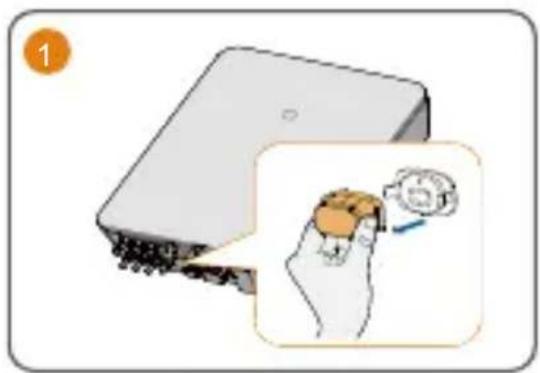
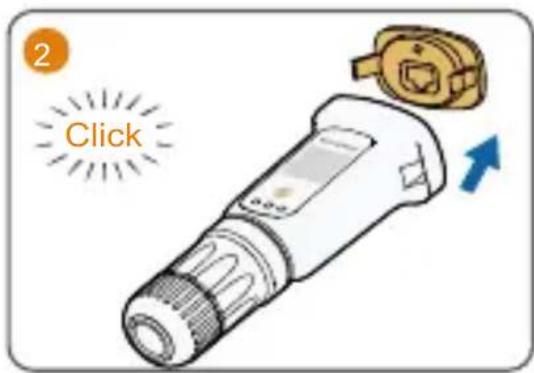
4.2 Installation with LAN communication
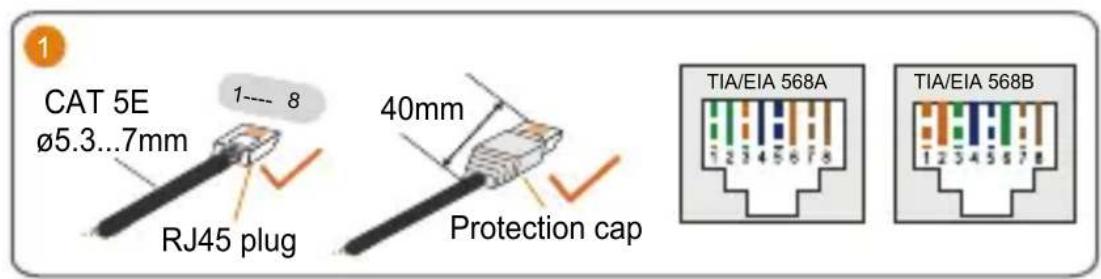
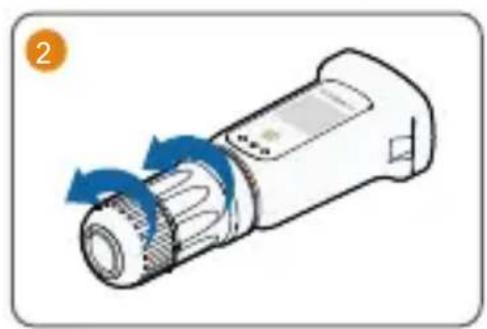
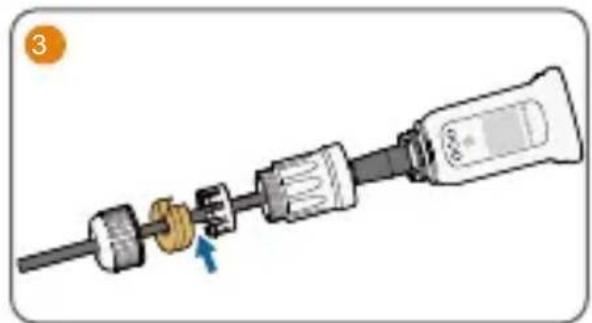
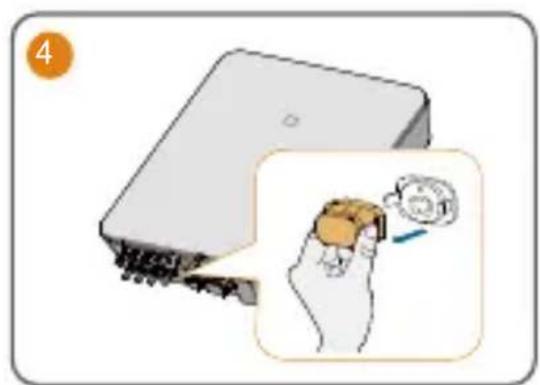
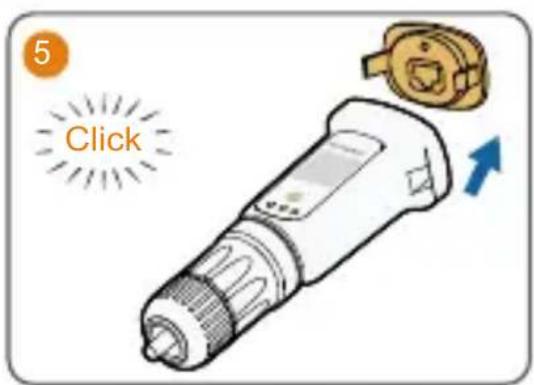
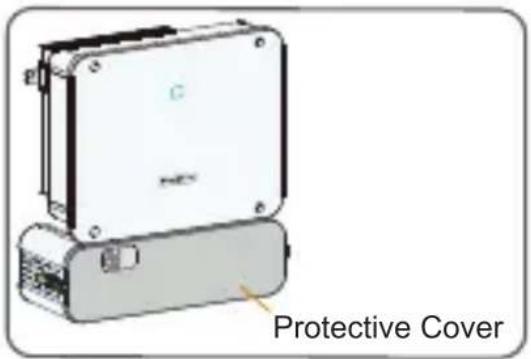
Note: If a protective cover is installed at the inverter bottom, it may cause wireless communication signals to attenuate, thus shortening the communication distance of the communication module.
5 Indicators and Multi-function Button/ Anzeigen und Multifunktionstaste/ Témoins et bouton multifonction/ Indicadores y botón multifunción/ Spie e pulsante multifunzione/ Indicadores en multifunctionele knop/ Kontrolki i przycisk wielofunkcyjny/ Indicadores e botão multifuncções/ Indikatorer och multifunktionsknapp
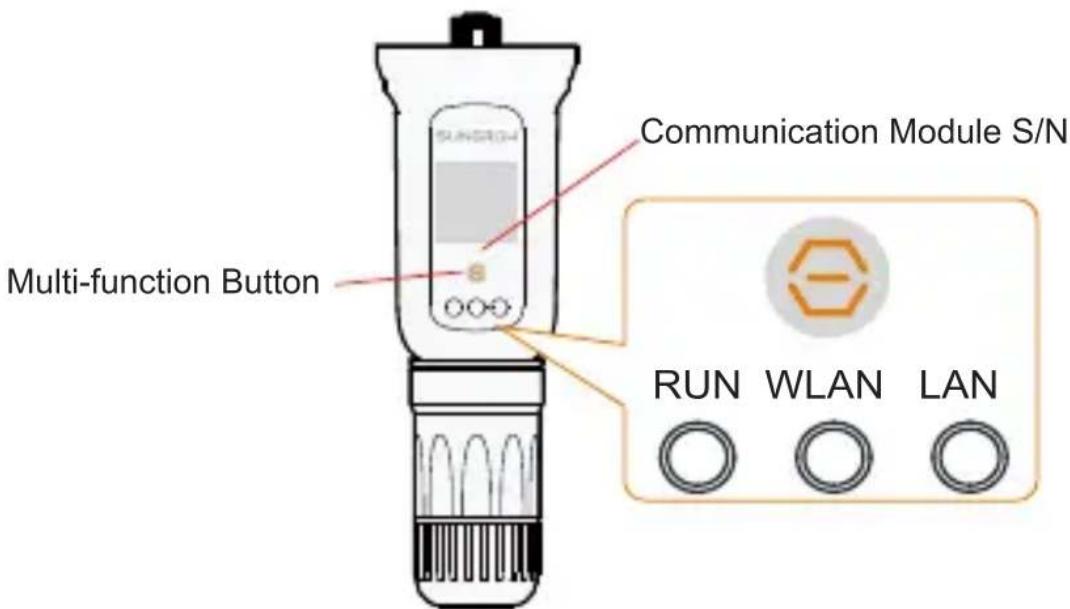
5.1 Indicator Description
| Indicator Status Description | |
| RUN Off Disconnected from external power supply | |
| Slow blinking (Green) | Normal operation |
| Fast blinking (Green) | Networking mode(Successfully connected with the wireless meter) |
| Steady on (Red) Fault | |
| WLAN Off No WiFi connection | |
| Steady on Connected to WiFi | |
| Slow blinking Data communication in progress via WiFi | |
| Fast blinking In SmartConfig mode (wireless hotspot is off only at this time) | |
| Fault blinking No data communication after the WiFi connection is established for 1 min | |
| LAN Off No Ethernet connection | |
| Steady on (Green) | Normal Ethernet connection |
| Blinking (Red) Data communication in progress via Ethernet | |
| Fault blinking No data communication after the Ethernet connection is established for 1 min | |
Note: The slow blinking interval is 1s, and network indicators blink slowly when the communication is in process. They are steady on if there is no data communication. The fast blinking interval is 0.2s. Fault blinking is defined as off for 3 s and on for 1s, and repeats.
5.2 Multi-function Button Description
| Operation Description |
| Press and hold for over 30 s Restore default values |
| Press and hold for 5 - 10 s The device is in networking mode |
| Short press once Enter SmartConfig mode.The AP hotspot turns off automatically |
| Short press two times Turned off the module AP hotspot |
| Short press three times Exit SmartConfig mode.The AP hotspot turns on automatically |
6 Commissioning/ Netzkonfiguration/ Mise en service/ Conexión a la red inicial/ Connessione iniziale alla rete/ Eerste netverbinding/ Pierwsze podłaczenia do sieci energetycznej/ Ligação inicial à rede/ Driftsättning

Scan the QR code to install the iSolarCloud App
Scan the QR code to obtain the WiNet-S/S2 User Manual
Commissioning can be performed via the iSolarCloud App. For detailed instructions, refer to the "Commissioning and Maintenance" section of the WiNet-S/S2 User Manual.
EN
This section contains safety information that must be observed at all times when working. To prevent personal injury and property damage and to ensure long-term operation of the product, read this section carefully and observe all safety information at all times. Any violation could result in personal death or injury or product damage, and will void the warranty.
Contents may be periodically updated or revised due to product development. The information in this guide is subject to change without notice. In no case shall this guide substitute for the user manual or related notes on the product.
The product has been designed and tested strictly according to international safety regulations. Read all safety instructions carefully prior to any work and observe them at all times when working on or with the inverter. Incorrect operation or work may cause:
- injury or death to the operator or a third party.
- damage to the inverter and other properties.
DANGER
Danger to life from electric shocks due to live voltage.
- Do not open the enclosure at any time. Unauthorized opening will void warranty and warranty claims and in most cases terminate the operating license.
- When the enclosure lid is removed, live components can be touched which can result in death or serious injury due to electric shock.
WARNING
- Operating a damaged product can lead to hazardous situations that can result in death or serious injuries due to electric shock.
Operation personnel must wear proper personal protective equipment (PPE) all the time. - Only operate the product when it is technically faultless and in a safe state.
CAUTION
Risk of burns due to hot components!
- When the product is running, its surface may carry high voltages or get very hot. Do not touch it; otherwise, it may lead to burns or electric shocks.
Damage due to electromagnetic radiation
This product emits electromagnetic radiation during operation,
which may interfere with the operation of other devices and active body aids (e.g. pacemakers).
- Keep a safe distance to avoid prolonged exposure.
NOTICE
- Before installation, check that the package contents are intact and complete compared to the packing list.
- All installations must be performed by qualified personnel who should have training for installation and commissioning of electrical system, as well as dealing with hazards, have knowledge of the manual and of the local regulations and directives.
- Do not install the product in an environment with flammable, explosives, or smoke.
- Do no install the product in a place with corrosives such as corrosive gas and organic solvent, etc.
- Do not install the product in an environment contaminated with chemicals such as halogen and sulfide.
- Make sure the product in a clean and dry place to prevent dust and water vapor from eroding.
- Contact SUNGROW or the distributor in case of any damaged or missing components.
- If not activated immediately, keep it in its packaging, dry, out of reach of children or animals, away from fire or corrosive environments.
- Regularly inspect for damage, keep dust-free, and clean with a dry cloth. Update firmware as necessary.
- Contact authorized service for repairs to avoid voiding the warranty. Unauthorized repairs may void the warranty and could damage the device.
- This product adheres to relevant safety standards and regulations, ensuring it's devoid of detachable small parts that may pose a choking hazard for children or animals. Additionally, it's crafted without harmful substances, safeguarding the well-being of both children and animals. This device is not a toy. To prevent potential harm or damage, children should be supervised to ensure they do not play with or get too close to the device.
EU Declaration of Conformity


within the scope of the EU directives
- Restriction of the use of certain hazardous substances 2011/65/EU and 2015/863/EU (RoHS)
The radio equipment directive 2014/53/EU (RED)
The manufacturer Sungrow Power Supply Co., Ltd., China hereby confirms that the product WiNet-S2 complies with the essential requirements and other relevant provisions of Directives 2011/65/EU, 2015/863/EU and 2014/53/EU (RED).
The full EU Declaration of Conformity can be found at https:// Wireless Transmit Power
Radio technology WLAN 802.11b/g/n20/n40
| Radio spectrum 802.11b/g/n20 2412 MHz ~ 2472 MHz | |
| 802.11n40 | 2422 MHz ~ 2462 MHz |
| Maximum | ≤ 20 dBm |
| transmission power | |
Manufacturer:
Sungrow Power Supply Co., Ltd.
No.1699, Xiyou Road, Hefei 230088.P.R.China
For EU only
Sungrow Power Supply Co., Ltd.
No.1699, Xiyou Road, Hefei 230088.P.R.China
Nur für die EU
Sungrow Power Supply Co., Ltd.
No.1699, Xiyou Road, Hefei 230088.P.R.China
Sungrow Power Supply Co., Ltd.
No.1699, Xiyou Road, Hefei 230088.P.R.China
Sólo para la UE
Importador UE/EEE: Sungrow Deutschland GmbH
Balanstraße 59, 81541 München, Alemania
Sungrow Power Supply Co., Ltd.
No.1699, Xiyou Road, Hefei 230088. R. P. Cinese
Solo per l'UE
Importatore UE/SEE: Sungrow Deutschland GmbH
Sungrow Power Supply Co., Ltd.
No.1699, Xiyou Road,Hefei 230088.P.R.China
Alleen voor de EU
Sungrow Power Supply Co., Ltd.
No.1699, Xiyou Road, Hefei 230088. ChRL
Tylko na eksport do UE
Sungrow Power Supply Co., Ltd.
No.1699, Xiyou Road, Hefei 230088.P.R.China
Apenas para a UE
Importador UE/EEE: Sungrow Deutschland GmbH
Balanstraße 59, 81541 München, Alemania
SV
Sungrow Power Supply Co., Ltd.
No.1699, Xiyou Road, Hefei 230088. Kina
Endast for EU
Scan the QR code or visit http://support.sungrowpower.com to access the user manual of this product for more information.
- QUICK INSTALLATION GUIDE
- COMMUNICATION MODULE
- WINET-S/S2
- 4 INSTALLATION/ INSTALLATION/ INSTALLATION/ INSTALACION/ INSTALLAZIONE/ INSTALLATIE/ MONTAZ/ INSTALACAO/ INSTALLATION
- CHOOSE ONE OF THE TWO METHODS
- 4.1 INSTALLATION WITH WLAN COMMUNICATION
- 4.2 INSTALLATION WITH LAN COMMUNICATION
- 5.1 INDICATOR DESCRIPTION
- 5.2 MULTI-FUNCTION BUTTON DESCRIPTION
- EN
- DANGER
- WARNING
- CAUTION
- NOTICE
- EU DECLARATION OF CONFORMITY
- MANUFACTURER
- SV
Brand : Sungrow
Model : WiNetS
Category : Communication Module