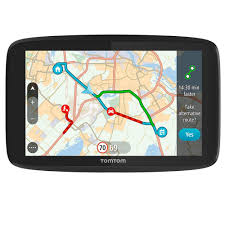
GO 520 - Navigation GPS TOMTOM - Free user manual and instructions
Find the device manual for free GO 520 TOMTOM in PDF.


| Brand | TomTom |
| Model | GO 520 |
| Product type | Navigation GPS |
| Screen | Touchscreen, ambient light sensor |
| Power supply | Built-in rechargeable battery, car charger included |
| Charging time | About 2 hours (first full charge) |
| Main functions | GPS navigation with voice instructions, voice recognition (voice address), route planning, traffic info (RDS-TMC via built-in receiver), hands-free Bluetooth, MP3 player, photo display |
| GPS | Built-in GPS receiver, EPT (Enhanced Positioning Technology) support on 920/920T models |
| Bluetooth | Yes, for hands-free calls and hi-fi connection |
| FM transmitter | Built-in, for audio broadcast via car radio |
| Connectivity | USB (TomTom connector), audio jack, external antenna connector, SD memory card slot (not included) |
| Box contents | TomTom GO 520, windshield mount, car charger, USB cable, desk dock, documentation |
| Management software | TomTom HOME (free, for updates, data transfer) |
| Maintenance and cleaning | Wipe screen with a soft cloth, do not use cleaning products, do not expose to extreme temperatures, do not open the casing |
| Security | Possibility to set a password to limit access, security lock with warnings (speeding, breaks) |
| Warranty | 1 year against manufacturing defects (excluding abuse) |
| Repairability | Repair or replacement under warranty, spare parts not listed in the manual |
| Country of origin | Not specified in the manual |
Frequently Asked Questions - GO 520 TOMTOM
User questions about GO 520 TOMTOM
0 question about this device. Answer the ones you know or ask your own.
Ask a new question about this device
Download the instructions for your Navigation GPS in PDF format for free! Find your manual GO 520 - TOMTOM and take your electronic device back in hand. On this page are published all the documents necessary for the use of your device. GO 520 by TOMTOM.
USER MANUAL GO 520 TOMTOM
4. Enhanced Positioning Technology
PartagerVoteTomTomGO
TomTom Trafic
- TMC (Traffic Message Channel)
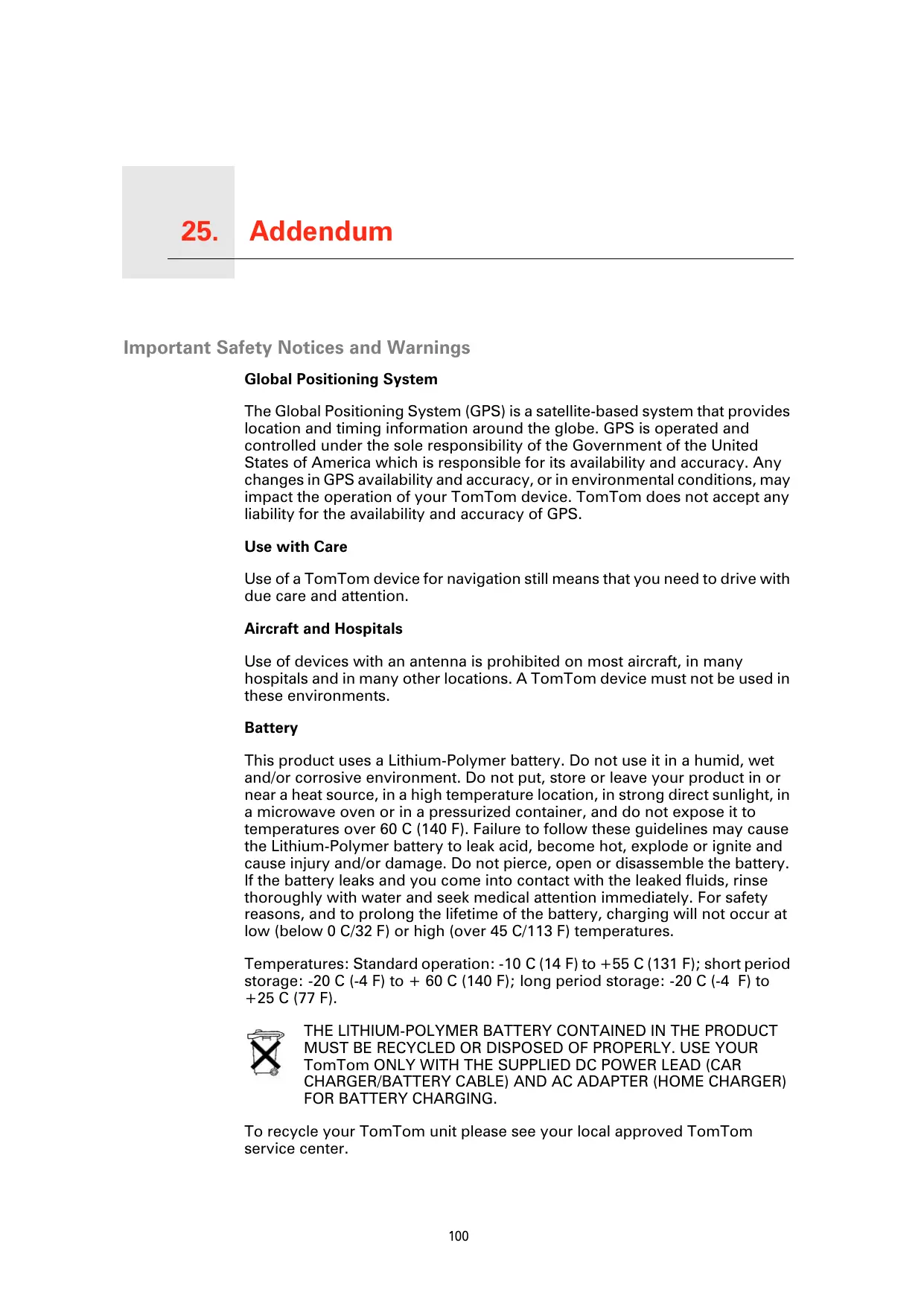
The Global Positioning System (GPS) is a satellite-based system that provides location and timing information around the globe. GPS is operated and controlled under the sole responsibility of the Government of the United States of America which is responsible for its availability and accuracy. Any changes in GPS availability and accuracy, or in environmental conditions, may impact the operation of your TomTom device. TomTom does not accept any liability for the availability and accuracy of GPS.
Use with Care
Use of a TomTom device for navigation still means that you need to drive with due care and attention.
Aircraft and Hospitals
Use of devices with an antenna is prohibited on most aircraft, in many hospitals and in many other locations. A TomTom device must not be used in these environments.
Battery
This product uses a Lithium-Polymer battery. Do not use it in a humid, wet and/or corrosive environment. Do not put, store or leave your product in or near a heat source, in a high temperature location, in strong direct sunlight, in a microwave oven or in a pressurized container, and do not expose it to temperatures over 60~C (140 F). Failure to follow these guidelines may cause the Lithium-Polymer battery to leak acid, become hot, explode or ignite and cause injury and/or damage. Do not pierce, open or disassemble the battery. If the battery leaks and you come into contact with the leaked fluids, rinse thoroughly with water and seek medical attention immediately. For safety reasons, and to prolong the lifetime of the battery, charging will not occur at low (below 0 C/32 F) or high (over 45 C/113 F) temperatures.
Temperatures: Standard operation: -10 C (14 F) to +55 C (131 F); short period storage: -20 C (-4 F) to +60 C (140 F); long period storage: -20 C (-4 F) to +25 C (77 F).

THE LITHIUM-POLYMER BATTERY CONTAINED IN THE PRODUCT MUST BE RECYCLED OR DISPOSED OF PROPERLY. USE YOUR TomTom ONLY WITH THE SUPPLIED DC POWER LEAD (CAR CHARGER/BATTERY CABLE) AND AC ADAPTER (HOME CHARGER) FOR BATTERY CHARGING.
To recycle your TomTom unit please see your local approved TomTom service center.
SPECIAL NOTE REGARDING DRIVING IN CALIFORNIA AND MINNESOTA
California Vehicle Code Section 26708 (a) (1) provides that "No persons shall drive any motor vehicle with an object or material placed, displayed, installed, affixed or applied upon the windshield or side or rear windows." Drivers in California should not use a suction mount on their windshield, side or rear windows.
Note: this section of the California Vehicle Code applies to anyone driving in California, not just California residents.
Minnesota State Legislature Statutes Section 169.71, subdivision 1, section 2 provides that "A person shall not drive or operate with any objects suspended between the driver and the windshield other than sun visors and rearview mirrors and electronic toll collection devices."
Note: this Minnesota Stature applies to anyone driving in Minnesota, not just Minnesota residents.
TomTom Inc. bears no responsibility for any fines, penalties or damage that may be incurred by disregarding this notice. While driving in any state with windshield mounting restrictions, TomTom recommends the use of the supplied Adhesive Mounting Disk or its Alternative Mounting Kit, which includes multiple options for mounting TomTom devices on the dashboard and using the air vents. See www.tomtom.com for more information about this mounting option.
FCC Information for the User

This product contains a transmitter which must not be co-located or simultaneously operated in conjunction with any other transmitter.
Exposure to Radio Frequency Radiation
This device complies with FCC radiation exposure limits set forth for an uncontrolled environment. In order to avoid the possibility of exceeding the FCC radio frequency exposure limits, human proximity to the antenna shall not be less than 20cm (8 inches) during normal operation.
Radio and Television Interference
This equipment radiates radio frequency energy and if not used properly - that is, in strict accordance with the instructions in this manual - may cause interference to radio communications and television reception.
This device has been tested and found to comply with the limits for a Class B digital device, pursuant to Part 15 of the FCC Rules. These limits are designed to provide reasonable protection against harmful interference in a residential installation. This equipment generates, uses and can radiated radio frequency energy and, if not installed and used in accordance with the instructions, may cause harmful interference to radio communications. However, there is no guarantee that interference will not occur in a particular installation. If this equipment does cause harmful interference to radio or television reception, which can be determined by turning the equipment off and on, the user is encouraged to try to correct the interference by one or more of the following measures:
- Reorient or relocate the receiving antenna.
- Increase the separation distance between the equipment and the receiver.
- Connect the equipment into an outlet on a circuit different from that to which the receiver is connected.
- Consult an experienced radio/TV technician for help.
Changes or modifications not expressly approved by the party responsible for compliance could void the user's authority to operate the equipment.
Important
This equipment was tested for FCC compliance under conditions that included the use of shielded cables and connectors between it and the peripherals. It is important that you use shielded cable and connectors to reduce the possibility of causing radio and television interference. Shielded cables, suitable for the product range, can be obtained from an authorised dealer. If the user modifies the equipment or its peripherals in any way, and these modifications are not approved by TomTom, the FCC may withdraw the user's right to operate the equipment. For customers in the USA, the following booklet prepared by the Federal Communications Commission may be of help: "How to Identify and Resolve Radio-TV Interference Problems". This booklet is available from the US Government Printing Office, Washington, DC 20402. Stock No 004-000-00345-4.
FCC Declaration of Conformity
Tested to Comply with FCC Standards for Home or Office Use
FCC ID: S4LGO520
IC: 5767A-GO520
This device complies with part 15 of the FCC Rules. Operation is subject to the following two conditions:
- This device may not cause harmful interference.
- This device must accept any interference received, including interference that may cause undesired operation.
Responsible party in North America
TomTom, Inc., 150 Baker Avenue, Concord, MA 01742
Tel: 866 486-6866 option 1 (1-866-4-TomTom)
Emissions information for Canada
This equipment complies with the requirements for CE marking when used in a residential, commercial, vehicular or light industrial environment.
R&TTE Directive
Hereby, TomTom declares that this personal navigation device is in compliance with the essential requirements and other relevant provisions of the EU Directive 1999/5/EC. The declaration of conformity can be found here: www.tomtom.com/lib/doc/CE DoC__G0520 720 920.pdf
This symbol on the product or its packaging indicates that this product shall not be treated as household waste. In line with EU Directive 2002/96/EC for waste electrical and electronic equipment (WEEE), this electrical product must not be disposed of as unsorted municipal waste. Please dispose of this product by returning it to the sale or to your local municipal collection point for recycling.
This product displays the C-tick to show it complies with all relevant Australian and New Zealand regulations.
Warning for Australia
The user needs to switch off the device when exposed to areas with potentially explosive atmospheres such as petrol stations, chemical storage depots and blasting operations.
This Document
Great care was taken in preparing this manual. Constant product development may mean that some information is not entirely up-to-date. The information in this document is subject to change without notice.
TomTom shall not be liable for technical or editorial errors or omissions contained herein; nor for incidental or consequential damages resulting from the performance or use of this material. This document contains information protected by copyright. No part of this document may be photocopied or reproduced in any form without prior written consent from TomTom International B.V.
Part numbers
TomTom GO: 4M00.000, 4M00.001, 4M00.002, 4M00.900, 4M00.002, 4M00.006
26. Copyright notices
© 2007 TomTom International B.V., The Netherlands.
Patents Pending. All rights reserved.
TomTom and the TomTom logo are registered trademarks of TomTom International B.V., The Netherlands. All other trademarks are the property of their respective owners.
Our end user license agreement and a limited warranty apply to this product; they are included in this package. You can also review both at www.TomTom.com/legal
Data Source
© 2007 Tele Atlas N.V. Based upon:
Ordnance Survey of Northern Ireland.
© IGN France.
© Swisstopo.
BEV, GZ 1368/2007.
Geonext/DeAgostini.
© Norwegian Mapping Authority, Public Roads Administration /
© Mapsolutions. © DAV.
This product includes mapping data licensed from Ordnance Survey with the permission of the Controller of Her Majesty's Stationery Office. © Crown copyright and/or database right 2007. All rights reserved. Licence number 100026920.
Text to Speech technology, © 2007 Loquendo TTS. All rights reserved. Loquendo is a registered trademark. www.loquendo.com
Apple® and iPod® are trademarks of Apple Computer, Inc., registered in the U.S. and other countries.
Audible®, AudibleListener® and Audiblemanager® are registered trademarks of Audible, Inc. When purchasing and using Audible content you
need to agree to the terms and conditions as posted in the Legal Notices www.audible.com.
SoundClear™ acoustic echo cancellation software © Acoustic Technologies Inc.
MPEG Layer-3 audio coding technology licensed from Fraunhofer IIS and Thomson.
Supply of this product does not convey a license nor imply any right to distribute content created with this product in revenue-generating broadcast systems (terrestrial, satellite, cable and/or other distribution channels), streaming applications (via Internet, intranets and/or other networks), other content distribution systems (pay-audio or audio-on-demand applications and the like) or on physical media (compact discs, digital versatile discs, semiconductor chips, hard drives, memory cards and the like). An independent license for such use is required. For details, please visit mp3licensing.com
Some images are taken from NASA's Earth Observatory.
The purpose of NASA's Earth Observatory is to provide a freely-accessible publication on the Internet where the public can obtain new satellite imagery and scientific information about our home planet.
The focus is on Earth's climate and environmental change: earthobservatory.nasa.gov/

- Enhanced Positioning Technology
- PartagerVoteTomTomGO
- Use with Care
- Aircraft and Hospitals
- Battery
- SPECIAL NOTE REGARDING DRIVING IN CALIFORNIA AND MINNESOTA
- FCC Information for the User
- Exposure to Radio Frequency Radiation
- Radio and Television Interference
- Important
- FCC Declaration of Conformity
- Tested to Comply with FCC Standards for Home or Office Use
- Responsible party in North America
- Emissions information for Canada
- R&TTE Directive
- Warning for Australia
- This Document
- Part numbers
- Copyright notices
- Data Source
Brand : TOMTOM
Model : GO 520
Category : Navigation GPS