IPC156D - Industrial computer Gembird - Free user manual and instructions
Find the device manual for free IPC156D Gembird in PDF.


| Product Type | Industrial computer (panel PC) |
| Brand | Gembird |
| Model | IPC156D |
| Screen Size | 15.6 inches |
| Screen Type | LCD LED backlit, capacitive touch screen |
| Resolution | 1920 x 1080 (Full HD) |
| Processor | Intel Celeron J1900 (quad-core, up to 2.0 GHz) |
| RAM | 4 GB DDR3L (expandable up to 8 GB) |
| Storage | 64 GB SSD (mSATA) |
| Operating System | Compatible with Windows 10 / Linux (not pre-installed) |
| Expansion Ports | 2 x USB 2.0, 2 x USB 3.0, 1 x HDMI, 1 x VGA, 2 x RJ45 (Gigabit LAN), 1 x RS232/422/485 |
| Power Supply | Power adapter 12 V DC, 5 A (included) |
| Power Consumption | Typical 35 W |
| Operating Temperature | 0°C to 50°C |
| Protection Rating | IP65 (front panel) |
| Mounting | Panel-mount (mounting kit included) |
| Housing Material | Aluminum and stainless steel, fanless |
| Dimensions (W x H x D) | 395 x 250 x 55 mm |
| Weight | 4.5 kg net |
| Warranty | 36 months (parts and labor) |
Frequently Asked Questions - IPC156D Gembird
User questions about IPC156D Gembird
0 question about this device. Answer the ones you know or ask your own.
Ask a new question about this device
Download the instructions for your Industrial computer in PDF format for free! Find your manual IPC156D - Gembird and take your electronic device back in hand. On this page are published all the documents necessary for the use of your device. IPC156D by Gembird.
USER MANUAL IPC156D Gembird
natural_image
Abstract logo design featuring a stylized arrow and 'GE' letters, no readable text or symbols beyond the graphic elements.GEMBIRD®
natural_image
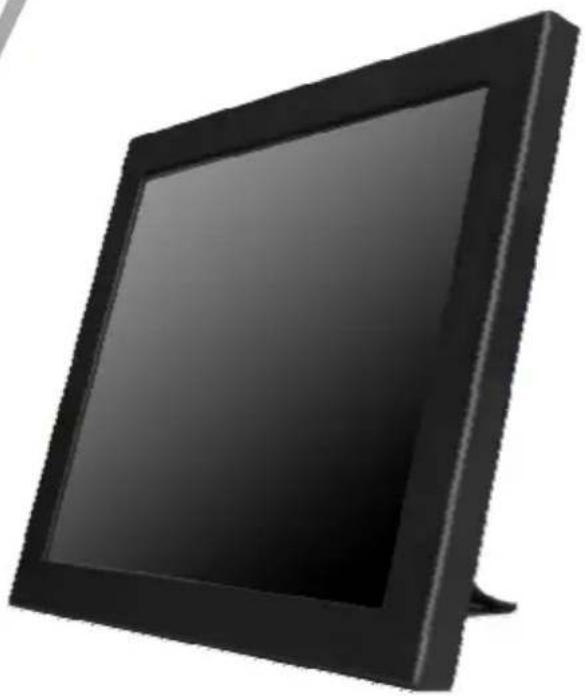
Black rectangular flat-screen monitor with a blank screen, isolated on white background (no text or symbols)INDUSTRIAL COMPUTER, 12 (15) INCH DISPLAY
INDUSTRIE PC, 12 (15) ZOLL DISPLAY
12 (15)" TOUCHSCREEN COMPUTER VOOR PROFESSIONEEL GEBRUIK
INFORMATIQUE INDUSTRIELLE, 12 (15) POUCES
| I/O: | |
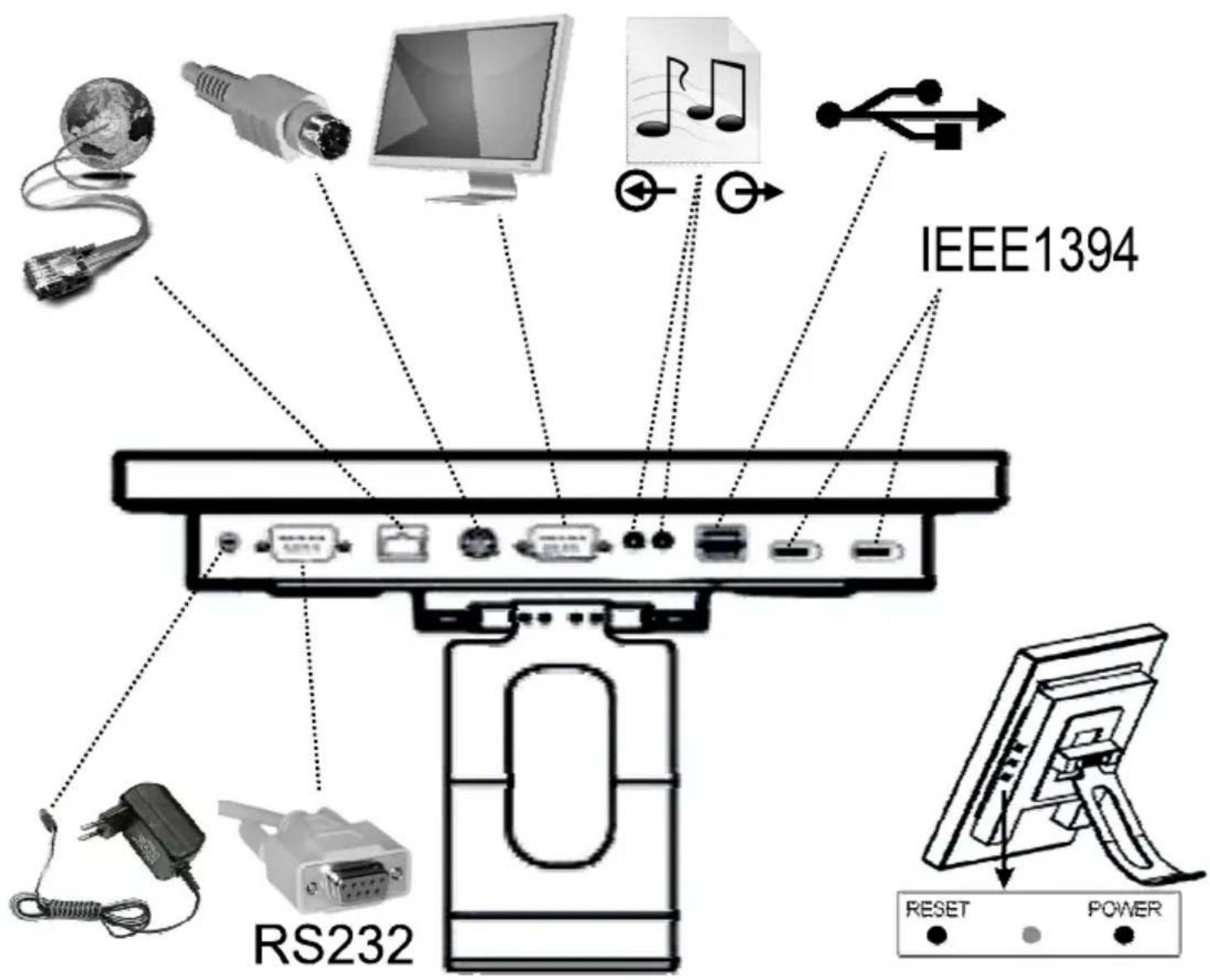
| VGA port | DB-15 port |
| Controller | USB / COM / WIFI (Optional) |
| DC Adapter | DC 12 V, 5 A |
| Operating environment: | |
| Operation Temperature | -10 °C ~ 35 °C |
| Store Temperature | -20 °C ~ 60 °C |
| Optional components: | |
| Card Reader | Optional |
| Certification | FCC, CE |
| Others: | |
| Installation | Hanging ,Wall Mounting,Desktop VESA |
| Power supply | 110 V – 240 V |
| Touch Screen | MapleTouch Five-wire ResistiveTouch Screen (Hitting Life :more than 35 million times for any point) |

natural_image
Black circular icon with an exclamation mark (no text or symbols)


natural_image
Simple line drawing of a hand holding a tool with screwdriver and screw holes nearby (no text or symbols)
natural_image
Simple line drawing of a container with a cross symbol crossed out, and scattered paper clips above (no text or symbols)EC Declaration of Conformity
We hereby certify that the following product complies with all the relevant
Safety Requirements of § 4 EMVG and of the Directives 2006/95/EC; 93/68/EEC and 2004/108/EC.
Applicant :
Gembird Europe BV
Wittevrouwen 56,
1358CD, Almere, The Netherlands
Equipment :
Computer parts
Model Nos. :
IPC156-D
Product description :
IPC156-D Industrial computer, 15 inch display (for demo)
European standards:
EN55022:2006; EN55024:1998+A1:2001+A2:2003; EN61000-3-2:2006;
EN61000-3-3:2008; EN60335:2002+A13:2008; EN55014:2006;
EN55014-2:1997+A2:2008
The following manufacturer/WITHIN Europe is responsible for this declaration:
Gembird Europe BV
Wittevrouwen 56, 1358CD, Almere, The Netherlands
Tel: +31-(0)36-5211588. Fax: +31-(0)36-5347835
Director
The Netherlands / May. 9, 2011
Place and Date

Authorized signature
Waste disposal:

Do not deposit this equipment with the household waste. Improper disposal can harm both the environment and human health. For Information about waste collection facilities for used electrical and electronic devices, please contact your city council or an authorized company for the disposal of electrical and electronic equipment.
Brand : Gembird
Model : IPC156D
Category : Industrial computer