ManualGo.com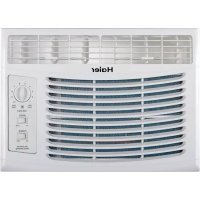
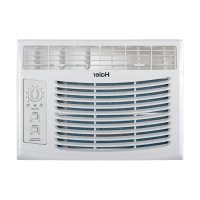
HWF05XCL - Air Conditioning HAIER - Free user manual and instructions
Find the device manual for free HWF05XCL HAIER in PDF.



Download the instructions for your Air Conditioning in PDF format for free! Find your manual HWF05XCL - HAIER and take your electronic device back in hand. On this page are published all the documents necessary for the use of your device. HWF05XCL by HAIER.
USER MANUAL HWF05XCL HAIER
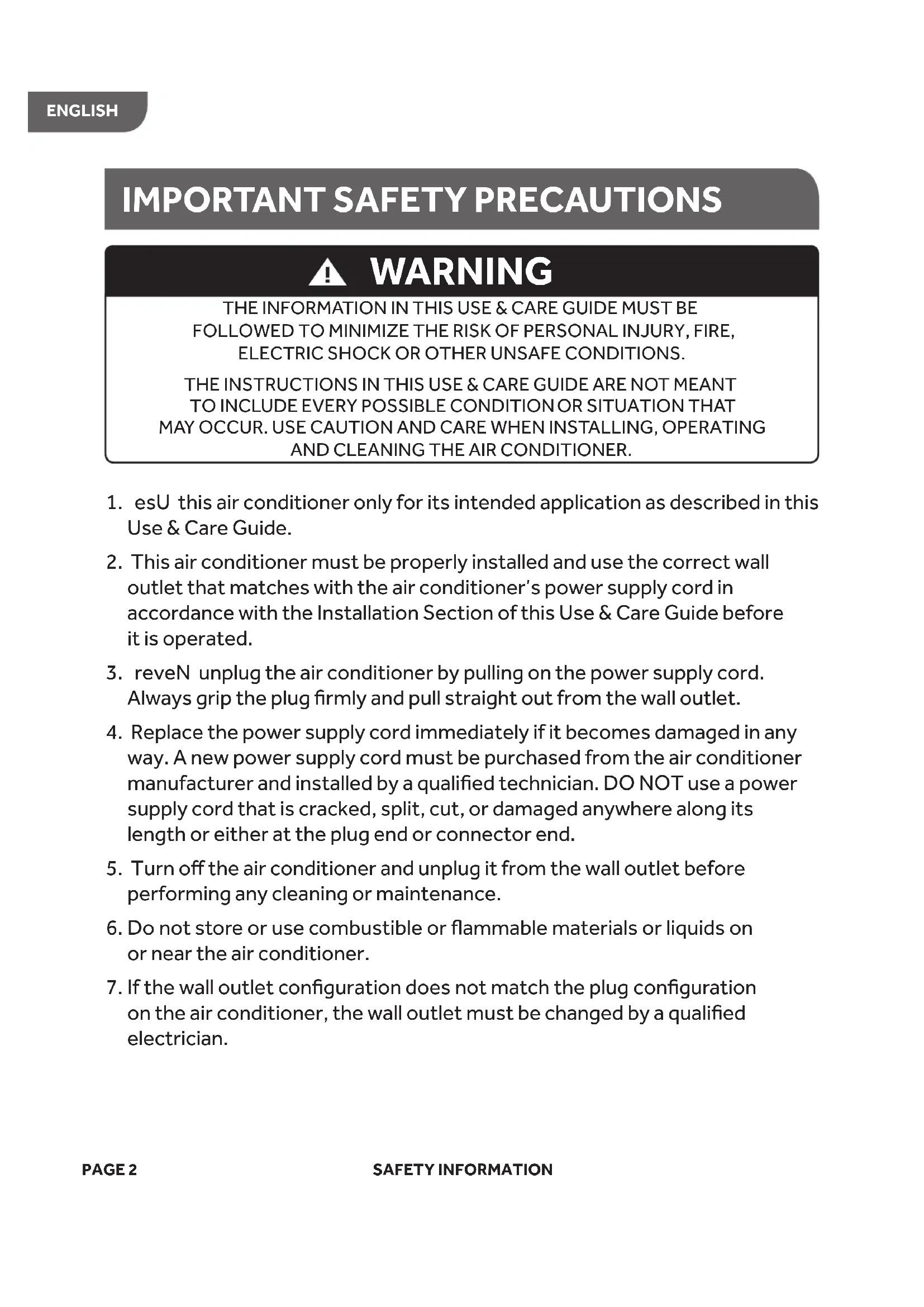
2. This air conditioner must be properly installed and use the correct wall
outlet that matches with the air conditioner’s power supply cord in accordance with the Installation Section of this Use & Care Guide before it is operated.
3. reveN unplug the air conditioner by pulling on the power supply cord.
Always grip the plug firmly and pull straight out from the wall outlet.
4. Replace the power supply cord immediately if it becomes damaged in any
way. A new power supply cord must be purchased from the air conditioner manufacturer and installed by a qualified technician. DO NOT use a power supply cord that is cracked, split, cut, or damaged anywhere along its length or either at the plug end or connector end.
5. Turn off the air conditioner and unplug it from the wall outlet before
performing any cleaning or maintenance.
6. oD not store or use combustible or flammable materials or liquids on
or near the air conditioner.
7. fI the wall outlet configuration does not match the plug configuration
on the air conditioner, the wall outlet must be changed by a qualified electrician.
PAGE 2 SAFETY INFORMATION
THE INFORMATION IN THIS USE & CARE GUIDE MUST BE FOLLOWED TO MINIMIZE THE RISK OF PERSONAL INJURY, FIRE, ELECTRIC SHOCK OR OTHER UNSAFE CONDITIONS. THE INSTRUCTIONS IN THIS USE & CARE GUIDE ARE NOT MEANT
TO INCLUDE EVERY POSSIBLE CONDITION
MAY OCCUR. USE CAUTION AND CARE WHEN INSTALLING, OPERATING AND CLEANING THE AIR CONDITIONER. WARNING
IMPORTANT SAFETY PRECAUTIONS
ENGLISHSAFETY INFORMATION PAGE 3
8. This air conditioner contains R410a refrigerant and requires certified
technicians to use the proper equipment, tools and safety standards that are approved for this refrigerant. Use only equipment certified for R410a refrigerant. In addition, under federal law, all refrigerant must be properly removed For responsible disposal of the product please contact your local municipality for additional recycling options in your area. from the air conditioner prior to its disposal.
SAFETY INSTRUCTIONS CAREFULLY.
SAVE THESE INSTRUCTIONS
1. This air conditioner contains no consumer serviceable parts. If you have
problems or questions regarding the operation of your air conditioner always call Haier Customer Service: 1-877-337-3639.
2. eB sure that the air conditioner is properly and securely installed in
the window according to the installation instructions included in this Use & Care Guide.
3. DO NOT drill any holes in the base or sides of the air conditioner.
4. OD NOT place fingers or objects in the air discharge or air intake in the
front of the air conditioner.
5. OD NOT operate the air conditioner with a protective cover on the
6. OD NOT block the air discharge or air intake areas on the front panel.
7. OD NOT block the side louvers on the outside of the air conditioner.
8. OD NOT place any objects either on the indoor or outdoor sections of
the air conditioner.
9. Operate the air conditioner with the air filter installed.
10. Keep this Use & Care Guide, carton and packing material for future use
in removing, storing and reinstalling the air conditioner.
Read and follow the instructions provided with any tools listed here. TOOLS NEEDED PARTS SUPPLIED: Check that all parts for your specific air conditioner are included in the parts package. NOTE: If parts are missing, call Haier Customer Service: 1-877-337-3639. Phillips head screwdriver Scissors Level Tape measure Drill and 1/8” bit Pencil
IMAGE PART 5,000 BTU
3/8" self-tapping screws
IMPORTANT: evresbO all governing codes and ordinances. Check the location where the air conditioner will be installed. Make sure you have everything necessary for correct installation. THE LOCATION SHOULD PROVIDE:
- A grounded electrical outlet within 6 ft. (183 cm) of where the power supply cord exits the air conditioner, for models: HWF05XCL NOTE: oD not use an extension cord, plug adapter, surge protector or multi-outlet adapter.
Free movement of air in the room to be cooled.
A large enough window opening for the air conditioner. (See Fig.2)
The air conditioner must not be installed in a through-the-wall sleeve or in a wall. It can only be installed in a double-hung window. NOTE: The outside cabinet louvers and air discharge must not be obstructed by bushes, trees, etc. Air must be able to pass freely through the cabinet louvers. (See Fig.1) WINDOW INSTALLATION LOCATION REQUIREMENTS CABINET LOUVERS Fig. 1 AIR DISCHARGE Window opening measurements: (See Fig. 2) HWF05XCL A. Width Min/Max 22"-36" B. Height Min 13-3/8" Fig. 2 A-WIDTHB-HEIGHTENGLISH 1. OD NOT cut or remove the grounding prong on the attached power supply cord. Doing so may cause sparks or fire, and voids all warranties. For safety purposes the air conditioner must be properly grounded.
2. To avoid a fire hazard or possible electric shock, DO NOT use an adapter plug, extension cord,
surge protectors, or multi-outlet adapters with the air conditioner. 3. The power supply cord is equipped with a 3-prong plug which mates with a standard 115 volt wall outlet to minimize the possibility of electrical shock from this air conditioner.4. The power supply cord includes a leakage current detection interrupter device (LCDI). A RESET and TEST button are on the plug case. The device should be tested on a periodic basis by pressing the TEST button and then the RESET button while it is plugged into the wall outlet. If the TEST button does not trip or the RESET will not stay engaged, do not use the air conditioner and contact a qualified service technician.
5. evaH the wall outlet and circuit inspected by a qualified electrician to ensure that the wall outlet
is properly grounded.
6. fI there is a 2-prong wall outlet present and not a 3-prong wall outlet, it is the responsibility of
the user to have it replaced with a properly grounded 3-prong outlet.7. The air conditioner should always be plugged into a dedicated electrical outlet which has a voltage rating that matches the serial label on the side of the air conditioner.8. The electrical ratings for your air conditioner are listed on the Model/Serial Number label. The Model/Serial Number label is located on the side of the air conditioner cabinet.
9. Specific electrical requirements are listed in the chart below. Follow the requirements for the
type of plug on the power supply cord. ELECTRICAL SAFETY and WARNINGS WARNING
REQUIRED GROUNDING METHOD (See Fig.3) This air conditioner must be grounded. This air conditioner is equipped with a power supply cord that has a 3 prong grounding plug. The power supply cord must be plugged into a mating, grounded 3 prong outlet, and grounded in accordance with all local codes and ordinances. If a mating outlet is not available, it is the customer’s responsibility to contact a qualified electrician and ensure that a properly grounded 3 prong outlet is installed. POWER SUPPLY CORD (See Fig.4) NOTE: Your air conditioner's plug may differ slightly in appearance from the one shown. A. Reset button B. Test button This room air conditioner is equipped with an a leakage current detection interrupter (LCDI) power supply cord required by UL. This power supply cord contains a current detection device. If the power supply cord is crushed, this device will detect current leakage and power will be disconnected from the air conditioner. If this power supply cord is damaged, it cannot be repaired and must be replaced with a cord from the product manufacturer. If the power supply cord is damaged call Haier Customer Service: 1-877-337-3639. ELECTRICAL REQUIREMENTS cont. RESET TEST
1. gulP power supply cord into a mating, grounded 3 prong outlet.
2. Press RESET (on some devices, a green light will turn on).
3. rP ess TEST (listen for click; Reset button will trip, and on some devices
a green light will turn off).
4. rP ess and release RESET (listen for click; Reset button will latch, and on
some devices, a green light will turn on). The power supply cord is ready for operation. NOTE:
The RESET button must be pushed in completely for proper operation. (See Fig.6)
The power supply cord must be replaced if it fails to trip when the test button is pressed or fails to reset.
DO NOT turn the air conditioner on or off by unplugging the power supply cord from the outlet. Always turn the air conditioner on or off at the control panel or by using the remote control.
A damaged power supply cord must be replaced with a new power supply cord obtained from the product manufacturer and installed by a qualified service professional. It cannot be purchased at a retail store and must not be repaired by the user. fI the power supply cord is damaged please call Haier Customer Service: 1-877-337-3639.
The power supply cord contains no user-serviceable parts.
- Opening the tamper-resistant case voids all manufacturer warranties.
- Electrical shock hazard
- gulP into a mating, grounded 3 prong outlet.
- oD not remove the ground prong from the power supply cord.
- oD not use a plug adapter, extension cord, surge protector, or multi-outlet adapter
- ruliaF e to follow these instructions can result in injury, fire, or electrical shock. WARNING
Handle the air conditioner gently.
Keep the air conditioner upright and level. Do not set the air conditioner on its side, front, back or upside down.
The air conditioner must be standing upright for 2 hours prior to installation and operation.
1. Place the top channel on the top of the air conditioner, lining up
the holes in the top channel with the holes in the top of the unit. Make sure the channel is facing forward as indicated by the illustrations.(See Fig.7&8)
2. Using 3/8" self-tapping screws, attach the top channel to the top
of the air conditioner. (See Fig.8) Use three (3) 3/8" self-tapping screws for model: HWF05XCL ENGLISH
UNPACKING THE AIR CONDITIONER
When moving or lifting the air conditioner, use two or more people. Wear gloves when handling the air conditioner to protect against possible sharp edges and metal fins. WARNING
NOTE: Attach side curtains to the air conditioner before placing the unit in the window.
1. Place the tabbed side of the side curtain in
the track on the right-hand side of the air conditioner cabinet. (See Fig.9)
2. Slide the tabbed side of the side curtain down over
all 3 tracks until the curtain is aligned with the top and bottom of the air conditioner cabinet. (See Fig.11)
3. Slide the side curtain frame over the top of the side curtain, then
into the channel on the top of the air conditioner and into the track on the bottom of the air conditioner. (See Fig.12)
4. Slide the side curtain frame as close to the air
conditioner cabinet as necessary to lock the side curtain to the frame. Gently press the frame until it clicks. (See Fig.10 & Fig.12)
5. Repeat above steps for the left-hand side curtain
and frame. Make sure no gaps are left to ensu re that air does not escape into or out of the room.
2. kraM the center line on the inside of the windowsill
with a pencil. (See Fig.14)
Do not block the air discharge or air intake areas on the front panel.
oD not block the louvers on the outside of the air conditioner.
3. retneC the air conditioner in the window sill.
Make sure to place the unit so that it is resting on the windowsill with a ¼" to ½" downward tilt towards the outside. Lower the window sash behind the top channel to hold the unit in place. (See Fig.15) ENGLISH
Be sure your air conditioner does not fall out of the window opening during installation or removal.
PAGE 12 HOW TO INSTALL
WIDTH LENGTH HEIGHTWIDTH WIDTH WIDTH OF WINDOW OPENING CENTER LINE Fig. 13 Fig. 14 NOTE: The appearance of your model may differ from the one shown.
4. Loosen the screw located on the lower-right hand corner
of the air conditioner.
5. edilS the side bracket over the screw. The side bracket
should be resting on the window sill. (See Fig.16)
6. Partially tighten the screw. Secure the unit before tightening completely.
7. esU 1/8" drill bit to drill a starter hole through the holes in the side
bracket into the window sill.
8. gnisU two (2) 1" wood screws, attach the side bracket to the
9. Repeat for side bracket installation on the left-hand side of the air
of the window frame. (See Fig.17)
2. Use a 1/8” drill bit to drill a starter hole through the top hole in the
side curtain and into the window sash.
3. Insert one (1) 1" wood screws through the top hole of the left hand
curtain and into the window sash. (See Fig.18)
4. Repeat for the left-hand curtain.
5. Use a 1/8" drill bit to drill a starter hole into the window sill using
the bottom hole in the side curtain as a guide.
6. Insert one (1) 1" wood screws through the bottom hole of
the right -hand curtain and into the window sill. (See Fig.19)
1. Uncoil the included foam seal. (See Fig.20)
2. Insert the foam seal behind the top of the lower window sash
and against the glass of the upper window sash.
3. ecalP the window lock bracket as shown in the diagram using
a screwdriver. Use a 1/8" drill bit to drill a starter hole through the sash. (See Fig.21) hole in the window lock bracket and into the upper window
4. Attach the window lock bracket to the upper window with one (1)
1" wood screw to secure the unit in place.
5. gulP unit into a grounded 3 prong outlet.
6. rP ess RESET on the power supply cord. On some devices a green
light will come on. See “Electrical Requirements" for full detail.
HOW TO INSTALL PAGE 13
Fig. 17 Fig. 18 Fig. 20 Fig. 21 Fig. 19 ENGLISHOperating your air conditioner properly helps you to obtain the best possible results. This section explains how to operate this air conditioner. ENGLISH
When you turn off the air conditioner , at the control panel, wait at least 3 minutes before turning it back on. This prevents the compressor from overloading. This 3 minute delay also applies when switching from cool mode to fan and back.
Do not operate your air conditioner when the outside temperature is below 61°F (16° C). The inside evaporator coil will freeze up, and the air conditioner will not operate properly.
This knob controls the temperature of the room FAN Press the SPEED switch to either HI or LOW. Set the thermostat control to the FAN ONLY setting for circulation without cooling. NORMAL COOL Press the SPEED switch to LOW. Set the thermostat control to the desired temperature setting. If the room is not satisfactory after a reasonable amount of time, adjust the thermostat control to the appropriate setting to meet your needs. MAX COOL Set the thermostat control to MAX COOL mark. The air directional louvers let you control the direction of the airflow. The airflow can be directed left to right.(See Fig.22)
Fig. 22The air filter is removable for easy cleaning. A clean air filter helps remove dust, lint, and particles from the air for optimal cooling and operating efficiency. Check the filter every two weeks during the operating season.
1. Turn off the air conditioner and unplug the power supply cord from the outlet.
2. Remove the air filter that slides out. (See Fig.23)
3. esU a vacuum cleaner with the hose attachment to clean the air filter. If the air filter is very
dirty, wash it in warm water with a mild detergent. Do not wash the air filter in a dishwasher or clothes washer, or use any chemical cleaners. Do not use a clothes dryer or microwave oven to dry it. Air-dry the air filter completely before placing it back in the unit.
4. Place the air filter back in the air conditioner.
5. Plug the power supply cord into the outlet and turn on the air conditioner
NOTE: Do not operate the air conditioner without the filter in place. ENGLISH
Fig. 23 PAGE 16IMPORTANT DO NOT RETURN THIS PRODUCT TO THE STORE If you have a problem with this product, please contact the Haier Customer Satisfaction Center at 1-877-337-3639. DATED PROOF OF PURCHASE, MODEL # AND SERIAL #
1. Turn off the air conditioner and unplug the power supply cord from the outlet.
2. naelC the front panel with a soft cloth. Do not use chemical cleaners, especially spray
cleaners, sharp instruments, or flammable fluids. These products can damage the surface of your air conditioner.
3. Air-dry the front panel completely.
4. Plug the power supply cord in the outlet and turn on the air conditioner.
In the event that the filter is damaged and needs replacing, call Haier Customer Service: 1-877-337-3639
PAGE 17NORMAL SOUNDS
Your new air conditioner is designed to give you many years of dependable service. This section tells you how to clean and care for your air conditioner properly. ENGLISH
SOUNDS REASON Air movement Air moving through the A/C inside and out. Window vibration Installation not correct. Refer to Install section of the manual. Pinging Water droplets being thrown against the outside coil. This helps cool the condenser ccoil. You can reduce this noise by removing the subbase water High pitched hum The compressor turning on and off. Clicking The thermostat turning on and off. Gurgling Refrigerant moving through the inside coil. plug. (See Fig.24) Removing this plug will lower the Energy Efficiency of your unit. Fig. 24 While your air conditioner is operating, it is normal to hear the following sounds: Note: Do not drill hole in base pan.ENGLISH TROUBLESHOOTING TROUBLESHOOTING PAGE 19 POSSIBLE PROBLEM
POSSIBLE CAUSE REMEDY
Air Conditioner does not start or operate Power supply cord is not plugged into an outlet. Plug unit into a mating grounded outlet. Power supply cord has tripped. Press and release RESET button on the power supply cord. Unit is turned off. Turn on unit using control panel. A household fuse or circuit breaker has blown. Replace the fuse or reset the circuit breaker. Room does not feel cold enough The room is too hot. Allow time for the room to cool down when you turn on the unit. The temperature control may not be set correctly. Adjust the temperature control on the control panel. Air flow is restricted. Make sure the air discharge area is not blocked. Room feels too cold Temperature set too low. Raise the set temperature. Air conditioner cycles on and off too often Air filter is dirty or restricted. Clean the air filter. Air flow is restricted. Make sure the air discharge area is not blocked. Outside air temperature is below 61˚F. Do not operate the unit when the outside temperature is below 61˚F. Outside temperature is very hot. Raise the FAN speed to the highest setting. Water drips into your house Air conditioner is not properly leveled. Tilt unit slightly from the front to the back. Refer to Installation section. DO NOT drill a hole in the cabinet base. Water drips outside your house Hot, humid weather. This is normal during days with high humidity. Water collects in cabinet base Humidity drains into cabinet base. This is normal during days with high humidity. DO NOT drill a hole in the cabinet base. Air conditioner is freezing up; ice forming on coil Temperature outside is too low, below 61˚F. To defrost coil, set to FAN OLNY SETTING.ENGLISH LIMITED WARRANTY
This warranty covers all defects in workmanship or material for the mechanical and electrical parts (including labor costs) contained in this product for a period of 12 months from the date of purchase. For commercial or rental application, the warranty is 90 days. You must keep and be able to provide your original sales receipt as proof of the date of purchase.
The original retail purchaser of this product.
Haier America will repair or replace any mechanical, electrical part or the compressor, which proves defective in normal household use for a period of 12 months.
HOW CAN YOU GET SERVICE
Contact your nearest manufacturer-authorized Service Depot. For the name of the Service Depot nearest you, contact Haier America at 1-877-337-
All service must be performed by a manufacturer- authorized Service Depot.
THIS WARRANTY DOES NOT COVER
1. Damages from improper installation.
2. Damages in shipping.
3. Defects other than manufacturing.
4. segamaD from misuse, abuse, accident,
alteration, lack of proper care and maintenance or incorrect current or voltage.
5. Damage from other than household use.
6. segamaD from service by other than an
authorized dealer or service center.
7. Decorative trims.
9. Credit or refund for products over 30 days
past date of purchase, or for any loss or injury caused by the product or defects to the product including but not limited to incidental or consequential damages.
10. Refurbished product purchased as/like new or
second-hand. THIS LIMITED
IMPLIED, INCLUDING THE WARRANTIES OF
MERCHANTABILITY AND FITNESS FOR A
PARTICULAR PURPOSE. The remedy provided in this warranty is exclusive and is granted in lieu of all other remedies. This warranty does not cover incidental or consequential damages. Some states do not allow the exclusion of incidental or consequential damages, so this limitation may not apply to you. Some states do not allow limitations on how long an implied warranty lasts, so this limitation may not apply to you. This warranty gives you specific legal rights and you may aldo have other rights which vary from state to state. This warranty covers units within the continental United States, Canada and Puerto Rico. Haier America, New York, NY 10018 The sealed system and compressor (hermetic compressor, condenser and evaporator) contained in this product is for a period of 1 year from the date of purchase. You must keep and be able to provide your original sales receipt as proof of the date of purchase.
8. robaL , service, transportation and shipping
charges for the removal of defective parts and installation of replacement parts beyond the initial 12-month period.TABLE DES MATIÈRES