TUR 88 Supernova - Microphone TIE Audio - Free user manual and instructions
Find the device manual for free TUR 88 Supernova TIE Audio in PDF.


| Product type | USB condenser microphone |
| Brand | TIE Audio |
| Model | TUR 88 Supernova |
| Capsule | Electret 3 x 16 mm |
| Polar patterns | Cardioid, omnidirectional, figure-8, stereo |
| Frequency response | 30 Hz – 20 kHz |
| Sensitivity | -32 dB |
| Recording resolution | 96 kHz / 24-bit |
| Connector | Standard mini-USB |
| Power supply | USB bus-powered |
| Headphone output | 3.5 mm stereo jack |
| Headphone frequency response | 20 Hz – 20 kHz |
| Controls | Microphone gain, polar pattern, headphone volume, mute, LED logo control |
| LED indicator | Displays microphone gain, headphone volume, and polar pattern |
| Compatibility | Windows and macOS |
| Housing material | Sturdy metal |
| Recommended use | Podcasting, screencasting, voice recording, streaming |
| Maintenance and cleaning | Clean with a dry cloth only |
| Safety precautions | Avoid direct exposure to sunlight, heat sources, moisture, and dust |
| Service | Pack in original packaging for repair; contact the distributor |
Frequently Asked Questions - TUR 88 Supernova TIE Audio
User questions about TUR 88 Supernova TIE Audio
0 question about this device. Answer the ones you know or ask your own.
Ask a new question about this device
Download the instructions for your Microphone in PDF format for free! Find your manual TUR 88 Supernova - TIE Audio and take your electronic device back in hand. On this page are published all the documents necessary for the use of your device. TUR 88 Supernova by TIE Audio.
USER MANUAL TUR 88 Supernova TIE Audio
natural_image
Symbol of a crossed white ribbon inside a black circle (no text or numbers)Ti= USB STUDIO DESKTOP MICROPHONE PRO
USER MANUAL | BENUTZERHANDBUCH | MANUEL D'UTILISATION
natural_image
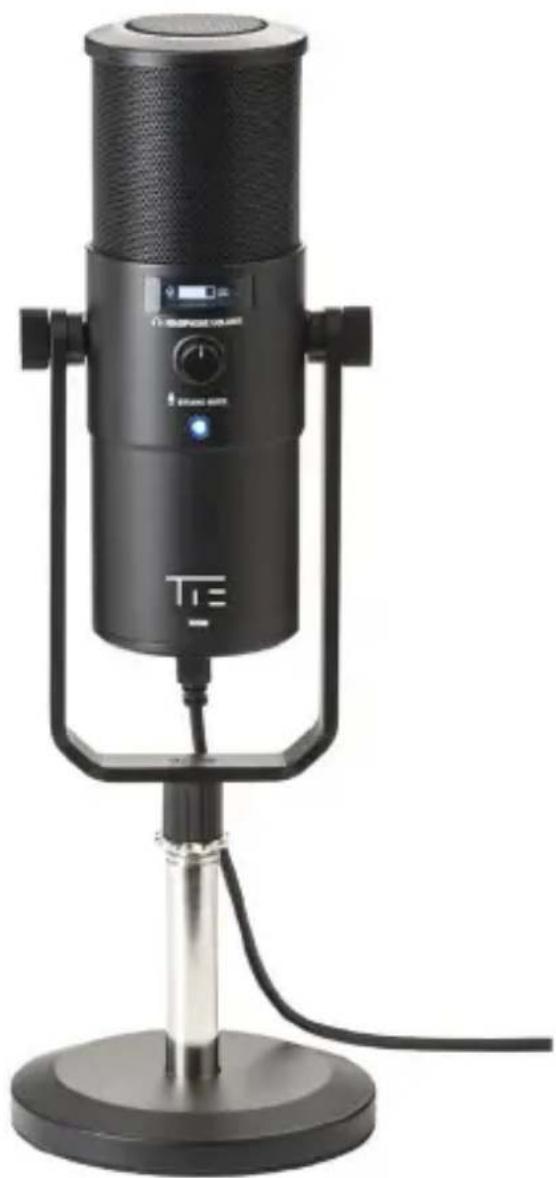
Black studio microphone on a stand, no visible text or symbols on the device bodyArticle: 19-90031
GENERAL INTRODUCTION
The TUR88 is a multi-pattern USB microphone in a modern designed but rugged metal housing, that combines 3 capsules and 4 different polar pattern settings. It is the ideal choice for podcasting, screencasting, basic recordings of all kind and realtime communication in high audio quality - whether you are new to streaming or an experienced user.
TUR88 features a built-in headphone amplifier with a standard 3.5mm output jack that can be used for zero-latency monitoring. You can quickly adjust the microphone gain, polar patterns and headphone volume for an optimal recording and monitoring experience with the control knobs off the housing.
SPECIFICATION
- Type: USB microphone
- Capsule: 3x16mm electret
- Polar pattern: cardioid, omni, figure-8 and stereo
• Frequency response: 30hz-20khz - Sensitivity: -32dB
• Recording resolution: 96khz/24bit - Connector: standard mini USB connector
• Power requirement: USB bus-powered
HEADPHONE OUTPUT
• Frequency response: 20hz-20khz
- Connector: standard 3.5mm stereo headphone jack
THE INTRODUCTION OF EACH BUTTON
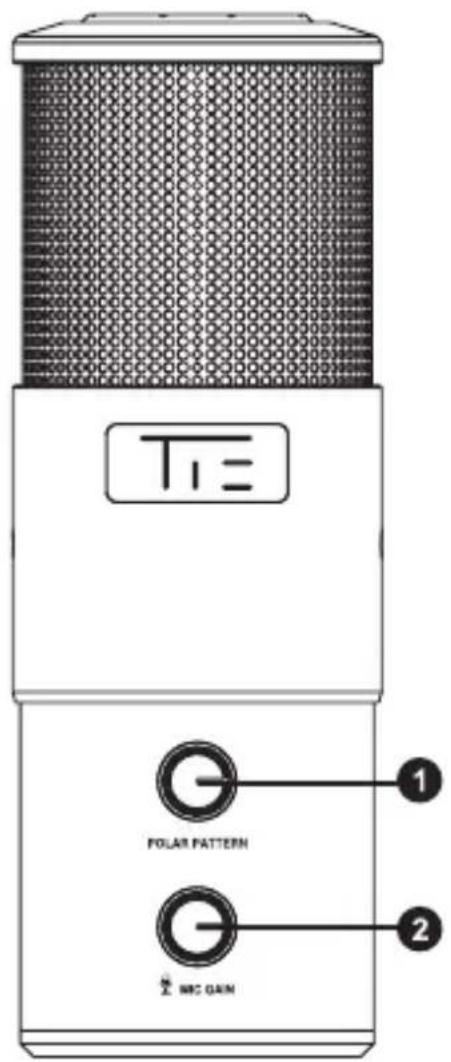
Rear side while in use
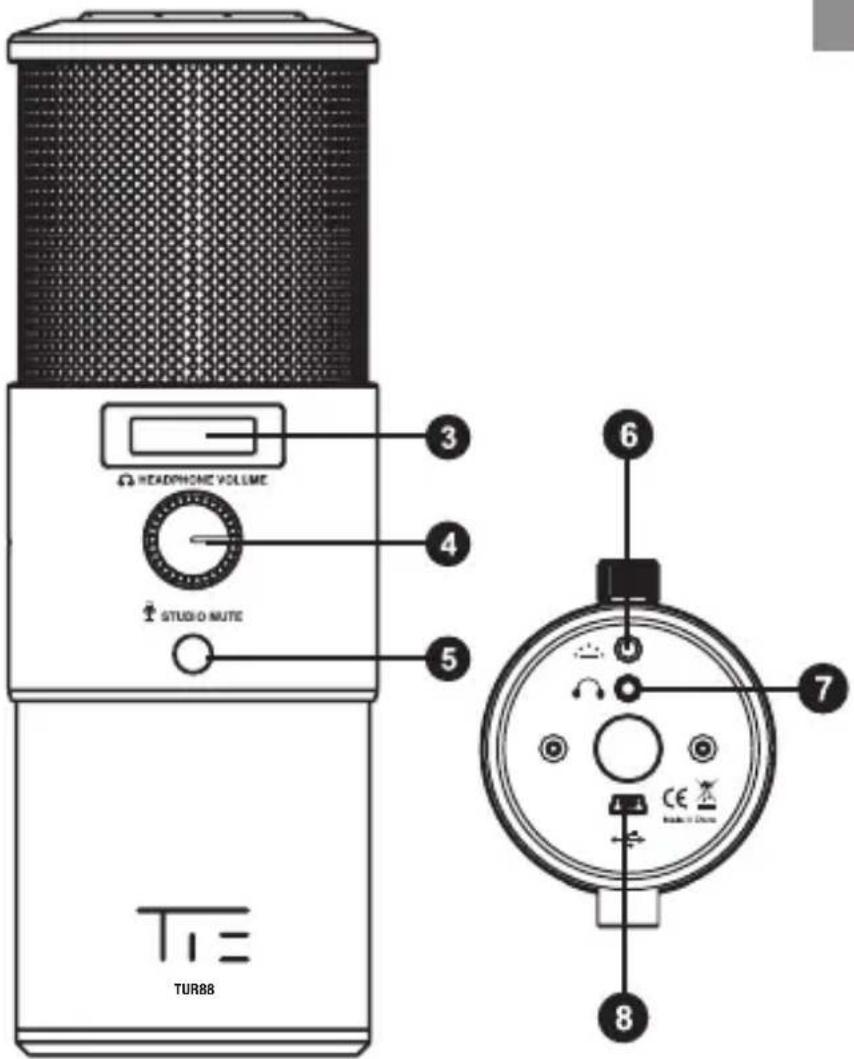
Front side while in use
- POLAR PATTERN: Switch between 4 different recording patterns with a quick turn of this knob
- MIC GAIN: Quickly adjust your microphone's sensitivity to your preferred level
- LED: Displays your headphone gain, headphone volume and polar pattern
- HEADPHONE VOLUME: Controls the volume level of headphones plugged into the microphone headphone jack
- STUDIO MUTE: Enables you to quickly mute the microphone
- Button controls the LED LOGO
- Standard 3.5mm headphone connector
- Standard mini USB connector
HOW TO USE TUR88
FOR WINDOWS USERS
Step 1: Use the USB cable to connect microphone and computer.
Step 2: Select control panel > hardware and sound > manage audio devices to view your sound setting window.
Step 3: In the recording tab, select "TUR88" from the list and click the set default button.
FOR MAC USERS
Step 1: Use the USB cable to connect microphone and computer.
Step 2: Select system preferences > sound to view your sound settings window.
Step 3: In the input tab, select "TUR88" from the list.
SAFETY PRECAUTIONS
- Do not store the microphone under direct sunlight, near heating devices or in a hot, humid or dusty place. Do not allow the microphone to get wet;
- Do not install near any heat sources such as radiators, heat registers, stoves, or other apparatus (including amplifiers) that produce heat;
- Do not expose the microphone to strong impact;
- Do not disassemble, modify or attempt to repair the microphone;
- Clean only with a dry cloth;
- When this product is used for a long time, the microphone may become discolored due to ultraviolent light (especially direct sunlight) or wear.
SERVICE
If your product needs servicing, follow these instructions.
-
Ensure the problem is not related to operation error or external system devices.
-
Keep this owner's manual, since we don't need it to repair the unit.
-
Pack the unit in its original packaging including end card and box. This is very important. If you have lost the packaging, please make sure you have packed the unit properly. TIE is not responsible for any damage that occurs due to non-factory packing.
-
Ship to the local return authorization.
▶ www.tie-products.com
Brand: TIE ^® is a registered trademark of sonic sales GmbH.
General Importeur worldwide: sonic sales GmbH, Rembrandtstr. 1-3, 33649 Bielefeld, Germany
Electronic waste: This product underlies the guidelines of WEEE authority.
Declaration of conformity: This product has been approved for getting the CE symbol.
Articlenumber: The article TUR88 is specified by the articlenumber: 19-90031
After sales support: support@tie-products.com
Designed and engineered in Germany. Made in China.
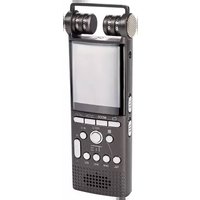
Brand : TIE Audio
Model : TUR 88 Supernova
Category : Microphone