Supporto - Laptop cooling system MICROSOFT - Free user manual and instructions
Find the device manual for free Supporto MICROSOFT in PDF.



| Product type | Laptop cooling pad |
| Dimensions | 360 x 280 x 40 mm |
| Weight | 600 g |
| Power supply | USB 5V |
| Material | ABS plastic |
| Number of fans | 2 |
| Fan diameter | 120 mm |
| Noise level | < 25 dB |
| Loading capacity | Laptops up to 15.6 inches |
| Main functions | Active cooling with two fans, adjustable stand, passive use possible |
| Care and cleaning | Clean only with a dry cloth, do not expose to moisture |
| Safety | Do not open or repair yourself, keep away from heat sources, avoid overloading |
| Spare parts and repairability | No user-serviceable parts, modification voids warranty |
| General information | Indoor use only, operating temperature 5°C to 35°C |
Frequently Asked Questions - Supporto MICROSOFT
User questions about Supporto MICROSOFT
0 question about this device. Answer the ones you know or ask your own.
Ask a new question about this device
Download the instructions for your Laptop cooling system in PDF format for free! Find your manual Supporto - MICROSOFT and take your electronic device back in hand. On this page are published all the documents necessary for the use of your device. Supporto by MICROSOFT.
USER MANUAL Supporto MICROSOFT
International Technical
Support Numbers
(partial list only) 96
Product Guide
This symbol identifies safety and health messages in the Product Guide and other product manuals.
Read this guide for important safety and health information that apply to the Microsoft device that you have purchased.
A Warning:
Failure to properly set up, use, and care for this product can increase the risk of serious injury or death, or damage to the device or devices. Read this guide and keep all printed guides for future reference. For replacement guides, go to www.microsoft.com/hardware or refer to the Microsoft Help and Support section for contact information.
Important Safety Information
Battery-Powered Devices
These precautions apply to all products that use rechargeable or disposable batteries. Improper use of batteries may result in battery fluid leakage, overheating, or explosion. Released battery fluid is corrosive and may be toxic. It can cause skin and eye burns, and is harmful if swallowed.
To reduce the risk of injury:
- Keep batteries out of reach of children.
- Do not heat, open, puncture, mutilate, or dispose of batteries in fire.
- Do not mix new and old batteries or batteries of different types (for example, carbon-zinc and alkaline batteries).
- Do not allow metal objects to touch the battery terminals on the device; they can become hot and cause burns.
- Remove the batteries if they are worn out or before storing your device for an extended period of time. Always remove old, weak, or worn-out batteries promptly and recycle or dispose of them in accordance with Local and National Disposal Regulations.
- If a battery leaks, remove all batteries, taking care to keep the leaked fluid from touching your skin or clothes. If fluid from the batter comes into contact with skin or clothes, flush skin with water immediately. Before inserting new batteries, thoroughly clean the batter compartment with a damp paper towel, or follow the battery manufacturer's recommendations for cleanup.
Disposable (non-rechargeable) batteries only:
- Caution Risk of explosion if battery is replaced by an incorrect type. Use and replace only with correct size and type (alkaline, zinc-carbon, or zinc-chloride) of batteries.
Headset Devices
Extended exposure to high volumes when using a headset may result in temporary or permanent hearing loss. To prevent damage to your headset, avoid sitting or stepping on the headset, its cable, or the cable connector.
A Warning:
The earphones contained within this product may attract dangerous objects like staples and paper clips. Take care to avoid harm that may occur from the retention of dangerous objects on the earphones.
Wireless Devices
Before boarding any aircraft or packing a wireless device in luggage that will be checked, remove the batteries from the wireless device or turn the wireless device off (if it has an on/off switch). Wireless devices can transmit radio frequency (RF) energy, much like a cellular telephone, whenever batteries are installed and the wireless device is turned on (if it has an on/off switch).
Game Controllers, Keyboards, and Mouse Devices
Health Warning
Use of game controllers, keyboards, mice, or other electronic input devices may be linked to serious injuries or disorders.
When using a computer, as with many activities, you may experience occasional discomfort in your hands, arms, shoulders, neck, or other parts of your body. However, if you experience symptoms such as persistent or recurring discomfort, pain, throbbing, aching, tingling, numbness, burning sensation, or stiffness, DO NOT IGNORE THESE WARNING SIGNS. PROMPTLY SEE A QUALIFIED HEALTH PROFESSIONAL, even if symptoms occur when you are not working at your computer. Symptoms like these can be associated with painful and sometimes permanently disabling injuries or disorders of the nerves, muscles, tendons, or other parts of the body. These musculoskeletal disorders (MSDs) include carpal tunnel syndrome, tendonitis, tenosynovitis, and other conditions.
While researchers are not yet able to answer many questions about MSDs, there is general agreement that many factors may be linked to their occurrence, including: overall health, stress and how one copes with it, medical and physical conditions, and how a person positions and uses his or her body during work and other activities (including use of a keyboard or mouse). The amount of time a person performs an activity may also be a factor.
Some guidelines that may help you work more comfortably with your computer and possibly reduce your risk of experiencing an MSD can be found in the "Healthy Computing Guide" installed with this device's software or in the "Healthy Gaming Guide" available at www.xbox.com. If this device did not come with software, you can access the "Healthy Computing Guide" at www.microsoft.com/hardware or (in the United States only) by calling (800) 360-7561 to request a CD at no charge. If you have questions about how your own lifestyle, activities, or medical, or physical condition may be related to MSDs, see a qualified health professional.
Photosensitive Seizures
A very small percentage of people may experience a seizure when exposed to certain visual images, including flashing lights or patterns that may appear in video games. Even people who have no history of seizures or epilepsy may have an undiagnosed condition that can cause these "photosensitive epileptic seizures" while watching video games.
These seizures may have a variety of symptoms, including light headedness, altered vision, eye or face twitching, jerking or shaking of arms or legs, disorientation, confusion, or momentary loss of awareness. Seizures may also cause loss of consciousness or convulsions that can lead to injury from falling down or striking nearby objects.
Immediately stop playing and consult a doctor if you experience any of these symptoms. Parents should watch for or ask their children about the above symptoms - children and teenagers are more likely than adults to experience these seizures. The risk of photosensitive epileptic seizures may be reduced by taking the following precautions:
- Sit farther from the television screen.
Use a smaller television screen. - Play in a well-lit room.
- Do not play when you are drowsy or fatigued.
If you or any of your relatives have a history of seizures or epilepsy, consult a doctor before playing.
All Devices
Do Not Attempt Repairs
Do not attempt to take apart, open, service, or modify the hardware device or power supply. Doing so could present the risk of electric shock or other hazard. Any evidence of any attempt to open and/or modify the device, including any peeling, puncturing, or removal of any of the labels, will void the Limited Warranty.
Choking Hazard
This device may contain small parts which may be a choking hazard to children under 3. Keep small parts away from children.
Usage and Cleaning
Use in accordance with these instructions:
- Do not use near any heat sources.
- Only use attachments/accessories specified by Microsoft.
Clean only with dry cloth. - Do not allow this product to become wet. To reduce the risk of fire or shock, do not expose this product to rain or other types of moisture.
Adhesive Mounting
Some devices use adhesive tape to mount components in your workspace. DO NOT mount on antiques, heirlooms, or other valuable or irreplaceable items. After mounting, removing the adhesive may damage the cosmetic coating and/or leave an adhesive residue.
Tablet Stands
To avoid damaging equipment placed on the tablet stand, do not overload or bump it, causing it to collapse or tip over.
Laser and LED Specific cations
Caution Use of controls or adjustments, or performance of procedures other than those specified herein may result in hazardous radiation exposure.
Laser Devices
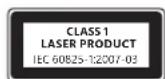
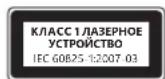
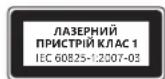
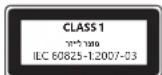
This device complies with International Standard IEC 60825-1:2007-03 for a Class 1 laser product. This device also complies with 21 CFR 1040.10 and 1040.11 except for deviations pursuant to Laser Notice No. 50, dated June 24, 2007.
Optical (LED) Mouse
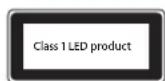
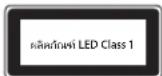
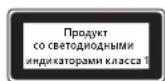
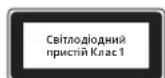
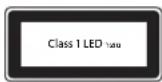
This product has been evaluated to comply with International Standard (IEC 60825-1:2001-08) and IEC 62471 (2006-07). This product uses LEDs that are considered Class 1 (IEC 60825-1:2001-08).
Regulatory Information
Not intended for use in machinery, medical or industrial applications.
Any changes or modifications not expressly approved by Microsoft could void the user's authority to operate this device.
This product is for use with NRTL Listed (UL, CSA, ETL, etc.), and/or IEC/EN 60950-1 compliant (CE marked) Information Technology equipment No serviceable parts included. This device is rated as a commercial product for operation at +41^ (+5^) to +95^ (+35^) .
This Class B digital apparatus complies with, as applicable, Part 15 of the U.S. Federal Communications Commission (FCC) rules, Canadian ICES-003, RSS-Gen, RSS-210 and RSS-310. Operation is subject to the following two conditions: (1) this device may not cause interference, and (2) this device must accept any interference received, including interference that may cause undesired operation.
To comply with RF exposure requirements, the following operating configurations must be satisfied: the antenna has been installed by the manufacturer and no changes can be made. The wireless devices must not be co-located or operating in conjunction with any other antenna or transmitter. Except for headset and handheld devices, wireless devices must be at least 20cm between the antenna of the wireless device and all persons.
For 802.11a devices only
This product is restricted to indoor use only to reduce any potential for harmful interference with licensed operation in the 5.15 to 5.25 GHz frequency range.
Microsoft Corporation; One Microsoft Way; Redmond, WA 98052-6399; U.S.A. United States: (800) 426-9400 Canada: (800) 933-4750
Statement of Compliance with EU Directives
Hereby, Microsoft Corporation declares that this product is in compliance with the essential requirements and other relevant provisions of Directives, 2006/95/EC, 2004/108/EC and 1999/5/EC, as applicable.
Company: Microsoft Ireland Operations Ltd.
Address: The Atrium Building 3
Carmenhall Road, Sandyford Industrial Estate, DUBLIN 18
Country:
Ireland
Telephone number: +353 1295 3826
Fax number: +353 1706 4110
Complies with IDA Standards DB102868
Complies with IDA Standards DB100398

Category II Equipment
27 MHz Devices
RF output power: < 54dB V / m at 3m
Keyboard with two channels - RF frequencies: 27.095MHz (channel 1), 27.195MHz (channel 2)
Keyboard with a single channel - RF frequency: 27.195MHz or 27.095MHz
Mouse with two channels - RF frequencies: 27.045MHz (channel 1), 27.145MHz (channel 2)
Mouse with a single channel - RF frequency: 27.145MHz or 27.045MHz
This Category II radiocommunication device complies with Industry Canada Standard RSS-310.
Radio and TV Interference Regulations
The Microsoft hardware device(s) can radiate radio frequency (RF) energy. If not installed and used in strict accordance with the instructions given in the printed documentation and/or onscreen help files, the device may cause harmful interference with other radio-communications devices (for example AM/FM radios, televisions, baby monitors, cordless phones, etc.). There is, however, no guarantee that RF interference will not occur in a particular installation.
To determine if your hardware device is causing interference to other radio-communications devices, disconnect the device from your computer or remove the device's batteries (for a battery operated device). If the interference stops, it was probably caused by the device. If the interference continues after you disconnect the hardware device or remove the batteries, turn the computer off and then on again. If the interference stopped when the computer was off, check to see if one of the input/output (I/O) devices or one of the computer's internal accessory boards is causing the problem. Disconnect the I/O devices one at a time and see if the interference stops.
If this hardware device does cause interference, try the following measures to correct it:
- Relocate the antenna of the other radio-communications device (for example AM/FM Radios, televisions, baby monitors, cordless phones, etc) until the interference stops.
- Move the hardware device farther away from the radio or TV, or move it to one side or the other of the radio or TV.
- Plug the computer into a different power outlet so that the hardware device and radio or TV are on different circuits controlled by different circuit breakers or fuses.
If necessary, ask your computer dealer or an experienced radio-TV technician for more suggestions. For more information about interference issues, go to the FCC Web site at: http://www.fcc.gov/cgi/consumerfacts/interference.html. You can also call the FCC at 1-888-CALL FCC to request Interference and Telephone Interference fact sheets.
Disposal of Waste Batteries and Electrical & Electronic Equipment
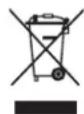
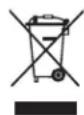
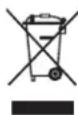
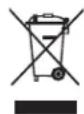
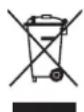
This symbol on the product or its batteries or its packaging means that this product and any batteries it contains must not be disposed of with your household waste. Instead, it is your responsibility to hand this over to an applicable collection point for the recycling of batteries and electrical and electronic equipment. This separate collection and recycling will help to conserve natural resources and prevent potential negative consequences for human health and the environment due to the possible presence of hazardous substances in batteries and electrical and electronic equipment, which could be caused by inappropriate disposal. For more information about where to drop off your batteries and electrical and electronic waste, please contact your local city/municipality office, your household waste disposal service, or the shop where you purchased this product. Contact weee@microsoft.com for additional information on WEEE and waste batteries.
Guia do produits
Piles jetables (non rechargeable) quintum :
Installation adhesive
Adresse: The Atrium Building 3
Carmenhall Road, Sandyford Industrial Estate, DUBLIN 18
Pays:
Irlande
Carmenhall Road, Sandyford Industrial Estate, DUBLINO 18
Paese: Irlanda
Carmenhall Road, Sandyford Industrial Estate, DUBLIN 18
Pais:
Irlanda
Número de téléphone: +353 1 295 3826
Numero de fax: +353 1706 4110

Piles jetables (non rechargeable) quintum :
Installation adhesive
Adres: The Atrium Building 3
Carmenhall Road, Sandyford Industrial Estate, DUBLIN 18
Land:
lerland
Telefoonnummer: +35312953826
Faxnumber: +353 1706 4110

Verwerken van afgedankte batterijen en afgedankte elektrische en elektronische apparaten
Adresse: The Atrium Building 3
Carmenhall Road, Sandyford Industrial Estate, DUBLIN 18
Land: Irland
Telefon: +35312953826
Fax: +353 1 706 4110

Eaipia: Microsoft Ireland Operations Ltd.
Ateuovon: The Atrium Building 3
Carmenhall Road, Sandyford Industrial Estate, DUBLIN 18
Xwpa:lpavdelta
Aptooc TnEewpovou: +35312953826
AptOmuC Fax: +353 1706 4110

Anoppiyn axpnotw mataipi w kOw c kai nAektpikoou kai nAektpovikou eonlaioou
To ouβoAo auto enavw oto npoiov, otic mntapiec tou n otouakeuaia onmaivei oto npoiov auto, kai onoioeohnote
mntatapiec nepiexei, dev npenei va atoppiinvtovta ie ta oikiaa anoppmuata. Avtieta, elva dkiac euvun v na papaedoe
to npoiov oe kaioo ediko onmeio auuoync yia tvv avakukwn ttw mntapiwv kaowc kai to nkektpko kai nkektpvko
Eoiiaou. Autn n Exwpiatn ovlloyn kai avakukwan th Bononae stny eoikovon qwaikovtopwv kai tnv anotpon
twv niabuv apnvntikw vennwewy viy aynv apwivnu yea kai to nepialov, tic onoeic mnpoei va npokalaei n akatalan
antoppipn, loyw tc ntiawnc napovoiac enikivdvuw ovuiw otic mntapiec, to n kektko kai to nkektpvko Eotlaio.
Tia nepiooatepe c npnpopoeic oxetik a ta oneia ontuopeite va apnoete ra nkektpka kai nkektpvkaac onoppiuata
kai tic mntapiec oac, etikovwnote me to deno mac, me tvn utnpesia atokojdnc oikiakwv anoppmuatwv n me to kataotna ato
to ontio ayopaaote to npoiov auto. Ia npooetec, nnpopopiec oxetik a te WEEK ktnv anopppsi nntapwiw, enikovwnote
te tnv nektpvkn dievthuvan weee@microsoft.com.
Manual do Produto
Carmenhall Road, Sandyford Industrial Estate, DUBLIN 18
Pais:
Irlanda
Sirket: Microsoft Ireland Operations Ltd.
Adres: The Atrium Building 3
Carmenhall Road, Sandyford Industrial Estate, DUBLIN 18
Ulke: Irlanda
Telefon numaras: +353 1295 3826
Adresse: The Atrium Building 3
Carmenhall Road, Sandyford Industrial Estate, DUBLIN 18
Land:
Irland
Telefonnummer: +353 1295 3826
Faxnumber: +353 1 706 4110

Osoite: The Atrium Building 3
Carmenhall Road, Sandyford Industrial Estate, Dublin 18
Maa: Irlanti
Puhelinnumero: +353 1295 3826
Faksinumero: +353 1706 4110

Adress: The Atrium Building 3
Carmenhall Road, Sandyford Industrial Estate, DUBLIN 18
Land:
Irland
Telefonnummer: +353 1295 3826
Faxnumber: +353 1 706 4110

Microsoft Corporation; One Microsoft Way; Redmond, WA 98052-6399; U.S.A. United States: (800) 426-9400; Canada: (800) 933-4750
电话:(86) 21-6188-8888
传真:(86)21-34292977
技术支持电话
Microsoft Corporation, One Microsoft Way, Redmond, WA 98052-6399, U.S.A. (800) 426-9400 [T]
1.吉昌的明昌马乌洛:多子
2.信中回是自的上:MicrosoftCorporation
3.総支部電:2012年
4.制王/制国:MicrosoftCorporation/China
大
i
uuaaunauauuul u" uuu "auuunauuuuauuuuuuuuuuuuuuuuuuuuuuuuuuuuuuuuuuuuuuuuuuuuuuuuuuuuuuuuuuuuuuuuuuuuuuuuuuuuuuuuuuuuuuuuuuuuuuuuuuuuuuuuuuuuuuuuuuuuuuuuuuuuuuuuuuuuuuuuuuuuuuuuuuuuuuuuuuuuuuuuuuuuuuuuuuuuuuuUU
A
nuiuunnnnnnnnnnnnnnnnnnnnnnnnnnnnnnnnnnnnnnnnnnnnnnnnnnnnnnnnnnnnnnnnnnnnnnnnnnnnnnnnnnnnnnnnnnnnnnnnnnnnnnnnnnnnnnnnnnnnnnnnnnnnnnnnnnnnnnnnnnnnnnnnnnnnnnnnnnnnnnnnnnnnnnnnnnnnnnnnnnn
A
ounnaiowwnnnna
u"nnnnae nnnn nn nnnnnnnnnnnnnnnnnnnnnnnnnnnnnnnnnnnnnnnnnnnnnnnnnnnnnnnnnnnnnnnnnnnnnnnnnnnnnnnnnnnnnnnnnnnnnnnnnnnnnnnnnnnnnnnnnnnnnnnnnnnnnnnnnn
y
·山山山山山山山山山山山山山山山山山山山山山山山山山山山山
·xunxunxunxunxunxunxunxunxunxunxunxunxunxunxunxunxunxunxunxunxunxunxunxunxunxunxunxunxunxunxunxunxunxunxunxunxunxunxunxunxunxunxunxunxunxunxunxunxunxunx
Wu"wuuuuuuuuuuuuuuuuuuuuuuuuuuuuuuuuuuuuuuuuuuuuuuuuuuuuuuuuuuuuuuuuuuuuuuuuuuuuuuuuuuuuuuuuuuuuuuuuuuuuuuuuuuuuuuuuuuuuuuuuuuuuuuuuuuuuuuuuuuuuuuuuuuuuuuuuuuuuuuuuuuUU
-
nnaaannnnnne nnnnnnnnnnnn nnnnnnnnn nnnnnnnnnnnnnnnnnnnnnnnnnnnnnnnnnnnnnnnnnnnnnnnnnnnnnnnnnnnnnnnnnnnnnnnnnnnnnnnnnnnnnnnnnn
- 1
WANNNNNTNNNNNNNNNNNNNNNNNNNNNNNNNNNNNNNNNNNNNNNNNNNNNNNNNNNNNNNNNNNNNNNNNNNNNNNNNNNNNNNNNNNNNNNNNNNNNNNNNNNNNNNNNNNNNNNNNNNNNNNNNNNNNNNNNNNNNNNNNNNNNNNNNNNNNNNNNNNNNNNNNNNNNNNNNNNNNNNNNNNNNNNNNNNNNNNNNNNNNNNN
yuaunnau
Wlloiunuununununununununununn n nnwnnnnnwwww noonnnnnnnnn
nwwnnnnnnnnnnnnnnnnnnnnnnnnnnnnnnnnnnnnnnnnnnnnnnnnnnnnnnnnnnnnnnnnnnnnnnnnnnnnnnnnnnnnnnnnnnnn
Nnannnnn nnnn nn nnnn nnnn nnnn nnnn nnnn nnnn nnnn nnnn nnnn nnnn nnnn nnnn nnnn nnnn nnnn nnnn nnnn nnnn nnnn nnnn nnnn nnnn nnnn nnnn nnnn nnnn nnnn nnnn nnnn nnnn nnnn nnnn nnnn nnnn nn
muaaunannnnnnaaennnnn aannnnnnnnnnnnnnnnnnnnnnnnnnnnnnnnnnnnnnnnnnnnnnnnnnnnnnnnnnnnnnnnnnnnnnnnnnnnnnnnnnnnnnnnnnnnnnnnnnnnnnnnnnnnnnnnnnnnnnnnnnnnnn
Aeeppe eeppeeppeeppeeppeeppeeppeeppeeppeeppeeppeeppeeppeeppeeppeeppeeppeeppeeppeeppeeppeeppeeppeeppeeppeeppeeppeeppeeppeeppeeppeeppeeppeeppeeppeeppeeppeeppeeppeeppe
A 费尔德瓦纳尼:
M
A Mahvatvapuoyu kurukata janaNkai
贝尼一-
sahitkejohooomkokmokranek
Adresa: The Atrium Building 3
Carmenhall Road, Sandyford Industrial Estate, DUBLIN 18
Država:
Irska
Telefonski broj: +353 1295 3826
Broj faksa: +353 1706 4110

Odlaganje otpadnih baterija te elektricne i elektronicke opreme
Ovaj simulb na proizvodu ili baterijama, odnosno pakiranju proizvoda znaci da proizvod i baterije koje sadrzi ne smijete odlagati u kućanski opdat. Umjesto toga dužni ste predati proizvod u odgovarajućem reciklaznom dvoristu u kojem se reciklaraju baterije i elektricka i elektronicka oprema. Zasebn o priukuplanje i reciklaranje pridonosi zašiti prirodnih resursa i sprječava moguce negativne posljedice po ljudsko zdravljé i okoliš zbog moguce prisutnosti opasinvi tvari u baterija i elektrickoj, odnosno elektronickoj opremi, što要考虑 biti uzrokovano neprimjerenim odlaganjem. Dodatne informaciye o odlaganju baterija i elektrickog, odnosno elektronickog optada zatražite od lokalnog gradskog/opcinskog ureda, servisi za odlaganje kućanskog optada ili u ducanu u kojem ste kupili proizvod. Dodatne informaciye o standardu WEEE i optradnim baterijama potrazite na adresi weee@microsoft.com.
Přiručka k produktu
Tento symbol v teto a dalsich priruckach identifikuje informace tykajici se bezpecnosti a zdrvi.
Adresa: The Atrium Building 3
Carmenhall Road, Sandyford Industrial Estate, DUBLIN 18
Zemé: Irsko
Telefonni cislo: +353 1295 3826
Fax: +353 1 706 4110

Cime: The Atrium Building 3
Carmenhall Road, Sandyford Industrial Estate, DUBLIN 18
Ország:
Ireland
(Írország)
Telefonszam: +353 1 295 3826
Faxszam: +353 1706 4110

Adres: The Atrium Building 3
Carmenhall Road, Sandyford Industrial Estate, DUBLIN 18
Państwo:
Irlandia
Nr Telefonu: +353 1 295 3826
Nr faksu: +353 1 706 4110

Company: Microsoft Ireland Operations Ltd.
Adres: The Atrium Building 3
Carmenhall Road, Sandyford Industrial Estate, DUBLIN 18
Tará: Irlanda
Numar de telefon: +3531295 3826
Numar defax: +353 17064110

Eliminarea deseurilor de baterii si de echipamente electrice si electronice
3n Mepb npedocopoxhocto OTHOCrKa Bcem npdykTa, B KOTOpbix HcnoIb3yHOTcAkkMyJToPb IIN 6aTapeKn. HenpaBnHoe nCNoIb3OBaHHe 6batapeek/AKKMyJIaTOpOB MoKe npBecn K yteue 3NeKTPOJNTa, nepepeBy nIN B3pbY. BbTeKmI 3eKTPoNt eOK mOKeT 6bTB TokChnblm. PonaDaHne 3NeKTPOJNTHa K0xy NIN B rIa3a MoKeT bI3BaTb OxOr. 3NeKTPOJNT HeIb3ra IToTaTb.
YTo6bI CHN3ntb PNCK NOJyueHnra TpaBmbl, BbINOJIHnTe CneJeOuNe peKoMeHaauH.
XpaHnte 6BaTapeKn B MeCtax, HeNoctynhIx JIaTeN.
He harpebaite, He bckpbiaute, He npokalbibaite, He dephiopmpyte n He ckiarate 6aataeKnn akkymyIaTOpbl.
He nCnoJIb3yIte OJHOBpeMeHHO HOBbie n cIapIe 6aTapeKn, a TaKKe 6aTapeKn pa3HbIX TINOB (HaNPIMep, yroJIbHO-UNHKOBbie n IeNoUHBe).
He no3BolJTe MeTaJIHueCKM npeMeTAM cOpnKacaTbC K KOHTaKTaMn 6aTapeB B yCTpoiCtBE. 3To MoKeT npuBeCTN K IN HarpeBy N Bbl3BaTb OXORN.
- IV3BLeKaIe 6aTapeiKn/AKKyMylrToPbI NO OKOHauHn Cpoka Cny6bl IIO6 nepeXpaHeHem yCTpoIcTa B TeueHne dIITeHoro nepnoDA BpemeHH. HEmdJIeHHo N3BLeKIne CTapble, pa3prjKeHHbIe IIN NOBpeXdeHHbIe 6aTapeKu I HA npabBeHX Ha nepepa60Ky IIN yTNlIMnpyTe B COOTBeTCTBmC MeCTHBIMN rOcydApCTBeHHbIMN npaBILAMn yTIUN3aUH NTxOIOB.
- Ecln 36aTapeKn/AkKymIyTopa BbTEK 3eKTPoJNT, INBLeKNTe BCE 3neMeENTb NITaHna, CNEg 3a TEM, YTO6bl 3eKTPoJNT He nonan Ha Koxy nIn HA OeJxdy. Ecln 3eKTPoJNT BCE xe nonan Ha Koxy nIn OeJxdy, HemeJeHHO npomoi Te npaxeHHb yuactok BOdo. PpexKe deem BCTabJIbTB HOble 6aTapeN, TuaTeJbHO npOTpe 6aTapeHbIO TCEK BlaxHo calfetko JINB bInOnHnte peKOMeHaacnn No OHCTKe, PpeOcTabHeHbIe npON3BOUnteMe 6aTapeN.
ToIbkoIaIb6BaTapeeK(HepeepaJxKaEmbIX)
BHMaHHe! Ecln 6atapeo 3aMeHt6batapee HEnpabInbHorO TnA, MoKet npOn30Tu B3pbIb. NcNoIb3yIte 6atapen ToIbKO npabNbHorO TnA n pa3Mepa (ueLoHbE, yIneuHKOBBe IINu cNHKoxOpnDhBe).
TapHtypbI
IInTeBHOe nCIOB3OBaHHe HayuHKnOB npn BbOCOM yPOBHe rPOMKcTm MoKe TnpNBeCTN K BPemEHHO HIN NOCTOHHo NOTepe Cnyxa. 106bH36ExaH NobpeJdHrnapHTpybl, He caNTecb H He HAcTypaTHe Ha He, ee Ka6eHn Hn pa3bEmbl.
BecnpoBOHbIe yCTpoiCTBa
Ipea nocakov B cmolet n ynakobko yctpoCTBa B 6araX n3BleKeTe 6atae n3 6ecnpoBOHO rCPOCTBA nN BbIKIOHTe (npi HAIuHn BbIKIOUATEA).Kak n cOTobbl TeelfoH, 6ecnpoBOHOe yctpoCTBO MOxET ClyXtB NcTOHNKOM paNOOACTOTHO (PCH) n3yueHn, ecn B HEM yCTaHOBHe batae n yctpoCTBO BKIOUeHO (pni HAIuHn BbIKIOUATEA).
HrpObIe yCtpoNCTBa,KnabNaTpybl NMbIu
PpeynpeKdHne 6 onachoctn JIA 3doopoBba
NcnoB3OBaHne irpoBx yctPoIcTB, KlaBnAtypbl, Mblu nn npynx 3LeKtpoHHbx yctpoIcTB BBOda nHΦOpMaun MOKeT 6bItb CBr3aHO c cepbe3HbIMn TpaBMamn N 3a6OJIeBAHNAMn.
Pnp npdoonjntbno paote Ha KOMNtotepe HOrTaMOrT B03HKeTaB 6oJe3HeHbte OuyuHnBpykax,3aIacTBx,IIeayx,Iee nIy dpynx qactx TeHa. Ondako npn NpOraBleHHnIOCTOBHbix INIOBTOPAUHXcHedOMoRaHm,6oJe,nybcauin,NOkAIBaHnN,NOTepn yBCTBnTeJIbHOCTn,xxKehnINOnOeHEnHHE INTHOPUPYITE 3TN TPEBOXHbIE CMMTOMbl. HEMEDJHEHO OSPATNTECb KBPAUY daKe cIn 3TN CmNTOMbl BO3HKeKaOT He BO BpempaBOTb 3a KOMNtOpom. Ioo6hBe CmNTOMbl MOrT 6bITb C8BaHbC 6oJe3HeHbIMn, a HOrDa n PnpBOdAaMm K INBaLIHOCtN NOBpeXdEHNMa INI 3aObeBaHnMn HEPBHO CNTeMbI, MbiUc, cyOXKnInn INI dpYnx qacteT TaKtHM KocTHo-MbIweHbIM 3aObeBaHnM OTOHcTc KaHaJa 3aIapCTb, TEHNHT, TEHDOnHBnT INdpYne.
Hecmptn ha to tco KcTHo-MbIeuehIbe 3a60lebaHn Ioka eue HeIOCTaTOUHO 3yueHbCyuEcTByeTO6ue MHeHne, TTO IN BO3HKnHOBeHne onpeJeTcM HOrHMn PaKToPAM, BkJIoua: o6uIM COcTOHnEM 3dOpOBb n CaMOUYBtBM, CTpeCCAM n CnOcObAm n npoeDoJIeHn, MeiunHckMn iN3NuCeCKMn Ioka3aHnAMy, a TaKke NIOJKeHem, B KOTOPOM YeIOBek pa60Taet N BblONHET dpyrNe deICTBn (BkIOUaY noJIb3OBAHnE KlaBnaTypoN mblb). 3NaumMbIM PaKToPOM MoXe TaKx BeBCTynB BpEm, B TeueHne KOTOPOR OeIOBek BblONHET pa60Ty.
HekotopbIe npabNla, KOtOpBle nomoryt cdeNa bpaboTy Ha KOMNbHOtepe ydo6He e CHN3nTb pnc B03HNKHObeHna KOCTHO-MbIeHbIX 3a0BeBaHn, nIOXeHbI b pykoBOCTBe «PpInuNblb 6e3oNaCHOH paobTb HA KOMNbHOtepe», NocTaBnAeMOM BmTece C nporpaMMHbIM o6ecneueHem dJr daHHoro yctpoiCTBa, mN In B DOkUmeHte «PykoBOCTBO NO 6e3oNaCHOCTnIrPp», DcTOynHOM Ha Be6-caTIe WwW.xbox.com. EcnI 3o YcTPOB No cO7aBnTcE BoocTBA Tc 6e3 nporpaMMHO 6oeCneHn, MoXHO O3HaKoMOnTBc C pykoBOCTBOM «PpInuNblb 6e3oNaCHOH paobTb Ha KOMNbHOtepe», nocettnb Be6-caTl WwW.microsoft.com/hardware nn (ToIbKnDJIaCUHA) zak3aAB 6eCnIaNthBI kOMnAKT-dnck no TepeHcy (800) 360-7561. Pnp Hauuun BonpocOB o Tom, kak 3dopoBBe i Phinueckoe CoCTOHN, onpeJeHHeNBIO NBCEDAHBE b3aHTIN a CTIN JxN3H MOry TBnABy Ha BO3HNKHObeHne KOCTHO-MbIeUHbIX 3a0BeBAHn, o6paNTceB K KBaIIhNfuiPoBAHOMy BpaCy.
Cydoopoxhble n 3nnletnueckne npnnaKn B pe3yIbTaTe CBETOBORO BO3dEChTBNA
Oueh MaIbI pnoeHT IIOe MoKeT NcIbIbTaBtpnctTybl npin BO3dienCTBnHEKOTopbIX BN3yAlbHbX n3o6paXeHn, BkIOaHmraHOune ORHN pncyHKN, IMeOUnceC BnuDeOnrpaX. DaXe y IIOeY, y KOTopbIX paHbSe He Na6IoudaIcBpncTybl nNn 3nnIeCNs, npn HEKOTopbIX YcIOBHX MOYr BO3NkaT TaKne EAnIeNTuCeCKne PnpnaKn CBtoCyBCTBntelBOcTN BO BPem IpocMOTpa BnDeONrp.
Takne npncTynbMoryt mMeMbpa3nHbce cmmTombb, BkHoua aerKoe roBokpyKeHne, n3MeHeHHoe 3peHne, noeprmbaHnBeK, Mblu, nUca, pyK uN Hor, de3OpneHTauHIO, 3aMeuaTeNbCTBO uN KpAeKoBpeMeHHyIO NOtePio BocnpnTNA. Tn npctTyblMOryT TaXke BB3bBaTb NotepHO Co3HaHnI Nn KOHybcn, KOTOpbeMOrY pNBeCTu TpaBme OT naDeHnI Nn ydapa o KaKne-Jn60 npdeMetbl.
HemeJeHnO npekpatne irpy n 6pauy npu o6hApyeHHn KaKOro-ln6o n3 3TNxCmNTOMOB. PoInteN O6ra3aHbCneITb 3a Bo3MOXHOCTBIO pOraBHeHn Yka3aHHbIX Bblwe CmNTOMOB y CBONx DeTeN INHTepcOBAtCBc OUYueHnM, KOtOpBle OHN NCbTIbBAHOT npuIrpe:DeTn N noDpocTkN B60JIbWe CTeneHn, Yem B3PocBle, NOBepxeHb DaHHbIM pacCTpoiCTBaM. PnCK CBTooyBCTBnBbIX 3nnIeNTNUeCKNX PPnADKO MOKHO CH3NTB, Co6JHOa DcEduyUOUIne PpeoocTOPOKHOCTN.
Heo6xoJIMO CnTe b Ha 60JIbWe paccToHmOn OT TeIeKpaHa.
-Повьтесь ekpaHOM MeHBшero pa3Mepa.
- IrgpaTBe BXOPOoOCBeeHcHOM NOMEeHnN.
HeIrpaIteB COHHOM IIN yTOMJIeHHOM COCTOHN.
Ecn y Bac nIy koro-n6o n3 Baunx poDCTBeHHNKOB OTMeaHnCb npncTybl nIeNJIeCnI, 6bpaTntcB K BpaY nepeHaJOM irpbI.
Bce yctpoCTBa
He nbitaeTecb camoCTOATEJbHO peMOHTnPOBaT yCTpoIcTBO
He pa36npaIte, He BckpbBaIte, He pemOHtpuYte H He moHnHpUyTe yctpoCTBO nII 6LOK nITAHN. 3TN DeJcTBMA MOrYT npBecTN K npaKeHHIO 3JIeKTPuueCKIM TOKOM I CTb NCTOCHOCTe. Pn HAJIuHN CBNDETeLBCTB NOnbTKN OTKpbTb INI N3MeHNTb YcTPOCTBO, BKJIoua HaHeceHne capanIH, npOKoIOB u ydaJIeHne 3TIkeTOK, rapaHTINHbIe 6ra3aTeJBCTBA CHTAOTc HedeCTBtNBbIM.
Onachoctb ydywb
3To yctpoiCTBO MOxET coepKATb MeIKNHe DeTALIN, KOtOpBle npeCTabJIaHOT onaHocTB dIaTee Do 3 ne. He donyckaTe nonadAHn 3TNX deTaleB pyknpe6hka.
3KcnnyataunnynCTka
NcnoIb3yIte yCTPOINCTBA B COOTBETCTBIM C daHHbIMN HHCTpyKUIAMNI:
He nCnoIb3yIte yCTpoIcTBOp PdOM CnCTOuHnKaMm TeTnla.
- IVcnoJIb3yIte ToJIbKO npncnOco6JIeHna/AKCEccyApbl, OoO6peHHble K cncNoJIb3OBAHnHO KopnpaueM MaIKpocOΦT.
- PpOu3BODnTe YnCTKy TOnbKO cyXoY TaKaHbIO.
He DOnyckaIte nonaHaHn Blan Ha yCTpoIcTB. YTo6bI yMeHbWntb pNCK Bo3ropaHn IIn yDapa ToKOM, He NoDBepraTe npOdyKT BO3dEINCTBnIO DOxJr nn Dpynx BnOB Blan.
KpenenneHa KneiKoO ochobe
Длкрпеленя KMноentOB HeKOTOpbix yctpoiCTBa ha paoboyem Mecte nCnoIb3yetc KneIkaJIeHTa. HE CJIEDYET KpeNTb TaKne yctpoiCTBa Na ppeMeTax, He noDJIeKaUx BOCCTaHOBLeHIO IIN ppeCTaBIAJIOX aHTNHyIO, fAmILbHyIO N dpyryIO ueHHocTB. B npotNBHom Clyuae npn CHaTIIN KIeIKOTO KpePENHNO OHO MOKeT NOBpeNTb KOCMTNUeCKoe NOKpbITNe NOBepXHOCTN IIN OCTaBtB Ha HeN CJIeDbI KIeIKOBOBeIeCTBa.
IpaTbKn dna nlaHwethbx NK
Yto6bIyCTpoCTBO He ynpanoC nOcTABKn Hn NobpeDnIOcb, He ToJkaTe ee Hn KnaTe Ha Hee TAgKeJIbe npedMeTb.
XapakTeepntKnIa3epoB u CBeToNDoB
BnmaHne! NcnoIb3OBaHne KaKx-ln6 cpeCTB ynpabHeHn HacTpoKn nn BbInoJIHeHne npOeDpy, He yKa3aHHbIX B daHHOM pyko0dCTBe, MOry T npBecTe K OnachOMy O6nyehHo.
Ja3epHbIe yctpoiCTBa
JaHHe yCTpoCTBO COOTBeTCTBye T MeKdyHApOdHomy CTaHdapTy IEC 60825-1:2007-03ДЯla Na3epHBx yCTpoIcTB Klaacca 1.3To yCTpoIcTB To KaXke COOTBeTCTBye CTaHdaptam 21 CFR 1040.10 n CFR 1040.11, Kpome NcklHOeHH, Yka3aHHbIX BByeDMJIeHHN 50 O na3epHoI npOduKcIMn OT 24 nHOA 2007 rOda.
Ontuuecka (cBetoNoDna) MbIb
JaHHoe n3dJIeME 6bIIO npoteCTnPOBaHO IN pni3HaHO COOTBeTCTBTOUIM MEXyHApOAnOMY CTaHApTy (IEC 60825-1:2001-08), a TaKxE IEC 62471 (2006-07). B DaHHOM n3dJIIN NcNoJb3ObaHbI CBToNDnHbIe HnDnKaTOpbl, COOTBeTCTBHyOnne KlaCCy1 (IEC 60825-1:2001-08).
HΦopMaζη O COOTBETCTBn 3aKoHOdaTeJbHbIM Tpe6ObaHnA
He npedha3haeHOnIcNoJIb3ObaHnB B pOmbIuIeHHbIX, MeuIINHcknx IIn IpnONBOcTBeHHbIX cJIaX.
JIIO6bIe I3MeHEnHy yCTpOInCTBa, He Oo6peHHbIe RaBbIM 6pa3OM KopnpaueNe MaIKpocOfT, MOryt npBecTN K yTpate npaba H erO kcnnyatauio.
DAnHHb npOdyKT ppeHa3NaueH dIra nCnOJIb3OBAHnca CnΦpOBbIM o6OpyIOBaHnem, yKaaAHbIM Ia6opatOpneN RNTL (UL, CSA, ETL n T. d.) H/nn COOTBeTcBtUoM CTaHApTy IEC/EN 60950-1 (MapKnpoBka CE).
He coepxit deTanei, noIeXaunx pemonty. DaHHoe yCTPOCTBO MOKET kCNIyATnPOBaTbC B TEMpeaTyPOM dnaana3ohe 5-35 ^ C
ДлcoTBeTcBnRA Tpe6oBaHnM RF OTHocnteIbHO paIIOuAcToTHOrO n3JUeyHn Heo6xOIMo co6IIOaTb CneIyIoUme npaBnla 3KcNlyaTaunn: anTeHHaYCTaHaBnBaIEcTpOIN3BOIDNTeJIe; KaKHe-Im6o ee N3MeHEnr 3aIpeIeHb. BeCIPPOBOHbE yCTpoiCTBa He DoJXHbI HaxOINbcra pRdOM IIN pa6oTaTB COBMeCTHO cIIO6oI pyTOI aHTEHNO IIN nepeDAtuNKOM. AHTEHn BecPPOBOHOrO yCTpoiCTBa (KpOME rAPHNTyp nHaJaONHHbIX yCTpoiCTB) DOJXHa paCnOJaTaBCHa paCtOraHHn He MeHee 20 cm OTeJIOBeKa.
ToIbKO yCTpOcTB cTAndApTa 802.11a
AaHHe n3dEne pa3peaaeTc NcNoIb3ObaTb TOLbKO B NOMeueHIn, YTO6bl CHN3NTb IIO6ble BO3MOXhBie BpeHbIe NOMEXN BO BpeMnIuHepoBaHHo pa60tB b dnaana3Ohe yactot ot 5,15 do 5,25 T.
Microsoft Corporation; One Microsoft Way; Redmond, WA 98052-6399; U.S.A. CUSA: KaHada (800) 426-9400; (800) 933-4750
Ytln3aun6atapeu, 3eKtpnueckoro n 3eKtpoHoro 06opydOBAHNA
Haunue 3to 3naka Ha npdyke, nla Ha ero 3elemhax nataHna, nla Ha ero ynakobke yka3bBaet, tTO daHHbI npdykntero 6atapen HnB3aYtINn3npoBaT BmecTe C 6bITOBbIMN OTOdAMn. Cneydt DocaBt NpOdyKT B COOTBeCTByIOU nnHKT npnemkn I nepepa60TK 6atape, 3eKtpnueckoro n 3eKtpoHnro 06OpDobAHn. Pa3deNbHbI c6op npepa60TK nomoratoxcpaHnTB npnpoDbHe pecypcbn npedeotBpataTb NOteHuaNbHoe HeratNBHO BnHnne Ha 3doPobBe IIODe n OkpyKaiouOyO cpey.
K KOTOPOMy MoKeT npBecTN HeNpabINbHnay yTnIN3aLna, n3-3a BO3MOxHO rPncTyCTBn ANChbIX BeueCtB B 3JIeKTPnueCKOM
n 3JIeKTPoHOM o6OpydoBaHH. IaI noJlyueHn DOJOnJIHnTeJbHbIX CBeDeHn O npYHKt AxpneMa 6aTaep, JJIeKTPuYeCKTO
n 3JektpoHOrO o6OpyDobAHnI O6paTntecb B MeCThBle OprAhbl BlaCTn, cLyK6by C6opa 6bITOBx OTXoOB NIN B NYKT npNo6peTeHnI daHHOr npOdykTa. O6paTntecb no aDpccy weee@mrcrosoft.com IaI noJIyEHHaONIOJIHTeBHO INHΦopMaunn IO WEEE (AnpeKtNbA EC 6bOTXdax 3JektpuHeCKOrO n 3JektpoHOrO o6OpyDobAHnI yTuINImaCmN 3JeMeHToB nITaHnI.

Príručka k produktu
Microsoft Ireland Operations Ltd.
Adresa: The Atrium Building 3
Carmenhall Road, Sandyford Industrial Estate, DUBLIN 18
Krajina:
Irsko
Telefonne císlo:
+35312953826
Naslov: The Atrium Building 3
Carmenhall Road, Sandyford Industrial Estate, DUBLIN 18
Država:
Irska
Telefonska stevilka: +353 1295 3826
Stevilka faksa: +353 1706 4110

Odlaganje opadnih baterij ter elektricne in elektronske opreme
Uo6 yHnKHytn nookdxhenno 6bnadhaHHa nndabui InnnaHwetib, He nepebaHTaxyute Ta He wTOBxaTe ii, 06 BOHa H BnAaTa He nepebephylnac.
TexhiHixapaKTepeNtIKNa3epHnx i cBtIOdoIqHnx npncTpoIB
Ybara! BnKOpncTahHnelementHB KepyBaHHy Hn npctocyBaHb a6o BnKoHaHHa i, He npe6aehnx y cboMy noci6hky, Moke np3BecTN do He6e3neHoro padiauiHoro onpomineHH.
Ja3ephi npictpoi
LcI npncptiB iDIOBIAe MxHapOaHOMy cTaNapTy IEC 60825-1:2007-03 nlaeepnix npncptoiB kIacy 1. LcI npncpti TAKOX 3aDOBOJbHc BmOram 21 CFR 1040.10 i 1040.11, 3a BnHATKOM BiXIneHb, BnKJaDeHNx y nobIDomHeHi «Laser Notice» N950, daTOBaHOMy 24 cepBn 2007 p.
OntuHa (cbitioiDHa) Mw
UeBnBip6BIDIOBAE MIXHAPoDNm CTaHapTAM (IEC 60825-1:2001-08)i IEC 62471 (2006-07).Y Bnpo6i BnKOpNCTOByHOCTCBnCBITNOIOIN, BiDHeceHI do KIacy 1 (IEC 60825-1:2001-08).
Hopmatubha iHΦopmaia
Bupi6 He npu3haueHn dIy BkOpncTaHn 3 MaunHnAmn i BepcTaTAM, B MeunHnx a6o npomcnobux cntEmax.
Byb-ki 3mHn nn moiikaiu, no He oTpmaIOn ophiuiHoro cxbaenHna Kopnpaui MaKpocoT, Moxytb np3BecTu do npinnHeHH npab KopntyBaua 3actocobvatn ue npctpi.
LeBnBip6 MoKBe BnKOpncTObyBaTnca 3 OblaHaHnHm Dla iHΦopMauiHx TexHoIor, Io BiNobiAc cTaHapTaM, Bu3HaHm NRTL (UL, CSA, ETL, iT. iH.), Ta/a6o IEC/EN 60950-1 (MapkyBaHH CE).
PnncpiH He MCTNtB dTanei, 10o nptpebyto bocnyrobyBaHHa. LcH npncptpi BBaxkaetbca cepHm Bnpo6om, kH moke npaObaTu y diaian30hi Temnepatyp BiD +5^ do +35^
Дясуmicho3BUMORAMpaioactoTHOrOBINPOMiHOBaHHFCChe6xIDHO doTPMByBaTcA TAKHXeknnyatauichN KOHfipyauii: aHTeHaMa 6ytbCTAHOBJIeHa BnPO6HNIKOM i KODHI 3MiHN He DONYCKAOTbc. Be3npoBOOBI npicntpoI he MaOTb 6yttn PO3MIueHi 6JIn3bKO ODNH OJHO a60 npaIOBAtn cIIbHO 3 6yIb-koIO IHWOIO aHTeHOIO a60 nepeDaayem. 3a BnHTKOM raphitypTa nopTaNBHX npicntpoIB, 6e3npoBOOBI npicntpoI heo6xIDHO po3taowByBatn Ha BiCTani He MeHwe HIX 20 cm Bi d anHTEN b63npoBOOBOr npicntpoI ta pncTyHix IIOde.
Jnue dnn npncptpoB 802.11a
Cen npnctpi npn3naeHno nneBnKopncTahnny npmniueHHI 3 MeTOO 3MeHueHH6yNb-RAKx MOKINBnx WkiDnBnx nepekoq ni dac liueh3oBaHOi po60Tu B VACToTHOMy diaana3OH 5,15-5,25 T.
Microsoft Corporation; One Microsoft Way; Redmond, WA 98052-6399; U.S.A. CIIJA: (800) 426-9400 Canada: (800) 933-4750
Ytni3aicnpaocobahnx 6atapee, ekeTpnuHoro ekeKtpoHHoro 06laHaHHA
Taka no3haoka Hn Bpu6i, 6aTapei nn ynaokoi 03hauac, 0e ne Bnp6 a6o 6aTapei do horo 3abopnoho ytni3ybaatn pao m iDomahim CmTTT. Hatomictb Bu Hecete BiNDobalhCTBa TpaHcnpotybanHHBpu6y Do BiNDOBHoro Mucia 3bnpaHH cmTTI
JnpepO6kn 6aTapei, eEkeTpOnHoro Ta eEkeTpUHO o6laHann. Take OKpeme 3bpanHH i pepeO6k daonomara 36epiratn
Pnpouhi pcypcs n 3ano6frrn NotehuHIM HeataMbHM Hacldkn Idozop8n Jnoe i DOBkiN; HnpepaNBHa ytni3iauz
MOKe npz3BeCt mo MoKJInBO r OoHneHH Nbe63neHnx peOBN, 0o Mic7bcr B 6aTapex, eEkeTPOHOMy j eEeTPNHOMY
06laHaHHI.3aDoklaHIMM BIDOMCTMn pO MICu npHmOy cnpaobAHnx 6aTape, eektpnHoro Ta eektpnoHORO
06laHaHH 3BepTaTeCra DoMICeBOi MbcKoi/MHyicunnaJIbHOi admiHcTpaui, CnyXbN BuBe3EHn no6yTOBOro CMITRA 60 y MaraHN, De 6yB
pnpduhnn ToBap.3BepHtbcra 3a aPecoHO weee@microsoft.com dIra OTPMaHH daTkoBI iHOpMaui Ioo WEEE (DInpeKTbBA EC npo
biXoDN eEeKtpnHORo Ta eEeKTPOHORO 6oaHaHH) iYtniiaaui eneMeHTIB KINBHeHHA.
. 11111111111111111111111111111111
i 1
:
a 100000000000000000000000000000000000000000000000000000000000000
JUJIJIJIUGOUGOLOUGOLOUGOLOU
aolo aoLw Uloglo
aJbUy JsJy jgZJl
a a a a a a a a a a a a a a a a a a a a a a a a a a a a a a a a a a a a a a a a a a a a a a a
aJ 13
:UyoyjzilljblsoJlui
2g jj 1. aagb jai jgl g jia jia jia jia jia jia jia jia jia jia jia
Jagall no jalill Jaiy aaiil agoggll aizll jilglg lgsio jals gol
aJb g. dJg dljR jlll aaaa Jzjjgge g 1yjlllglg
a a a a a a a a a a a a a a a a a a a a a a a a a a a a a a a a a a a a a a a
auiu auiu uaiuaaiu aaiu uioggul gaiu ayjg
b(lgz)s(y))0g 0o
(jjggljglljjgglgll)ylllallagssalrgpaaolpsaow.ubgsgybjlllljdlwla
Jllaoggjuiwgl
jlll lcc aio oj
i j 1111111111111111111111111111111
4.4uLgglJlJUgoUcglqJolllJUUcglaclawUlc
ai ≤ ( L1 + L) b_i ≥ 1
aaii aai i g i kslll jglj lalbllg rj piaa qill aai yq dai jla jg bgsj jg jg jg
s - sglal l j s 11 a - aLw l 12 s j aLw w 13 j s (jw / jw j
(1juii / juii / juii / iiaai gjo ciik |) lguiuugg ujiu
wglallgjglalllgglgjylg>
a 1
.001111111111111111111111111111111 0000000000000000000000000000000
g 1 g 1 g 1 g 1 g 1 g 1 g 1 g 1 g 1 g 1 g 1 g 1 g 1 g 1 g 1 g 1 g 1 g 1 g 1 g 1 g 1 g 1 g 1 g 1 g 1 g 1 g 1 g 1 g 1 g 1 g 1 g 1 g 1 g 1 g
a 1000000000000000000000000000000000000000000000000000000000000000
blw 1sL jw wll pJjU cogll Jdo U
Jgll glll jglalbdl 100000000000000000000000000000000000000000000000000000000000000000000000000000000000000000000
c
a a a a a a a a a a a a a a a a a a a a a a a a a a a a a a a a a a a a a a a a a a a a a a a a
.
laoojol jgjaliawlloosai
·
Lao 13! g waleu Jw Cx 13! a
aill llll lal lal lal lal lal lal lal lal
a_b = 1
jglzll
g j. 1 . 1 1 1 1 1 1 1 1 1 1 1 1 1 1 1 1 1 1 1 1 1 1 1 1 1 1 1 1 1 1 1 1
glll l 10
Jjlll yai go gaiyaiyai jilbglgaiiall li n no jalali lgl ayiyai yai aai bll ogai gl lylbll g iiaai ll g jlll g jlll g jlll g jlll g jlll g jlll g jlll g jlll g jlll g jlll g jlll g jlll g jlll g jlll g jlll g jlll g jlll g jlll g jlll g jlll g jlll g jlll g jlll g jlll g jlll g jll l g jlll g jlll g jlll g jlll g jlll g jlll g jlll g jlll g jlll g jlll g jlll g jlll g jlll g jlll g jlll g jlll g jlll g jlll g jlll g jlll g jlll g jlll g jlll g jlll g jll
M 10000000000000000000000000000000000000000000000000
aall aagajg aalll gaaalldlaa
Microsoft CIs aagaaal Jai Claslc Windowsg IntellIMouse IntellIeYog Microsoft
Jnlll 100000000000000000000000000000000000000000000000000000000000000000
#
A
Microsoft 1nnn nn nnnn nn nnnn nn nnnn nn nnnn
n nnnn n nn nnnn nnnn nnnn nnnn nnnn nnnn nnnn nnnn nnnn nnnn nnnn nnnn nnnn nnnn nnnn nnnn nnnn nnnn nnnn nnnn nnnn nnnn nnnn nnnn nnnn nnnn nnnn nnnn nnnn nnnn nnnn nnnn nnnn nnnn
NINO NIOI 2IUN yTID A
nibioDbyipnn npnn
n n nnnn nn nnnn nn nnnn nn nnnn nn nnnn nn nnnn nn nnnn nn nnnn nn nnnn nn nnnn nn nnnn nn nnnn nn nnnn nn nnnn nn nnnn nn nnnn nn nnnn nn nnnn nn nnnn nn nnnn nn nnnn nn nnnn nn nnnn nn nnnn nn nnnn nn nnnn
:nyn nn npn
.
.ynnbn
nbn nnnn nn nnnn nnnn nnnn nnnn nnnn nnnn
·n
IN NNI IN NIN,NNN NIN NIN NNIN NIN NIN NIN
nniin niipn noopn npnn nn
IN yyn dy yana nbbionn on. ny in nydy ay yana nbbny bny npni nbbion by nn Nyn, nibit nbio DN
yipn nn ynn nnnnnnnnnnnnnnnnnnnnnnnnnnnnnnnnnnnnnnnnnnnnnnnnnnnnnnnnnnnnnnnnnnnnnnnnnnnnnnnnnnnnnnnnnnnnnnnnnnnnnnnnnnnnnnn
niblionny
:niyny-nnibio
yN-ON, pBx) jI aonl iJn bnnn nn nnnn nn nnnn nn nnnn nn nnnn
.7NIN
JININ JPNN
yinnn nnnn nn nnnn nn nnnn nn nnnn nn nnnn nn
bnn nn by n, bby bn by, by nnt in na
D'binN D'pan
(12/nybn and 10)IN nIN IN OINN IN pnnn nn bion nON,PTY yon oIN N INO IN 0y Bn ann 10) BYIN IN pnnn npninn nbion ny 22,100 (RF)TTN nNN TND DYND PPNN
(12) n 与 n
yipnni npninnipnnp
NIN NIN
i 1
n nn n nn n nn n nn n nn n nn n nn n nn n nn n nn n nn n nn n nn n nn n nn n nn n nn n nn n nn n nn n nn n nn n nn n nn n nn n nn n nn n nn n nn n nn n nn n nn n nn n nn n nn n nn n nn n nn n nn n nn n nn n nn n nn n nn n nn n nn n nn n nn n nn n nn n nn
n nn nnnnnnnnnnnnnnnnnnnnnnnnnnnnnnnnnnnnnnnnnnnnnnnnnnnnnnnnnnnnnnnnnnnnnnnnnnnnnnnnnnnnnnnnnnnnnnnnnnnnnnnnnnnnnnnnnnnnnnn
wnn nn nnnn nn nnnn nn nnnn nn nnnn nn nnnn nn nnnn nn nnnn nn nnnn nn nnnn nn nnnn nn nnnn nn nnnn nn nnnn nn nnnn nn nnnn nn nnnn nn nnnn nn nnnn nn nnnn nn nnnn nn nnnn nn nnnn nn nnnn nn nnnn nn nnnn nn nannn nn nnnn nn nnnn nn nnnn nn nnnn nn nnnn nn nnnn nn nnnn nn nnnn nn nnnn nn nnnn nn nnnn nn nnnn nn nnnn nn nnnn nn nnnn nn nnnn nn nnnn nn nnnn nn nnnn nn nnnn nn nnnn nn nnnn nn nnnn nn nnnn nn nennn nn nnnn nn nnnn nn nnnn nn nnnn nn nnnn nn nnnn nn nnnn nn nnnn nn nnnn nn nnnn nn nnnn nn nnnn nn nnnn nn nnnn nn nnnn nn nnnn nn nnnn nn nnnn nn nnnn nn nnnn nn nnnn nn
Nn Nnn 2y Dppnn
ynn yin nyn oioi in anann nn bni, ninn niin niin noyn ny npnn nni nnoo ninn npinn ninn npnn npnn npnn npnn npnn npnn npnn npnn npnn npnn npnn npnn npnn npnn npnn npnn npnn npnn npnn npnn npnn npnn npnn npnn npnn npnn npnn npnn npnn npnn npnn npnn npnn npnn npnn npnn npnn npnn npnn npnn npnn npnn npnn npnn npnn npnn npnn npnn npnn npnn npenn npnn npnn npnn npnn npnn npnn npnn npnn npnn npnn npnn npnn npnn npnn npnn npnn npnn npnn npnn npnn npnn npnn npnn npnn npnn npnn npnn npnn npnn npnn npnn npinn pinn ppinn ppinn ppinn ppinn ppinn ppinn ppinn ppinn ppinn ppinn ppinn ppinn ppinn ppinn ppinn ppinn ppinn ppinn ppinn ppinn ppinn ppinn ppinn ppinn ppinn ppinn ppinn ppinn ppinn ppinn ppinn ppinn ppinn ppinn ppinn ppinn ppinn ppinn ppinn ppinn ppinn ppinn ppinn ppinn ppinn ppinn ppinn ppinn ppinn ppinn
n nnnn nn nnnn nnnn nnnn nnnn nnnn nnnn nnnn nnnn nnnn nnnn nnnn nnnn nnnn nnnn nnnn nnnn nnnn nnnn nnnn nnnn nnnn nnnn nnnn nnnn nnnn nnnn nnnn nnnn nnnn nnnn nnnn nnnn nnnn nnnn nn
-
ynnn nnnn nn nnnn nn nnnn nn nnnn nn nnnn nn nnnn nn nnnn nn nnnn nn nnnn nn nnnn nn nnnn nn nnnn nn nnnn nn nnnn nn nnnn nn nnnn nn nnnn nn nnnn nn nnnn nn nnnn nn nnnn nn nnnn nn nnnn nn nnnn nn nnnn nn nnnn
-
nunon
- nui npnbo
.7NIN7nPNW
. IN DIOIN
pwnny 99n ynn n9n IN Dnpnn nn 100n nn npnn n
Dpnnn b
nynnnn
nni nnnn nn nnnn nnnn nnnn npnn nnnn npnn nnnn npnn nnnn npnn nnnn npnn nnnn npnn nnnn npnn nnnn npnn nnnn npnn nnnn npnn nnnn npnn nnnn npnn nnnn npnn nnnn npnn nnnn npnn nnnn npnn nnnn npnn nnnn npnn nnnn npnn nnnn npnn nnnn npann nnnn npann nannn npann nannn npann nannn npann nannn npann nannn npann nannn npann nannn npann nannn npann nannn npann nannn npann nannn npann nannn npann nannn npann nannn npann nannn npann nannn npann nannn npann nannn npann nannn npann nannn npann nennnp
n no
.0n np nnnn nn nnnn aan an an an an an an an an an an an an
W
jwnn nn nnnn
.
. Microsoft T-By I
. nnnn nnniy
n n n n n n n n n n n n n n n n n n n n n n n n n n n
np2tn nyxynn20n
DIN IN NIN NIN DNNN DIO, NIPN BY P2N NNTN NNN NNN NNN NNN NNN NNN NNN NNN NNN NNN NNN NNN NNN NNN NNN NNN NNN NNN NNN NNN NNN NNN NNN NNN NNN NNN NNN NNN NNN NNN NNN NNN NNN NNN NNN NNN NNN NNN NNN NNN NNN NNN NNN NNN NNN NNN NNN NNN NNN NNN N
Tablet- D
inno nnnn nn nnnn nn nnnn nn nn nn nn nn nn nn nn nn nn nn nn nn nn nn nn nn nn nn nn nn nn nn nn nn nn nn nn nn nn nn nn nn nn nn nn nn nn nn nn nn nn nn nn nn nn nn nn nn nn nn nn nn nn nn nn nn nn nn nn nn nn
LED-1
nnpnnn nnnn nn nnnnnnnnnnnnnnnnnnnnnnn
wupnn
-1 21 CFR 1040.10 du da dn n t pnn .1 iion wicn IEC 60825-1:2007-03 nni -iin npnn niy n 19
.2007,24 nn, Laser Notice No. 50 npiynn nn 1040.11
(LED) 10917
wnnnn n nn. (IEC 60825-1:2001-08) and IEC 62471 (2006-07) nn nn nn nn nn nn .Class 1 (IEC 60825-1:2001-08)-
nipn NwDyTID
1.000000 IN 000017,000000 000000 000000 000000 000000 000000
nnt pnn bynb wannn nn n 205 by Microsoft 1- by uinn
CE IDO DY) IEC/EN 60950-1 DIN TIN IN/(1,('D'UL,CSA,ETL nnd)NRTL NNDNNDNNDNNDNNDNNDNNDNNDNNDN
+35C ty +5°C bynnnnonn nn non nnnnnnnnnnnnnnnnnnnnnnn
pnnn nnnn nn nnnn nnnn nnnn nnnn nnnn nnnn nnnn nnnn nnnn nnnn nnnn nnnn nnnn nnnn nnnn nnnn nnnn nnnn nnnn nnnn nnnn nnnn nnnn nnnn nnnn nnnn nnnn nnnn nnnn nnnn nnnn nnnn nnnn nnnn nn
802.11a npn ny
.5.25 GHz 5.15 nnnn nnynnnn nn nnnn nn nnnn nn nnnn nn (0800) 933-4750: (800) 9400-426: .Microsoft Corporation; One Microsoft Way; Redmond, WA 98052-6399; U.S.A.
nupbnynnnnno nno
nni nnnn nn no nni nnnn nnnn nnnn nnnn nnnn nnnn nnnn nnnn nnnn nnnn
n nn nnnn nnnn nnnn nnnn nnnn nnnn nnnn nnnn nnnn nnnn nnnn nnnn nnnn nnnn nnnn nnnn nnnn nnnn nnnn nnnn nnnn nnnn nnnn nnnn nnnn nnnn nnnn nnnn nnnn nnnn nnnn nnnn nnnn nnnn nn
n nn n nn nn nn n nn nn nn nn nn nn nn nn nn nn nn nn nn nn nn nn nn nn nn nn nn nn nn nn nn nn nn nn nn nn nn nn nn nn nn nn nn nn nn nn nn nn nn nn nn nn nn nn nn nn nn nn nn nn nn nn nn nn nn nn nn nn nn nn nn nn nn nn nn nn nn nn nn nn nn nn nn nn nn nn nn nn nn nn nn nn nn nn nn nn nn nn nn nn nn nn nn nn nn nn
International Technical Support Numbers (Partial List Only)
Argentina
Technical Support (Australian Callers Only): 13 20 58
Technical Support (International Callers): 517-6582-7733
+61238702200
Technical Support (Fax):
+61298702468
Austria
Microsoft Österreich Kundersupport
Telefonnummer: 08c00123.345
Belgium and Luxembourg
02/503.31.13 (Belgium)
80024353(Luxemburg)
Bolivia
Technical Support Phone: 86-21-96081318
Technical Support (Toll Free): 800-820-3800
Colombia
Personal Support+358 (09) 817 10 400 (IVR option 3-2)
Professional Support: +358 (09) 817 10 400 (option 4-2)
France
0825827829Numero indigo:0,15TTC/min
http://support.microsoft.com/contactus/?ws=support
Germany
Technischer Support
master?ws=support#tab3
Inepu
8015003000(MaotuknXpewan)
Technical Support Phone: (852) 23889600
Technical Support Phone (Macao SAR Toll Free): 0800-760
Fax:852)256752B2
Italia
Technical Support Phone (Tel Free): 0120-54-2244
Korea
Customer Service Center (Tol):
1577-9700 (Domestic), 82-2-567-7881 (International)
Latin American Countries
www.micrsofof.com/latam/contactenos
Mexico
Tax (Toll): (52) (5) 267-2119
Netherlands
Technical Phone Support (Thuisgebruikers)
+31(0)205001500 (option 2)
You can also visit our website.
http://support.microsoft.com/contactus/for questions or
visit http://support.microsoft.com/OAS for technical online support information
New Zealand
Technical Support Phone: 0800-444-335
Norway
Personal Support +47 23 500 500 (option 2+2)
Professional Support +47 23 500 777
Panamá
Moscow Local Number: 74959167171
South Africa
Technical Support Phone: 0860225567 (inside South Africa)
(Shared call)
International Dialing: +27 11 990 5000
Fax Number +27119905320
Email support: http://support.microsoft.com
Southeast Asia
Covering Indonesia, Malaysia, Singapore, and Thailand
+80064276/38
Spain
Sopone Tecnico (para Espana): 502197198
Personal Support: +46 8 55 99 00 00
Professional Support: +46 8 751 09 80
Taiwan
Technical Support Phone: 886-2-2999-88-33
Technical Support (Toll Free): 0800-00-88-33
Turkey
Technical Support Phone (Toll): +90 212 33 68 999
(Tol) 4446787 (Inside Turkey only)
United Kingdom
Technical Support Phone: 0844 800 2400 (National Rate)
Uruguay
You can also visit our website
http://support.microsoft.com/contactus/ for questions or
visit http://support.microsoft.com/OAS for technical online
support information

- Product Guide
- Battery-Powered Devices
- To reduce the risk of injury:
- Disposable (non-rechargeable) batteries only:
- Headset Devices
- Wireless Devices
- Game Controllers, Keyboards, and Mouse Devices
- Health Warning
- Photosensitive Seizures
- All Devices
- Do Not Attempt Repairs
- Choking Hazard
- Usage and Cleaning
- Adhesive Mounting
- Tablet Stands
- Laser and LED Specific cations
- Laser Devices
- Optical (LED) Mouse
- Regulatory Information
- For 802.11a devices only
- Statement of Compliance with EU Directives
- Category II Equipment
- MHz Devices
- Radio and TV Interference Regulations
- Disposal of Waste Batteries and Electrical & Electronic Equipment
- Guia do produits
- Installation adhesive
- Piles jetables (non rechargeable) quintum :
- Verwerken van afgedankte batterijen en afgedankte elektrische en elektronische apparaten
- Anoppiyn axpnotw mataipi w kOw c kai nAektpikoou kai nAektpovikou eonlaioou
- Manual do Produto
- 大
- ounnaiowwnnnna
- y
- yuaunnau
- 贝尼一-
- sahitkejohooomkokmokranek
- Odlaganje otpadnih baterija te elektricne i elektronicke opreme
- Přiručka k produktu
- Eliminarea deseurilor de baterii si de echipamente electrice si electronice
- BecnpoBOHbIe yCTpoiCTBa
- HrpObIe yCtpoNCTBa,KnabNaTpybl NMbIu
- PpeynpeKdHne 6 onachoctn JIA 3doopoBba
- Cydoopoxhble n 3nnletnueckne npnnaKn B pe3yIbTaTe CBETOBORO BO3dEChTBNA
- Bce yctpoCTBa
- He nbitaeTecb camoCTOATEJbHO peMOHTnPOBaT yCTpoIcTBO
- Onachoctb ydywb
- 3KcnnyataunnynCTka
- KpenenneHa KneiKoO ochobe
- IpaTbKn dna nlaHwethbx NK
- XapakTeepntKnIa3epoB u CBeToNDoB
- Ja3epHbIe yctpoiCTBa
- Ontuuecka (cBetoNoDna) MbIb
- HΦopMaζη O COOTBETCTBn 3aKoHOdaTeJbHbIM Tpe6ObaHnA
- ToIbKO yCTpOcTB cTAndApTa 802.11a
- Ytln3aun6atapeu, 3eKtpnueckoro n 3eKtpoHoro 06opydOBAHNA
- Príručka k produktu
- Odlaganje opadnih baterij ter elektricne in elektronske opreme
- TexhiHixapaKTepeNtIKNa3epHnx i cBtIOdoIqHnx npncTpoIB
- Ja3ephi npictpoi
- OntuHa (cbitioiDHa) Mw
- Hopmatubha iHΦopmaia
- Jnue dnn npncptpoB 802.11a
- Ytni3aicnpaocobahnx 6atapee, ekeTpnuHoro ekeKtpoHHoro 06laHaHHA
- #
- International Technical Support Numbers (Partial List Only)
- Argentina
- Austria
- Bolivia
- Colombia
- France
- Germany
- Italia
- Korea
- Latin American Countries
- Mexico
- Netherlands
- New Zealand
- Norway
- Panamá
- South Africa
- Southeast Asia
- Spain
- Taiwan
- Turkey
- Uruguay
Brand : MICROSOFT
Model : Supporto
Category : Laptop cooling system