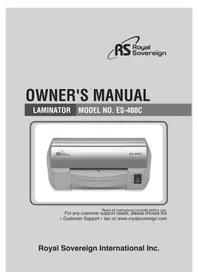
ES400C - Laminating machine Royal Sovereign - Free user manual and instructions
Find the device manual for free ES400C Royal Sovereign in PDF.

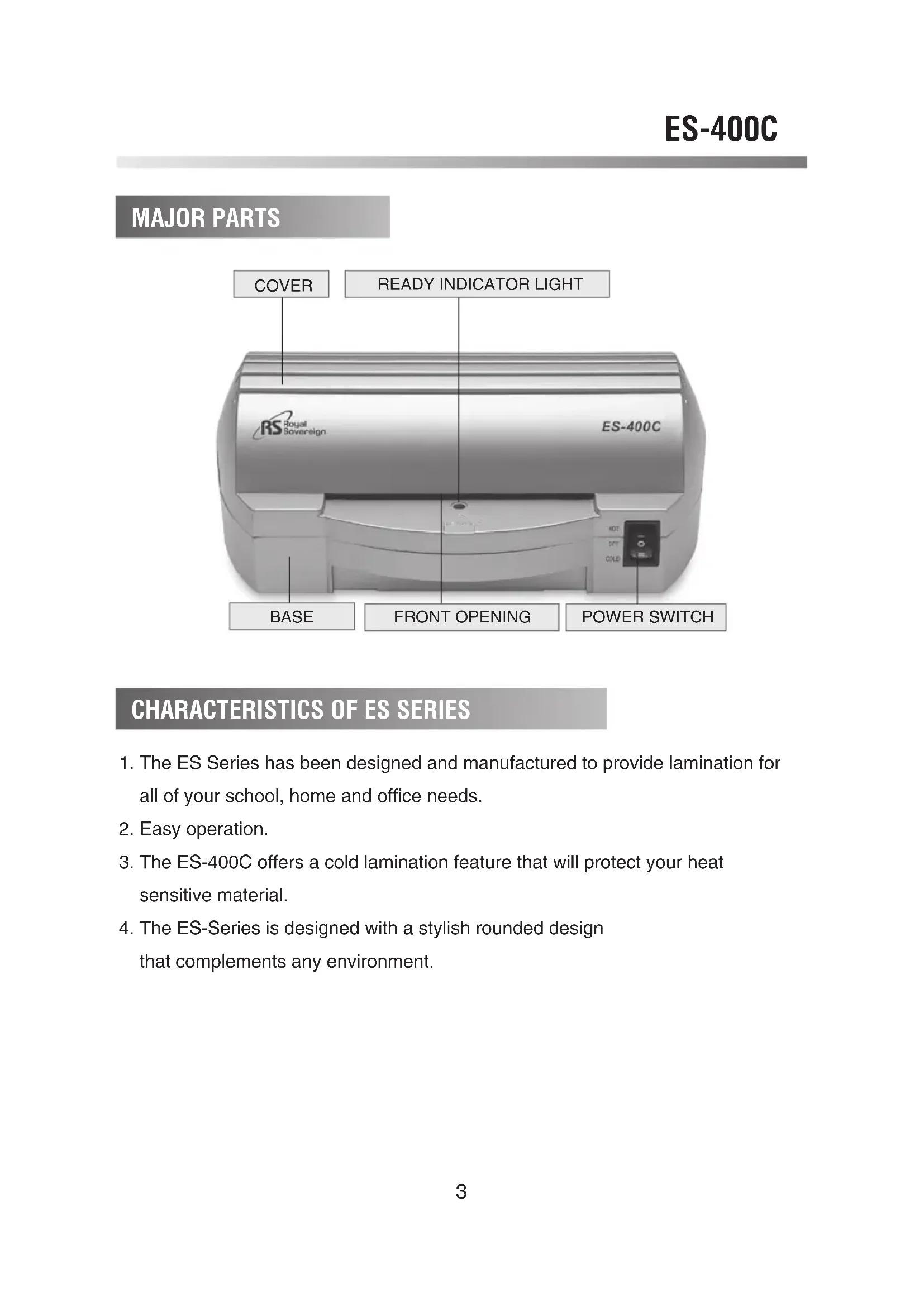


| Product Type | Laminating Machine |
| Brand | Royal Sovereign |
| Model | ES400C |
| Dimensions (L x W x H) | 210 x 130 x 85 mm |
| Weight | 0.93 kg |
| Power Supply | 220-240 V AC, 50-60 Hz |
| Power Consumption | 100 W |
| Maximum Lamination Width | 110 mm |
| Maximum Lamination Thickness | 0.7 mm |
| Recommended Film Thickness | 75 to 125 microns |
| Number of Rollers | 2 |
| Cold Lamination Mode | Yes |
| Warm-up Time (Hot Mode) | Approximately 10 minutes |
| Lamination Speed | 165 mm/min |
| Motor Type | AC Motor |
| Safety | Do not insert metal objects; do not immerse in water; keep out of reach of children |
| Maintenance and Cleaning | Clean the exterior with a soft, dry cloth. Do not use liquids. |
| Spare Parts and Repairability | Contact Royal Sovereign customer service for replacement parts |
| General Information | For school, private, and professional use. Rounded design. |
Frequently Asked Questions - ES400C Royal Sovereign
User questions about ES400C Royal Sovereign
0 question about this device. Answer the ones you know or ask your own.
Ask a new question about this device
Download the instructions for your Laminating machine in PDF format for free! Find your manual ES400C - Royal Sovereign and take your electronic device back in hand. On this page are published all the documents necessary for the use of your device. ES400C by Royal Sovereign.
USER MANUAL ES400C Royal Sovereign
Read all instructions carefully before use. For any customer support needs, please choose the « Customer Support » tab on www.royalsovereign.com
Royal Sovereign International Inc.
TABLE OF CONTENTS
| TOPIC | PAGE |
| MAJOR PARTS | ■ |
| CHARACTERISTICS OF ES SERIES | ■ |
| SAFETY PRECAUTIONS | ■ |
| HOT LAMINATING PROCEDURE | ■ |
| COLD LAMINATING PROCEDURE | ■ |
| SPECIFICATIONS | ■ |
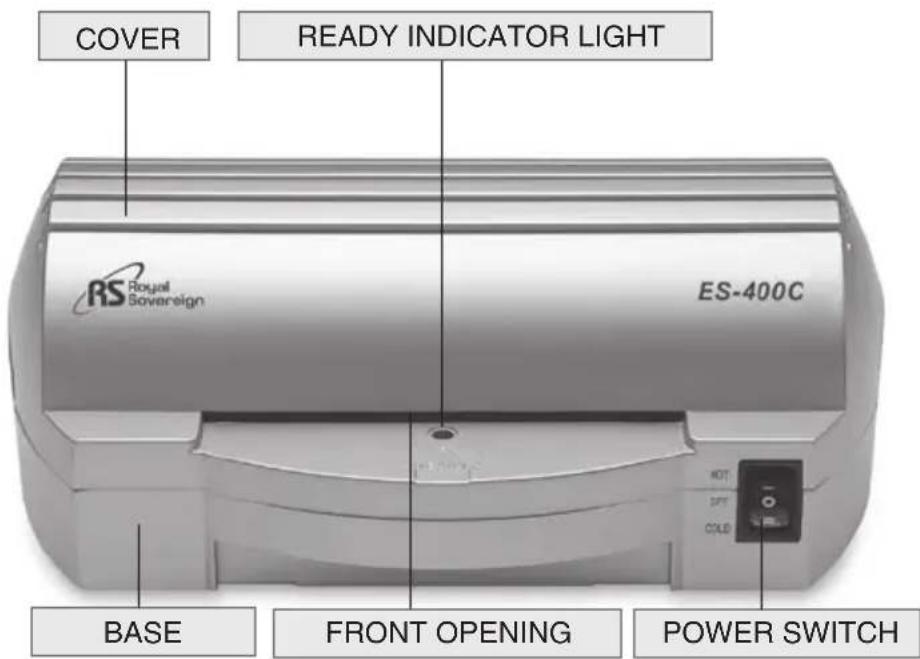
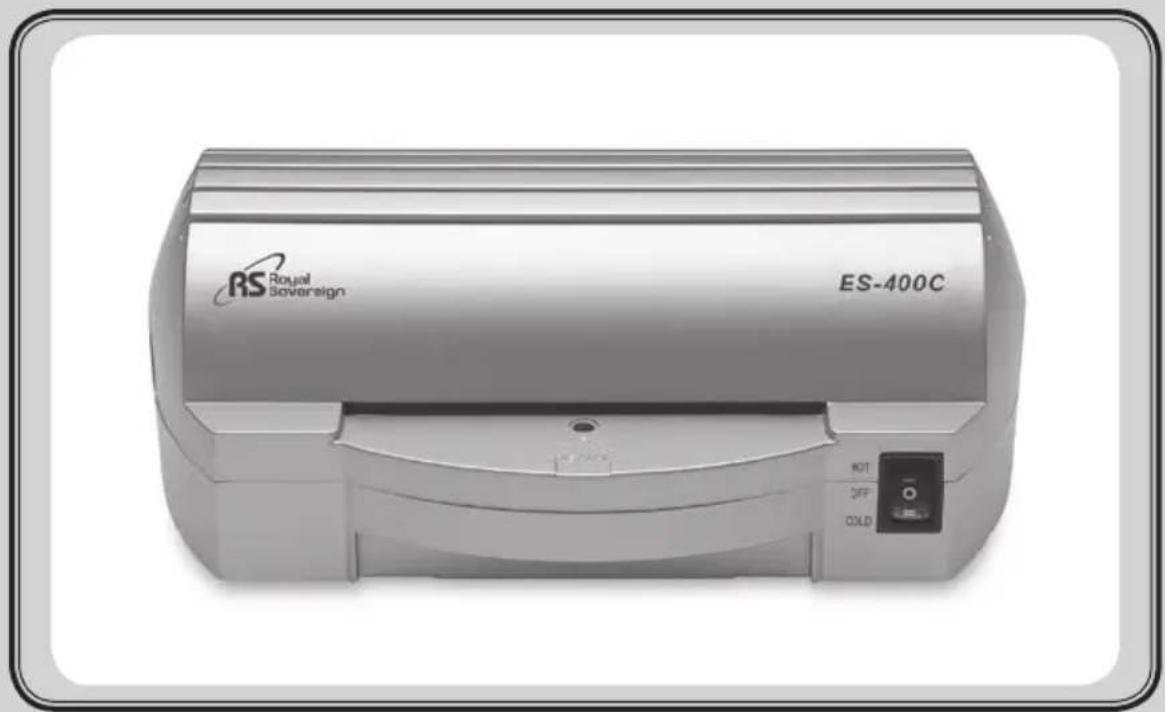
MAJOR PARTS
CHARACTERISTICS OF ES SERIES
- The ES Series has been designed and manufactured to provide lamination for all of your school, home and office needs.
- Easy operation.
- The ES-400C offers a cold lamination feature that will protect your heat sensitive material.
- The ES-Series is designed with a stylish rounded design that complements any environment.
SAFETY PRECAUTIONS

The safety recommendations outlined in this section are to be read and followed before operating this machine. Keep this information for future reference.
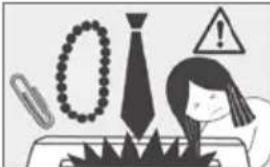
- To prevent the possibility of a fire or injury,do not allow foreign articles(neckties, scarves, or parerclips) inside the machine.
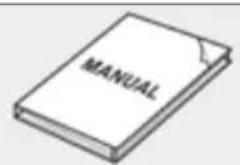
- Do not attempt to laminate items that exceed total recommended material thickness.
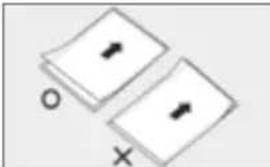
- Do not insert pouch film with the back end first. (Front of film: sealed side,Back of film unsealed side.) This may cause the pouch to jam the rollers.
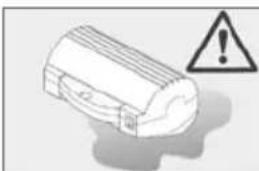
- To prevent the possibility of electric shock, do not immerse the laminator in water or permit liquids inside the machine.
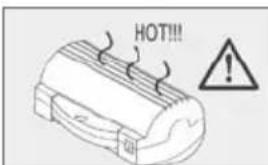
- Because the laminator creates heat, keep out of reach of children.
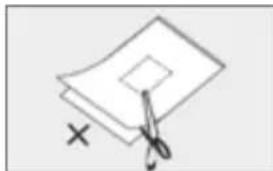
- Do not cut pouch before inserting into laminator. (This will cause the laminator to jam.)

- Do not laminate leaves, flowers, clothes etc.
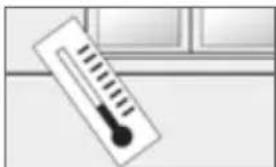
- If the room temperature is low (under 64f), The ready light may take longer to come on.
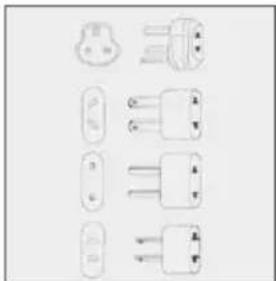
- Plug the laminator in after verifying the correct voltage. Failure to comply with the above information could result in serious injury.
HOT LAMINATING PROCEDURE
- Turn the power switch to the hot position.
The power indicator will light. Allow approximately 10 minutes to preheat.
When the proper temperature is reached, the "ready" light will go on.
- Place the item to be laminated into the laminating pouch.
- Insert the pouch film into the front opening of your laminator.
Be sure to center the laminating pouch as it is inserted.
- The item will automatically feed out through the rear of the
laminator.
(SAFETYNOTE: The laminated item may be too hot to touch.)
- If the item is not completely laminated, repeat steps 3-5.
NOTE: Your finished laminated item will be hot, and will easily bend.
To keep your laminated item flat, place on flat surface and allow to cool.
COLD LAMINATING PROCEDURE
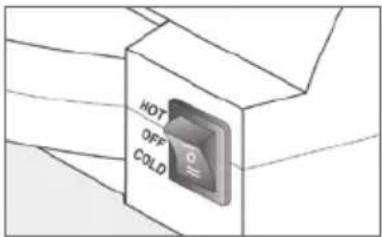
- Turn the power switch to the cold position (" = ") . The power indicator light will not light, but the machine is now ready to laminate in the cold mode.
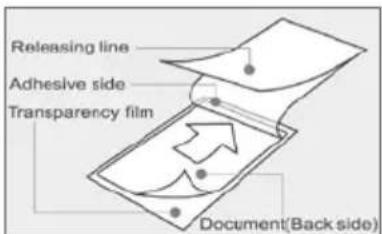
- Place the document to be laminated on the adhesive side of the cold film with the document face down.
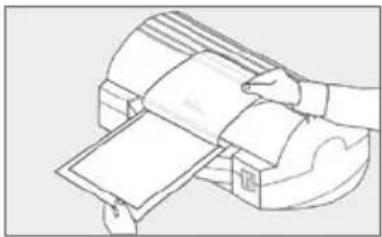
- Insert the document to be laminated into the front opening of the machine.
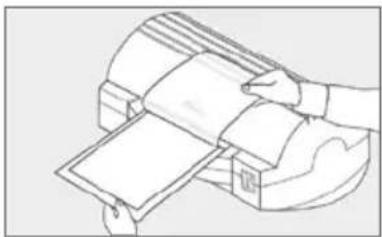
- Remove paper liner from the cold film slowly while the document is being inserted into the machine.
NOTE: When switching the machine from the hot to cold mode, it will take approximately 30 minutes for the ready indicator light to turn off. Please wait for the light to turn off before inserting your document.
SPECIFICATION
| DESCRIPTION ES-400C | |
| 8.3x5.1x3.3 (inch) 210x130x85(mm) | |
| Max. Laminating Width | 4.3 (inch) 110 (mm) |
| Max. Laminating thickness 27.6 | mil) 0.7 (mm) |
| Film Thickness 75~125(micron), 3~5 | mil) |
| Number of rollers 2 | |
| Cold Function YES | |
| Heater Source Hot shoe | |
| Read Time 10 (min) | |
| Motor Type AC motor | |
| 6.5 (inch/min) Laminating Speed | 165 (mm/min) |
| Weight 2.05 (lbs) 0.93 (kg) | |
| AC 100V~120V(50/60Hz) Voltage/Cycle | AC 220V~240V(50/60Hz) |
| Power Consumption | 100 W |
CORPORATE HEADQUARTERS
Royal Sovereign International Inc.
2 Volvo Drive, Rockleigh, NJ 07647 U.S.A.
TEL: +1) 800-397-1025 FAX: +1) 201-750-1022
E-mail: info@royalsovereign.com
RS Holland B.V.
Industriebeg 6K 4104AR Culemborg, The Netherlands.
TEL: +31(0) 34-547-3097
FAX: +31(0) 23-565-4565
E-mail: purchaseorder@royalsovereign.com
Royal Sovereign Inc.
1001, World Meridian II, 426-5, Gasan-dong,
Geumcheon-gu, Seoul, 153-759, KOREA
TEL:+82)2-2025-8800 FAX:+82)2-2025-8830
E-mail: sales@royalsovereign.com
RS Canada Inc.
164 Oakdale Road, Toronto, Ontario M3N 2S5
CANADA
TEL:+1)416-741-8400 FAX:+1)416-741-8185
E-mail: info@royalsovereign.com
RS International Australia PTY. LTD.
30 Prime Drive, Seven Hills, NSW 2147, Australia
TEL:+61)2-9674-2127
FAX: +61) 2-9674-2027
E-mail: salesaust@royalsovereign.com
RS
Royal
Sovereign
GUIDE D'UTILISATION
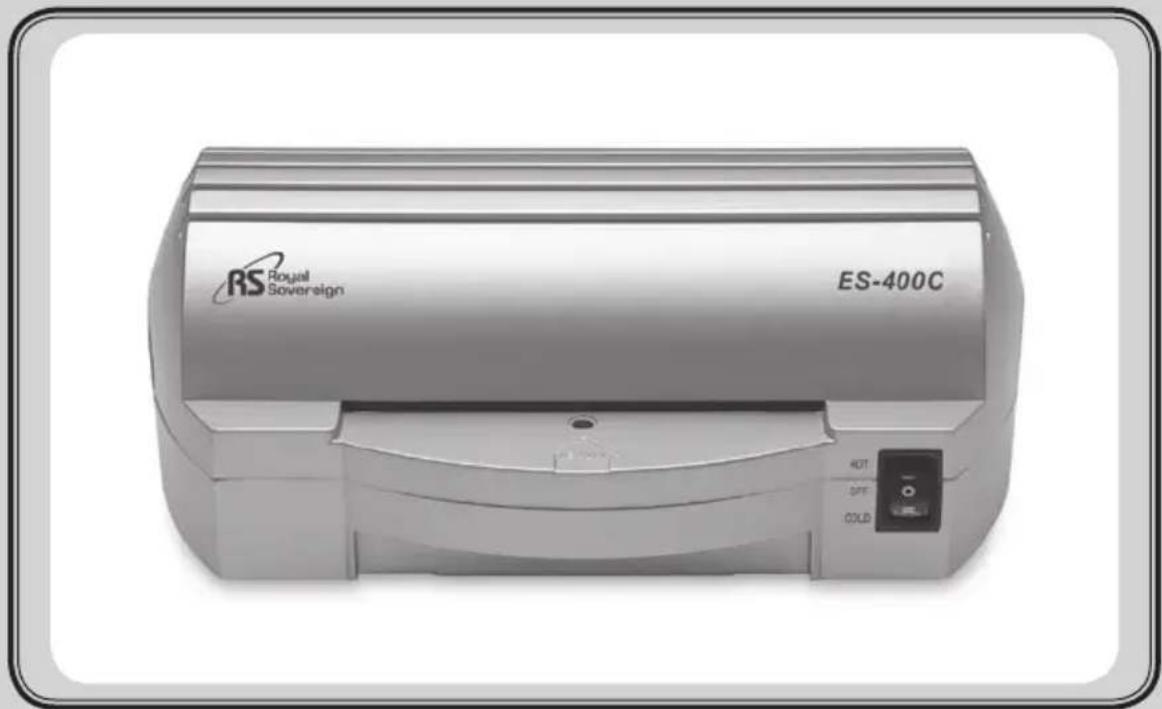
PLASTIFIEUSE Mod e No. ES-400C
2 Volvo Drive, Rockleigh, NJ 07647 U.S.A.
TEL: +1) 800-397-1025 FAX: +1) 201-750-1022
E-mail: info@royalsovereign.com
RS Holland B.V.
Industriebeg 6K 4104AR Culemborg, The Netherlands.
TEL: +31(0) 34-547-3097
FAX: +31(0) 23-565-4565
E-mail: purchaseorder@royalsovereign.com
RS Canada Inc.
164 Oakdale Road, Toronto, Ontario M3N 2S5
CANADA
TEL:+1)416-741-8400 FAX:+1)416-741-8185
E-mail: info@royalsovereign.com
Royal Sovereign Inc.
1001, World Meridian II, 426-5, Gasan-dong,
Geumcheon-gu, Seoul, 153-759, KOREA
TEL:+82)2-2025-8800 FAX:+82)2-2025-8830
E-mail: sales@royalsovereign.com
RS International Australia PTY. LTD.
30 Prime Drive, Seven Hills, NSW 2147, Australia
TEL:+61)2-9674-2127
FAX: +61) 2-9674-2027
E-mail: salesaust@royalsovereign.com
RS
Royal
Sovereign
MANUAL DEL PROPIETARIO
LAMINADOR
Modelo No. ES-400C
2 Volvo Drive, Rockleigh, NJ 07647 U.S.A.
TEL: +1) 800-397-1025 FAX: +1) 201-750-1022
E-mail: info@royalsovereign.com
RS Holland B.V.
Industriebeg 6K 4104AR Culemborg, The Netherlands.
TEL: +31(0) 34-547-3097
FAX: +31(0) 23-565-4565
E-mail: purchaseorder@royalsovereign.com
RS Canada Inc.
164 Oakdale Road, Toronto, Ontario M3N 2S5
CANADA
TEL:+1)416-741-8400 FAX:+1)416-741-8185
E-mail: info@royalsovereign.com
Royal Sovereign Inc.
1001, World Meridian II, 426-5, Gasan-dong,
Geumcheon-gu, Seoul, 153-759, KOREA
TEL:+82)2-2025-8800 FAX:+82)2-2025-8830
E-mail: sales@royalsovereign.com
RS International Australia PTY. LTD.
30 Prime Drive, Seven Hills, NSW 2147, Australia
TEL:+61)2-9674-2127
FAX: +61) 2-9674-2027
E-mail: salesaust@royalsovereign.com
RS
Royal
Sovereign
BETRIEBSANLEITUNG
LAMINIERGERT Modell Nr. ES-400C
Customer Support Tab unter www.royalsovereign.com
Royal Sovereign International Inc.
INHALTSVERZEICHNIS
THEMA SEITE
HAUPTKOMPONENTEN
MERKMALE DER BAUREIHE ES
2 Volvo Drive, Rockleigh, NJ 07647 U.S.A.
TEL: +1) 800-397-1025 FAX: +1) 201-750-1022
E-mail: info@royalsovereign.com
RS Holland B.V.
Industriebweg 6K 4104AR Culemborg, The Netherlands.
TEL: +31(0) 34-547-3097
FAX: +31(0) 23-565-4565
E-mail: purchaseorder@royalsovereign.com
RS Canada Inc.
164 Oakdale Road, Toronto, Ontario M3N 2S5
CANADA
TEL:+1)416-741-8400 FAX:+1)416-741-8185
E-mail: info@royalsovereign.com
Royal Sovereign Inc.
1001, World Meridian II, 426-5, Gasan-dong,
Geumcheon-gu, Seoul, 153-759, KOREA
TEL:+82)2-2025-8800 FAX:+82)2-2025-8830
E-mail: sales@royalsovereign.com
RS International Australia PTY. LTD.
30 Prime Drive, Seven Hills, NSW 2147, Australia
TEL:+61)2-9674-2127
FAX: +61) 2-9674-2027
E-mail: salesaust@royalsovereign.com
RS
Royal
Sovereign
- MAJOR PARTS
- CHARACTERISTICS OF ES SERIES
- SAFETY PRECAUTIONS
- HOT LAMINATING PROCEDURE
- COLD LAMINATING PROCEDURE
- SPECIFICATION
- RS Holland B.V.
- Royal Sovereign Inc.
- RS Canada Inc.
- RS International Australia PTY. LTD.
- GUIDE D'UTILISATION
- MANUAL DEL PROPIETARIO
- BETRIEBSANLEITUNG
- INHALTSVERZEICHNIS
- THEMA SEITE
Brand : Royal Sovereign
Model : ES400C
Category : Laminating machine