BPC45 - Microwave Oven BORETTI - Free user manual and instructions
Find the device manual for free BPC45 BORETTI in PDF.


| Product Type | Built-in microwave oven |
| Brand | Boretti |
| Model | BPC45 |
| Power supply voltage | 220-240 V ~ 50 Hz |
| Maximum power consumption | 3200 W |
| Microwave power | 900 W |
| Grill power | 1500 W |
| Hot air power | 1500 W |
| Microwave frequency | 2450 MHz |
| Control type | Touch control |
| Cooking functions | Microwave, Grill, Hot air, Microwave+Grill, Microwave+Hot air, Programmed defrosting, Weight defrosting, Automatic recipes |
| Programming | Timer, Cooking duration, End of cooking, Delayed cooking |
| Child safety | Key lock function |
| Interior lighting | Oven lamp |
| Cavity material | Enamel |
| Cleaning | Do not use steam cleaners, abrasive products or chlorine. Clean regularly with soapy water. |
| Supplied accessories | Flat grid, turntable |
| Installation | Built-in under hob or column. Fixing with screws and sockets supplied. |
| Recommended cable type | H05RR-F, H05VV-F, H05RN-F or H05V2V2-F 3x1,5 or 3x2,5 mm² |
| Environmental compliance | Recyclable (WEEE), 100% recyclable packaging |
Frequently Asked Questions - BPC45 BORETTI
User questions about BPC45 BORETTI
0 question about this device. Answer the ones you know or ask your own.
Ask a new question about this device
Download the instructions for your Microwave Oven in PDF format for free! Find your manual BPC45 - BORETTI and take your electronic device back in hand. On this page are published all the documents necessary for the use of your device. BPC45 by BORETTI.
USER MANUAL BPC45 BORETTI

NL
EERSTE GEBRUIK


BELANGRIJK:
18 Countdown function;
19 Waarde verhogen;
20 Waarde verlagen;

NL

INSTALLATIE INSTRUCTIES
NL

TECHNISCHE DATA
Power supply 220-240 V\~, 50Hz
We would like to thank you and congratulate you on your choice.
This new product has been carefully designed and built using top quality materials, and meticulously tested to ensure that it meets all your culinary requirements.

Please read and observe these simple instructions, which will enable you to achieve excellent results from the very first time you use it.

IMPORTANT INSTRUCTIONS AND SAFETY WARNINGS

READ CAREFULLY AND KEEP FOR FUTURE USE
THIS PRODUCT IS DESIGNED FOR DOMESTIC USE. THE MANUFACTURER DECLINES ALL RESPONSIBILITY FOR PERSONAL INJURY OR PROPERTY DAMAGE DERIVING FROM INCORRECT INSTALLATION OR IMPROPER, ERRONEOUS OR UNSUITABLE USE.
THE APPLIANCE MUST NOT BE USED BY PEOPLE (INCLUDING CHILDREN) WITH PHYSICAL, SENSORIAL OR MENTAL IMPAIRMENTS, OR BY PEOPLE WITHOUT THE NECESSARY EXPERIENCE OR KNOWLEDGE, UNLESS THEY ARE SUPERVISED OR INSTRUCTED IN THE USE OF THE APPLIANCE BY A PERSON RESPONSIBLE FOR THEIR SAFETY. CHILDREN MUST BE SUPERVISED TO ENSURE THAT THEY DO NOT PLAY WITH THE APPLIANCE. DO NOT PLACE ALUMINIUM FOIL, POTS OR SIMILAR OBJECTS IN CONTACT WITH THE BASE INSIDE THE Combimagnetron FOR COOKING. THE HEATING ACTION OF THE LOWER HEATING ELEMENT CAUSES OVERHEATING OF THE LOWER PART OF THE Combimagnetron CAUSING DAMAGE AND SERIOUS CONSEQUENCES (RISK OF FIRE) EVEN TO THE COUNTER UNDER THE Combimagnetron.
THE APPLIANCE GETS VERY HOT DURING USE. WARNING: DON'T TOUCH THE HEATING ELEMENTS INSIDE THE
| ATTENTION: | If the door or the gasket seals of the door are damaged, the combimagnetron may not be used until it repaired by a qualified service technician; |
| ATTENTION: | It dangerous for anyone other than a service technician to perform any maintenance or repairs that involve the removal of any cover that protects against exposure to microwaves; |
| ATTENTION: | Liquids or other foods must not be heated in air-tight contains because they could explode; |
| ATTENTION: | Children may not use the combimagnetron without supervision until they have been adequately instructed in its safe use and understand the dangers of using it incorrectly;only use utensils that are appropriate for microwave combimagnetrons;when heating food in plastic or paper containers, check the combimagnetron frequently because of the risks of fire;if you see smoke coming out, turn off the appliance or remove its plug and keep the door closed to extinguish any flames;heating beverages in the microwave combimagnetron can cause a delayed boil-over, so be careful when handling the container;the contents of baby bottles and baby food in jars must be mixed or shaken and their temperature must be checked before feeding to avoid scalding;eggs in the shell and whole hardboiled eggs must not be heated in microwave combimagnetrons because they could explode even after the end of heating in the microwave;a detailed explanation for cleaning the gasket seals of the doors of the cavity and adjacent parts;the combimagnetron must be cleaned periodically and all food residues must be removed;failure to keep the combimagnetron clean could cause deterioration of the surfaces that could reduce the life of the appliance and cause dangerous conditions;Do not use rough abrasives or sharp metal scrapers to clean the glass door of the combimagnetron because they could scratch the surface and cause the glass to shatter.Do not use steam cleaners to clean the appliance. |
WARNINGS FOR
MICROWAVE
COMBIMAGNETRONS

Food preparation
Danger of fire!
Only use the microwave function for the preparation of food to be eaten. Any other uses can be dangerous or cause damage.
For example, heated slippers or pillows filled with grain or cereals can catch fire even after several hours.
Pots and pans
Danger of injury!
Porcelain and ceramic crockery can have small holes in the handles and cover.
There can be cavities hidden behind these holes. If water gets into these cavities, the crockery could break.
Do not use crockery that is unsuitable for microwave combimagnetrons.
Danger of burns!
The heat of the food can heat the dish. Always use a pot holder to remove dishes and accessories from the cooking chamber.
Microwave power and duration
Danger of fire!
Never set values that are too high for the microwave power or the cooking time. The food could catch fire and damage the appliance. Follow the rules in these instructions.
Packaging
Danger of fire!
Never heat food in thermal packaging.
Food in containers made of plastic, paper or other inflammable materials must be watched constantly.
Danger of burns!
Air-tight packaging can explode. Follow the instructions shown on the package. Always use a pot holder to remove dishes.
Beverages
Danger of burns!
When heating liquids, boiling can be delayed.
This means that the boiling temperature has been reached without forming the typical little steam bubbles. Even a slight knock can cause the sudden overflow of liquid or sprays.
When heating liquids, always put a spoon in the container to avoid delayed boiling.

Danger of explosion!
Never heat beverages or other types of food in covered containers.
Never heat alcoholic beverages excessively.
| Foods for newborns | Danger of burns!Never heat baby foods in a covered container. Always remove the cover or nipple.When finished heating, always carefully shake or mix so that the heat is evenly distributed.Test the temperature before giving the food to the baby. |
| Foods with skin or peel | Danger of burns!Never cook eggs in the shell. Never heat hard-boiled eggs because they could explode even after the microwave is turned off. This also goes for molluscs and crustaceans.In the case of fried eggs, first pierce the yolk.In the case of foods with a hard peel or skin like apples, tomatoes, potatoes or sausage, the peel or skin could explode.Pierce the peel or skin before cooking. |
| Drying foods | Danger of fire!Never dry food in the microwave. |
| Foods with low water content | Danger of fire!Never defrost or heat foods with low water content, like bread, for too long or at an excessive power. |
| Oil | Danger of fire!Never use the microwave to heat just oil. |
| CAUSES OF DAMAGE | |
| Juice leaking from fruit | When preparing sweets containing very juicy fruit, do not overfill the baking dish. Fruit juices that overflow the baking dish can leave indelible stains. |
| Technical breakdown | Never use enamelled baking dishes in the microwave because it could cause a technical breakdown. |
| Cooling with the door of the appliance open | The cooking chamber must only be cooled with the door closed. Check that nothing is stuck on the door of the appliance.Even if the door is only ajar, nearby cabinets can be damaged over time. |
| Very dirty gasket seal | If the gasket seal is very dirty, the door of the appliance does not close correctly during operation. The surfaces of nearby cabinets can be damaged. Always keep the gasket seal clean. |
| Using the door of the appliance as a support surface | Do not rest or lean on the open door of the appliance and do not put dishware or accessories on it. |
| Using the microwave without food in the chamber | Only turn on the microwave after you have put the food in the cooking chamber. Without food inside, the appliance can become overloaded. The only exception allowed are brief tests of dishware (in this regard, see the warnings about pots and pans). |
| Moist foods | Do not leave moist foods in the cooking chamber for extended periods of time. |
GB
IMPORTANT
The combimagnetron's identification plate is even accessible when the appliance is installed. This identification plate, which is visible when you open the door, shows all the information you will need when requesting replacement parts for the appliance.


FIRST USE
The combimagnetron should be thoroughly cleaned with soap and water and carefully rinsed.
Heat the combimagnetron for about 30 minutes at the maximum temperature; this eliminates all the residual manufacturing oils that could cause unpleasant odours during cooking. Use the circular plus fan function without accessories in the combimagnetron. Before using the accessories for the first time, clean them carefully with a very hot alkaline washing solution and a soft cloth.
ASSEMBLING AND DISASSEMBLING THE FLAT GRILL
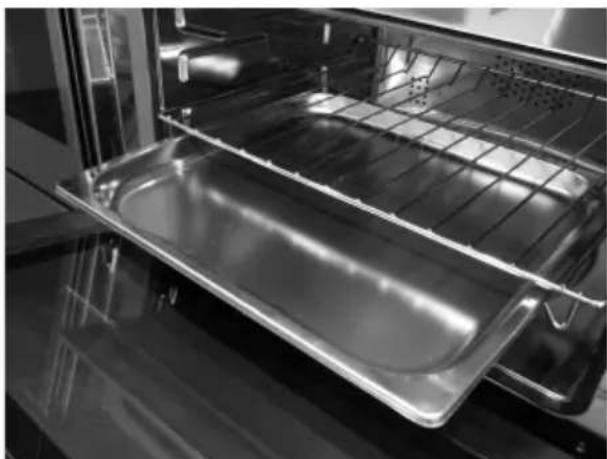
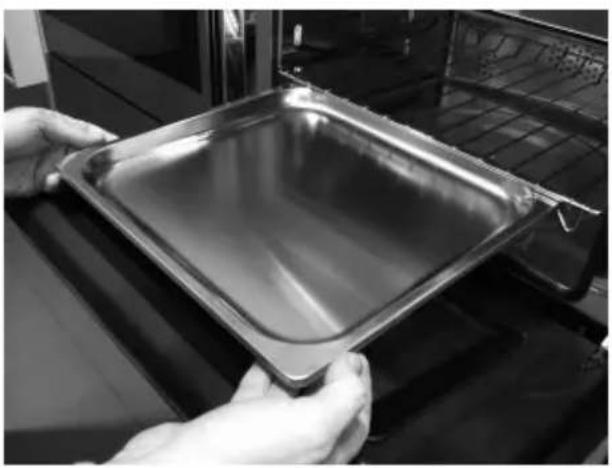
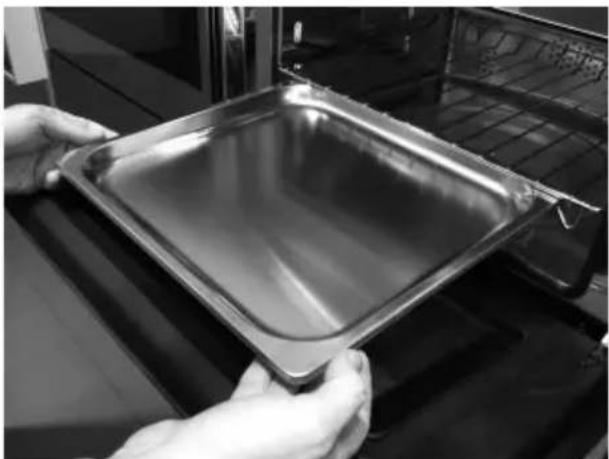
To remove the flat grill, pull the grill towards you until it stops and then lift, by pulling upwards, until it comes completely out.
To put the flat grill back in, insert it at a 45-degree angle and then position it horizontally and push it all the way in to the end of the grill track.
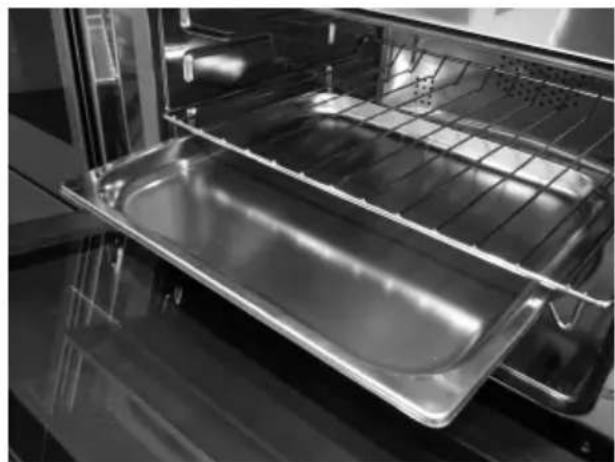
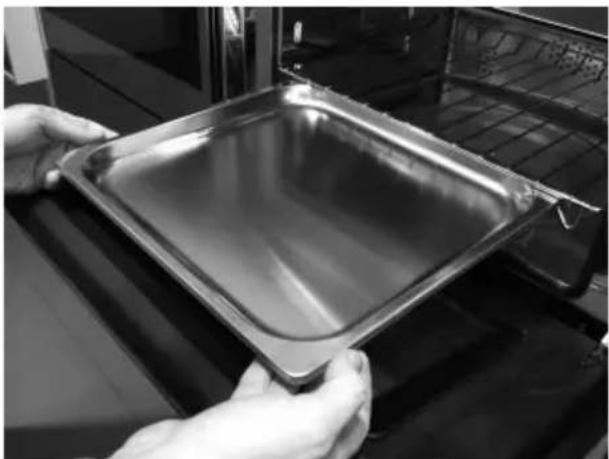
If the flat grill has a drip-pan (tray), to remove it, lift slightly and slide it towards you. To reinsert it, slide it back until it is correctly seated.



Important:
As a safety precaution, before cleaning the combimagnetron, always disconnect the plug from the outlet or remove the appliance's power cord. In addition, avoid using acid or alkaline substances such as lemon, vinegar, salt, tomatoes, etc.). Avoid using products containing chlorine, acids or abrasives, especially for cleaning the painted walls.

RESPECT FOR THE ENVIRONMENT
The documentation for this appliance is printed on paper bleached without chlorine or recycled paper to contribute to protecting the environment. The packaging was designed to prevent damage to the environment; they are ecological products that can be recovered or recycled. Recycling the packing saves raw materials and reduces the volume of industrial and domestic waste.
THE PACKING MATERIAL is 100% recyclable and marked with the recycling symbol. Dispose of in conformity with local law. The packing material (plastic bags, polystyrene parts, etc.) must be kept out of the reach of children because it is potentially dangerous. THIS APPLIANCE is marked in conformity with European Directive 2002/96/EC, Waste Electrical and Electronic Equipment (WEEE). By making sure that this product is disposed of correctly, the user contributes to preventing potential negative consequences for the environment and health.
THE SYMBOL on the product or accompanying documentation indicates that this product must not be treated as domestic waste but must be delivered to a suitable collection point for the recycling of electrical and electronic equipment.

DISPOSAL MUST BE MADE in conformity with local laws on waste disposal.
FOR ADDITIONAL INFORMATION about the treatment, recovery and recycling of this product, contact the local office of competence, the domestic waste collection service or the store where the product was purchased.
BEFORE SCRAPPING, make it unusable by cutting the electrical cord.
MICROWAVE Combimagnetron M45
Command Overview

STANDARD COOKING FUNCTION: from 1 to 5;
TEMPERATURE SETTING, COOKING TIME: 19 and 20;
ON/OFF + KEY (CHILD LOCK): 27;
FUNCTIONS WITH MICROWAVES: from 6 to 12;
FUNCTIONS for RECIPES: 11 a 12;
POWER AND MENU SCROLL FUNCTIONS: 13 and 14;
TIMER FUNCTIONS: 24;
SETTING THE TIMER: 19 and 20;
1 combimagnetron light;
2 standard cooking function - ventilated circle;
3 standard cooking function - intensive (grill+ ventilated circle);
4 standard cooking function - ventilated grill;
5 standard cooking function - grill;
6 standard cooking function - defrosting by time;
7 standard cooking function - defrosting by weight;
8 microwave cooking function - traditional microwaves;
9 microwave cooking function - microwaves + grill;
10 microwave cooking function - microwaves + ventilated circle;
11 automatic settings function (recipes);
12 confirm settings function;
13 scroll menu downwards function, decrease power;
14 scroll menu upwards function, increase power;
15 temperature display function;
16 key enabled/disabled function;
17 timer display function;
18 countdown function;
19 increase settings function;
20 decrease settings function;
21 timer function "minute-counter";
22 timer function "end cooking";
23 timer function "cooking time";
24 timer function;
25 "START" function - start operation;
26 "STOP" - turn-off operation;
27 "ON/OFF" and "key (child lock)" function;
Note: all settings/function changes are confirmed by a beep.
INTRODUCTION TO THE Combimagnetron
Dear Customer, your new combimagnetron is controlled by an electronic board that constantly monitors its operation to improve its performance.
The touch controls are state-of-the-art, precise and reliable.
The interface is elegant, orderly and discrete, more intuitive than ever!
A few buttons, many functions and no combination or sequence is difficult to enter, so you can concentrate on following the recipe and the combimagnetron is ready in two clicks!
GB
Installation and hook-up
Dear Customer, this combimagnetron is a sophisticated electronic appliance, classified as a durable good. Its installation requires qualified professionals for both the hook-up of the power line and itsplacement in the kitchen counter.
(SEE ASSEMBLY INSTRUCTIONS ON PAGE 56)
Before hook-up
When the combimagnetron is connected to the electric mains for the first time, the display will ask you to select your language;
use the buttons ▼ to select the language you want;
use the button ☐ to confirm the choice;

((from now on, the language choice will remain fixed even when their are power outages).
Now, it goes into demonstration mode
Demonstration mode
This is the mode that the combimagnetron is normally in every time that there is a power failure and, consequently, when it is first hooked-up:
the purpose is to show how you can control it with a recorded sequence of commands.

In this mode, the combimagnetron is never REALLY turned on, i.e., the heating elements are never powered!
The control panel is INACTIVE and, so, the combimagnetron will not respond to commands!

To disable the demonstration mode, touch the light symbol for five seconds: the control will go to normal operation and ready for turning on.
Now you can set the time but it is not necessary for turning on the combimagnetron.

Setting the clock


The combimagnetron will signal that it is connected to the power mains with a double beep. To set the system time, press the "TIMER FUNCTIONS" button for at least 3 seconds

Each command activated is confirmed by a beep.

Set the clock with the + and - buttons: during setting the separator dots flash, the time has been set when the dots remain steady on.
ACTIONS THAT ARE POSSIBLE WITH THE Combimagnetron OFF
- Turn on combimagnetron light

The combimagnetron light is turned on/off by touching the symbol as shown in the figure.
- Change the Language
When the combimagnetron is off, you can change the language of the display by simultaneously selecting and the + button in the lower right for at least 3 seconds. Then use ▼ to select the language and confirm the choice with .
MAIN FUNCTIONS
Overview of the command panel

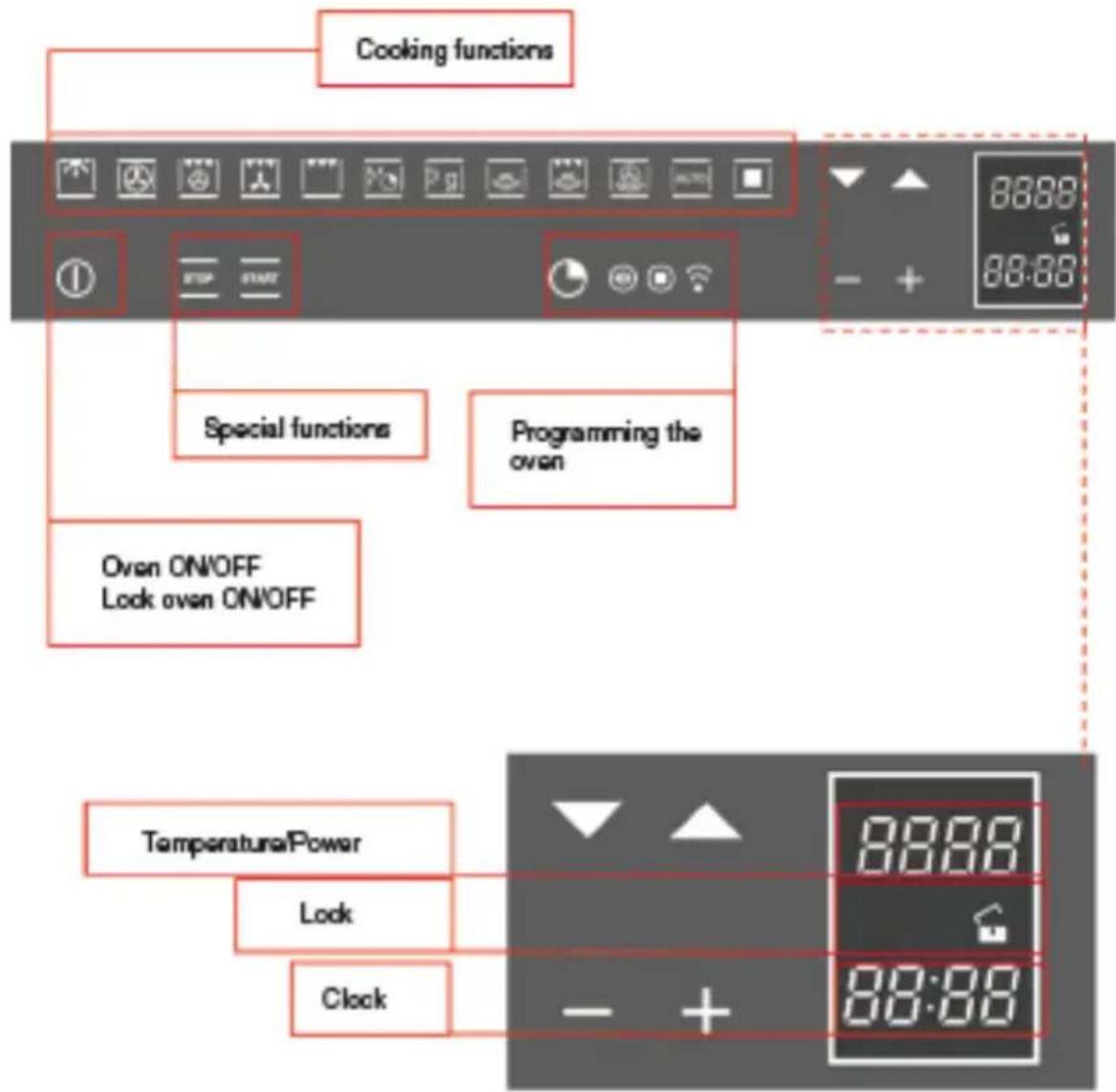
The cooking functions
The provides eleven specific cooking functions!
To activate a function, just touch the corresponding symbol
Each function has a temperature setting selected on the basis of cooking tests of the recipes that are typically used, which can be easily changed based on your own experience.
Combimagnetron functions


The combimagnetron light is always on during operation in microwave mode and, to save energy, is managed by the system in the other modes.
In this type of cooking, a fan located in the rear part circulates warm air inside the combimagnetron, distributing it uniformly.
This cooks food faster than conventional cooking. This system is good for cooking on several shelves and even for different types of foods (fish, meat, etc.).
Type of cooking for grilling or browning foods. The grill with the food to be cooked is placed in the 2nd or 3rd position from the bottom. Pre-heat for at least 2 minutes before putting in the dish.
Time defrosting
Weight defrosting
Microwaves
Microwaves combined with grill cooking
Microwaves combined with ventilated cooking
Access to preset recipes
The table below shows the results of the cooking tests conducted in our laboratories by a professional cook. In any case, these are only indicative and the values that we have selected are only a starting point for your to experiment with your own recipes to obtain better results!
| F | ||||
| ℃ | 140-160 | 160-180 | 190 | MAX |
| 2 | 2-3 | 2-3 | 2-3 | |
| 10'-40' | 45'-60' | 60'-70' | 14'-18' | |
| F | ||||||
| ℃ | 160-180 | 160-190 | 200-220 | 175-190 | 190-210 | 170-190 |
| 2 | 2 | 2-3 | 2 | 2 | 3 | |
| 120'- 160' | 90'- 120' | 50'- 60' | 60'- 70' | 40'- 50' | 40'- 50' |
Simple cooking commands
Thanks to state-of-the-art controls, only two touches are required to set a cooking mode: turn on the combimagnetron and select the most suitable function for the dish you are about to cook... you choose it and


The control suggests a temperature for each function, which you can change at any time, but if you consider it suitable, you don't need to do anything else, the combimagnetron will start by itself in just a few seconds!
Setting the temperature
The uses a temperature probe that is accurate to ±5\ °C for the maximum reliability of the cooking temperatures requested.
You can change the temperature at any time. After selecting the cooking function, just touch the symbols ▼ and the setting range varies from +50 °C to MAX.
You don't need to confirm the change, the control turns on by itself after a few seconds.

During heating, the centigrade symbol (°C) flashes to indicate that it is heating up to reach the selected temperature. When the temperature is reached, it beeps.
NOTE: some models may display the current temperature in the combimagnetron until the temperature set is reached. If you want to check the temperature set, press any one of the keys ▼ and ▼ if you wish, you can use them to change the temperature set.
Residual heat
While cooking food, the structure of the combimagnetron stores heat. This heat is kept isolated from the rest of the kitchen thanks to generous heat insulation and certain construction techniques.
This heat is gradually dissipated over time and can still be a resource in the kitchen, if it is managed: the control shows the internal temperature after the combimagnetron is turned off until it falls to 50 °C.

Use this characteristic to keep foods warm or to complete their cooking gently!
GB
CCombimagnetron light control
The combimagnetron light control is active in all cooking functions and is independent of them, i.e., it can be turned on or off depending on the need, whenever you want!
The combimagnetron light is normally kept on during heating and, then, for three after the temperature setting is reached. After that time, the light is turned off to save energy.
To check how the food is cooking, you must turn on the inside light. To do this, just touch the light symbol: it will stay on for three minutes and then turn off by itself. Of course, you can turn it right away by touching the light symbol again.
When you open the door, the light inside the combimagnetron always turns on.
PROGRAMMING THE Combimagnetron (only for the functions
The programming of the combimagnetron provides three modes for controlling the cooking time. They can be used in combination with normal cooking functions.
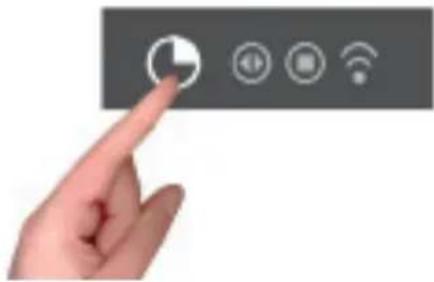
The functions can be selected in sequence, from left to right, by touching the clock symbol.
At each touch, a symbol lights up in sequence.
Timer programming: cooking time

Touch the timer symbol once and the relative symbol will light up. Plus, the clock display will replace the current time:
The separator dots flash to indicate that you can program the cooking time.

Once the cooking time is entered, the display will flash the current time again and the "cooking time" symbol will be lit.
The countdown begins now. After the indicated time has elapsed, the combimagnetron will beep and the heating elements, and cooking, will be turned off. The following words will appear on the display: "Program finished remove the dish": press any button to stop the beeping or open the door.
After one minute, the combimagnetron will automatically turn off, if other cooking functions have not been set.
Timer programming: end-of-cooking time

Touch the timer symbol two times and the relative symbol will light up.
The separator does will flash to indicate that you can set the end-of-cooking time.

Set the end-of-cooking time by touching the "+" and "-" symbols.

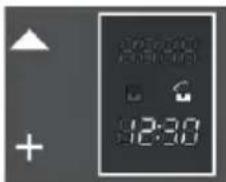
Once the end-of-cooking time is entered, the display will flash the current time again and the "end-of-cooking time" symbol will be lit.
The countdown starts now. When the set time has been reached, the combimagnetron will beep and the heating elements will turn off, ending cooking. The following words will appear on the display: "Program finished remove the dish": press any button to stop the beeping or open the door.
After eight seconds, the combimagnetron will automatically turn off, if other cooking functions have not been set.
Timer programming: delayed cooking
By combining the two modes, "cooking time" and "end-of-cooking time", you can program the combimagnetron so that cooking starts later than the current time.
For example, if you want to go out at 8:30 and you want a roast to be ready when you return at 13:00, do this:
Prepare the roast for cooking and put it in the combimagnetron
Turn on the combimagnetron, select the cooking function and set the temperature.

Then set the cooking time, which we assume to be two hours.

Now, set the end-of-cooking time: the control normally adds the cooking time to the current time, so it proposes an end-of-cooking time, which in our case would be 10:30 (8:30+2:00).

Change the end-of-cooking time to what you want, in our example 13:00

The combimagnetron goes to standby mode, turning off the combimagnetron light.

The control automatically turns the combimagnetron on at 11:00 (13:00-2:00) and turns it off at 13:00. The roast will be ready when you return!
Programming the timer: minute-counter
The minute-counter is a function of the timer that is independent from the operation of the combimagnetron, i.e., it does not stop cooking or turn off the combimagnetron but functions as an alarm. You can set it at any time, such as to remind you when to check cooking on the burners, in addition to the combimagnetron, or for other kitchen tasks.
It is even available when the combimagnetron is off and, in this case, just touch the timer function symbol one time.
But, if you are using it with the combimagnetron on, you must touch the time function symbol three times:

The separator dots flash to indicate you can set the time.
Touch the "+" and "-" symbols to set the minutes.
The countdown starts now. After the indicated time passes, the over will and the dedicated symbol will flash: press any button to stop the beep.
Programming the timer: cancelling the program
To cancel a program, you must set the previously assigned value to zero or turn on the combimagnetron.
TRADITIONAL COOKING FUNCTIONS

Circular heating element with fan. Thermostat setting from 50°C to MAX.

Large area grill. Thermostat setting from 50°C to MAX. Circular heating element with fan. Thermostat setting from 50°C to MAX.

Double top heating element with fan (large area grill). Thermostat setting from 50°C to MAX.

Large area grill. Thermostat setting from 50°C to MAX.
The microwaves are transformed into heat inside foods. The microwave combimagnetron can be used by itself or in combination with other types of heating. This section contains information about the dishware and instructions for setting the microwave combimagnetron.
WARNINGS FOR DISHWARE
GB
| Suitable dishware | You can use heat-resistant dishware made of glass, glass ceramic, porcelain, ceramic or refractory plastics. These materials are permeable to microwaves.It is also possible to use normal plates. In this way, it won't be necessary to transfer the food.Dishware with gold or silver decorations can only be used if the manufacture guarantees that they can be used in microwave combimagnetrons.Remember that, when using the combimagnetron in microwave mode, the dish must be placed on the rotating plate.When using the combimagnetron in combination mode, it is preferable to place the dish to be cooked on the low, round grill, supported so that it is centred on the rotating plate. |
| Unsuitable dishware | Metal dishware cannot be used.Metal is not permeable to microwaves. Food in metal containers will remain cold.Warning! Metal components, such as spoons in glasses, must stay at least 2 cm from the walls of the combimagnetron and the inside of the door. In fact, sparks could seriously damage the inside of the glass door.Warning! The flat grill must be removed when using the microwave and combined modes. Use it only with traditional combimagnetron functions. |
| Testing dishware | Never turn on the microwave combimagnetron before you have put in the food.The only exception allowed is testing dishware.If you unsure if your dishware can be used in the microwave combimagnetron, we recommend performing the following test:place the empty pot in the appliance for 1/2 - 1 minute at the maximum power. Check the temperature. The pat must be cold or slightly warm. If it is hot or there are sparks, the pot is not suitable. |
Time defrosting

Turn the combimagnetron on using the button;
Select the TIME DEFROSTING function
Using the - + buttons, you can change the defrosting time in 5-second intervals.
If you press - + for longer than 3 seconds, the time setting speeds up;
When finished entering settings, select the _function that is flashing, and defrosting begins with a countdown of the time on the display.
The defrosting time must be set or it won't work.
The power of the microwave will be regulated automatically to obtain the best possible result.
At a certain point, the combimagnetron will ask you to TURN OVER THE FOOD or, if you can't, open and close the door of the combimagnetron to make it continue defrosting.
The beep and the words PROGRAM FINISHED REMOVE THE DISH on the display signal that the program has finished.
Defrosting by weight
Turn on the combimagnetron with the button;
Select the DEFROST BY WEIGHT function 14 ;g

The following screen appears:


After you have selected the dish with ▼ and confirmed with ■ the display shows the weight to set, starting from an initial minimum of 50 g; using ▼ you can increase or decrease the weight and then confirm the choice with ■
When finished entering settings, select the A function that is flashing; this starts the defrost program and the
countdown of the time.
The beep and the words PROGRAM FINISHED REMOVE THE DISH on the display signal that the program has finished.
The power of the microwave will be automatically adjusted for the best possible results. At a certain point, the combimagnetron will ask you to TURN OVER THE FOOD or, if you can't, open and close the door of the combimagnetron to make it continue defrosting.
The table below lists the main defrost programs for the main food categories:
| Program Weight (g) | Working time (min) | Rest time (min) |
| Bread 100 – 800 2 – 19 10 - 20 | ||
| Vegetables 100 – 500 2 – 13 10 - 20 | ||
| Meat 100 – 2000 2 – 43 20 - 30 | ||
| Fish 100 – 2000 2 – 40 20 - 30 |
MANUAL FUNCTION: MICROONDE

Turn on the combimagnetron with the button;
Select the MICROWAVE function;
Using the ▼▲ keys, you can adjust the pre-set power in 150-W steps, starting from the maximum value of 900 W. On the other hand, use the - + buttons to set the cooking time in 5-second intervals.
If you press - + for longer than 3 seconds, the setting speeds up;
The cooking time must be set or won't work.
When finished entering settings, select the function that is flashing, and cooking begins with a countdown of the time on the display.
The beep and the words PROGRAM FINISHED REMOVE THE DISH on the display signal that the program has finished.
ATTENTION: the combimagnetron always remembers the last power used!!!
MANUAL FUNCTION: MICROWAVE + GRILL

Turn on the combimagnetron with the ① key;
Select the MICROWAVE + GRILL function;
Using the ▼▲ keys, you can adjust the pre-set power in 150-W steps, starting from the maximum value of 450

W. On the other hand, use the - + buttons to set the cooking time in 5-second intervals.
If you press - + for longer than 3 seconds, the setting speeds up;
When finished entering settings, select the function that is flashing, and cooking begins with a countdown of the time on the display.
The beep and the words PROGRAM FINISHED REMOVE THE DISH on the display signal that the program has finished. Press any key or open the door to stop the beeping.
MANUAL FUNCTION: MICROWAVE + VENTILATED CIRCLE

Turn on the combimagnetron with the button;
Select the MICROWAVE + VENTILATED CIRCLE function;
Using the ▼▲ keys, you can adjust the pre-set power in 150-W steps, starting from the maximum value of 450 W;

- Confirm the selection with
- Then, the upper display will change from the power value to the temperature value. Use the ▼ buttons to regulate the temperature in 5 °C intervals, starting from a maximum value of 200 °C;
- Confirm the value selected with
When finished entering settings, select the function that is flashing, and cooking begins with a countdown of the time on the display.
The cooking time must be set or will not work.
NOTE: when regulating and setting values, if you press - + for longer than 3 seconds, the regulation speeds up.
The beep and the words PROGRAM FINISHED REMOVE THE DISH on the display signal that the program has finished. Press any key or open the door to stop the beeping.
AUTOMATIC MICROWAVE FUNCTION: RECIPES:
Follow this procedure to access the recipe function:
Press ON/OFF ( )
Select the AUTOMATIC () function;


The display shows the 2 options:
- personal recipes;
- preset recipes
Choose the desired setting with the buttons;
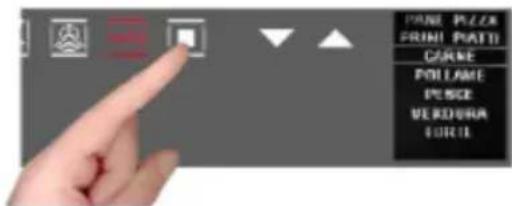
using the button, confirm the choice; the following menu appears;
press the ▼buttons to select the type of dish and the button to confirm the choice.

Press the ▼buttons to select the type and the to confirm the choice.

Press the ▼buttons to select the type and the to confirm the choice.

The weight screen appears. Use the ▼buttons to select the preset values and confirm the choice with the button.

When finished with the settings, the display summarizes the recipe set. The colon in the cooking time (00:30) will be flashing to indicate that it can be changed.
To change it, use the - + buttons.
Or select the _function directly and, in this way, the cooking program starts with a countdown of the preset time on the display.


ATTENTION: certain recipes use pre-heating, so put the dish in when the combimagnetron has reached the set temperature and the display shows "PRE-HEATING FINISHED PUT IN THE DISH"
When cooking is finished the display will flash "PROGRAM FINISHED REMOVE THE DISH" and, at the same time, the combimagnetron will beep until you press a key or open the door.
Note: at any moment, if you make a mistake choosing the values and/or you want to change the settings of your recipe, you can select which cancels it and allows you start over from the beginning of the procedure.
NOTE: If you are cooking with the modified parameters of a pre-set recipe, while the combimagnetron beeps at the end of cooking, you will see:

see how to save recipes in the next paragraph.
Once a pre-set recipe has finished, if you decide that the parameters must be changed for the results that you want, you can change the recipe you used and save it for the next time by storing the new parameters used (weight and cooking time).
To change the parameters of a preset recipe, do the following:

- with the + key select "YES"
- confirm with the key, the time used is displayed
- change with the + and - keys and confirm with , the weight used appears
- change with the + and - keys and confirm with ■, you will see the message "Recipe saved POS. 1/1, and so on with a progressive number

Every time you access the "personal recipes" menu, you will fine your recipes saved in the list of your recipes.
If there is not enough memory for saving personal recipes, the following message appears on the display: "Insufficient memory, impossible to save".

Before saving your recipe, you must delete one from the menu in this way:
- select the function;
- and then, by pressing ■ go to the "personal recipes" section where you will find the saved recipes;
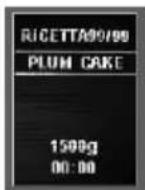
- use the ▼buttons to scroll through the menu and select the recipe you want to delete.
NOTE: the names are given by default by the menu);


- then, after selecting the recipe to be deleted, press until the following screen appears:

By default, the selection will be set to NO, but, by pressing the + and - scroll keys, select YES and confirm with

- The display tells you that the recipe has been deleted
FOR THE INSTALLER
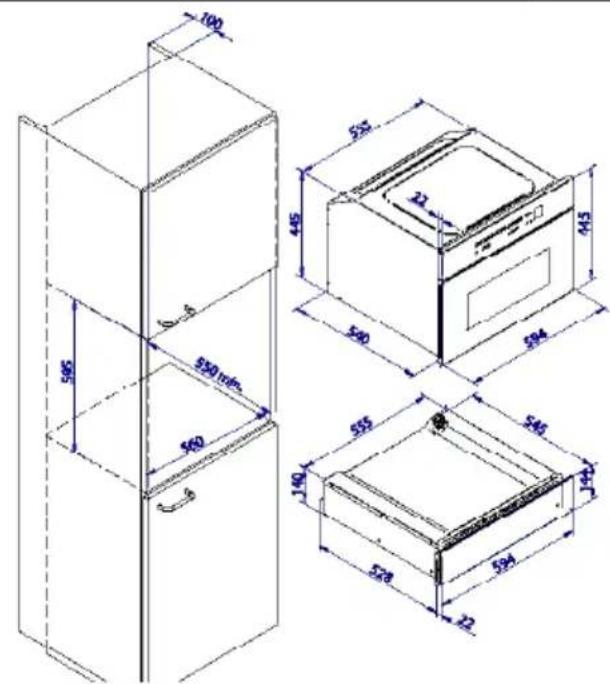
Install the combimagnetron in the counter
The combimagnetron must be installed under a cook top, in a column, or combined with the relative food-warmer drawer.
The dimensions of the space must be those shown in figure.
The cabinet material must be able to withstand the heat.
The combimagnetron must be centred within the walls of the cabinet and fixed with the screws and bushings that are provided.
GB


FR
NL
Nederlands
GB
English
FR
Français
IT
Italiano
DE
Deutsch
ES
Español
PT
Português
Cher Client,


PREMIÈRE UTILISATION


Important:
Installation et raccordement


| F | ||||||
| ℃ | 160-180 | 160-190 | 200-220 | 175-190 | 190-210 | 170-190 |
| 2 | 2 | 2-3 | 2 | 2 | 3 | |
| 120'- 160' | 90'- 120' | 50'- 60' | 60'- 70' | 40'- 50' | 40'- 50' |

PROGRAMMATION DU FOUR
Allumer le four en effleurant la touche Ⓐ
L'écran apparaît:


Allumer le four en effleurant la touche Ⓐ
Effleurer ON/OFF ( )


DONNÉES TECHNIQUES
NL
Nederlands
GB
English
FR
Français
IT
Italiano
DE
Deutsch
ES
Español
PT
Português
Caro Cliente,
IT
PRIMO UTILIZZO


Importante:
IT
ACCENSIONE DEL FORNO

| F | ||||||
| ℃ | 160-180 | 160-190 | 200-220 | 175-190 | 190-210 | 170-190 |
| 2 | 2 | 2-3 | 2 | 2 | 3 | |
| 120'- 160' | 90'- 120' | 50'- 60' | 60'- 70' | 40'- 50' | 40'- 50' |

Compare la schermata:


IT

DATI TECNICI

NL Nederlands
GB English
FR Français
IT Italiano
DE Deutsch
ES Español
PT Português
Geehrter Kunde,

ERSTE ANWENDUNG


Wichtig:


TECHNISCHE DATEN
Stromzufuhr 220-240 V\~, 50Hz
- EERSTE GEBRUIK
- BELANGRIJK
- INSTALLATIE INSTRUCTIES
- TECHNISCHE DATA
- IMPORTANT INSTRUCTIONS AND SAFETY WARNINGS
- READ CAREFULLY AND KEEP FOR FUTURE USE
- FOOD PREPARATION
- POTS AND PANS
- MICROWAVE POWER AND DURATION
- PACKAGING
- BEVERAGES
- IMPORTANT
- FIRST USE
- ASSEMBLING AND DISASSEMBLING THE FLAT GRILL
- RESPECT FOR THE ENVIRONMENT
- INTRODUCTION TO THE COMBIMAGNETRON
- INSTALLATION AND HOOK-UP
- BEFORE HOOK-UP
- DEMONSTRATION MODE
- SETTING THE CLOCK
- ACTIONS THAT ARE POSSIBLE WITH THE COMBIMAGNETRON OFF
- CHANGE THE LANGUAGE
- MAIN FUNCTIONS
- THE COOKING FUNCTIONS
- COMBIMAGNETRON FUNCTIONS
- SIMPLE COOKING COMMANDS
- SETTING THE TEMPERATURE
- RESIDUAL HEAT
- CCOMBIMAGNETRON LIGHT CONTROL
- PROGRAMMING THE COMBIMAGNETRON (ONLY FOR THE FUNCTIONS
- TIMER PROGRAMMING: COOKING TIME
- TIMER PROGRAMMING: END-OF-COOKING TIME
- TIMER PROGRAMMING: DELAYED COOKING
- PROGRAMMING THE TIMER: MINUTE-COUNTER
- PROGRAMMING THE TIMER: CANCELLING THE PROGRAM
- TRADITIONAL COOKING FUNCTIONS
- TIME DEFROSTING
- DEFROSTING BY WEIGHT
- MANUAL FUNCTION: MICROONDE
- MANUAL FUNCTION: MICROWAVE + GRILL
- MANUAL FUNCTION: MICROWAVE + VENTILATED CIRCLE
- AUTOMATIC MICROWAVE FUNCTION: RECIPES
- FOR THE INSTALLER
- INSTALL THE COMBIMAGNETRON IN THE COUNTER
- CHER CLIENT
- PREMIÈRE UTILISATION
- INSTALLATION ET RACCORDEMENT
- PROGRAMMATION DU FOUR
- DONNÉES TECHNIQUES
- CARO CLIENTE
- PRIMO UTILIZZO
- IMPORTANTE
- IT
- ACCENSIONE DEL FORNO
- DATI TECNICI
- GEEHRTER KUNDE
- ERSTE ANWENDUNG
- WICHTIG
- TECHNISCHE DATEN
Brand : BORETTI
Model : BPC45
Category : Microwave Oven