SLS 2000 B2 - Battery charger SILVERCREST - Free user manual and instructions
Find the device manual for free SLS 2000 B2 SILVERCREST in PDF.



| Product type | Battery charger / Multi-port charging station |
| Brand | SilverCrest |
| Model | SLS 2000 B2 |
| Dimensions (approx.) | 24 x 16.4 x 5 cm |
| Weight (with adapter cables) | approx. 725 g |
| Power supply input (mains adapter) | 100-240 V~, 50/60 Hz, 800 mA |
| Charger output power | 5.5 V / 5.4 A (input), 3 x 5 V / 1000 mA (total) + 2 x USB 5 V / 2100 mA each |
| Number of ports | 3 adapter sockets + 2 USB ports |
| Included adapter cables | 12 cables: Nokia large/small, Sony Ericsson, PSP, Motorola, Siemens, Nintendo DS Lite, Samsung, Mini USB, Micro USB, LG, iPod/iPhone/iPad |
| Main functions | Simultaneous multi-device charging, swiveling support for iPad/tablet, charge detection, LED status indicators |
| Intended use | Powering devices operating at 5 V (phones, tablets, MP3 players, etc.) |
| Operating temperature | 15 - 25 °C |
| Ambient humidity (non-condensing) | ≤ 75 % |
| Protection class of mains adapter | II / ☐ |
| No-load power consumption of mains adapter | 29.7 W |
| Care and cleaning | Disconnect before cleaning; use a soft, lint-free cloth; do not use aggressive products |
| Safety | Do not expose to moisture, heat sources or open flames; indoor use only; do not open or modify |
| Warranty | 3 years from date of purchase (excluding wear parts, transport damage, improper use) |
| After-sales service France | Tel. 0800 919270, e-mail: kompernass@lidl.fr, IAN 75830 |
| Spare parts and repairability | Mains adapter supplied; adapter cables interchangeable; repairs only by authorized service center |
| Package contents | Charger SLS 2000 B2, mains adapter MW5CP52-1GS, 12 adapter cables, instruction manual |
Frequently Asked Questions - SLS 2000 B2 SILVERCREST
User questions about SLS 2000 B2 SILVERCREST
0 question about this device. Answer the ones you know or ask your own.
Ask a new question about this device
Download the instructions for your Battery charger in PDF format for free! Find your manual SLS 2000 B2 - SILVERCREST and take your electronic device back in hand. On this page are published all the documents necessary for the use of your device. SLS 2000 B2 by SILVERCREST.
USER MANUAL SLS 2000 B2 SILVERCREST
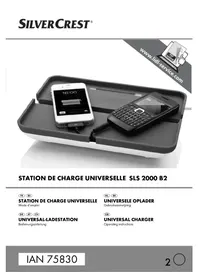
STATION DE CHARGE UNIVERSELLE SLS 2000 B2
FR BE
STATION DE CHARGE UNIVERSELLE
Mode d'emploi
DE AT CH
UNIVERSAL-LADESTATION
Bedienungsanleitung
NL BE
UNIVERSELE OPLADER
Gebruiksaanwijzing
GB
UNIVERSAL CHARGER
Operating instructions
IAN 75830
2

FR BE
Before reading, unfold the page containing the illustrations and familiarise yourself with all functions of the device.
natural_image
White portable electronic device with attached cable and connector (no visible text or symbols)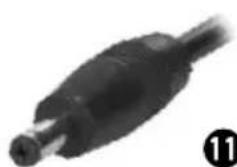
natural_image
Close-up of a black cable connector (no visible text or symbols)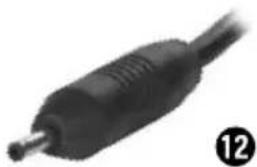
natural_image
Close-up of a black audio jack plug (no text or symbols visible)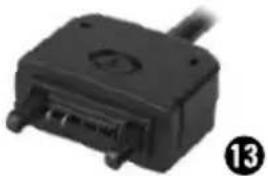
natural_image
Close-up of a black electrical connector with a cable and pin (no visible text or symbols)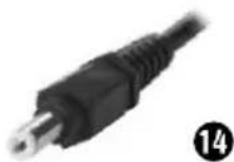
natural_image
Close-up of a black electrical plug with wires and connectors (no visible text or symbols)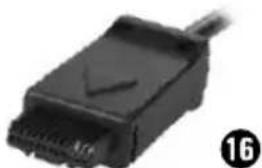
natural_image
Close-up of a black USB connector with a cable, no visible text or symbols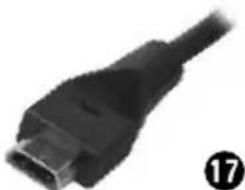
natural_image
Close-up of a black USB connector with port, no visible text or symbols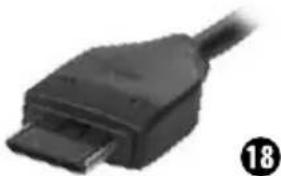
natural_image
Close-up of a black USB cable connector (no text or symbols visible)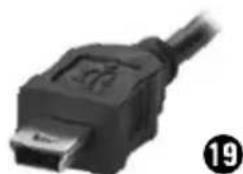
natural_image
Close-up of a black USB cable connector (no text or symbols visible)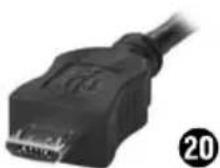
natural_image
Close-up of a black USB connector with a cable, no visible text or symbols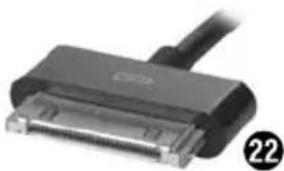
natural_image
Close-up of a black USB connector with a cable, no visible text or symbolsSommaire
Introduction 2
Installation et raccordement ....5
Accessoires fournis et inspection de transport .....5
Déballage....5
Installation et raccordement
AVERTISSEMENT
Information regarding these operating instructions. 44
Copyright 44
Limited liability 44
Warning notices 45
Proper usage 45
Safety instructions 46
Setting up and connecting 47
Package contents and transport inspection 47
Unpacking 47
Disposal of the packaging 47
Device description 48
Electrical connection 48
Handling and operation 49
Preparation....49
Charging of 5 V devices 49
Troubleshooting 50
Malfunction causes and remedies 50
Cleaning 51
Storage 51
Disposal....51
Appendix 52
Technical data 52
Information regarding the EC conformity declaration 52
Warranty 53
Service 53
Importer 53
Compatibility table 54
Introduction
Information regarding these operating instructions
Congratulations on the purchase of your new appliance.
You have clearly decided in favour of a quality product. These operating instructions are a part of this product. They contain important information in regard to safety, use and disposal. Before using the product, familiarise yourself with all of these operating and safety instructions. Use the product only as described and only for the specified areas of application. Retain these instructions for future reference. In addition, pass these documents on, together with the product, to any future owner.
Copyright
This documentation is copyright protected.
Any copying or reproduction, including as extracts, as well as the reproduction of images, also in an altered state, is not permitted without the express written consent of the manufacturer.
Limited liability
All technical information, data and instructions for the installation, connection and operation contained in these operating instructions correspond to the latest available at the time of printing and, to the best of our knowledge, take into account our previous experience and know-how.
No claims can be derived from the details, illustrations and descriptions in these instructions.
The manufacturer assumes no responsibility for damage caused by failure to observe the instructions, improper use, inappropriate repairs, making unauthorised changes or for using unauthorised replacement parts.
Warning notices
In the current operating instructions the following warning notices are used:
WARNING
A warning of this danger level signifies a possible dangerous situation.
If the dangerous situation is not avoided it can lead to injuries.
The directives in this warning are there to avoid personal injuries.
IMPORTANT
A warning of this danger level signifi es possible property damage.
If the situation is not avoided it can lead to property damage.
The directives in this warning are there to avoid property damage.
NOTICE
▶ A notice signifies additional information that assists in the handling of the device.
Proper usage
This device is intended exclusively for power supply to devices that have an operating voltage of 5 V= (mobile telephones, tablets, MP3 players, etc.). Any other use or usage beyond those mentioned is considered improper use and can result in damages and injuries. Claims of any kind for damage resulting from unintended use will not be accepted.
iPod, iPhone and iPad are trademarks of Apple Inc., - registered in the U.S. and other countries. "Made for iPod, iPhone, iPad," means that an electronic accessory has been especially designed for connection to an iPod, an iPhone or iPad and the developer personally warrants that the device fulfi lls the performance standards of Apple. Apple is not responsible for the operation of this device or that it complies with safety and regulatory standards. Please take note that the use of these accessories with an iPod, iPhone or iPad can aff ect the integrity of wireless communications.
Safety instructions
For safe handling of the device observe the following safety instructions:
■ Before use check the device for visible external damage. Do not put into operation a device that is damaged or has been dropped.
■ Damaged cables or connections should be replaced by authorised qualified persons or by the customer service department.
This device is not intended for use by individuals (including children) with restricted physical, physiological or intellectual abilities or deficiencies in experience and/or knowledge unless they are supervised by a person responsible for their safety or receive from this person instructions on how the device is to be used.
■ Only allow children to use the device under supervision.
■ Protect the device from moisture and liquid penetration. Never submerge the device in water, do not place the device in the vicinity of water and do not stand any object filled with liquid (i.e. vases) on the device.
■ The device is intended for indoor use only
■ Do not place the device in the vicinity of flammable or explosive devices.
■ Do not operate the device in the vicinity of open flames (i.e. candles).
■ Do not place the device in locations that are subject to direct sunlight. as this could lead to overheating and cause irreparable damage.
■ Use only the provided power supply unit. When using other power supply units the charging station and/or connected devices could be damaged.
■ Never connect a voltage source/mains power supply to the output socket (connection socket for the adapter cable) of the charging station.
■ Disconnect the device before cleaning and when not in use from the mains power supply and from connected devices to avoid the risk of an electric shock.
■ The mains power supply unit consumes power in the standby mode therefore disconnect it completely from the mains power supply when not in use.
■ Always pull on the power supply unit when disconnecting from the wall socket, never pull on the connection cord.
In the event of malfunctions or thunderstorms, remove the plug from the mains power socket.
■ The mains power socket must at all times be easily accessible, so that the power adapter can be easily and quickly removed in an emergency.
Setting up and connecting
WARNING
Damage may occur to property and injuries to people when operating the device!
Observe the following safety instructions to avoid dangers:
▶ Packaging material should not be used, by children, as a play thing. There is a risk of suffocation!
▶ To avoid risks to persons and property, observe the requirements for the set-up location and the electrical connections.
Package contents and transport inspection
● Charging station SLS 2000 B2
● Mains power supply unit MW5CP52-1GS
- 12 Plug-in connection cables for 5 ¥—devices
- This operating manual
NOTICE
▶ Check the contents to make sure everything is there and for visible damage.
▶ If the contents are not complete or are damaged as a result of defective packaging or through transportation contact the service hotline (see chapter Service).
Unpacking
◆ Remove all components of the device from the carton.
◆ Remove all packaging materials from the device.
Disposal of the packaging
The packaging protects the device from transport damage. The packaging materials are selected from the point of view of their environmental friendliness and disposal technology and are therefore recyclable.

The recirculation of packaging into the material circuit saves on raw material and reduces generated waste. Dispose of packaging material that is no longer needed according to the regionally established regulations.
Device description
① Operating LEDs charging station
2 Connection socket for power supply unit
3 Retaining device iPad/Tablets
4 USB port
5 USBport
6 Connection socket for the adapter cable
7 Connection socket for the adapter cable
8 Connection socket for the adapter cable
9 Mains power supply unit
10 Mains power supply unit operation LED
11 Adapter cable Nokia large (MC01)
12 Adapter cable Nokia small (MC28)
13 Adapter cable Sony Ericsson (MC11)
14 Adapter cable Playstation Portable (MC20)
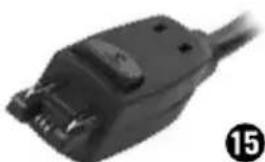
15 Adapter cable Motorola (MC07)
16 Adapter cable Siemens (MC02)
17 Adapter cable Nintendo DS Lite (MC22)
18 Adapter cable Samsung (MC25)
19 Adapter cable Mini USB (MC17)
20 Adapter cable Micro USB (MC19)
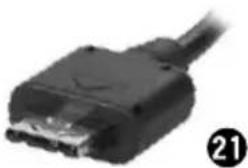
21 Adapter cable LG (MC12)
22 iPod/iPhone/iPad cable
Electrical connection
IMPORTANT
Before connection of the device compare the specifications for the required input voltage on the rating plate with the intended voltage source for operation. This data must be compatible to avoid possible damage to the device.
▶ Make sure that the mains power supply unit'9 cable is not damaged and does not run across hot surfaces and/or sharp edges, otherwise it will become damaged.
▶ Make sure that the mains power supply unit'⑨ cable is not stretched or knoted.
◆ Plug the mains power supply unit 9 into a mains wall socket. The operation LED 10 lights up.
Connect the mains power supply unit ⑨ to the charging station by inserting the plug into the connection socket ② on the rear panel of the device. The operating LEDs ③ low.
Handling and operation
Preparation
- Check the maximum input voltage of the device that you want to charge. This information can be found in the device's operating instructions.
- Ensure that, when using the connector sockets 6 - 8, the maximum total power consumption does not amount to more than 1000 mA (about 333 mA per socket). The USB ports 4 + 5 can each be loaded with 2100 mA. In this regard, check in the operator manual of the device.
- Check which adapter cable is required for the device (see the compatibility table p. 26 - 28).
Charging of 5 V devices
- Remove the cover from the charging station and then connect the plug of the appropriate adapter cable into one of the connection sockets 6 - 8 resp. the iPod/iPhone/iPad cable 22 into one of the USB ports 4 + 5.
- Place the cover back on the charging station thereby feeding the adapter cable through the cut-out on the front panel of the cover.
- Plug the other end of the adapter cable into the device's power supply socket. The device now receives its power supply from the charging station. If the device has a charge control indicator, this will show that the device is charging.
NOTICE
This charging station is so powerful that all three connection sockets 6 - 8 and the USB ports 4 + 5 can be used simultaneously. However, the total power consumption of connected devices may not exceed 5200 mA (1000 mA in total for connection sockets 6 - 8 and 2100 mA each for the USB port 4 + 5).
- When charging, the iPad or other tablets can be inserted into the retaining device 3.
Troubleshooting
Malfunction causes and remedies
The following table will help with localizing and remedying minor malfunctions:
| Defect Possible cause Solution | ||
| The connected device will not charge. | The voltage of the device is not compatible with the charging station. | Consult the device's operating instructions. |
| Faulty connection between the device and the charging station. | Make sure that the adapter cable and/or iPod/ iPhone cable is properly connected to the device and charging station. | |
| Wrong adapter cable used. | Check the adapter cable and, if necessary, change it. | |
| The operating LEDs 1 of the charging station do not glow. | Faulty connection between the charging station and the mains power supply unit 9. | Make sure that the mains power supply unit's 9 connection cable is correctly connected to the connection socket 2 on the charging station. |
| Mains power socket is not working properly. | Check to see if the mains power socket is providing power by plugging in another device. | |
NOTICE
If the malfunction cannot be resolved with the above mentioned solution suggestions or if other forms of malfunction occur please get in touch with our service department (see chapter Service).
Cleaning
WARNING
▶ Disconnect the device before cleaning and when not in use from the mains power supply and from connected devices to avoid the risk of an electric shock.
IMPORTANT
- Do not use any aggressive cleaning or scouring agents as these could damage the housing surfaces.
When cleaning the device use a soft lint free cloth.
Storage
◆ Store the device in a dry environment.
Disposal
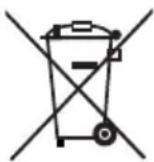

Do not dispose of the device in your normal domestic waste. This product is subject to the provisions of European Directive 2002/96/EC.
Dispose of the device through an approved disposal centre or at your community waste facility. Observe the currently applicable regulations. In case of doubt, consult your local disposal facility.
Appendix
Technical data
Charging station
| Input voltage, current 5.5 V , 5.4 A | --- | |
| Output voltage, current 3 x 5 V , 1000 mA (Total) | ||
| Output voltage, current USB 2 x 5 V , 2100 mA per USB | ||
| Operating temperature 15- 25 °C | ||
| Humidity (no condensation) ≤ 75 % | ||
| Dimensions approx. 24 x 16.4 x 5 cm | ||
| Weight incl. adapter cable approx. 725 g | ||
Mains plug
| Manufacturer Minwa China (Huizhou) Electronics Co., Ltd. | ||
| Model | MW5CP52-1GS | |
| Input voltage, current 100 - 240V | ~ 50/60 Hz, 800 mA | |
| Output voltage, current | 5.5 V---, 5.4 A | |
| Power consumption (no-load) | 29.7 W | |
| Protection class | II / ☐ | |
| Dimensions approx. 9.8 x 6 x 3.1 | cm | |
| Weight | approx. 240 | g |
Information regarding the EC conformity declaration
This device complies regarding conformity to the basic requirements and other relevant provisions of the EMC directive 2004/108/EC, the low-voltage directive 2006/95/EC, the Eco design directive 2009/125/EC (Ordinance 278/2009) as well as the RoHS directive 2011/65/EU.
The complete original declaration of conformity can be obtained from the importer.
CE
Warranty
The warranty for this appliance is for 3 years from the date of purchase. The appliance has been manufactured with care and meticulously examined before delivery.
Please retain your receipt as proof of purchase. In the case of a warranty claim, please make contact by telephone with our Customer Service Department. Only in this way can a post-free despatch for your goods be assured.
NOTICE
The warranty covers only claims for material and manufacturing defects, but not for transport damage, wearing parts or for damage to fragile components, e.g. buttons or batteries.
This product is for domestic use only and is not intended for commercial use. The warranty is void in the case of abusive and improper handling, use of force and internal tampering not carried out by our authorised service branch.
Your statutory rights are not restricted in any way by this warranty. The warranty period is not extended by repairs made under the warranty. This applies also to replaced and repaired parts.
Damages and defects extant at the time of purchase must be reported immediately after unpacking, resp. no later than two days after the date of purchase.
Repairs made after the lapse of the warranty period are subject to charge.
Service
GB Service Great Britain
Tel.: 0871 5000 720 (£ 0.10/Min.)
E-Mail: kompernass@lidl.co.uk
IAN 75830
Importer
KOMPERNASS GMBH
BURGSTRASSE 21
44867 BOCHUM, GERMANY
www.kompernass.com
Compatibility table
| Illustra-tion | Type | Product type | Make / Model |
Nokia "large"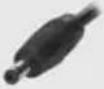 | MC01 | Mobile phone Nokia: | 1100, 1101, 1110, 1600, 2300, 2600, 2650, 2652, 3100, 3120, 3220, 3230, 3300, 3660, 5100, 5240, 5140i, 6020, 6021, 6030, 6060, 6100, 6170, 6230, 6230i, 6260, 6310i, 6600, 6610i, 6670, 6680, 6681, 6810, 6820, 6822, 7260, 7270, 7280, 7380, 7610, 7710, 8800, 9210i, 9300, 9300i, 9500, E60, E70 |
Nokia "small"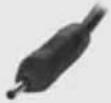 | MC28 | Mobile phone Nokia: | 3250, 5500, 6070, 6080, 6101, 6102, 6103, 6111, 6125, 6131, 6136, 6151, 6155, 6233, 6234, 6270, 6280, 6288, 7360, 7370, 7373, 7390, E50, E61, N70, N71, N72, N73, N80, N81, N90, N91, N92, N93, 5800i x plus, 8800 Sirocco |
Sony Ericsson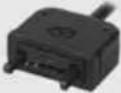 | MC11 | Mobile phone Sony Ericsson: | D750i, J100i, J230i, K310i, K610i, K610iM, K750i, K800i, M600i, P990i, V630i, W300i, W600i, W710i, W800i, W810i, W880i, W900i, W950i, Z310i, Z520i, Z530i, Z550i, Z610i |
Playstation Portable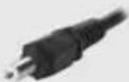 | MC20 | Game consol Sony: | PSP |
MotorolaTM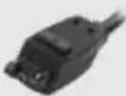 | MC07 | Mobile phone Motorola: | E398, ROKR E1, V500 / V600 series, E550, V300, V80, T720i, V975, V980, C975, C980, A1000, E1000 |
Siemens MC02 Mobile phone Siemens: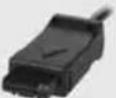 | A40, C25, C35, C45, M35, ME45, S35, SL45, 1118, 3118, 3508, 3508i, 3518, 3518i, 3568, 3568i, 6088, 6688, 6688i, C2588 | ||
Nintendo DS | MC22 | Game consol Nintendo: | NDS Lite |
Samsung 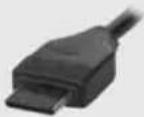 | MC25 | Mobile phone Samsung: D528, D800, D808, D820, D828, D838, D848, D908, E908, E208, E570, E848, i520, i718, i760, J600, P300, T809, U608, U708, X820, X828 | |
Mini USB 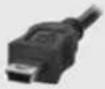 | MC17 | Mobile phone | Alcatel: OT-E801, OT-S853 HTC: Hero, Magic, MteoR, P3300, P3350, P3400, P3470, P3600, P4350, P6300, P6500, S310, S620, S710, S730, S740, Snap, Tattoo, Touch, Touch 3G, Touch Cruise, Touch Diamond, Touch Diamond 2, Touch Dual, Touch HD, Touch Pro, Touch Pro 2, Touch Viva, Touch 2, Ty TN, Ty TN II Motorola: A668, A732, A780, A910, C290, E1070, E310, E770v, I290, I335, I425, IC502, KRZR K1, SLVR L2, SLVR L6, SLVR L7, MPx200, RIZR Z3, ROKR E2, PEBL U6, 6510, 7510, 7520, V191, V195, V235, V360, V1075, V3, V3iV, V3x Vodafone: Vodafone.V1415, Vodafone.V1605, Vodafone. V1615, Vodafone.V1640 |
| PDA | RIM-BlackBerry: 7100, 7130, 7290, 8100pearl, 8110pearl, 8120pearl, 8130pearl, 8300curve, 8310curve, 8320curve, 8700, 8700g, 8800, 8820, 8900, 9000bold | ||

| Illustra-tion | Type | Product type | Make / Model |
Micro USB 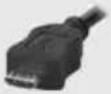 | MC19 | Smart Phone | Acer:beTouch E120, beTouch E130, StreamGoogle:Nexus OneHTC:Nexus One, HTC HD2, HTC Desire, HTC Legend, HTC HD mini, HTC Wildfi reLG:BL20 Chocolate, BL40 Chocolate, GM750Nokia:6500 Classic, 7900 Crystal, Prism, N85, N97, E52, E55, 8600 Luna, 8800 Carbon Arte, 3120 Classic, 3710 Fold, 3720 Classic, 5030 Xpress Radio, 5130 Xpress Music, 5330 TV EditionSamsung:C5510, G810, I8510, INNOV8, S8000, M2310, M2510, M6700, M7500, M7600, M8910, Pixon12, S6700, S7350, S7350 Ultra Slide, S8000 Jet,Samsung Galaxy S II, Samsung Galaxy S IIISony Ericsson:ELM J10i2, Vivaz U5i, Hazel Xperia X10T-Mobile:myTouch 3G Slide, Vairy Text, Vairy Touch II, Pulse,Pulse MiniRIM-BlackBerry:9500 Storm, 9700 Bold, 9520 Storm, 9530 Storm, 8900 Javelin Curve, 8220 Kick Start, 9630 Tour |
| PDA | |||
LG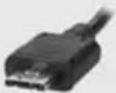 | MC12 | Mobile phone LG: | KG70, KG77, KG90, KG90C, KG220, KG800, KU250, KU380, KU580, KU970, KU990, KE770, KE850, KE970, KS10, KW820, VX8500, VX8600 |
Apple®30 Pin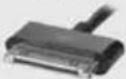 | MP3 Player Mobile phone Tablets | Apple®: iPod®, iPhone®, iPad® |
KOMPERNASS GMBH
Burgstraße 21
D-44867 Bochum
www.kompernass.com
Version des informations · Stand van de informatie
- STATION DE CHARGE UNIVERSELLE SLS 2000 B2
- STATION DE CHARGE UNIVERSELLE
- UNIVERSAL-LADESTATION
- UNIVERSELE OPLADER
- UNIVERSAL CHARGER
- FR BE
- Sommaire
- Introduction 2
- Installation et raccordement ....5
- Installation et raccordement
- AVERTISSEMENT
- Safety instructions 46
- Setting up and connecting 47
- Handling and operation 49
- Troubleshooting 50
- Cleaning 51
- Storage 51
- Disposal....51
- Appendix 52
- Introduction
- Information regarding these operating instructions
- Copyright
- Limited liability
- Warning notices
- WARNING
- A warning of this danger level signifies a possible dangerous situation.
- IMPORTANT
- A warning of this danger level signifi es possible property damage.
- NOTICE
- Proper usage
- Safety instructions
- Setting up and connecting
- Damage may occur to property and injuries to people when operating the device!
- Package contents and transport inspection
- Unpacking
- Disposal of the packaging
- Device description
- Electrical connection
- Handling and operation
- Preparation
- Charging of 5 V devices
- Troubleshooting
- Malfunction causes and remedies
- Cleaning
- Storage
- Disposal
- Appendix
- Technical data
- Information regarding the EC conformity declaration
- Warranty
- Service
- Importer
Brand : SILVERCREST
Model : SLS 2000 B2
Category : Battery charger