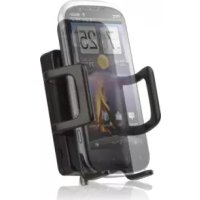
Sleek 4GC - TV signal amplifier Wilson - Free user manual and instructions
Find the device manual for free Sleek 4GC Wilson in PDF.


Frequently Asked Questions - Sleek 4GC Wilson
User questions about Sleek 4GC Wilson
0 question about this device. Answer the ones you know or ask your own.
Ask a new question about this device
Download the instructions for your TV signal amplifier in PDF format for free! Find your manual Sleek 4GC - Wilson and take your electronic device back in hand. On this page are published all the documents necessary for the use of your device. Sleek 4GC by Wilson.
USER MANUAL Sleek 4GC Wilson
Signal Booster Installation Guide
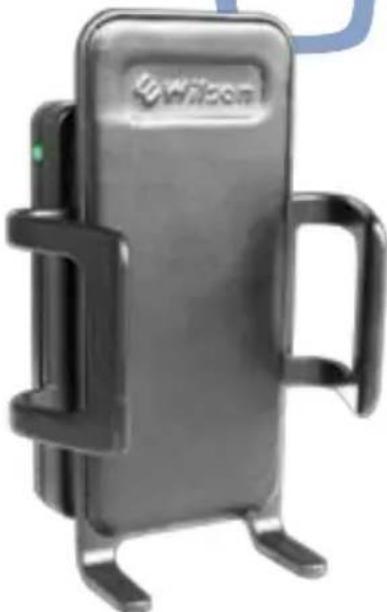
Sleek
Smart Technology II™ 800/1900 MHz
Cradle Cell Phone Signal Booster
Sleek® 4G-C
COMING SOON
Smart Technology II ™ 800 / (1700-2100) / 1900 MHz
Cradle Cell Phone Signal Booster
U.S.Patent No.7,684,838D626,9537,221,9677,729,6697,486,9297,729,6567,409,1867,783,318
Contents:
Accessories 1
How it Works 2
Install Diagrams - Vehicle 2
Vehicle Installation 2
Power up the Wilson Electronics Sleek 3
Adjusting the Sleek Arms 4
Understanding the Sleek Lights 4
Troubleshooting 4
In-Building Installation 5
Warnings 6
About Wilson Electronics 6
Signal Booster Specifications . Back Cover
To boost your phone's signal power, the phone must be placed in the Sleek cradle. For best results, while the phone remains in the Sleek, use a Bluetooth headset, or hands free device.
Note: This manual contains important safety and operating information. Please read and follow the instructions in this manual. Failure to do so could be hazardous and result in damage to your Sleek.
Appearance of device and accessories may vary.
Inside this Package
Sleek Cell Phone Signal Booster
Mini-Magnet Mount Antenna
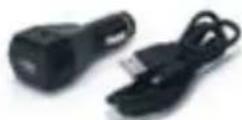
DC Plug-In Power Supply & USB cable
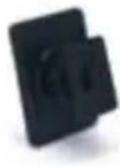
Vehicle Dash Adhesive Mounting Bracket

Adjustable Arms
NOTE: If product #815225 & 812725 was ordered, package will only include Sleek wireless Signal Booster cradle, power supply, and mounting bracket.
Accessory Antenna Options
In addition to the convenient Mini-Magnet roof mount antenna that may have been included with your kit, Wilson Electronics offers a wide variety of Outside Antennas to help you customize your Signal Booster for a specific application. All models shown below double the power to the cell tower compared to the MiniMagnet Antenna. See your dealer or visit www.WilsonElectronics.com for more information.
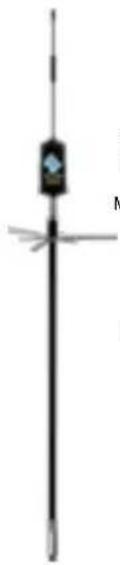
12" Magnet Mount Antenna (301225)
Trucker Antenna (301101)
Designed for mirror mounting on large trucks.
Mounts on Wilson 3/8" mounts: 901104 and 901106
- Must utilize 971119 Adapter (SMA-FME)

NMO Mount Antenna (301104)
For permanent vehicle roof mount on cars and pickup trucks.
Mounts on Wilson NMO style mounts: 901101, 901102, and 901103
- Must utilize 971119 Adapter (SMA-FME)
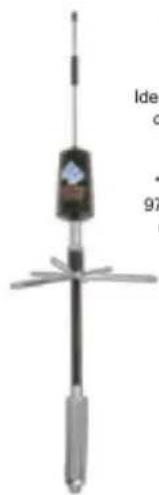
RV Antenna (301133)
Ideal for mounting on non-metal surfaces.
- Must utilize 971119 Adapter (SMA-FME)
Accessories for your Skeek®
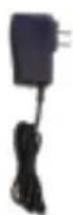
AC Power Supply
*(859969)
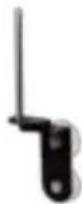
Antenna Window Mount (Used with Mini-Magnet Mount Antenna) (^*901128)
Adjustable Desk Mount *901137

* All 3 available together in the Home Accessory Kit - 859970

Mobile Power Supply (859984)
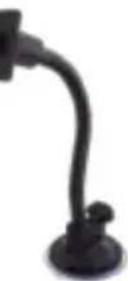
Gooseneck Suction Cup Cradle Mount (901120)
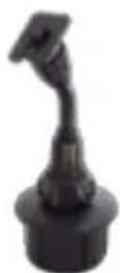
Cup Holder Cradle Mount (901130)
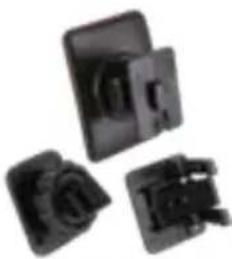
Vehicle Dash Mounting Kit
-Rugged/Screw Mount-Adhesive Mount-Vent Clip Mount (901134)
General
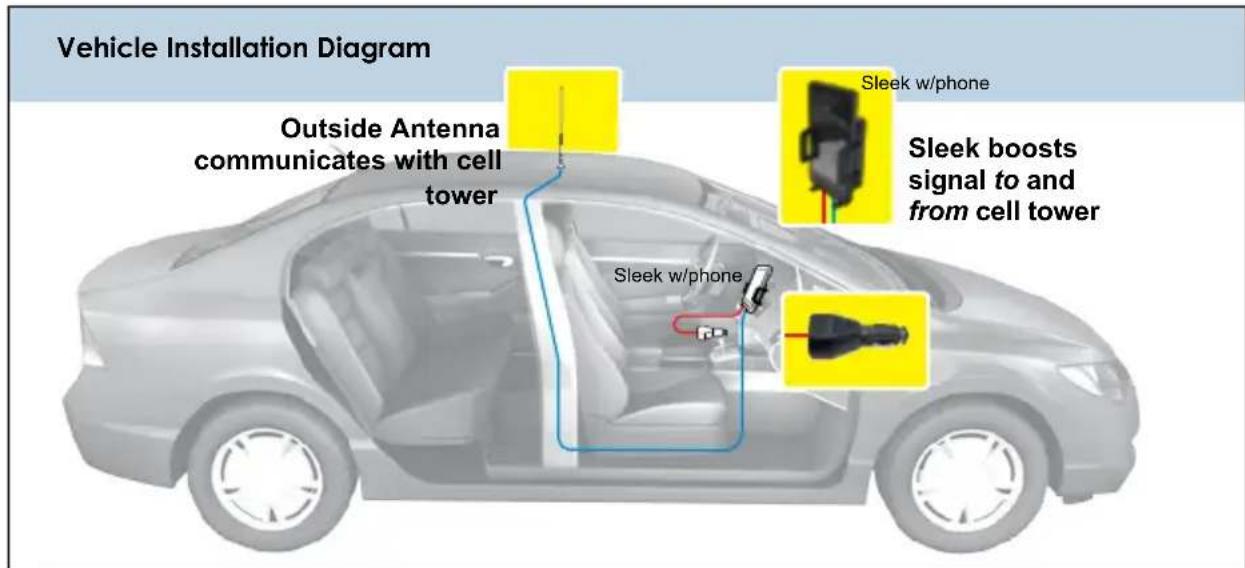
Your Wilson Electronics Sleek has been carefully engineered to significantly improve the performance of your phone. Together with an Outside Antenna, the Sleek's state-of-the-art circuitry is designed to increase your phone's signal to and from the cell tower. The Sleek reduces disconnects and dropouts and increases data communication rates on 2G, 3G networks and 4G on some models.
How it Works
With the phone in the cradle and while using a wireless Bluetooth™ headset (or hands free device) the Outside Antenna collects the cell tower signal and sends it through its cable to the Sleek. The signal is then boosted by the Sleek and sent to the phone. When the phone transmits, the signal is picked up wirelessly and boosted by the Sleek and transmitted back to the cell tower through the Outside Antenna.
NOTE: The cell phone must be placed in the cradle to work properly.

Warning: DO NOT use phone covers that have chrome or any other metallic surface. It may block cellular signals
Vehicle Installation
1. Install the Outside Antenna
To receive the best cell signal, select a location for the Outside Antenna that is preferably in the center of the vehicle's roof, 12 inches (30 cm) away from any other antennas, free of obstructions, and at least 6 inches (15 cm) from the rear or side windows or sunroof.

The Outside Antenna must be installed vertically. Antenna performance will be degraded if the antenna is not vertical.
The antenna cable is small yet strong enough that it may be shut in most vehicle doors without damaging the cable.
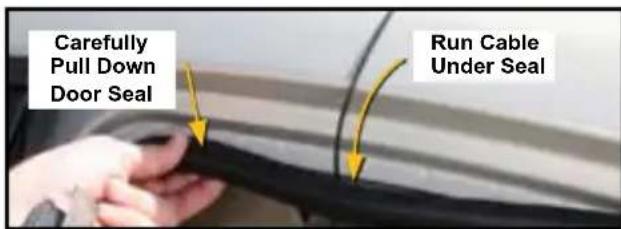
For a more professional-looking installation, run the antenna cable under the door seal. Carefully pull down the door seal. Run the cable under the seal and push the seal back into place. This prevents constant wear and tear on the cable as the door opens and closes. The antenna cable is small enough to easily tuck under the door seal or plastic molding.

RF Safety Warning: The "Outside Antenna" must be either a Wilson Electronics Magnet Mount or Mini-Magnet Mount Antenna and requires at least an 8 inch (20 cm) separation distance from ions. Other Outside Antennas may be used with fixed building installations provided that (a) they are coated with at least a 30 inch (75 cm) separation distance from all persons, (b) their gain less cable does not exceed 15 dBi, and (c) they are not operating in conjunction with any other antenna or Booster.
2. Attach the Mounting Bracket
A mounting bracket is provided for attaching the Sleek to your vehicle's dash. Other options are also available from Wilson Electronics.
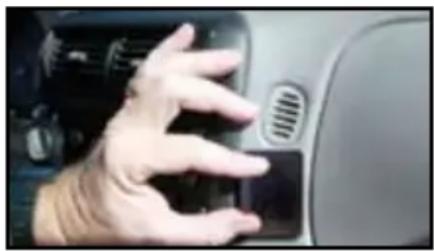
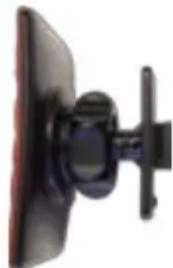
ADHESIVE BRACKET- Included in this package
A. Clean the area where the bracket is to be mounted with the alcohol wipe provided. Allow to dry.
B. Peel the backing to expose the adhesive and press the bracket onto the desired location in the vehicle. Note: be sure the tab is positioned vertically, not horizontally.
C. Allow the adhesive to cure for 24 hours before you attach the Sleek.
D. Once the cradle is attached, you can adjust the angle of the adhesive bracket by applying gentle pressure to the top or bottom of the Sleek. The bracket is designed to swivel when the knurled nut is loosened for greater adjustability of the Sleek viewing angle. To lock bracket into position, tighten large nut.
3. Attach the Sleek to the Bracket
Once you have installed the bracket in the desired location, and waited 24 hours for adhesive to cure, attach the Sleek by aligning the rectangular hole on its back with the tab on the mount bracket, grasping the sides of the Sleek, and sliding it downward approximately 14 inch (0.6 cm) into place.
4. Attach the Outside Antenna cable to the Sleek
Attach the cable from the Outside Antenna to the antenna connector on the Sleek. (see Figure 2)
Power up the Wilson Electronics Sleek
IMPORTANT: Make sure the Outside Antenna cable is connected before powering up the Sleek.
Accessory port to power up your phone, some adapters available through Wilson Electronics at 866-294-1660 (refer to Figure 1).
Connect the mini-USB plug on the power cable to the Sleek's mini USB port located on the bottom of the Sleek (refer to Figure 2) and insert the adapter into the vehicle power outlet of your vehicle. The Sleek may remain on all the time. However, leaving the Sleek on in a vehicle when it is not running can discharge the battery in a day or two.
Note: The 12V DC power source on many vehicles is shut off with the ignition key.
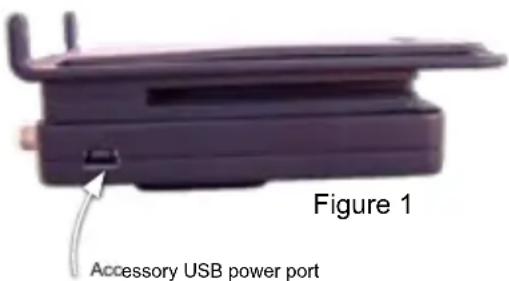
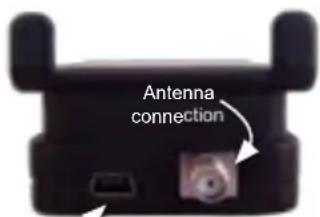
Figure 2
Sleek power port. Connect Wilson Electronics power supply.

Warning: Use only the supplied Wilson Electronics power supply.
3
Contact Wilson Electronics Technical Support Team with any questions at 866-294-1660 or email: tech@wilsonelectronics.com. Mon.- Fri. Hours: 7 am to 6 pm MST.
Adjusting the Sleek Arms
Included with your Sleek are various sized arms, which will provide you with multiple options to customize the Sleek to fit your phone.
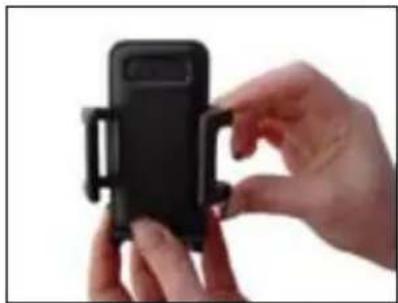
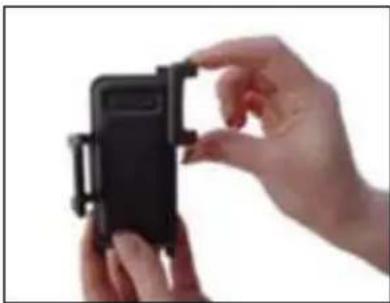
1. Change arms
Gently grab the arm and lift upward until the arm breaks free from the Slee.
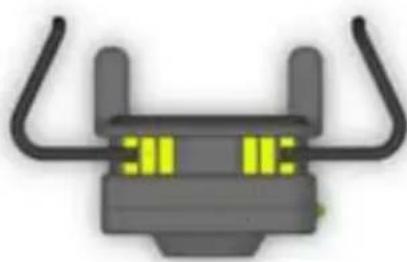
2. Reposition arms
Position the arm above a different slot on the Sleek (indicated by the yellow in the drawing). Gently slide the arm down until the arm is firmly in place.
NOTE: The cell phone must be placed in the Sleek to work properly. Use a Bluetooth™ or wired hands free device.
Understanding the Sleek Lights
Separation of the Sleek and the Outside Antenna is very important. In a vehicle, the metal roof acts as a barrier and helps shield the two antennas from each other, preventing oscillation (feedback). Oscillation can occur when the roof mounted antenna is too close to the Sleek inside the vehicle. An oscillation (or feedback) in the Sleek is similar to when a microphone is too close to a speaker in a sound system, resulting in a loud whistle. An oscillation in the Sleek, if allowed to occur, can affect nearby cell towers' ability to handle calls.
If the light turns red, the Sleek has powered down to protect the cell tower from oscillation. The red light indicates the outside roof mounted antenna needs to be moved farther from the Sleek. In a vehicle installation, move the Outside Antenna on the roof of the car farther to the rear of the car, but at least 6 inches from the rear or side windows or sunroof. Remove power from the Sleek and reconnect power - this resets the Sleek.
If the light is now green, the Sleek is working properly. If the red light is still on, move the Outside Antenna farther away and repeat the process.
Trouble Shooting
Green light is on: Sleek is operating properly.
SYMPTOM: No light, or light always off
Make sure that the 1. power supply for the Sleek is functioning properly, by making sure the light located on the power supply is lit.
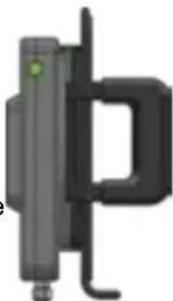
If the DC plug-in power supply is properly inserted, but the plug's light doesn't come 2. on, then check the 12 volt power from the car socket, and check the fuse in the DC plug-in power supply.
SYMPTOM: Red light is on
If the light is red, the Sleek has powered down to protect the cell tower. See section above: Separation of the Sleek and the Outside Antenna is very important.
SYMPTOM: No increase in Bars
Make sure that the antenna connector is tight.1.
2 The cell phone must be placed in the Sleek cradle to amplify properly.
Contact Wilson Electronics Technical Support Team at 866-294-1660.3.

Warning: DO NOT use phone covers that have chrome or any other metallic surface. It may block cellular signals,
In-Building Installation
Installing a Wilson Electronics Outside Antenna in a Building
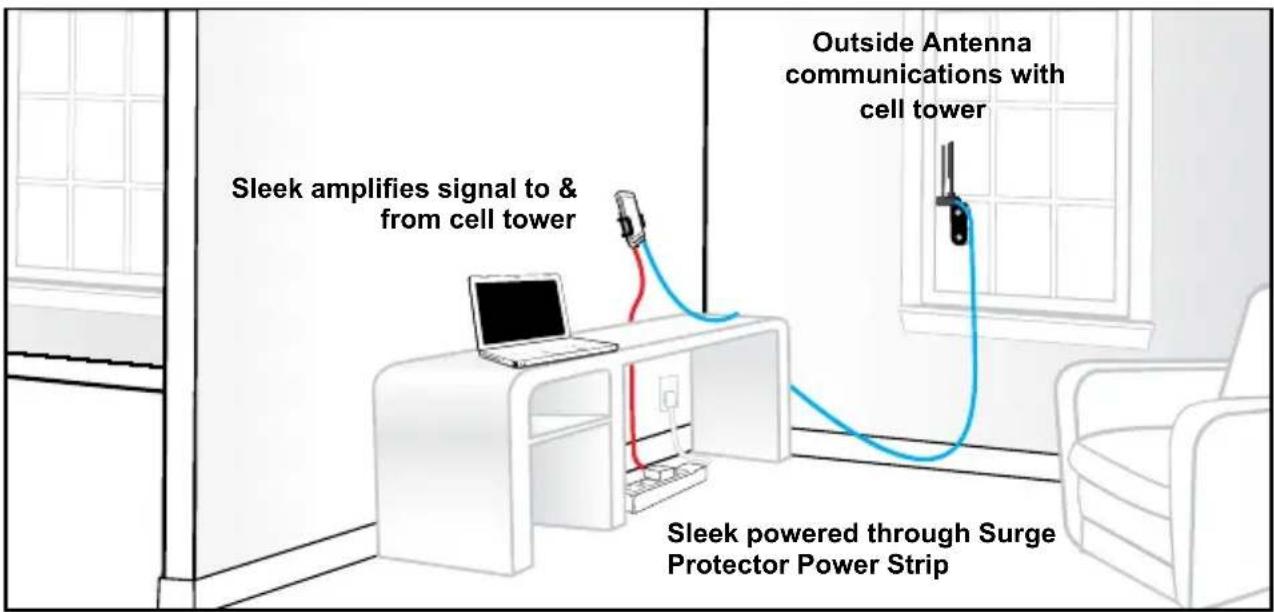
Follow the specific antenna instructions included with the Outside Antenna (sold separately except for certain kits). These instructions assume that you are using a Wilson Electronics Mini-Magnet Mount Antenna and the optional suction-cup window bracket.
To receive the best signal, select a window on the side of your building where your outside signal is the strongest.
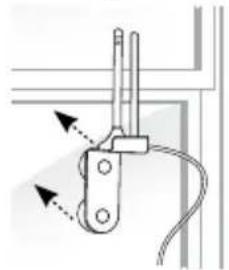
Attach the suction-cup bracket to the inside of a window so that the cable will reach the location of the Sleek. Place the bracket as high on the window as possible for best performance.
Once the bracket is in place, attach the magnet base of the antenna to the flat surface of the bracket. Note: The antenna must be installed vertically. Signal performance will be degraded if the antenna is not vertical.
Installing the Wilson Sleek Signal Booster in a Building
The Wilson Electronics Sleek may be placed in any convenient indoor location, such as a desk or tabletop. The cell phone must be in the cradle and use a Bluetooth™ headset or wired hands free device for voice communications.
Attaching the Antenna
Once you have selected the location for the Sleek, run the cable from the Outside Antenna and attach it to the SMA connector on the bottom of the Sleek.
Note: The Sleek and the Outside Antenna must have a minimum separation of 3 feet to prevent oscillation.
Adapter Note: For optimal performance and to maintain a secure connection, we recommend attaching the included velcro tab. If adapter becomes lose in the port, gently squeezing the adapter end will restore a snug fit.
IMPORTANT NOTICE
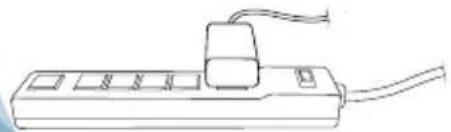
It is very important to power your Signal Booster using a surge protected AC Power Strip with at least a 1000 Joule rating.
Failure to do this will void your warranty in the event of a power surge or lightning strike.
Warnings:

Do not plug in the power supply until the Outside Antenna cable is attached to the Sleek.

from all persons and must not be located in conjunction with any other antenna or Signal Booster.

Warning: RF Safety: The FCC requires that a cell phone with cradle attached may only be used with the cradle mounted as illustrated in this installation guide. A cell phone held near the ear must be without the cradle attached.

Warning: RF Safety: The Outside Antennas authorized for use with this Signal Boosters are shown on page 1 of this guide. Other antennas may be used, but only in fixed installations when located outside of a building or structure (not in mobile/ portable installations), provided that:
(a) antenna location ensures at least a 30 inch separation distance from all persons,
(b) antenna gain less cable loss does not exceed 15 dBi, and
(c) such antennas are not operating in conjunction with any other antennas, or transmitting devices.

signals
DO NOT use phone covers that have chrome or any other metallic surface. It may block cellular
This device complies with part 15 of the FCC Rules. Operation is subject to the following two conditions: (1) This device may not cause harmful interference and (2) this device must accept any interference received, including interference that may cause undesired operation. Changes or modifications made that are not expressly approved by Wilson Electronics could void authority to operate this equipment.
30-Day Money-Back Guarantee
All Wilson Electronics products are protected by Wilson Electronics 30-day money-back guarantee. If, for any reason, the performance of any product is not acceptable, simply return the product directly to the reseller with a dated proof of purchase.
1-Year Warranty
Wilson Electronics Signal Boosters are warranted for one (1) year against defects in workmanship and/or materials. Warranty issues may be resolved by returning the product directly to the reseller with a dated proof of purchase.
Signal Boosters may also be returned directly to the manufacturer at the consumer's expense, with a dated proof of purchase and a Returned Material Authorization (RMA) number supplied by Wilson Electronics. Wilson Electronics shall, at its option, either repair or replace the product. Wilson Electronics will pay for delivery of the repaired or replaced product back to the original consumer within the continental United States.
This warranty does not apply to any Signal Boosters determined by Wilson Electronics to have been subjected to misuse, abuse, neglect, or mishandling that alters or damages physical or electronic properties.
Failure to use a surge protected AC Power Strip with at least a 1000 Joule rating will void your warranty.
RMA numbers may be obtained by contacting Technical Support at 866-294-1660.
Disclaimer: The information provided by Wilson Electronics, Inc. is believed to be complete and accurate. However, no responsibility is assumed by Wilson Electronics, Inc. for any business or personal losses arising from its use, or for any infringements of patents or other rights of third parties that may result from its use.
Copyright © 2012 Wilson Electronics, Inc. All rights reserved.
About Wilson Electronics
Wilson Electronics, Inc. has been a leader in the wireless communications industry for over 40 years. The company designs and manufactures Signal Boosters, antennas and related components that significantly improve cellular phone signal reception and transmission in a wide variety of applications, both mobile (marine, RV, vehicles) and in-building (home, office, M2M).
With extensive experience in antenna and Signal Booster research and design, the company's engineering team uses a state-of-the-art testing laboratory, including an anechoic chamber and network analyzers, to fine-tune antenna designs and performance. For its Signal Boosters, Wilson Electronics uses a double electrically shielded RF enclosure and cell tower simulators for compliance testing. Wilson Electronics Signal Boosters feature patented Smart Technology™ that enables them to automatically adjust their power based on cell tower requirements. By detecting and preventing oscillation (feedback), signal overload and interference with other users, these Smart Technology™ Signal Boosters improve network cell phone areas without compromising carrier systems.
All products are engineered and assembled in the company's 55,000-square-foot headquarters in St. George, Utah. Wilson Electronics has product dealers in all 50 states as well as in countries around the world.
Signal Booster Specifications
| 800/1900 MHz Specifications 800/1700-2100/1900 MHz Specifications | ||
| Model Number 2B5225 2B2725 | ||
| Connectors SMA Female SMA Female | ||
| Impedance (input/output) 50 ohms 50 ohms | ||
| Frequency 824-894 MHz / 1850-1990 MHz | ||
| 1Passband Gain (nominal) | ||
| 20 dB (typical) / 30 dB (maximum) | ||
| 20 dB Bandwidth (nominal) | ||
| 800 MHz (uplink/downlink) 43 MHz / 45 MHz | ||
| 1900 MHz (uplink/downlink) 112 MHz / 84MHz | ||
| Power output for single cell phone (uplink) 800 MHz 1900 MHz | ||
| CDMA 28.9 31.8 | ||
| GSM 30.9 32.6 | ||
| EDGE 30.9 31.9 | ||
| WCDMA | 30.13 | 31.4 |
| Power output for single received channel(downlink) | 800 MHz 1900 MHz | |
| CDMA | -9 | 1.0 |
| GSM | -1.3 | 1.8 |
| EDGE | -1.3 | 2.1 |
| WCDMA | .32 | 2.3 |
| 3,4Power output for multiplereceived channels (downlink). Themaximum power is reduced by thenumber of channels: | Maximum Power3 | |
| 800 MHz | 1900 MHz | |
| 2 | -1.1 | 2.2 |
| 3 | -4.7 | -1.4 |
| 4 | -7.2 | -3.9 |
| 5 | -9.1 | -5.8 |
| 6 | -10.7 | -7.4 |
| Noise Figure (typical) | 3 dB nominal | |
| Isolation | >40 dB | |
| Power Requirements 5V DC, 1A | ||
Notes:
1. Nominal gain is the maximum gain at any frequency in the passband.
2. Nominal bandwidth is the difference between two frequencies that are adjacent to the passband where the amplification is 20 dB
lower than the passband amplification. One of the frequencies is lower than the passband and the other is higher.
3. The Manufacturer's rated output power of this equipment is for single carrier operation. For situations when multiple carrier
signals are present, the rating would have to be reduced by 3.5 dB, especially where the output signal is re-radiated and can cause interference to adjacent band users. This power reduction is to be by means of input power or gain reduction and not by
cause interference to adjacent band users. This power reduction is to be by means of input power or gain reduction and not by an attenuator at the output of the device.
4. The maximum power for 2 or more simultaneous signals will be reduced by 6 dB every time the number of signals is doubled.

Wilson
Electronics, Inc.
3301 East Deseret Drive, St. George, UT 84790
For additional Technical Support visit www.WilsonElectronics.com
or email at: tech@wilsonelectronics.com
Phone: 866-294-1660 Local: 435-673-5021 Fax: 435-656-2432
www.twitter.com/WilsonCellular www.facebook.com/WilsonCellular
| V.10' C6 | Exponential | |
| BP 04 < | Equation | |
| |Bouin-Gouin | Ε | (αnb/d) (η) | Reagent |
| t' L- | L'0L- | 9 |
| 8' G- | L'6- | 9 |
| 6' E- | Z' L- | 7 |
| t' L- | L'4- | 8 |
| Z' Z | L' L- | 7 |
| ZHW 006↓ | ZHW 008 | xNexene xNexene xNexene xNexene xNexene xNexene xNexene xNexene xNexene xNexene xNexene xNexene xNexene xNexene xNexene xNexene xNexene xNexene xNexene xNexene xNexene xNexene xNexene xNexene xNexene xNexene |
| g e Boreseissn D | (αeBoreseissn D) sSneBoreseissn D | |
| ε' Z | Z'ε | 0.000 M |
| L' Z | ε' L- | 3.00E-5 |
| 8' L | ε' L- | NS |
| 0' L | 6' 0% | 0.000% |
| ZHW 006↓ ZHW 008 | (αeZ) enb/ un nSneBoreseissn D | |
| t' L' L'0.0% | 0.000% | 0.000% |
| 6' L' L'0.0% | 0.000% | 0.000% |
| 9' Z' L' L'0.0% | 0.000% | 0.000% |
| 8' L' L'0.0% | 0.000% | 0.000% |
| ZHW 006↓ ZHW 008 | (αeZ) enb/ un nSneBoreseissn D | |
| ZHW t'8 / ZHW z'8 (αeZ) enb/ un nSneBoreseissn D | ZHW t'8 / ZHW z'8 (αeZ) enb/ un nSneBoreseissn D | |
| (ZHW t'8 / ZHW z'8 (αeZ) enb/ un nSneBoreseissn D) ZHW 006↓ ZHW 008 | (ZHW t'8 / ZHW z'8 (αeZ) enb/ un nSneBoreseissn D) ZHW 008 | |
| (αeZ) gp 02 dp 02 | (αeZ) gp 02 dp 02 | |
| (ZHW 006↓ / ZHW z'8 / ZHW 008) gp 02 | (ZHW 006↓ / ZHW z'8 / ZHW 008) gp 02 | |
| ZHW 006↓ / ZHW z'8 / ZHW 008 | ZHW 006↓ / ZHW z'8 / ZHW 008 | |
| ZHW 006↓ / ZHW z'8 / ZHW 008 | ZHW 006↓ / ZHW z'8 / ZHW 008 | |
| ZHW 006↓ / ZHW z'8 / ZHW 008 | ZHW 006↓ / ZHW z'8 / ZHW 008 | |
| ZHW 006↑ / ZHW z'8 / ZHW 008 | ZHW 006↑ / ZHW z'8 / ZHW 008 | |
| ZHW 006↑ / ZHW z'8 / ZHW 008 | ZHW 006↑ / ZHW z'8 / ZHW 008 | |
| ZHW 006↑ / ZHW z'8 / ZHW 008 | ZHW 006↑ / ZHW z'8 / ZHW | |
| ZHW 006↑ / ZHW z'8 / ZHW 008 | ZHW 006↑ / ZHW z'8 / ZHW | |
| ZHW 006↑ / ZHW z'8 / ZHW 008 | ZHW 006↑ / ZHW z'8 / ZHW | |
| ZHW 006↑ / ZHW z'8 /ZHW 008 | ZHW 006↑ / ZHW z'8 / ZHW | |
| ZHW 006↑ / ZHW z'8 /ZHW 008 | ZHW 006↑ / ZHW z'8 / ZHW | |
| ZHW 006↑ / ZHW z'8 /ZHW 008 | ZHW 006↑ / ZHW | |
| ZHW 006↑ / ZHW z'8 /ZHW 008 | ZHW 006↑ / ZHW | |
| ZHW 006↑ / ZHW z'8 /ZHW 008 | ZHW 006↑ / ZHW | |
| ZHW 006↑ / ZHW z'8 /ZHW 008 | ZKW | |
eepnnpn np sred nneinnd
seep 10000000000000000000000000000000000000000000000000000000000000000000000000000000000000000000000
sneesnssnsnoo 1000000000000000000000000000000000000000000
eep eep eep eep eep eep eep eep eep eep eep eep eep eep eep eep eep eep eep eep eep eep eep eep eep eep eep eep eep eep eep eep eep eep eep eep eep eep eep eep eep eep eep eep eep eep eep eep eep eep eep
0991-62-998 ne enbnnne nnnnne ne zennnne nnnnne nnnnne nnnnne nnnnne nnnnne nnnnne nnnnne nnnnne nnnnne nnnnne nnnnne nnnnne nnnnne nnnnne nnnnne nnnnne nnnnne nnnnne nnnnne nnnnne nnnnne nnnnne nnnnne nnnnne nnnnne nannnee nannnee nannnee nannnee nannnee nannnee nannnee nannnee nannnee nannnee nannnee nannnee nannnee nannnee nannnee nannnee nannnee nannnee nannnee nannnee nannnee nannnee nannnee nannnee nannnee nannnee nannnee nannnee nannnee nannnee nannnee nannnee nannnee nannnee
ue un,p qJeEg
eeppeeppeeppeeppeeppeeppeeppeeppeeppeeppeeppeeppeeppeeppeeppeeppeeppeeppeeppeeppeeppeeppeeppeeppeeppeeppeeppeeppeeppeeppeeppeeppeeppeeppeeppeeppeeppeeppeeppeeppe
eepnne eep
eepnne eaepepepepepepepepepepepepepepepepepepepepepepepepepepepepepepepepepepepepepepepepepepepepepepepepepepepepepepepepepepepepepepepepepepepepepepepepepepepepepepepepepepepepepepe
8L'88'∠98'60'∠99'62'
626'98t' L 699'62L' L 99L' L 99'929d:88'89' L swn-snep nep aepnnN