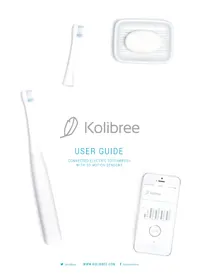
Bluetooth - Toothbrush Kolibree - Free user manual and instructions
Find the device manual for free Bluetooth Kolibree in PDF.


Frequently Asked Questions - Bluetooth Kolibree
User questions about Bluetooth Kolibree
0 question about this device. Answer the ones you know or ask your own.
Ask a new question about this device
Download the instructions for your Toothbrush in PDF format for free! Find your manual Bluetooth - Kolibree and take your electronic device back in hand. On this page are published all the documents necessary for the use of your device. Bluetooth by Kolibree.
USER MANUAL Bluetooth Kolibree
Turning off the toothbrush
Indicator lights
2. CONNECTING THE KOLIBREE TOOTHBRUSH 9
Compatibility
Detecting your Kolibree toothbrush with Bluetooth®
Connecting the Kolibree toothbrush to a mobile device
Linking toothbrushes to an account
3. BRUSHING TEETH 14
Changing the brush heads
Brushing technique
Brushing teeth with the app
Brushing teeth without the app
4. KOLIBREE ACCOUNT AND USERS 18
Installing the app on a mobile device
Creating the master account
Connecting
Adding users
Modifying account or user information
Deleting a profile
Deleting the Kolibree account
Forgotten or lost password
Changing the password
Logging out of the account
5. KOLIBREE APP 26
Choosing a brushing activity
Leaderboard
Stats
Dental tips
App language
Kolibree app updates
6. BRUSHING DATA 30
Transferring data
Viewing data on the app
- GO! PIRATE GAME 32
Main
How to play
Adjusting brushing times
Adjusting sound
Brushing zones
8.COACH LITE ACTIVITY 36
Main
How to brush teeth
Adjusting brushing times
Adjusting sound
- KOLIBREE COACH ACTIVITY 39
Main
How to brush
Adjusting brushing times
Adjusting sound
Brushing zones
- KOLIBREE TOOTHBRUSH MAINTENANCE 43
Precautions for use
Cleaning brushes
Changing brushes
Cleaning the charger base
Storing the toothbrush
Recycling the product
- TECHNICAL INFORMATION 48
Characteristics
- IMPORTANT PRECAUTIONS 50
Dangers
Warnings
Medical warnings
- LEGAL INFORMATION 52
Modifications
Warranty and returns
- SENDING COMMENTS 55
Sending comments
1. GETTING STARTED
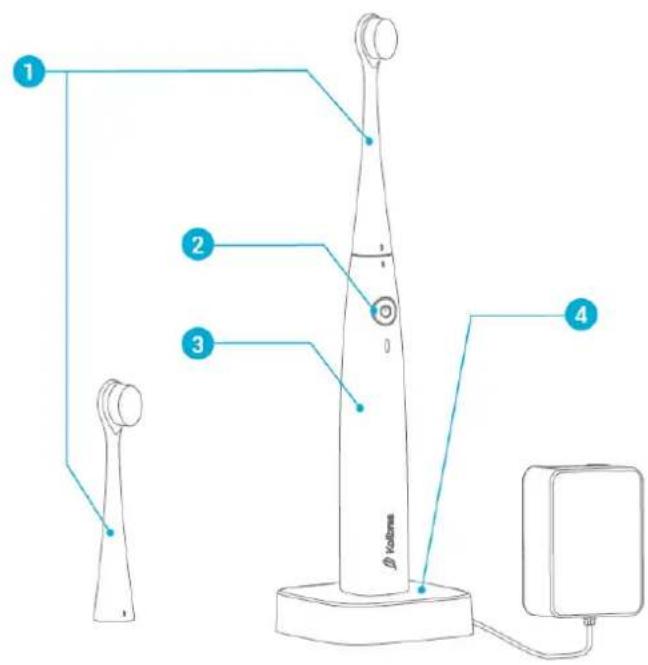
Description
1 - Kolibree interchangeable brush
2-On/off button
3 - Kolibree toothbrush
4-Charging base
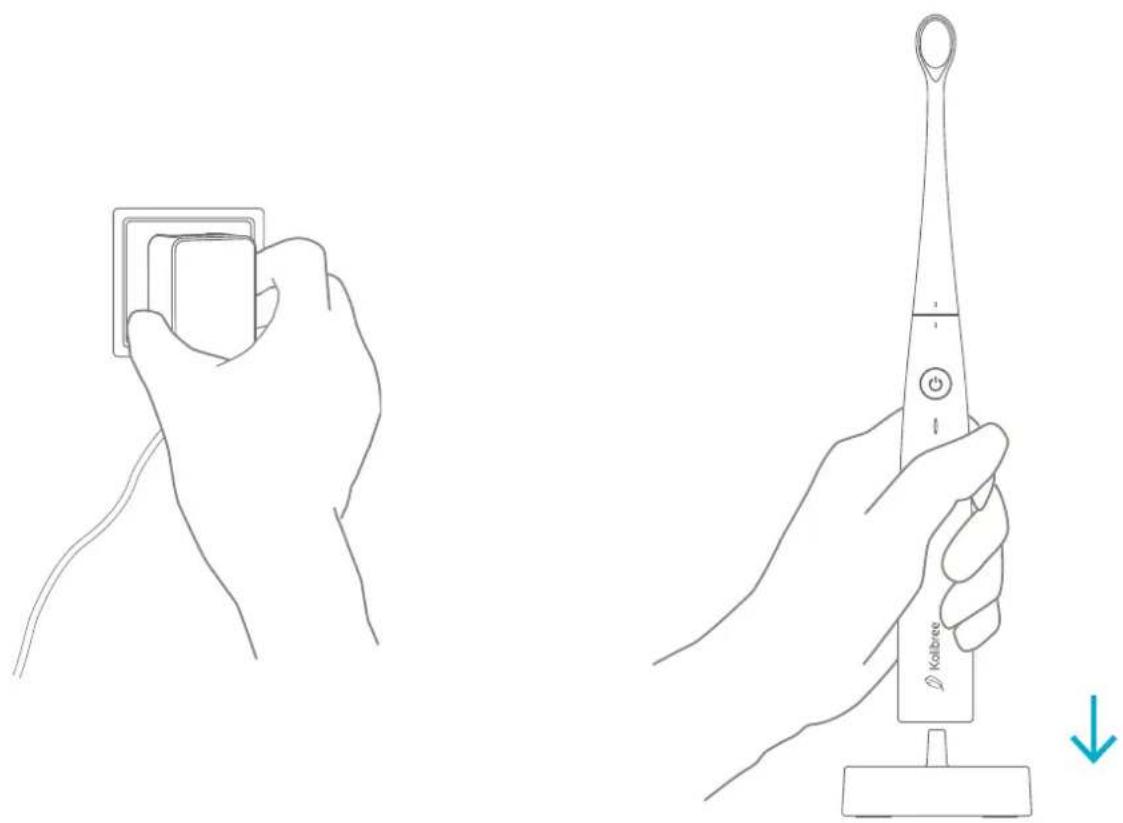
Charging the toothbrush
Your Kolibree toothbrush comes with an induction charger. To charge the battery, connect it to an outlet and place the toothbrush on the base. It charges upon contact.
On/Off button
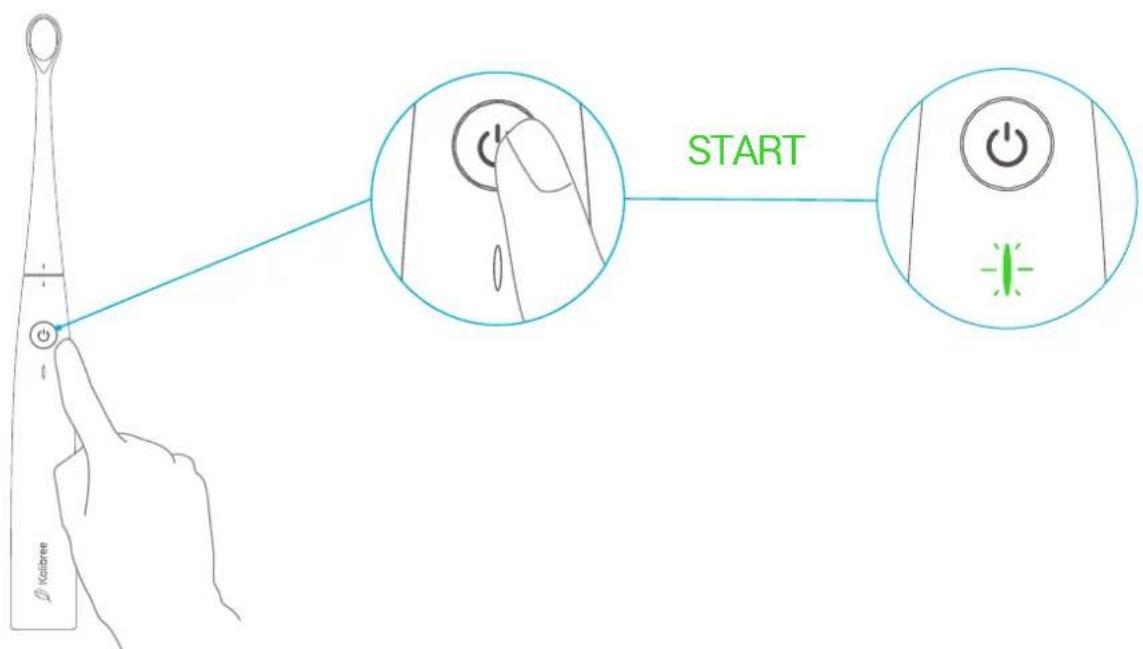
When turning on your Kolibree toothbrush for the first time, press the on/off button once. The indicator light will briefly flash green for a few seconds.
Then press the button once to turn on the toothbrush, and the toothbrush will start to vibrate.
To stop the toothbrush's vibration, press the button once again.
Turning off the toothbrush
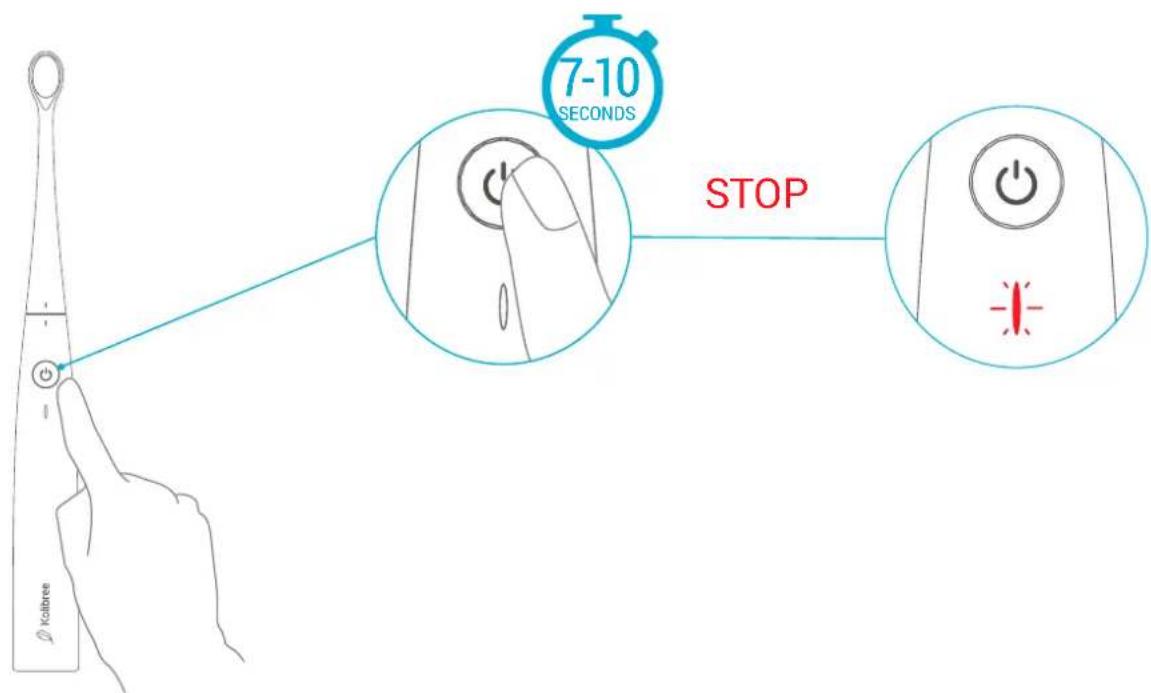
If you want to turn off your toothbrush, hold the on/off button. The indicator light will flash blue, and then red. At this point, you can release the button and the toothbrush will then be off.
Indicator lights
The indicator light located under the button on the toothbrush handle indicates different status depending on the colors displayed:
Green: the battery level is full.
Yellow: the battery level is about half full.
Red: the battery level is low.
- Flashing red: the battery level is very low. The toothbrush should be charged as soon as possible.
Blue: the toothbrush is in Bluetooth® connection-mode.

2. CONNECTING THE KOLIBREE TOOTHBRUSH
Compatibility
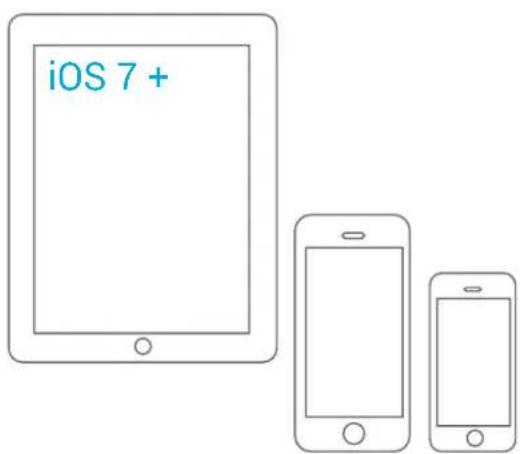
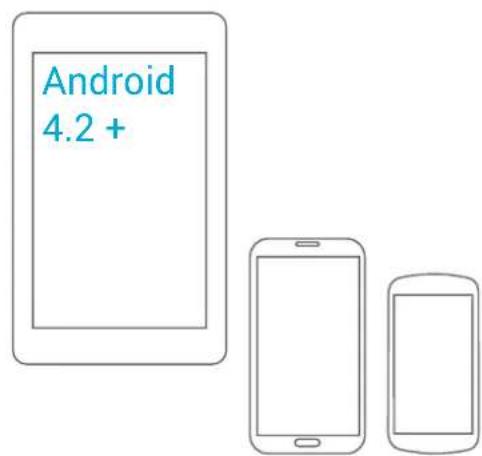
The Kolibree toothbrush and Kolibree mobile app are compatible with all modern smartphones and tablets equipped with Android 4.2+ or iOS7+ systems.


Detecting your Kolibree toothbrush with Bluetooth®
In order to connect your toothbrush to your smartphone, both the Kolibree toothbrush and your smartphone or tablet need to be turned on.
To turn on the toothbrush, press the button. The indicator light will briefly flash and then light up green.
In order to connect the toothbrush to Bluetooth® , hold down the button until the light flashes blue (pressing it for 3 to 6 seconds).
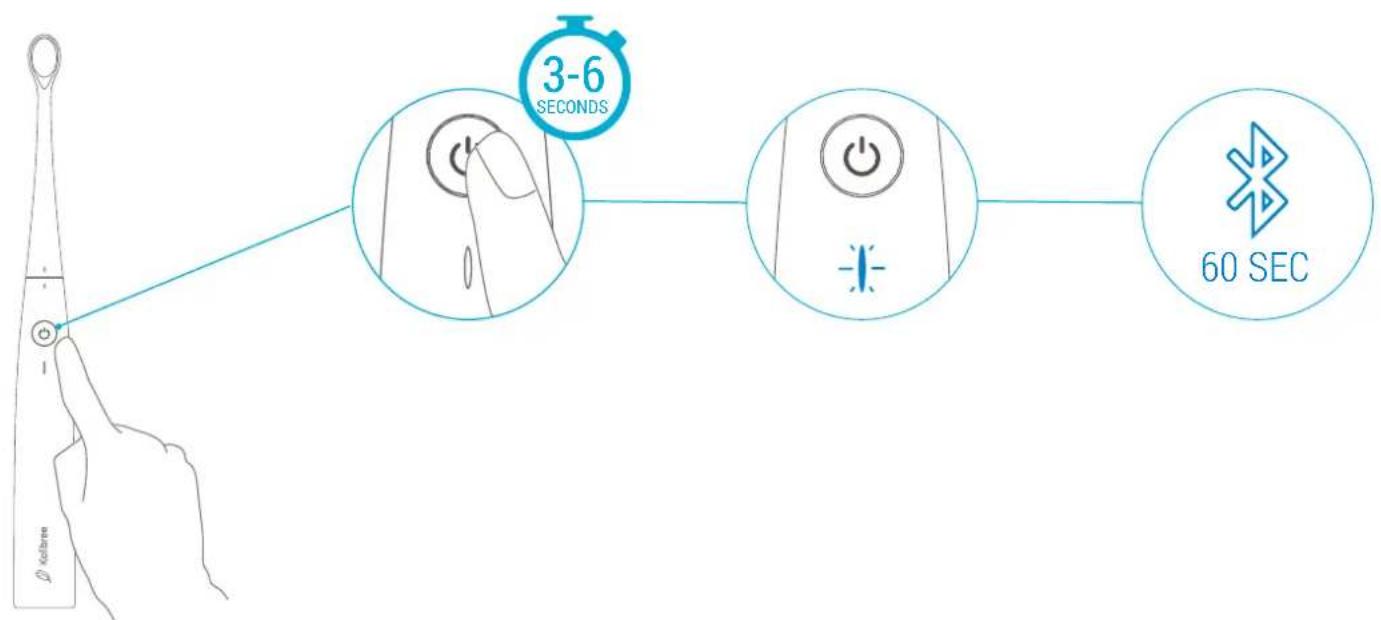
Connecting the Kolibree toothbrush to a mobile device
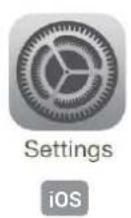
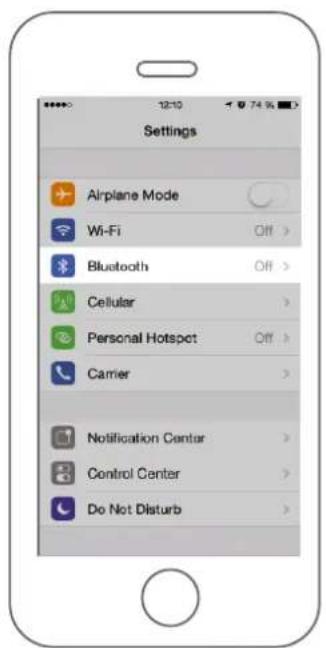
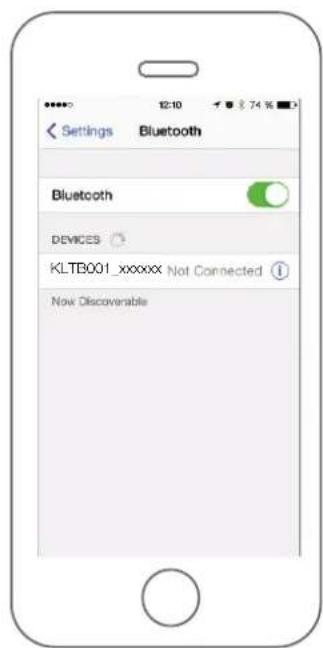
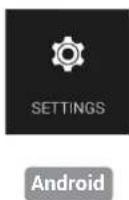
On your iOS smartphone or tablet, go to the "Settings" menu for Bluetooth®, enable Bluetooth® if it isn't already enabled, and then connect the toothbrush that appears with the name KLTB001-XXXXXX, or with the MAC address that can be found on the label on the back of the box.
If you are connecting your toothbrush for the first time, you will be asked for a pairing code. Use "0000."
On your Android smartphone or tablet, you have two options:
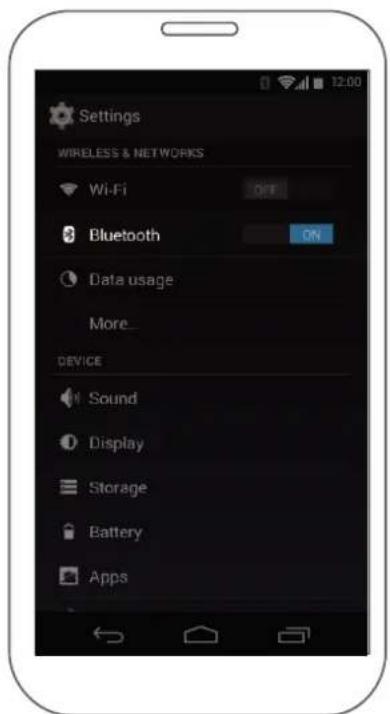
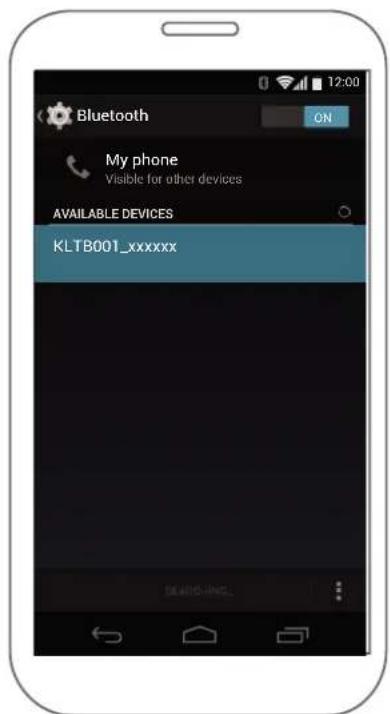
- Go to the "Settings" menu for Bluetooth®, enable Bluetooth® if it isn't already enabled, and then connect the Kolibree toothbrush that appears with the name KLTB001-XXXXXX or with the MAC address that can be found on the label on the back of the box. If you are connecting your brush for the first time, you will be asked for a pairing code. Use "0000."
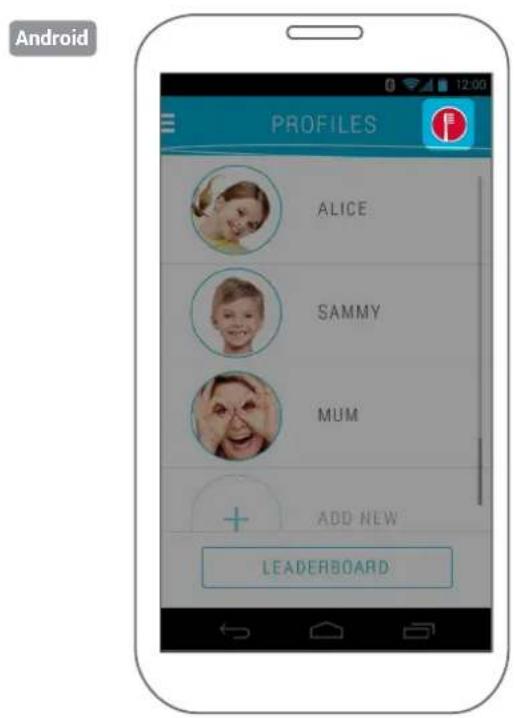
- When you are on the user or game choice screen, you can press the button showing a toothbrush at the top right if it is red. In the window that opens, select the Kolibree toothbrush that appears with the name KLTB001-XXXXXX or with the MAC address that can be found on the label on the back of the box. If you are connecting your brush for the first time, you will be asked for a pairing code. Use "0000."
Linking toothbrushes to an account
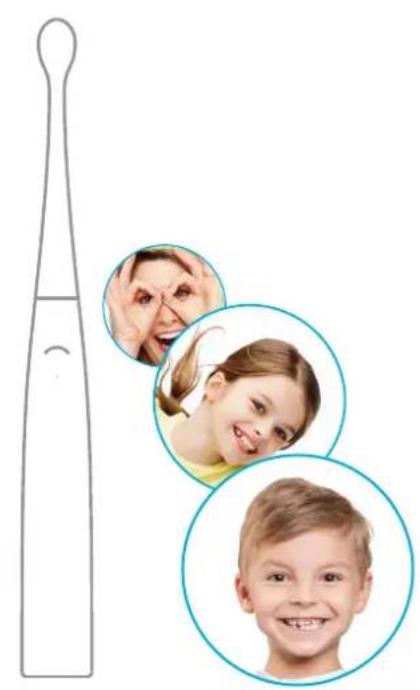
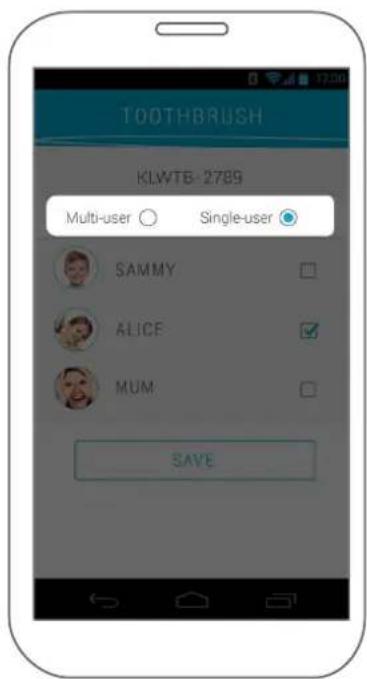
The Kolibree toothbrush can be set to be used by a single user or by several family members. This setting is determined when the master account is created when the brush is first connected to the app.
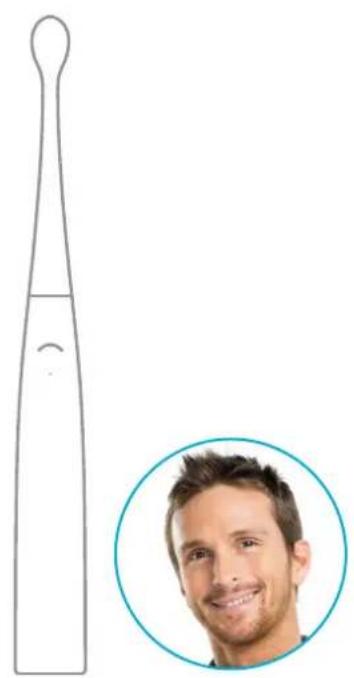
If you choose the individual use mode, this means that the toothbrush will be used by a single person. In this case, you don't have to use the toothbrush with the app to save brushings. You can brush several times, and the data will be stored in the toothbrush until you connect to the Kolibree app again. Then the stored data will be transferred at that time.
If you choose the shared use mode, this means that the toothbrush will be used by several family members. In this case, each user must connect to his or her profile in the Kolibree app and brush with one of the activities offered. If brushing is done without the app, data will not be stored and cannot be assigned to a user.
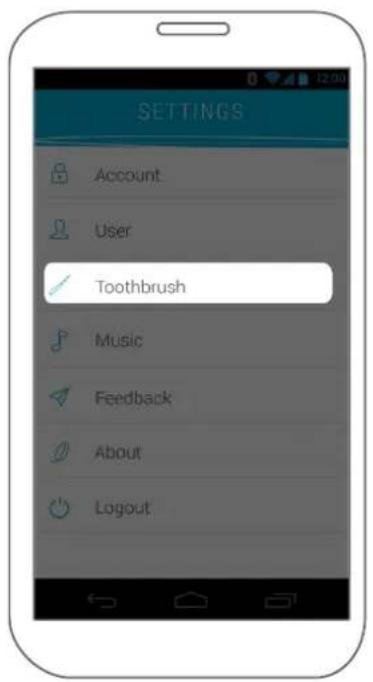
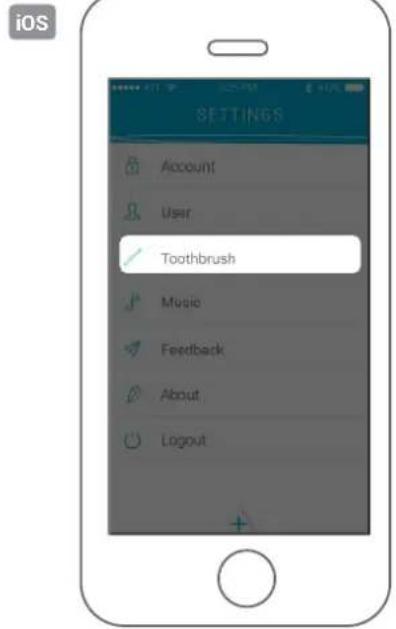
It is possible to change this setting in the app settings: Settings > Toothbrush.

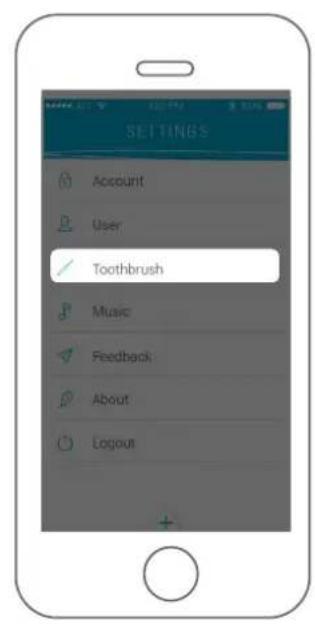

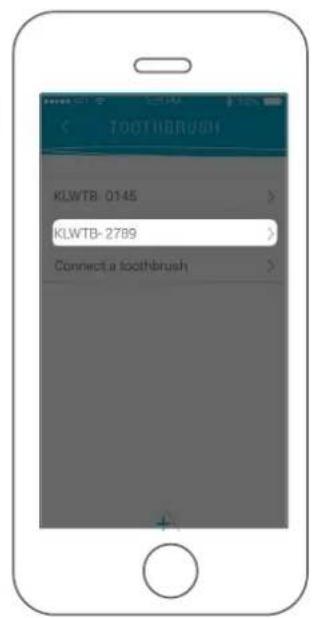

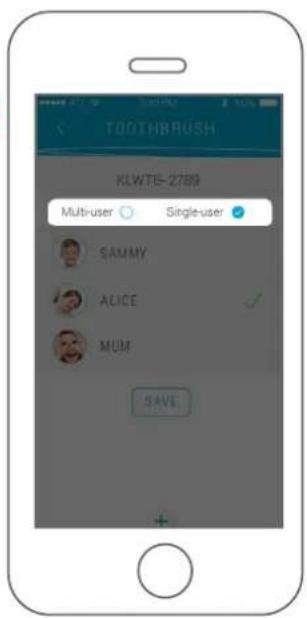
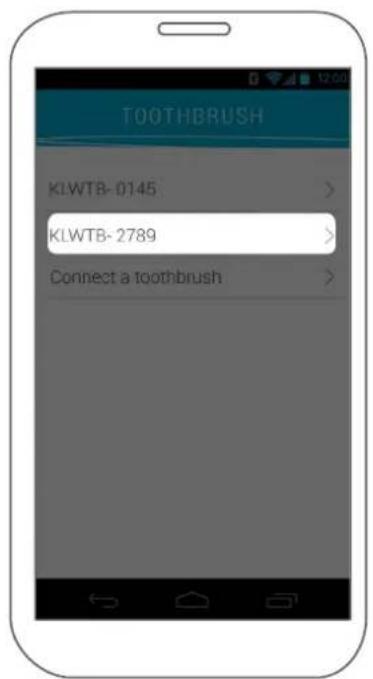
From the "Toothbrush" menu, you can see the connected toothbrush and define its settings.
You can change the toothbrush use mode and set it as shared or single user.
If you have several toothbrushes, you will need to connect them one at a time to change each one's settings.

3. BRUSHING TEETH
Changing the brush heads
Kolibree brush heads are easily interchangeable so each member of the family can use the same toothbrush, by simply changing the brush head at the appropriate time.
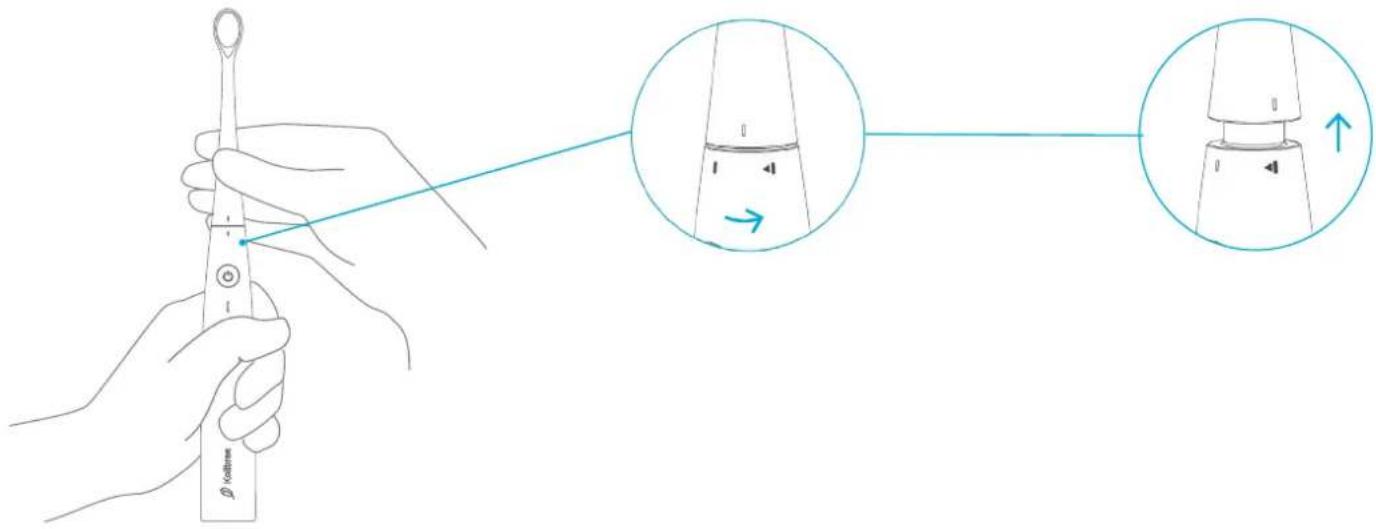
To change brush heads:
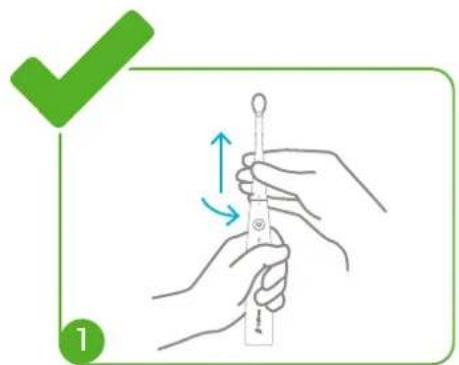
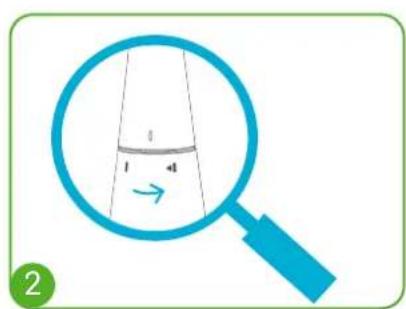
- Unlock the brush head by turning it counterclockwise until the two indicators are lined up.
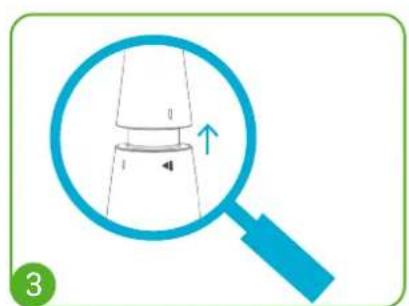
- Pull the brush head upward to remove it from the handle.
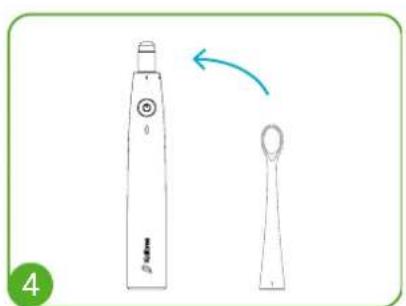
- Replace with a new brush head by lining up the indicators.
- Turn the brush clockwise until it locks.
You can order new brush heads at any time on the Kolibree website.
Note:
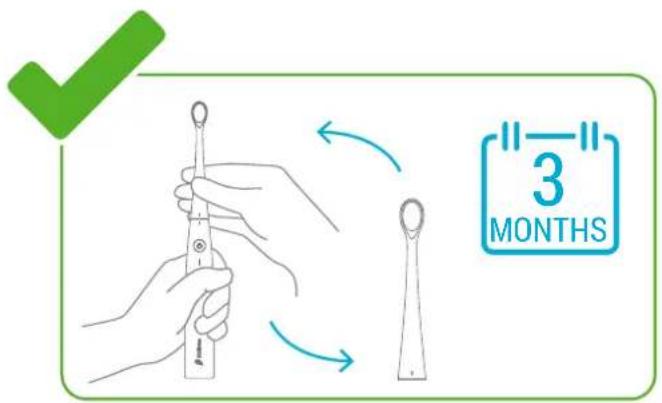
It is advisable to change the brush head every 3 months.
Use only Kolibree brush heads with your Kolibree toothbrush.
Brushing technique
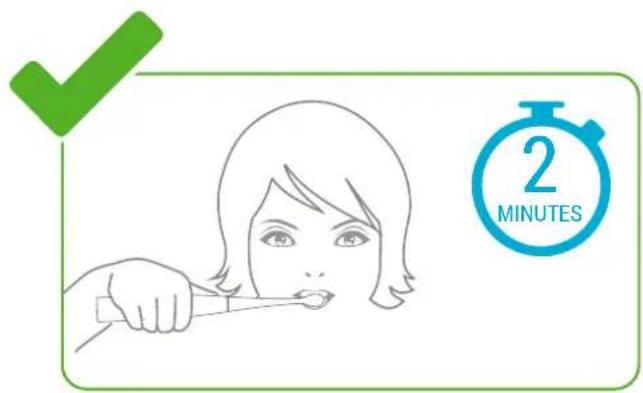
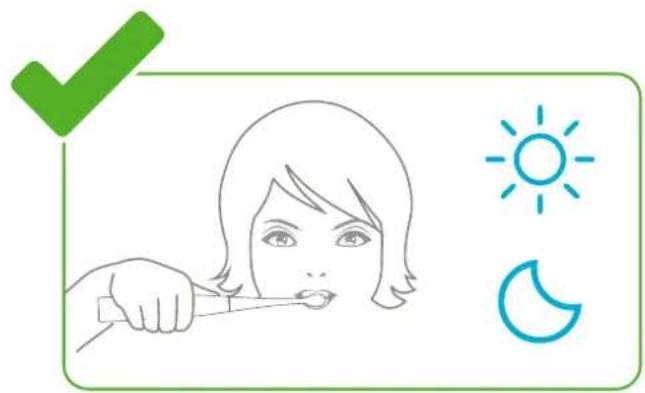
It is recommended to brush teeth twice a day, in the morning and evening, for 2 minutes each time. If you follow this recommendation, you will ensure optimal dental health.
Wet the brush bristles and put a dab of toothpaste on the brush.
To avoid toothpaste being splashed or projected, place the brush on your teeth before you turn on the toothbrush.
Place the brush on your teeth at a 45^ angle. Turn on the brush by pressing the button. While the vibration deep cleans, make small movements from the gums to the tips of the teeth. Clean all the outer parts of the teeth, and then the inner parts. Finally, clean the tops of the molars with small circular movements.
When you are finished brushing teeth, press the button to stop vibration.
Do not press too hard on your teeth and gums during brushing.
Brushing teeth with the app
To brush your teeth with the Kolibree app activities: Turn on your toothbrush, open the Kolibree app, and select your profile.
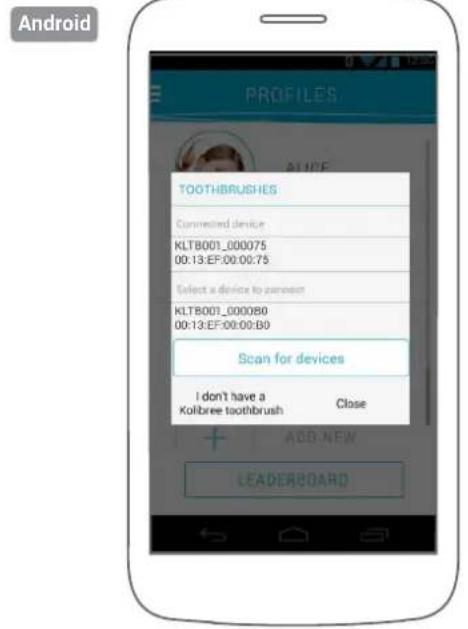
If the toothbrush is not connected, the toothbrush icon in the upper right will be red.
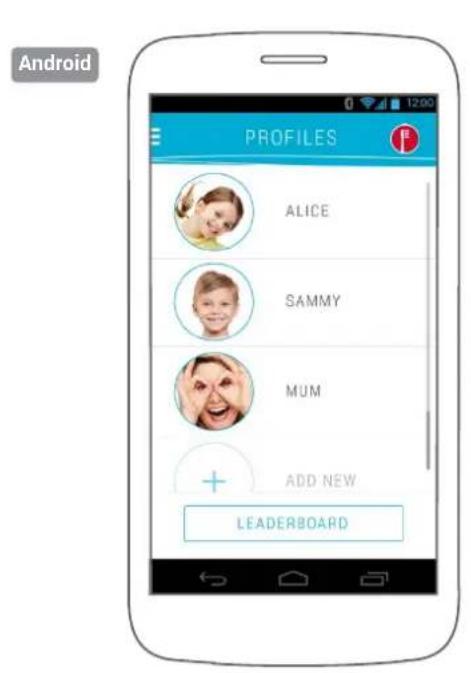
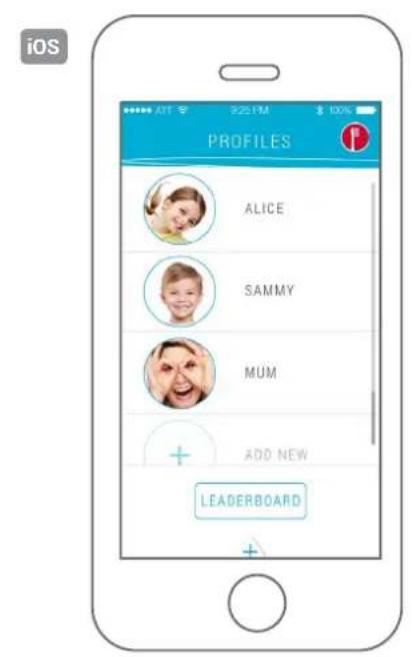
- On Android: click the icon and choose your Kolibree toothbrush from the list.
- On iOS: exit the app, go to "Settings," and follow the directions for connecting.
In the list of activities, choose the one you want to use for your brushing and follow the game's instructions.
Brushing teeth without the app
If you want to brush your teeth using your Kolibree toothbrush without using the mobile app, just press the button to turn the toothbrush on or off, and use it like a regular electric toothbrush.
However, if you want to retrieve information from a brushing that was done without being connected to the app, the toothbrush automatically saves it and the data will be transferred to the app the next time you connect to it.
Note that data saving and recovery afterwards is only possible if the toothbrush has been set to individual operating mode.

4. KOLIBREE ACCOUNT AND USERS
Installing the app on a mobile device
On your iOS smartphone or tablet, go to the App Store to download the Kolibree app and install it.
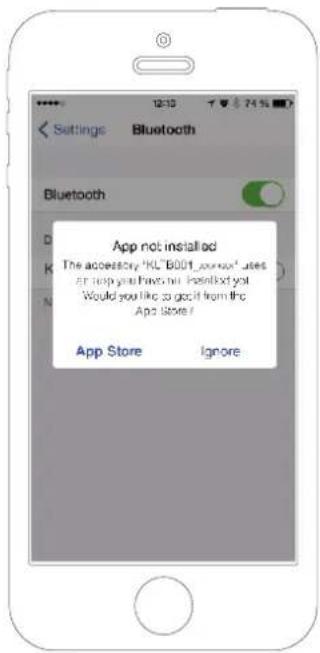
iOS
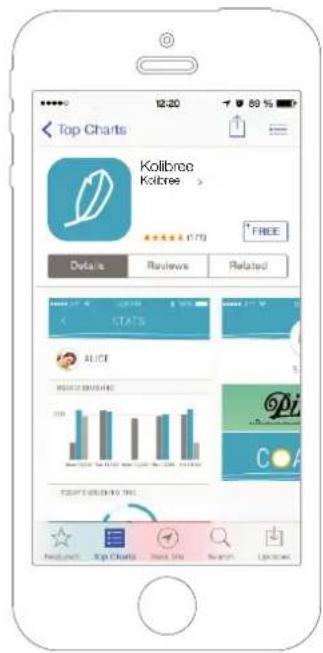
APP STORE
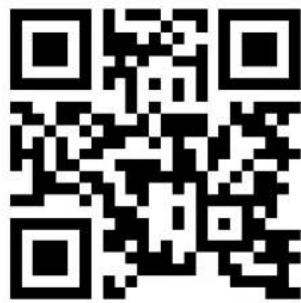
You can access it by scanning this QR code with your smartphone.
On your Android smartphone or tablet, go to the Google Play Store to download the Kolibree app and install it.
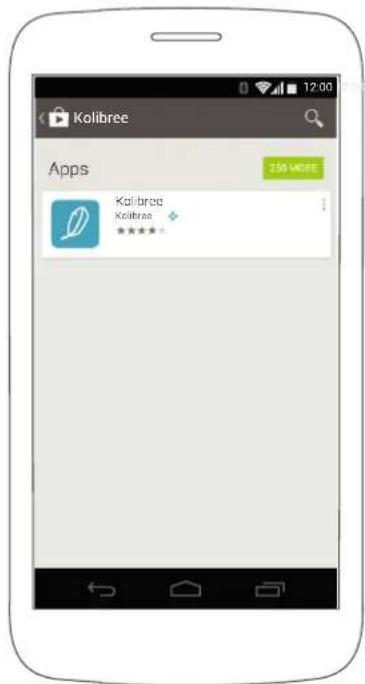
Android
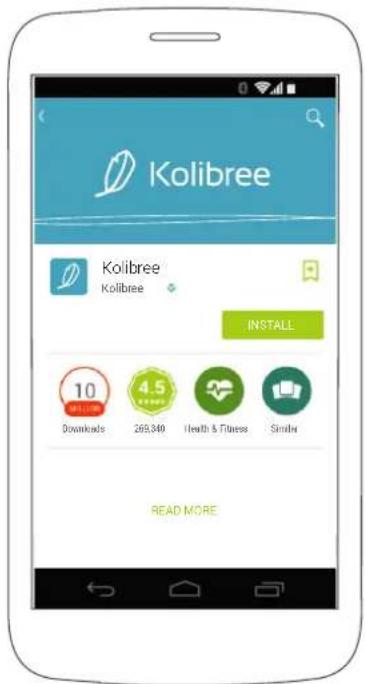
GOOGLE PLAY
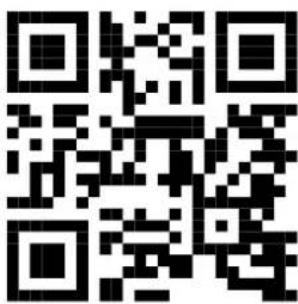
You can access it by scanning this QR code with your smartphone.
Creating the master account
If you are connecting for the first time, you will automatically be asked to create a user profile. This is the master profile that will manage your other family members' profiles if you add them.
Only the user associated with the master account can change the password and manage the other profiles linked to this account.
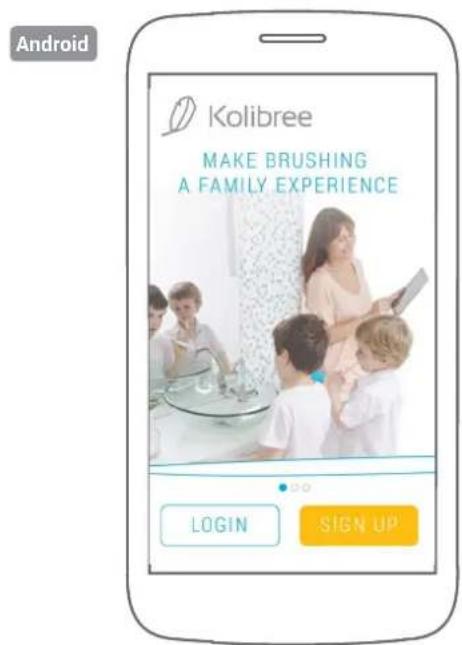
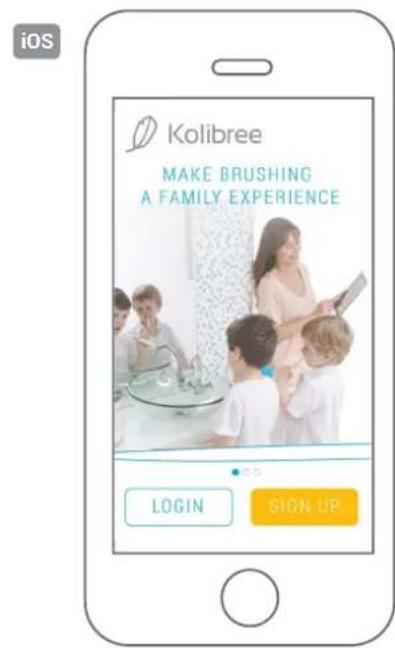
To create a new account, select "Register" on the app's home screen and follow the instructions.
You can also create your account by linking it to your Facebook account. To do this, select "Connect with Facebook".
You can change your personal information at any time by going to the "Settings" tab in the menu.
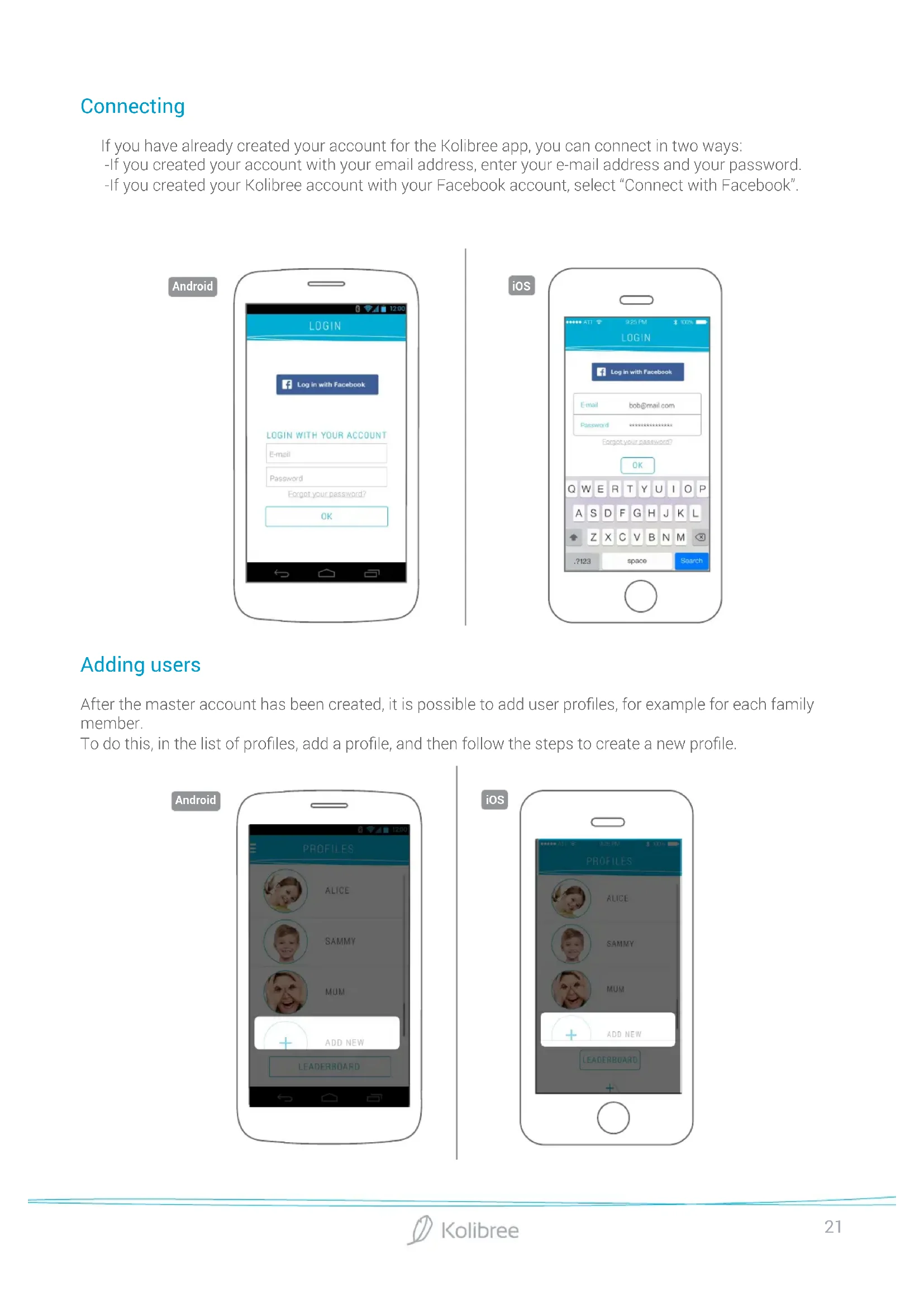
Connecting
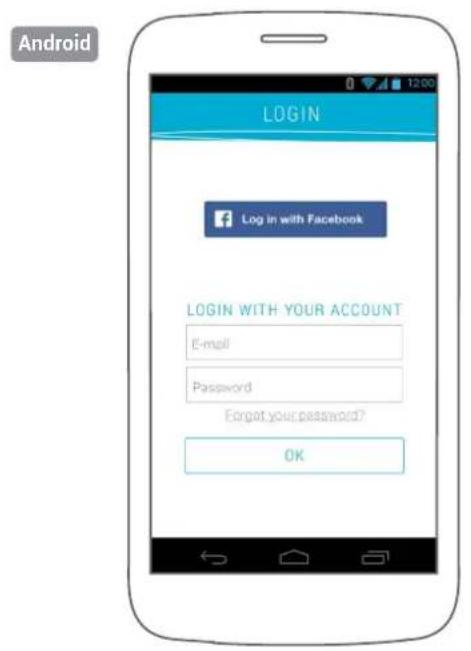
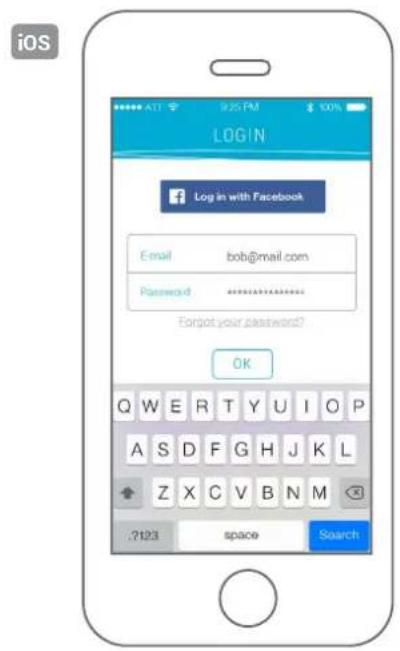
If you have already created your account for the Kolibree app, you can connect in two ways:
-If you created your account with your email address, enter your e-mail address and your password.
-If you created your Kolibree account with your Facebook account, select "Connect with Facebook".
Adding users
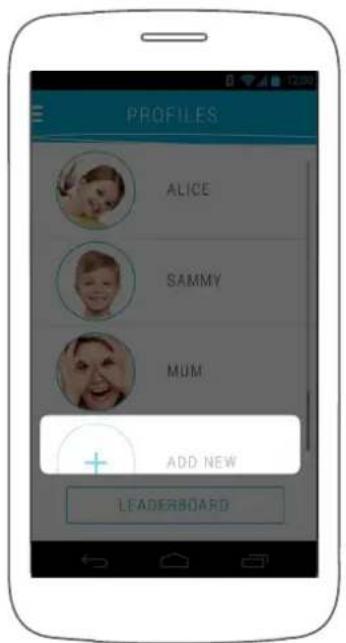
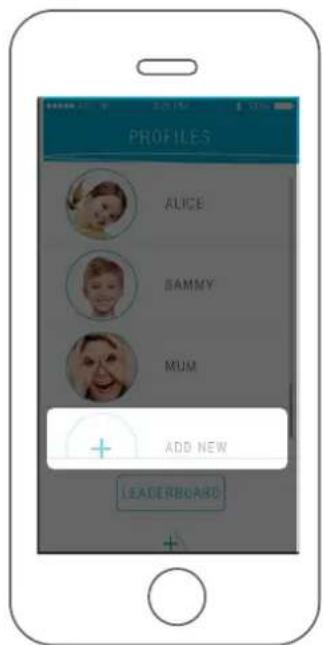
After the master account has been created, it is possible to add user profiles, for example for each family member.
To do this, in the list of profiles, add a profile, and then follow the steps to create a new profile.
Android
iOS
Modifying account or user information
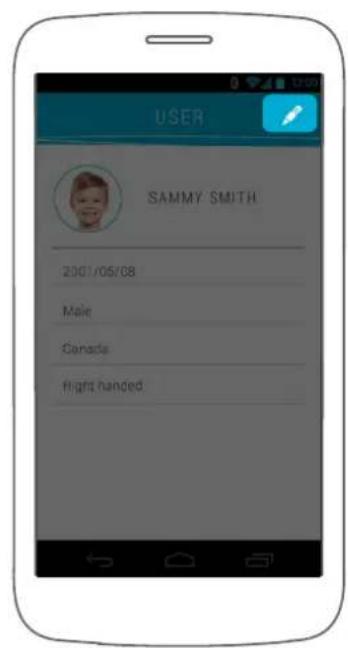
Each Kolibree app user can modify his or her profile information.
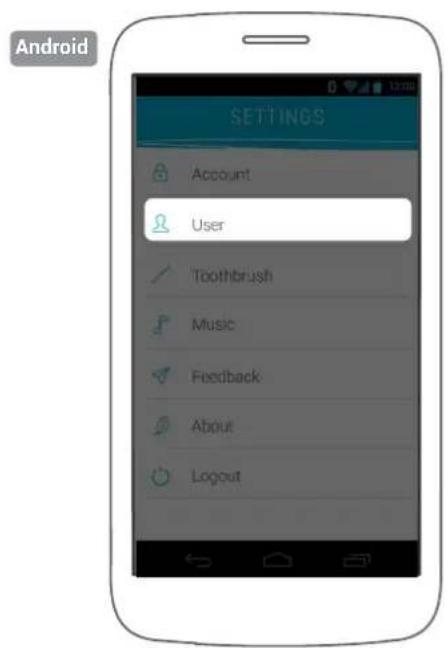
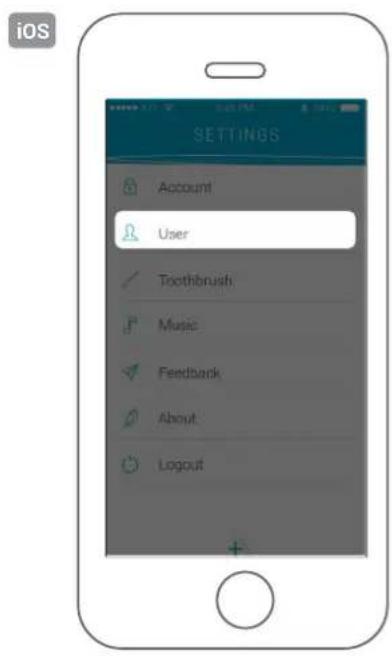
To change the profile information, select the user profile on the home screen, go to the app's "Settings" menu, and then select "User".

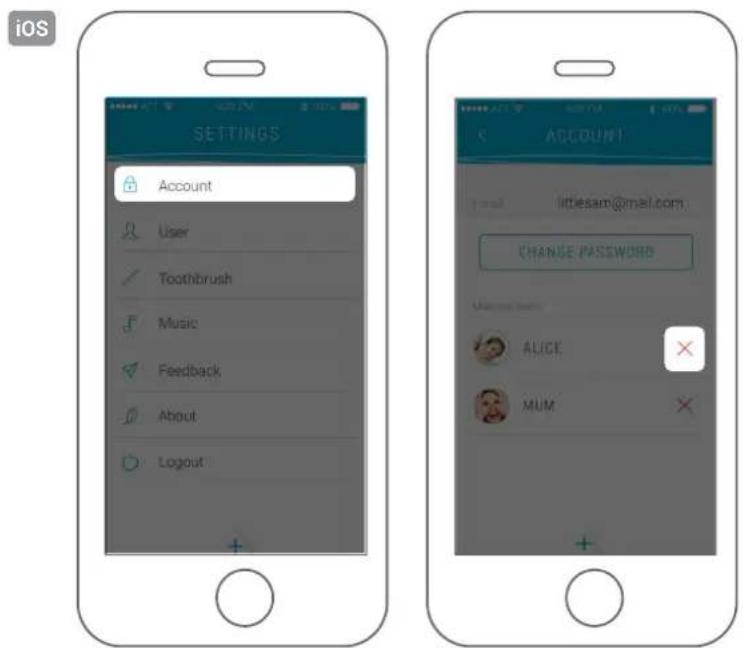
Deleting a profile
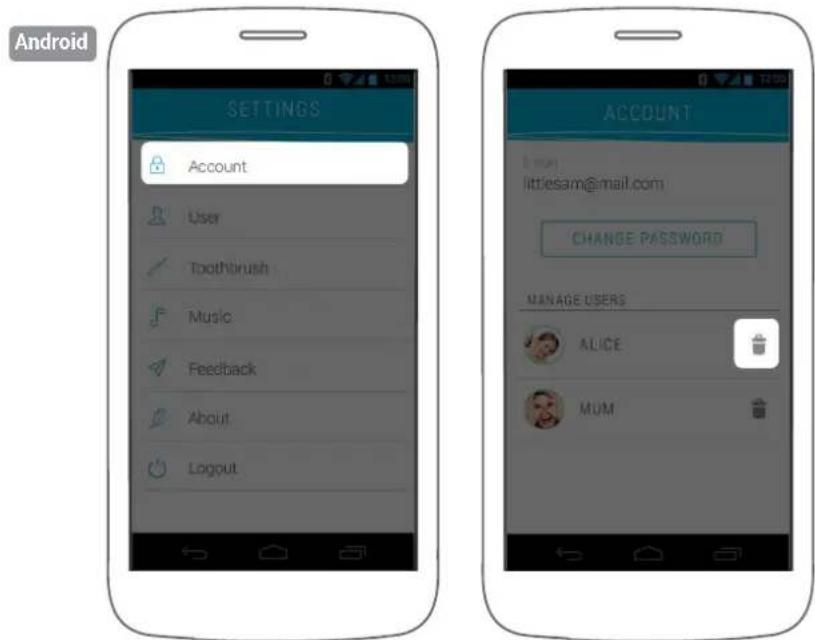
Deleting a profile is only possible from the master account.
Go to "Settings" and then "Account," and delete the desired profiles.
Deleting the Kolibree account
If you delete your Kolibree account, you will lose all saved profiles. Deleting an account is irreversible and will erase all data.
If you want to delete your account, please contact us.
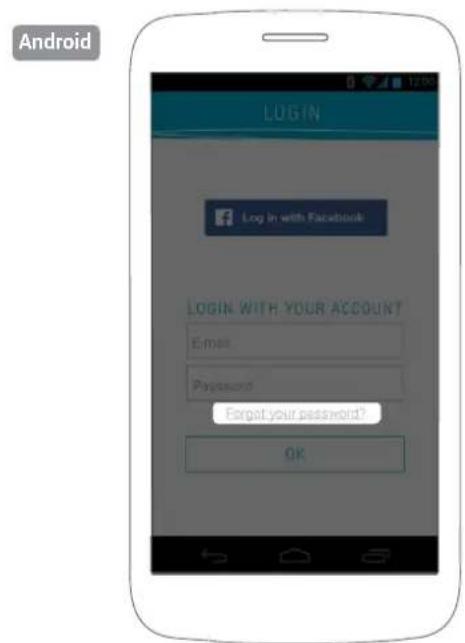
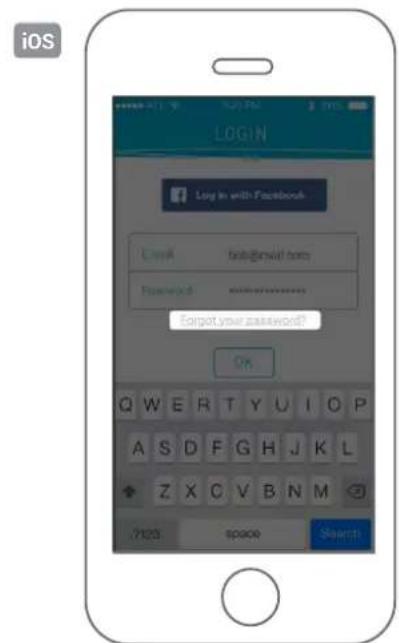
Forgotten or lost password
If you have forgotten or lost your password, you can request for it to be reset.
Go to "Connect" and select "Forgot password". Then follow the instructions to have it reset.
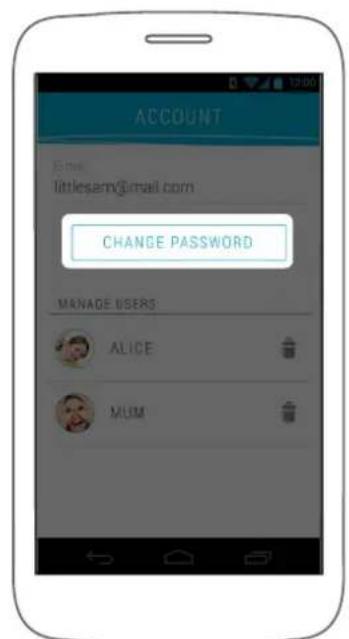
Changing the password
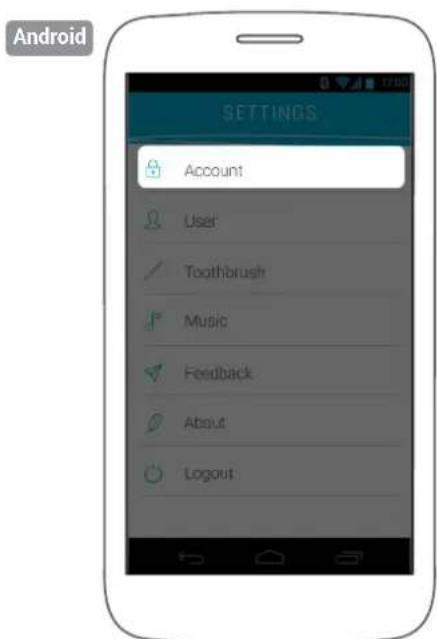
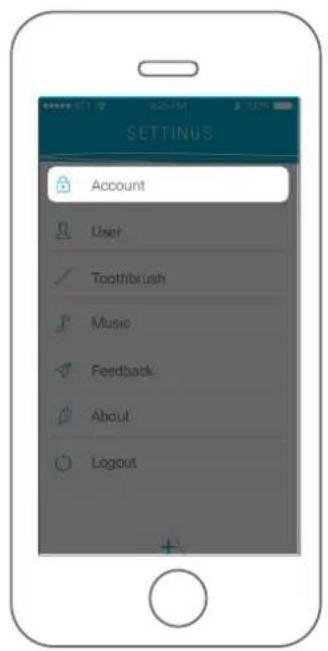
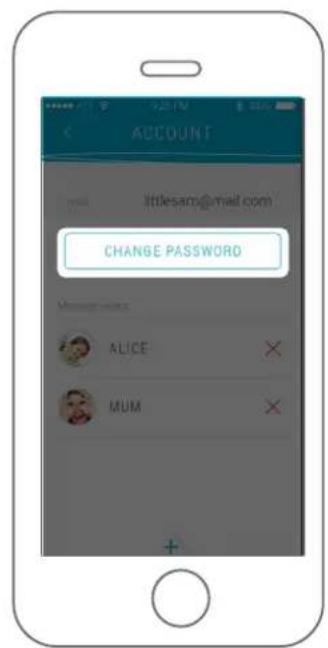
Only the profile that manages the master account can change the account password.
Reminder: the master account is the first account created in the app.
To change the password, go to the app's "Settings" menu and then to "Account".
iOS
Logging out of the account
To log out of your account:
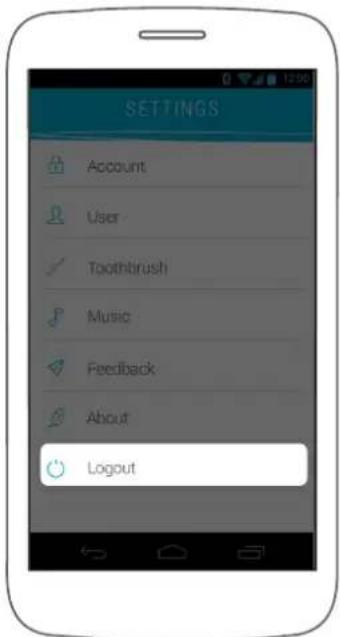
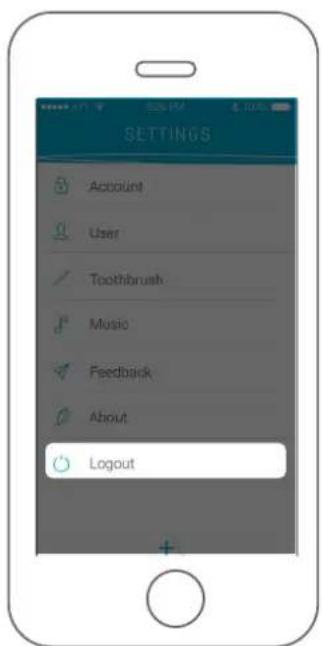
-On Android: open the menu tab in the upper left and select "Logout".
- On iOS: open the menu to access the app settings by pressing the "+" at the bottom of the screen. In the settings, select "Logout".
Android
iOS
5. KOLIBREE APP
Choosing a brushing activity
Launch the Kolibree app by selecting it from your mobile apps.
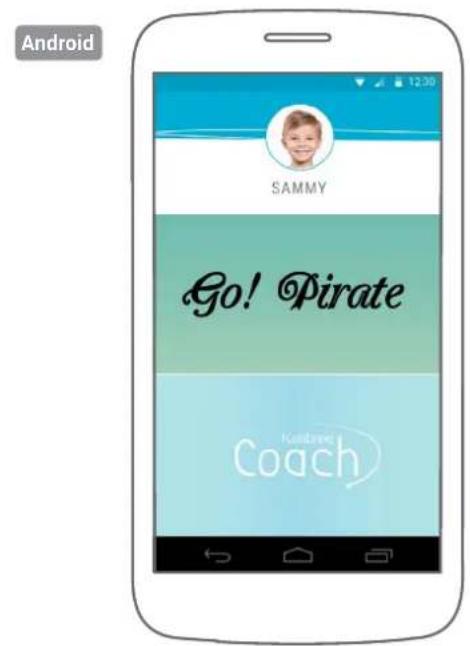
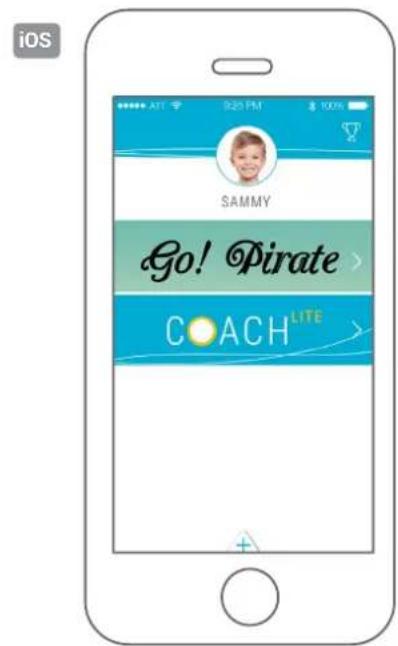
Once you are logged into the app, select your profile, and then choose the activity you want to do while brushing your teeth.
Leaderboard
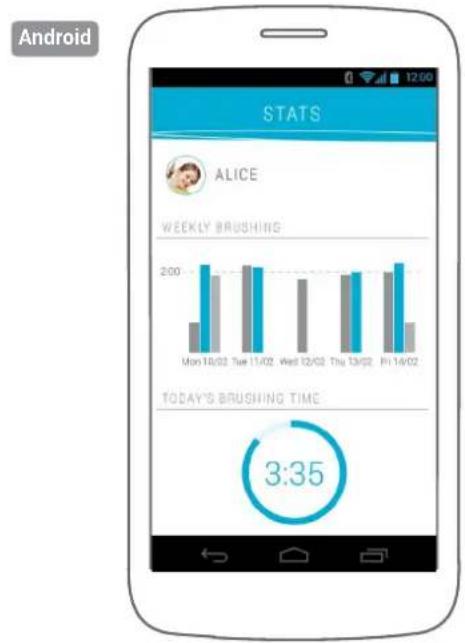
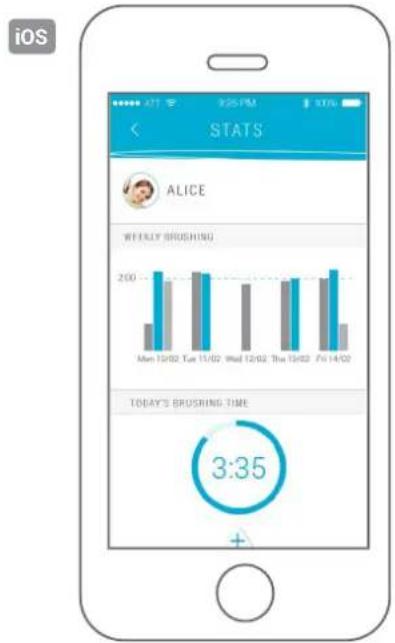
Regardless of the game you use to brush your teeth, the coins you collect place you in a ranking, where other family members who share the app with you can be found. In this ranking, you can track your weekly brushings and see the quality of each session, for each user. You can also see the number of coins that each user has.
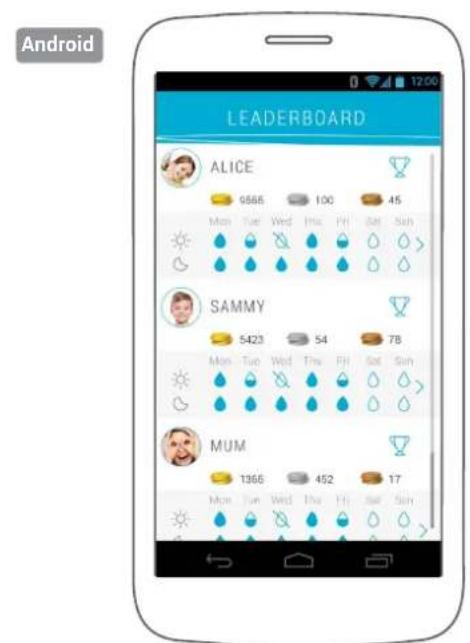
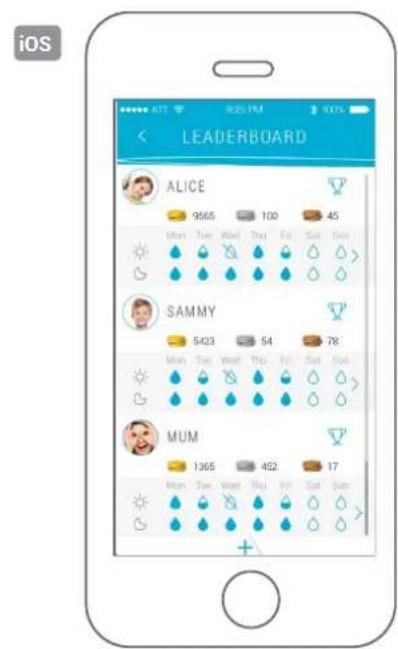
Each water droplet represents a brushing.

Future brushing

Brushing that lasted for 2 minutes

Brushing that did not last for 2 minutes

No brushing was done.
Stats
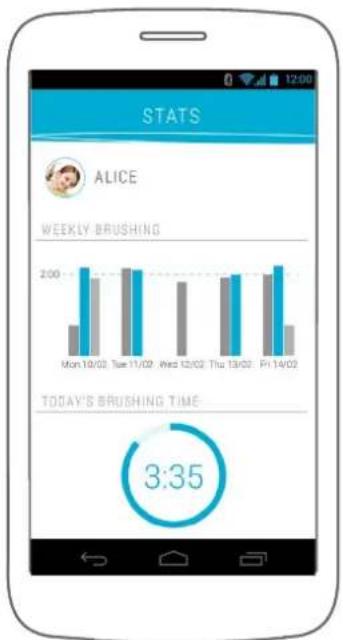
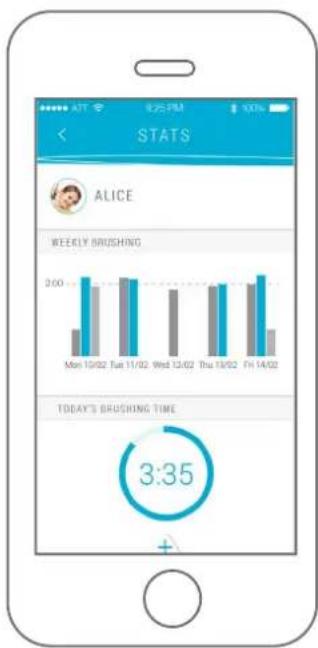
To access more detailed statistics about your daily brushings, go to "Classification" and select the calendar of the user for whom you want to see details.
You can then view the detailed brushing time for each of the sessions.
You can also see the details from past days by sliding your finger from left to right (on iOS devices only).
To track your brushings and all your family members' brushings in even more detail, you can go to your personal space on the Kolibree website. (Soon)
Android
iOS
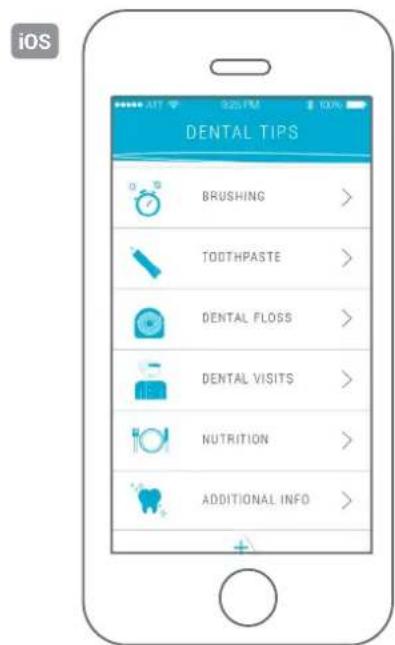
Dental tips
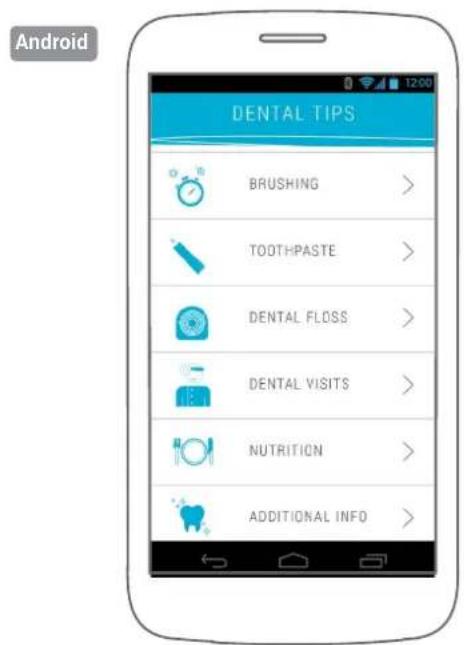
To help you take care of your teeth at any time, Kolibree makes many subject-classified oral health tips available. These tips were written in partnership with the UFSBD, Union Française pour la Santé Bucco-Dentaire (French Union for Oral Health).
App language
The language used on the app is the same as that of the phone. Currently, the Kolibree app is available in English and French.
Kolibree app updates
Updates of your Kolibree app are done by your mobile device via the App Store or Google Play Store. Your mobile device will automatically offer any updates.
6. BRUSHING DATA
Transferring data
The toothbrush interacts with the mobile app through a Bluetooth connection. In the same way, brushing data is transferred from the toothbrush to your mobile device.
Viewing data on the app
See "Classification" or "Statistics".
7. GO! PIRATE GAME (iOS and Android)
Main
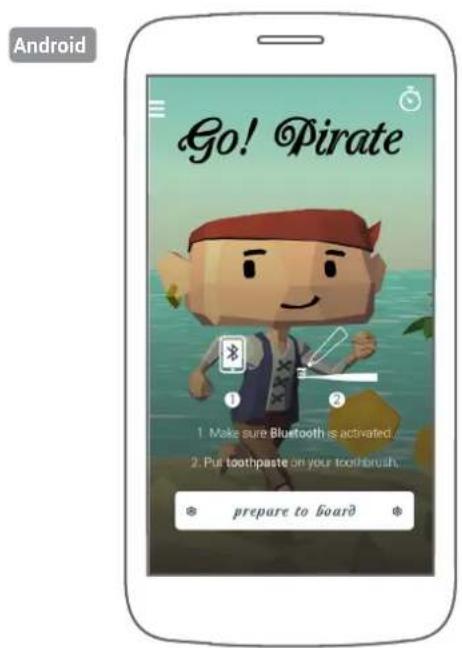
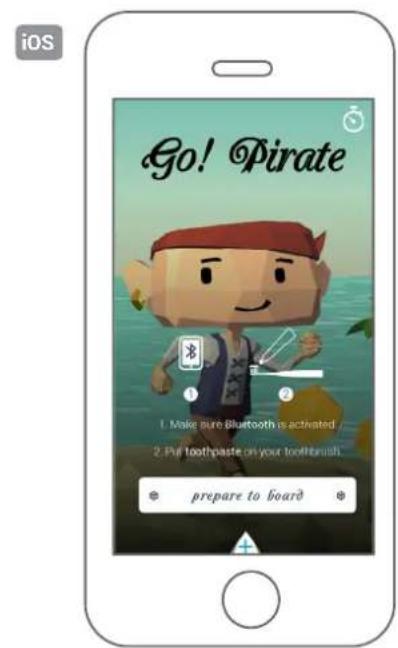
Go! Pirate is a game for children of all ages, which takes you into a world of pirates while you brush your teeth.
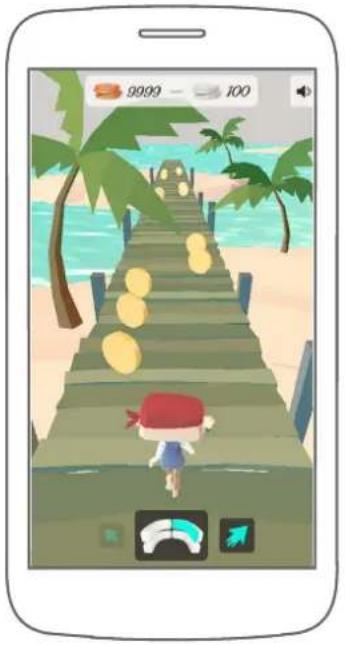
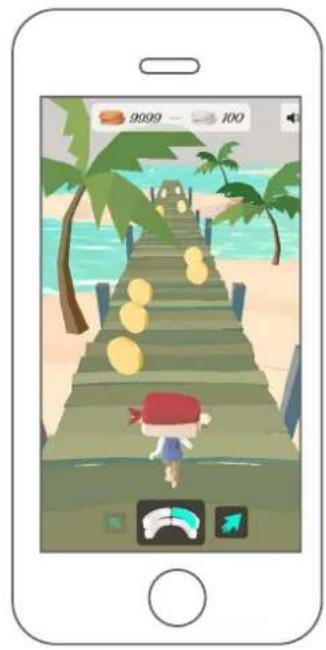
During brushing, follow the areas of the mouth to brush on the screen. The more you brush the area for the amount of time indicated, the more your pirate character picks up coins along the barge. The goal is to gather the most possible loot every day to advance in the adventure and become the most famous pirate.
How to play
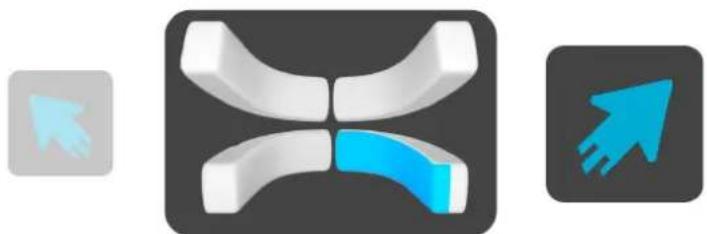
The toothbrush is equipped with motion sensors that control the running pirate, just like a video game joystick. In order for the pirate to catch the coins on the ship, his location depends on the brushing areas in the mouth. Therefore, you need to follow the guide at the bottom of the screen to find out where to brush your teeth, so that the pirate can get the coins on the ship.
In order to get the most coins, users have to brush their teeth in the areas shown by the indicator at the bottom of the screen, at the time required. Be sure to change the area at the indicated time to catch silver coins that are found only at the beginning of each area.
Android
iOS
When you have collected 20 bronze coins, they turn into 1 silver coin. 100 silver coins turn into 1 gold coin.
Specially designed to teach young children how to brush their teeth, the brushing indicator is divided into 8 brushing areas. Therefore, all teeth can be brushed.
Adjusting brushing times
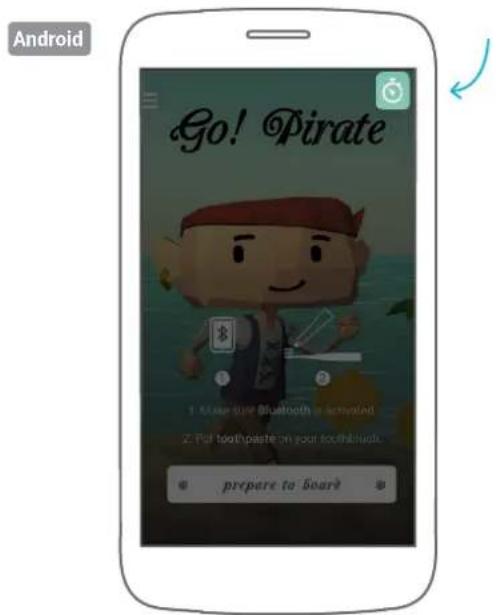
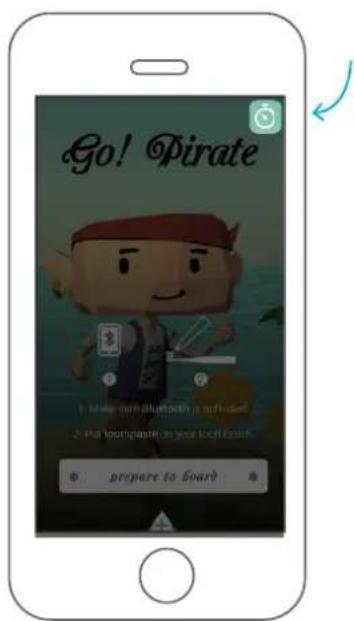
By default, the brushing time is set at 2 minutes. However, your dentist may advise you to brush your teeth longer depending on your dental needs. In Go! Pirate, you can adjust the brushing time.
On the Go! Pirate start screen, select the clock icon at the top, and then set the brushing time.
iOS
Adjusting sound
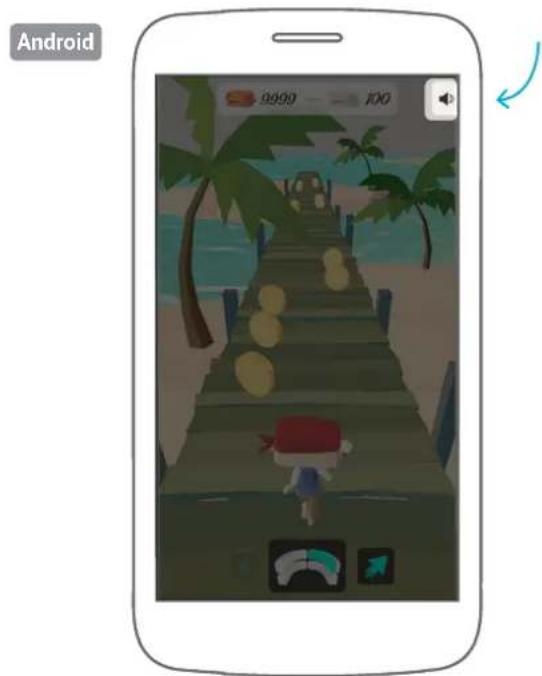
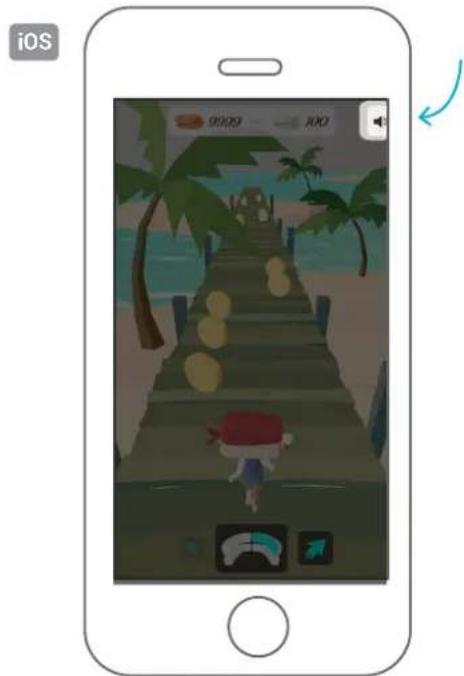
At any time during your brushing, you can turn the sound on or off by selecting the sound icon.
Brushing zones
The brushing zones are indicated in blue on the guide at the bottom of the screen during the game. The guide is divided into 8 zones to simplify brushing education for children. The zones include the central incisors, the lateral incisors, the canines, the first and second molars, and the peak of the first an second molars.
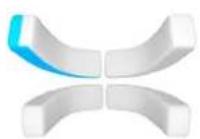
Outside upper left zone Outside upper right zone
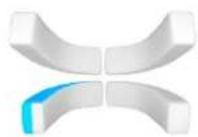
Outside lower left zone Outside lower right zone
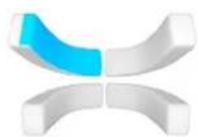
Inside upper left zone Inside upper right zone
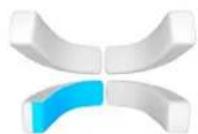
Inside lower left zone Inside lower right zone
8. COACH LITE ACTIVITY (iOS)
Main
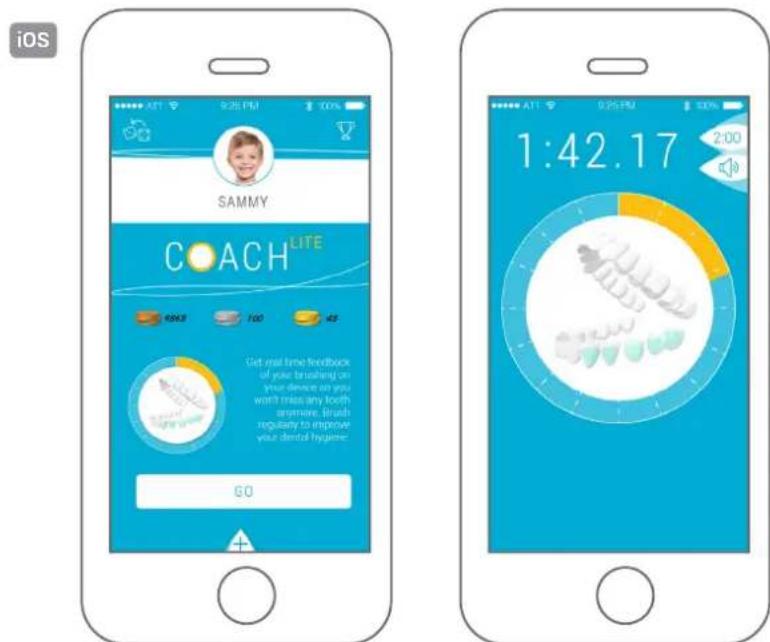
Coach Lite is the app that will help you effectively improve your oral health day to day by guiding you through a method approved by oral health professionals.
While brushing your teeth, follow the areas of your mouth to brush as indicated by the app, brush them with the right movements for the time indicated, and you will improve your dental hygiene with each brushing.
Once brushing is done, if you have brushed for 2 minutes, you'll earn coins that show your progress along with the other members of your family in the Kolibree app.
How to brush teeth
Coach Lite is a guide for brushing teeth that shows you how long and in which area of the mouth you need to brush in order to reach the minimum 2 minutes total brushing time.
Brush the designated area and change the area when indicated.
To ensure good brushing, you need to brush teeth for at least 2 minutes. The areas to brush are divided into 16 zones so the brushing time is evenly distributed.
If you reach the 2 minutes of brushing, you will be sure to earn all the coins that are included in the family ranking. So the number of coins you earn depends on the completed brushing time.
Adjusting brushing times
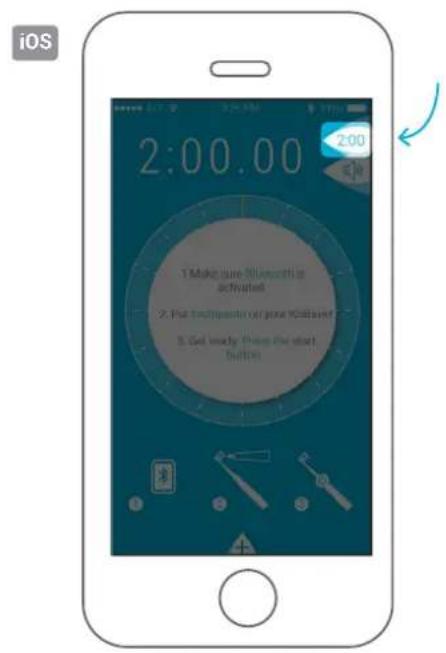
By default, the brushing time is set at 2 minutes. However, your dentist may advise you to brush your teeth longer depending on your dental needs. In Coach Lite, you can adjust the brushing time.
Adjusting sound
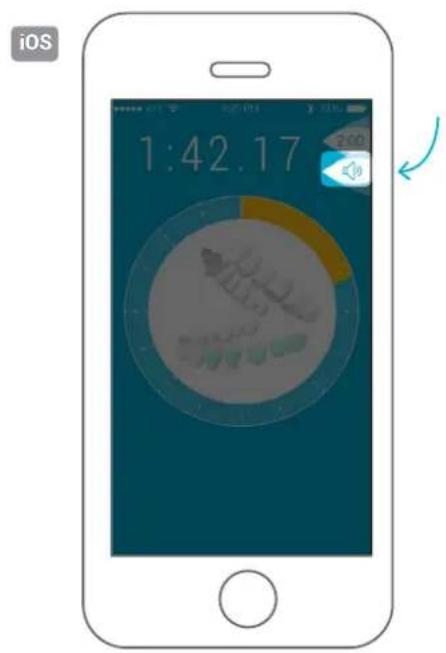
At any time during your brushing, you can turn the sound on or off by selecting the sound icon.
If you want to use your own music, go to "Settings" > "Music".
You can pick a particular song from your mobile device's library or select a whole playlist in ordered or random mode.
9. KOLIBREE COACH ACTIVITY (ANDROID)
Main
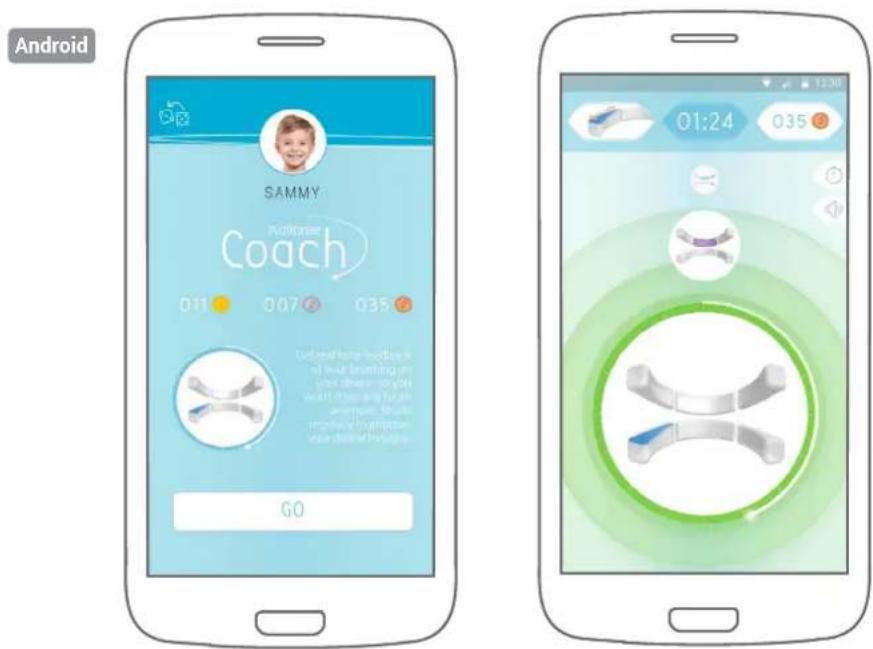
Kolibree Coach is the app that will help you effectively improve your oral health day after day by guiding you through a method approved by oral health professionals. Kolibree Coach shows you if your brushing is correct or not in real time.
Brush your teeth, following the areas of the mouth indicated by the app. Brush for the indicated amount of time and you will improve your dental hygiene with each brushing. The indicator will turn green if you brush correctly and red if you do not brush in the right place.
Once brushing is done, if you have brushed for 2 minutes, you'll earn coins that show your progress along with the other members of your family in the Kolibree app.
How to brush
Kolibree Coach is a guide for brushing teeth that detects areas and tells you the time to brush for each of these areas in order to reach the minimum of 2 minutes total brushing time. The toothbrush works like a GPS in your mouth by detecting if you brush the right area indicated on the screen.
Kolibree Coach will help you improve your brushing by giving you immediate feedback on your brushing time. To ensure good brushing, you need to brush teeth for at least 2 minutes. The areas to brush are divided into 16 zones so the brushing time is evenly distributed.
If you brush the indicated areas for the required time, you will earn all the coins that are included in the family ranking. So the number of coins you earn depends on the completed brushing time.
If you want more details on your brushing, go to your personal account on the online platform.
Adjusting brushing times
By default, brushing time is set at 2 minutes. However, your dentist may advise you to brush your teeth longer depending on your dental needs. You can adjust the brushing time in Kolibree Coach.
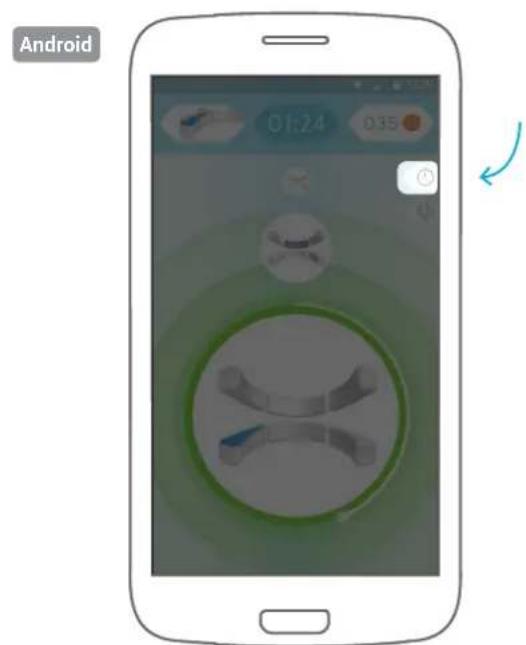
On Android: On the Kolibree Coach home screen, select the clock icon in the upper right, and then set the brushing time.
Adjusting sound
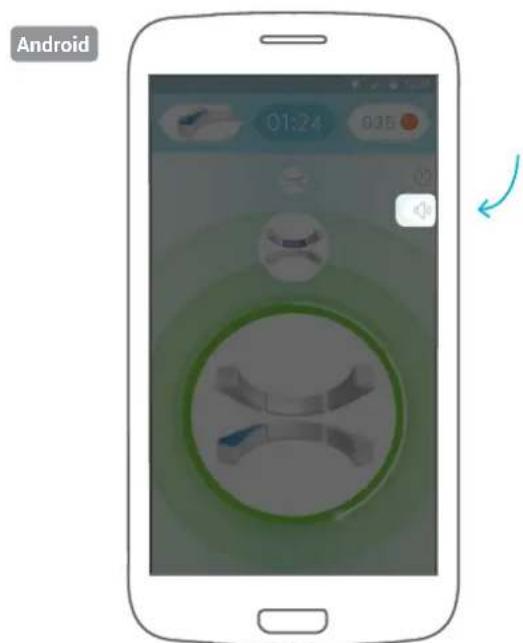
At any time during your brushing, you can turn the sound on or off by selecting the sound icon.
If you want to use your own music, you can pick a song from your mobile device's library by choosing the sound icon in the upper right.
Brushing zones
The zones that are currently being brushed appear in the main center bubble, while those that need to be brushed next appear in smaller bubbles at the top of the screen. We have divided the mouth into 16 zones for the Kolibree Coach.
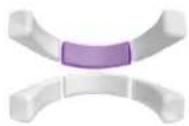
Outside central incisor and upper lateral zone
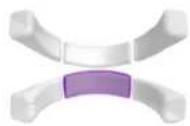
Outside, lower central incisor and lateral zone
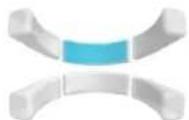
Inside central incisor and upper lateral zone
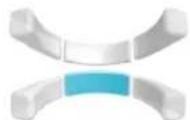
Inside central incisor and lower lateral zone
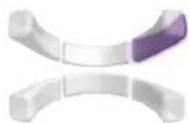
Outside canine, premolar, and upper right molar zone
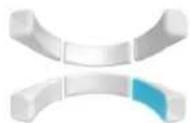
Outside canine, premolar, and lower right molar zone
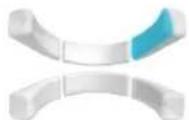
Inside canine, premolar, and upper right molar zone
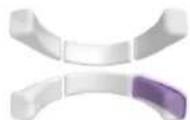
Inside canine, premolar, and lower right molar zone
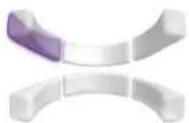
Outside canine, premolar, and upper left molar zone
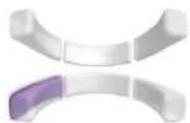
Outside canine, premolar, and lower left molar zone
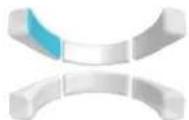
Inside canine, premolar, and upper left molar zone
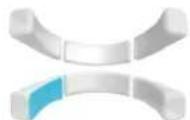
Inside canine, premolar, and lower left molar zone
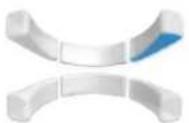
Apex upper right molar and premolar zone
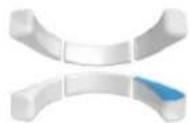
Apex lower right molar and premolar zone
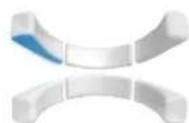
Apex upper left molar and premolar zone
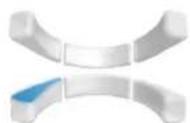
Apex lower left molar and premolar zone

10. KOLIBREE TOOTHBRUSH MAINTENANCE
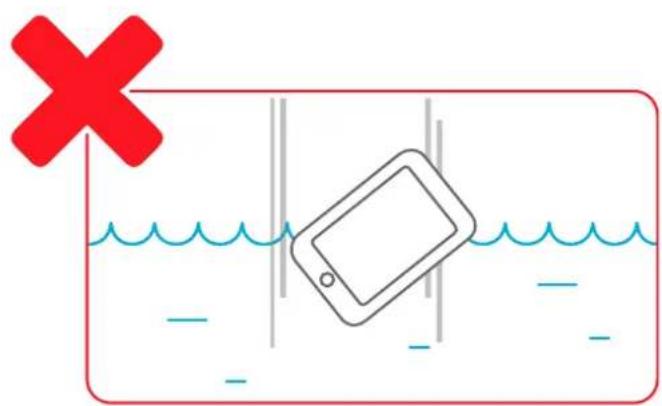
Pay attention to your mobile device during brushing to make sure it doesn't slip and drop.
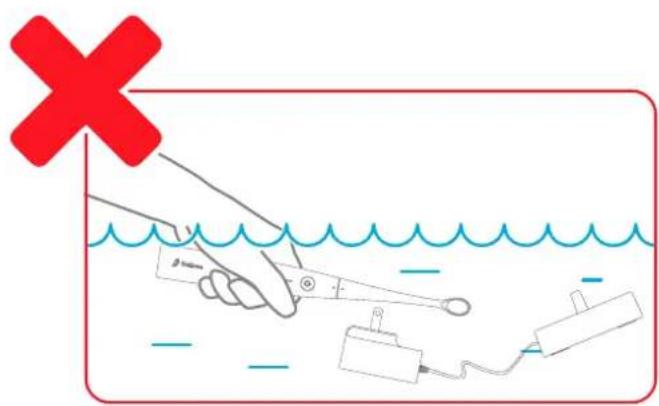
Do not immerse the brush or the base in water.
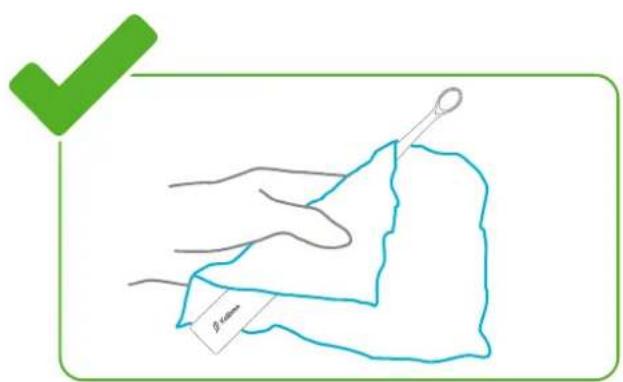
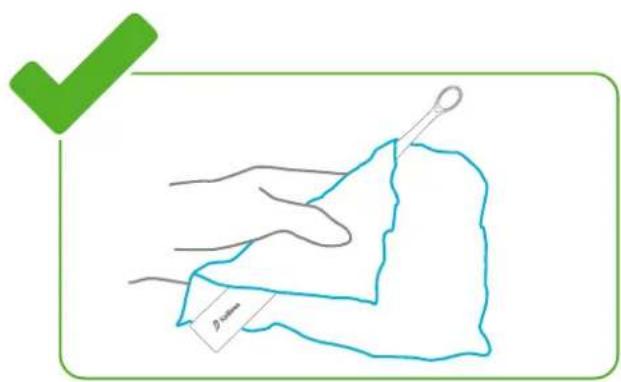
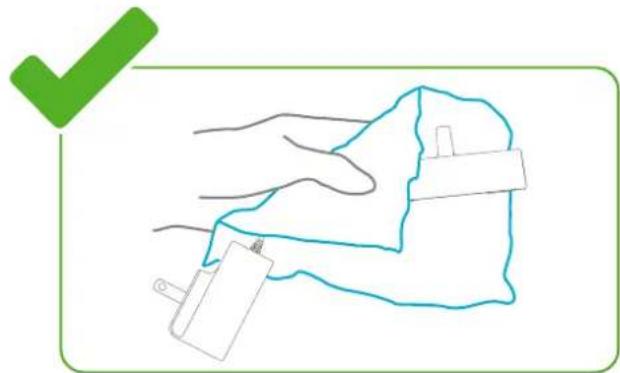
Clean the brush handle with a damp cloth.
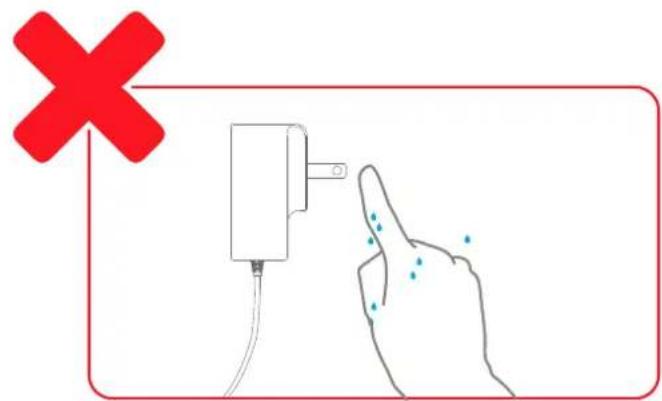
Do not touch the electrical outlet with wet hands.
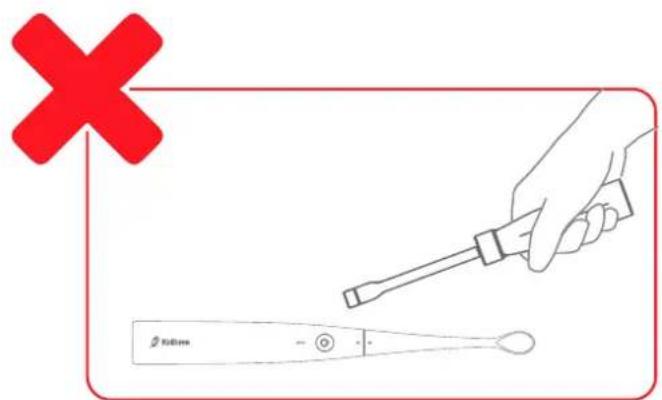
Do not modify the product.
Do not attempt to disassemble or repair.
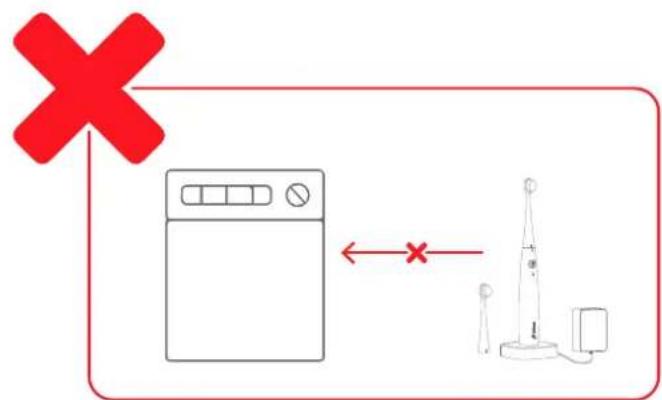
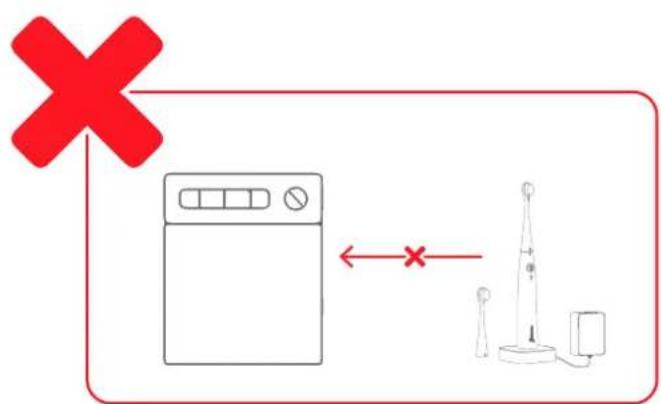
Do not clean brushes, the brush handle, or the induction charger in the dishwasher.
Cleaning brushes
After each use, clean your brush thoroughly.
To do this, you should remove the brush head from the handle and rinse it with clean water.
Then dry it before returning it to the base.
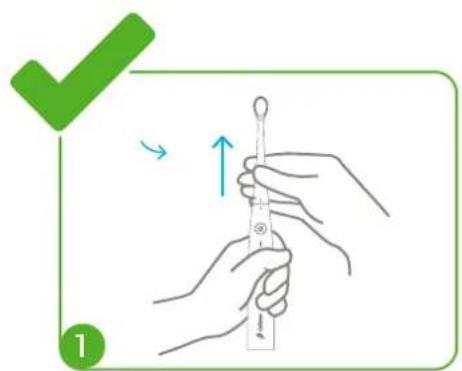
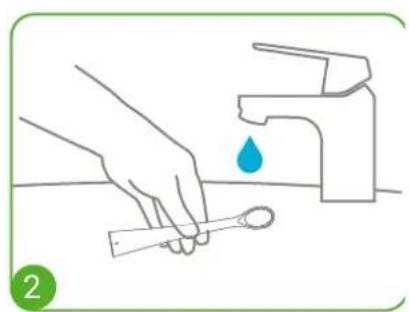
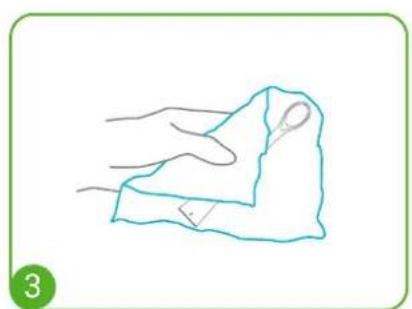
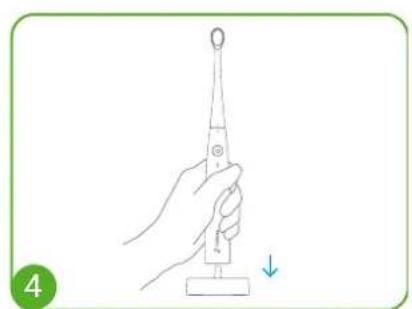
Changing brushes
Turn the brush head until the two indicators are lined up. Pull the brush head off and replace it with a new one.
You should change the brush head every 3 months.
Ordering replacement brush heads
You can order your replacement brush heads on the Kolibree online store or contact the nearest authorized Kolibree retailer.
Cleaning the charger base
Regularly clean the Kolibree toothbrush handle and charger base with a damp cloth. The toothbrush handle is waterproof but rinsing it in water is not recommended. Do not clean the toothbrush or any of its accessories in the dishwasher.
Storing the toothbrush
If you aren't planning to use the toothbrush for a long period, we recommend unplugging it from the electrical supply, cleaning the handle and brushes, and storing them in a place protected from light and heat.
Recycling the product
This product contains rechargeable batteries. To protect the environment, do not dispose of the used product with the household trash. You can place it in appropriate collection sites that are available in your country.
When the product can no longer be used, remove the toothbrush battery as follows:
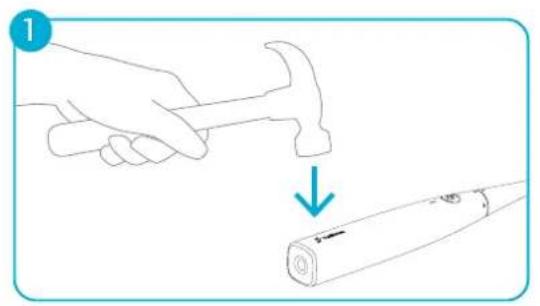
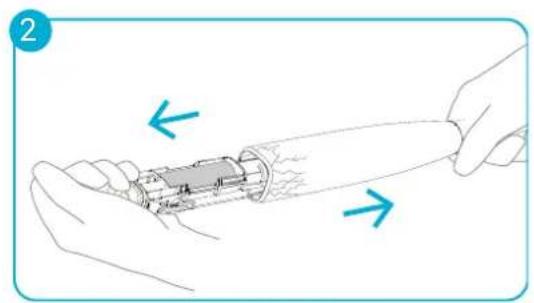
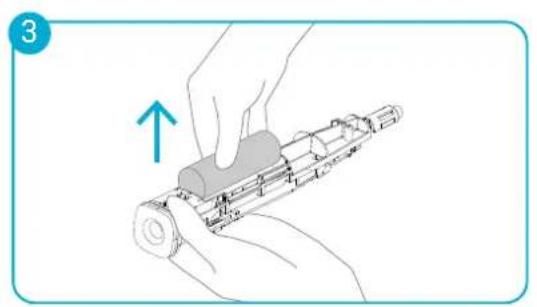
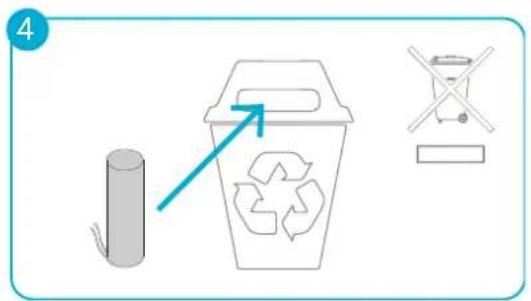
Warning! This action is irreversible. Opening the handle makes it unable to be used and invalidates the warranty. Dispos of it in accordance with the environmental regulations in force in your area.

11. TECHNICAL INFORMATION
Characteristics
| GENERAL | |
| Guarantee | 1 year or the current legal period from the date and place of original retail purchase |
| Color Pure white | |
| Size 23.3 cm (9.2 inches) | |
| Weight 70 g (2.5 oz) | |
| TOOTHBRUSH | |
| Internal motion sensors 3 axis accelerometer, 3 axis gyroscope, 3 axis magnetometer | |
| Battery Rechargeable 650mAh Li-on | |
| Autonomy Around 1 week of typical usage* | |
| Connection Bluetooth | ® 2.1 + EDR Class 2 - 2.4 GHz |
| Ergonomy Soft touch handle with a single push-button for simplicity and easy handling | |
| OS support | iOS 7+, Android 4.2+ |
| Vibration | 15 000 vibrations/minute |
| Waterproofness | Water resistant |
| Display | one RGB LED informing on battery level and indicating the state of communication with the connected device |
| CHARGER | |
| Input 100-240V, 50/60Hz 0.3A | |
| Output TVDC - 500mA 3.5W LPS, induction charging system | |
| BRUSH HEAD | |
| Length 9.5 cm (3.75 inches) | |
| Bristles Nylon bristles with rounded tips to protect gums | |
| Material Certified food grade plastic | |
| Replacement pack | 3 brush heads in three colors - Pack size : 15 × 8 × 1.8 cm (5.9 × 3.1 × 0.7 inches) |
| KOLIBREE PACK | |
| Content 1 Kolibree toothbrush, 1 extra brush head, 1 charging base, 1 user manual | |
| Box size 29.1 × 10.7 × 7.8 cm (11.4 × 10.7 × 3.1 inches) | |
| Box weight 640 g (22.5 oz) | |
- Two brushings of 3 minutes a day with Bluetooth® on
12. IMPORTANT PRECAUTIONS
Dangers
In order to reduce the risk of electrocution:
- Do not place or store the charger where it can fall or be pulled into a tub or sink.
- Do not place the charger in water or other liquid.
- Do not reach for a charger that has fallen into water. Unplug immediately.
- Do not use the device while taking a bath or shower.
Warnings
To reduce the risk of burns, electrocution, fire, or injury:
- This product is not for mentally or physically disabled children or adults unless they are supervised by a responsible person. Do not let them use or play with the device alone.
- This product is designed to be used for the purpose and in the manner described by Kolibree. Do not use any accessories that are not recommended by Kolibree.
- Do not touch the charger when your hands are wet, or you risk electric shock.
- Keep the charger base and electric cord away from heated surfaces.
- When you unplug the charger, pull on the adapter and not the cord.
- Do not do drop the device or insert any object into any of its openings.
- Do not modify, disassemble, or repair the device under risk of fire, electric shock, or injury.
- Do not use the device if it is defective, if it does not work properly, or if the charger is damaged or has been dropped in water. If any of these occur, contact Kolibree or your authorized Kolibree retailer to have the product examined or repaired.
- If the toothbrush has fallen, you should change the brush head before using it again even if no damage is found.
- The device must be operated only under very low safety voltage consistent with the unit's label.
- This device is supplied with a charger and an electric plug included. The device must be used only with the power supply provided. Do not replace or damage any parts or you risk electric shock. Occasionally check that the charger is not damaged. Damaged or malfunctioning equipment should no longer be used. Contact Kolibree or your retailer.
- This product is not recommended for use by children under 3 years of age.
Medical warnings
If you are under treatment for dental problems, consult your dentist before using this product.
If you have had dental surgery in the last 2 months, consult your dentist before using this product.
Contact your dentist if you notice abnormal bleeding from gums after using this product or if bleeding persists after a week of use.
If you wear a pacemaker or an implanted device, contact your physician or the manufacturer before using this product.
Consult your doctor before using this product if you have medical problems.
Kolibree has been tested and meets the safety standards for electromagnetic devices.
13. LEGAL INFORMATION
Modifications
The explanations and specifications contained in this user guide are provided for information purposes and may be changed without prior notification. This information is correct at the time it is published and it was written with the greatest care in order to provide you with the most accurate information possible.
Kolibree cannot be held responsible, directly or indirectly, for any damage or accidental data loss resulting from any error or omission in this document. Kolibree reserves the right to amend or improve the product and its user guide without any restriction or obligation to alert the user.
Warranty and returns
Kolibree guarantees its products for one year from the date of purchase. Manufacturing defects will be repaired or replaced by Kolibree if proof of purchase can be provided and if defects are found during the warranty period.
Disclaimer of warranty:
The warranty does not cover brushes, damage caused by unintended use, user negligence, or unauthorized repairs.
Contact our customer service for more information.
Important product information:
For safety, compliance, recycling, and other important information regarding your Kolibree toothbrush, please refer to the Kolibree toothbrush user's guide which is accessible on your Kolibree application.
Kolibree: License Agreement And Terms Of Use
BEFORE USING THE KOLIBREE TOOTHBRUSH DEVICE, PLEASE READ THE LICENSE AGREEMENT AND TERMS OF USE FOUND AT WWW.KOLIBREE.COM AND ALL RULES AND POLICIES FOR THE KOLIBREE TOOTHBRUSH DEVICE AND SERVICES RELATED TO THE DEVICE (INCLUDING, BUT NOT LIMITED TO, THE KOLIBREE PRIVACY NOTICE AND ANY RULES OR USAGE PROVISIONS ACCESSIBLE THROUGH THE WWW. KOLIBREE.COM WEBSITE OR THE KOLIBREE STORE) (COLLECTIVELY, THIS "AGREEMENT"). BY USING THE KOLIBREE TOOTHBRUSH DEVICE YOU AGREE TO BE BOUND BY THE TERMS OF THIS AGREEMENT.
Contact Information. For communications concerning this Agreement, you may contact Kolibree by writing to Kolibree SAS, 36 rue de Turin, 75008 Paris, France.
Limited warranty:
This Warranty for the Kolibree toothbrush Device (the "Device") is provided by Kolibree SAS, 36 rue de Turin, 75008 Paris, France.
We warrant the Device against defects in materials and workmanship under ordinary consumer use for a period of one year or the current legal period after the initial date and place of purchase. During this warranty period, if a defect arises in the Device, and you follow the instructions for returning the Device, we will, at our option and to the extent permitted by law, either (i) repair the Device using either new or refurbished parts, (ii) replace the Device with a new or refurbished Device, or (iii) refund to you all or part of the purchase price of the Device. This limited warranty applies to any repair, replacement part or replacement Device for the remainder of the original warranty period or for ninety days, whichever period is longer. All replaced parts and Devices for which a refund is given shall become our property. This limited warranty applies only to hardware components of the Device that are not subject to accident, misuse, neglect, fire or other external causes, alterations, repair, or commercial use.
Instructions. For specific instructions about how to obtain warranty service for your Device, please contact
Customer Service using the contact information provided in this guide. In general, you will need to deliver your Device in either its original packaging or in equally protective packaging to the address specified by Customer Service. Before you deliver your Device for warranty service, it is your responsibility to back up any data, software, or other materials you may have stored or preserved on your Device. It is possible that such data, software or other materials will be lost or reformatted during service, and we will not be responsible for any such damage or loss.
Limitations. TO THE EXTENT PERMITTED BY LAW, THE WARRANTY AND REMEDIES SET FORTH ABOVE ARE EXCLUSIVE AND IN LIEU OF ALL OTHER WARRANTY AND REMEDIES, AND WE SPECIFICALLY DISCLAIM ALL STATUTORY OR IMPLIED WARRANTY, INCLUDING, BUT NOT LIMITED TO, WARRANTY OF MERCHANTABILITY, FITNESS FOR A PARTICULAR PURPOSE AND AGAINST HIDDEN OR LATENT DEFECTS. IF WE CANNOT LAWFULLY DISCLAIM STATUTORY OR IMPLIED WARRANTY, THEN TO THE EXTENT PERMITTED BY LAW, ALL SUCH WARRANTY SHALL BE LIMITED IN DURATION TO THE DURATION OF THIS EXPRESS LIMITED WARRANTY AND TO REPAIR OR REPLACEMENT SERVICE.
SOME JURISDICTIONS DO NOT ALLOW LIMITATIONS ON HOW LONG A STATUTORY OR IMPLIED WARRANTY LASTS, SO THE ABOVE LIMITATION MAY NOT APPLY TO YOU. WE ARE NOT RESPONSIBLE FOR DIRECT, SPECIAL, INCIDENTAL OR CONSEQUENTIAL DAMAGES RESULTING FROM ANY BREACH OF WARRANTY OR UNDER ANY OTHER LEGAL THEORY. IN SOME JURISDICTIONS THE FOREGOING LIMITATION DOES NOT APPLY TO DEATH OR PERSONAL INJURY CLAIMS, OR ANY STATUTORY LIABILITY FOR INTENTIONAL AND GROSS NEGLIGENT ACTS AND/OR OMISSIONS, SO THE ABOVE EXCLUSION OR LIMITATION MAY NOT APPLY TO YOU. SOME JURISDICTIONS DO NOT ALLOW THE EXCLUSION OR LIMITATION OF DIRECT, INCIDENTAL OR CONSEQUENTIAL DAMAGES, SO THE ABOVE EXCLUSION OR LIMITATION MAY NOT APPLY TO YOU. THIS "LIMITATIONS" SECTION DOES NOT APPLY TO CUSTOMERS IN THE UNITED KINGDOM AND THE EUROPEAN UNION.
This limited warranty gives you specific legal rights. You may have additional rights which vary from jurisdiction to jurisdiction, and this limited warranty does not affect those rights.
You can see a version of the Kolibree License Agreement and Terms of Use, One-Year Limited Warranty and other Kolibree information in other languages at http://www.kolibree.com.
If you want to send a message to the Kolibree team to give your opinion or ask a question, we invite you to do so by clicking on our website's "Contact" tab.
You can also do this directly from the mobile app by clicking on "Settings" > "Feedback".
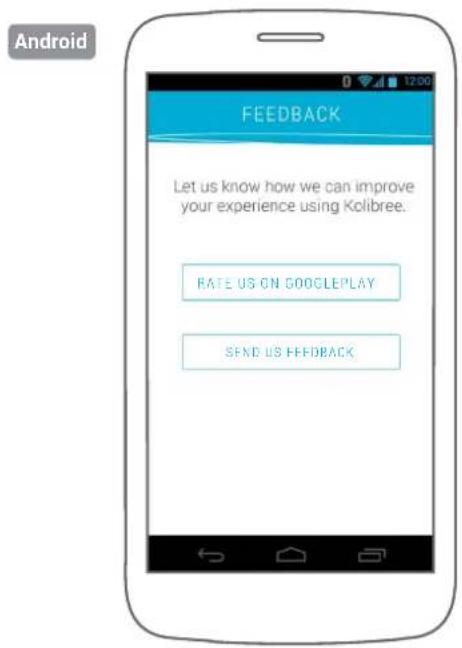
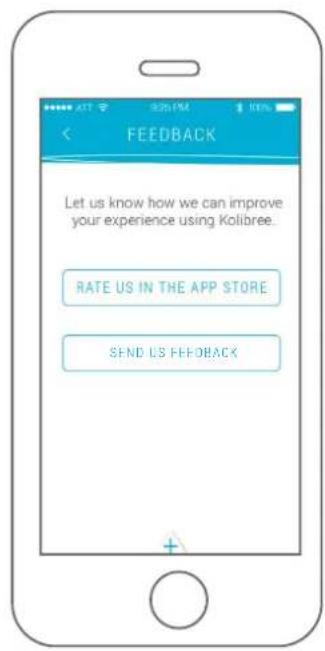
iOS
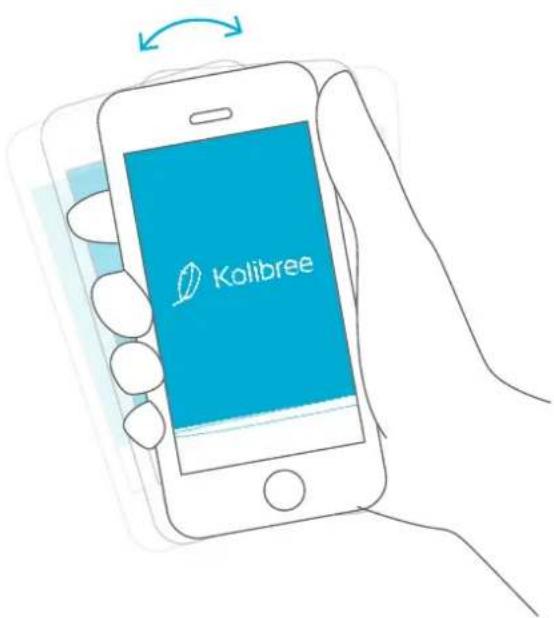
From the mobile app, if you want to send us feedback or report a bug, shake your device and follow the instructions that appear.

Kolibree
Designed by Kolibree in France. Assembled in the Philippines.