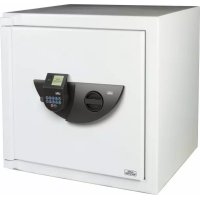
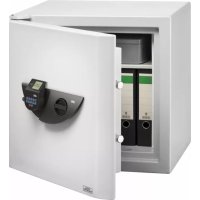
USER MANUAL Ranger N 7 E Burg Wächter
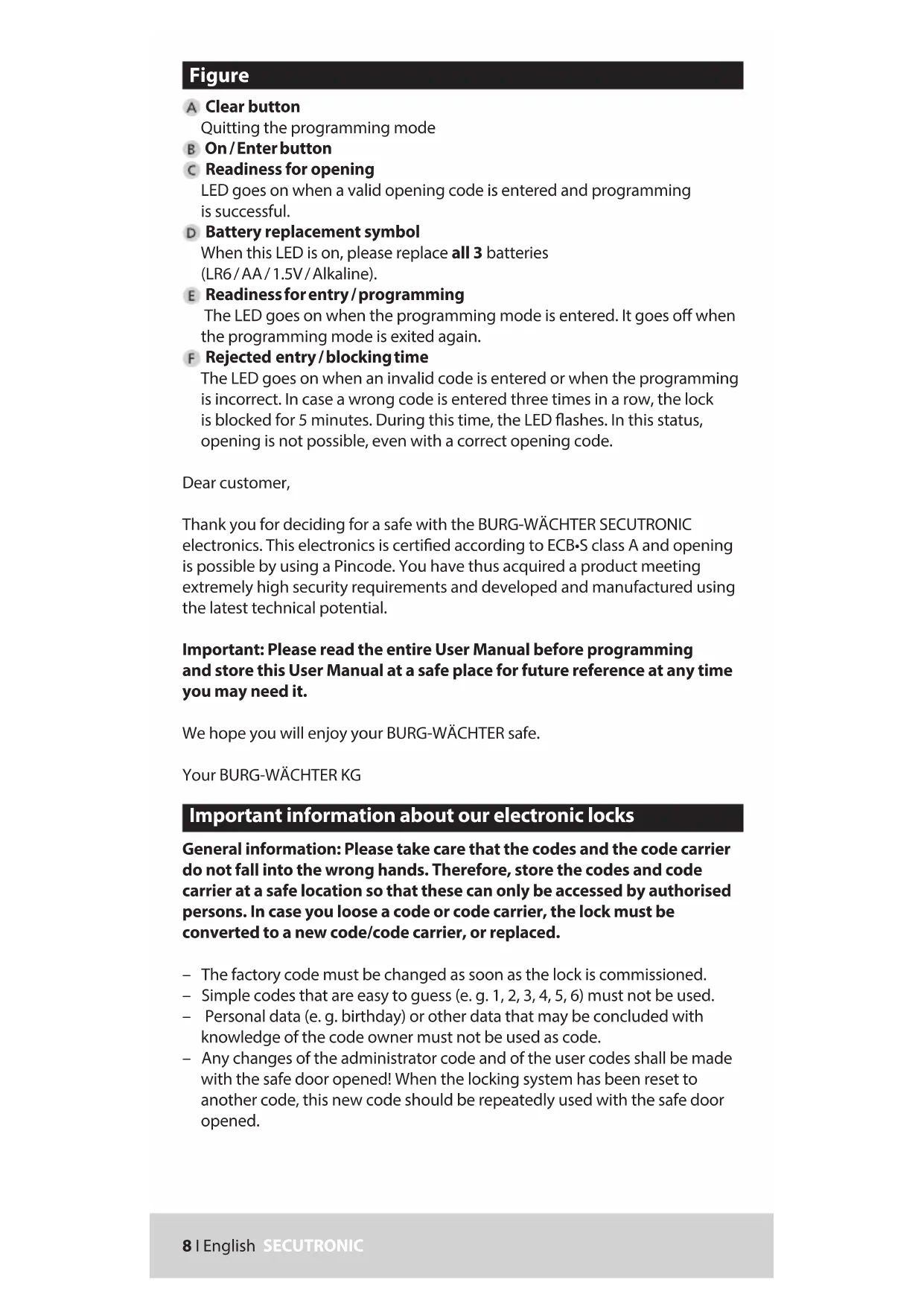
Quitting the programming mode
B On/Enterbutton
C Readiness for opening
LED goes on when a valid opening code is entered and programming is successful.
Battery replacement symbol
When this LED is on, please replace all 3 batteries (LR6/AA/1.5V/Alkaline).
Readinessforeentry/programming
The LED goes on when the programming mode is entered. It goes off when the programming mode is exited again.
Rejected entry/blocking time
The LED goes on when an invalid code is entered or when the programming is incorrect. In case a wrong code is entered three times in a row, the lock is blocked for 5 minutes. During this time, the LED flashes. In this status, opening is not possible, even with a correct opening code.
Dear customer,
Thank you for deciding for a safe with the BURG-WACHTER SECUTRONIC electronics. This electronics is certified according to ECB-S class A and opening is possible by using a Pincode. You have thus acquired a product meeting extremely high security requirements and developed and manufactured using the latest technical potential.
Important: Please read the entire User Manual before programming and store this User Manual at a safe place for future reference at any time you may need it.
We hope you will enjoy your BURG-WACHTER safe.
General information: Please take care that the codes and the code carrier do not fall into the wrong hands. Therefore, store the codes and code carrier at a safe location so that these can only be accessed by authorised persons. In case you lose a code or code carrier, the lock must be converted to a new code/code carrier, or replaced.
- The factory code must be changed as soon as the lock is commissioned.
Simple codes that are easy to guess (e.g. 1, 2, 3, 4, 5, 6) must not be used.
- Personal data (e.g. birthday) or other data that may be concluded with knowledge of the code owner must not be used as code.
- Any changes of the administrator code and of the user codes shall be made with the safe door opened! When the locking system has been reset to another code, this new code should be repeatedly used with the safe door opened.
Generally
One Pincode is for opening are available.
Pincode: 123456 (factory setting)
The Pincode has always 6 digits.
Technical data
| Number of Pincodes 1 | |
| Blocking times When a | wrong code is entered 3 times, 5 minutes, subsequently 10 minutes after each wrong entry |
| Power supply 3 x MIGNON LR6/AA/ALKALINE |
| Permissible ambient conditions | -15 °C through +50 °C
Up to 95 % rel. air humidity (non condensing) |
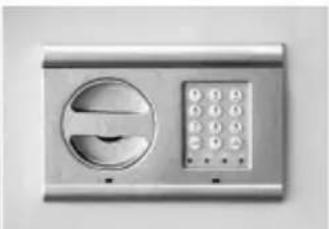
The individual labels on the keypad indicate numerals and letters. Combinations of numerals and / or letters are used to program the individual functions. The initial letters of a programming procedure are composed as a combination of numbers (to facilitate their remembering). When using these explicit combinations, the individual submenus are opened.
Opening with Pincode
- Press the "On/Enter" button.
- Enter the pin code. The green LED lights up when the code is entered correctly and the red LED when the code is rejected.
Turn the rotary handle clockwise to open the door.
Access to the programming mode to change the lock settings
Press "On / Enter", the yellow LED of the Readiness for entry/programming icon goes on.
- Type numbers 76 (program mode), the yellow LED goes off.
- Press "On / Enter" and enter the valid Pincode.
When a valid Pincode has been entered, the green LED goes on briefly, subsequently the yellow LED flashes. As long as the yellow „Readiness for entry / programming“ LED is flashing, you are in the programming mode and so you can perform various actions.
Actions in programming mode
Changing Pencode
Type numbers 22 (change code), then press "On/Enter".
Type your new code (6 digits) and confirm with "On / Enter".
- Enter your new code again and confirm with „On/Enter“. The yellow LED flashes during the whole process. The green LED flashes in case of a successful change.
Leave the programming mode by pressing the „Clear" button twice.
Replacement of batteries
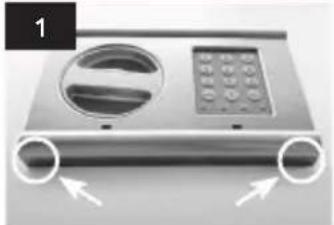
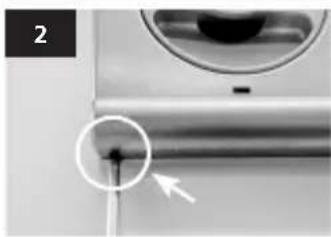
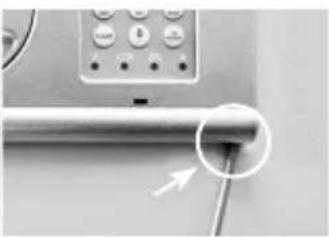
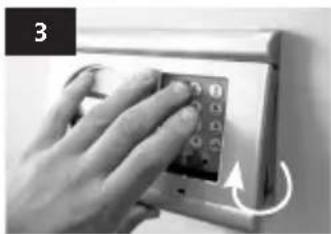
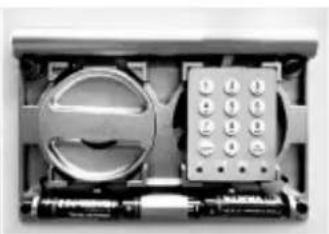
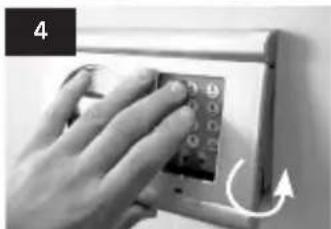
Batteries: 3 × 1,5V Mignon (LR6)
Disposal of batteries
Dear Customer,
Please help us avoid unnecessary waste. Should you intend to dispose of this device at any time, please remember that many components of this device contain valuable materials, which can be recycled. Please do not throw out the device as general waste, but rather obtain information on the collecting points for electrical waste from the responsible authority of you municipality.
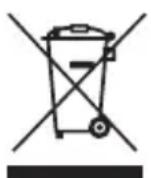
Please be aware that electrical and electronic equipment and batteries shall not be disposed of as household waste, but rather collected separately. Please obtain information on the collecting points for electrical waste from the responsible authority of you municipality.
CE
BURG-WACHTER KG hereby declares that this device complies with Directive (RED) 2014/30/EU, (EMC), 2011/65/EU (RoHS). The full text of the EU Declaration of Conformity can be found on www.burg.biz
Mistakes and changes reserved.
A Touche Clear
Pincode: 123456 (fabrieksinstelling)