00173233 - Photo accessory HAMA - Free user manual and instructions
Find the device manual for free 00173233 HAMA in PDF.



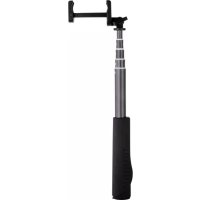
| Product type | Selfie stick with Bluetooth remote control |
| Brand | Hama |
| Model | 00173233 |
| Color | Aluminum (silver) |
| Material | Aluminum |
| Length (retractable) | 22 mm (folded) - 1000 mm (extended) |
| Diameter | 22 mm |
| Weight | Approx. 150 g |
| Power supply | Rechargeable lithium-ion battery 200 mAh |
| Charging time | Approx. 1 hour |
| Connectivity | Bluetooth 3.0+ (Class 2) |
| Bluetooth range | Up to 10 m (without obstacles) |
| System compatibility | iOS 5+ and Android 3.0+ |
| Main features | Remote shutter, LED light (steady and flashing), smartphone holder |
| Supported types | Bluetooth-compatible smartphones and tablets |
| LED indicator | Red (charging), blue (connection/low battery) |
| Package contents | Aluminum selfie stick, USB cable, instruction manual |
| Care and cleaning | Clean with a soft, slightly damp cloth |
| Safety instructions | Avoid moisture, shocks, do not open the product |
| Spare parts | Not available (sealed product) |
| Repairability | Not user-serviceable |
| Warranty | Legal warranty, exclusion for improper use |
| Manufacturer | Hama GmbH & Co. KG, Germany |
Frequently Asked Questions - 00173233 HAMA
User questions about 00173233 HAMA
0 question about this device. Answer the ones you know or ask your own.
Ask a new question about this device
Download the instructions for your Photo accessory in PDF format for free! Find your manual 00173233 - HAMA and take your electronic device back in hand. On this page are published all the documents necessary for the use of your device. 00173233 by HAMA.
USER MANUAL 00173233 HAMA
Operating Instructions
Bedienungsanleitung
Mode d'emploi
GB
D
F
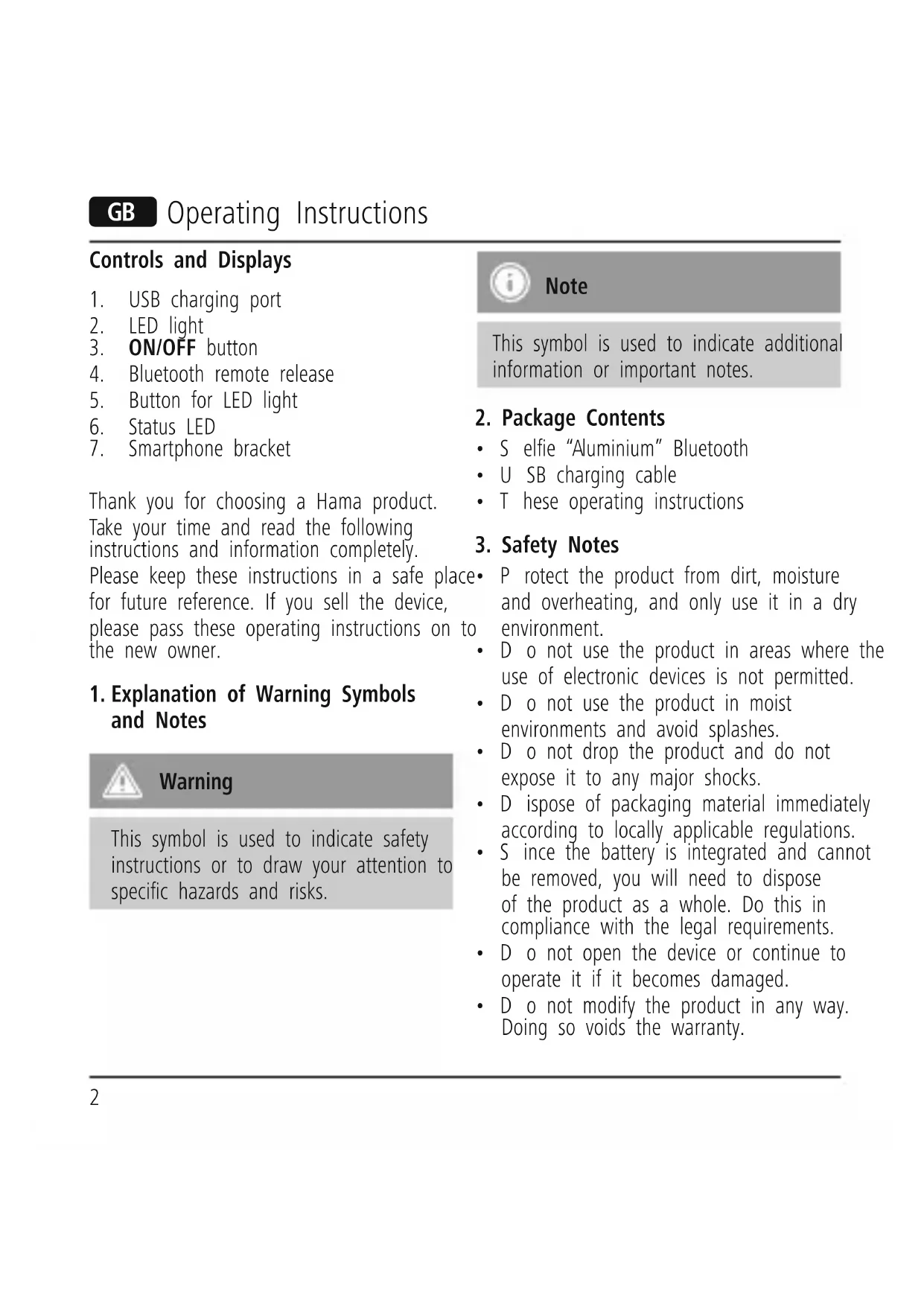
GB Operating Instructions
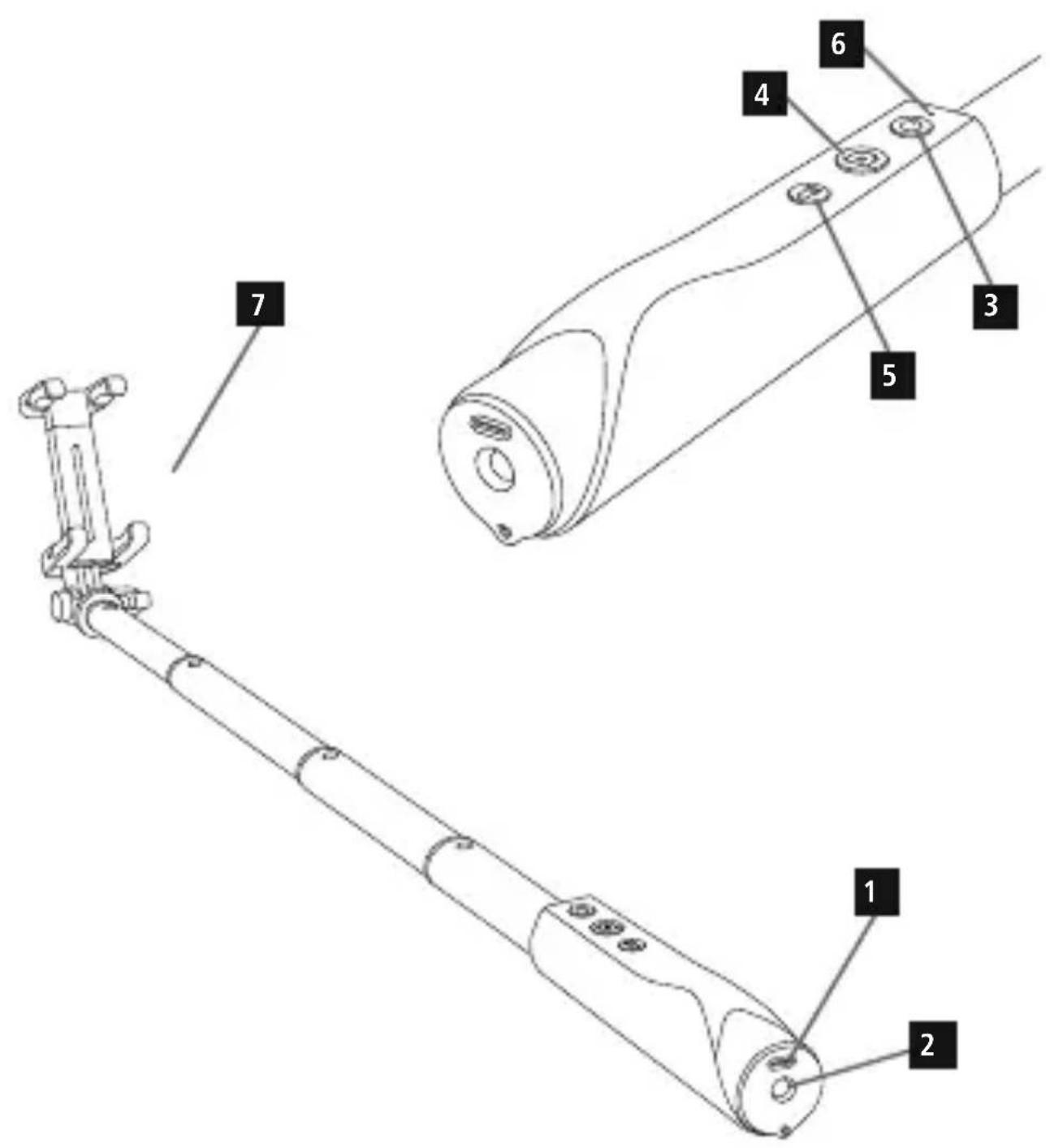
Controls and Displays
- USB charging port
- LED light
- ON/OFF button
- Bluetooth remote release
- Button for LED light
- Status LED
- Smartphone bracket
Thank you for choosing a Hama product.
Take your time and read the following instructions and information completely.
Please keep these instructions in a safe place for future reference. If you sell the device, please pass these operating instructions on to the new owner.
1. Explanation of Warning Symbols and Notes

Warning
This symbol is used to indicate safety instructions or to draw your attention to specific hazards and risks.

Note
This symbol is used to indicate additional information or important notes.
2. Package Contents
- S elfie "Aluminium" Bluetooth
• U SB charging cable
• These operating instructions
3. Safety Notes
- P rotec the product from dirt, moisture and overheating, and only use it in a dry environment.
- Do not use the product in areas where the use of electronic devices is not permitted.
- Do not use the product in moist environments and avoid splashes.
- Do not drop the product and do not expose it to any major shocks.
- D ispose of packaging material immediately according to locally applicable regulations.
- Since the battery is integrated and cannot be removed, you will need to dispose of the product as a whole. Do this in compliance with the legal requirements.
- Do not open the device or continue to operate it if it becomes damaged.
- Do not modify the product in any way. Doing so voids the warranty.
4. System Requirements
The Selfie “Aluminium” Bluetooth supports Bluetooth-capable terminal devices such as smartphones and tablet PCs that use the iOS 5 or Android 3.0 (or newer) operating systems.

Note
- Note that some terminal devices may not support this product.
- P lease refer to the operating instructions for the device you are using.
5. Getting Started

Note
- U se only a suitable charger when charging the battery. Follow the charger's operating instructions!
-
When stored over a long period of time, batteries should be charged regularly (at least every three months).
-
The product is equipped with a built-in battery.
- Charge the battery fully before using the device for the first time.
- To charge the battery, use the included USB charging cable to connect the Micro USB charging port on the product (1) to a USB charger or the USB port of your notebook/computer (must be switched on).
- T he status LED (6) illuminates red while the battery is charging and switches off once the battery is fully charged. If the battery is dead, the status LED slowly flashes blue.

Warning - Karging
- A s a rule, do not charge devices or USB connections that are defective and do not try to repair them yourself.
6. Operation

Note
- The functions described in this section are only available for Bluetooth-capable terminal devices.
- Note that the max. range of Bluetooth without any obstacles such as walls, people, etc. is 10 metres.
6.1. Bluetooth connection

Note - Pairing
- Make sure that your Bluetooth-capable terminal device is on and Bluetooth is activated.
- Make sure that your Bluetooth-capable terminal device is visible for other Bluetooth devices.
-
For more information, please refer to the operating instructions of your terminal device.
-
Press ON/OFF for about 2 seconds.
-
T he status LED initially illuminates blue, then switches off for several seconds before flashing blue.
-
T his means the Bluetooth remote release is searching for a Bluetooth connection.
- O pen the Bluetooth settings on your terminal device and wait until hama selfie appears in the list of Bluetooth devices found.
- S elect hama selfie and wait until hama selfie is listed as connected in the Bluetooth settings on your terminal device. The status LED (2) switches off.

Note - atomic connection and possible problems
After the devices have been paired once, the connection is then established automatically. If the Bluetooth connection is not established automatically, check the following:
- Check the Bluetooth settings of your terminal device to see whether hama selfie is connected. If it is not, repeat the steps described above.
- Check whether obstacles are impairing the range. If so, move the devices closer together.
- Low battery charge can impair the connection. Fully charge the battery if necessary.
- Only one Bluetooth device can be connected at a time. If there is an active connection to another
- device, deactivate this connection and try again.
6.2. Remote release function
- Once you have established the Bluetooth connection, open the camera function on your terminal device and select the desired camera (front or rear camera), if applicable.
- Mount the smartphone in the bracket (7) and ensure that it is secure.
- Extend the Selfie "Aluminium" Bluetooth telescopic pole to the desired length.
- Press the release button (4) to trigger the selected function (selfie, photo, video).
6.3 LED light function
The Selfie Aluminium is equipped with an integrated LED light function, which can be used to light up a handbag, for example. Press the button once in order to activate the LED light. If you press the button again, the LED light will start flashing. Pressing it a third time ends the LED light function.
7. Care and Maintenance
Only clean this product with a slightly damp, lint-free cloth and do not use aggressive cleaning agents. Make sure that water does not get into the product.
8. Warranty Disclaimer
Hama GmbH & Co. KG assumes no liability and provides no warranty for damage resulting from improper installation/mounting, improper use of the product or from failure to observe the operating instructions and/or safety notes.
Please contact Hama Product Consulting if you have any questions about this product. Hotline: +49 9091 502-115 (German/English) Further support information can be found here: www.hama.com
10. Technical Data
Bluetooth version 3.0 and newer
Bluetooth Class Class 2
Bluetooth Range max. 10 m
Dimensions (∅ x L) 22 x 1000 mm
Battery capacity 200 mAh
Charging time ca. 1h
11. Recycling Information
Note on environmental protection:
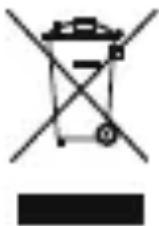
After the implementation of the European Directive 2002/96/EU and 2006/66/EU in the national legal system, the following applies: Electric and electronic devices as well as batteries must
not be disposed of with household waste. Consumers are obliged by law to return electrical and electronic devices as well as batteries at the end of their service lives to the public collecting points set up for this purpose or point of sale. Details to this are defined by the national law of the respective country. This symbol on the product, the instruction manual or the package indicates that a product is subject to these regulations.
By recycling, reusing the materials or other forms of utilising old devices/Batteries, you are making an important contribution to protecting our environment.
12. Declaration of Conformity
CE Hereby, Hama GmbH & Co. KG, declares that 00004284 is in compliance with the essential requirements and other relevant provisions of Directive 1999/5/EC. See www.hama.com for declaration of conformity according to R&TTE Directive 99/5/EC guidelines.
Bluetooth Class Class 2
Avertissement – large
All listed brands are trademarks of the corresponding companies. Errors and omissions excepted, and subject to technical changes. Our general terms of delivery and payment are applied.
CE
- GB OPERATING INSTRUCTIONS
- CONTROLS AND DISPLAYS
- EXPLANATION OF WARNING SYMBOLS AND NOTES
- WARNING
- NOTE
- PACKAGE CONTENTS
- SAFETY NOTES
- SYSTEM REQUIREMENTS
- GETTING STARTED
- WARNING - KARGING
- OPERATION
- BLUETOOTH CONNECTION
- NOTE - PAIRING
- NOTE - ATOMIC CONNECTION AND POSSIBLE PROBLEMS
- REMOTE RELEASE FUNCTION
- 6.3 LED LIGHT FUNCTION
- CARE AND MAINTENANCE
- WARRANTY DISCLAIMER
- TECHNICAL DATA
- RECYCLING INFORMATION
- NOTE ON ENVIRONMENTAL PROTECTION
- DECLARATION OF CONFORMITY
- AVERTISSEMENT – LARGE
Brand : HAMA
Model : 00173233
Category : Photo accessory