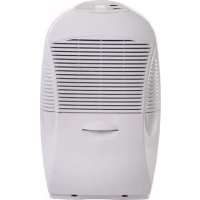
15 - Humidifier EBAC - Free user manual and instructions
Find the device manual for free 15 EBAC in PDF.



| Product type | Dehumidifier |
| Brand | Ebac |
| Model | 15 |
| Water extraction | 1 to 2.5 litres per day |
| Water tank | With full tank indicator (red light) |
| Fan speed | 2 speeds: low/silent and high |
| Humidistat | Adjustable (rotary) |
| Permanent drainage function | Possible with optional kit |
| Filter | Monthly cleaning, replacement every 4 months |
| Operating temperature | 3 °C to 35 °C |
| Power supply | 220-240 V, 13 A fuse (UK), 30 mA RCD protection |
| Weight | Approximately 10-12 kg (estimated) |
| Dimensions (W x D x H) | Approximately 35 x 25 x 50 cm (estimated) |
| Noise level | Low in silent mode |
| Recommended use | Central rooms, corridors, landings, flat surfaces |
| Target audience | Children from 8 years with supervision, persons with reduced capabilities |
| Warranty | Manufacturer's warranty, extension possible |
| Customer service | +44 (0) 845 634 1392 (UK) |
| Accessories | Permanent drainage kit available at www.ebac.com |
| Maintenance | Monthly filter cleaning, drainage check every 6 months |
Frequently Asked Questions - 15 EBAC
User questions about 15 EBAC
0 question about this device. Answer the ones you know or ask your own.
Ask a new question about this device
Download the instructions for your Humidifier in PDF format for free! Find your manual 15 - EBAC and take your electronic device back in hand. On this page are published all the documents necessary for the use of your device. 15 by EBAC.
USER MANUAL 15 EBAC

Figure a Figure b Figure c Figure d

Ketton Way, Aycliffe Business Park, Newton Aycliffe, County Durham, DL5 6SQ
Tel: +44 (0) 845 634 1392 (GB)
Fax: +44 (0) 1388 609845
www.ebac.com

Ketton Way, Aycliffe Business Park, Newton Aycliffe, County Durham, DL5 6SQ
Tel: +44 (0) 845 634 1392 (GB)
Fax: +44 (0) 1388 609845
www.ebac.com

Ketton Way, Aycliffe Business Park, Newton Aycliffe, County Durham, DL5 6SQ
Tel: +44 (0) 845 634 1392 (GB)
Fax: +44 (0) 1388 609845
www.ebac.com
Ketton Way, Aycliffe Business Park, Newton Aycliffe, County Durham, DL5 6SQ
Tel: +44 (0) 845 634 1392 (GB)
Fax: +44 (0) 1388 609845
www.ebac.com
Ketton Way, Aycliffe Business Park, Newton Aycliffe, County Durham, DL5 6SQ
Tel: +44 (0) 845 634 1392 (GB)
Fax: +44 (0) 1388 609845
www.ebac.com
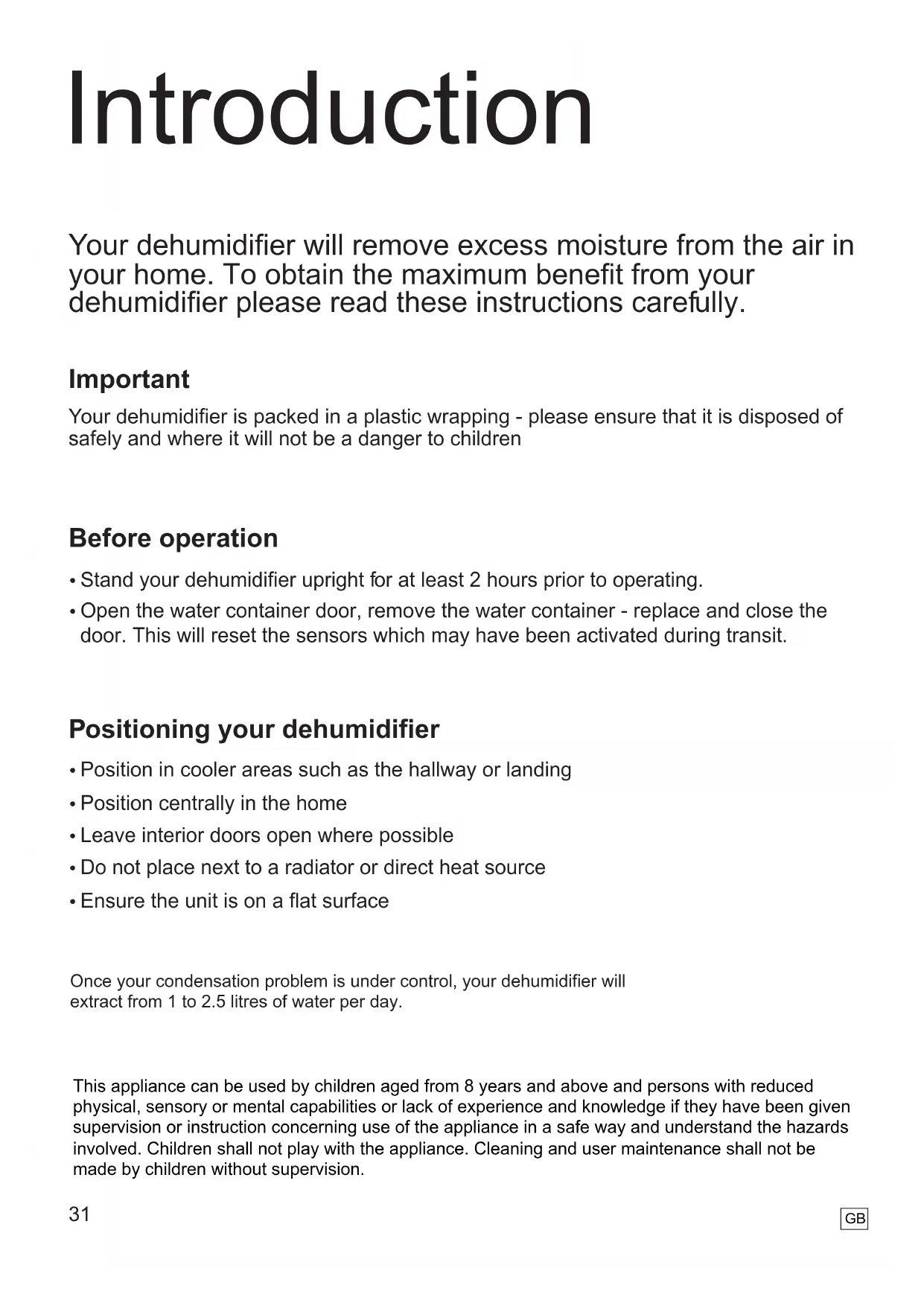
Your dehumidifier will remove excess moisture from the air in your home. To obtain the maximum benefit from your dehumidifier please read these instructions carefully.
Important
Your dehumidifier is packed in a plastic wrapping - please ensure that it is disposed of safely and where it will not be a danger to children
Before operation
- Stand your dehumidifier upright for at least 2 hours prior to operating.
- Open the water container door, remove the water container - replace and close the door. This will reset the sensors which may have been activated during transit.
Positioning your dehumidifier
- Position in cooler areas such as the hallway or landing
- Position centrally in the home
- Leave interior doors open where possible
- Do not place next to a radiator or direct heat source
- Ensure the unit is on a flat surface
Once your condensation problem is under control, your dehumidifier will extract from 1 to 2.5 litres of water per day.
This appliance can be used by children aged from 8 years and above and persons with reduced physical, sensory or mental capabilities or lack of experience and knowledge if they have been given supervision or instruction concerning use of the appliance in a safe way and understand the hazards involved. Children shall not play with the appliance. Cleaning and user maintenance shall not be made by children without supervision.
Setting the controls
Humidistat
Initially set to maximum by turning the humidistat dial fully clockwise.
When signs of excess moisture (such as condensation) are reduced gradually turn the humidistat dial anti-clockwise until the unit just switches off.
If signs of excess moisture re-appear increase the humidistat setting. Alternatively if you are no longer suffering from excess moisture and your dehumidifier runs for long periods a lower setting can be selected. After adjusting the humidistat always allow 5 minutes for the unit to start dehumidifying.
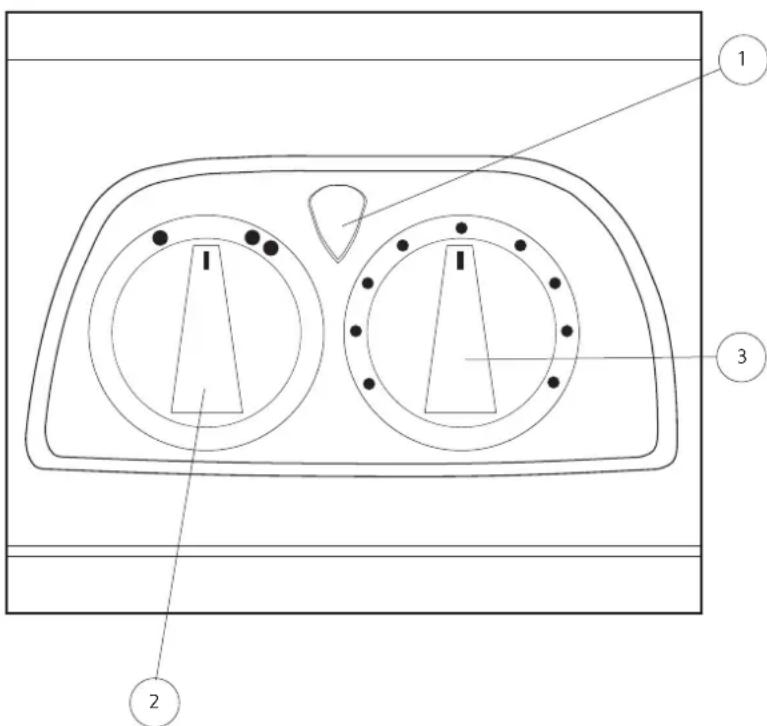
Dual Dial Models
① Power On and Container Full Indication
2 Fan Speed Control
3 Humidstat
Fan Speed Control
| Setting Fu | n |
| 1 | Low/Quiet Setting |
| 2 | High Setting for maximum extraction |
To adjust fan speed
Turn the fan speed dial to desired position
Emptying the water container
The Red Light on the control panel will illuminate when the container is full. When this occurs water collection stops.
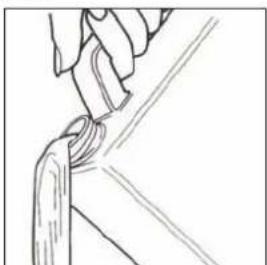
The container can be removed and emptied (fig b).
Replace the container with the outlet on the left and gently close the door.
Changing the filter
Your Ebac 15 has a filter to remove dust from the air.
This filter should be cleaned every month and replaced after 4 months. Failure to do this will reduce the performance of your dehumidifier and may over time lead to a permanent reduction in performance.
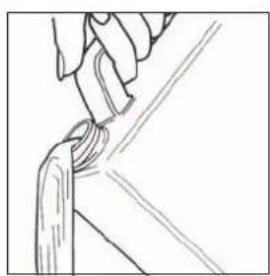
Remove the filter cartridge from the rear of the unit (fig c).
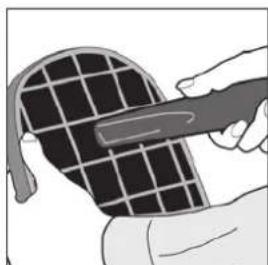
Clean the filter using a vacuum cleaner on a low power (fig d).
Replace the filter cartridge onto the rear panel.
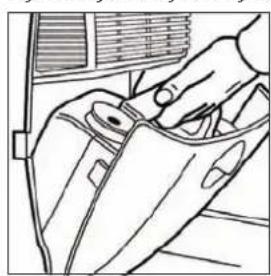
Figure a Figure b Figure c Figure d


Using the Permanent Drainage Facility
Your dehumidifier can be used in unattended dwellings such as holiday homes without emptying the water container. To use this facility you must order a permanent drainage kit.
Should you have any queries about the drainage kit please contact our helpline on +44 (0) 845 634 1392 (UK only).
For accessories such as the drainage kit, contact your local reseller or visit www.ebac.com
Looking after your dehumidifier
Your dehumidifier requires very little maintenance, however, to maximise performance clean the filter every month (replacing every 4 months) and every 6 months you should check the drainage system as follows:
a. Using a standard matchstick or small plastic bottle brush remove any residue from the water drain outlet above the water container (left hand side).
b. Pull out the permanent drainage bung from the rear of the unit. This should then be pushed in and out a few times to remove any build up inside the drain tray (have a cloth or other absorbent material handy to catch the water). The bung should then be pushed fully home to reseal the drain tray.
Never use solvents or abrasive cleaners to clean your dehumidifier.
If your dehumidifier fails to operate
Always check the following list before requesting service.
Power-on indicator light is not illuminated
a. Is the unit switched on at the mains. If necessary test the socket by plugging in another appliance.
b. Check the fuse in the plug and if necessary replace with another 13 amp fuse (UK plug only)
Power indicator light is illuminated but the unit is not collecting water
a. Is the humidistat setting too low, increase the setting.
b. The water container may be full, empty the container.
c. Ensure the water container is fitted.
If your dehumidifier fails to operate cont.
Reduced Water Extraction
a. The humidistat may be set too low, if signs of condensation or dampness remain, increase the setting.
b. The filter may be blocked, remove, clean and refit.
c. After being installed all dehumidifiers will collect less moisture as initial excess moisture is removed. This is normal.
d. The dehumidifier may be positioned next to a heat source, i.e., a radiator - reposition.
Dehumidifier collects water but is not preventing condensation
a. The humidistat may be set too low, select a higher setting.
b. Outside temperatures have dropped suddenly. The dehumidifier may take a few days to get the problem back under control.
Red Water Container Light remains on all the time and the dehumidifier is not running.
(Normal when the water container is full).
a. Ensure the water container is not full.
Requesting Service
Before requesting service please read the section 'If your dehumidifier fails to operate'. If after following this advice you still experience problems please obtain the following information, then contact us on +44 (0) 845 634 1392 (UK only).
a. Model and Serial Numbers (located on a rating plate behind the water container).
b. Your Name, Address, Postcode and Telephone Number.
c. Where your dehumidifier was purchased
d. Date of purchase
e. If applicable any valid guarantee extension
In other countries please contact your national distributor or retailer.
Technical and Safety Information
Min. Operating Temperature: 3^
Max. Operating Temperature: 35^
- Do not use the machine if the power cord or cabinet are damaged.
- If the flexible power cord is damaged it must be replaced by an identical cord which is available from Ebac Limited or its authorised distributors.
- Do not poke objects into any grilles on the machine.
- Ebac Limited has a policy of constant development and, therefore, reserves the right to change specifications without prior notice.
- Do not use the machine without the permanent drainage bung in place on the back of the machine.
- To protect against electrical shocks, do not immerse unit, plug or cord in water, or spray with liquids
- Do not use extension cord or double adapter.
- Ensure Power supply is RCD protected at 30mA .
- UK product is shipped with a fuse in the mains plug. This is not necessary for EU products as they do not have a fuse.

Ebac
DEHUMIDIFIERS
Ebac Limited
Ketton Way, Aycliffe Business Park, Newton Aycliffe, County Durham, DL5 6SQ
Tel: +44 (0) 845 634 1392 (GB)
Fax: +44 (0) 1388 609845
www.ebac.com

Where you see this symbol on any of our electrical products or packaging, it indicates that the relevant electrical products should not be disposed of as general household waste in Europe. To ensure the correct waste treatment of the product, please dispose of it in accordance with any applicable local laws or requirements for disposal of electrical and electronic equipment in so doing, you will help to conserve natural resources and improve standards of environmental protection in treatment and disposal of electrical waste.



- Important
- Before operation
- Positioning your dehumidifier
- Setting the controls
- Humidistat
- Dual Dial Models
- Fan Speed Control
- Emptying the water container
- Changing the filter
- Using the Permanent Drainage Facility
- Looking after your dehumidifier
- If your dehumidifier fails to operate
- Power-on indicator light is not illuminated
- Power indicator light is illuminated but the unit is not collecting water
- If your dehumidifier fails to operate cont.
- Reduced Water Extraction
- Dehumidifier collects water but is not preventing condensation
- Red Water Container Light remains on all the time and the dehumidifier is not running.
- Requesting Service
- Technical and Safety Information
Brand : EBAC
Model : 15
Category : Humidifier