Ace Combat 6 Fires of Liberation (Xbox 360) - Game MICROSOFT - Free user manual and instructions
Find the device manual for free Ace Combat 6 Fires of Liberation (Xbox 360) MICROSOFT in PDF.


| Product type | Video game for Xbox 360 |
| Category | Air combat simulator |
| Publisher | Microsoft |
| Developer | Namco Bandai Games |
| Number of players | 1 player (campaign), up to 16 online |
| Platform | Xbox 360 |
| Box dimensions | Approximately 13.5 x 19 x 1.5 cm |
| Weight | Approximately 100 g |
| Available languages | French (manual), English (game) |
| Main features | Solo campaign, online multiplayer (Team Battle, Battle Royale, Siege, Co-op), allied support, combat link, special weapons |
| Campaign mode | Progression through missions, buying and selling aircraft, unlocking medals |
| Online multiplayer | Xbox Live, up to 16 players, various modes |
| Controls | Xbox 360 controller |
| Maintenance and cleaning | Clean the disc with a soft, lint-free cloth from the center outward. Avoid exposure to heat and scratches. |
| Safety | Beware of photosensitive epilepsy. Read warnings before use. |
| Spare parts and repairability | Not applicable. In case of defect, contact customer service. |
| General information | 24-page manual available in French and English. Customer support by phone or email. |
Frequently Asked Questions - Ace Combat 6 Fires of Liberation (Xbox 360) MICROSOFT
User questions about Ace Combat 6 Fires of Liberation (Xbox 360) MICROSOFT
0 question about this device. Answer the ones you know or ask your own.
Ask a new question about this device
Download the instructions for your Game in PDF format for free! Find your manual Ace Combat 6 Fires of Liberation (Xbox 360) - MICROSOFT and take your electronic device back in hand. On this page are published all the documents necessary for the use of your device. Ace Combat 6 Fires of Liberation (Xbox 360) by MICROSOFT.
USER MANUAL Ace Combat 6 Fires of Liberation (Xbox 360) MICROSOFT
AEEAAAL91hIaHb0mM42007NAMQADAYOAI Sng h
All i t a
OWERS, AND USED WITH SUCH PARTNERS
C
@WTT.com.cn
C. 100% 1
All trademarks and opinions associated with the manufacture, airraa, models, trade names, brands and visual inions depicted in this are the property of their respective
ivres, and used with such permission.
Produced under licence from BAE Systems.
Nimrod is an aircraft and registered trademark of BAE Systems PLC.
Produced under license from Doosn Management Company F-15E Shie Eple, F/A-10 Super Harnel F-4F Phantom I, 2A-8B Hanien I plus, T B-62H Statdortness, E-767.C-17
Gleemster II. XC-104 Extender, DI-47 Chinook. All-64 Aspcie, XD-70 Yalkyge. Boong and McDermell Douglas are among the Inbromants owned by Boong.
The MRAGE 2010 and RARE are inccst design and maunstrmed by DASSAUT AVIATION. TIRAGE and RARE are regred stamens of DASSAUT AVIATION used inder
License to MAMCO BANDAI Games Inc.
Typhos is an antecil and regisled toedk of emighg Goh.
PRODUCED BY COOPERATION With Japan At Sen-DEFENSE FOBIL.
LOCKHEED MARTINF. F-22 Raptor F-16 Fighting Falcon, F-117 Xighthawl, SR-71 Blackbird, AC-130 Spesster associated emblems and logos and body designs of vehicles are either
Registered Tradniques or Tradniques of Lockheed Martin Corporation in the USA and/or other jurisdictions used under license by KAPADU BANUAI Ganes Inc.
Prcnred under a license from the common law of the State of Florida and the Superfund are trademarks of Florida common law.
I amale is an inciat and regesbed traderm of Panam mbuLse ind License to MUNUANIT
Typhoon is an aircraft and spacecraft trademark of Ermiphon GmbH.
PRODUCER COUPERTON WANG, SONG AR SHAI-DEPTESE: HONG
LOCKHEED MARTIN, F-22 Raptor, F-16 Fighting Falcon, F-117 Nighthawk, S-71 Blackbird, AC-130 Spectra associated emblems and logos, and body design of vehicles are entered
regional mrmnrs or marmns of Lioed Hmtn Corpato in the USA and/or other jurisdictions, use under Icane by MLLC 5401 Games Inc.
Produced under a license from Northrop Grumman Corporation, A-10A Thunderfoot II B-2 Spin and F-140 Super Seal are trademarks of Northrop Grumman Corporation.
Tarnale is an acnall and reesed indlmark of Pannne GmbH

XBOX 360
XBOX LIVE
ACECOMBAT6
Fires of LiberationTM

Game Experience May
Change During Online Play
h experience de jupen hysteresis in an instant
BANDAI NAMCO
Games
WARNING Before playing this game, read the Xbox 360 Instruction
Manual and any peripheral manuals for important safety and health information.
Keep all manuals for future reference. For replacement manuals, see
www.xbox.com/support or call Xbox Customer Support.
Important Health Warning About Playing Video Games
Photosensitive Seizures
A very small percentage of people may experience a seizure when exposed to certain visual images, including flashing lights or patterns that may appear in video games. Even people who have no history of seizures or epilepsy may have an undiagnosed condition that can cause these "photosensitive epileptic seizures" while watching video games.
These seizures may have a variety of symptoms, including lightheadedness, altered vision, eye or face twitching, jerking or shaking of arms or legs, disorientation, confusion, or momentary loss of awareness. Seizures may also cause loss of consciousness or convulsions that can lead to injury from falling down or striking nearby objects.
Immediately stop playing and consult a doctor if you experience any of these symptoms. Parents should watch for or ask their children about the above symptoms—children and teenagers are more likely than adults to experience these seizures. The risk of photosensitive epileptic seizures may be reduced by taking the following precautions: Sit farther from the screen; use a smaller screen; play in a well-lit room; and do not play when you are drowsy or fatigued.
If you or any of your relatives have a history of seizures or epilepsy, consult a doctor before playing.
ACECOMBAT6
Fires of LiberationTM
TABLE OF CONTENTS
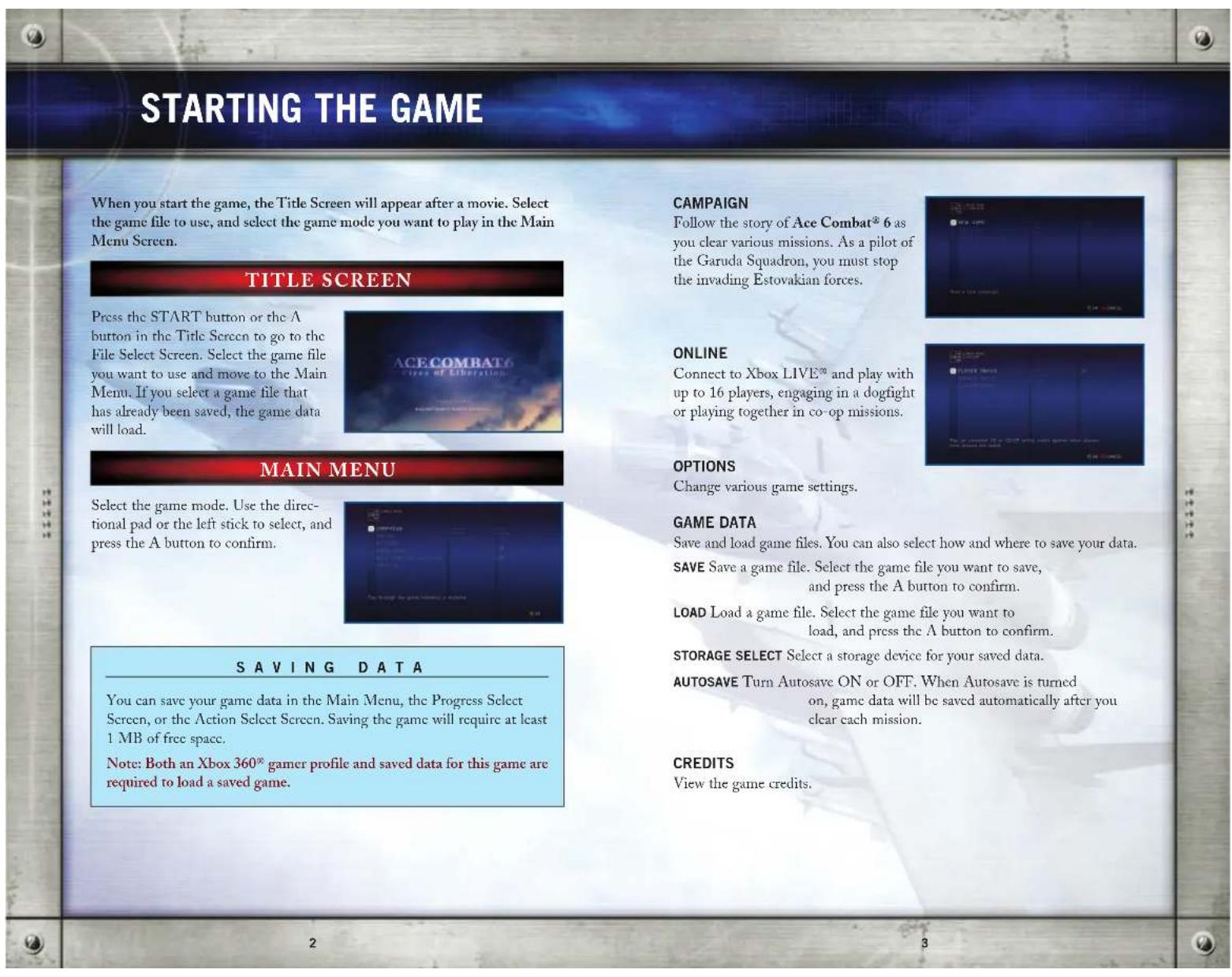
Starting The Game 2 Campaign Mode (Mission Complete)15
Game Controls. 4 Playing Online 16
Game Screens. 6 Xbox LIVE 16
Campaign Mode (Starting Our) 12 Credits 40
Campaign Mode (Before The Mission) 13 Warranty 45
GAME SCREENS
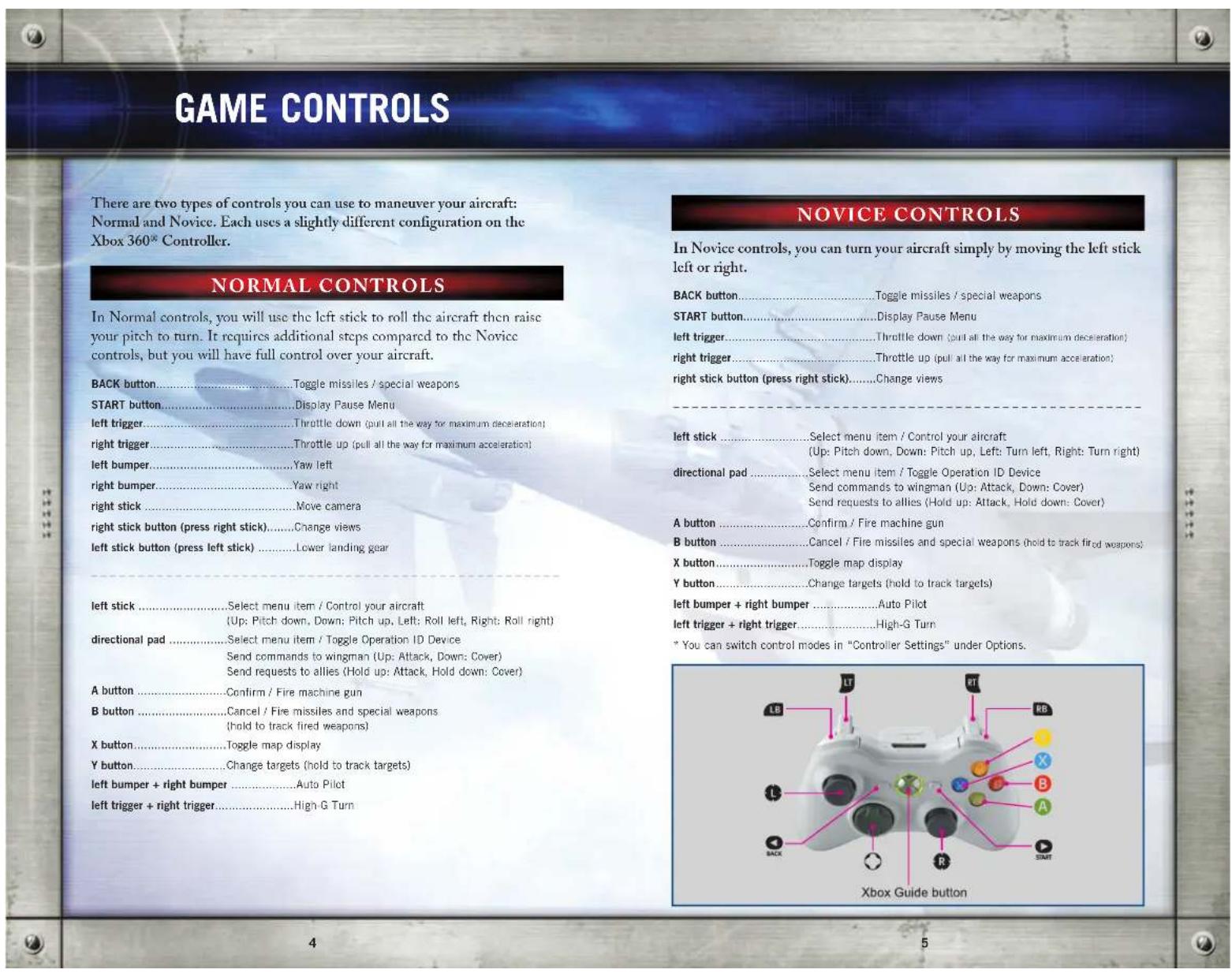
During missions, various types of information will be displayed on screen. Screen elements differ depending on the mode and circumstances. Refer to the appropriate pages for further details.
MISSION SCREEN (NORMAL)
This is the mission screen under normal conditions. Try to familiarize yourself with each of the displays and their meanings.
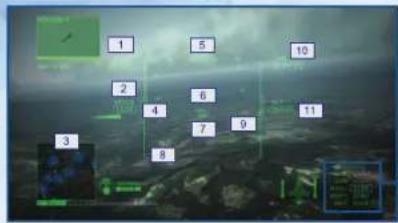
8 PITCH SCALE
1 CURRENT SCORE
Represents your battle results, and increases each time you defeat an enemy.
2 AIRSPEED
Your aircraft's airspeed is displayed in knots (nautical miles per hour). This can be changed to kilometers per hour in "Display Settings" under Options.
3 RADAR MAP
Displays your aircraft's position, as well as the positions of enemy and allied aircraft.
4 ENGINE THROTTLE
Displays the engine's output. The bar will decrease or increase when you pull the left or right trigger.
5 HEADING
Displays the direction your aircraft is heading.
6 VELOCITY VECTOR
This mark predicts your aircraft's future position.
7 WHISKY MARK
Always displayed at the center of the screen, this mark indicates your aircraft's lateral tilt.
Your aircraft's angle relative to the horizon is displayed in 5-degree increments. Negative angles are indicated by dotted lines.
9 DISTANCE SCALE
The arrow indicates your distance to enemies, and drops as you approach them. The thick bar indicates your weapon firing range. Enemies can be locked on when the arrow intersects the bar.
10 REMAINING TIME
Displays the amount of time remaining in the mission.
11 ALTITUDE
Your aircraft's altitude is displayed in feet. The unit can be changed to meters in "Display Settings" under Options.
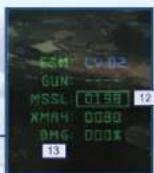
12 REMAINING AMMUNITION Displays the remaining number of missiles and special weapons.
Displays the amount of damage your aircraft has sustained. The percentage increases when you are hit by enemy fire, and your plane is shot down when it reaches 100% . Each time your aircraft is hit, the color of the fuselage changes from green to yellow to red.
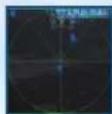
RADAR MAP
Your aircraft is always displayed at the center of the radar, and the search area will change according to your distance to the enemy. Press the X button to toggle between Search Radar, Zoom Radar, and Area Map.
13.Damage

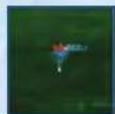
AREA MAP|ZOOM RADAR|SEARCH RADAR
IMARKS
Indicates the position of enemies and allies. See the chart below for types of marks.
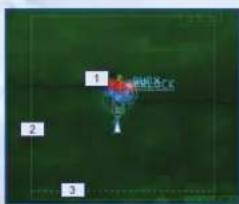
3 RETURN LINE
2 COMBAT ZONE BORDER
The mission fails if you cross the solid green line.
Displayed in certain missions, you can cross this line to land your aircraft, rearm and change weapons, or clear the mission.
TYPES OF MARKS
(the direction of the arrows indicate the direction of travel)

- Targets must be destroyed in order to clear the mission.
CHANGE VIEWS
Press the right stick button to toggle the viewpoints. Select the view you are most comfortable with.
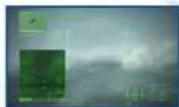
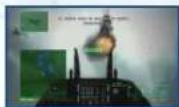
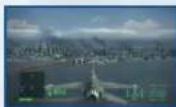
[HUD VIEW] [COCKPIT VIEW] [3RD PERSON VIEW]
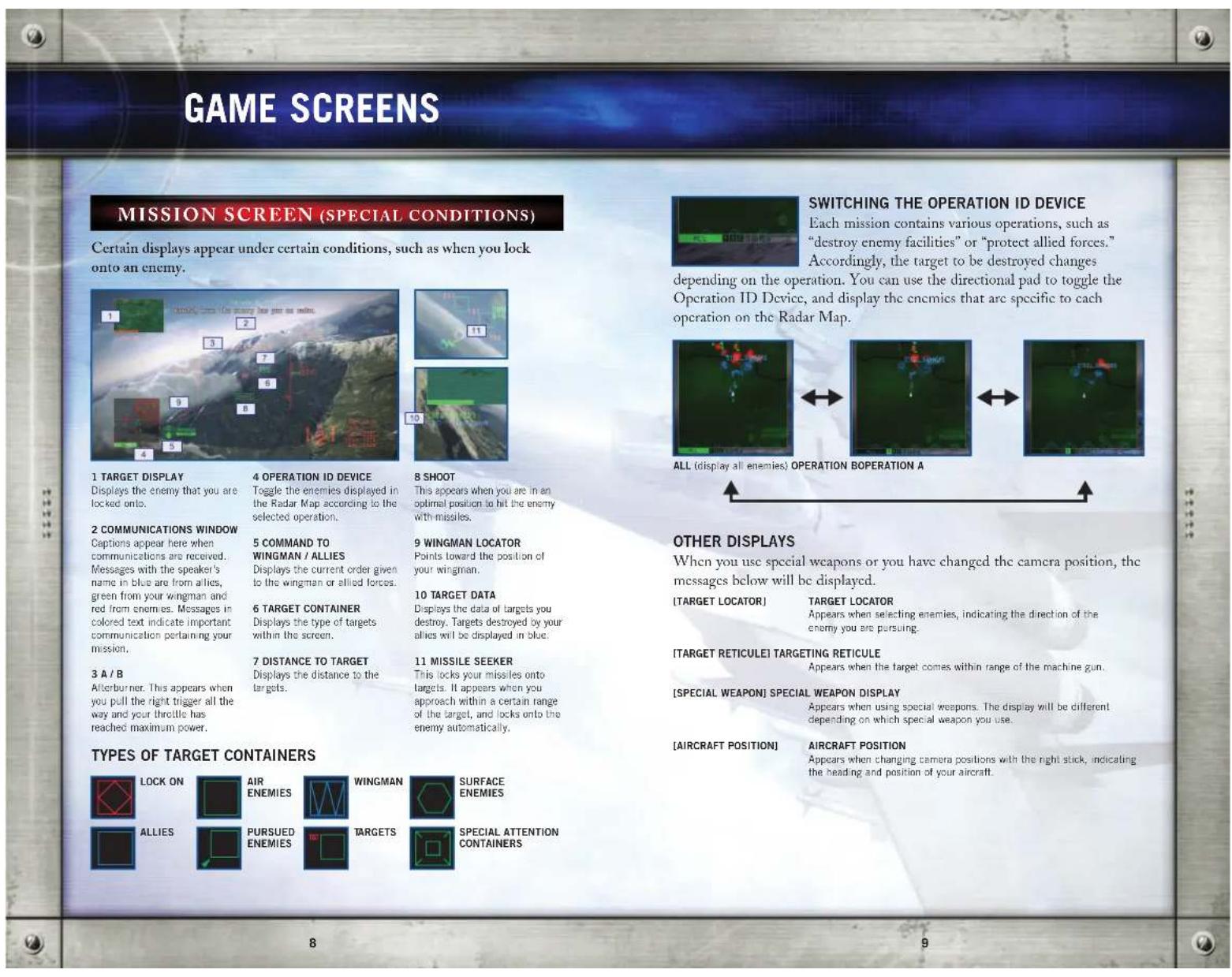
GAME SCREENS
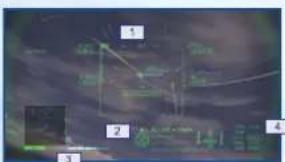
These displays appear during group operations, such as when moving with allied forces.
1 COMMUNICATION DISPLAY
Shows the allied forCES that have responded to your support request, or those you can send requests to.
2 COMMAND ISSUED TO THE ALLIED FORCES
3 ALLIED SUPPORT GAUGE
One full gauge allows you to send one support request to allied forces.
4 COMBAT LINK
Displays the strength of the electronic support, from Lv. 3 (highest) to Lv. 0 (lowest).
ALLIED SUPPORT GAUGE AND SUPPORT REQUESTS
Your Allied Support Gauge increases as you destroy enemies and clear operations, and for each full gauge, you will be able to send one support request to your allied forces. There are two types of support requests:
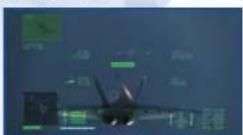
Allied Attack, in which the allies attack all
encmies in your field of vision, and Allied Cover,
in which the allies will attack all enemies that are attacking you.
ALLIED ATTACK REQUEST
[ALLIED COVER REQUEST]
level from Lv. 0 (lowcst) to Lv. 3 (highcst). Note that the enemy electronic warfare aircraft have jamming capabilities, so if you enter their jamming area your radar map and other aspects of your aircraft will be undermined.
A blue circle on the radar map indicates the area where you can receive electronic support, and the green circle indicates the enemy's jamming area. Wherever the circles overlap, you will receive electronic support as well as jamming.
PAUSE MENU
Press the START button during a mission and the Pause Menu appears. Use the directional pad or the left stick to select a menu item, and press the A button to confirm. Note that the menu items displayed here will vary depending on the mode; in Campaign Mode, items such as mission clear conditions and the radar map will be displayed.
[IN CAMPAIGN MODE]
RETURN TO GAME Exit the Pause Menu and return to the mission.
REPLAY
View a replay of the last few seconds of the game. Press the START button during a replay to return to the Pause Menu.
RETRY Retry the mission from the beginning.
QUIT MISSION Quit the current mission and return to the Action Select Screen.
FLIGHT OPTIONS Change the cont
for details.
ol mode and HUD display settings. Refer to options
CAMPAIGN MODE (STARTING OUT)
The Campaign Menu appears when you select "Campaign" in the Main Menu. Use the directional pad or the left stick to select a menu item, and press the A button to confirm.
NEW GAME
Start a new game. Select the difficulty and control type using the steps below. These settings can be changed in "Settings" under the Action Select Screen.
CONTINUE
Continues the game from the point where you last saved.
FREE MISSION
You can play any mission you have previously cleared. Choose one of 3 difficulty levels: EASY, NORMAL, and HARD. Select "Free Flight" to enjoy flying through the various stages without any enemies.
TUTORIAL
Learn basic flight controls and how to read the mission screen.
GALLERY
View medals you have earned, or data about soldiers from the frontline. You can also see a timeline of the missions you have cleared, as well as replays you have saved.
MEDALS View medals you have obtained during the mission.
ASSAULT RECORDS View information on the enemies you have shot down, such as their names and aircraft.
RESULTS View information on enemies and allies, such as their names and aircraft.
BATTLE STATISTICS View your battle records on the operations and missions you have cleared.
CAMPAIGN MODE (BEFORE THE MISSION)
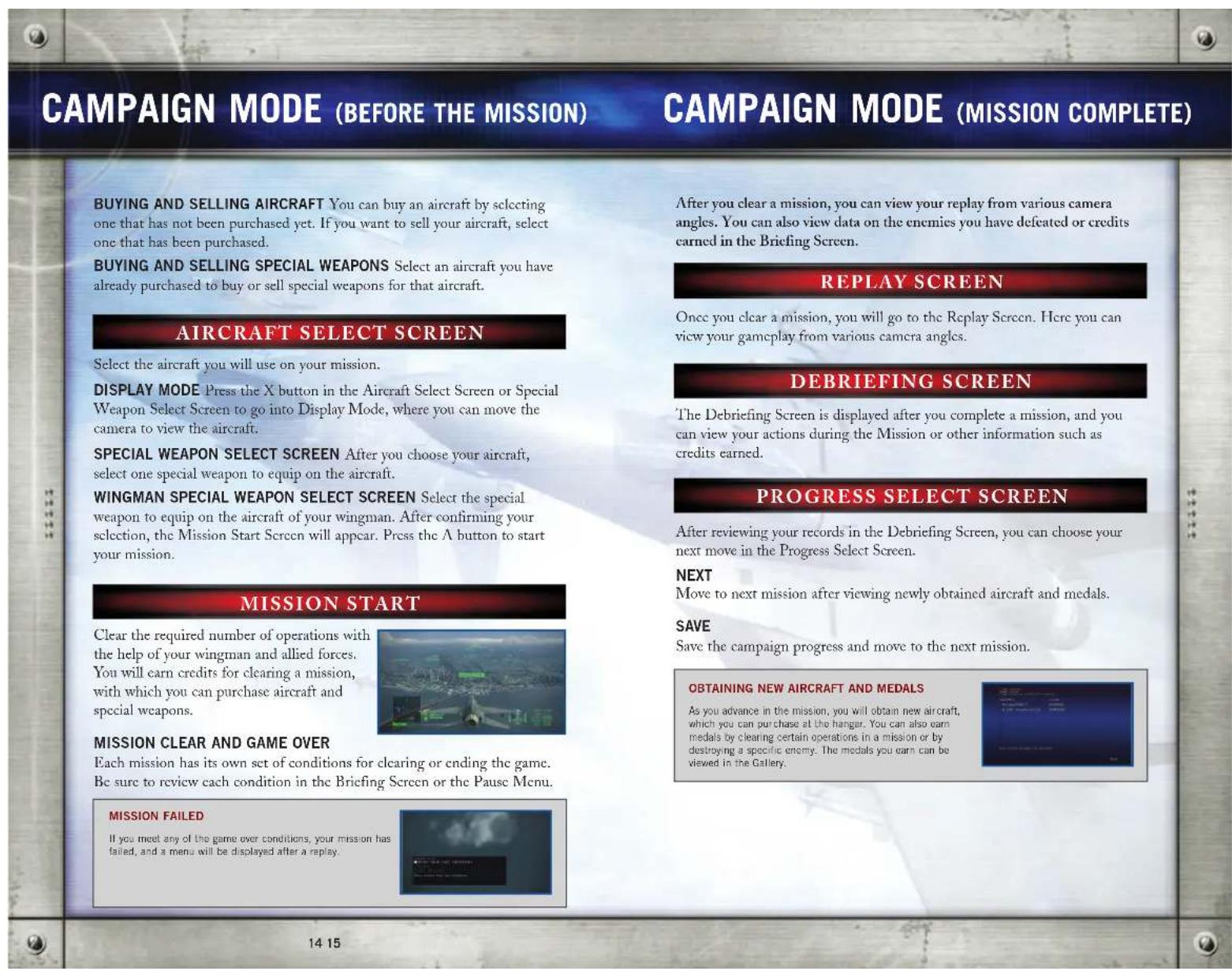
In this section, you will prepare for your sortie. Review the mission details and choose an aircraft that is ideal for the number and types of enemies, your targets and the terrain. You can also select what special weapons to use.
In the Campaign Menu, select "New Game" and complete the various settings or select "Continue" to display the mission title. Press the START button to move on to the Briefing Screen.
BRIEFING SCREEN
Confirm tactical status, mission details and objectives.
DETAILED MAP SCREEN
View details about your mission. Use the directional pad or the left stick to display enemies and targets for each operation, and press the START button to go to the Action Select Screen.
ACTION SELECT SCREEN
In this screen you can buy or sell your aircraft, save your data, or review mission details.
START MISSION Goes to the Aircraft Select Screen. Select the aircraft and special weapon that are best suited for your mission.
HANGAR Buy new aircraft or special weapons, or sell the aircraft or special weapons you don't need.
BRIEFING Go back to the Briefing Screen to review mission details.
TUTORIAL Review basic flight controls and how to read the mission screen.
GALLERY View aircraft data and battle records, or medals you have earned.
SETTINS Change game settings and difficulty, or save and load game data.
QUIT MISSION Exit Campaign Mode and return to the Main Menu.
PLAYING ONLINE
XBOX LIVE®
Play with or against players from all over the world. You can also view various multiplayer rankings.
Play anyone and everyone, anytime, anywhere on Xbox LIVE®. Build your gamer profile (your gamer card), Chat with your friends. Download content at Xbox LIVE Marketplace. Send and recieve voice and video messages.
Get connected and join the revolution.
CONNECTING
Before you can use Xbox LIVE®, connect your Xbox 360® console to a high-speed Internet connection and sign up to become an Xbox LIVE® member. For more information about connecting, and to determine whether Xbox LIVE® is available in your region, go to www.xbox.com/live.
FAMILY SETTINGS
These easy and flexible tools enable parents and caregivers to decide which games young game players can access based on the content rating. For more information, go to www.xbox.com/familysettings.
WARNING
Potential Online Experience Variation Per Connection Speed:
<4000k or above(bps)>
Any player can host and there should be no problems.
<2000k~4000k(bps)>
You might experience some lag but you can host 16 players without it effecting gameplay.
<1000k~2000k(bps)>
You can host 12-16 players. You might experience some lag and some players might disconnect from the game.
<400k~1000k(bps)>
You can host 2-12 players. You might experience some lag and some players might disconnect from the game.
< 0 400 k(bps)>
These players should primarily play as a client.
ONLINE MENU
Select "Online" in the Main Menu to display the menu below.
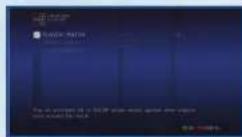
PLAYER MATCH
Play an online match against other players from around the world, regardless of skill level. Search lobbies created by other players, or create your own lobby and invite other players.
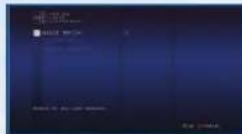
RANKED MATCH
Play against players around your skill level. As with Player Match, search other lobbies or create your own.
LEADERBOARD
In "Offline," you can view score ranking and destroyed ranking. In "Online," you can view other rankings such as Team Battle Ranking and Battle Royale Ranking.
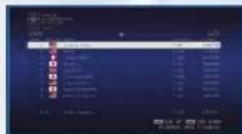
PLAYING ONLINE
MULTIPLAYER BATTLE
Here the steps to multiplayer battle are explained, using the Player Match as an example. Note: The steps below are the same for Ranking Match.
1.SEARCH/CREATEALOBBY
Use "Quick Match" or "Custom Match" to search for a lobby, and "Create Session" to create a new lobby.
QUICK MATCH Search for any open team battles.
CUSTOM MATCH Search pbbies using a sel criteria.
CREATE SESSION Create your own lobby.
2. SELECT BATTLE MODE
The player who created the lobby (the host) will select the battle mode. You can choose from 4 types of battles shown below.
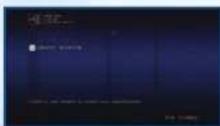
TEAM BATTLE Players break up into two teams. Shooting down an aircraft from the opposing team will earn you points based on the type of plane shot down, and the team with the highest score at the end of the time limit wins. Two teams can be created, and one team can have up to 15 players.
BATTLE ROYALE Shoot down other players to earn points, and the player with the highest score at the end of the time limit wins. Up to 16 players can participate.
SIEGE BATTLE Divide into offensive and defensive teams. The offensive team must destroy the targets before time runs out, while the defensive team tries to protect the targets. If all targets are destroyed or the timer reaches D, the offensive and defensive teams switch, and the team that can destroy the targets the quickest wins. One team can have up to seven players.
CO-OP BATTLE All players cooperate to clear the mission. Destroy all targets before time runs out. Up to four players can participate.
3. SELECT STAGE / MISSION
Next, the host will select the battle stage and mission. Other players must wait until the host makes a selection.
4. SELECT AIRCRAFT
Once the stage and the mission have been set, each player selects an aircraft and special weapon. Different aircraft and special weapons will be available depending on each player's data.
MULTIPLAYER BATTLE SCREEN / CONTROLS
Note: When you use a support request or comment, you won't be able to use it again for 5 seconds.
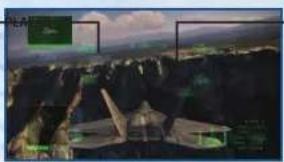
ALLIED PLAYER ENEMY
TYPES OF MARKS (the direction of the arrows indicate the direction of travel)
Player
Enemy
Ally
External Force
Allied NPC


AIRCRAFT

AIRCRAFT
HOW TO USE THE DIRECTIONAL PAD
Up...Attck request
Down . Support request
Right..Negative comment
Right 21..Aioogy,
Left 2x... Appreciative comment
GROUND
GROUND
Ever get stock and just need that extra edge to beat the level? Having problems getting your game to work properly? Now you can get one-on-one help from NAMCO BANDAI Games America Inc. using your web browser! Simply go to livehelp.namco.com for more details. Live Councainers available from Sam-5pm Monday-Friday Pacific Time.
NAMCO BANDAI Games America Inc. ATTN: Customer Service 4555 Great America Parkway, Suite 201 Santa Clara, CA 95054 Before returning any defective materials to us, please contact us for a Return Merchandise Authorization (RMA) number. You can reach us at the address above, via e-mail at support@namcobandaigames.com or contact us at [408] 235-2222. Please note that any materials sent to us without an RMA number will be refused and returned. We highly recommend that you use a traceable and / or insured method of shipping the materials to us.
NAMCO BANDAI Games America Inc. Online: www.namcobandaigames.com Visit our Website to get information about our new titles. LIMITED WARRANTY. NAMCO BANDAI Games America Inc. warrants to the original purchaser that this NAMCO BANDAI Games America Inc. game pack shall be free from defects in material and warranty for a period of ninety (90) days from the date of purchase. If a defect covered by this limited warranty occurs during this 90-day limited warranty period, NAMCO BANDAI Games America Inc. will repair or replace the defective game pack or component part, at its option, free of charge. This limited warranty does not apply if the defects have been caused by negligence, accident, unreasonable use, modification, tampering, or any other cause not related to defective material or warranty.
LIMITATIONS ON WARRANTY: Any applicable implied warranties of merchantability and fitness for a particular purpose, are hereby limited to ninety (90) days from the date of purchase and are subject to the conditions set forth herein. In no event shall NAMCO BANDAI Games America Inc. be liable for consequential or incidental damages resulting from the possession or use of this product. The provisions of the limited warranty are valid in the United States only. Some states do not allow limitations on how long an implied warranty lasts, or exclusion of consequential or incidental damages, so the above limitation or exclusion may not apply to you. This limited warranty provides you with specific legal rights. You may have other rights which vary from state to state.
DES CONSEILS MAINTENANT OFFERS EN LIGNE!
Microsoft, Xbox, Xbox 360, Xbox LIVE and the Xbox logos are trademarks of the Microsoft group of companies.
To register product online go to www.NAMCOREG.COM

- ACECOMBAT6
- Important Health Warning About Playing Video Games
- Photosensitive Seizures
- Fires of LiberationTM
- TABLE OF CONTENTS
- GAME SCREENS
- MISSION SCREEN (NORMAL)
- RADAR MAP
- TYPES OF MARKS
- CHANGE VIEWS
- ALLIED SUPPORT GAUGE AND SUPPORT REQUESTS
- PAUSE MENU
- [IN CAMPAIGN MODE]
- CAMPAIGN MODE (STARTING OUT)
- NEW GAME
- CONTINUE
- FREE MISSION
- TUTORIAL
- GALLERY
- CAMPAIGN MODE (BEFORE THE MISSION)
- BRIEFING SCREEN
- DETAILED MAP SCREEN
- ACTION SELECT SCREEN
- PLAYING ONLINE
- XBOX LIVE®
- CONNECTING
- FAMILY SETTINGS
- WARNING
- ONLINE MENU
- PLAYER MATCH
- RANKED MATCH
- LEADERBOARD
- MULTIPLAYER BATTLE
- 1.SEARCH/CREATEALOBBY
- SELECT BATTLE MODE
- SELECT STAGE / MISSION
- SELECT AIRCRAFT
- MULTIPLAYER BATTLE SCREEN / CONTROLS
- DES CONSEILS MAINTENANT OFFERS EN LIGNE!
Brand : MICROSOFT
Model : Ace Combat 6 Fires of Liberation (Xbox 360)
Category : Game